Flipping the 
Classroom 
Material from Infographic at: 
http://www.kokuamai.com/test/flipped/ 
Featuring Ideas from 
Jonathan Bergman 
and 
Aaron Sams
http://www.kokuamai.com/test/flipped/ 
What is a Flipped Classroom 
• Delivering lectures online as “Homework” 
• Shifting engagement activities into the classroom 
• Teachers spend classroom time directly with students 
• Teachers provide hands-on instruction and support.
Advantages of a 
Flipped Classroom 
• Active vs. Passive Learning 
• Self-Paced Instruction – Stop and Rewind 
• Multiple Learning Styles 
• Varied Instruction 
• Social Interaction 
• 21st Century Preparation 
http://www.kokuamai.com/test/flipped/
Flipped Classroom Challenges 
• Non-universal accessibility – not all students have access 
• Teacher time and effort creating online lessons and 
activities 
Two Steps to Flipping a Class 
• First Step – Create a share a web-based video to deliver 
instruction 
• Second Step – Create learning activities to use during class 
time 
0 Questions to Ask Yourself 
• How do I deliver instruction? 
• How proficient am I with technology? 
• What are my budget concerns? 
http://www.kokuamai.com/test/flipped/
Types of Online Instruction 
Click on links for examples 
• Online Videos 
• Homemade videos to university lectures 
• Example: Integrative Biology 131 UC Berkeley 
• Narrated Screencasts – Recommended for this Class 
• Screen capture with narration 
• Example: Intro to Chemistry (Bergman & Sams) 
• Videotaped Lectures 
• Set up video camera, hit record, and give lesson 
• Example: Math Help 
http://www.kokuamai.com/test/flipped/
Applications for Screencasting: 
Creating your Narrated Video 
• Menu of Resources and Tutorials - 
https://sites.google.com/site/flip2teach/ 
• Screencast-o-matic - http://www.screencast-o-matic.com/ 
• Help Videos - http:// 
som.screencasthost.com/channels/cXhI3EVTh#navback 
• Screenr - http://screenr.com/ 
• https://sites.google.com/site/pipertutorials/screenr 
• https:// 
sites.google.com/site/studentspresent/using-screenr-for-screen-capture 
• http://www.youtube.com/watch?v=ZJvYKgn9_xs 
• Jing Video Capture (TechSmith) - http://www.techsmith.com/jing.html 
(Requires Download) 
• Jing Tutorials - http://www.techsmith.com/tutorial-jing.html 
• Capture a Video - 
http://www.techsmith.com/tutorial-jing-record-video.html
Apps for iPad and Android 
• Apps for Teaching and Presentation - 
https://sites.google.com/site/apps4teaching/ 
• Explain Everything - iPad and Android http 
://www.explaineverything.com/ 
• Show Me iPad App - http://www.showme.com/ 
• Screen Chomp by TechSmith iPad App-http:// 
www.techsmith.com/labs.html 
• Screencast Video Recorder for Android - https:// 
play.google.com/store/apps/details?id=com.ms.screencastfree 
• Easy Screen Recorder (No Root) - https:// 
play.google.com/store/apps/details?id=uk.org.invisibility.recordable
Tutorials for Simpler Options: 
Images and Narration 
• Student Presentations - 
https://sites.google.com/site/studentspresent/ 
• Voicethread - http://voicethread.com/ 
• PowerPoint and Picasa - https:// 
sites.google.com/site/studentspresent/picasa-slideshows-with-narration 
• Prezi - https://prezi.com/support/ 
• Collaboration Tutorials - 
http://prezi.com/manual/collaboration-tutorial/ 
• https:// 
prezi.zendesk.com/forums/21390988-Collaborating-with-Prezi 
• Adding Sound to Prezi - https:// 
prezi.zendesk.com/entries/22596482
Tips for Effective Screencast 
• Write a script 
• Control your environment 
• Ensure clear, consistent audio 
• Use the proper aspect ratio 
• Hide personal information 
• Limit mouse movement 
• Share your video through YouTube 
• May choose Teacher Tube of Vimeo but 
embedding videos may not work 
http://www.kokuamai.com/test/flipped/
ARCS Motivational Model 
by John Keller 
• Attention 
• Stimulate the Senses 
• Promote Active Participation 
• Use Multiple Methods 
• Arouse Inquiry 
• Use Humor – but not too much! 
• Relevance 
• Use Familiar Terms 
• Show Future Worth 
• Demonstrate Present Value 
• Build on Existing Experience 
http://www.arcsmodel.com/
ARCS 
Motivational Model 
Video 
• Confidence 
• Develop Clear Objectives 
• Allow for Manageable Growth 
• Create Successful Outcomes 
• Provide Feedback 
• Allow for Learning Control 
• Satisfaction 
• Create Intrinsic Value 
• Show that Knowledge is Applicable 
• Provide Reinforcement 
• Offer Genuine Praise http://www.arcsmodel.com/
Planning your Video for 
Flipping the Classroom 
• What will students do in the classroom after they 
have watched my video and viewed my resources? 
• What other resources do I want to show in my 
video? 
• How will I begin my presentation? 
• What will be in the middle part of my presentation? 
• How will I end my presentation? 
• What will I show or do to make my presentation 
interesting?
Creating 
a Script 
for your 
Flipped 
Video 
Click to 
View 
Tutorial 
Resources 
by 
Bill Myers
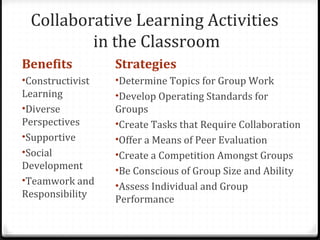
Collaborative Learning Activities 
in the Classroom 
Benefits 
•Constructivist 
Learning 
•Diverse 
Perspectives 
•Supportive 
•Social 
Development 
•Teamwork and 
Responsibility 
Strategies 
•Determine Topics for Group Work 
•Develop Operating Standards for 
Groups 
•Create Tasks that Require Collaboration 
•Offer a Means of Peer Evaluation 
•Create a Competition Amongst Groups 
•Be Conscious of Group Size and Ability 
•Assess Individual and Group 
Performance

Eduu 551 flipping the classroom

  • 1.
    Flipping the Classroom Material from Infographic at: http://www.kokuamai.com/test/flipped/ Featuring Ideas from Jonathan Bergman and Aaron Sams
  • 2.
    http://www.kokuamai.com/test/flipped/ What isa Flipped Classroom • Delivering lectures online as “Homework” • Shifting engagement activities into the classroom • Teachers spend classroom time directly with students • Teachers provide hands-on instruction and support.
  • 3.
    Advantages of a Flipped Classroom • Active vs. Passive Learning • Self-Paced Instruction – Stop and Rewind • Multiple Learning Styles • Varied Instruction • Social Interaction • 21st Century Preparation http://www.kokuamai.com/test/flipped/
  • 4.
    Flipped Classroom Challenges • Non-universal accessibility – not all students have access • Teacher time and effort creating online lessons and activities Two Steps to Flipping a Class • First Step – Create a share a web-based video to deliver instruction • Second Step – Create learning activities to use during class time 0 Questions to Ask Yourself • How do I deliver instruction? • How proficient am I with technology? • What are my budget concerns? http://www.kokuamai.com/test/flipped/
  • 5.
    Types of OnlineInstruction Click on links for examples • Online Videos • Homemade videos to university lectures • Example: Integrative Biology 131 UC Berkeley • Narrated Screencasts – Recommended for this Class • Screen capture with narration • Example: Intro to Chemistry (Bergman & Sams) • Videotaped Lectures • Set up video camera, hit record, and give lesson • Example: Math Help http://www.kokuamai.com/test/flipped/
  • 6.
    Applications for Screencasting: Creating your Narrated Video • Menu of Resources and Tutorials - https://sites.google.com/site/flip2teach/ • Screencast-o-matic - http://www.screencast-o-matic.com/ • Help Videos - http:// som.screencasthost.com/channels/cXhI3EVTh#navback • Screenr - http://screenr.com/ • https://sites.google.com/site/pipertutorials/screenr • https:// sites.google.com/site/studentspresent/using-screenr-for-screen-capture • http://www.youtube.com/watch?v=ZJvYKgn9_xs • Jing Video Capture (TechSmith) - http://www.techsmith.com/jing.html (Requires Download) • Jing Tutorials - http://www.techsmith.com/tutorial-jing.html • Capture a Video - http://www.techsmith.com/tutorial-jing-record-video.html
  • 7.
    Apps for iPadand Android • Apps for Teaching and Presentation - https://sites.google.com/site/apps4teaching/ • Explain Everything - iPad and Android http ://www.explaineverything.com/ • Show Me iPad App - http://www.showme.com/ • Screen Chomp by TechSmith iPad App-http:// www.techsmith.com/labs.html • Screencast Video Recorder for Android - https:// play.google.com/store/apps/details?id=com.ms.screencastfree • Easy Screen Recorder (No Root) - https:// play.google.com/store/apps/details?id=uk.org.invisibility.recordable
  • 8.
    Tutorials for SimplerOptions: Images and Narration • Student Presentations - https://sites.google.com/site/studentspresent/ • Voicethread - http://voicethread.com/ • PowerPoint and Picasa - https:// sites.google.com/site/studentspresent/picasa-slideshows-with-narration • Prezi - https://prezi.com/support/ • Collaboration Tutorials - http://prezi.com/manual/collaboration-tutorial/ • https:// prezi.zendesk.com/forums/21390988-Collaborating-with-Prezi • Adding Sound to Prezi - https:// prezi.zendesk.com/entries/22596482
  • 9.
    Tips for EffectiveScreencast • Write a script • Control your environment • Ensure clear, consistent audio • Use the proper aspect ratio • Hide personal information • Limit mouse movement • Share your video through YouTube • May choose Teacher Tube of Vimeo but embedding videos may not work http://www.kokuamai.com/test/flipped/
  • 10.
    ARCS Motivational Model by John Keller • Attention • Stimulate the Senses • Promote Active Participation • Use Multiple Methods • Arouse Inquiry • Use Humor – but not too much! • Relevance • Use Familiar Terms • Show Future Worth • Demonstrate Present Value • Build on Existing Experience http://www.arcsmodel.com/
  • 11.
    ARCS Motivational Model Video • Confidence • Develop Clear Objectives • Allow for Manageable Growth • Create Successful Outcomes • Provide Feedback • Allow for Learning Control • Satisfaction • Create Intrinsic Value • Show that Knowledge is Applicable • Provide Reinforcement • Offer Genuine Praise http://www.arcsmodel.com/
  • 12.
    Planning your Videofor Flipping the Classroom • What will students do in the classroom after they have watched my video and viewed my resources? • What other resources do I want to show in my video? • How will I begin my presentation? • What will be in the middle part of my presentation? • How will I end my presentation? • What will I show or do to make my presentation interesting?
  • 13.
    Creating a Script for your Flipped Video Click to View Tutorial Resources by Bill Myers
  • 14.
    Collaborative Learning Activities in the Classroom Benefits •Constructivist Learning •Diverse Perspectives •Supportive •Social Development •Teamwork and Responsibility Strategies •Determine Topics for Group Work •Develop Operating Standards for Groups •Create Tasks that Require Collaboration •Offer a Means of Peer Evaluation •Create a Competition Amongst Groups •Be Conscious of Group Size and Ability •Assess Individual and Group Performance