Creating Paper Slide
       Videos
             Heather Hurley
        heather.hurley@apsva.us
 Instructional Technology Coordinator
        Arlington Public Schools
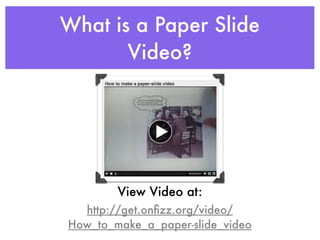
What is a Paper Slide
       Video?


        View Video at:
  http://get.onfizz.org/video/
How_to_make_a_paper-slide_video
Why Make Paper Slide
         Videos?
• Ensure that every student is
  challenged and engaged
• Provide optimal learning
  environments
• Differentiates Instruction
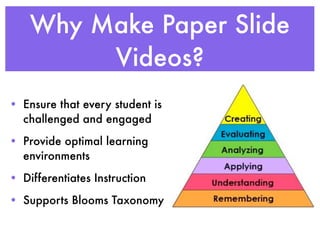
• Supports Blooms Taxonomy
How Can They be Used?
• Used in all subject areas
• Introduce a concept
• Review a concept
• Explain thinking
• Student teaching tool
• Share a project
• Assessment - both formative and summative
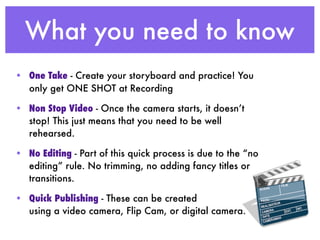
What you need to know
• One Take - Create your storyboard and practice! You
  only get ONE SHOT at Recording

• Non Stop Video - Once the camera starts, it doesn’t
  stop! This just means that you need to be well
  rehearsed.

• No Editing - Part of this quick process is due to the “no
  editing” rule. No trimming, no adding fancy titles or
  transitions.

• Quick Publishing - These can be created
  using a video camera, Flip Cam, or digital camera.
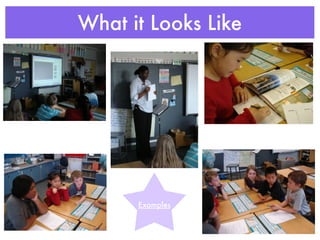
What it Looks Like


      Examples
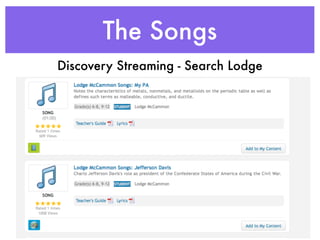
The Songs
Discovery Streaming - Search Lodge
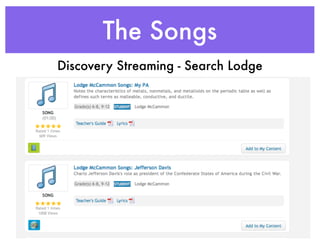
The Songs
Discovery Streaming - Search Lodge
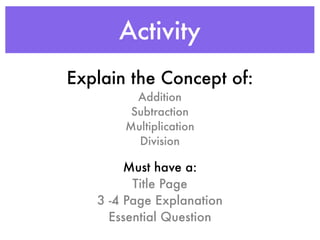
Activity
Explain the Concept of:
         Addition
        Subtraction
       Multiplication
         Division

        Must have a:
         Title Page
   3 -4 Page Explanation
     Essential Question
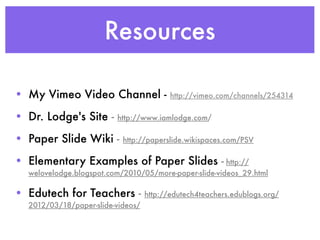
Resources

• My Vimeo Video Channel -                http://vimeo.com/channels/254314

• Dr. Lodge's Site -     http://www.iamlodge.com/

• Paper Slide Wiki -       http://paperslide.wikispaces.com/PSV

• Elementary Examples of Paper Slides - http://
  welovelodge.blogspot.com/2010/05/more-paper-slide-videos_29.html

• Edutech for Teachers -           http://edutech4teachers.edublogs.org/
  2012/03/18/paper-slide-videos/

Creating Paper Slide Videos

  • 1.
    Creating Paper Slide Videos Heather Hurley heather.hurley@apsva.us Instructional Technology Coordinator Arlington Public Schools
  • 2.
    What is aPaper Slide Video? View Video at: http://get.onfizz.org/video/ How_to_make_a_paper-slide_video
  • 3.
    Why Make PaperSlide Videos? • Ensure that every student is challenged and engaged • Provide optimal learning environments • Differentiates Instruction • Supports Blooms Taxonomy
  • 4.
    How Can Theybe Used? • Used in all subject areas • Introduce a concept • Review a concept • Explain thinking • Student teaching tool • Share a project • Assessment - both formative and summative
  • 5.
    What you needto know • One Take - Create your storyboard and practice! You only get ONE SHOT at Recording • Non Stop Video - Once the camera starts, it doesn’t stop! This just means that you need to be well rehearsed. • No Editing - Part of this quick process is due to the “no editing” rule. No trimming, no adding fancy titles or transitions. • Quick Publishing - These can be created using a video camera, Flip Cam, or digital camera.
  • 6.
    What it LooksLike Examples
  • 7.
  • 8.
  • 9.
    Activity Explain the Conceptof: Addition Subtraction Multiplication Division Must have a: Title Page 3 -4 Page Explanation Essential Question
  • 10.
    Resources • My VimeoVideo Channel - http://vimeo.com/channels/254314 • Dr. Lodge's Site - http://www.iamlodge.com/ • Paper Slide Wiki - http://paperslide.wikispaces.com/PSV • Elementary Examples of Paper Slides - http:// welovelodge.blogspot.com/2010/05/more-paper-slide-videos_29.html • Edutech for Teachers - http://edutech4teachers.edublogs.org/ 2012/03/18/paper-slide-videos/

Editor's Notes