JONALD DE LOS SANTOS TRAQUIÑA
Prepared by:
SOUTHERN LUZON STATE UNIVERSITY - POLILLO CAMPUS
STUDY GUIDE
DEAR FUTURE LPT,
I am happy to share with you my self-made presentation and review materials for
your benefit.
As you continue your dream of becoming a licensed professional teacher, I would like
to inform you that the presentation which I’ve made will just serve as your guide to understand
the concepts that you need to master before taking the licensure examination. This can help you
master the essential topics and concepts of professional education. The topics are very broad
that’s why you have to research and provide supplementary idea for each concept.
With the help of this study guide, you can develop your understanding of the most
essential concepts so you can clearly understand each point. This will enable you to master the
concepts that you need to learn so you can formulate accurate judgment when answering
questions.
Enjoy this study guide!
JONALD DE LOS SANTOS TRAQUIÑA
JANUARY 2022 LET TOPNOTCHER
CONTENTS
These are the topics and concepts that you need to master before taking
the Licensure Examination for Professional Teachers:
 The Principles of Technology in Education
 The Advantages and Disadvantages of Technology in Education
 The 21st Century Learners
 The Audio-Visual Forms
 The Domains of Educational Technology
 The ASSURE Model
 The 9 Events of Instruction
 The Types of Instructional Materials
 The Principles in the Selection of Educational Technology
 The Three Tiered Model
 The Levels of Technology Integration
 The Technology Integration Matrix
CONTENTS
These are the topics and concepts that you need to master before taking
the Licensure Examination for Professional Teachers:
 The SAMR Model
 The Factors Affecting the Selection of Educational Technology
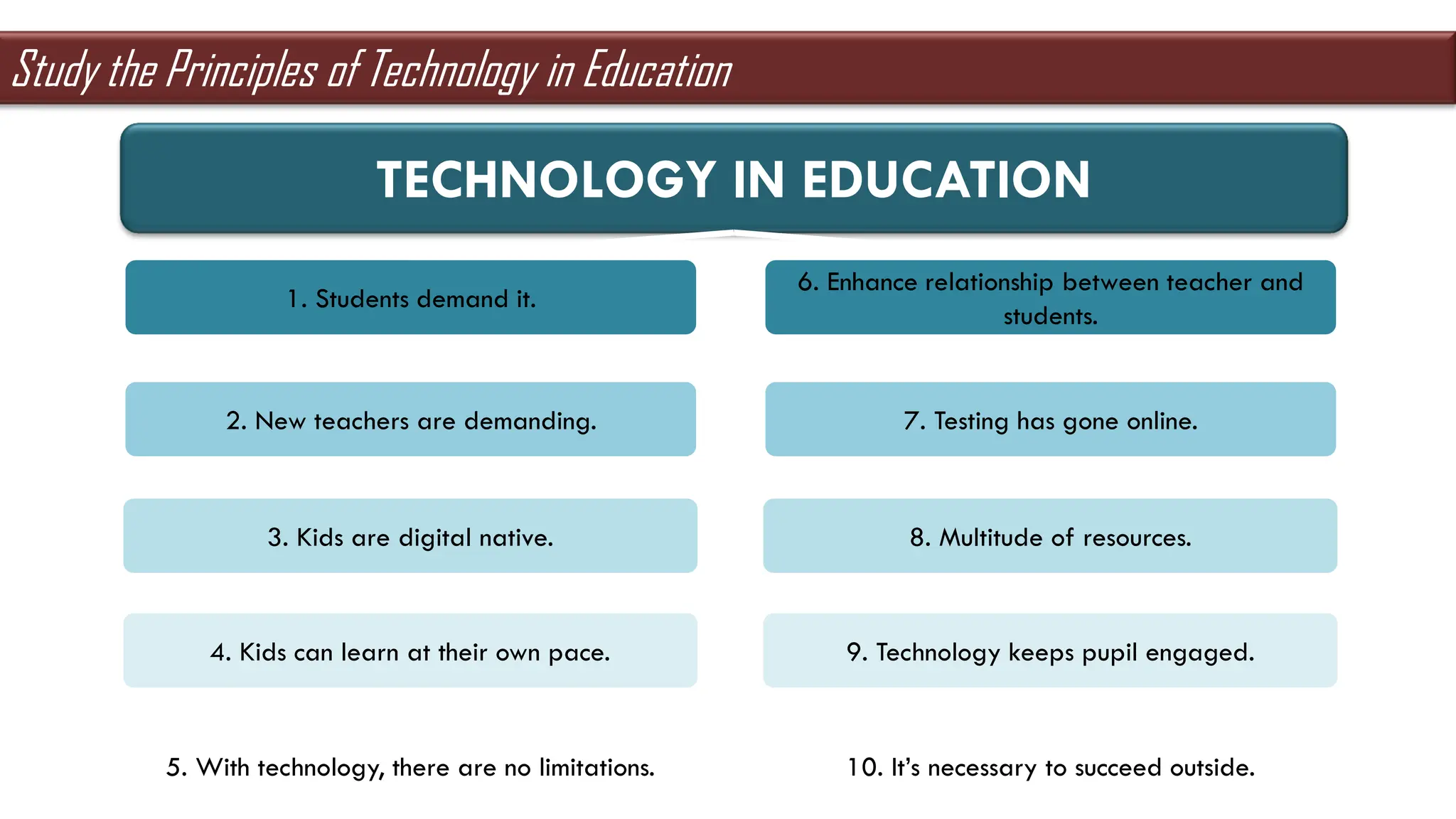
TECHNOLOGY IN EDUCATION
1. Students demand it.
2. New teachers are demanding.
3. Kids are digital native.
4. Kids can learn at their own pace.
5. With technology, there are no limitations.
6. Enhance relationship between teacher and
students.
7. Testing has gone online.
8. Multitude of resources.
9. Technology keeps pupil engaged.
10. It’s necessary to succeed outside.
Study the Principles of Technology in Education
TECHNOLOGY IN EDUCATION
ADVANTAGES
Parent’s
peace of
mind
The
information
highway
broaden
the mind
bring some
fun into the
classroom
applicable
education
DISADVANTAGES
access to
inappropriate
content
disconnected
youth
Study the Advantages and Disadvantages of Technology in Education
know the content knowledge
value professionalism
act real-life experiences
21st CENTURY LEARNERS ARE ABLE TO:
Study the Characteristics of the 21st Century Learners
AUDIO-VISUAL
FORMS
AUDIO-VISUAL
MEDIA
film presentation,
tool that used for
the whole session
AUDIOVISUAL AID
teacher used film
as a guide for
learning
AUDIOVISUAL
TECHNOLOGY
these are in
interactive form
Study the Forms of Audio-Visual
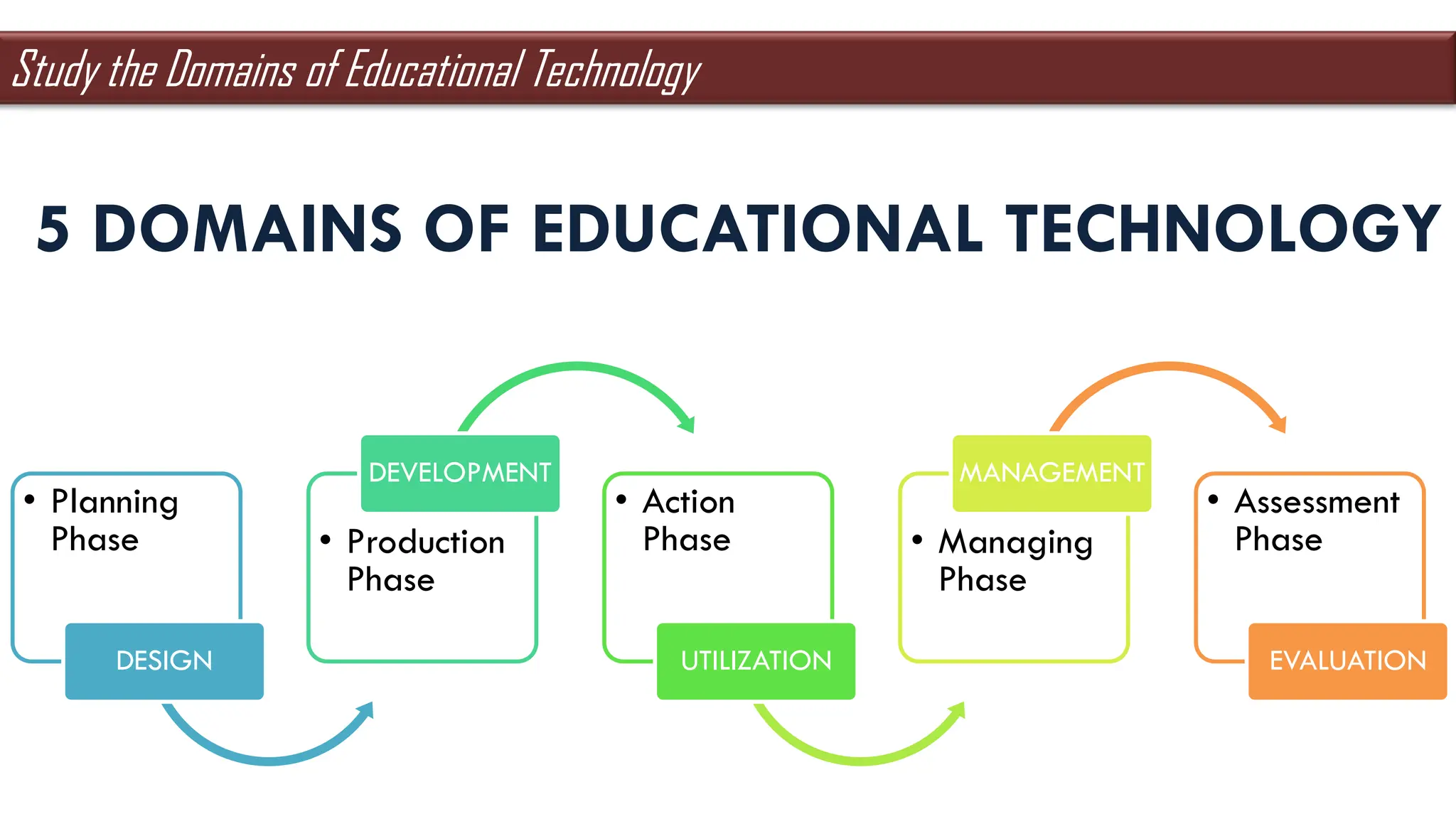
• Planning
Phase
DESIGN
• Production
Phase
DEVELOPMENT
• Action
Phase
UTILIZATION
• Managing
Phase
MANAGEMENT
• Assessment
Phase
EVALUATION
5 DOMAINS OF EDUCATIONAL TECHNOLOGY
Study the Domains of Educational Technology
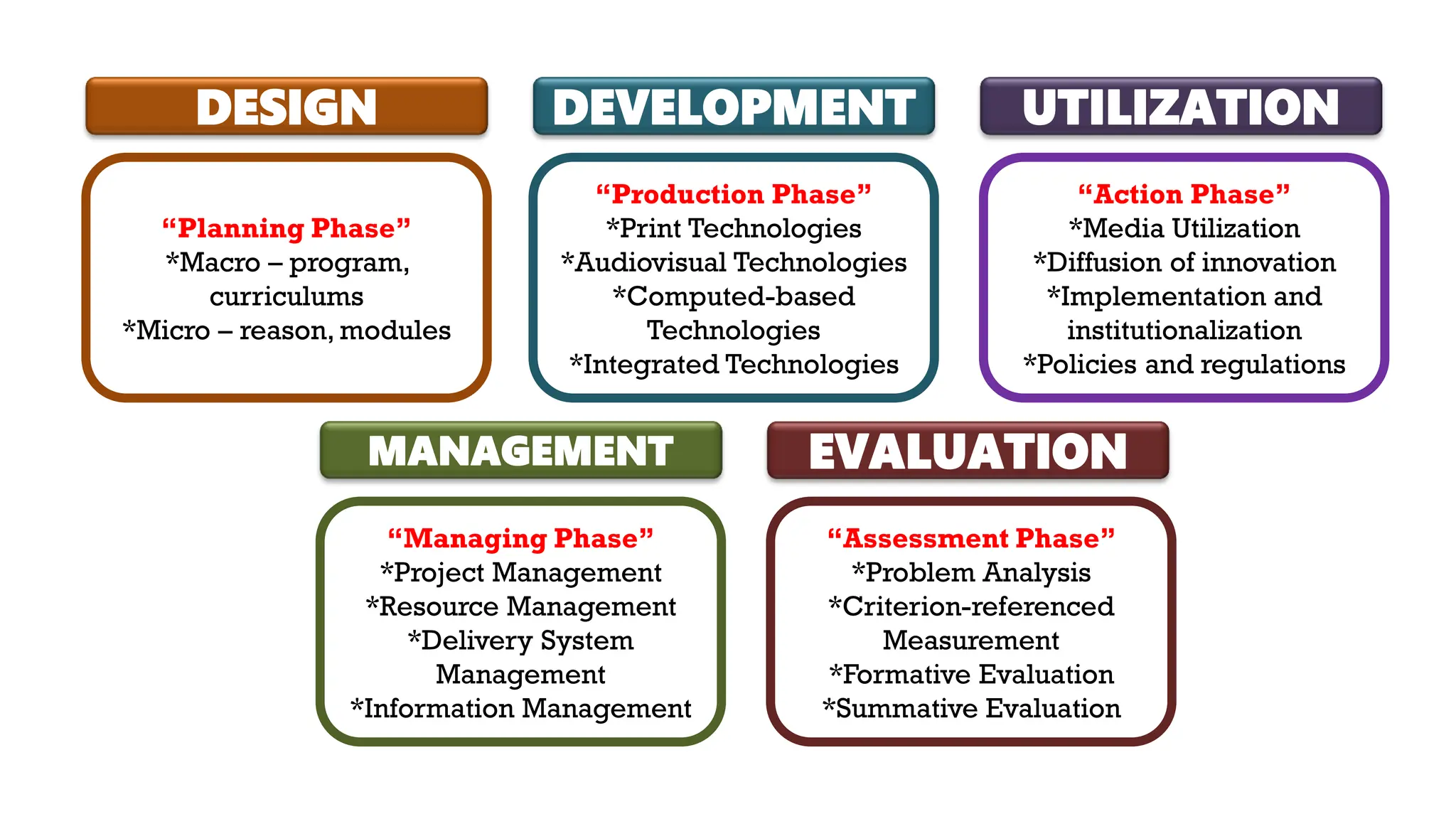
DESIGN
“Planning Phase”
*Macro – program,
curriculums
*Micro – reason, modules
DEVELOPMENT
“Production Phase”
*Print Technologies
*Audiovisual Technologies
*Computed-based
Technologies
*Integrated Technologies
UTILIZATION
“Action Phase”
*Media Utilization
*Diffusion of innovation
*Implementation and
institutionalization
*Policies and regulations
MANAGEMENT
“Managing Phase”
*Project Management
*Resource Management
*Delivery System
Management
*Information Management
EVALUATION
“Assessment Phase”
*Problem Analysis
*Criterion-referenced
Measurement
*Formative Evaluation
*Summative Evaluation
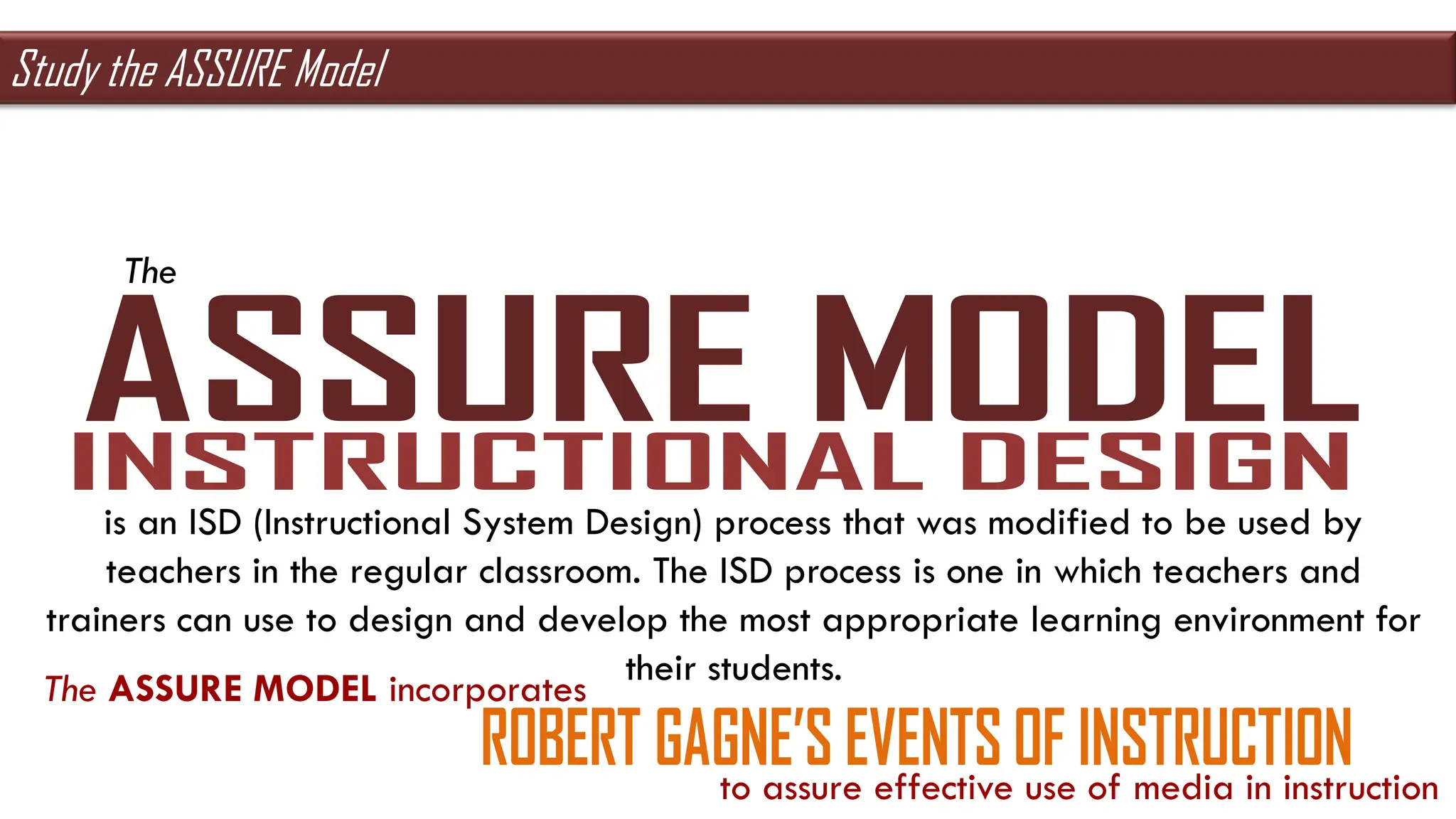
The
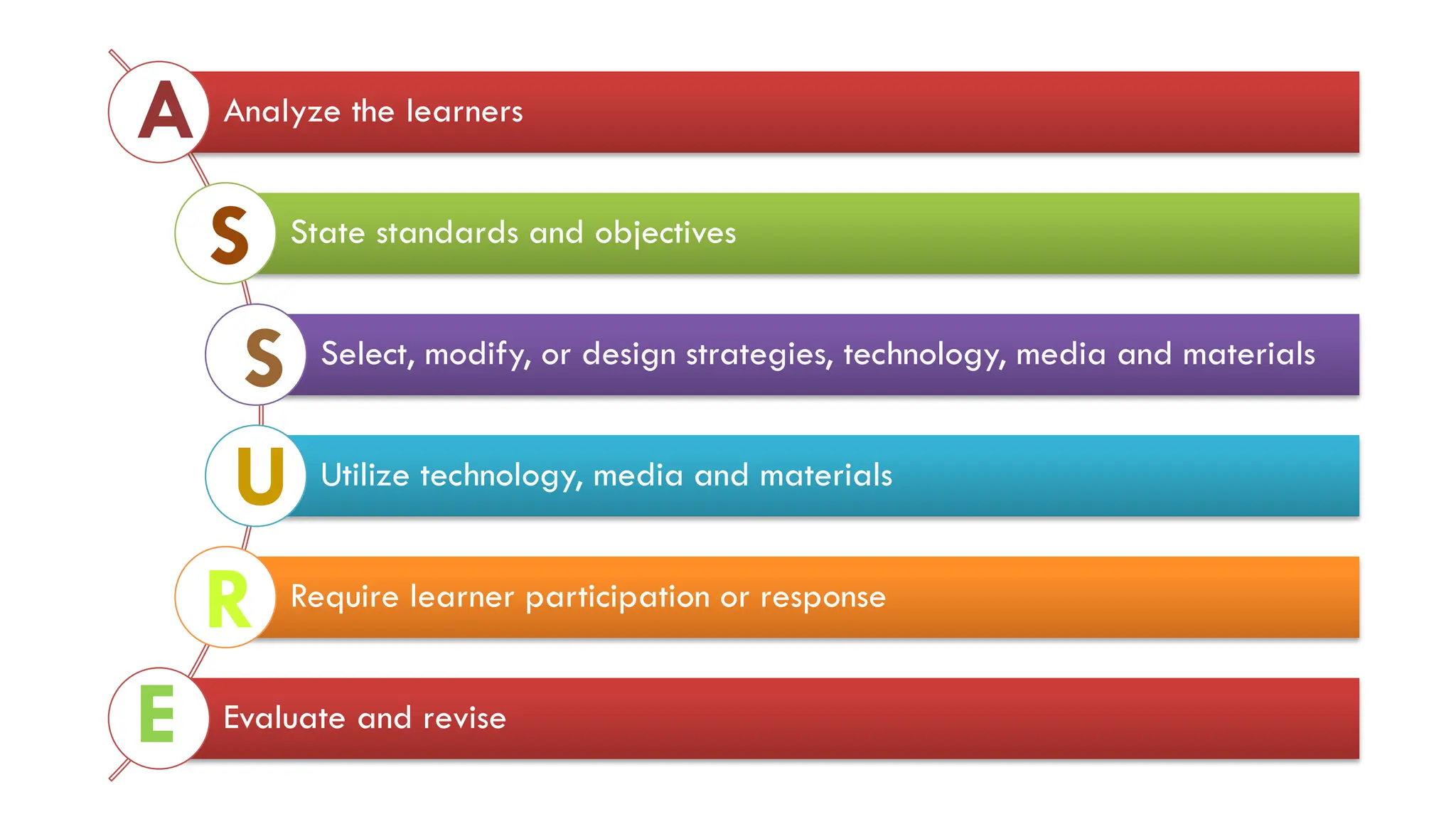
is an ISD (Instructional System Design) process that was modified to be used by
teachers in the regular classroom. The ISD process is one in which teachers and
trainers can use to design and develop the most appropriate learning environment for
their students.
The ASSURE MODEL incorporates
to assure effective use of media in instruction
Study the ASSURE Model
Analyze the learners
State standards and objectives
Select, modify, or design strategies, technology, media and materials
Utilize technology, media and materials
Require learner participation or response
Evaluate and revise
A
S
S
U
R
E
Study the 9 Events of Instruction
Image Source: https://www.pinterest.ph/pin/413697915773905917/
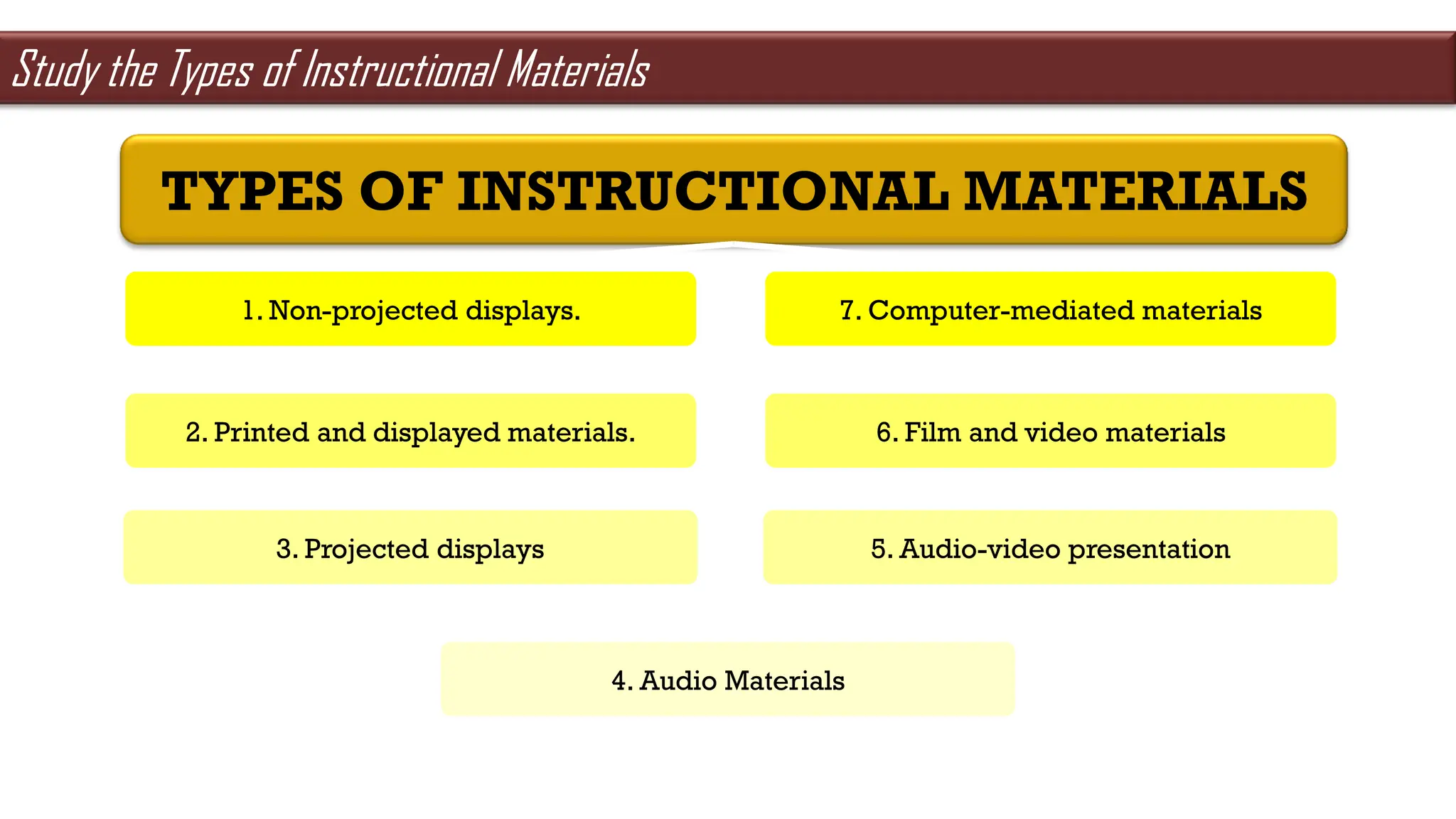
TYPES OF INSTRUCTIONAL MATERIALS
1. Non-projected displays.
2. Printed and displayed materials.
3. Projected displays
4. Audio Materials
7. Computer-mediated materials
6. Film and video materials
5. Audio-video presentation
Study the Types of Instructional Materials
TYPES OF INSTRUCTIONAL
MATERIALS
Mock-Up
Detachable
Realia
Real
Model
3D presentations
Specimen
For scientific purposes
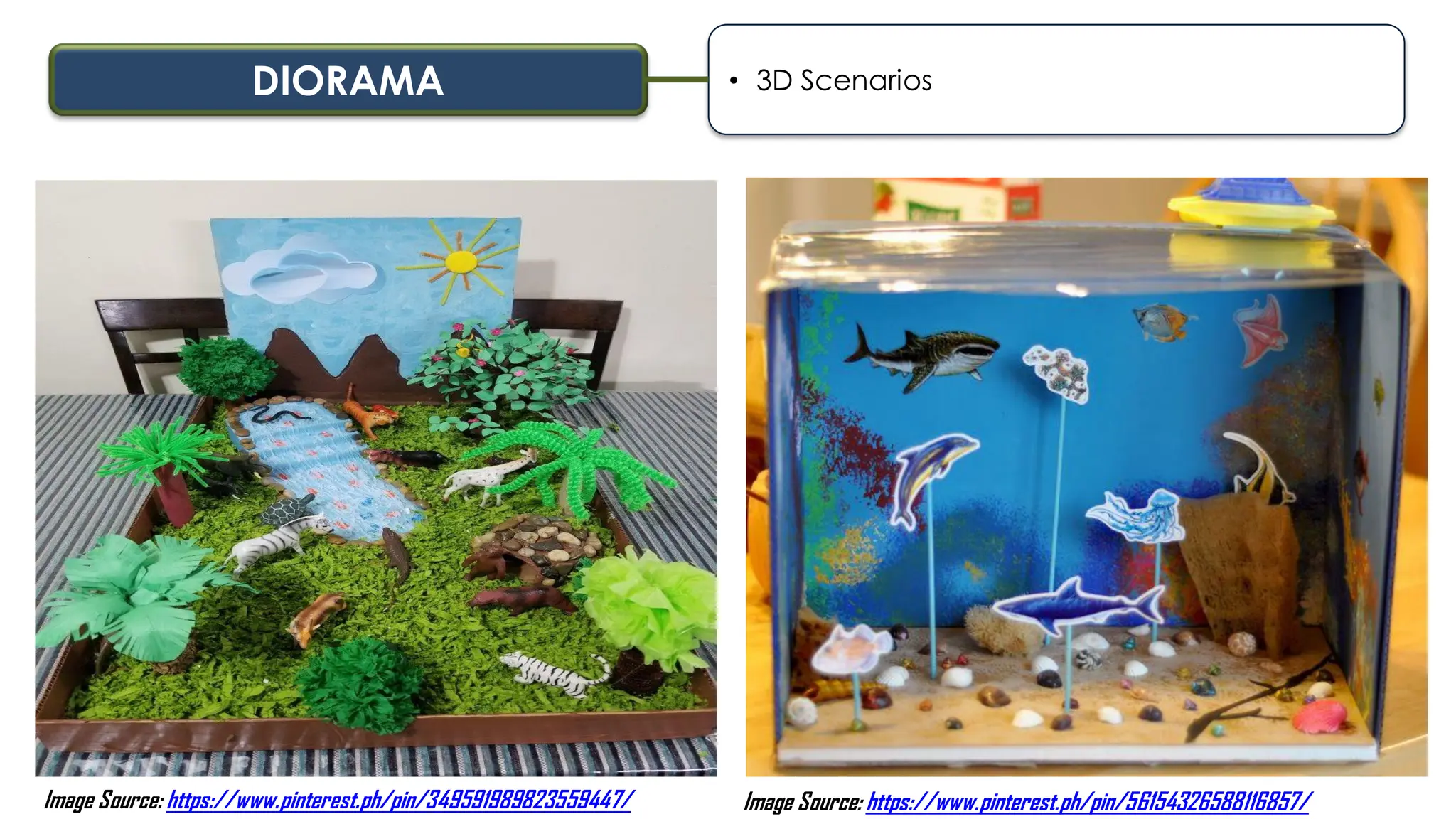
Diorama
3D Scenario
Line Graph
Shows changes overtime
Bar Graph
Shows comparison
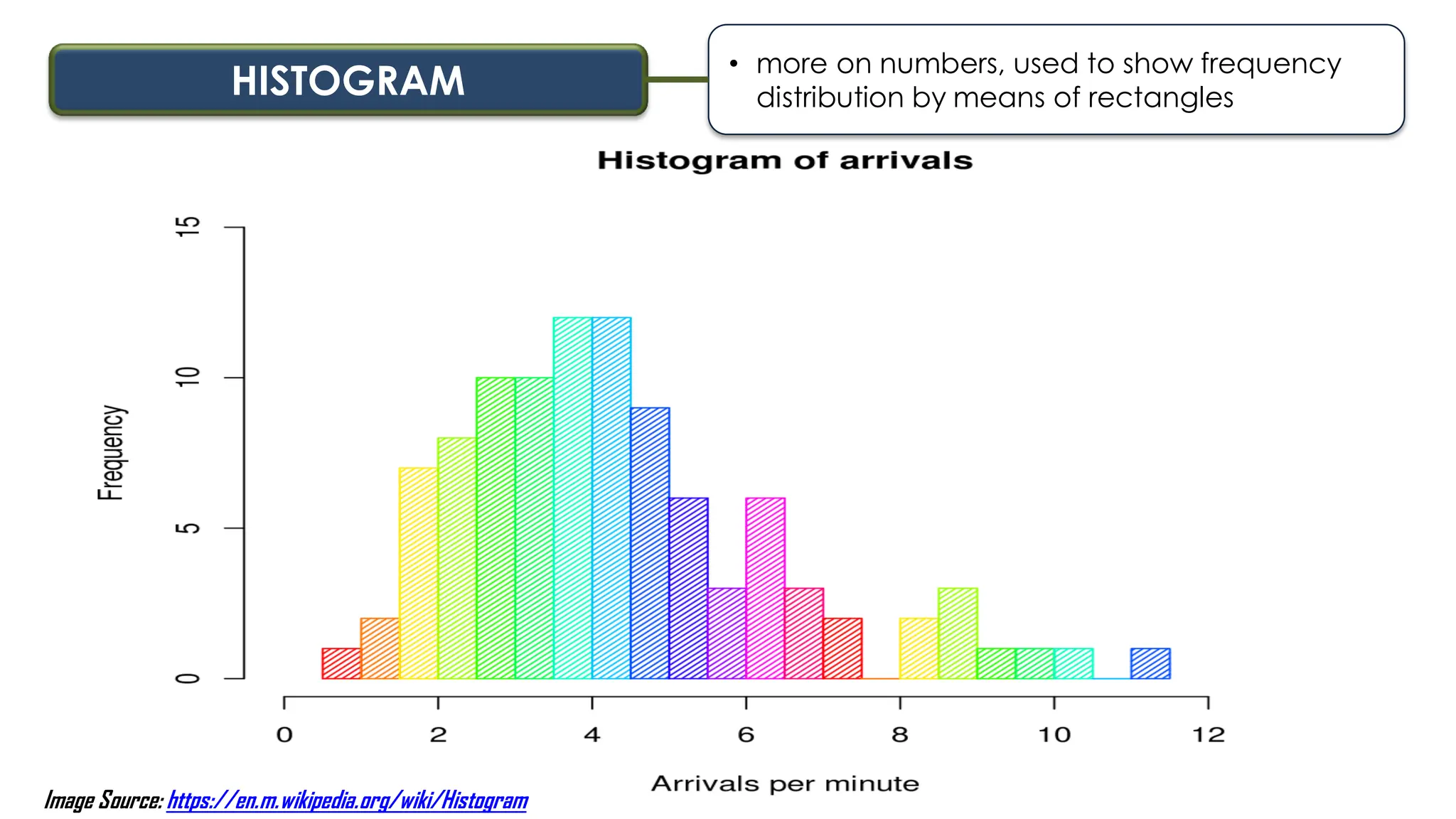
Histogram
More on numbers
Attribute Wheel
Physical appearance
Mind Map
Keyword
Spider Map
Phrases, sentences
MOCK-UP • detachable materials
Image Source: https://en.m.wikipedia.org/wiki/Mockup
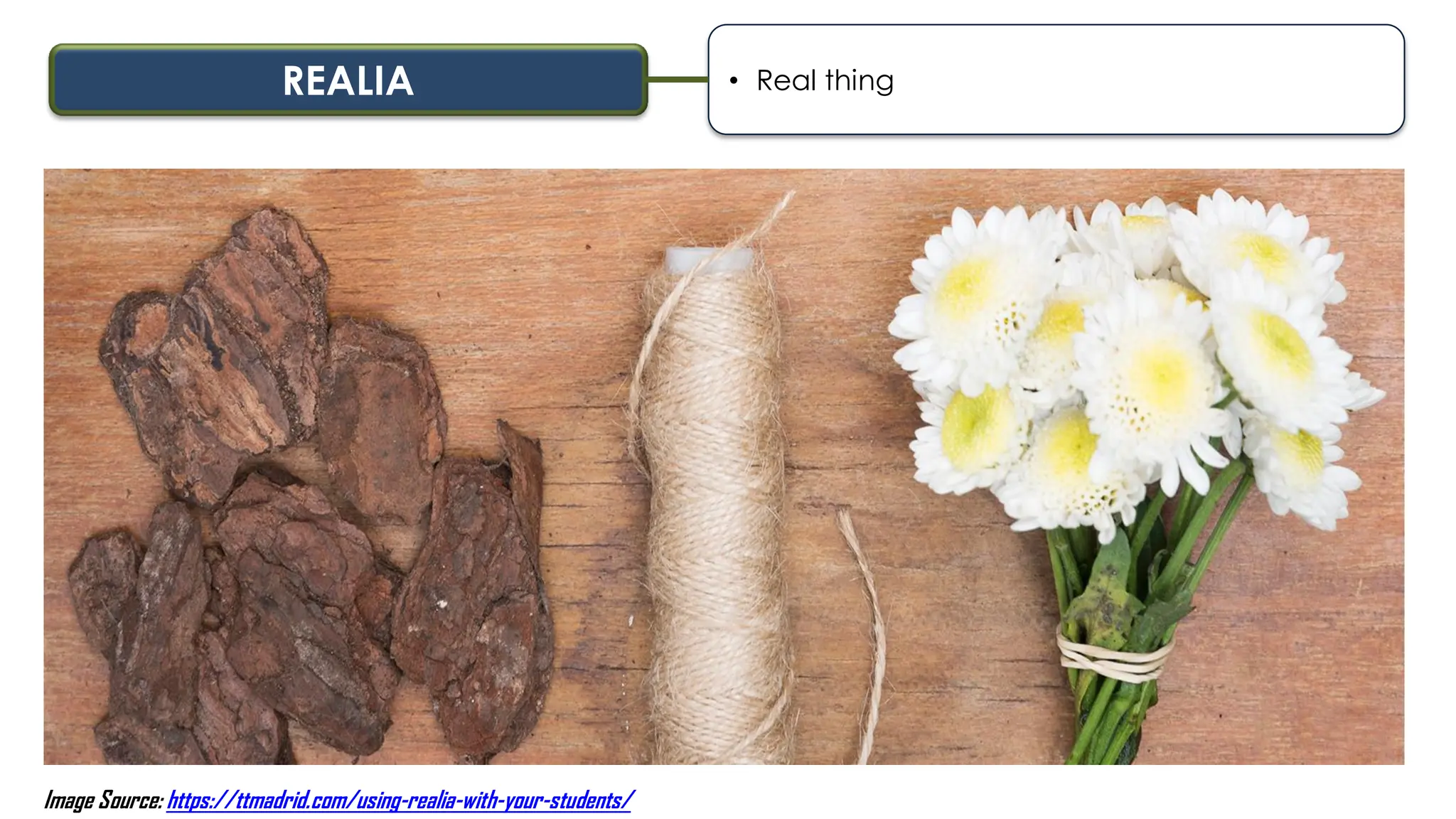
REALIA • Real thing
Image Source: https://ttmadrid.com/using-realia-with-your-students/
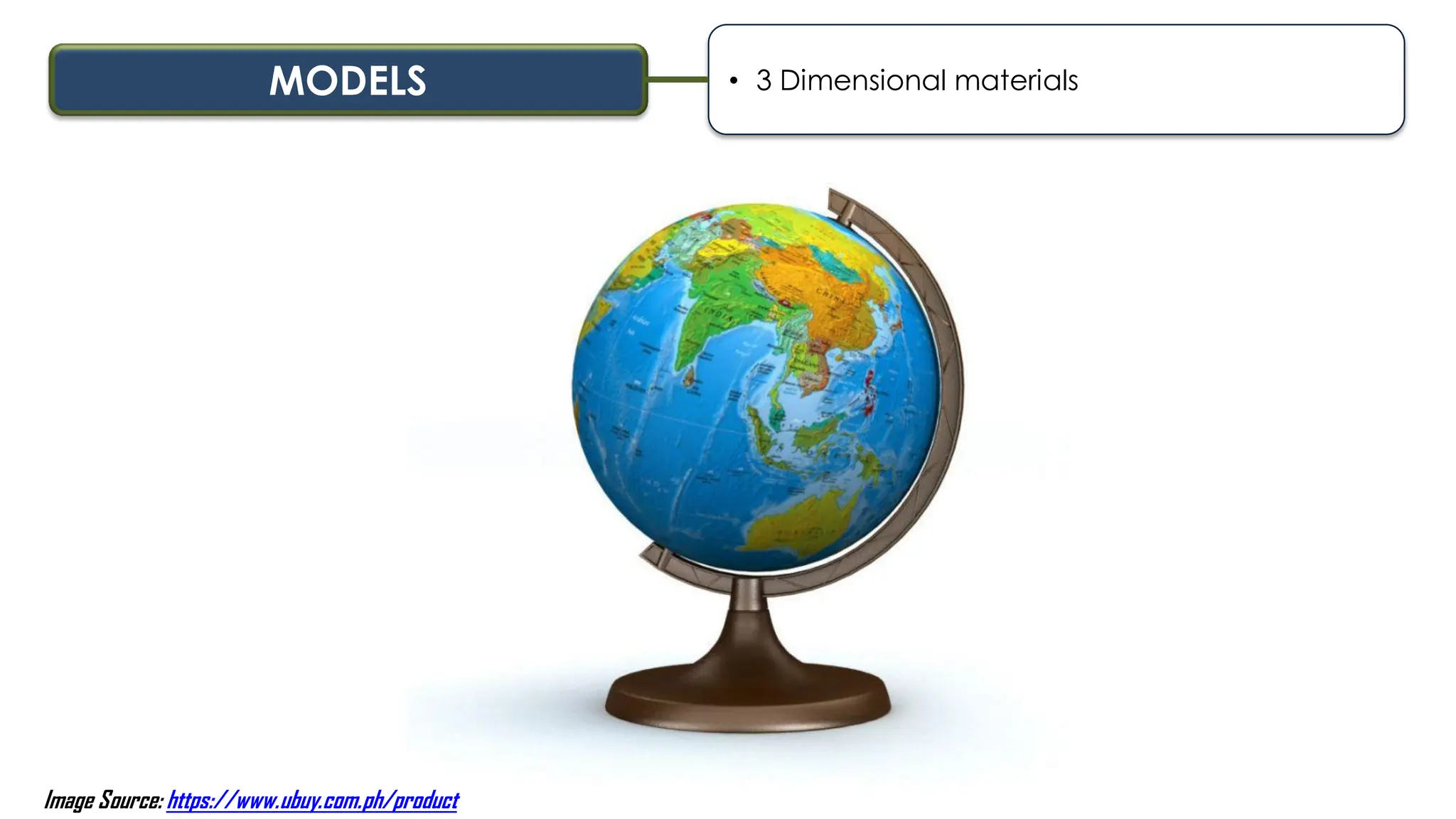
MODELS • 3 Dimensional materials
Image Source: https://www.ubuy.com.ph/product
SPECIMEN • use for scientific purposes
Image Source: https://www.nhm.ac.uk/our-science/collections/zoology-collections/herpetology-collections.html
DIORAMA • 3D Scenarios
Image Source: https://www.pinterest.ph/pin/349591989823559447/ Image Source: https://www.pinterest.ph/pin/56154326588116857/
LINE GRAPH • used to show progress and trends
Image Source: https://www. indiabix.com/data-interpretation/line-charts/discussion-143
BAR GRAPH • use to compare
Image Source: https://flexbooks.ck12.org
HISTOGRAM
• more on numbers, used to show frequency
distribution by means of rectangles
Image Source: https://en.m.wikipedia.org/wiki/Histogram
ATTRIBUTE WHEEL • physical appearance
Image Source: https://www.researchgate.net/figure/Graphic-organizer-TIEL-design-wheel
MIND MAP • keywords
Image Source: https://agreatdream.com
SPIDER MAP • phrases, sentences
Image Source: https://www.researchgate.net/figure/The-spider-web
PRINCIPLES IN THE SELECTION OF
EDUCATIONAL TECHNOLOGY
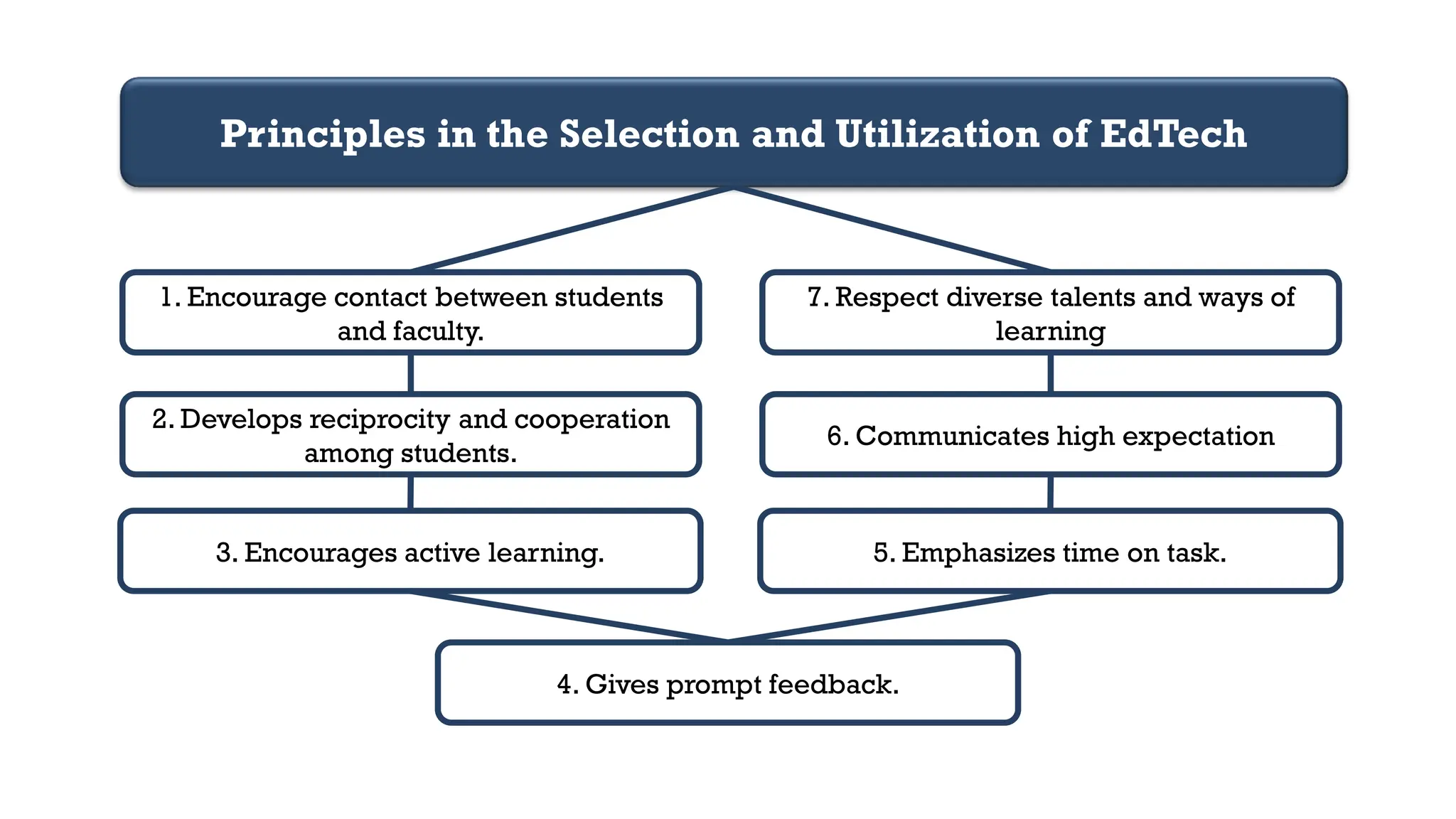
Principles in the Selection and Utilization of EdTech
1. Encourage contact between students
and faculty.
2. Develops reciprocity and cooperation
among students.
3. Encourages active learning.
4. Gives prompt feedback.
7. Respect diverse talents and ways of
learning
6. Communicates high expectation
5. Emphasizes time on task.
THE THREE TIERED
MODEL
Study the Three Tiered Model
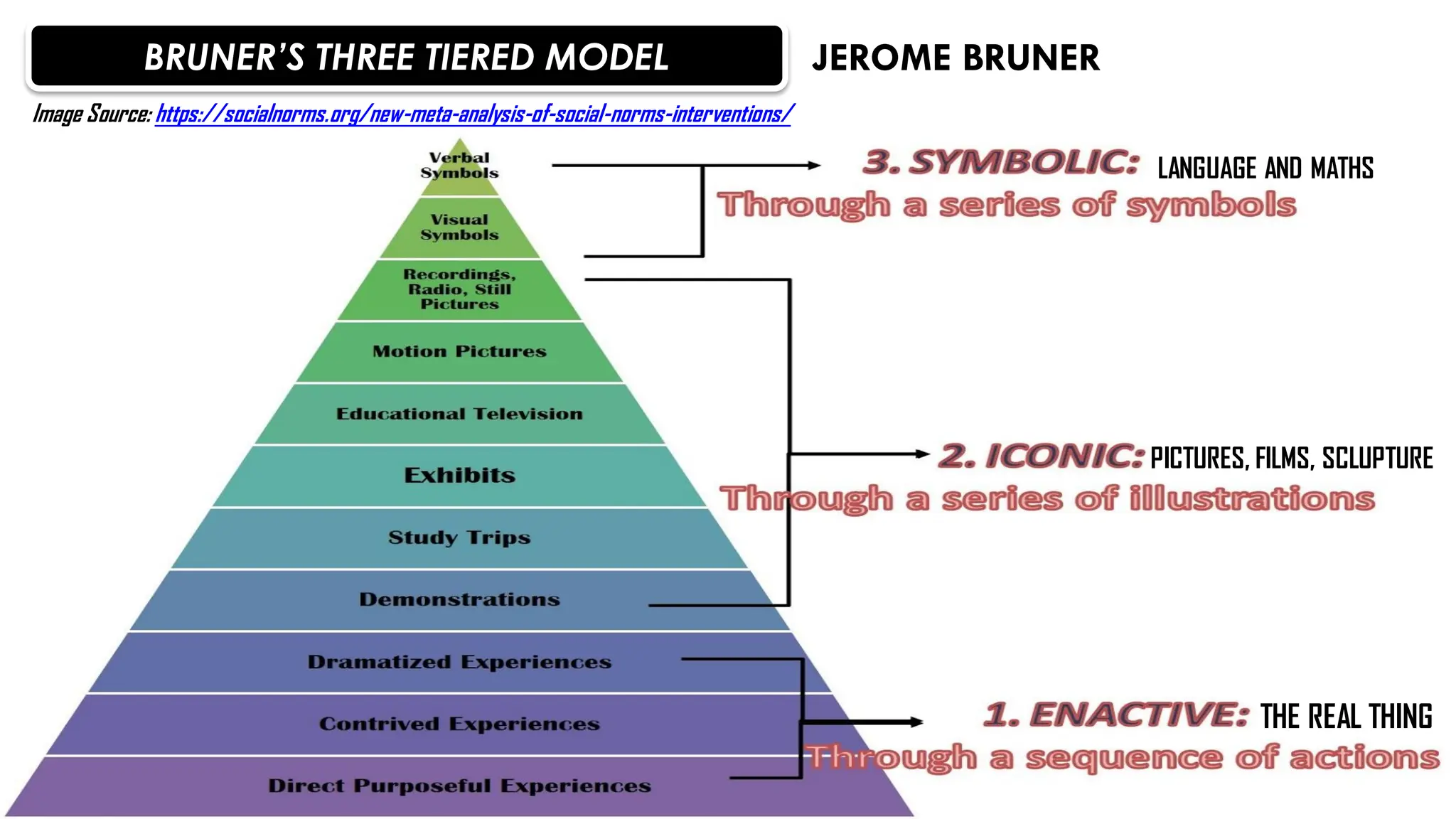
BRUNER’S THREE TIERED MODEL
THE REAL THING
PICTURES, FILMS, SCLUPTURE
LANGUAGE AND MATHS
JEROME BRUNER
Image Source: https://socialnorms.org/new-meta-analysis-of-social-norms-interventions/
LEVELS OF TECHNOLOGY
INTEGRATION
Study the Levels of Technology Integration
ENTRY
ADOPTION
ADAPTATION
INFUSION
TRANSFORMATION
The teacher begins to use technology tools to
deliver curriculum content to students.
The teacher directs students in the conventional
and procedural use of technology tools.
The teacher facilitates students in exploring
and independently using technology tools
The teacher provides the learning context and the
students choose the technology tools to achieve the
outcome.
Technology tools are used to facilitate
higher order learning activities that may
not have been possible without the use of
technology. | Encourage the innovative…
TECHNOLOGY
INTEGRATION MATRIX
The Technology Integration Matrix (TIM) provides a framework for describing and targeting the
use of technology to enhance learning. The TIM incorporates five interdependent characteristics
of meaningful learning environments: active, collaborative, constructive, authentic, and goal-
directed. These characteristics are associated with five levels of technology integration: entry,
adoption, adaptation, infusion, and transformation. Together, the the five characteristics of
meaningful learning environments and five levels of technology integration create a matrix of
25 cells, as illustrated below.
Study the Technology Integration Matrix
Image Source: https://fcit.usf.edu/matrix/project/page/12
THE SAMR MODEL
The SAMR Model is a framework created by Dr. Ruben Puentedura that categorizes four
different degrees of classroom technology integration. The letters "SAMR" stand for
Substitution, Augmentation, Modification, and Redefinition. The SAMR model was created to
share a common language across disciplines as teachers strive to help students visualize
complex concepts.
Study the SAMR Model
Image Source: https://learningandteaching-navitas.com/samr-model-innovative-assessment-design/
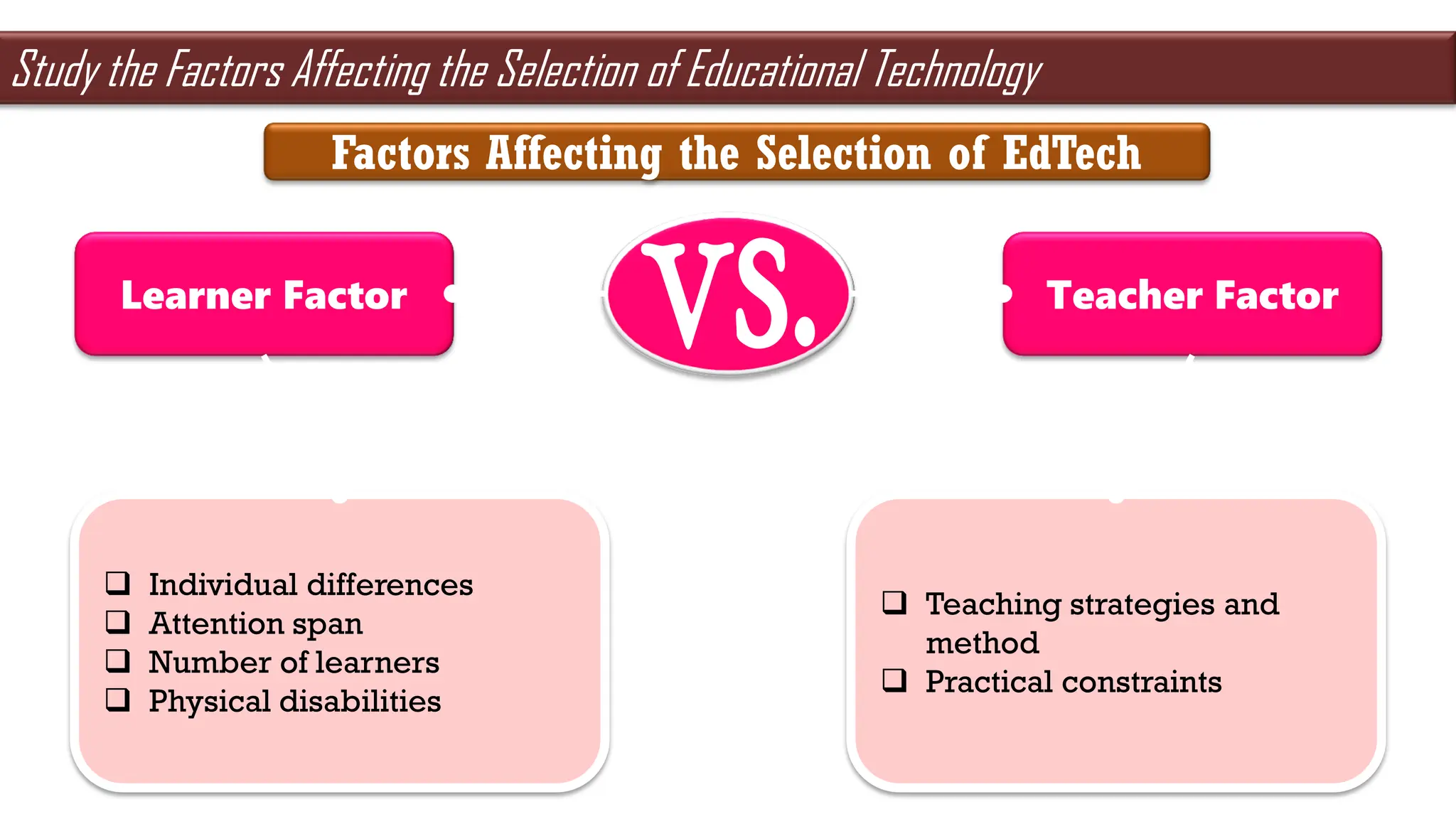
Learner Factor Teacher Factor
 Individual differences
 Attention span
 Number of learners
 Physical disabilities
 Teaching strategies and
method
 Practical constraints
Factors Affecting the Selection of EdTech
Study the Factors Affecting the Selection of Educational Technology
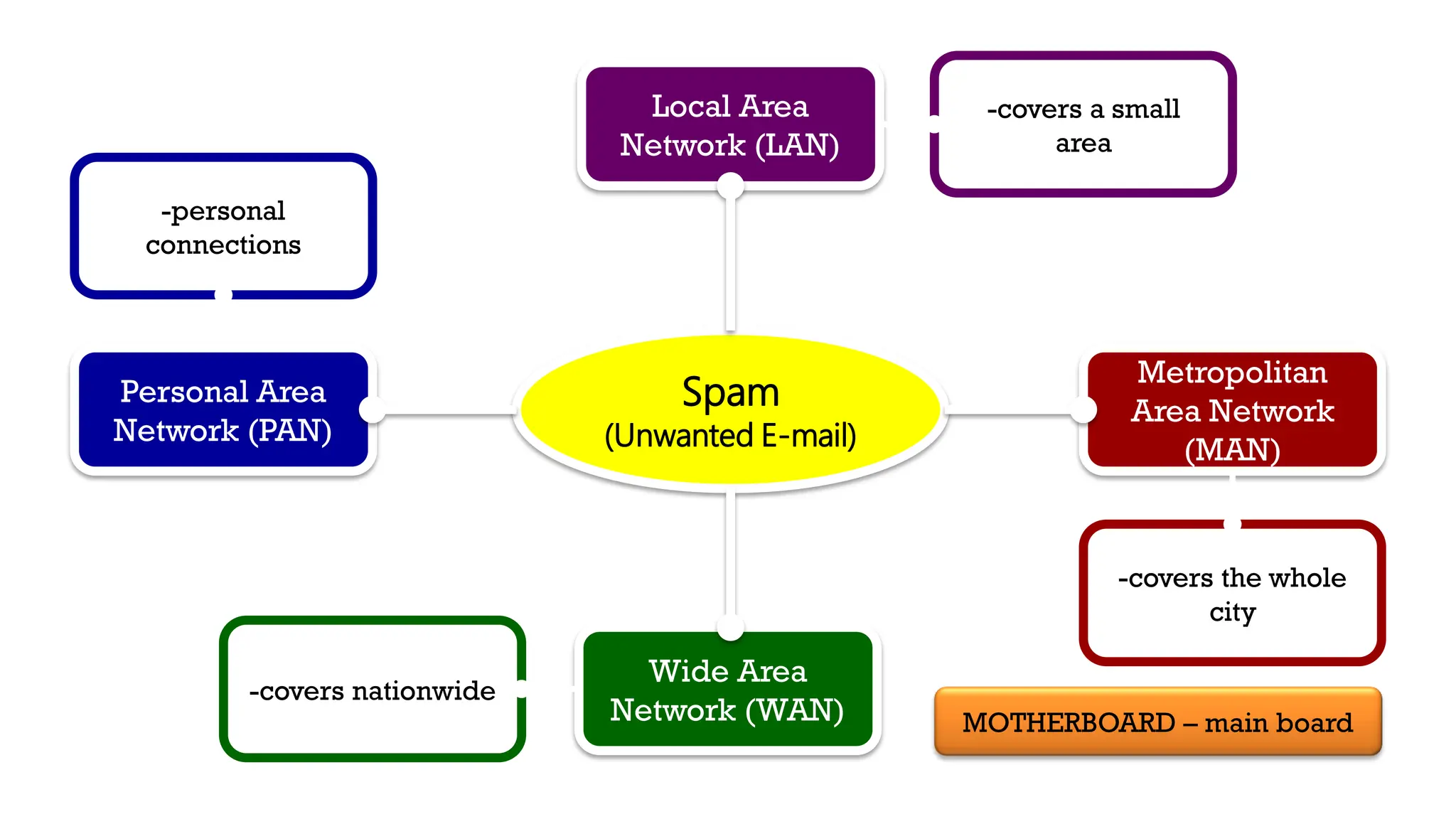
Spam
(Unwanted E-mail)
Personal Area
Network (PAN)
Metropolitan
Area Network
(MAN)
Local Area
Network (LAN)
Wide Area
Network (WAN)
-covers nationwide
-covers the whole
city
-personal
connections
-covers a small
area
MOTHERBOARD – main board
For MORE L.E.T REVIEW MATERIALS, just visit my Facebook account through this link:
https://www.facebook.com/traquinajonald10
STUDY TIPS TO TOP THE BOARD EXAM
https://m.facebook.com/story.php?story_fbid
=2785929701714191&id=100008915650538
Search:
All things, whatsoever you
ask in prayer, believe that
you have received it and; it
will be yours.
Mark 11:24
“Pray and believe! Prayer and effort should act in
harmony. If you work hard to achieve your goal
and find heart to pray, God will find answers to
your prayers.”

EDUCATIONAL TECHNOLOGY DETAILED NOTES.pdf

  • 1.
    JONALD DE LOSSANTOS TRAQUIÑA Prepared by: SOUTHERN LUZON STATE UNIVERSITY - POLILLO CAMPUS STUDY GUIDE
  • 2.
    DEAR FUTURE LPT, Iam happy to share with you my self-made presentation and review materials for your benefit. As you continue your dream of becoming a licensed professional teacher, I would like to inform you that the presentation which I’ve made will just serve as your guide to understand the concepts that you need to master before taking the licensure examination. This can help you master the essential topics and concepts of professional education. The topics are very broad that’s why you have to research and provide supplementary idea for each concept. With the help of this study guide, you can develop your understanding of the most essential concepts so you can clearly understand each point. This will enable you to master the concepts that you need to learn so you can formulate accurate judgment when answering questions. Enjoy this study guide! JONALD DE LOS SANTOS TRAQUIÑA JANUARY 2022 LET TOPNOTCHER
  • 3.
    CONTENTS These are thetopics and concepts that you need to master before taking the Licensure Examination for Professional Teachers:  The Principles of Technology in Education  The Advantages and Disadvantages of Technology in Education  The 21st Century Learners  The Audio-Visual Forms  The Domains of Educational Technology  The ASSURE Model  The 9 Events of Instruction  The Types of Instructional Materials  The Principles in the Selection of Educational Technology  The Three Tiered Model  The Levels of Technology Integration  The Technology Integration Matrix
  • 4.
    CONTENTS These are thetopics and concepts that you need to master before taking the Licensure Examination for Professional Teachers:  The SAMR Model  The Factors Affecting the Selection of Educational Technology
  • 5.
    TECHNOLOGY IN EDUCATION 1.Students demand it. 2. New teachers are demanding. 3. Kids are digital native. 4. Kids can learn at their own pace. 5. With technology, there are no limitations. 6. Enhance relationship between teacher and students. 7. Testing has gone online. 8. Multitude of resources. 9. Technology keeps pupil engaged. 10. It’s necessary to succeed outside. Study the Principles of Technology in Education
  • 6.
    TECHNOLOGY IN EDUCATION ADVANTAGES Parent’s peaceof mind The information highway broaden the mind bring some fun into the classroom applicable education DISADVANTAGES access to inappropriate content disconnected youth Study the Advantages and Disadvantages of Technology in Education
  • 7.
    know the contentknowledge value professionalism act real-life experiences 21st CENTURY LEARNERS ARE ABLE TO: Study the Characteristics of the 21st Century Learners
  • 8.
    AUDIO-VISUAL FORMS AUDIO-VISUAL MEDIA film presentation, tool thatused for the whole session AUDIOVISUAL AID teacher used film as a guide for learning AUDIOVISUAL TECHNOLOGY these are in interactive form Study the Forms of Audio-Visual
  • 9.
    • Planning Phase DESIGN • Production Phase DEVELOPMENT •Action Phase UTILIZATION • Managing Phase MANAGEMENT • Assessment Phase EVALUATION 5 DOMAINS OF EDUCATIONAL TECHNOLOGY Study the Domains of Educational Technology
  • 10.
    DESIGN “Planning Phase” *Macro –program, curriculums *Micro – reason, modules DEVELOPMENT “Production Phase” *Print Technologies *Audiovisual Technologies *Computed-based Technologies *Integrated Technologies UTILIZATION “Action Phase” *Media Utilization *Diffusion of innovation *Implementation and institutionalization *Policies and regulations MANAGEMENT “Managing Phase” *Project Management *Resource Management *Delivery System Management *Information Management EVALUATION “Assessment Phase” *Problem Analysis *Criterion-referenced Measurement *Formative Evaluation *Summative Evaluation
  • 11.
    The is an ISD(Instructional System Design) process that was modified to be used by teachers in the regular classroom. The ISD process is one in which teachers and trainers can use to design and develop the most appropriate learning environment for their students. The ASSURE MODEL incorporates to assure effective use of media in instruction Study the ASSURE Model
  • 12.
    Analyze the learners Statestandards and objectives Select, modify, or design strategies, technology, media and materials Utilize technology, media and materials Require learner participation or response Evaluate and revise A S S U R E
  • 13.
    Study the 9Events of Instruction Image Source: https://www.pinterest.ph/pin/413697915773905917/
  • 14.
    TYPES OF INSTRUCTIONALMATERIALS 1. Non-projected displays. 2. Printed and displayed materials. 3. Projected displays 4. Audio Materials 7. Computer-mediated materials 6. Film and video materials 5. Audio-video presentation Study the Types of Instructional Materials
  • 15.
  • 16.
    Mock-Up Detachable Realia Real Model 3D presentations Specimen For scientificpurposes Diorama 3D Scenario Line Graph Shows changes overtime Bar Graph Shows comparison Histogram More on numbers Attribute Wheel Physical appearance Mind Map Keyword Spider Map Phrases, sentences
  • 17.
    MOCK-UP • detachablematerials Image Source: https://en.m.wikipedia.org/wiki/Mockup
  • 18.
    REALIA • Realthing Image Source: https://ttmadrid.com/using-realia-with-your-students/
  • 19.
    MODELS • 3Dimensional materials Image Source: https://www.ubuy.com.ph/product
  • 20.
    SPECIMEN • usefor scientific purposes Image Source: https://www.nhm.ac.uk/our-science/collections/zoology-collections/herpetology-collections.html
  • 21.
    DIORAMA • 3DScenarios Image Source: https://www.pinterest.ph/pin/349591989823559447/ Image Source: https://www.pinterest.ph/pin/56154326588116857/
  • 22.
    LINE GRAPH •used to show progress and trends Image Source: https://www. indiabix.com/data-interpretation/line-charts/discussion-143
  • 23.
    BAR GRAPH •use to compare Image Source: https://flexbooks.ck12.org
  • 24.
    HISTOGRAM • more onnumbers, used to show frequency distribution by means of rectangles Image Source: https://en.m.wikipedia.org/wiki/Histogram
  • 25.
    ATTRIBUTE WHEEL •physical appearance Image Source: https://www.researchgate.net/figure/Graphic-organizer-TIEL-design-wheel
  • 26.
    MIND MAP •keywords Image Source: https://agreatdream.com
  • 27.
    SPIDER MAP •phrases, sentences Image Source: https://www.researchgate.net/figure/The-spider-web
  • 28.
    PRINCIPLES IN THESELECTION OF EDUCATIONAL TECHNOLOGY
  • 29.
    Principles in theSelection and Utilization of EdTech 1. Encourage contact between students and faculty. 2. Develops reciprocity and cooperation among students. 3. Encourages active learning. 4. Gives prompt feedback. 7. Respect diverse talents and ways of learning 6. Communicates high expectation 5. Emphasizes time on task.
  • 30.
    THE THREE TIERED MODEL Studythe Three Tiered Model
  • 31.
    BRUNER’S THREE TIEREDMODEL THE REAL THING PICTURES, FILMS, SCLUPTURE LANGUAGE AND MATHS JEROME BRUNER Image Source: https://socialnorms.org/new-meta-analysis-of-social-norms-interventions/
  • 32.
    LEVELS OF TECHNOLOGY INTEGRATION Studythe Levels of Technology Integration
  • 33.
    ENTRY ADOPTION ADAPTATION INFUSION TRANSFORMATION The teacher beginsto use technology tools to deliver curriculum content to students. The teacher directs students in the conventional and procedural use of technology tools. The teacher facilitates students in exploring and independently using technology tools The teacher provides the learning context and the students choose the technology tools to achieve the outcome. Technology tools are used to facilitate higher order learning activities that may not have been possible without the use of technology. | Encourage the innovative…
  • 34.
    TECHNOLOGY INTEGRATION MATRIX The TechnologyIntegration Matrix (TIM) provides a framework for describing and targeting the use of technology to enhance learning. The TIM incorporates five interdependent characteristics of meaningful learning environments: active, collaborative, constructive, authentic, and goal- directed. These characteristics are associated with five levels of technology integration: entry, adoption, adaptation, infusion, and transformation. Together, the the five characteristics of meaningful learning environments and five levels of technology integration create a matrix of 25 cells, as illustrated below. Study the Technology Integration Matrix
  • 36.
  • 37.
    THE SAMR MODEL TheSAMR Model is a framework created by Dr. Ruben Puentedura that categorizes four different degrees of classroom technology integration. The letters "SAMR" stand for Substitution, Augmentation, Modification, and Redefinition. The SAMR model was created to share a common language across disciplines as teachers strive to help students visualize complex concepts. Study the SAMR Model
  • 38.
  • 39.
    Learner Factor TeacherFactor  Individual differences  Attention span  Number of learners  Physical disabilities  Teaching strategies and method  Practical constraints Factors Affecting the Selection of EdTech Study the Factors Affecting the Selection of Educational Technology
  • 40.
    Spam (Unwanted E-mail) Personal Area Network(PAN) Metropolitan Area Network (MAN) Local Area Network (LAN) Wide Area Network (WAN) -covers nationwide -covers the whole city -personal connections -covers a small area MOTHERBOARD – main board
  • 41.
    For MORE L.E.TREVIEW MATERIALS, just visit my Facebook account through this link: https://www.facebook.com/traquinajonald10 STUDY TIPS TO TOP THE BOARD EXAM https://m.facebook.com/story.php?story_fbid =2785929701714191&id=100008915650538 Search:
  • 42.
    All things, whatsoeveryou ask in prayer, believe that you have received it and; it will be yours. Mark 11:24
  • 43.
    “Pray and believe!Prayer and effort should act in harmony. If you work hard to achieve your goal and find heart to pray, God will find answers to your prayers.”