www.edmodo.com www.edmodo.com www.mymps.edmodo.com Thomas Scheeler Jim Hill Middle School  Minot, ND On Twitter: @tscheeler
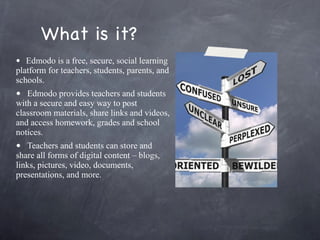
What is it? Edmodo is a free, secure, social learning platform for teachers, students, parents, and schools. Edmodo provides teachers and students with a secure and easy way to post classroom materials, share links and videos, and access homework, grades and school notices.    Teachers and students can store and share all forms of digital content – blogs, links, pictures, video, documents, presentations, and more.
Did you say social? Like Facebook?
vs.
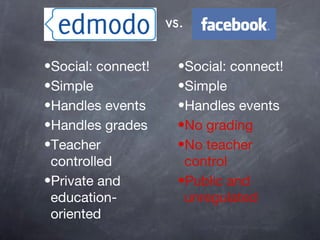
vs. Social: connect! Simple Handles events No grading No teacher control Public and unregulated Social: connect! Simple Handles events Handles grades Teacher controlled Private and education-oriented
Ok, I get it, but what’s wrong with a piece of paper and a pencil?
vs.
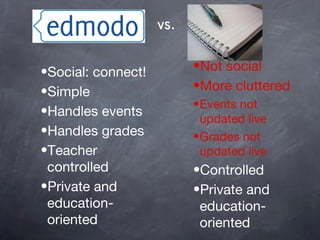
vs. Social: connect! Simple Handles events Handles grades Teacher controlled Private and education-oriented Not social More cluttered Events not updated live Grades not updated live Controlled Private and education-oriented
What is it again?
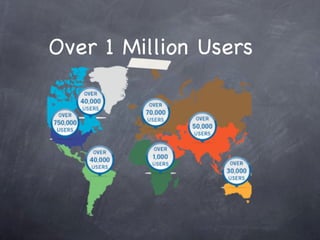
Over 1 Million Users
What do students get out of Edmodo? Communication Collaboration/Social Creativity
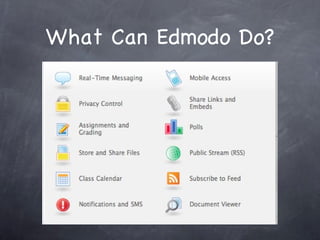
What Can Edmodo Do?
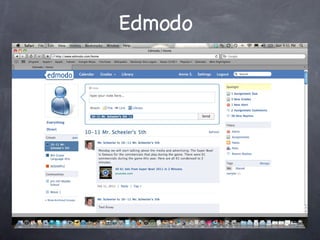
Edmodo
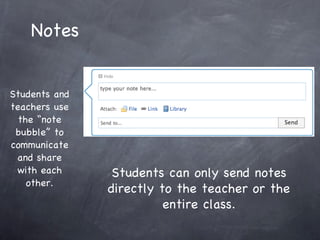
Notes Students and teachers use the “note bubble” to communicate and share with each other. Students can only send notes directly to the teacher or the entire class.
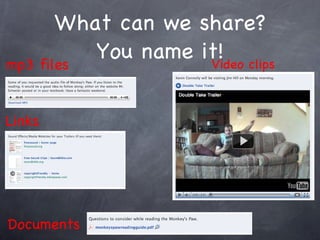
What can we share? You name it! Video clips Links   Documents mp3 files
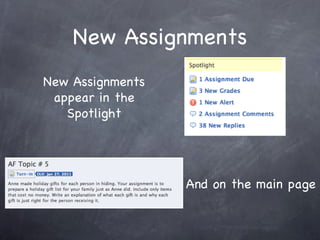
New Assignments New Assignments appear in the Spotlight And on the main page
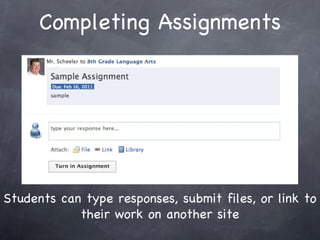
Completing Assignments Students can type responses, submit files, or link to their work on another site
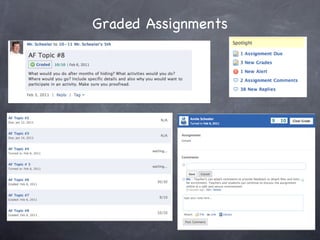
Graded Assignments
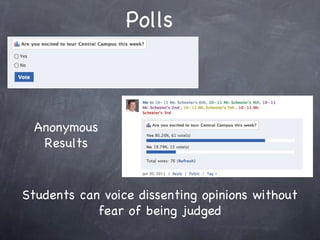
Polls Anonymous Results Students can voice dissenting opinions without fear of being judged
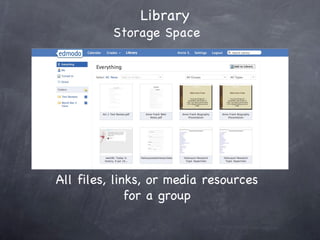
Library   Storage Space All files, links, or media resources for a group
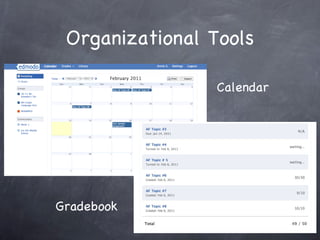
Organizational Tools Calendar Gradebook
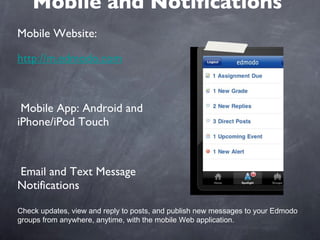
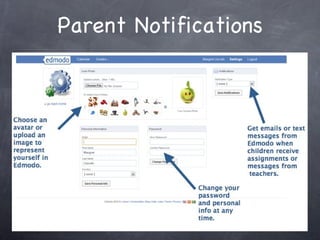
Mobile and Notifications Mobile Website:  http://m.edmodo.com Mobile App: Android and iPhone/iPod Touch Email and Text Message Notifications Check updates, view and reply to posts, and publish new messages to your Edmodo groups from anywhere, anytime, with the mobile Web application.
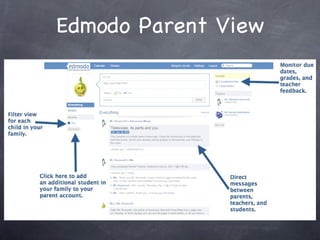
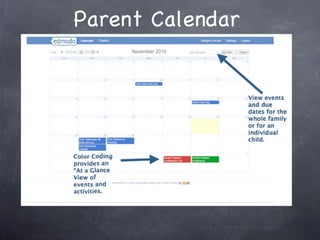
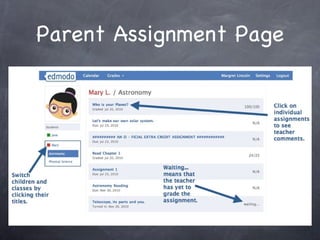
Coming Soon to Jim Hill Parent Accounts Parent Accounts Parents will be able to send messages to the teacher and their student Parents will be able to view assignments, due dates, and grades for their student. Parents will be able to view communication between their student and teacher.
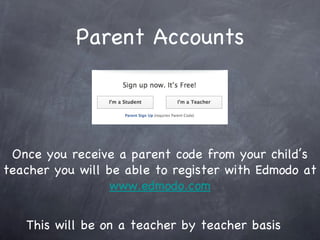
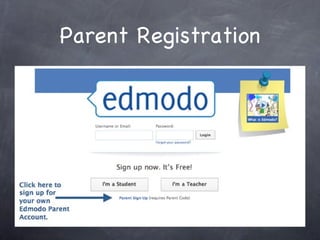
Parent Accounts This will be on a teacher by teacher basis Once you receive a parent code from your child’s teacher you will be able to register with Edmodo at www.edmodo.com
Parent Registration
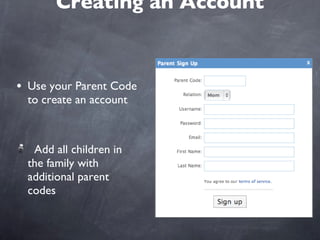
Creating an Account Use your Parent Code to create an account  Add all children in the family with additional parent codes
Edmodo Parent View
Parent Calendar
Parent Assignment Page
Parent Notifications
Questions?
Credits All website images (Edmodo and Facebook) taken from their respective sites Image of “notebook and pencil” used under creative commons from  http://www.flickr.com/photos/elea/201457176/ Comparisons from Nathan Robinson, Twitter: @mrnrobinson  http://www.slideshare.net/nathandrobinson/edmodo-your-classroom-online
 

Edmodo Parent Presentation

  • 1.
    www.edmodo.com www.edmodo.com www.mymps.edmodo.comThomas Scheeler Jim Hill Middle School Minot, ND On Twitter: @tscheeler
  • 2.
    What is it?Edmodo is a free, secure, social learning platform for teachers, students, parents, and schools. Edmodo provides teachers and students with a secure and easy way to post classroom materials, share links and videos, and access homework, grades and school notices.   Teachers and students can store and share all forms of digital content – blogs, links, pictures, video, documents, presentations, and more.
  • 3.
    Did you saysocial? Like Facebook?
  • 4.
  • 5.
    vs. Social: connect!Simple Handles events No grading No teacher control Public and unregulated Social: connect! Simple Handles events Handles grades Teacher controlled Private and education-oriented
  • 6.
    Ok, I getit, but what’s wrong with a piece of paper and a pencil?
  • 7.
  • 8.
    vs. Social: connect!Simple Handles events Handles grades Teacher controlled Private and education-oriented Not social More cluttered Events not updated live Grades not updated live Controlled Private and education-oriented
  • 9.
    What is itagain?
  • 10.
  • 11.
    What do studentsget out of Edmodo? Communication Collaboration/Social Creativity
  • 12.
  • 13.
  • 14.
    Notes Students andteachers use the “note bubble” to communicate and share with each other. Students can only send notes directly to the teacher or the entire class.
  • 15.
    What can weshare? You name it! Video clips Links Documents mp3 files
  • 16.
    New Assignments NewAssignments appear in the Spotlight And on the main page
  • 17.
    Completing Assignments Studentscan type responses, submit files, or link to their work on another site
  • 18.
  • 19.
    Polls Anonymous ResultsStudents can voice dissenting opinions without fear of being judged
  • 20.
    Library Storage Space All files, links, or media resources for a group
  • 21.
  • 22.
    Mobile and NotificationsMobile Website: http://m.edmodo.com Mobile App: Android and iPhone/iPod Touch Email and Text Message Notifications Check updates, view and reply to posts, and publish new messages to your Edmodo groups from anywhere, anytime, with the mobile Web application.
  • 23.
    Coming Soon toJim Hill Parent Accounts Parent Accounts Parents will be able to send messages to the teacher and their student Parents will be able to view assignments, due dates, and grades for their student. Parents will be able to view communication between their student and teacher.
  • 24.
    Parent Accounts Thiswill be on a teacher by teacher basis Once you receive a parent code from your child’s teacher you will be able to register with Edmodo at www.edmodo.com
  • 25.
  • 26.
    Creating an AccountUse your Parent Code to create an account Add all children in the family with additional parent codes
  • 27.
  • 28.
  • 29.
  • 30.
  • 31.
  • 32.
    Credits All websiteimages (Edmodo and Facebook) taken from their respective sites Image of “notebook and pencil” used under creative commons from http://www.flickr.com/photos/elea/201457176/ Comparisons from Nathan Robinson, Twitter: @mrnrobinson http://www.slideshare.net/nathandrobinson/edmodo-your-classroom-online
  • 33.