Connecting Teachers, Students, Parents, and the Community
Edmodo OBEA Fall Conference October 29,  2011 This work is licensed under a Creative Commons Attribution-NonCommercial-ShareAlike 3.0 Unported License Peter McAsh St. Marys DCVI St. Marys, Ontario edmodo.com/pmcash [email_address] @pmcash dcvi.typepad.com/mcash
Launched in 2008, Edmodo was created to address the demands of teachers and students seeking a secure social network for classroom use. Currently used by over 3.8 million educators, Edmodo is: A  free social learning network  for teachers, students, parents, schools and districts. A secure and  easy way to post classroom materials, share links  and videos, and  access homework, grades and school notices. A  storage and sharing platform  for all forms of digital content – blogs, links, pictures, video, documents, presentations, and more.  Accessible online or using any mobile device , including Android and iOS. Edmodo has special institutional features for schools and districts that can be accessed for free by administrators.
 
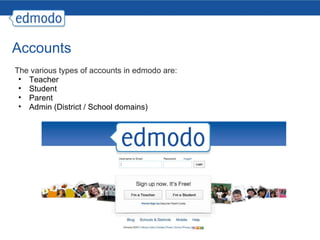
Accounts The various types of accounts in edmodo are: Teacher Student Parent Admin (District / School domains)
Teacher Accounts Communication (posting) Note, Alert, Assignment, Quiz, Poll attachments direct post - parent, student, connections Groups create and manage groups small groups Grades simple marksbook - linked to assignments students / parents see personal results Calendar linked to assignments personal / group postings
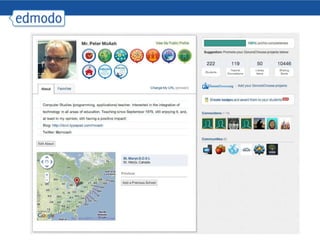
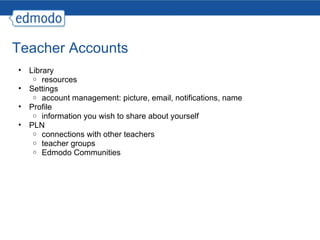
Teacher Accounts Library resources Settings account management: picture, email, notifications, name Profile information you wish to share about yourself PLN connections with other teachers teacher groups Edmodo Communities
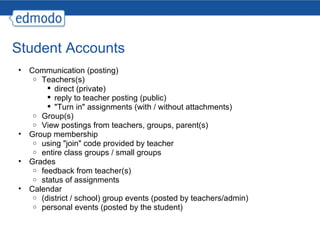
Student Accounts Communication (posting) Teachers(s) direct (private) reply to teacher posting (public) "Turn in" assignments (with / without attachments) Group(s) View postings from teachers, groups, parent(s) Group membership using "join" code provided by teacher entire class groups / small groups Grades feedback from teacher(s) status of assignments Calendar (district / school) group events (posted by teachers/admin) personal events (posted by the student)
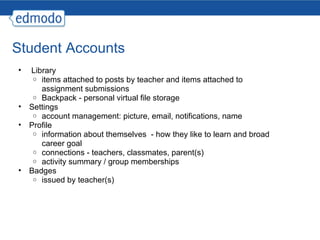
Student Accounts   Library items attached to posts by teacher and items attached to assignment submissions Backpack - personal virtual file storage Settings account management: picture, email, notifications, name Profile information about themselves  - how they like to learn and broad career goal connections - teachers, classmates, parent(s) activity summary / group memberships Badges issued by teacher(s)
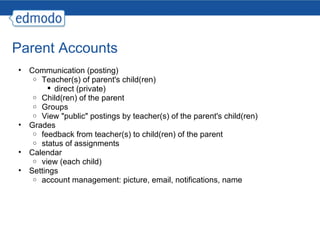
Parent Accounts Communication (posting) Teacher(s) of parent's child(ren) direct (private) Child(ren) of the parent Groups View "public" postings by teacher(s) of the parent's child(ren) Grades feedback from teacher(s) to child(ren) of the parent status of assignments Calendar view (each child) Settings account management: picture, email, notifications, name
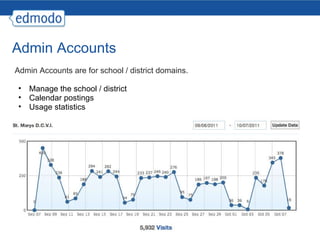
Admin Accounts Admin Accounts are for school / district domains. Manage the school / district Calendar postings Usage statistics
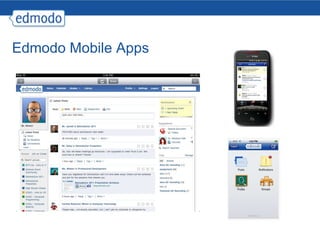
Edmodo Mobile Apps
Edmodo in action Demonstration of my use of edmodo. Getting started (BYOD) create an account account settings profile create group(s) posting - note, alert, assignment, quiz, poll PLN - making connections, communities student account parent account public pages
Wrap-up This work is licensed under a Creative Commons Attribution-NonCommercial-ShareAlike 3.0 Unported License questions / comments / suggestions Peter McAsh St. Marys DCVI St. Marys, Ontario edmodo.com/pmcash [email_address] @pmcash dcvi.typepad.com/mcash

Edmodo - OBEA

  • 1.
    Connecting Teachers, Students,Parents, and the Community
  • 2.
    Edmodo OBEA FallConference October 29,  2011 This work is licensed under a Creative Commons Attribution-NonCommercial-ShareAlike 3.0 Unported License Peter McAsh St. Marys DCVI St. Marys, Ontario edmodo.com/pmcash [email_address] @pmcash dcvi.typepad.com/mcash
  • 3.
    Launched in 2008,Edmodo was created to address the demands of teachers and students seeking a secure social network for classroom use. Currently used by over 3.8 million educators, Edmodo is: A free social learning network for teachers, students, parents, schools and districts. A secure and easy way to post classroom materials, share links and videos, and access homework, grades and school notices. A storage and sharing platform for all forms of digital content – blogs, links, pictures, video, documents, presentations, and more. Accessible online or using any mobile device , including Android and iOS. Edmodo has special institutional features for schools and districts that can be accessed for free by administrators.
  • 4.
  • 5.
    Accounts The varioustypes of accounts in edmodo are: Teacher Student Parent Admin (District / School domains)
  • 6.
    Teacher Accounts Communication(posting) Note, Alert, Assignment, Quiz, Poll attachments direct post - parent, student, connections Groups create and manage groups small groups Grades simple marksbook - linked to assignments students / parents see personal results Calendar linked to assignments personal / group postings
  • 7.
    Teacher Accounts Libraryresources Settings account management: picture, email, notifications, name Profile information you wish to share about yourself PLN connections with other teachers teacher groups Edmodo Communities
  • 8.
    Student Accounts Communication(posting) Teachers(s) direct (private) reply to teacher posting (public) "Turn in" assignments (with / without attachments) Group(s) View postings from teachers, groups, parent(s) Group membership using "join" code provided by teacher entire class groups / small groups Grades feedback from teacher(s) status of assignments Calendar (district / school) group events (posted by teachers/admin) personal events (posted by the student)
  • 9.
    Student Accounts  Library items attached to posts by teacher and items attached to assignment submissions Backpack - personal virtual file storage Settings account management: picture, email, notifications, name Profile information about themselves  - how they like to learn and broad career goal connections - teachers, classmates, parent(s) activity summary / group memberships Badges issued by teacher(s)
  • 10.
    Parent Accounts Communication(posting) Teacher(s) of parent's child(ren) direct (private) Child(ren) of the parent Groups View "public" postings by teacher(s) of the parent's child(ren) Grades feedback from teacher(s) to child(ren) of the parent status of assignments Calendar view (each child) Settings account management: picture, email, notifications, name
  • 11.
    Admin Accounts AdminAccounts are for school / district domains. Manage the school / district Calendar postings Usage statistics
  • 12.
  • 13.
    Edmodo in actionDemonstration of my use of edmodo. Getting started (BYOD) create an account account settings profile create group(s) posting - note, alert, assignment, quiz, poll PLN - making connections, communities student account parent account public pages
  • 14.
    Wrap-up This workis licensed under a Creative Commons Attribution-NonCommercial-ShareAlike 3.0 Unported License questions / comments / suggestions Peter McAsh St. Marys DCVI St. Marys, Ontario edmodo.com/pmcash [email_address] @pmcash dcvi.typepad.com/mcash