Download to read offline
![Create a new app with Rake
• In the Cloud 9 console, run (go to view > console and click if not
checked)
1. rake new["MyApp","2.0p4","hackathon.rallydev.com"]
2. rake
1
2
Click on AppTemplate to expand. You should see the App project files:
•App.js - your app's main source file
•App-debug.html - for running the app in development
•deploy > App.html - for deploying your app to a Rally panel](https://image.slidesharecdn.com/editinganapp-cloud9-121003143732-phpapp02/75/Editing-an-app-cloud-9-7-2048.jpg)
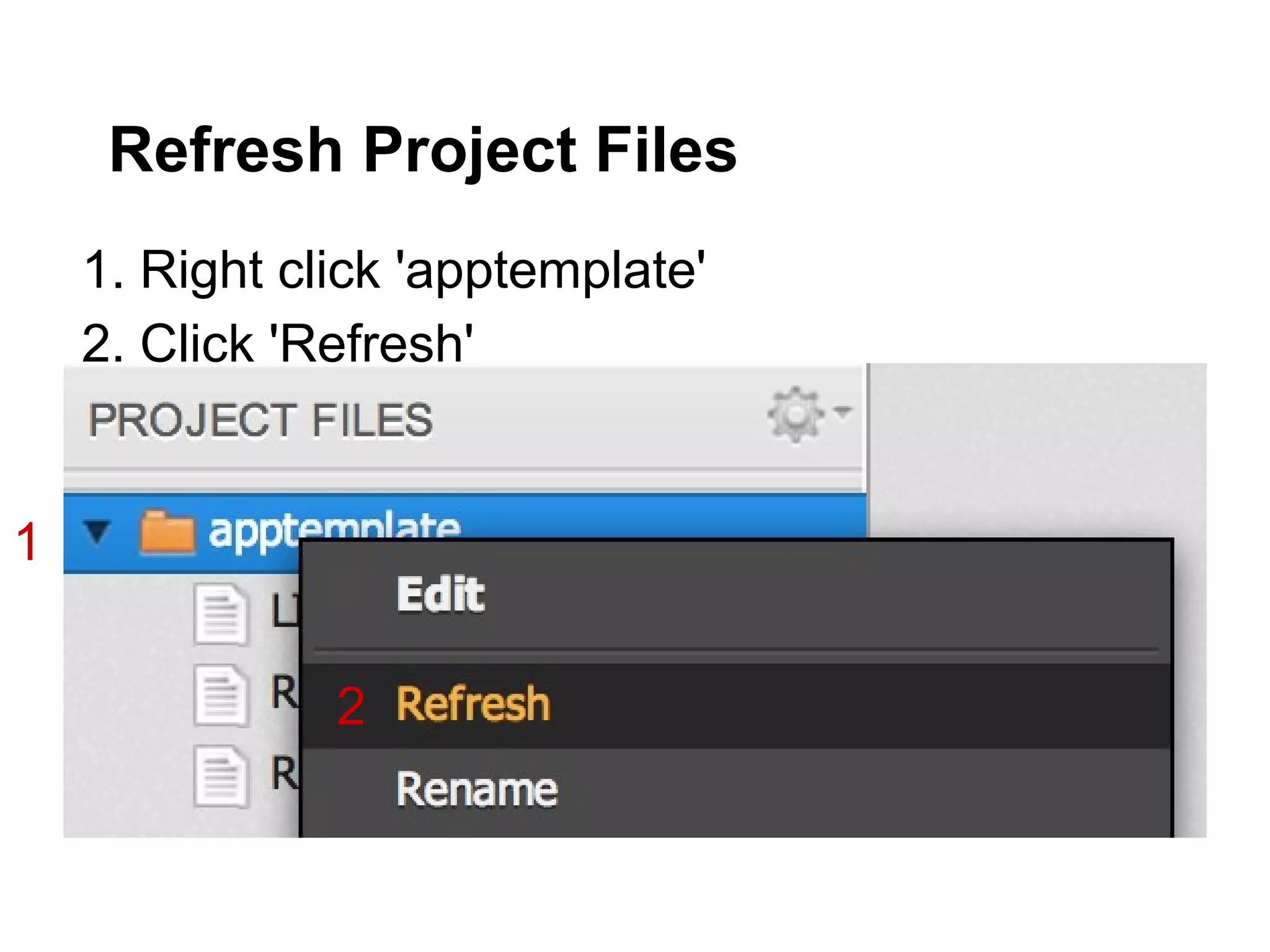
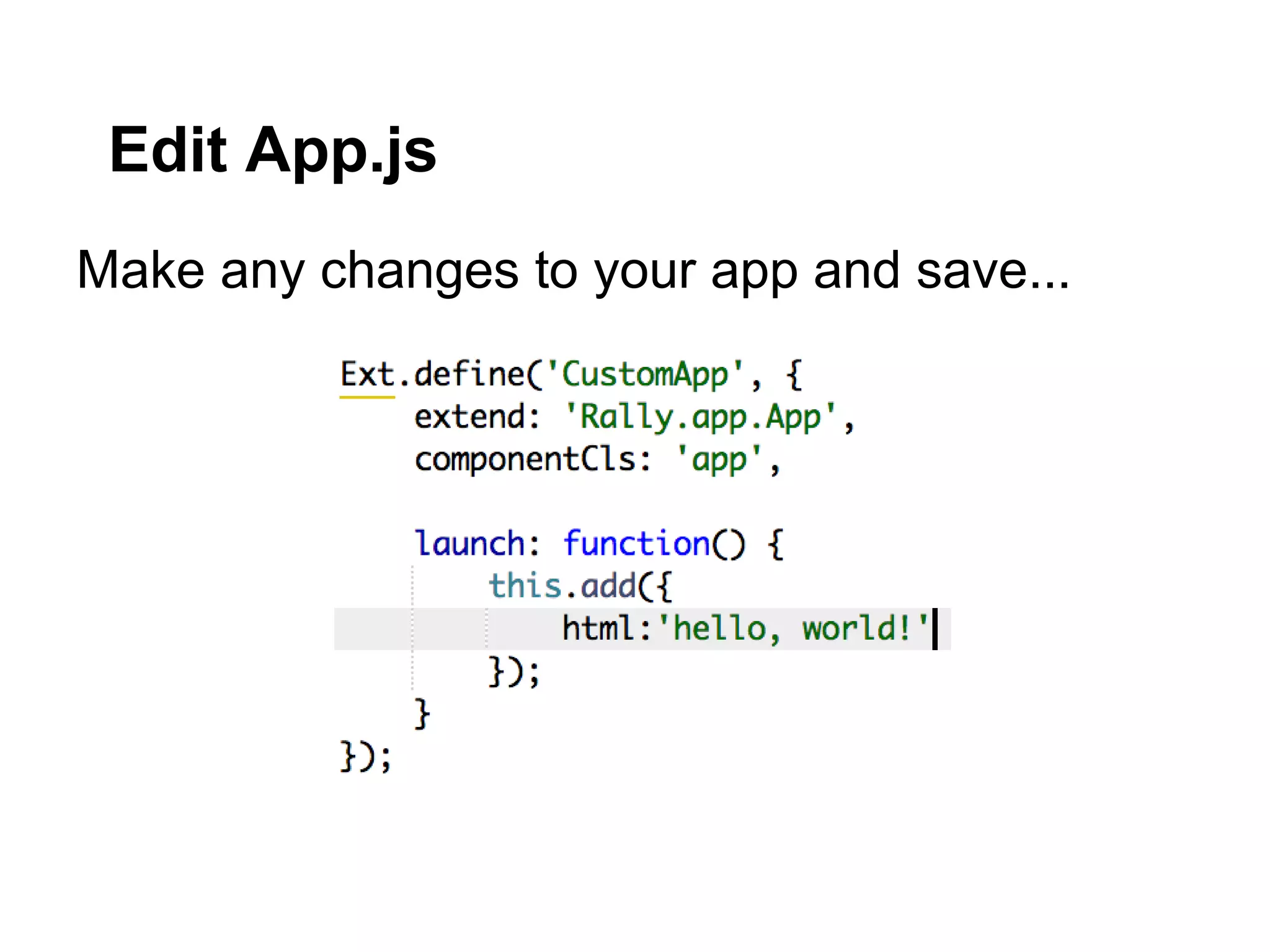
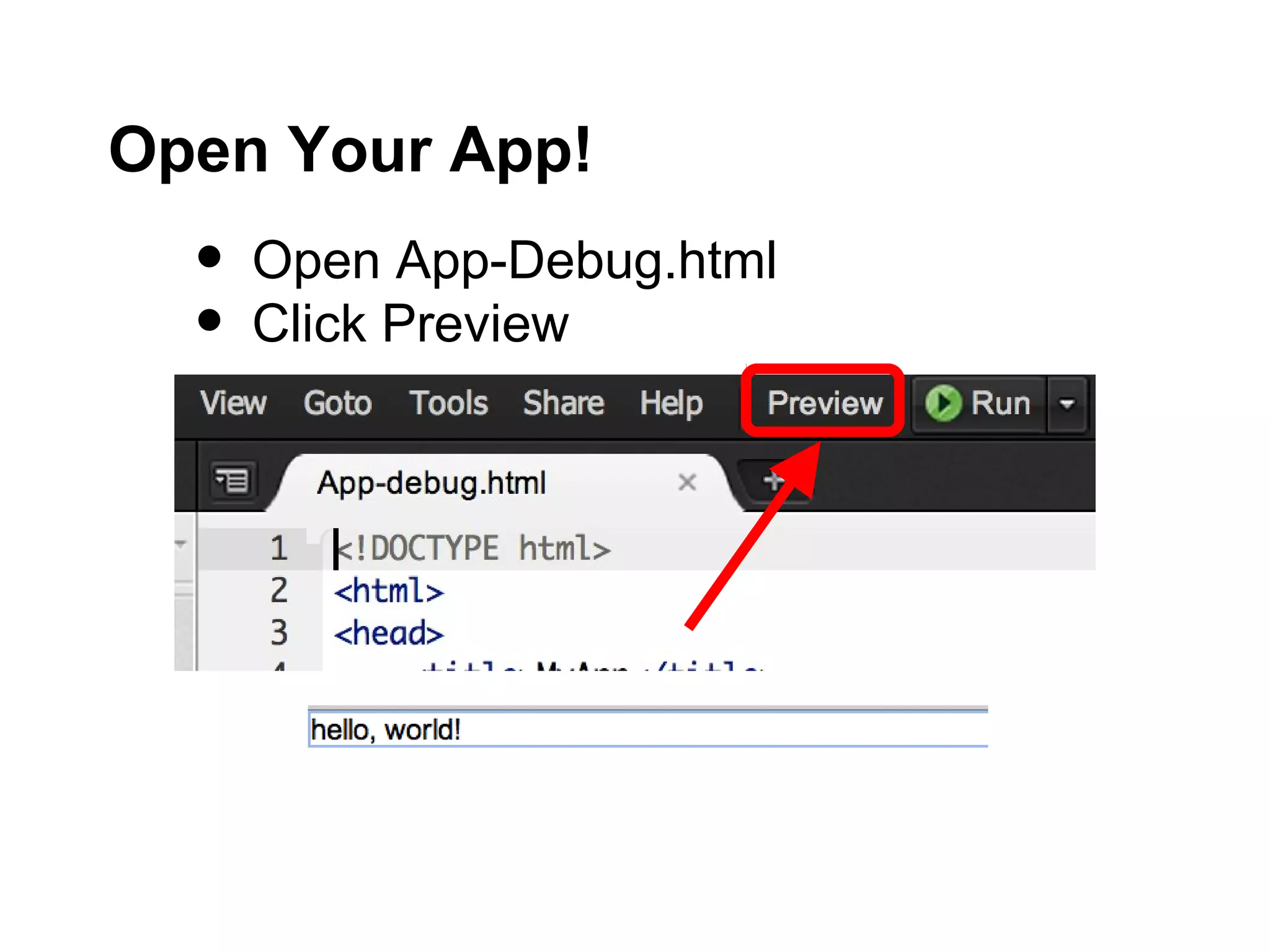
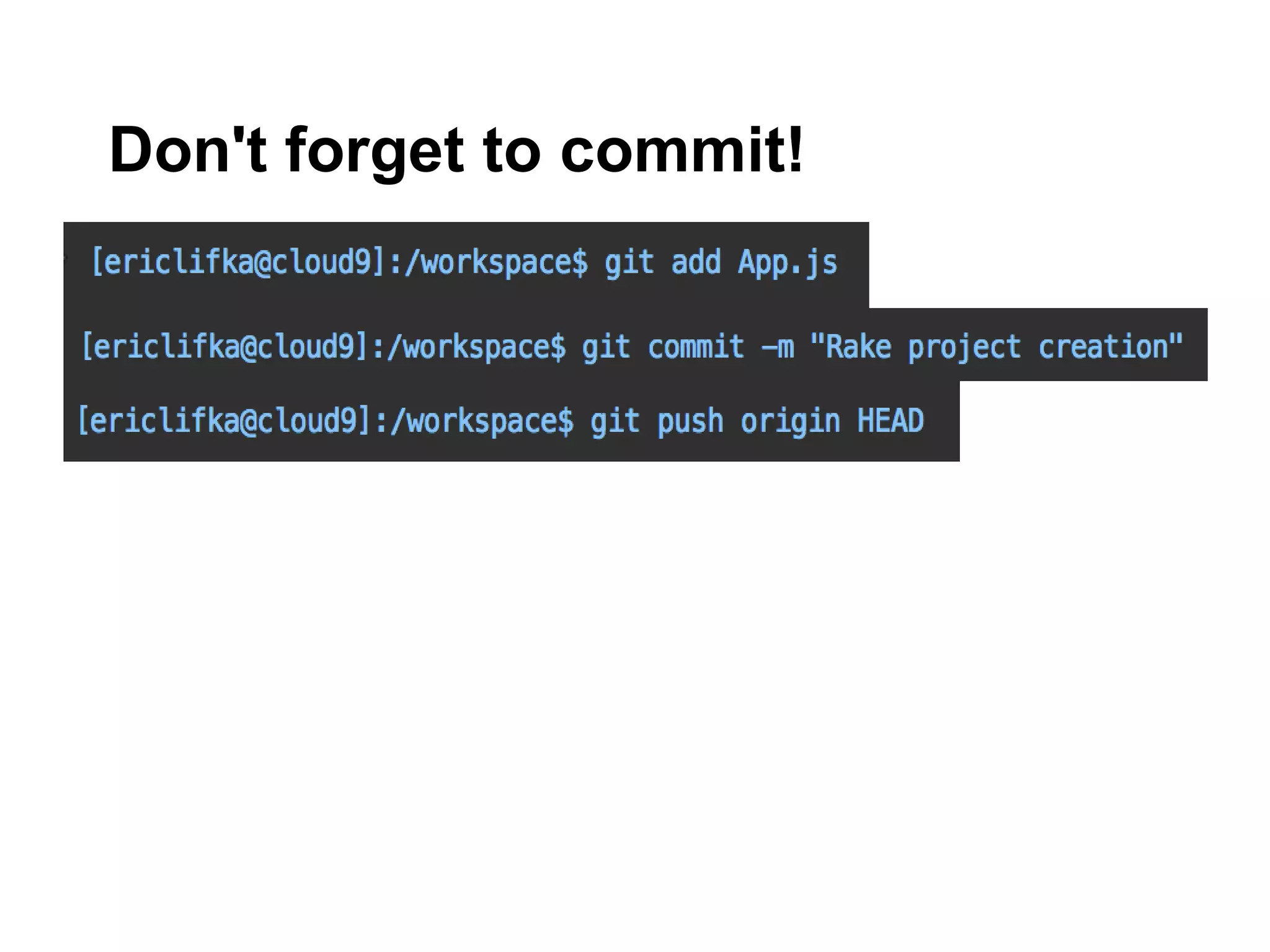

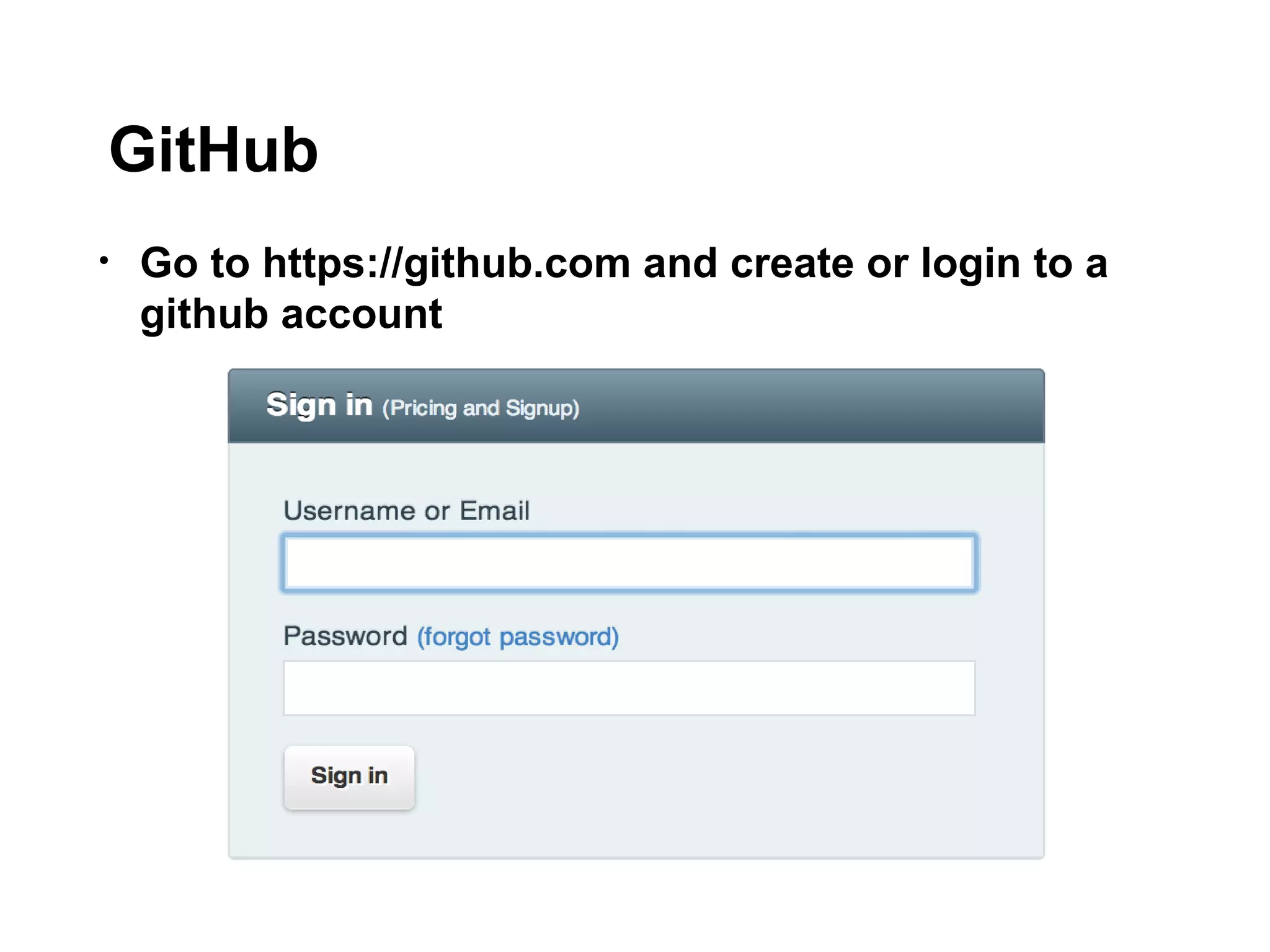
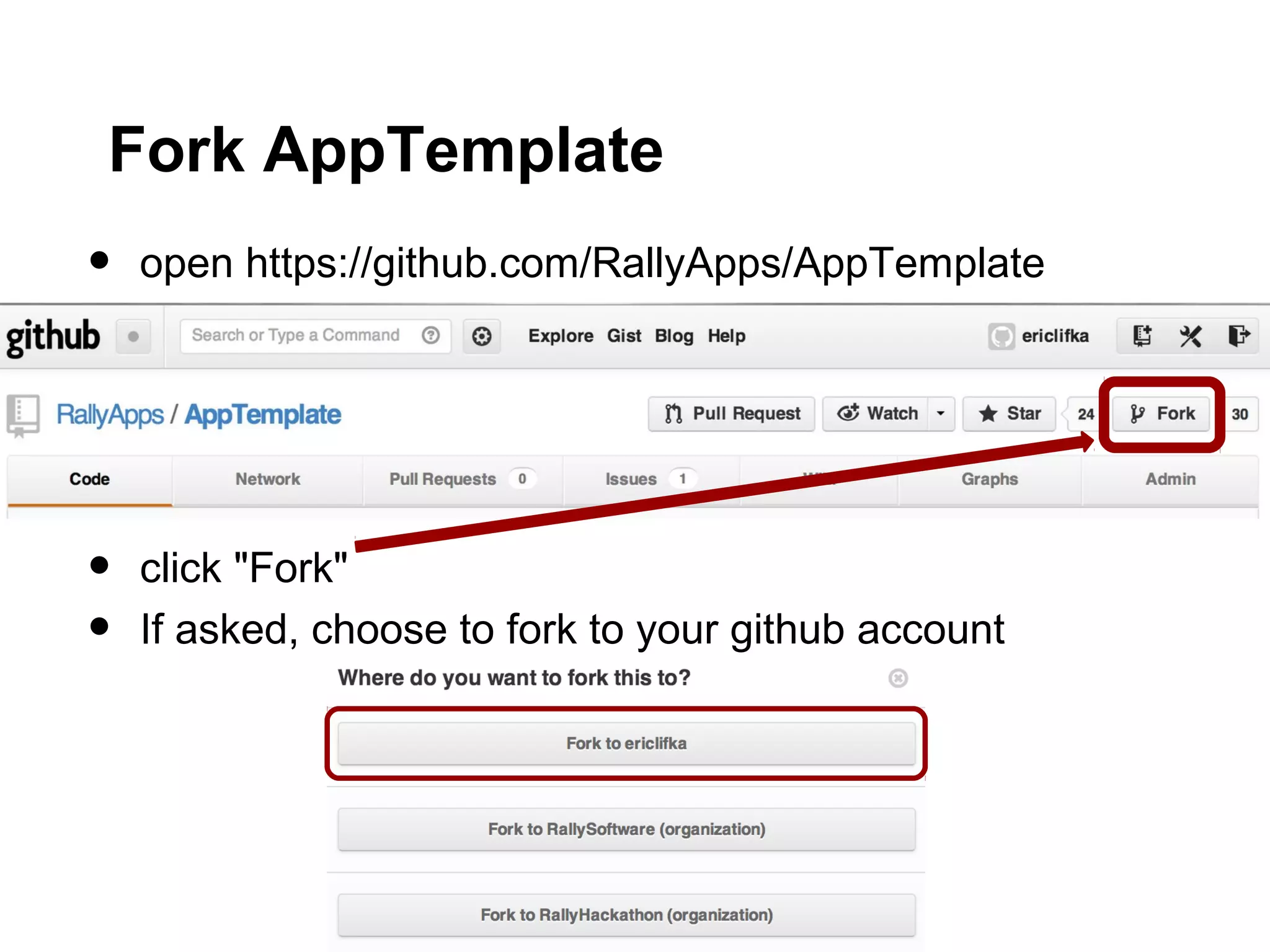
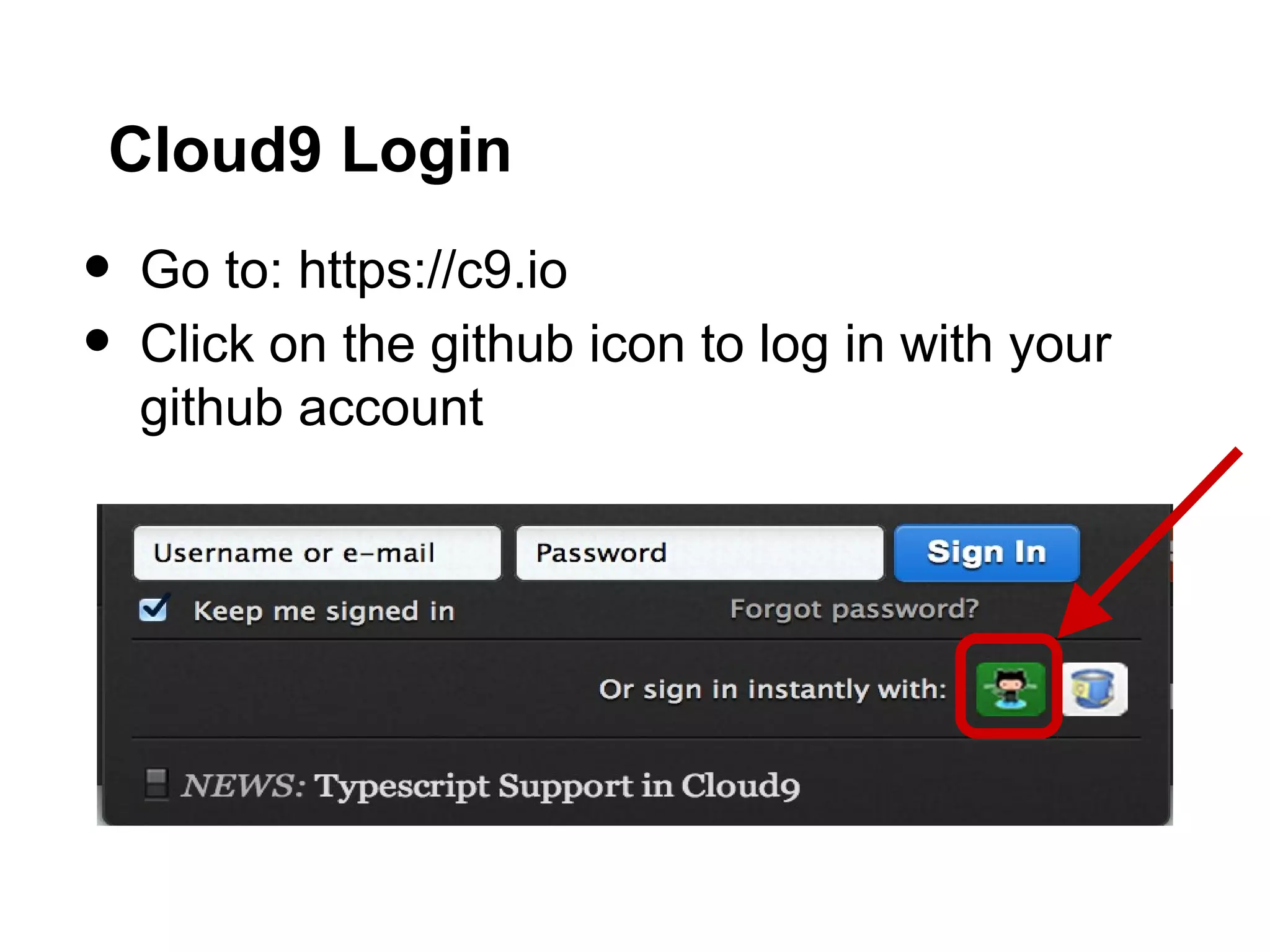
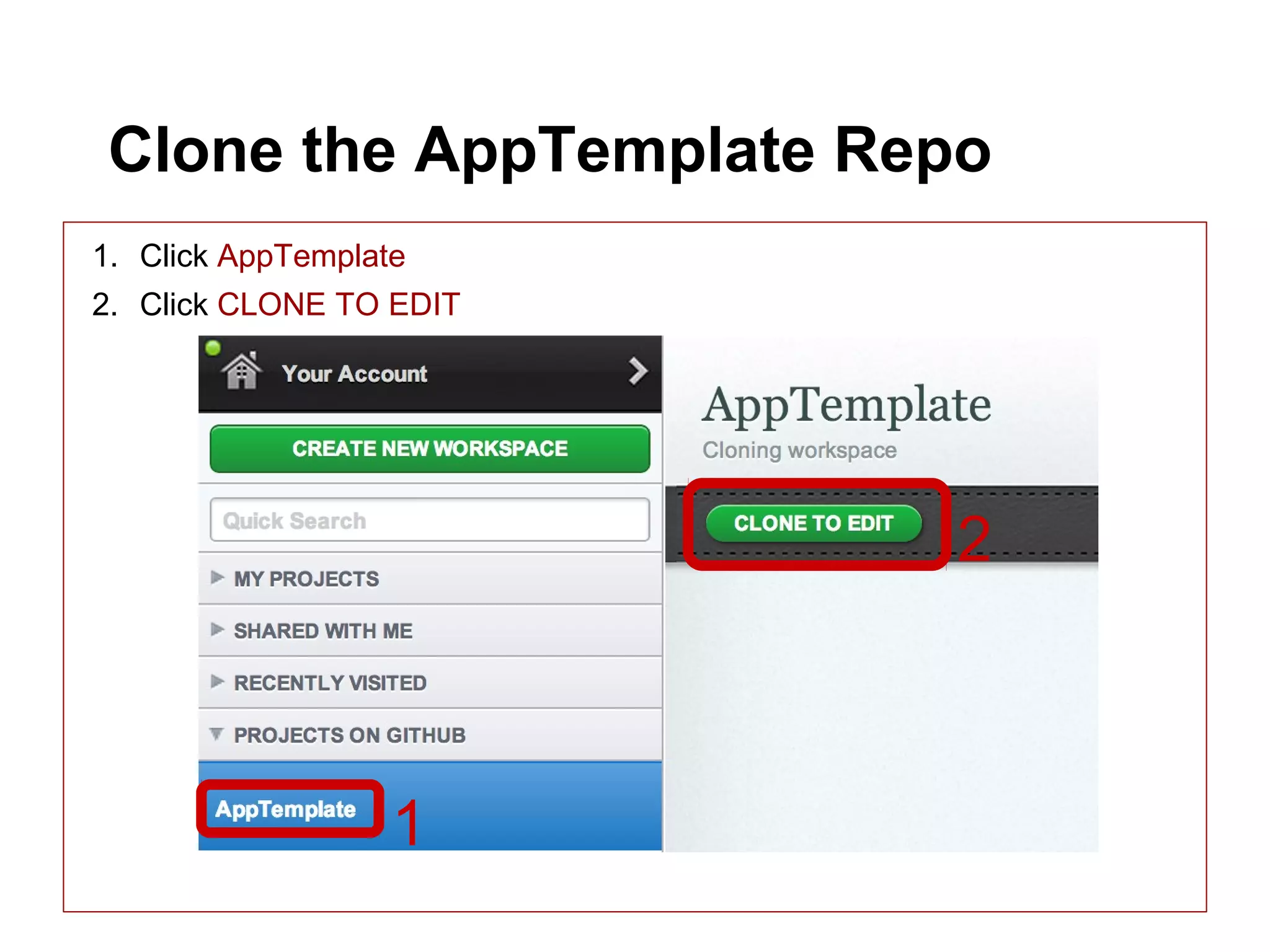
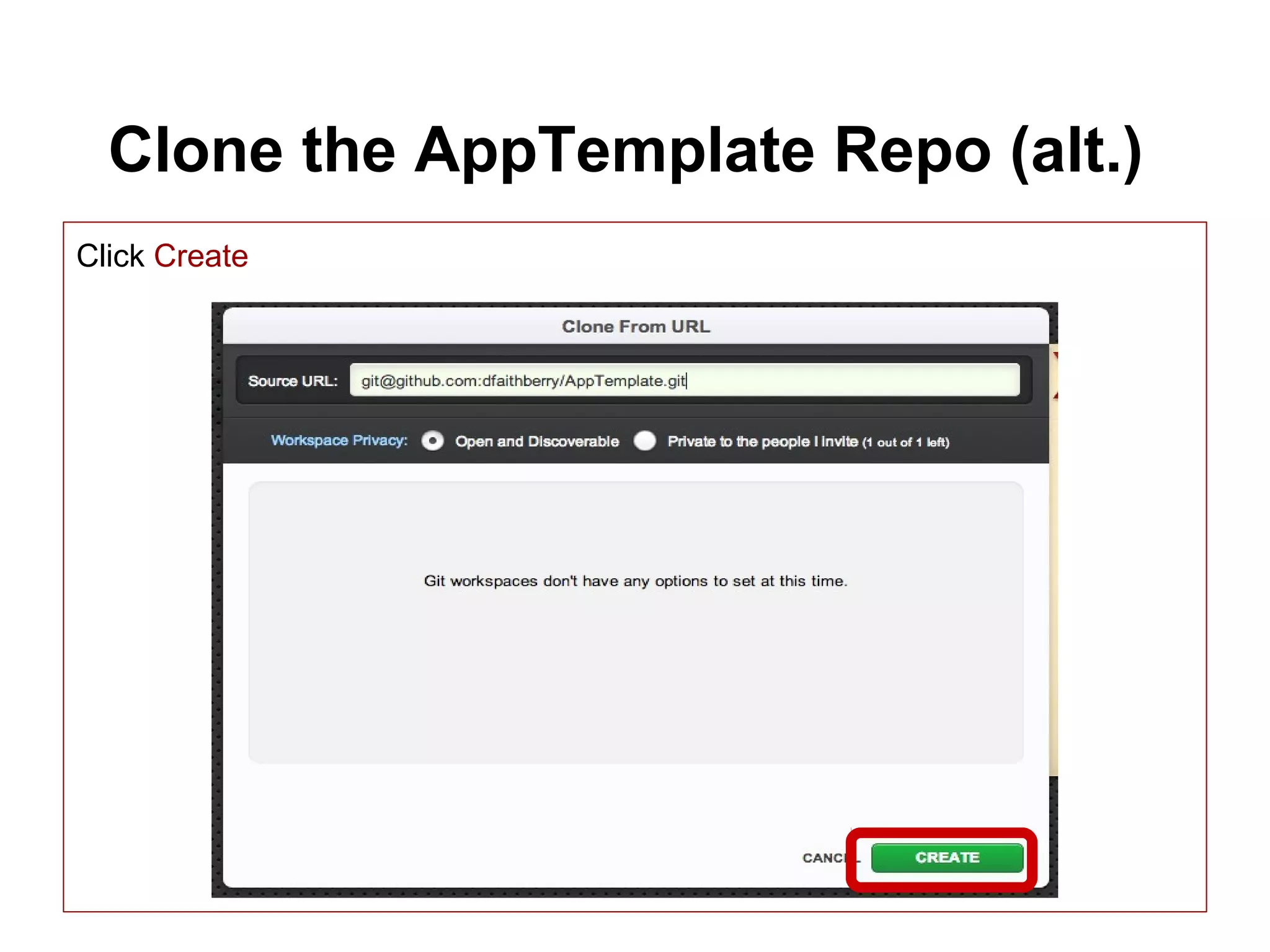
The document provides instructions for creating an SDK app in Cloud9 by forking an AppTemplate repository on GitHub, cloning it to Cloud9, running commands to create a new app, and then editing and previewing the app. It outlines steps to fork and clone the AppTemplate repo, create a new app using Rake commands, refresh project files, edit the App.js file, open the app in preview mode, and commit changes.


![[2015/2016] Apache Cordova](https://cdn.slidesharecdn.com/ss_thumbnails/05cordova-160401161537-thumbnail.jpg?width=640&height=640&fit=bounds)


![Introduction to Google App Engine - Naga Rohit S [ IIT Guwahati ] - Google De...](https://cdn.slidesharecdn.com/ss_thumbnails/googleappenginenagarohitsiitguwahati-120829131334-phpapp01-thumbnail.jpg?width=640&height=640&fit=bounds)


![Coded Agents – with UiPath SDK + LangGraph [Virtual Hands-on Workshop]](https://cdn.slidesharecdn.com/ss_thumbnails/codedagentsdeck-251215155422-5497c599-thumbnail.jpg?width=640&height=640&fit=bounds)


