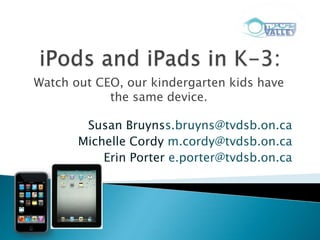
Watch out CEO, our kindergarten kids have
            the same device.

        Susan Bruynss.bruyns@tvdsb.on.ca
       Michelle Cordy m.cordy@tvdsb.on.ca
           Erin Porter e.porter@tvdsb.on.ca
   The iTouch JK/SK Story

   Grade 3 & 4 iPad Class

   Positives, Pitfalls and Ponderings
Used the iPods alone.

They mostly used the Apps.


Initially, the iPods decreased
the amount of interactive play.
Used the iPods as an
assessment tool.


I video recorded the children’s
oral retells.


     Play video link
The Apps became less motivating and the students
began to engage each other in taking pictures,
recording videos and responding to voice recordings.
Our letter writing began with hand written notes. The
students quickly applied the conventions of writing to
iPod technology....
To Mom
From Shiondra
Total 18
Can everybody have a freezie
I love you.
Play voice memo link
The children designed sets, chose backgrounds, designated
roles, choreographed moves and video recorded dramatic retells
                      of nursery rhymes.

    …because of the iPods
                                  Play Humpty Dumpty video link
   Where did they come from?


   ePortfolio Findings:
      Kids are post Web 2.0;
      Kids are “Pinch, Swipe, Tap” Ready;
      ePortfolios must address: Collecting, the Collection, &
       the Collector.
1.       More time on task
2.       Increase creation and collaboration
     •    Spend more time creating, less time practising
     •    Increase collaboration
3.       More feedback
     •    More often
     •    From More people
1.   Goal 1: Pinch, swipe and tap ready, but not
     keyboard ready.
2.   Goal 2: Lots of sharing and coaching.
3.   Goal 3: Email feedback and text to voice.
   Safety First
   Operating System (OS6)
   Applications
   OS 6


   Safe Share-You Tube
   Mail

   Speech to Text and Text to Speech

   Notes

   Reminders
Must haves:
Store:


Create:

Practise:
Searching for apps?
Think:
Store/Create/Practise
Consume/Collaborate/Produce
Bloom’s Taxonomy

Plan: itunes Education cluster

Do: Download (avoid free!)

Review: Monitor (Update is a good time
to delete or upgrade)
Art


      Math Tools   Science & Technology
   Obvious engagement of both sets of learners
   Excitement in wanting to share their learning
    with others
   Ease of feedback from others (quick text
    message or audio recording)
   Survival of the Implementation Dip
   There's also some early evidence that an iPad could provide a
    more engaging learning experience and might even improve
    student performance.

   Overall, the iPad enhanced student learning of my spring,
    2012 course. The iPad provided students an opportunity to
    research and locate information “on-the-spot” as needed for
    class activities and provided them a convenient means to
    write brief messages and asses each other’s work.
   Juggling a sense of “haves” and “have nots”
    among staff/students.
   Relying too heavily on the technology ~ Which
    skills may not be taught as effectively?
   Ultimately students in grade 3 will need to
    demonstrate their learning on EQAO with
    paper and pencil.
   Will increased use of hand-held devices improve
    student learning?
   How will we ultimately measure the success of the
    iPod and iPad projects?
   Should we be looking at allocating additional funds
    to the area of hand-held devices vs. computers?
   What additional staff professional learning is
    required?
Susan Bruynss.bruyns@tvdsb.on.ca
         Michelle Cordy   m.cordy@tvdsb.on.ca
              Erin Porter  e.porter@tvdsb.on.ca
http://www.tvdsb.ca/webpages/cordym/ipad.cfm

ECOO_iPod_iPad_CEO

  • 1.
    Watch out CEO,our kindergarten kids have the same device. Susan Bruynss.bruyns@tvdsb.on.ca Michelle Cordy m.cordy@tvdsb.on.ca Erin Porter e.porter@tvdsb.on.ca
  • 4.
    The iTouch JK/SK Story  Grade 3 & 4 iPad Class  Positives, Pitfalls and Ponderings
  • 6.
    Used the iPodsalone. They mostly used the Apps. Initially, the iPods decreased the amount of interactive play.
  • 7.
    Used the iPodsas an assessment tool. I video recorded the children’s oral retells. Play video link
  • 8.
    The Apps becameless motivating and the students began to engage each other in taking pictures, recording videos and responding to voice recordings.
  • 9.
    Our letter writingbegan with hand written notes. The students quickly applied the conventions of writing to iPod technology....
  • 10.
    To Mom From Shiondra Total18 Can everybody have a freezie I love you.
  • 11.
  • 12.
    The children designedsets, chose backgrounds, designated roles, choreographed moves and video recorded dramatic retells of nursery rhymes. …because of the iPods Play Humpty Dumpty video link
  • 13.
    Where did they come from?  ePortfolio Findings:  Kids are post Web 2.0;  Kids are “Pinch, Swipe, Tap” Ready;  ePortfolios must address: Collecting, the Collection, & the Collector.
  • 14.
    1. More time on task 2. Increase creation and collaboration • Spend more time creating, less time practising • Increase collaboration 3. More feedback • More often • From More people
  • 15.
    1. Goal 1: Pinch, swipe and tap ready, but not keyboard ready. 2. Goal 2: Lots of sharing and coaching. 3. Goal 3: Email feedback and text to voice.
  • 16.
    Safety First  Operating System (OS6)  Applications
  • 17.
    OS 6  Safe Share-You Tube
  • 18.
    Mail  Speech to Text and Text to Speech  Notes  Reminders
  • 19.
  • 20.
    Searching for apps? Think: Store/Create/Practise Consume/Collaborate/Produce Bloom’sTaxonomy Plan: itunes Education cluster Do: Download (avoid free!) Review: Monitor (Update is a good time to delete or upgrade)
  • 21.
    Art Math Tools Science & Technology
  • 22.
    Obvious engagement of both sets of learners  Excitement in wanting to share their learning with others  Ease of feedback from others (quick text message or audio recording)  Survival of the Implementation Dip
  • 24.
    There's also some early evidence that an iPad could provide a more engaging learning experience and might even improve student performance.  Overall, the iPad enhanced student learning of my spring, 2012 course. The iPad provided students an opportunity to research and locate information “on-the-spot” as needed for class activities and provided them a convenient means to write brief messages and asses each other’s work.
  • 25.
    Juggling a sense of “haves” and “have nots” among staff/students.  Relying too heavily on the technology ~ Which skills may not be taught as effectively?  Ultimately students in grade 3 will need to demonstrate their learning on EQAO with paper and pencil.
  • 26.
    Will increased use of hand-held devices improve student learning?  How will we ultimately measure the success of the iPod and iPad projects?  Should we be looking at allocating additional funds to the area of hand-held devices vs. computers?  What additional staff professional learning is required?
  • 28.
    Susan Bruynss.bruyns@tvdsb.on.ca Michelle Cordy m.cordy@tvdsb.on.ca Erin Porter e.porter@tvdsb.on.ca http://www.tvdsb.ca/webpages/cordym/ipad.cfm

Editor's Notes

  • #2 Overview Blurb in the ECOO Booklet: For the first time in education, kids in kindergarden are using the same technology as the executives in charge of education and beyond. Many grown-ups have the iphone and we have iPod touch and iPad. Our kids are pinching, swiping and tapping their way to success. The power of the iOS (operating system) of Apple allows students to capture, create, share and engage in learning. Did you know the iOS has a built in text to speech capabilities? Come and hear about the brilliant devices and how they play a role in learning. In this session, ECOO conference delegates will hear our story of deploying idevices in the classroom. We will explore the out-of-the-box capabilities of the devices as well as sharing our list of favourite applications. An early years teacher, primary teacher and principal will each share her point of view on the place of this technology in the classroom. We will each explore how the integration of the devices has replaced, enhanced or changed our practice and perspective on teaching and learning.
  • #3 Raise a hand at any time!
  • #4 Wilfrid Jury ~ largest English speaking elementary school in Tvalley. Approx. 750 students and 85 staff members. We house 3 of the system DE classes and one of the Beh. Support classes. We have 15 full time EAs who support a variety of “at-risk” learners both in our congregated and integrated classes. We have a significant ESL population with over 40 different countries represented within the tapestry of our school community. Our school community is also very diverse from a socio-economic perspective ~ Many of our families living at or below the povery line and we have significant transience We have a full time school support counsellor.Our school goal is focused on improving our students’ ability to communicate their thinking when organizing their ideas and information in literacy and numeracy.
  • #5 As a school, we have a great deal of technology throughout the school. Mounted data projectors in each classroom. Smartboards in all classes from JK – 4 and throughout some of the other J/I classes. Document cameras in all gr. 1 – 8 classes. Several sets of CPS, 3 lap top labs, 3 stand alone labs and 5 Netbooks….. Two years ago, we piloted a set of 5 iPod touches in a grade 7/8 class. So, when the opportunity to pilot a iTouch project in Early Years, we jumped at it and now we are exploring the advantages of hand held devices in a grade three class, where each student has their own device. Today’s presentation will take you through our Early Years iTouch journey, the beginning stages of our Grade ¾ iPad project and then we will share our thoughts about where we are going next.
  • #6 ErinNotes from meeting:Erin’s Story:Got iTouchesKILLED PLAY: Sue puts up Implementation DIP slideiPod Touch Menu: Just call it what it is (Different apps)Every year you start fresh with new routines and teaching. Start with Apps to teach skills of device. Get them Pinch-Swipe-Tap Ready
  • #7 Erin
  • #8 Erin
  • #9 Erin
  • #10 Erin
  • #11 Erin
  • #12 Erin
  • #13 Erin
  • #14 Notes:Talk about how I got funding (people will want to know!!)Why did we decide iPads. Web 2.0 old school – too many clicks was a barrier to success because kids were pinch, swipe and tap ready. They had lower tolerance for wait times and clicking.We realized it wasn’t just about the collection of artifacts. It was about how the artifacts are collected for an electronic portfolio and the new possibilities of the collector in relation to those artifacts.
  • #15 AND . . .make all of this easier and more fun.
  • #16 M -
  • #17 Overview of implementation so far.
  • #18 Settings>General>Restrictions ManageInstalling/Deleting Apps; Explicit music, Age level for movies, TV shows, books, apps, prevent In-App purchases, turn off Games Center.Settings>General>Accessibility Allow Speak Selection: Students can highlight text and iPad reads it back to them.Allow Speak Auto-Text: When iPad suggests a word automatically it will speak the word.Parent LetterSAFE YOU TUBE
  • #19 MailEach student has a Google Mail account @thamesvalleymail.caMail is set up with that account Students email teacher, parents, other students for feedbackI email students feedback. They can use Speak function to have the email read to them.SpeechAllow Speak Selection: Students can highlight text and iPad reads it back to them. Allow Speak Auto-Text: When iPad suggests a word automatically it will speak the word.Notes:Students use Notes to write and email me. Downside: No “Undo” function so if they delete, it’s gone.newiPad has speech-text. Students are reminded to use occasionally (not very accurate) and to use it one word at a time.Speech prediction and spell check is awesome.Reminders:Personal DictionaryStudents entered Reminders Aa-ZzAdd words of the week, words they misspell are added each time work is handed backTracks progress: kids check off the word when they ‘own’ it. Records the date, and if they misspell it in their writing we can uncheck the word.
  • #22 M -
  • #23 Sue?Notes from meeting:Replace - the importance of hand writing- what are the consequences- how to manage in a building
  • #24 Sue’s Slide???Erin’s point: Implementation dip will look massively different from non-user and user.Sue’s Interjection: When choosing who gets the tech, it doesn’t have to be the users. New users and experienced users will have similar and different challenges.
  • #25 Sue?Notes from meeting:Replace - the importance of hand writing- what are the consequences- how to manage in a building
  • #26 Sue?Notes from meeting:Replace - the importance of hand writing- what are the consequences- how to manage in a building
  • #27 Sue’s Points - Interjections- school based perspective: continuum of learning throughout the school- how to keep it in curriculum focus- accountability piece with safety, dealing with parent concerns-To Teachers: Safety, parent, curriculum-Hype Cycle: managing implementation gap, Equity.
  • #28 Essential Quotes from Our Workshop: Michelle: When does assistive technology become technologySHOULD WE GIVE OUT A QUESTIONNAIRE AT THE END TO GAUGE OUR OWN SUCCESS? GET FEEDBACK?