Group # 3 
Azaz Ahmed 
Ghayour Abbas 
Shan Khan
DSL 
(Digital Subscriber Line )
WHAT IS DSL? 
 Digital Subscriber Line (DSL) is a technology that provides digital data transmission over 
the existing wires of local telephone network. 
 DSL service is delivered simultaneously with regular telephone on the same telephone line. 
 This is possible because DSL uses a higher frequency. 
 Digital Subscriber Line (DSL) is a broadband high-speed Internet technology that brings high-bandwidth 
information to home and offices over ordinary copper telephone lines. 
 Digital data is transmitted directly to the computer, as is, exploiting the maximum 
bandwidth and the wide range of unused frequencies available in the existing copper wire of 
telephone networks for high-speed broadband communication.
Key features of DSL: 
 Distance- sensitive technology. 
 Internet connection is always ON. 
 Simultaneous use of the phone line for voice as well as data traffic. 
 Internet Connection is highly reliable and secure. 
 High Speed (Mbps) v/s a regular modem (56 Kbps max).
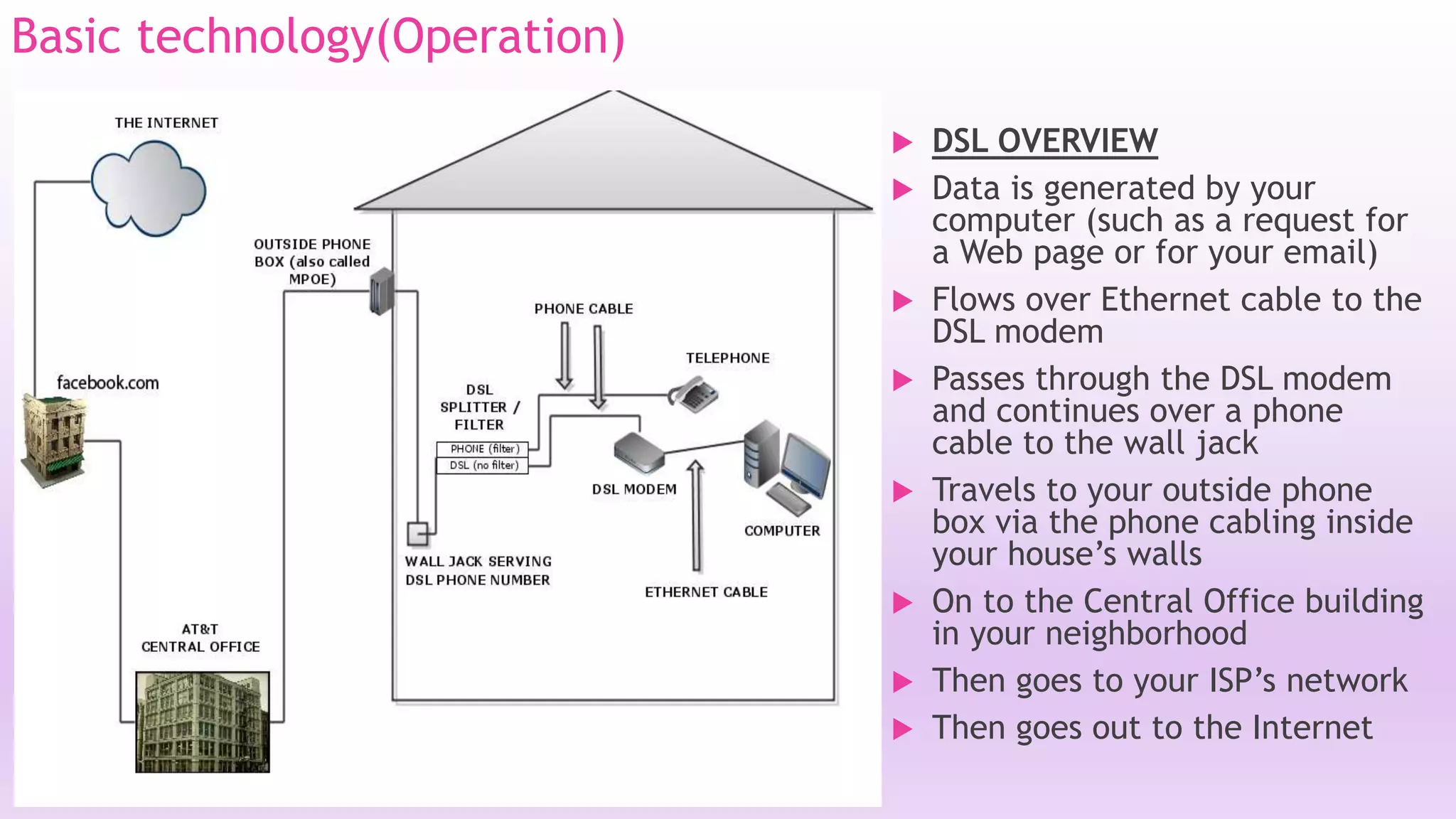
Basic technology(Operation) 
 DSL OVERVIEW 
 Data is generated by your 
computer (such as a request for 
a Web page or for your email) 
 Flows over Ethernet cable to the 
DSL modem 
 Passes through the DSL modem 
and continues over a phone 
cable to the wall jack 
 Travels to your outside phone 
box via the phone cabling inside 
your house’s walls 
 On to the Central Office building 
in your neighborhood 
 Then goes to your ISP’s network 
 Then goes out to the Internet
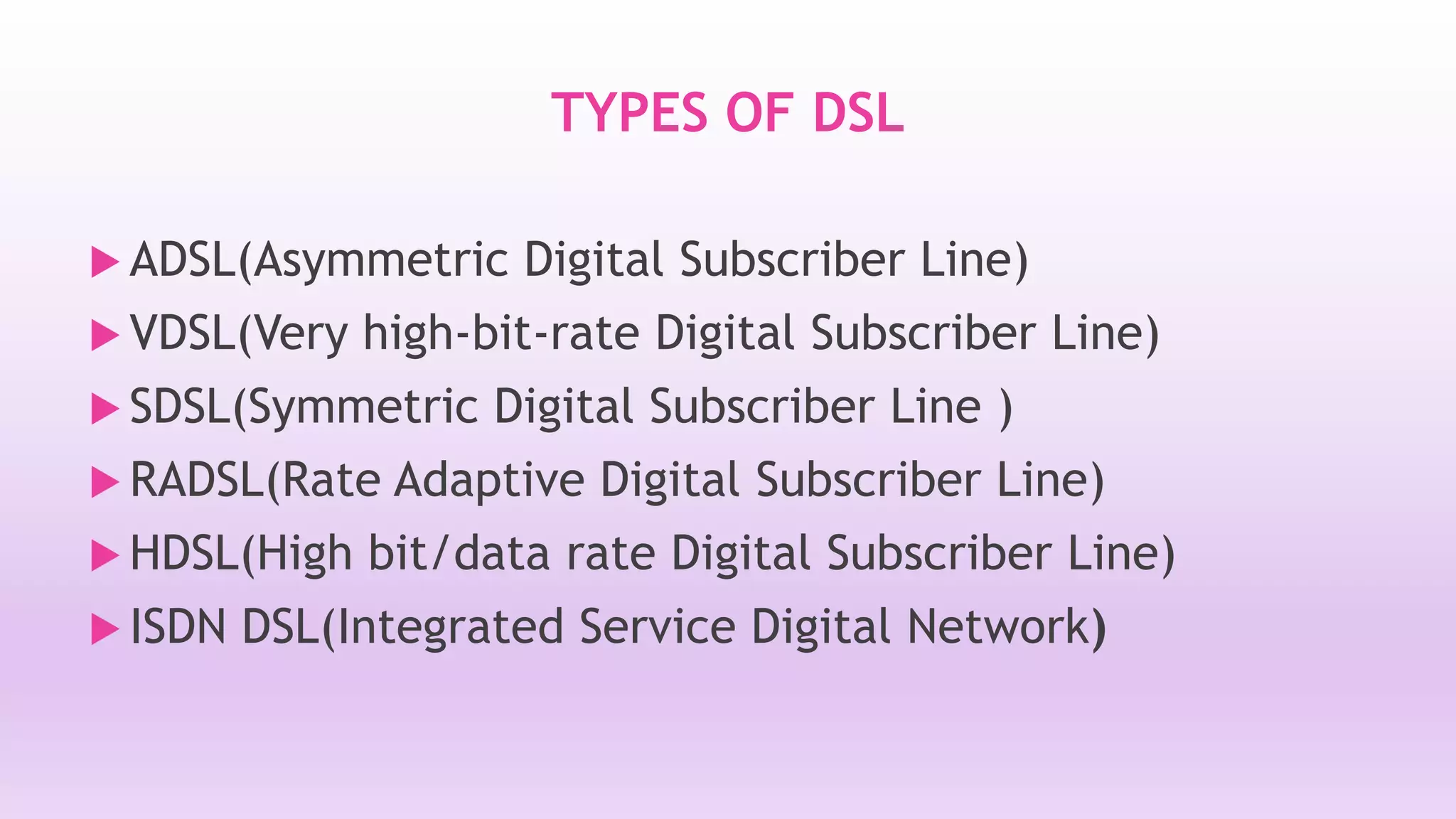
TYPES OF DSL 
 ADSL(Asymmetric Digital Subscriber Line) 
 VDSL(Very high-bit-rate Digital Subscriber Line) 
 SDSL(Symmetric Digital Subscriber Line ) 
RADSL(Rate Adaptive Digital Subscriber Line) 
 HDSL(High bit/data rate Digital Subscriber Line) 
 ISDN DSL(Integrated Service Digital Network)
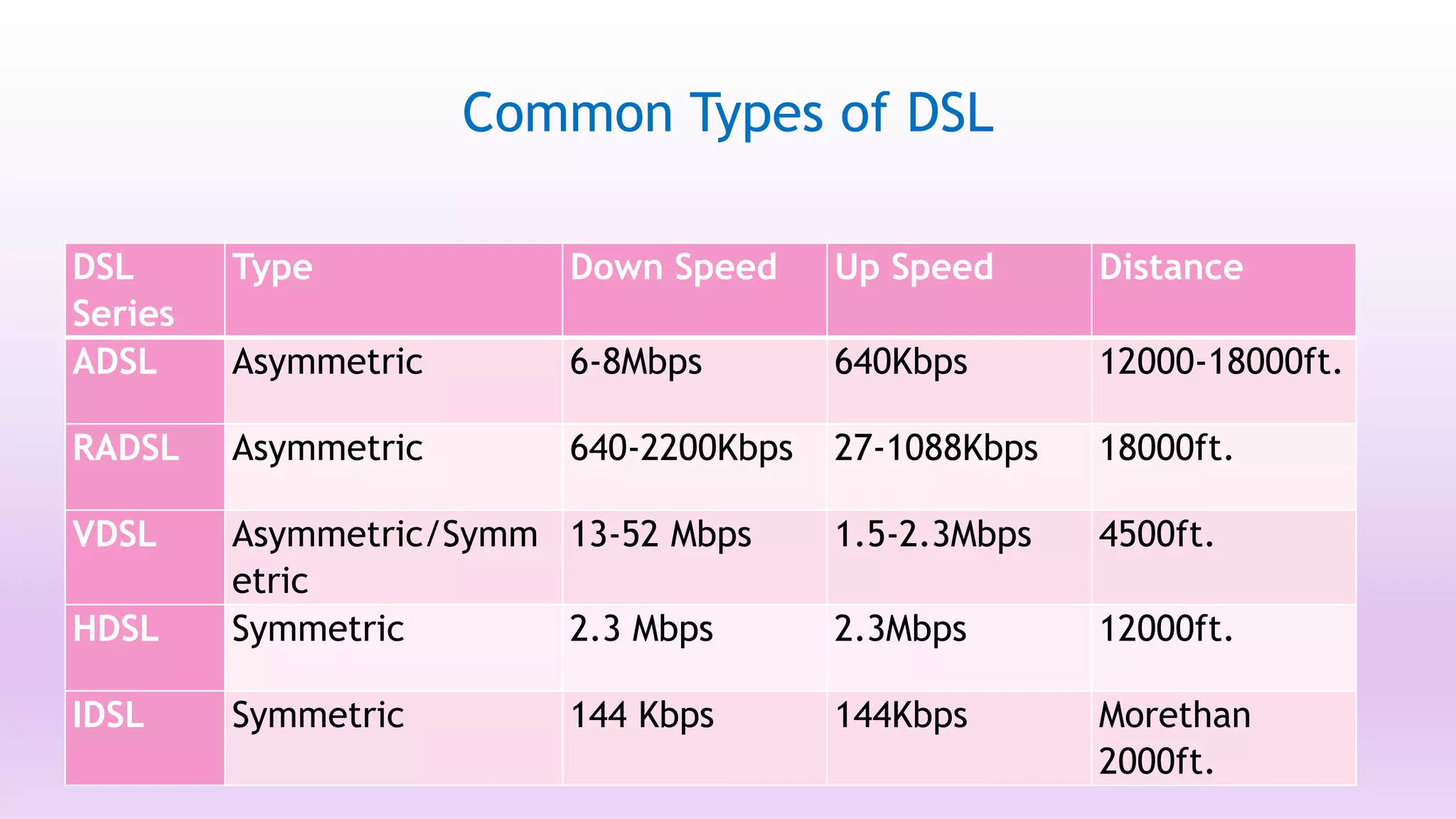
Common Types of DSL 
DSL 
Series 
Type Down Speed Up Speed Distance 
ADSL Asymmetric 6-8Mbps 640Kbps 12000-18000ft. 
RADSL Asymmetric 640-2200Kbps 27-1088Kbps 18000ft. 
VDSL Asymmetric/Symm 
etric 
13-52 Mbps 1.5-2.3Mbps 4500ft. 
HDSL Symmetric 2.3 Mbps 2.3Mbps 12000ft. 
IDSL Symmetric 144 Kbps 144Kbps Morethan 
2000ft.
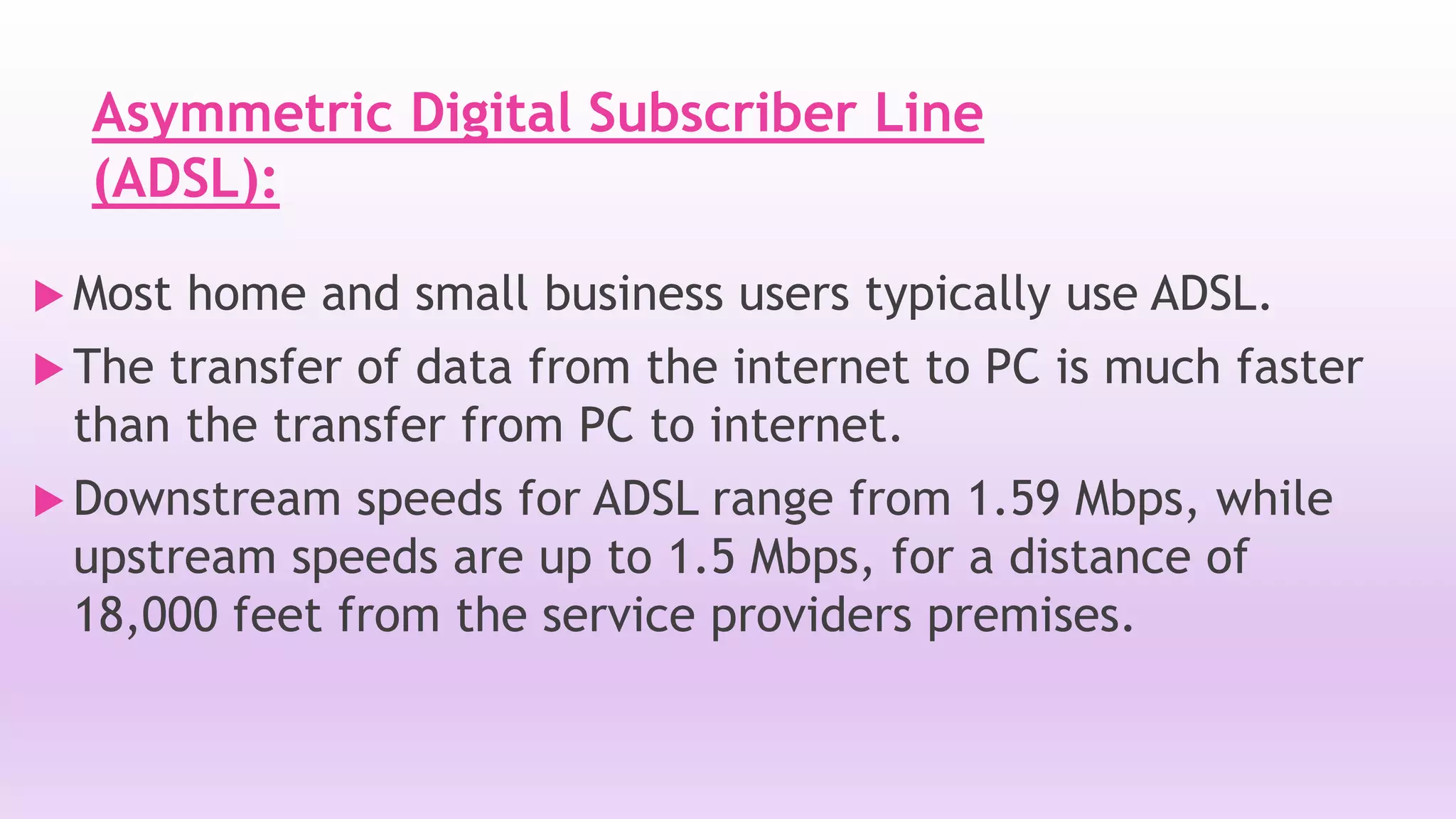
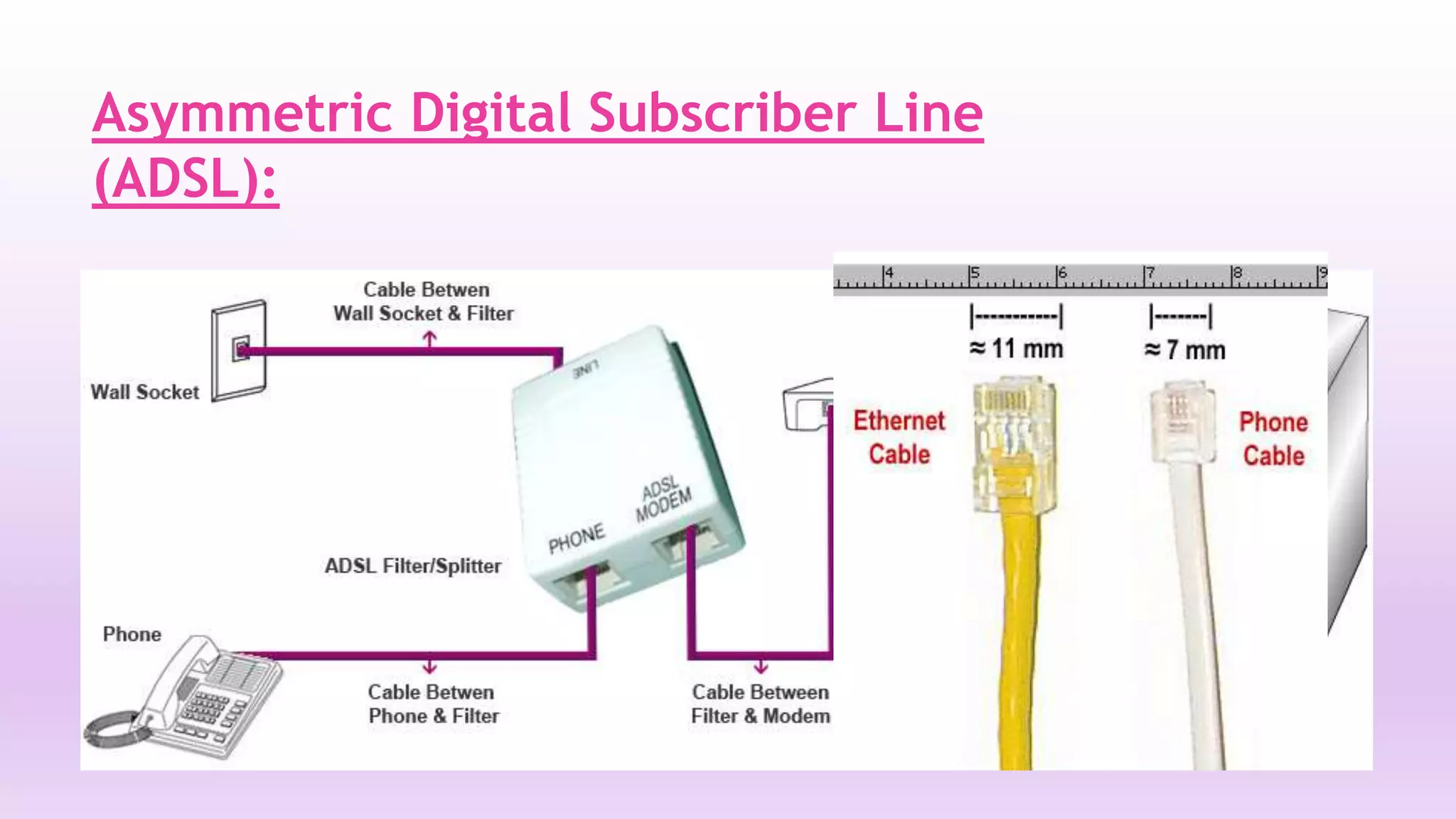
Asymmetric Digital Subscriber Line 
(ADSL): 
Most home and small business users typically use ADSL. 
 The transfer of data from the internet to PC is much faster 
than the transfer from PC to internet. 
 Downstream speeds for ADSL range from 1.59 Mbps, while 
upstream speeds are up to 1.5 Mbps, for a distance of 
18,000 feet from the service providers premises.
Asymmetric Digital Subscriber Line 
(ADSL):
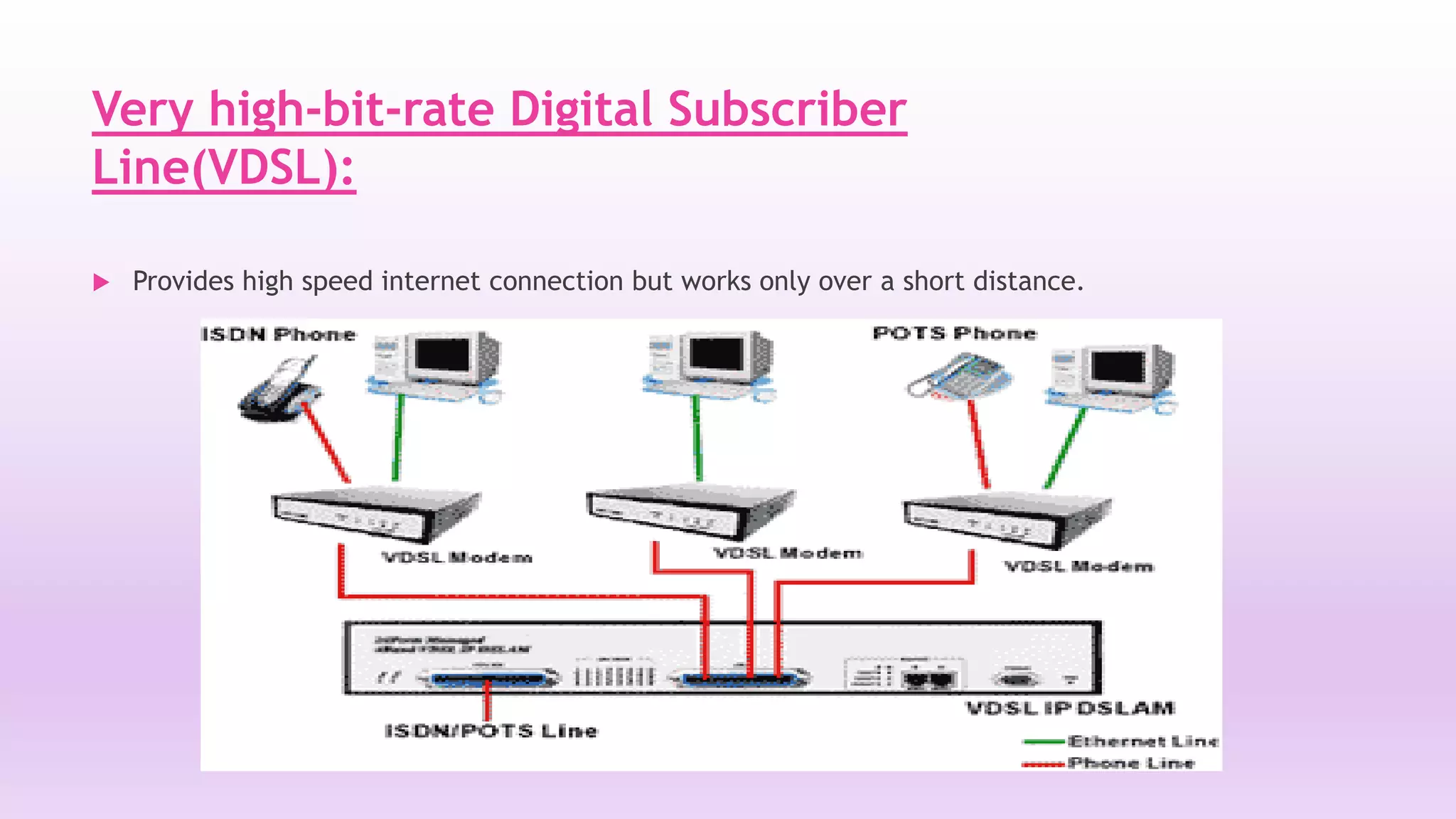
Very high-bit-rate Digital Subscriber 
Line(VDSL): 
 Provides high speed internet connection but works only over a short distance.
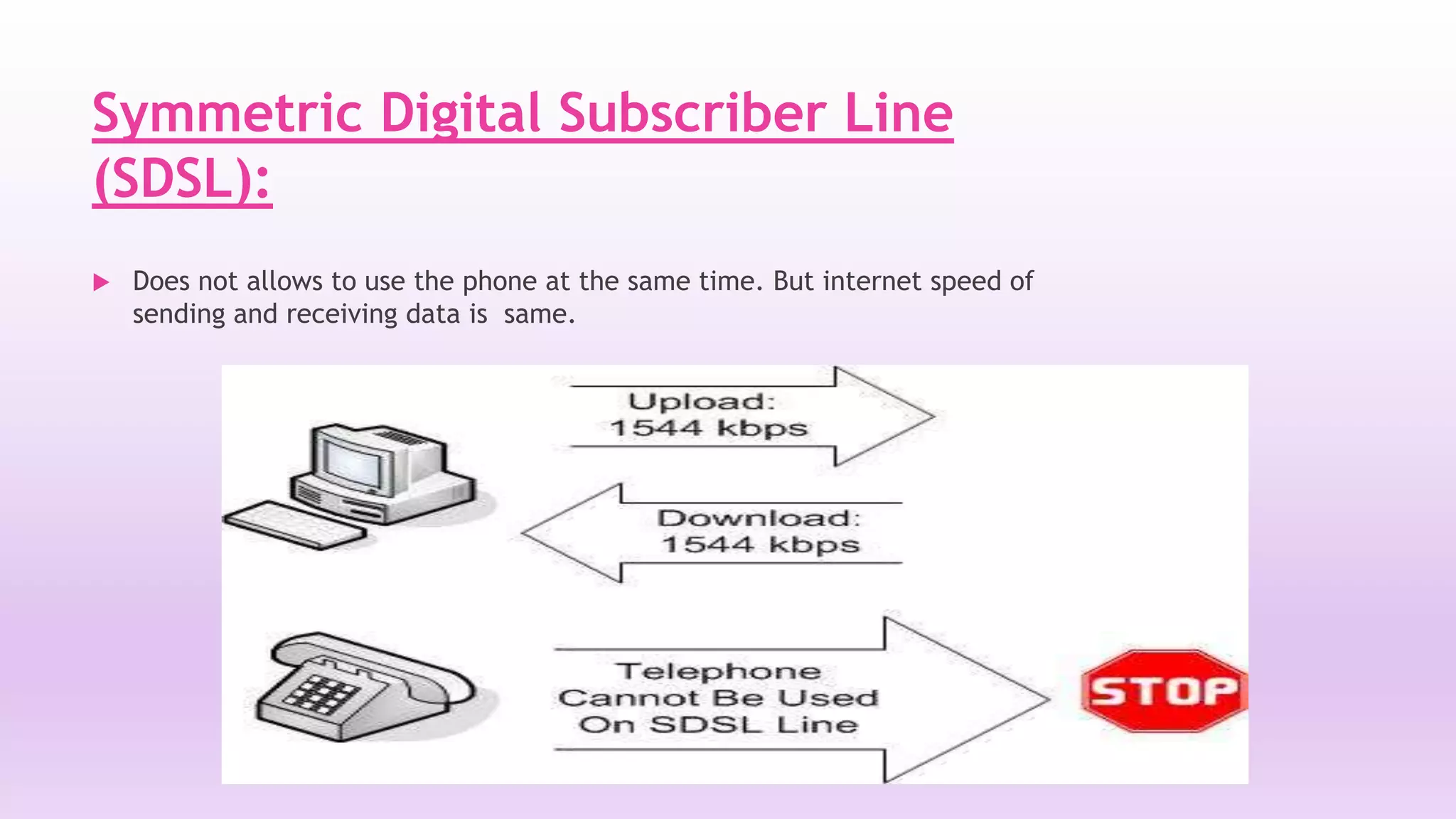
Symmetric Digital Subscriber Line 
(SDSL): 
 Does not allows to use the phone at the same time. But internet speed of 
sending and receiving data is same.
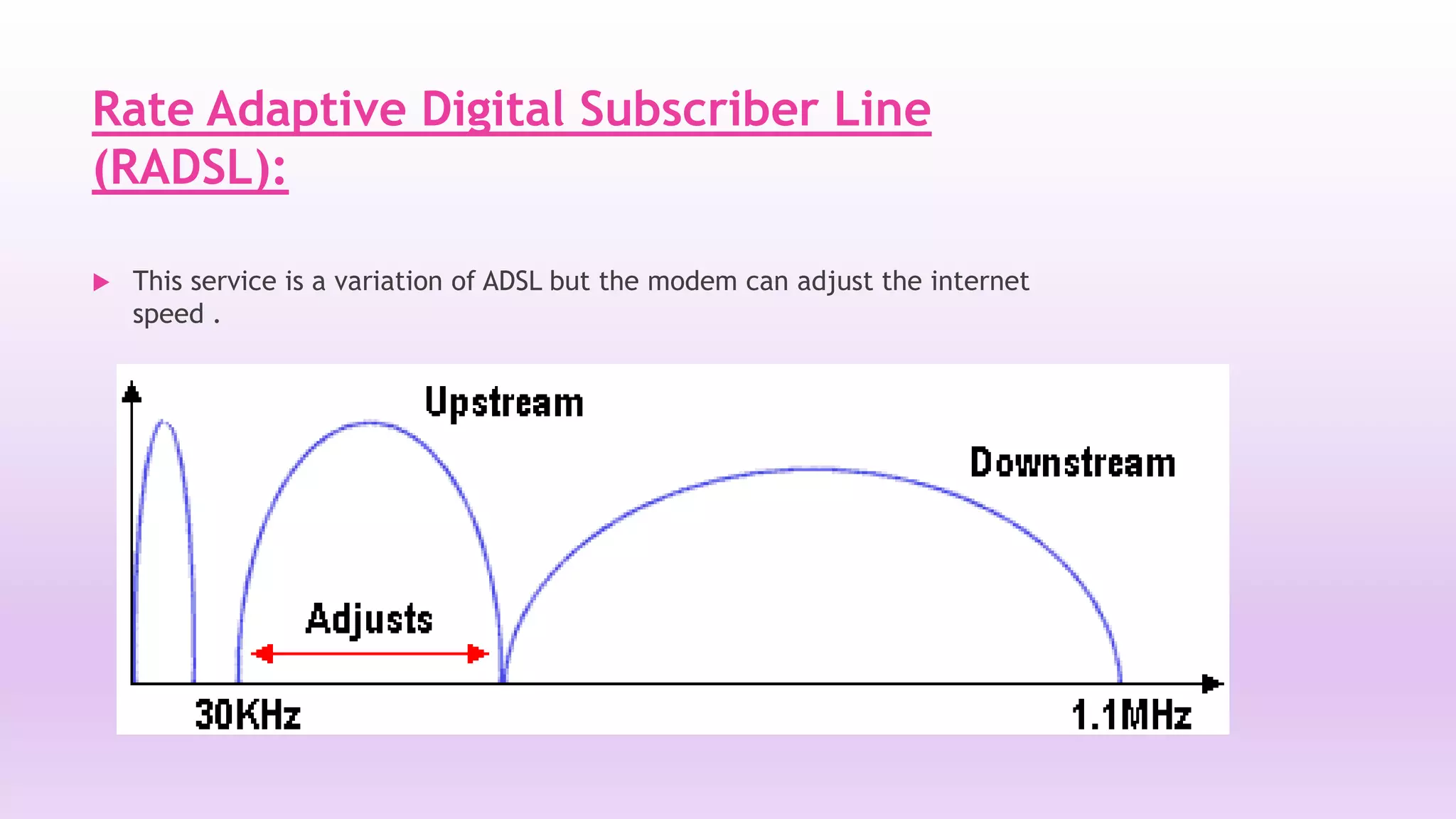
Rate Adaptive Digital Subscriber Line 
(RADSL): 
 This service is a variation of ADSL but the modem can adjust the internet 
speed .
High bit/data rate Digital Subscriber 
Line(HDSL): 
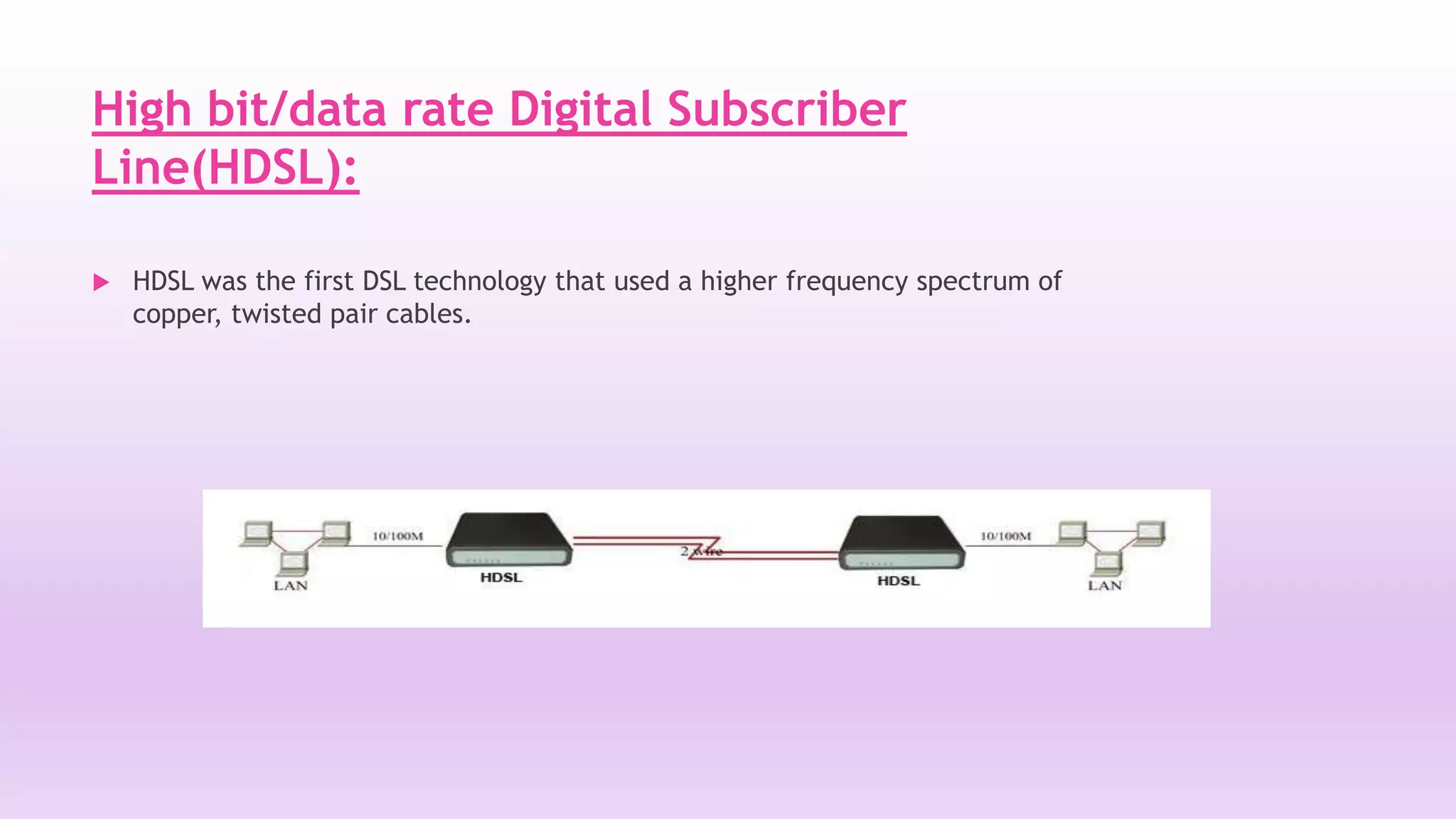
 HDSL was the first DSL technology that used a higher frequency spectrum of 
copper, twisted pair cables.
DSL DEVICES 
 DSL is a modem pair. One DSL modem is located at the customer premises and 
another DSL Access Multiplexer (DSLAM) is at the Central Office (CO). 
 These two modems create a Digital Subscriber Line or DSL. 
 DSL modems transmit data at the rate of up to 160 Kbps over copper lines, up to 
18000 feet. 
 DSLAM at the Central Office or the Access Provider is the one that actually makes 
the DSL happen . 
 It accepts connections from various customers and aggregates them into a single 
high capacity connection to the Internet. 
 In addition, the DSLAM also does IP routing and Dynamic IP address assignment.
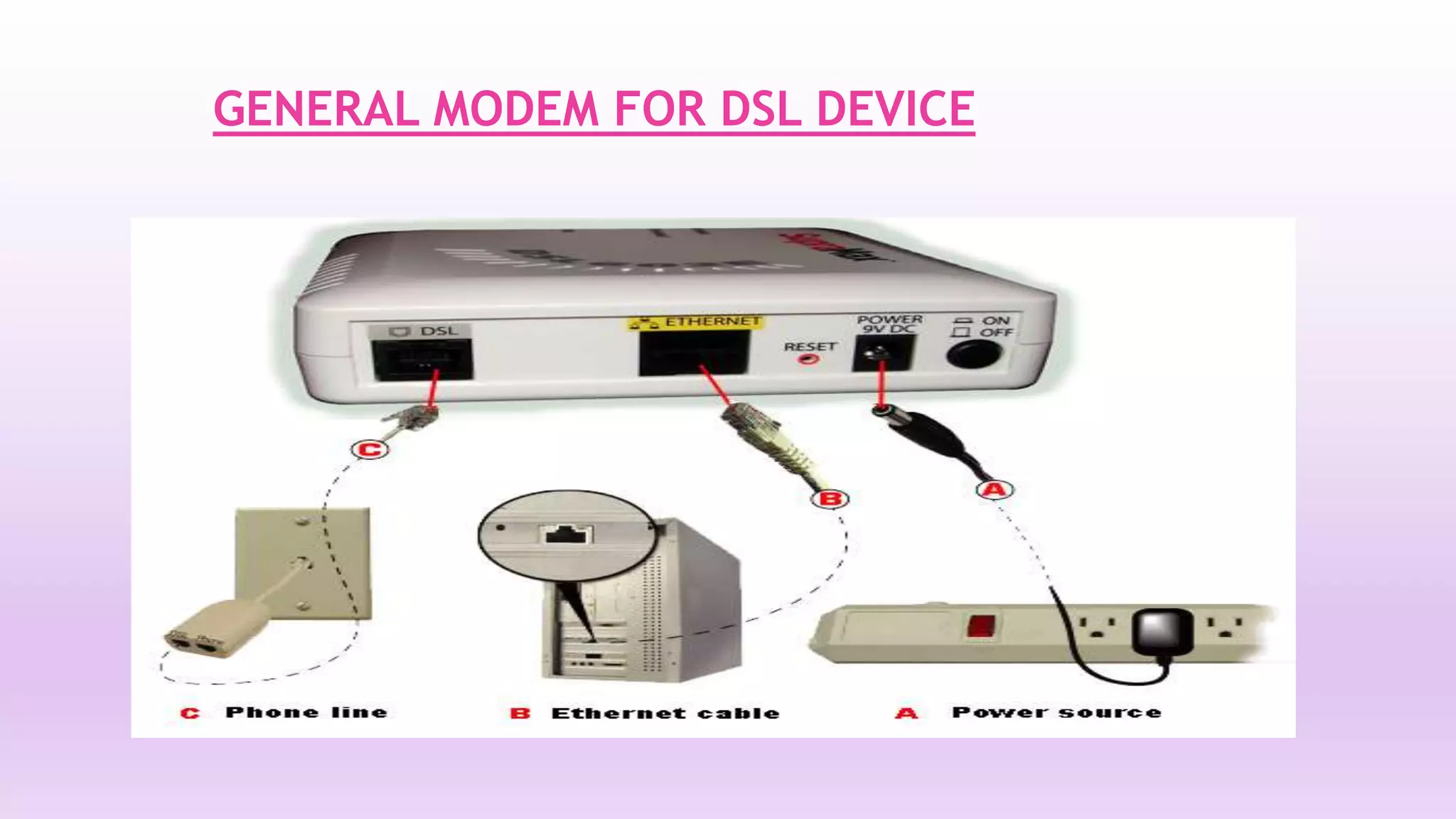
GENERAL MODEM FOR DSL DEVICE
ADVANTAGES 
 DSL service is always ON and we can still use the phone 
for voice calls. 
 Broadband speed is much faster than dial up service. 
 Fixed monthly billing, regardless of time usage. 
 Digital data is directly transmitted to computer as digital 
data which uses much wider bandwidth for transmitting.
DISADVANTAGES 
 As you move away from the central office , the connection becomes 
slower. 
 This results is distortion of signal.
Dsl

Dsl

  • 1.
    Group # 3 Azaz Ahmed Ghayour Abbas Shan Khan
  • 2.
  • 3.
    WHAT IS DSL?  Digital Subscriber Line (DSL) is a technology that provides digital data transmission over the existing wires of local telephone network.  DSL service is delivered simultaneously with regular telephone on the same telephone line.  This is possible because DSL uses a higher frequency.  Digital Subscriber Line (DSL) is a broadband high-speed Internet technology that brings high-bandwidth information to home and offices over ordinary copper telephone lines.  Digital data is transmitted directly to the computer, as is, exploiting the maximum bandwidth and the wide range of unused frequencies available in the existing copper wire of telephone networks for high-speed broadband communication.
  • 4.
    Key features ofDSL:  Distance- sensitive technology.  Internet connection is always ON.  Simultaneous use of the phone line for voice as well as data traffic.  Internet Connection is highly reliable and secure.  High Speed (Mbps) v/s a regular modem (56 Kbps max).
  • 5.
    Basic technology(Operation) DSL OVERVIEW  Data is generated by your computer (such as a request for a Web page or for your email)  Flows over Ethernet cable to the DSL modem  Passes through the DSL modem and continues over a phone cable to the wall jack  Travels to your outside phone box via the phone cabling inside your house’s walls  On to the Central Office building in your neighborhood  Then goes to your ISP’s network  Then goes out to the Internet
  • 6.
    TYPES OF DSL  ADSL(Asymmetric Digital Subscriber Line)  VDSL(Very high-bit-rate Digital Subscriber Line)  SDSL(Symmetric Digital Subscriber Line ) RADSL(Rate Adaptive Digital Subscriber Line)  HDSL(High bit/data rate Digital Subscriber Line)  ISDN DSL(Integrated Service Digital Network)
  • 7.
    Common Types ofDSL DSL Series Type Down Speed Up Speed Distance ADSL Asymmetric 6-8Mbps 640Kbps 12000-18000ft. RADSL Asymmetric 640-2200Kbps 27-1088Kbps 18000ft. VDSL Asymmetric/Symm etric 13-52 Mbps 1.5-2.3Mbps 4500ft. HDSL Symmetric 2.3 Mbps 2.3Mbps 12000ft. IDSL Symmetric 144 Kbps 144Kbps Morethan 2000ft.
  • 8.
    Asymmetric Digital SubscriberLine (ADSL): Most home and small business users typically use ADSL.  The transfer of data from the internet to PC is much faster than the transfer from PC to internet.  Downstream speeds for ADSL range from 1.59 Mbps, while upstream speeds are up to 1.5 Mbps, for a distance of 18,000 feet from the service providers premises.
  • 9.
  • 10.
    Very high-bit-rate DigitalSubscriber Line(VDSL):  Provides high speed internet connection but works only over a short distance.
  • 11.
    Symmetric Digital SubscriberLine (SDSL):  Does not allows to use the phone at the same time. But internet speed of sending and receiving data is same.
  • 12.
    Rate Adaptive DigitalSubscriber Line (RADSL):  This service is a variation of ADSL but the modem can adjust the internet speed .
  • 13.
    High bit/data rateDigital Subscriber Line(HDSL):  HDSL was the first DSL technology that used a higher frequency spectrum of copper, twisted pair cables.
  • 14.
    DSL DEVICES DSL is a modem pair. One DSL modem is located at the customer premises and another DSL Access Multiplexer (DSLAM) is at the Central Office (CO).  These two modems create a Digital Subscriber Line or DSL.  DSL modems transmit data at the rate of up to 160 Kbps over copper lines, up to 18000 feet.  DSLAM at the Central Office or the Access Provider is the one that actually makes the DSL happen .  It accepts connections from various customers and aggregates them into a single high capacity connection to the Internet.  In addition, the DSLAM also does IP routing and Dynamic IP address assignment.
  • 15.
  • 16.
    ADVANTAGES  DSLservice is always ON and we can still use the phone for voice calls.  Broadband speed is much faster than dial up service.  Fixed monthly billing, regardless of time usage.  Digital data is directly transmitted to computer as digital data which uses much wider bandwidth for transmitting.
  • 17.
    DISADVANTAGES  Asyou move away from the central office , the connection becomes slower.  This results is distortion of signal.