Unit 70 – 2D Game Documentation 
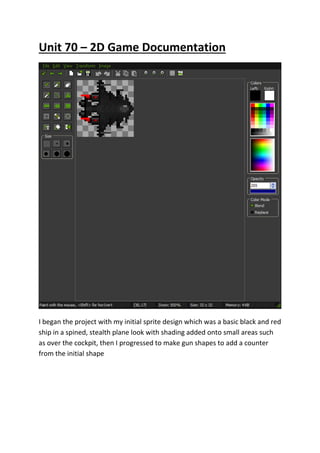
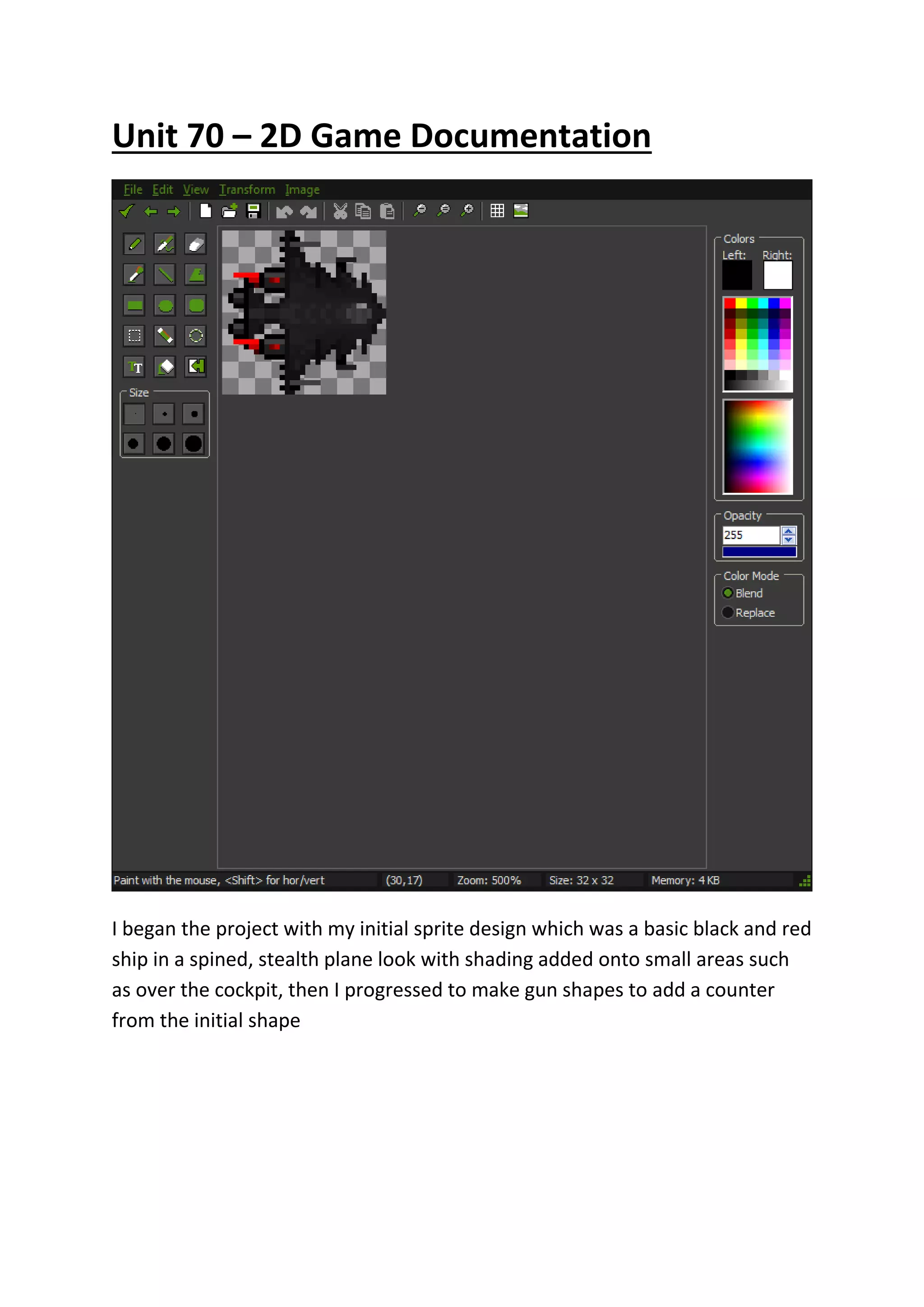
I began the project with my initial sprite design which was a basic black and red 
ship in a spined, stealth plane look with shading added onto small areas such 
as over the cockpit, then I progressed to make gun shapes to add a counter 
from the initial shape
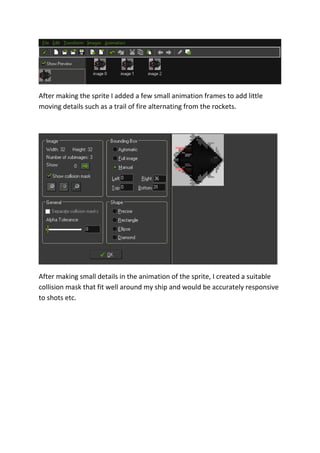
After making the sprite I added a few small animation frames to add little 
moving details such as a trail of fire alternating from the rockets. 
After making small details in the animation of the sprite, I created a suitable 
collision mask that fit well around my ship and would be accurately responsive 
to shots etc.
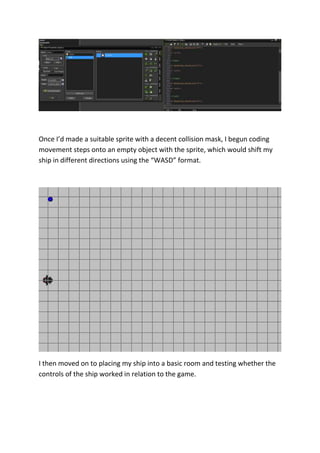
Once I’d made a suitable sprite with a decent collision mask, I begun coding 
movement steps onto an empty object with the sprite, which would shift my 
ship in different directions using the “WASD” format. 
I then moved on to placing my ship into a basic room and testing whether the 
controls of the ship worked in relation to the game.
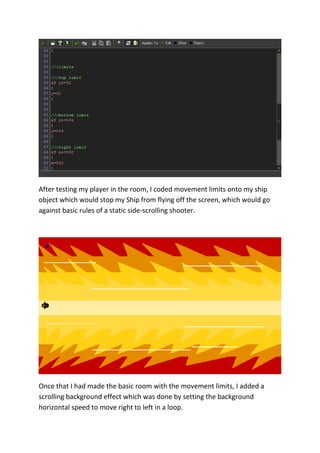
After testing my player in the room, I coded movement limits onto my ship 
object which would stop my Ship from flying off the screen, which would go 
against basic rules of a static side-scrolling shooter. 
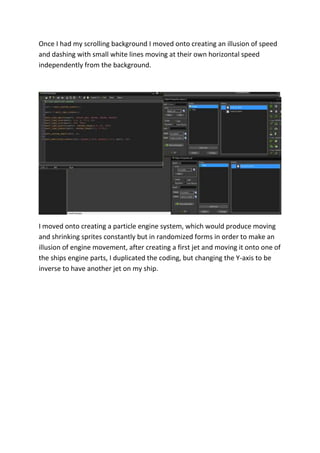
Once that I had made the basic room with the movement limits, I added a 
scrolling background effect which was done by setting the background 
horizontal speed to move right to left in a loop.
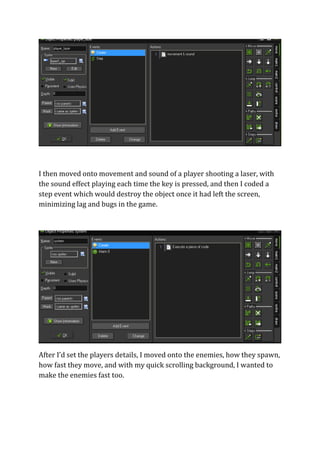
Once I had my scrolling background I moved onto creating an illusion of speed 
and dashing with small white lines moving at their own horizontal speed 
independently from the background. 
I moved onto creating a particle engine system, which would produce moving 
and shrinking sprites constantly but in randomized forms in order to make an 
illusion of engine movement, after creating a first jet and moving it onto one of 
the ships engine parts, I duplicated the coding, but changing the Y-axis to be 
inverse to have another jet on my ship.
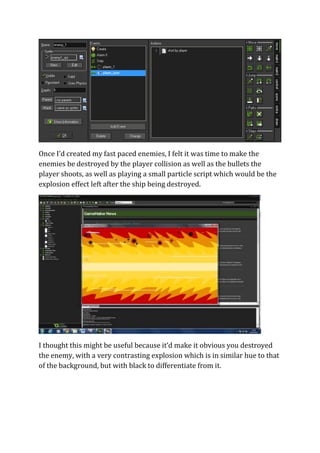
I then moved onto movement and sound of a player shooting a laser, with 
the sound effect playing each time the key is pressed, and then I coded a 
step event which would destroy the object once it had left the screen, 
minimizing lag and bugs in the game. 
After I’d set the players details, I moved onto the enemies, how they spawn, 
how fast they move, and with my quick scrolling background, I wanted to 
make the enemies fast too.
Once I’d created my fast paced enemies, I felt it was time to make the 
enemies be destroyed by the player collision as well as the bullets the 
player shoots, as well as playing a small particle script which would be the 
explosion effect left after the ship being destroyed. 
I thought this might be useful because it’d make it obvious you destroyed 
the enemy, with a very contrasting explosion which is in similar hue to that 
of the background, but with black to differentiate from it.
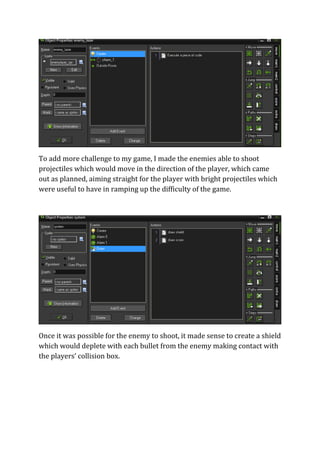
To add more challenge to my game, I made the enemies able to shoot 
projectiles which would move in the direction of the player, which came 
out as planned, aiming straight for the player with bright projectiles which 
were useful to have in ramping up the difficulty of the game. 
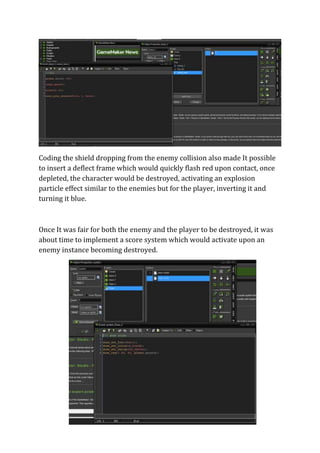
Once it was possible for the enemy to shoot, it made sense to create a shield 
which would deplete with each bullet from the enemy making contact with 
the players’ collision box.
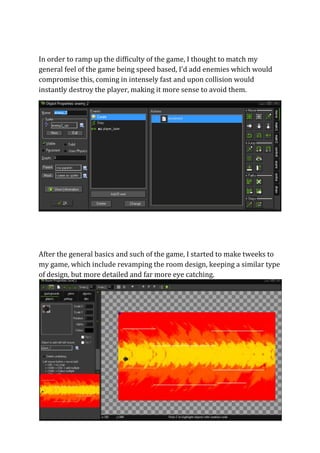
Coding the shield dropping from the enemy collision also made It possible 
to insert a deflect frame which would quickly flash red upon contact, once 
depleted, the character would be destroyed, activating an explosion 
particle effect similar to the enemies but for the player, inverting it and 
turning it blue. 
Once It was fair for both the enemy and the player to be destroyed, it was 
about time to implement a score system which would activate upon an 
enemy instance becoming destroyed.
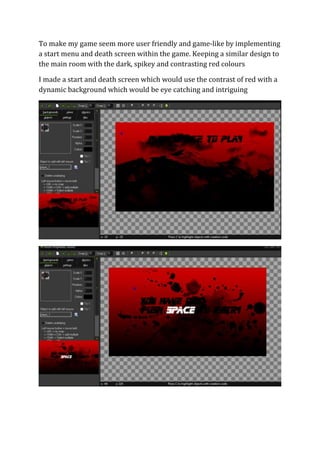
In order to ramp up the difficulty of the game, I thought to match my 
general feel of the game being speed based, I’d add enemies which would 
compromise this, coming in intensely fast and upon collision would 
instantly destroy the player, making it more sense to avoid them. 
After the general basics and such of the game, I started to make tweeks to 
my game, which include revamping the room design, keeping a similar type 
of design, but more detailed and far more eye catching.
To make my game seem more user friendly and game-like by implementing 
a start menu and death screen within the game. Keeping a similar design to 
the main room with the dark, spikey and contrasting red colours 
I made a start and death screen which would use the contrast of red with a 
dynamic background which would be eye catching and intriguing
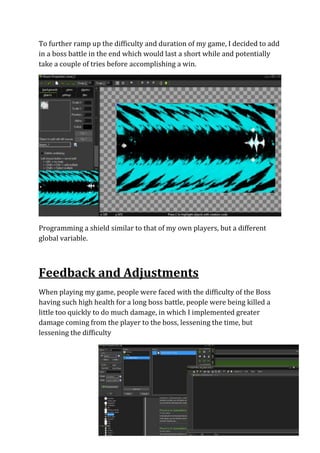
To further ramp up the difficulty and duration of my game, I decided to add 
in a boss battle in the end which would last a short while and potentially 
take a couple of tries before accomplishing a win. 
Programming a shield similar to that of my own players, but a different 
global variable. 
Feedback and Adjustments 
When playing my game, people were faced with the difficulty of the Boss 
having such high health for a long boss battle, people were being killed a 
little too quickly to do much damage, in which I implemented greater 
damage coming from the player to the boss, lessening the time, but 
lessening the difficulty

Documentation

  • 1.
    Unit 70 –2D Game Documentation I began the project with my initial sprite design which was a basic black and red ship in a spined, stealth plane look with shading added onto small areas such as over the cockpit, then I progressed to make gun shapes to add a counter from the initial shape
  • 2.
    After making thesprite I added a few small animation frames to add little moving details such as a trail of fire alternating from the rockets. After making small details in the animation of the sprite, I created a suitable collision mask that fit well around my ship and would be accurately responsive to shots etc.
  • 3.
    Once I’d madea suitable sprite with a decent collision mask, I begun coding movement steps onto an empty object with the sprite, which would shift my ship in different directions using the “WASD” format. I then moved on to placing my ship into a basic room and testing whether the controls of the ship worked in relation to the game.
  • 4.
    After testing myplayer in the room, I coded movement limits onto my ship object which would stop my Ship from flying off the screen, which would go against basic rules of a static side-scrolling shooter. Once that I had made the basic room with the movement limits, I added a scrolling background effect which was done by setting the background horizontal speed to move right to left in a loop.
  • 5.
    Once I hadmy scrolling background I moved onto creating an illusion of speed and dashing with small white lines moving at their own horizontal speed independently from the background. I moved onto creating a particle engine system, which would produce moving and shrinking sprites constantly but in randomized forms in order to make an illusion of engine movement, after creating a first jet and moving it onto one of the ships engine parts, I duplicated the coding, but changing the Y-axis to be inverse to have another jet on my ship.
  • 6.
    I then movedonto movement and sound of a player shooting a laser, with the sound effect playing each time the key is pressed, and then I coded a step event which would destroy the object once it had left the screen, minimizing lag and bugs in the game. After I’d set the players details, I moved onto the enemies, how they spawn, how fast they move, and with my quick scrolling background, I wanted to make the enemies fast too.
  • 7.
    Once I’d createdmy fast paced enemies, I felt it was time to make the enemies be destroyed by the player collision as well as the bullets the player shoots, as well as playing a small particle script which would be the explosion effect left after the ship being destroyed. I thought this might be useful because it’d make it obvious you destroyed the enemy, with a very contrasting explosion which is in similar hue to that of the background, but with black to differentiate from it.
  • 8.
    To add morechallenge to my game, I made the enemies able to shoot projectiles which would move in the direction of the player, which came out as planned, aiming straight for the player with bright projectiles which were useful to have in ramping up the difficulty of the game. Once it was possible for the enemy to shoot, it made sense to create a shield which would deplete with each bullet from the enemy making contact with the players’ collision box.
  • 9.
    Coding the shielddropping from the enemy collision also made It possible to insert a deflect frame which would quickly flash red upon contact, once depleted, the character would be destroyed, activating an explosion particle effect similar to the enemies but for the player, inverting it and turning it blue. Once It was fair for both the enemy and the player to be destroyed, it was about time to implement a score system which would activate upon an enemy instance becoming destroyed.
  • 10.
    In order toramp up the difficulty of the game, I thought to match my general feel of the game being speed based, I’d add enemies which would compromise this, coming in intensely fast and upon collision would instantly destroy the player, making it more sense to avoid them. After the general basics and such of the game, I started to make tweeks to my game, which include revamping the room design, keeping a similar type of design, but more detailed and far more eye catching.
  • 11.
    To make mygame seem more user friendly and game-like by implementing a start menu and death screen within the game. Keeping a similar design to the main room with the dark, spikey and contrasting red colours I made a start and death screen which would use the contrast of red with a dynamic background which would be eye catching and intriguing
  • 12.
    To further rampup the difficulty and duration of my game, I decided to add in a boss battle in the end which would last a short while and potentially take a couple of tries before accomplishing a win. Programming a shield similar to that of my own players, but a different global variable. Feedback and Adjustments When playing my game, people were faced with the difficulty of the Boss having such high health for a long boss battle, people were being killed a little too quickly to do much damage, in which I implemented greater damage coming from the player to the boss, lessening the time, but lessening the difficulty