2D game design analysis 
Creating a game using Game Maker 
Sprite editor & Sprite properties 
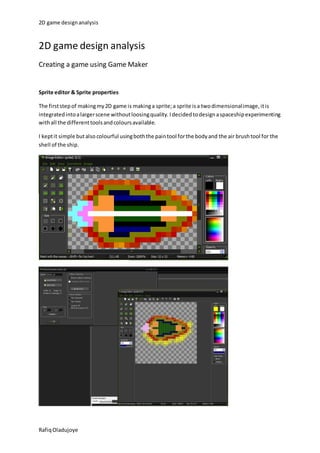
The first step of making my 2D game is making a sprite; a sprite is a two dimensional image, it is 
integrated into a larger scene without loosing quality. I decided to design a spaceship experimenting 
with all the different tools and colours available. 
I kept it simple but also colourful using both the pain tool for the body and the air brush tool for the 
shell of the ship. 
Rafiq Oladujoye
2D game design analysis 
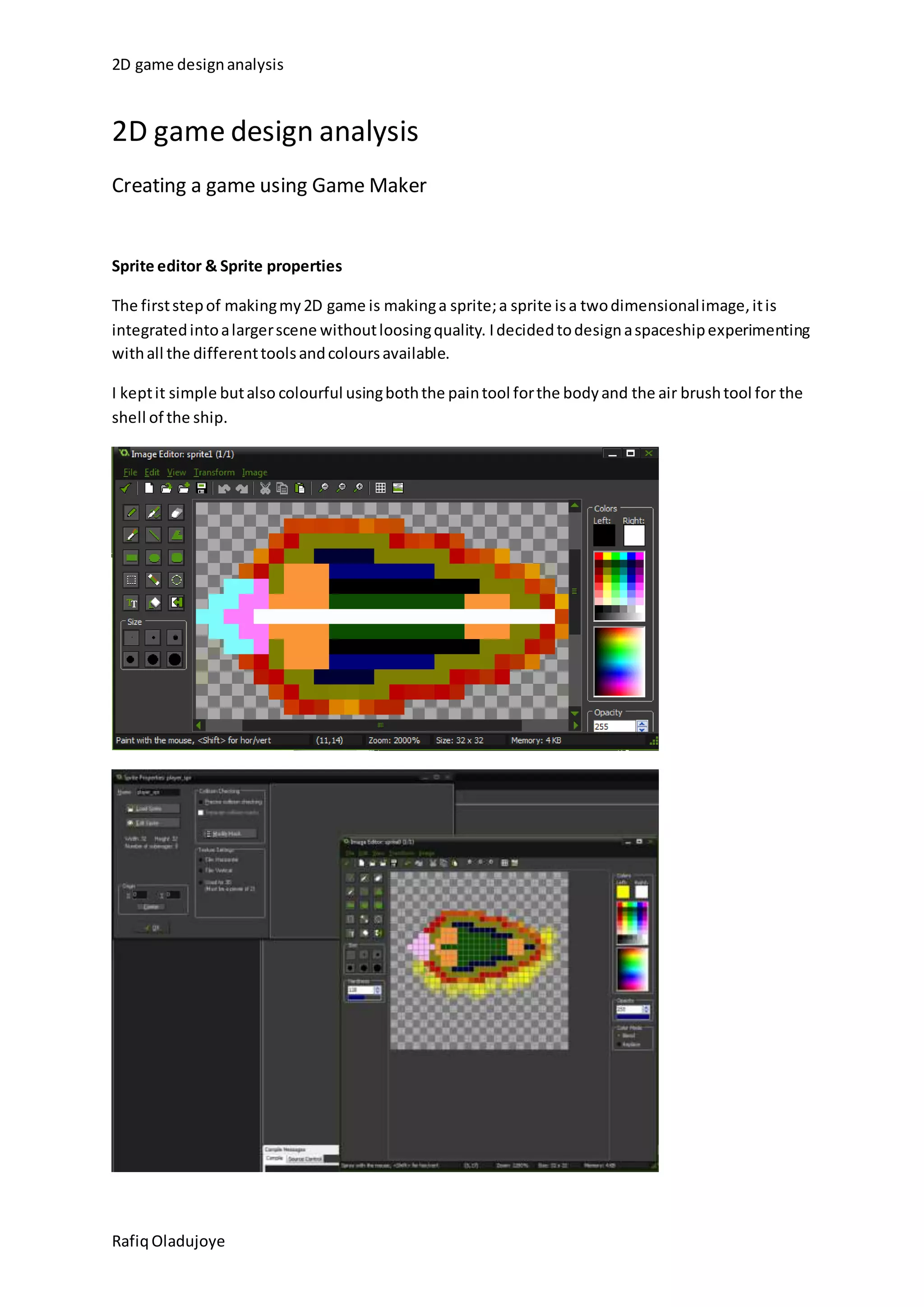
What I done here was set the sprite properties so that I don’t have any problems when I’m coding. 
First of all I had to set the origin of the sprite to the centre so that when this sprite is used in coding 
it is done from the centre. 
Secondly I went to modify mask and dealt with the collision mask. A collision determines the area in 
which the player will actually get hurt by things like bullets. You can set the collision mask to a verity 
if shaped or make it pixel precise, I used a diamond shape. 
Creating an object & object properties & Coding keyboard controls 
Rafiq Oladujoye
2D game design analysis 
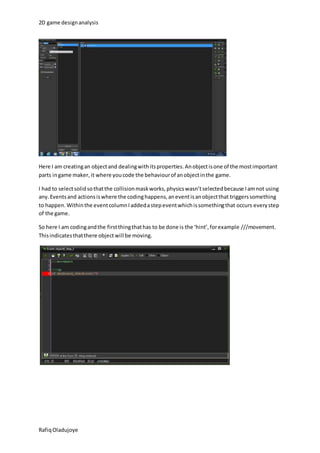
Here I am creating an object and dealing with its properties. An object is one of the most important 
parts in game maker, it where you code the behaviour of an object in the game. 
I had to select solid so that the collision mask works, physics wasn’t selected because I am not using 
any. Events and actions is where the coding happens, an event is an object that triggers something 
to happen. Within the event column I added a step event which is something that occurs every step 
of the game. 
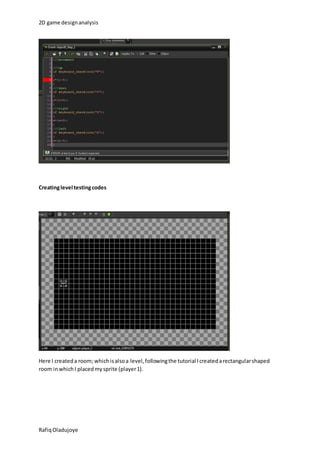
So here I am coding and the first thing that has to be done is the ‘hint’, for example ///movement. 
This indicates that there object will be moving. 
Rafiq Oladujoye
2D game design analysis 
Creating level testing codes 
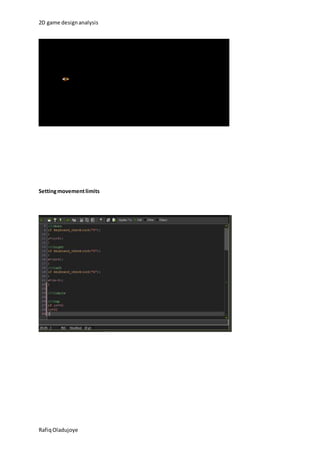
Here I created a room; which is also a level, following the tutorial I created a rectangular shaped 
room in which I placed my sprite (player 1). 
Rafiq Oladujoye
2D game design analysis 
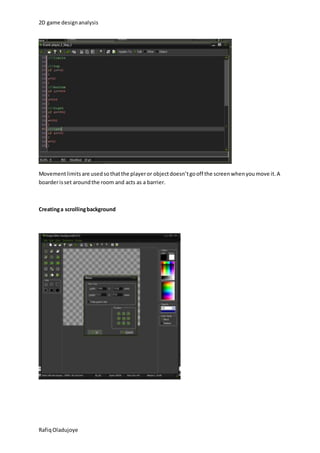
Setting movement limits 
Rafiq Oladujoye
2D game design analysis 
Movement limits are used so that the player or object doesn’t go off the screen when you move it. A 
boarder is set around the room and acts as a barrier. 
Creating a scrolling background 
Rafiq Oladujoye
2D game design analysis 
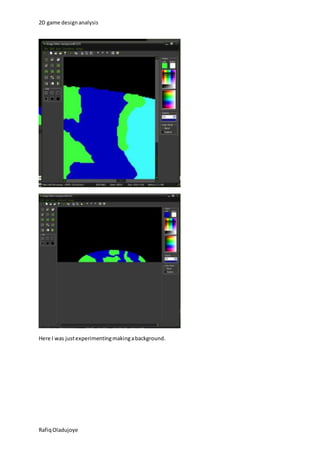
Here I was just experimenting making a background. 
Rafiq Oladujoye
2D game design analysis 
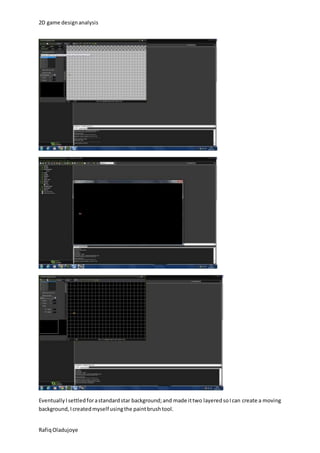
Eventually I settled for a standard star background; and made it two layered so I can create a moving 
background, I created myself using the paint brush tool. 
Rafiq Oladujoye
2D game design analysis 
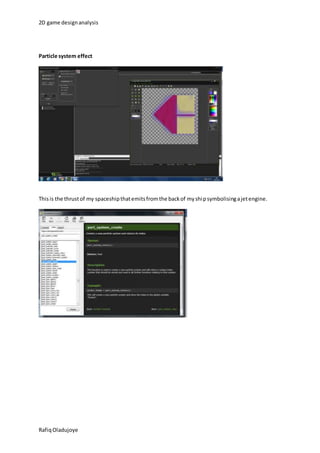
Particle system effect 
This is the thrust of my spaceship that emits from the back of my ship symbolising a jet engine. 
Rafiq Oladujoye
2D game design analysis 
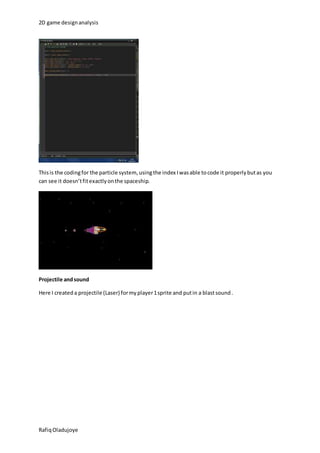
This is the coding for the particle system, using the index I was able to code it properly but as you 
can see it doesn’t fit exactly on the spaceship. 
Projectile and sound 
Here I created a projectile (Laser) for my player 1 sprite and put in a blast sound . 
Rafiq Oladujoye
2D game design analysis 
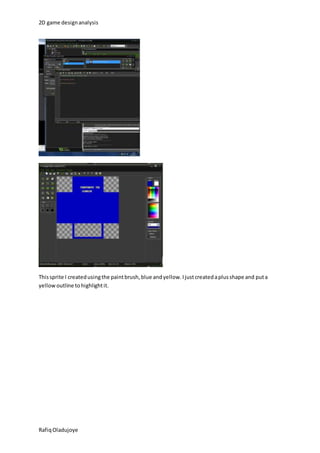
This sprite I created using the paint brush, blue and yellow. I just created a plus shape and put a 
yellow outline to highlight it. 
Rafiq Oladujoye
2D game design analysis 
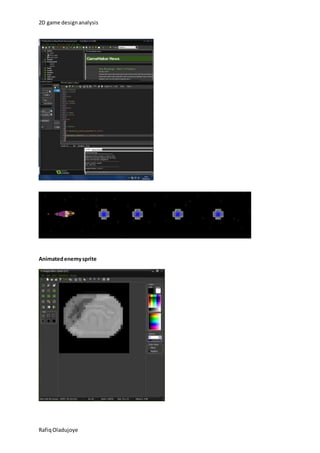
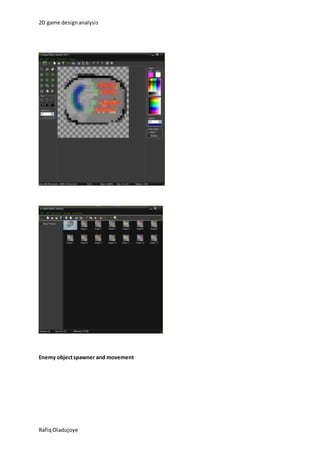
Animated enemy sprite 
Rafiq Oladujoye
2D game design analysis 
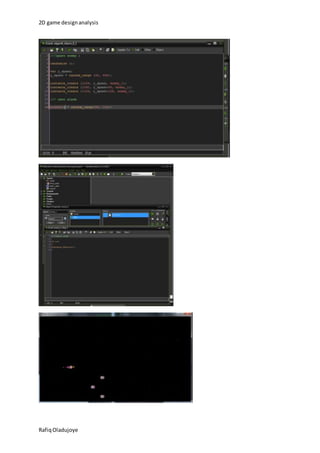
Enemy object spawner and movement 
Rafiq Oladujoye
2D game design analysis 
Rafiq Oladujoye
2D game design analysis 
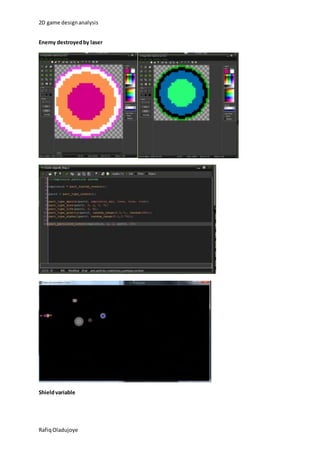
Enemy destroyed by laser 
Shield variable 
Rafiq Oladujoye
2D game design analysis 
Rafiq Oladujoye

2d games design

  • 1.
    2D game designanalysis 2D game design analysis Creating a game using Game Maker Sprite editor & Sprite properties The first step of making my 2D game is making a sprite; a sprite is a two dimensional image, it is integrated into a larger scene without loosing quality. I decided to design a spaceship experimenting with all the different tools and colours available. I kept it simple but also colourful using both the pain tool for the body and the air brush tool for the shell of the ship. Rafiq Oladujoye
  • 2.
    2D game designanalysis What I done here was set the sprite properties so that I don’t have any problems when I’m coding. First of all I had to set the origin of the sprite to the centre so that when this sprite is used in coding it is done from the centre. Secondly I went to modify mask and dealt with the collision mask. A collision determines the area in which the player will actually get hurt by things like bullets. You can set the collision mask to a verity if shaped or make it pixel precise, I used a diamond shape. Creating an object & object properties & Coding keyboard controls Rafiq Oladujoye
  • 3.
    2D game designanalysis Here I am creating an object and dealing with its properties. An object is one of the most important parts in game maker, it where you code the behaviour of an object in the game. I had to select solid so that the collision mask works, physics wasn’t selected because I am not using any. Events and actions is where the coding happens, an event is an object that triggers something to happen. Within the event column I added a step event which is something that occurs every step of the game. So here I am coding and the first thing that has to be done is the ‘hint’, for example ///movement. This indicates that there object will be moving. Rafiq Oladujoye
  • 4.
    2D game designanalysis Creating level testing codes Here I created a room; which is also a level, following the tutorial I created a rectangular shaped room in which I placed my sprite (player 1). Rafiq Oladujoye
  • 5.
    2D game designanalysis Setting movement limits Rafiq Oladujoye
  • 6.
    2D game designanalysis Movement limits are used so that the player or object doesn’t go off the screen when you move it. A boarder is set around the room and acts as a barrier. Creating a scrolling background Rafiq Oladujoye
  • 7.
    2D game designanalysis Here I was just experimenting making a background. Rafiq Oladujoye
  • 8.
    2D game designanalysis Eventually I settled for a standard star background; and made it two layered so I can create a moving background, I created myself using the paint brush tool. Rafiq Oladujoye
  • 9.
    2D game designanalysis Particle system effect This is the thrust of my spaceship that emits from the back of my ship symbolising a jet engine. Rafiq Oladujoye
  • 10.
    2D game designanalysis This is the coding for the particle system, using the index I was able to code it properly but as you can see it doesn’t fit exactly on the spaceship. Projectile and sound Here I created a projectile (Laser) for my player 1 sprite and put in a blast sound . Rafiq Oladujoye
  • 11.
    2D game designanalysis This sprite I created using the paint brush, blue and yellow. I just created a plus shape and put a yellow outline to highlight it. Rafiq Oladujoye
  • 12.
    2D game designanalysis Animated enemy sprite Rafiq Oladujoye
  • 13.
    2D game designanalysis Enemy object spawner and movement Rafiq Oladujoye
  • 14.
    2D game designanalysis Rafiq Oladujoye
  • 15.
    2D game designanalysis Enemy destroyed by laser Shield variable Rafiq Oladujoye
  • 16.
    2D game designanalysis Rafiq Oladujoye