July 14, 2014 
Kaushal Kishore [ kaushal@osscube.com ] 
Sr. Sofware Engineer [OSSCube]
Quick Survey
2 
Quick Survey 
• How many people have heard of Docker before this Meetup ? 
• How many people have tried Docker ? 
• How many people are using Docker in production ?
What is Docker 
?
2 
What is Docker ? 
“Docker is an open-source engine to easily create 
lightweight, portable, self-sufficient containers 
from any application. The same container that a 
developer builds and test on a laptop can run at 
scale, in production, on VMs, OpenStack cluster, 
public clouds and more.”
2 
Origin of Docker 
• Docker is a rewrite of similar code that currently powers the 
dotCloud PaaS 
• Original version written in Python (like dotCloud PaaS), now 
written in Go 
• It’s a young project , but with a huge community.
Why Containers ?
2 
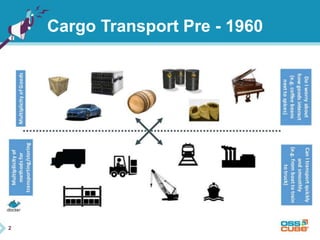
Cargo Transport Pre - 1960
2 
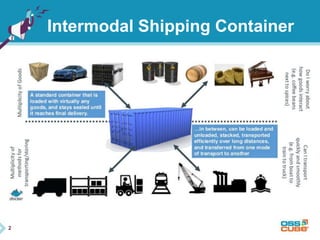
Intermodal Shipping Container
2 
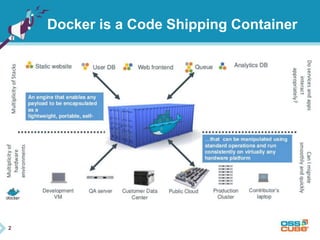
Docker is a Code Shipping Container
build once, 
run anywhere
configure once, 
run anything
2 
Why Container ? 
• Speed: Boots in seconds 
• Footprint: 100-1000 containers on one machine. Small disk 
requirements
2 
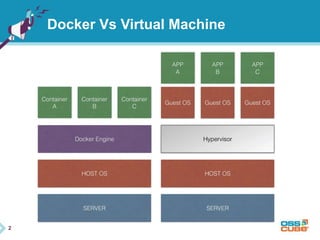
What is Container ? 
“Containers are to 
Virtual Machines as 
threads are to 
processes.”
2 
What is container in docker? 
• LinuX Containers (LXC 
• Kernel namespaces (ipc, uts, mount, pid, network and user) 
• Chroots (using pivot_root) 
• Apparmor and SELinux profiles 
• Kernel capabilities 
• Control groups (cgroups) 
• AUFS or replacement in 0.7 version and later
2 
LinuX Containers (LCX) 
• Let’s your run a Linux system within another Linux system 
• A container is a group of processes on a Linux box, put together 
is an isolated environment 
• From the inside, it looks like a VM 
• From the outside, it looks like normal processes
2 
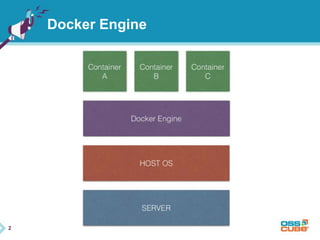
Docker Engine
2 
Docker Vs Virtual Machine
2 
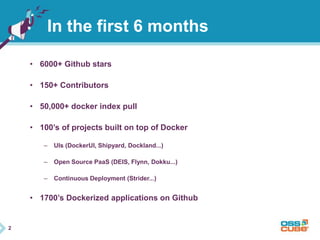
In the first 6 months 
• 6000+ Github stars 
• 150+ Contributors 
• 50,000+ docker index pull 
• 100’s of projects built on top of Docker 
– UIs (DockerUI, Shipyard, Dockland...) 
– Open Source PaaS (DEIS, Flynn, Dokku...) 
– Continuous Deployment (Strider...) 
• 1700’s Dockerized applications on Github
2 
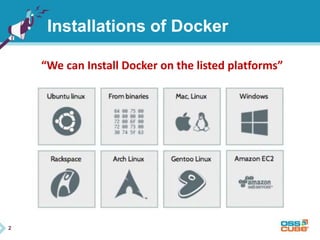
Installations of Docker 
“We can Install Docker on the listed platforms”
2 
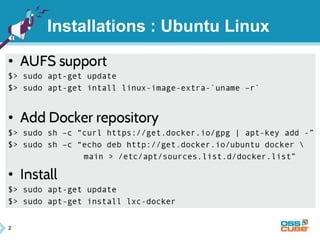
Installations : Ubuntu Linux
2 
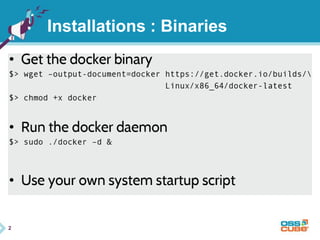
Installations : Binaries
2 
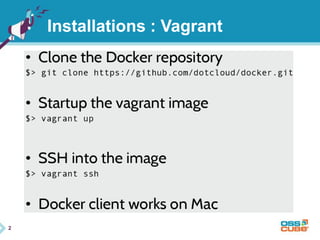
Installations : Vagrant
Basic Examples/ 
Commands
2 
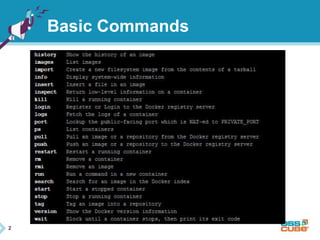
Basic Commands
2 
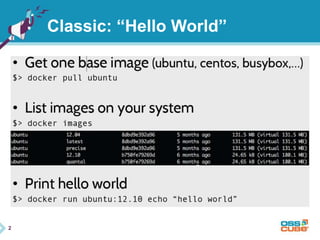
Classic: “Hello World”
2 
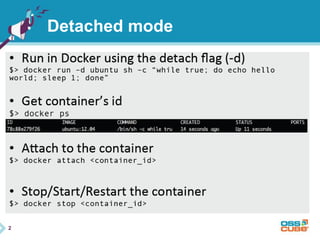
Detached mode
2 
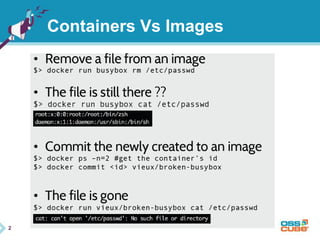
Containers Vs Images
2 
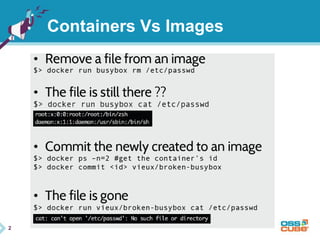
Containers Vs Images
2 
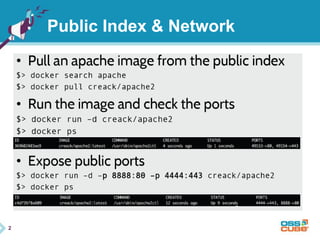
Public Index & Network
2 
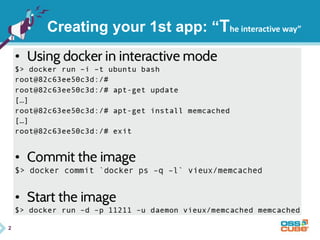
Creating your 1st app: “The interactive way”
2 
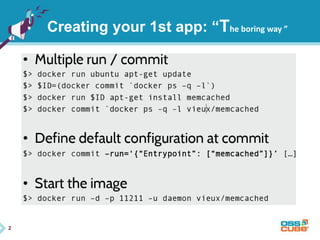
Creating your 1st app: “The boring way ”
2 
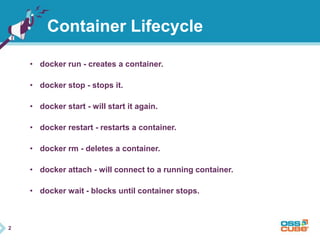
Container Lifecycle 
• docker run - creates a container. 
• docker stop - stops it. 
• docker start - will start it again. 
• docker restart - restarts a container. 
• docker rm - deletes a container. 
• docker attach - will connect to a running container. 
• docker wait - blocks until container stops.
2 
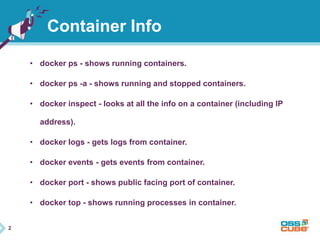
Container Info 
• docker ps - shows running containers. 
• docker ps -a - shows running and stopped containers. 
• docker inspect - looks at all the info on a container (including IP 
address). 
• docker logs - gets logs from container. 
• docker events - gets events from container. 
• docker port - shows public facing port of container. 
• docker top - shows running processes in container.
Questions ?
Thank you! 
Email : kaushal@osscube.com

Docker Presentation

  • 1.
    July 14, 2014 Kaushal Kishore [ kaushal@osscube.com ] Sr. Sofware Engineer [OSSCube]
  • 2.
  • 3.
    2 Quick Survey • How many people have heard of Docker before this Meetup ? • How many people have tried Docker ? • How many people are using Docker in production ?
  • 4.
  • 5.
    2 What isDocker ? “Docker is an open-source engine to easily create lightweight, portable, self-sufficient containers from any application. The same container that a developer builds and test on a laptop can run at scale, in production, on VMs, OpenStack cluster, public clouds and more.”
  • 6.
    2 Origin ofDocker • Docker is a rewrite of similar code that currently powers the dotCloud PaaS • Original version written in Python (like dotCloud PaaS), now written in Go • It’s a young project , but with a huge community.
  • 7.
  • 8.
  • 9.
  • 10.
    2 Docker isa Code Shipping Container
  • 11.
  • 12.
  • 13.
    2 Why Container? • Speed: Boots in seconds • Footprint: 100-1000 containers on one machine. Small disk requirements
  • 14.
    2 What isContainer ? “Containers are to Virtual Machines as threads are to processes.”
  • 15.
    2 What iscontainer in docker? • LinuX Containers (LXC • Kernel namespaces (ipc, uts, mount, pid, network and user) • Chroots (using pivot_root) • Apparmor and SELinux profiles • Kernel capabilities • Control groups (cgroups) • AUFS or replacement in 0.7 version and later
  • 16.
    2 LinuX Containers(LCX) • Let’s your run a Linux system within another Linux system • A container is a group of processes on a Linux box, put together is an isolated environment • From the inside, it looks like a VM • From the outside, it looks like normal processes
  • 17.
  • 18.
    2 Docker VsVirtual Machine
  • 19.
    2 In thefirst 6 months • 6000+ Github stars • 150+ Contributors • 50,000+ docker index pull • 100’s of projects built on top of Docker – UIs (DockerUI, Shipyard, Dockland...) – Open Source PaaS (DEIS, Flynn, Dokku...) – Continuous Deployment (Strider...) • 1700’s Dockerized applications on Github
  • 20.
    2 Installations ofDocker “We can Install Docker on the listed platforms”
  • 21.
    2 Installations :Ubuntu Linux
  • 22.
  • 23.
  • 24.
  • 25.
  • 26.
  • 27.
  • 28.
  • 29.
  • 30.
    2 Public Index& Network
  • 31.
    2 Creating your1st app: “The interactive way”
  • 32.
    2 Creating your1st app: “The boring way ”
  • 33.
    2 Container Lifecycle • docker run - creates a container. • docker stop - stops it. • docker start - will start it again. • docker restart - restarts a container. • docker rm - deletes a container. • docker attach - will connect to a running container. • docker wait - blocks until container stops.
  • 34.
    2 Container Info • docker ps - shows running containers. • docker ps -a - shows running and stopped containers. • docker inspect - looks at all the info on a container (including IP address). • docker logs - gets logs from container. • docker events - gets events from container. • docker port - shows public facing port of container. • docker top - shows running processes in container.
  • 35.
  • 36.
    Thank you! Email: kaushal@osscube.com