Paas with Docker and K8s
Massimiliano Dessì @desmax74
ROME 18-19 MARCH 2016
2
Speaker
Massimiliano Dessì has more than 15 years of
experience in programming.
Manager of GDG Sardegna, Founder of
SpringFramework IT,
co-founder of Jug Sardegna.
Author of Spring 2.5 AOP.
He works in the CloudComputing and DevOps
area.
3
A lot of hype around Docker
FROM ubuntu:latest
WORKDIR /app
ADD src/github.com/<mycompany>/service1 /app/service1
EXPOSE 8080
ENTRYPOINT ["/app/service1"]
4
Layered and immutable images
Copy on write model
each container has its own file system and
ports
...
5
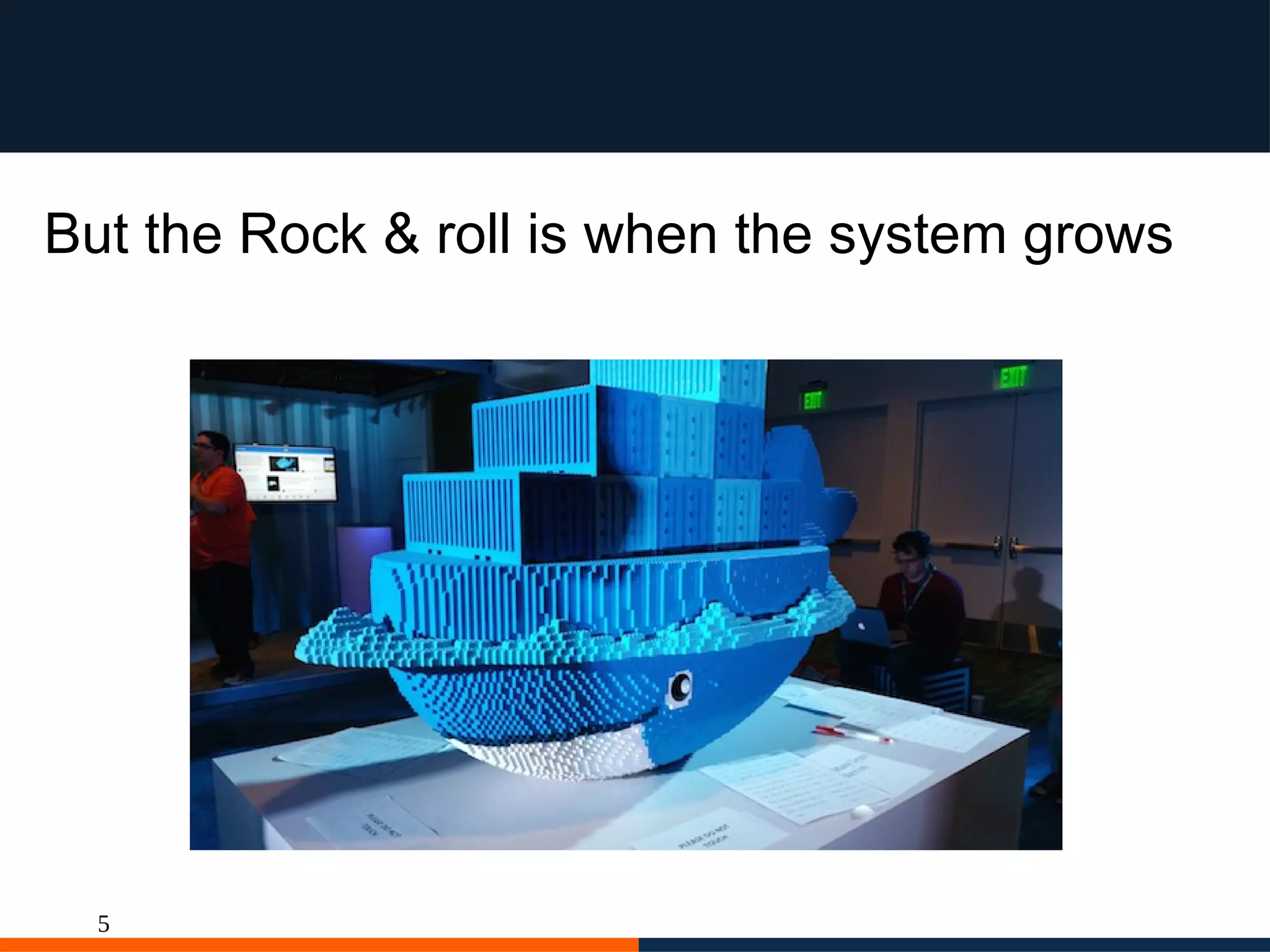
But the Rock & roll is when the system grows
6
the rationale behind docker
http://martinfowler.com/articles/microservices.html
7
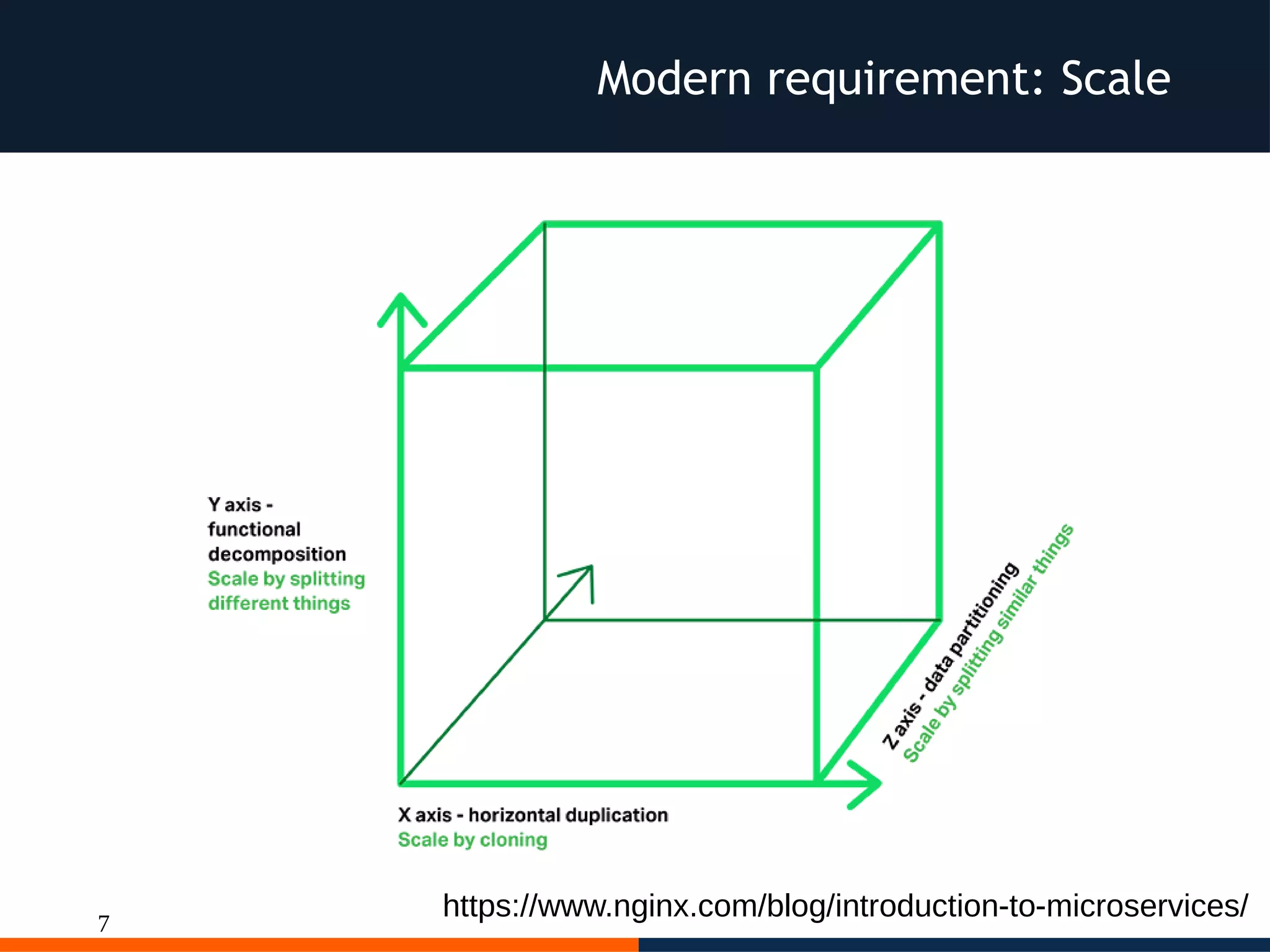
Modern requirement: Scale
https://www.nginx.com/blog/introduction-to-microservices/
8
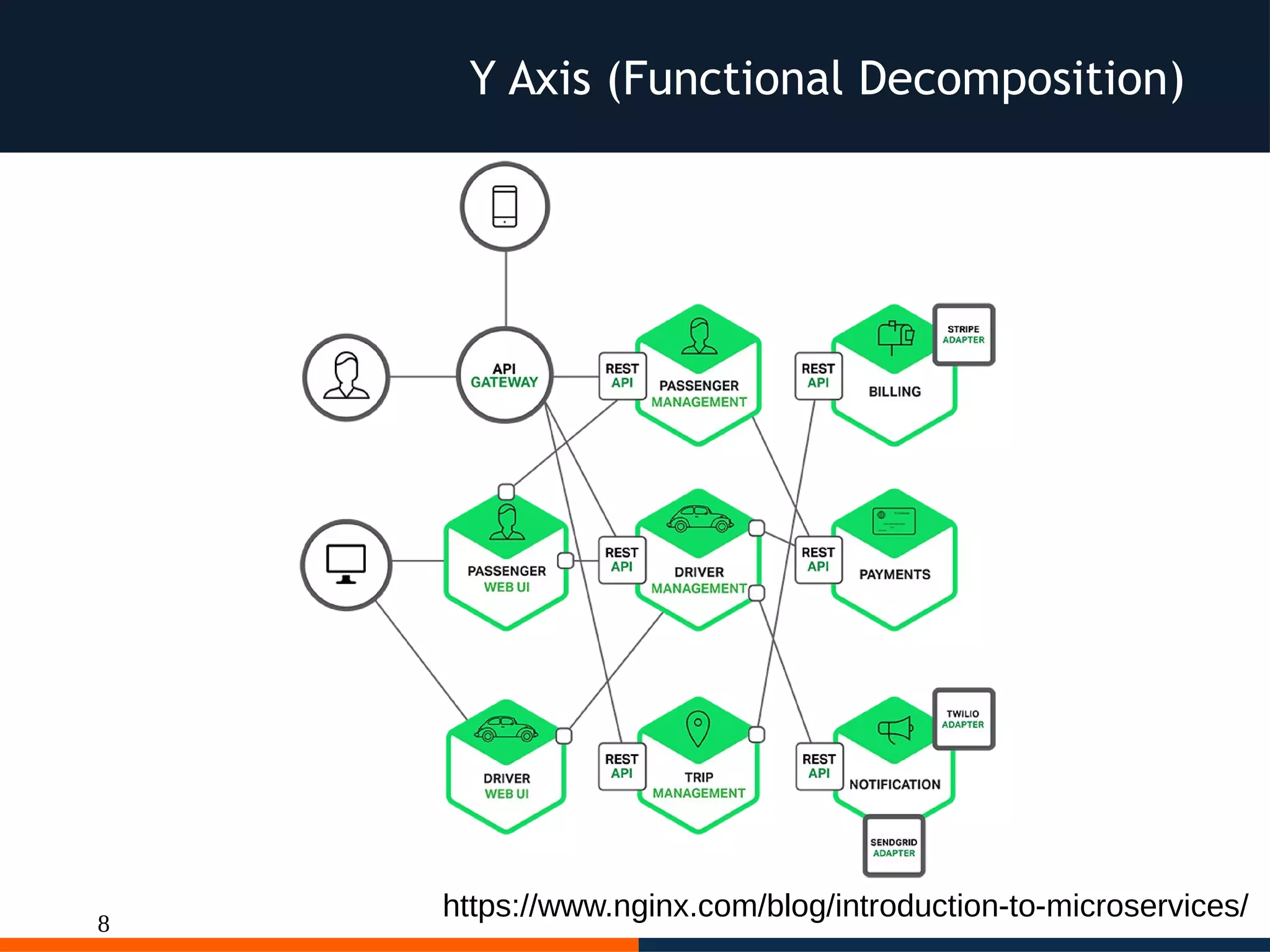
Y Axis (Functional Decomposition)
https://www.nginx.com/blog/introduction-to-microservices/
9
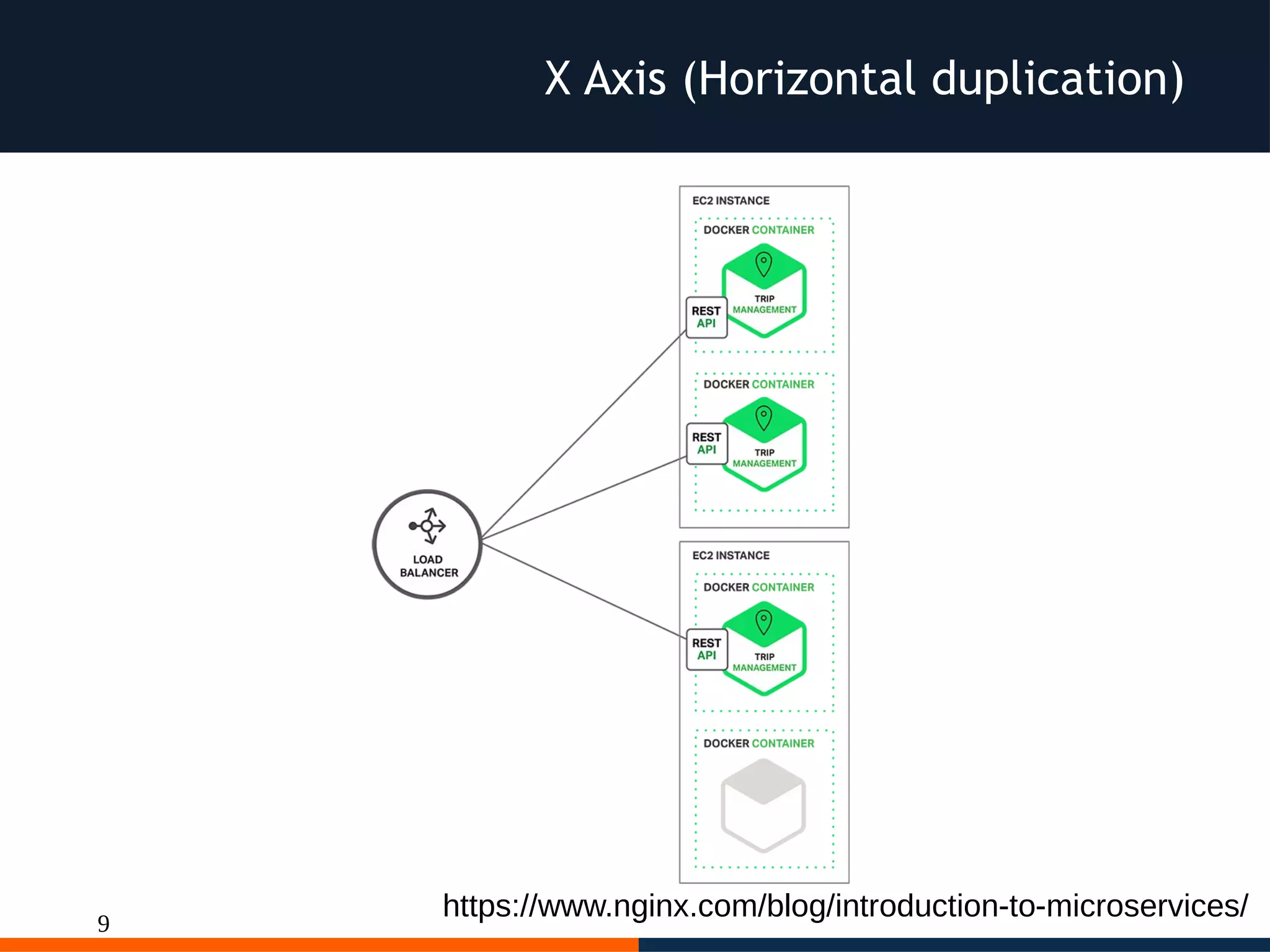
X Axis (Horizontal duplication)
https://www.nginx.com/blog/introduction-to-microservices/
10
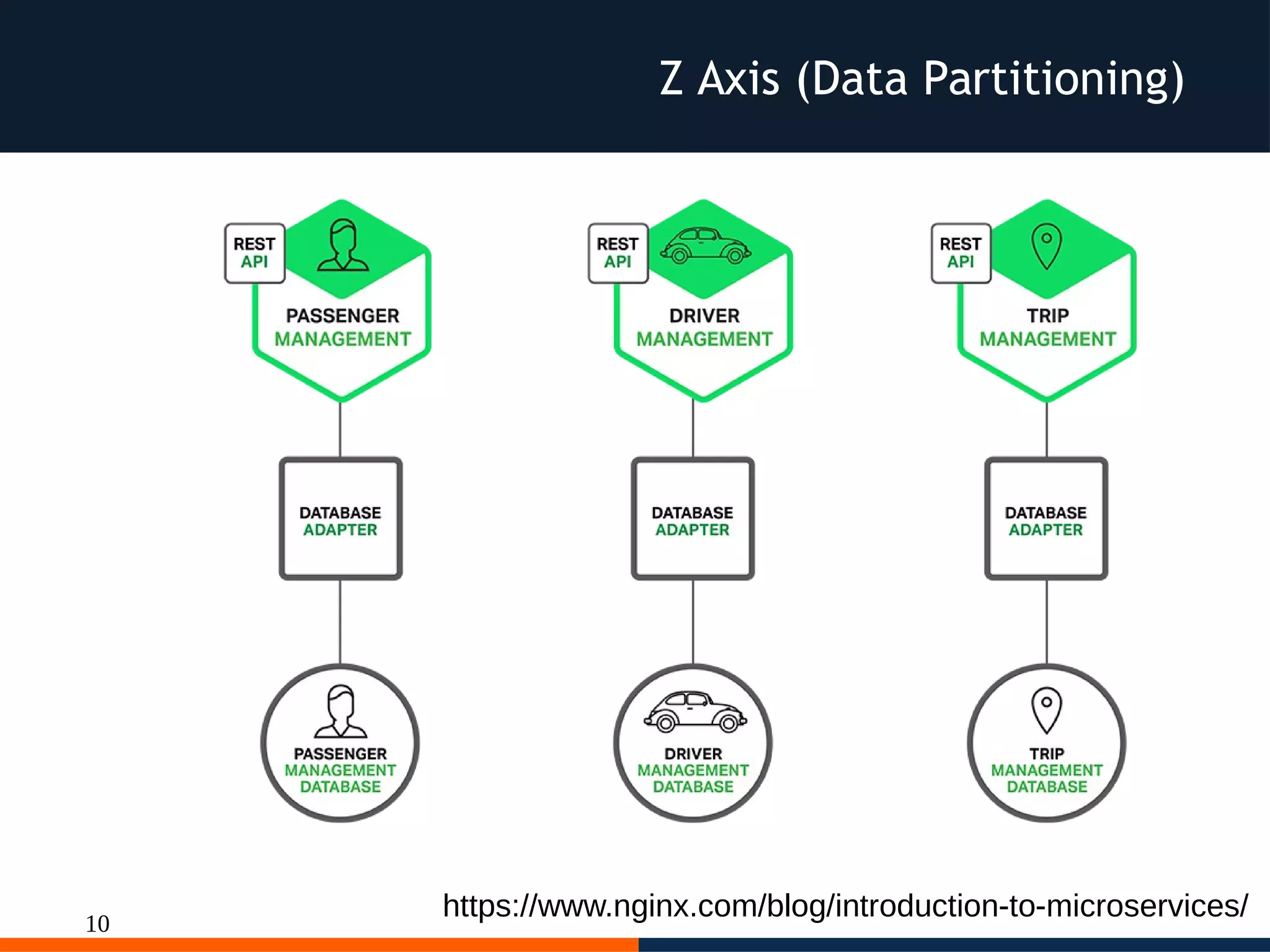
Z Axis (Data Partitioning)
https://www.nginx.com/blog/introduction-to-microservices/
11
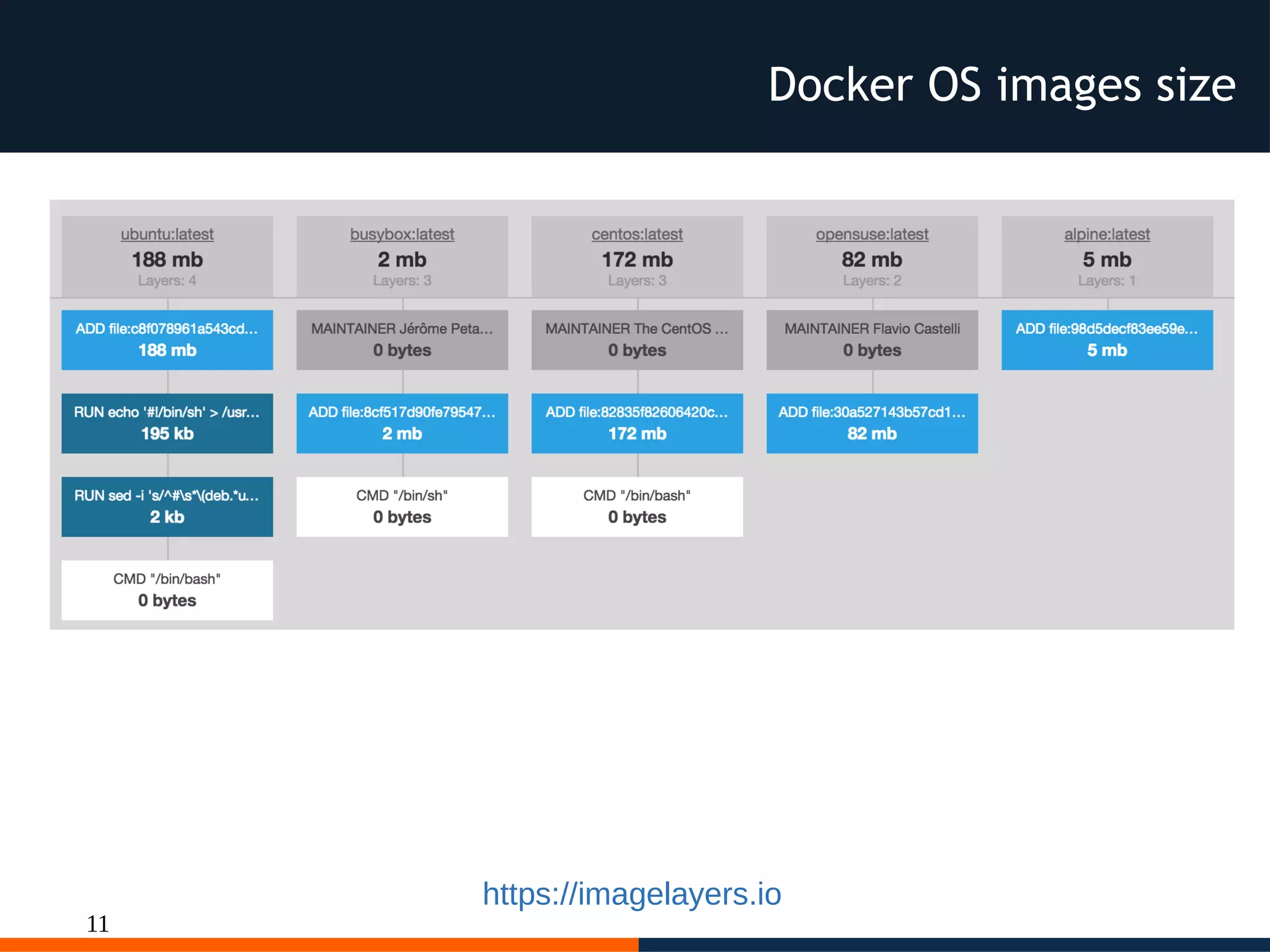
Docker OS images size
https://imagelayers.io
12
Microservices
Each microservice exposes a service
and is independent, i.e. each microservices
includes the “server” to expose its API to
other microservices or to the outside world,
this leads us to create images with small
footprint as possible to optimize resources
needed to scale.
Micro didn't means micro endopint of a
docker image with a size of n-Gigabyte.
13
Docker best practice
“In almost all cases, you should only run a
single process in a single container. Decoupling
applications into multiple containers makes it
much easier to scale horizontally and reuse
containers. If that service depends on another
service, make use of container linking.”
https://docs.docker.com/engine/userguide/eng-image/dockerfile_best-practices/
14
Docker
We can use Docker to run microservices
inside containers
lightweight services on Lightweight
process
Each microservice has its own release
cycle
15
Docker
reduce complexity per microservice
smaller independent releases
Continous Integration
Continous Delivery / Deployment
16
Let's see
different approaches
to deploy our microservices
as a docker containers
to understand pro and cons
17
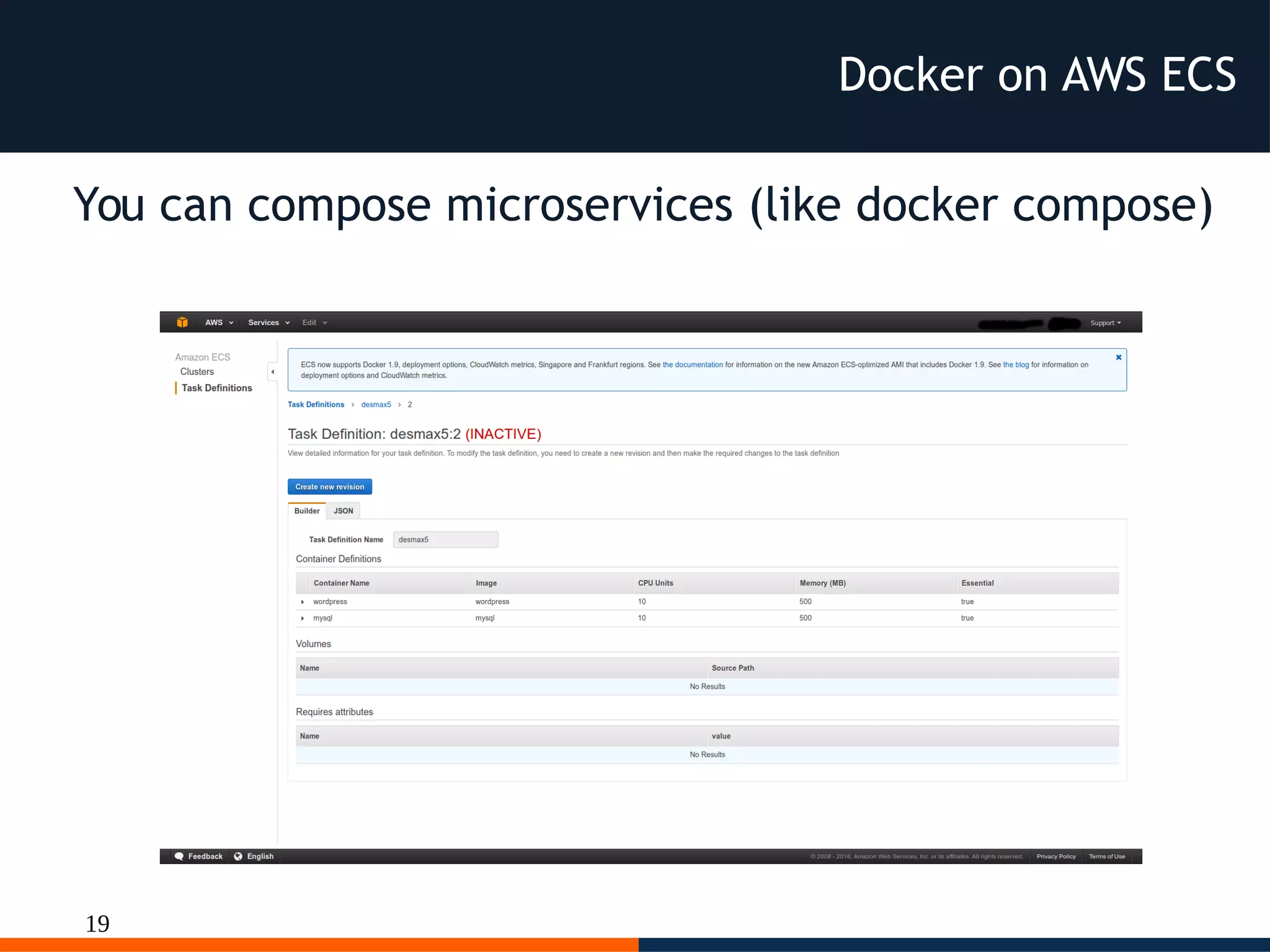
Docker on AWS ECS
With plain docker
we can use
AWS EC2 Container Service
and
compose our microservices
18
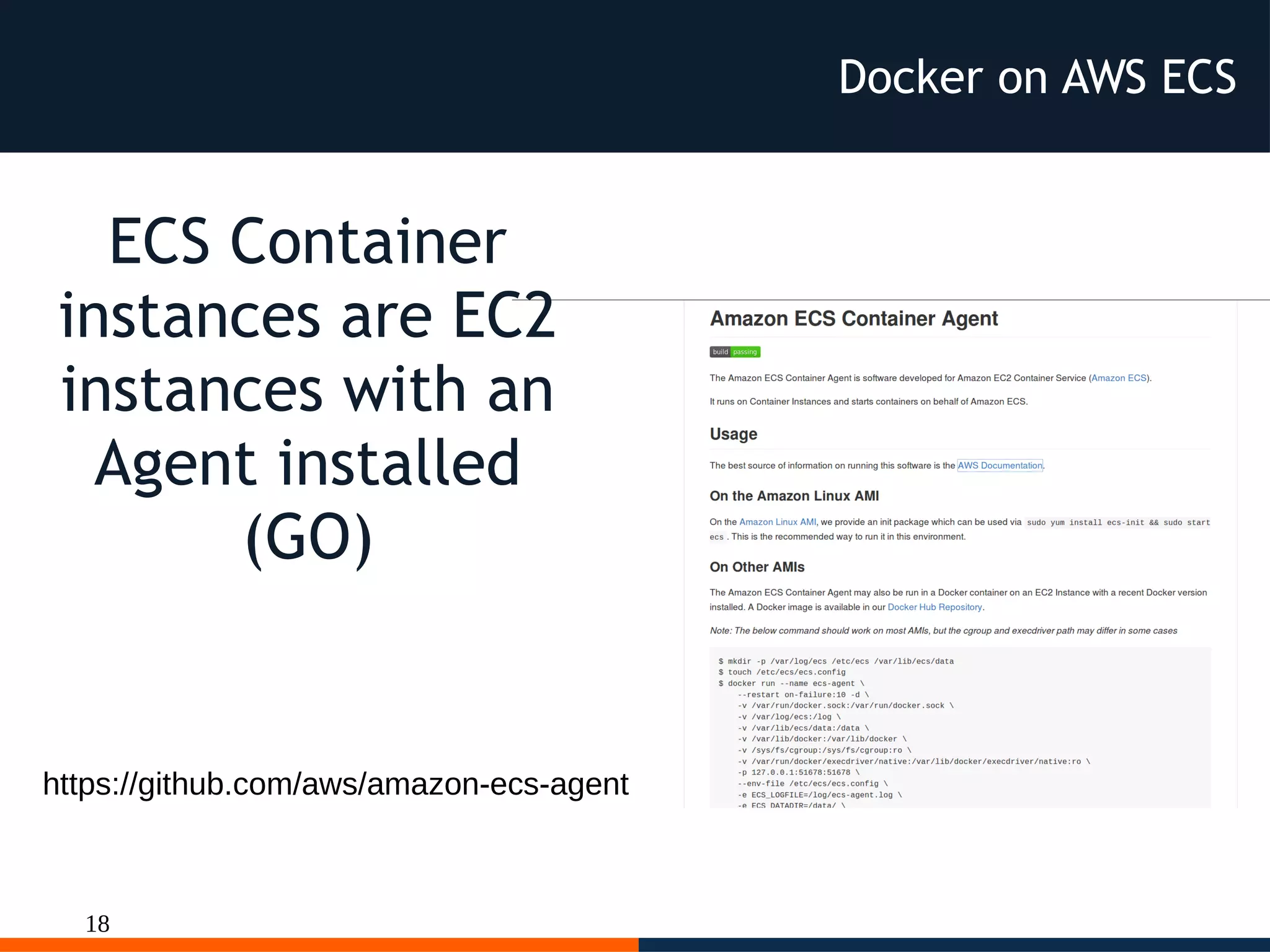
https://github.com/aws/amazon-ecs-agent
ECS Container
instances are EC2
instances with an
Agent installed
(GO)
Docker on AWS ECS
19
You can compose microservices (like docker compose)
Docker on AWS ECS
20
{
"requiresAttributes": [],
"taskDefinitionArn": "arn:aws:ecs:eu-west-1:073930265103:task-definition/console-sample-app-
static:7",
"status": "ACTIVE",
"revision": 7,
"containerDefinitions": [
{
"volumesFrom": [],
"memory": 300,
"extraHosts": null,
"dnsServers": null,
"disableNetworking": null,
"dnsSearchDomains": null,
"portMappings": [
{
"hostPort": 80,
"containerPort": 80,
"protocol": "tcp"
}
],
"hostname": null,
"essential": true,
"entryPoint": [
"sh",
"-c"
],
...
As usual on AWS
every parts
is configurable
but not portable
outside AWS
Docker on AWS ECS
21
"mountPoints": [],
"name": "simple-app",
"ulimits": null,
"dockerSecurityOptions": null,
"environment": [],
"links": [],
"workingDirectory": null,
"readonlyRootFilesystem": null,
"image": "httpd:2.4",
"command": [
"/bin/sh -c "echo '<html> <head> <title>Amazon ECS Sample App</title> <style>body
{margin-top: 40px; background-color: #333;} </style> </head><body> <div style=color:white;text-
align:center> <h1>Amazon ECS Sample App</h1> <h2>Congratulations!</h2> <p>Your application is
now running on a container in Amazon ECS.</p> </div></body></html>' >
/usr/local/apache2/htdocs/index.html && httpd-foreground""
],
"user": null,
"dockerLabels": null,
"logConfiguration": null,
"cpu": 10,
"privileged": null,
"expanded": true
}
],
"volumes": [],
"family": "console-sample-app-static"
}
Docker on AWS ECS
22
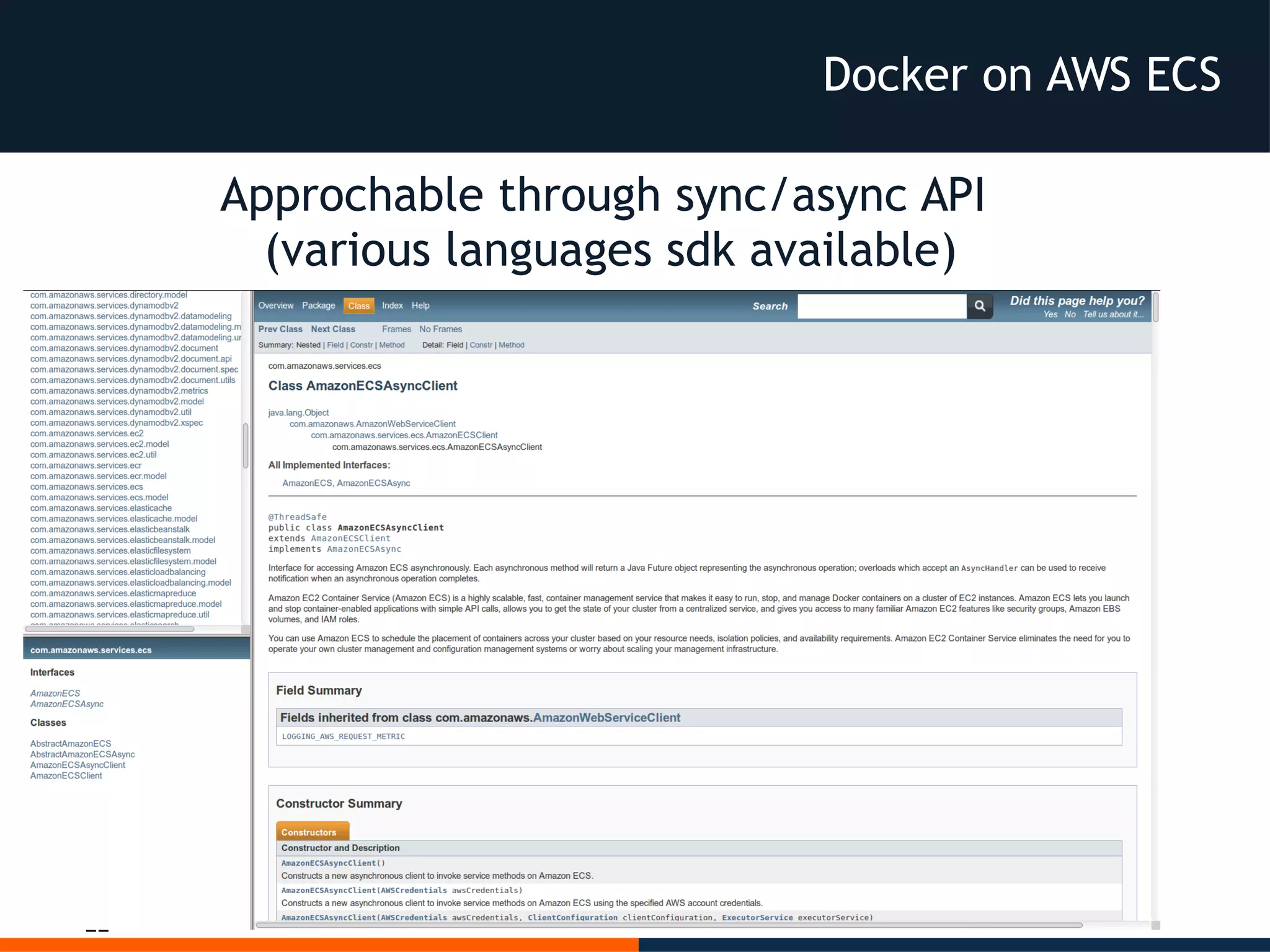
Approchable through sync/async API
(various languages sdk available)
Docker on AWS ECS
23
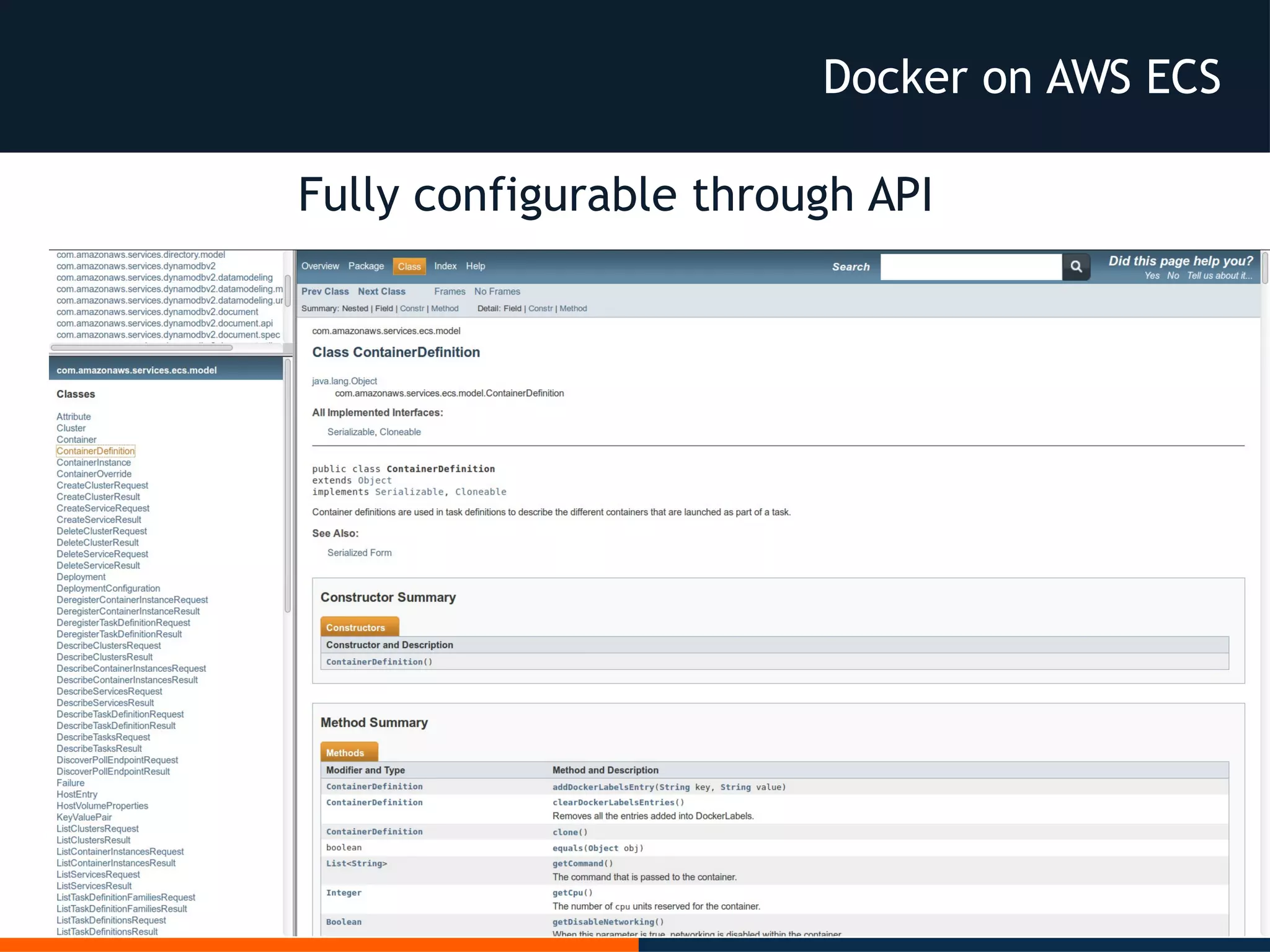
Fully configurable through API
Docker on AWS ECS
24
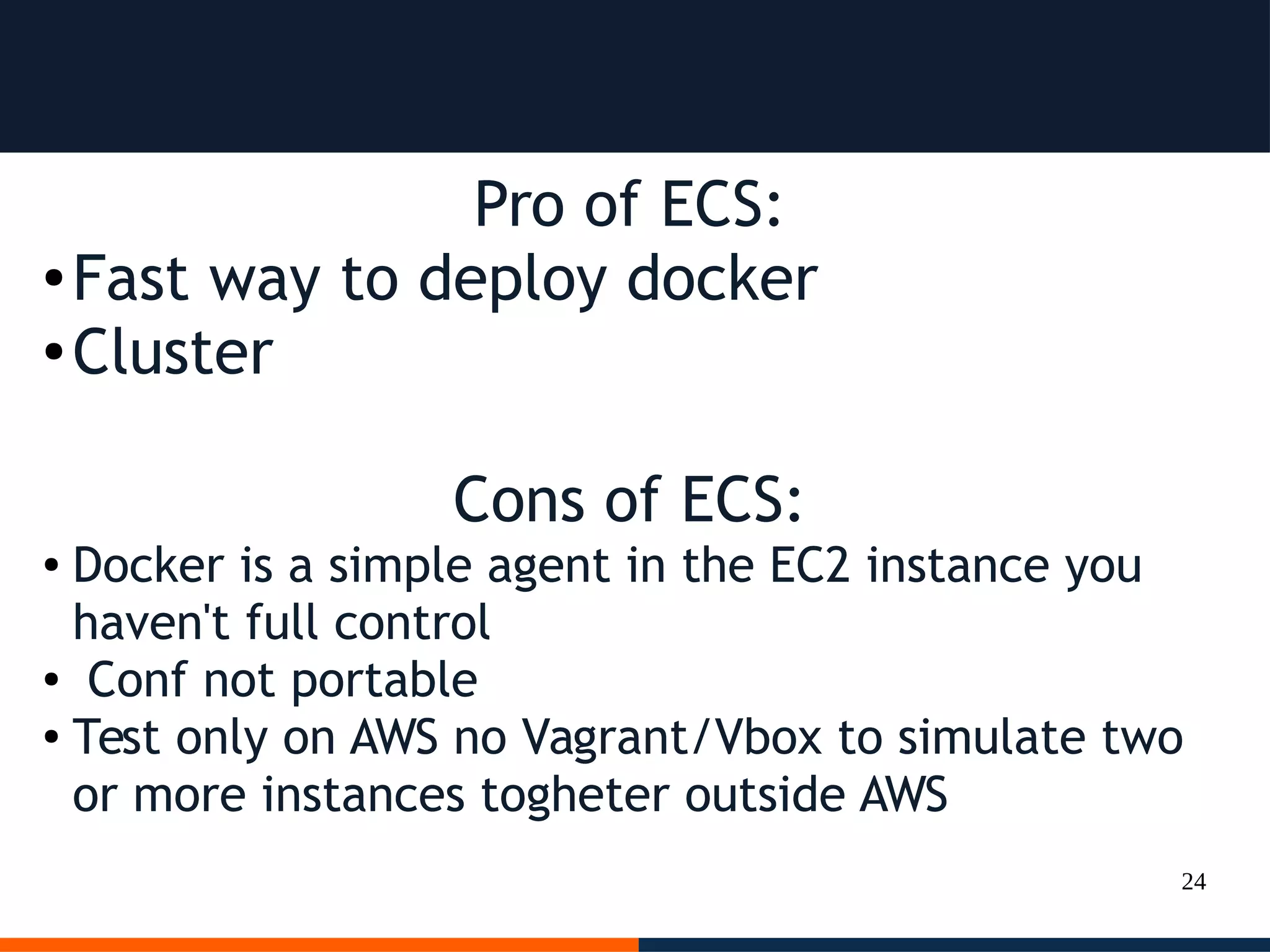
Pro of ECS:
● Fast way to deploy docker
● Cluster
Cons of ECS:
● Docker is a simple agent in the EC2 instance you
haven't full control
● Conf not portable
● Test only on AWS no Vagrant/Vbox to simulate two
or more instances togheter outside AWS
25
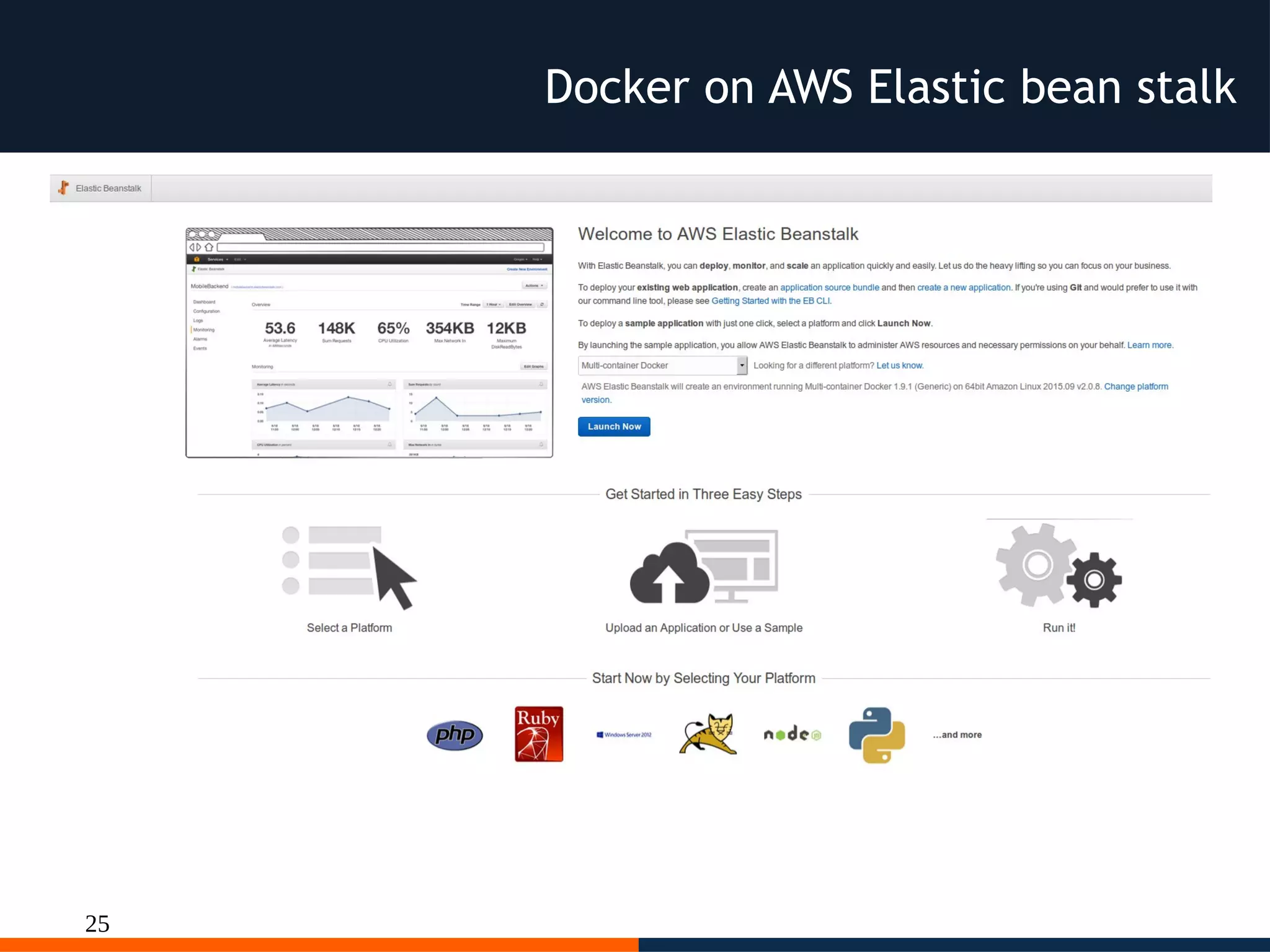
Docker on AWS Elastic bean stalk
26
Dockerrun.aws.json
{
"AWSEBDockerrunVersion": 2,
"volumes": [
{
"name": "php-app",
"host": {
"sourcePath": "/var/app/current/php-app"
}
},
{
"name": "nginx-proxy-conf",
"host": {
"sourcePath": "/var/app/current/proxy/conf.d"
}
}
],
"containerDefinitions": [
{
"name": "php-app",
"image": "php:fpm",
"environment": [
{
"name": "Container",
"value": "PHP"
}
],
"essential": true,
"memory": 128,
"mountPoints": [
{
"sourceVolume": "php-app",
"containerPath": "/var/www/html",
"readOnly": true
}
]
},
{
"name": "nginx-proxy",
"image": "nginx",
"essential": true,
"memory": 128,
"portMappings": [
{
"hostPort": 80,
"containerPort": 80
}
],
"links": [
"php-app"
],
"mountPoints": [
….
]
}
]
}
Docker on AWS Elastic bean stalk
27
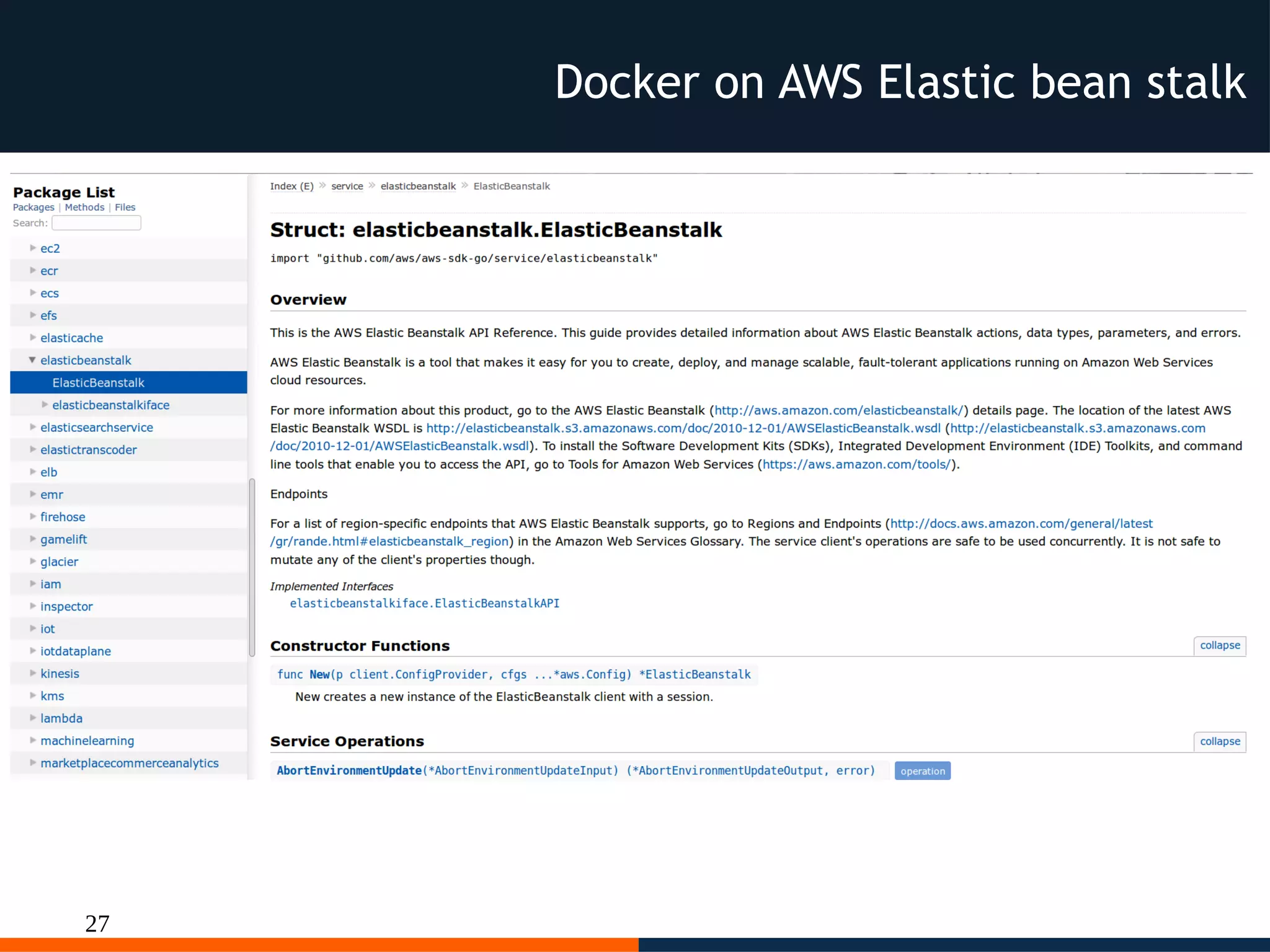
Docker on AWS Elastic bean stalk
28
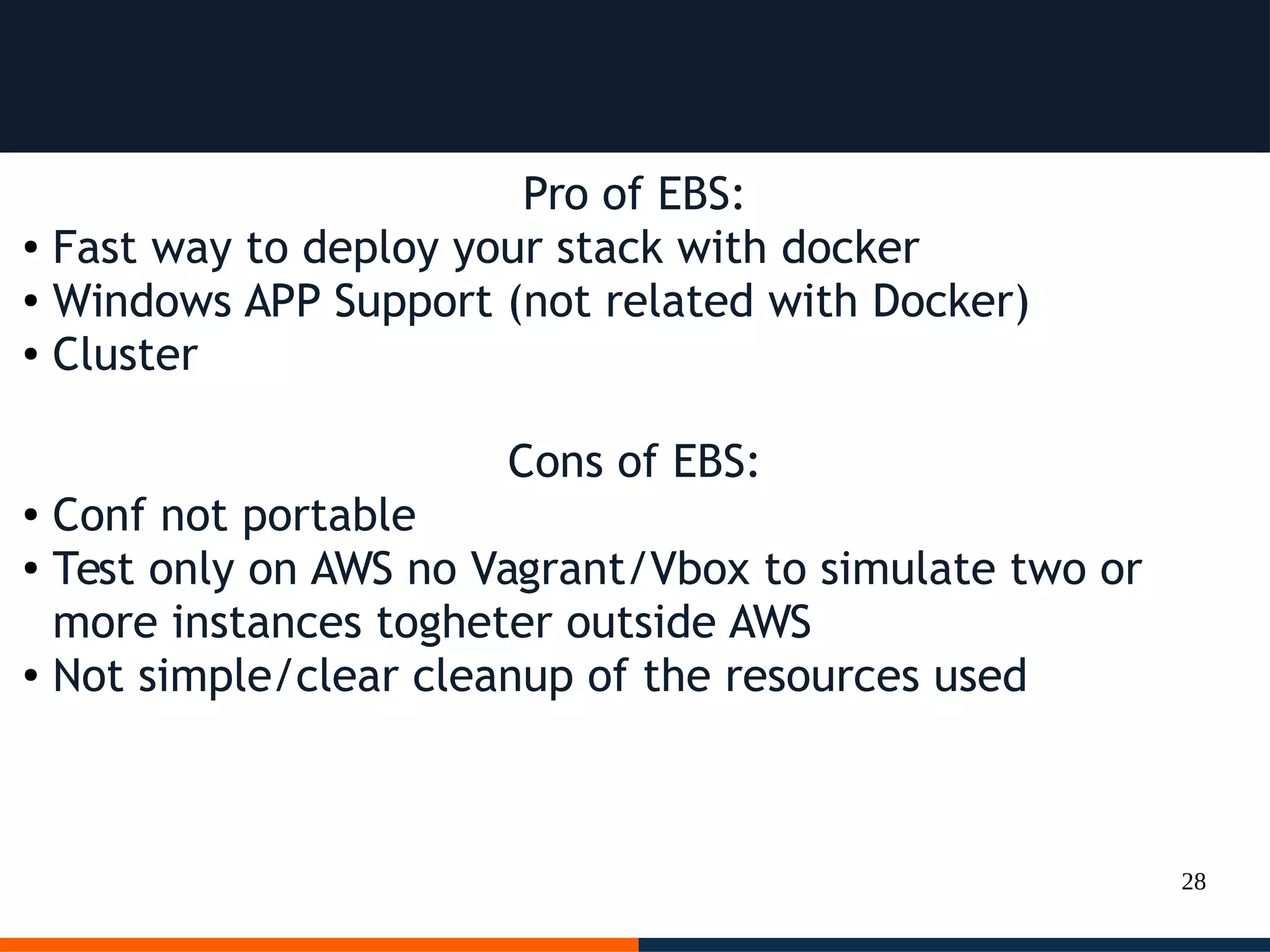
Pro of EBS:
● Fast way to deploy your stack with docker
● Windows APP Support (not related with Docker)
● Cluster
Cons of EBS:
● Conf not portable
●
Test only on AWS no Vagrant/Vbox to simulate two or
more instances togheter outside AWS
● Not simple/clear cleanup of the resources used
29
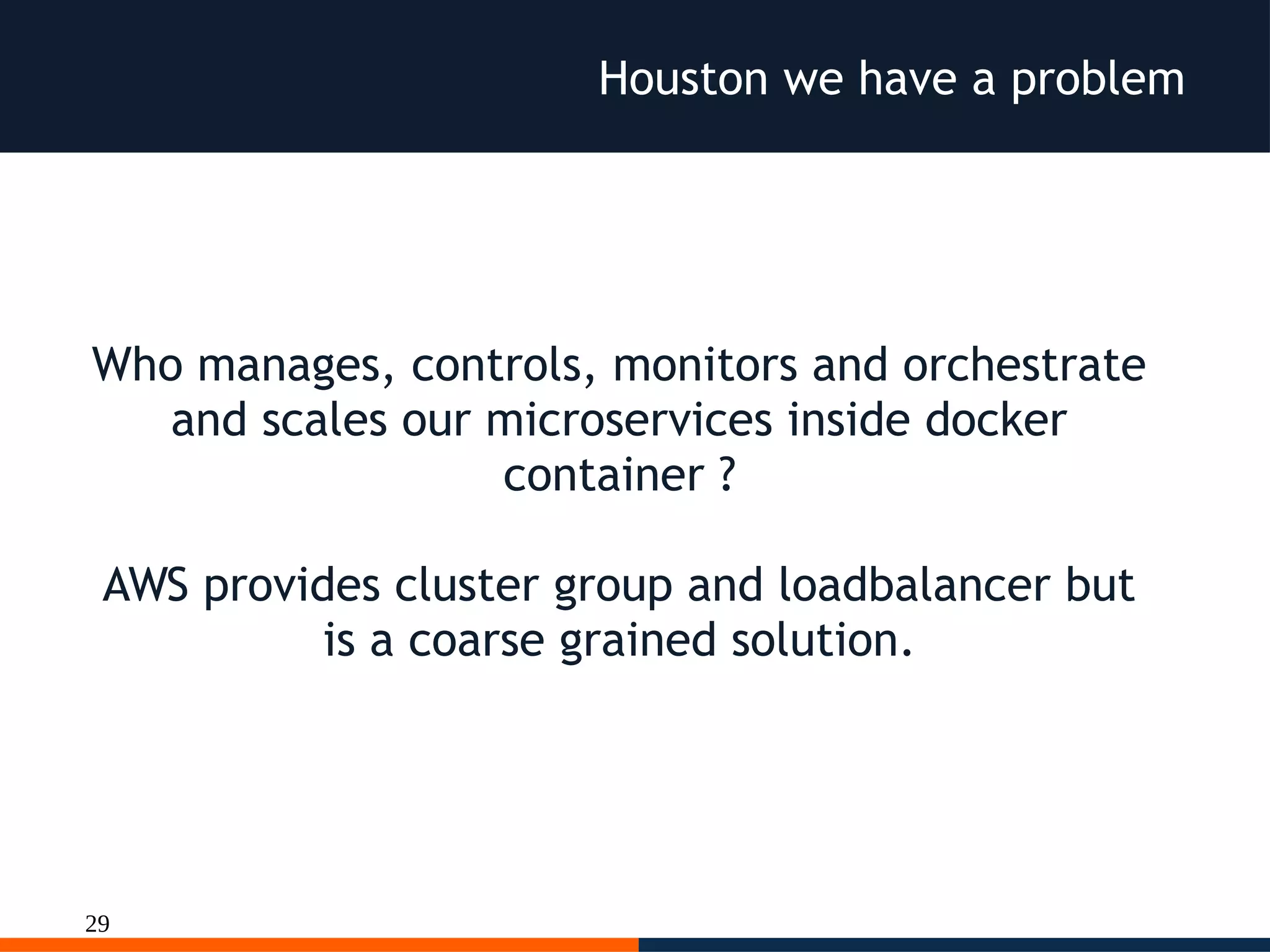
Houston we have a problem
Who manages, controls, monitors and orchestrate
and scales our microservices inside docker
container ?
AWS provides cluster group and loadbalancer but
is a coarse grained solution.
30
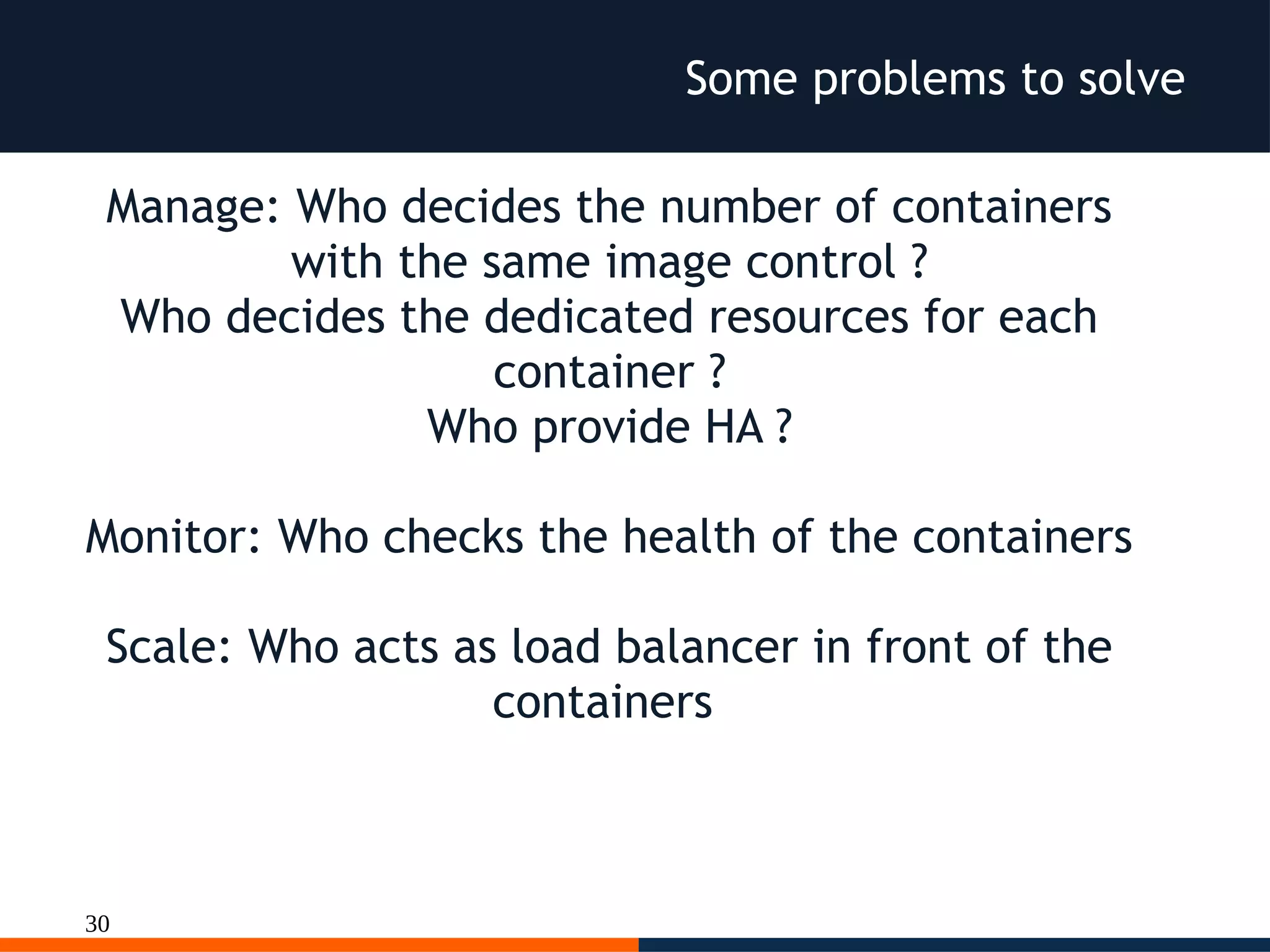
Some problems to solve
Manage: Who decides the number of containers
with the same image control ?
Who decides the dedicated resources for each
container ?
Who provide HA ?
Monitor: Who checks the health of the containers
Scale: Who acts as load balancer in front of the
containers
31
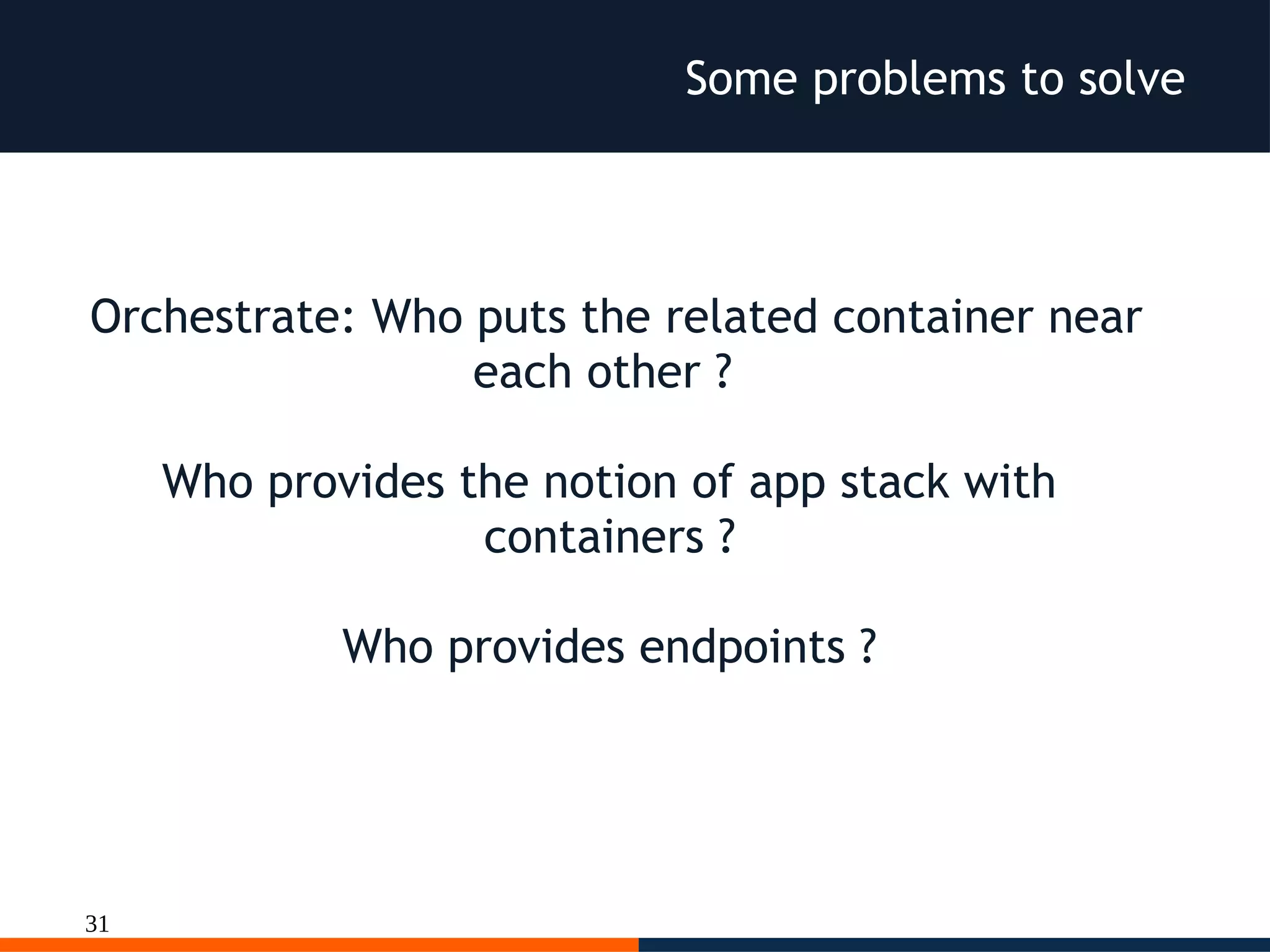
Some problems to solve
Orchestrate: Who puts the related container near
each other ?
Who provides the notion of app stack with
containers ?
Who provides endpoints ?
32
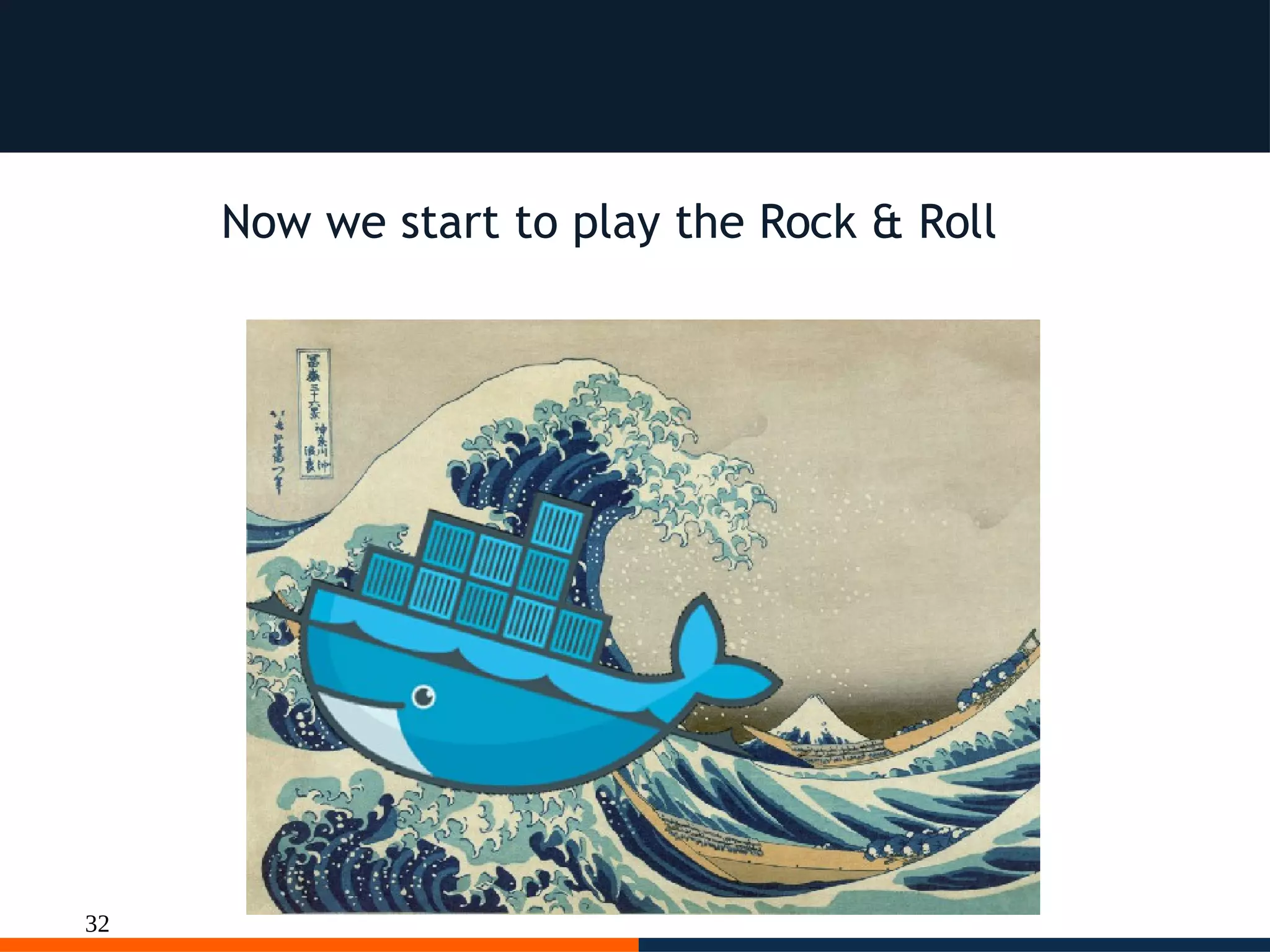
Now we start to play the Rock & Roll
33
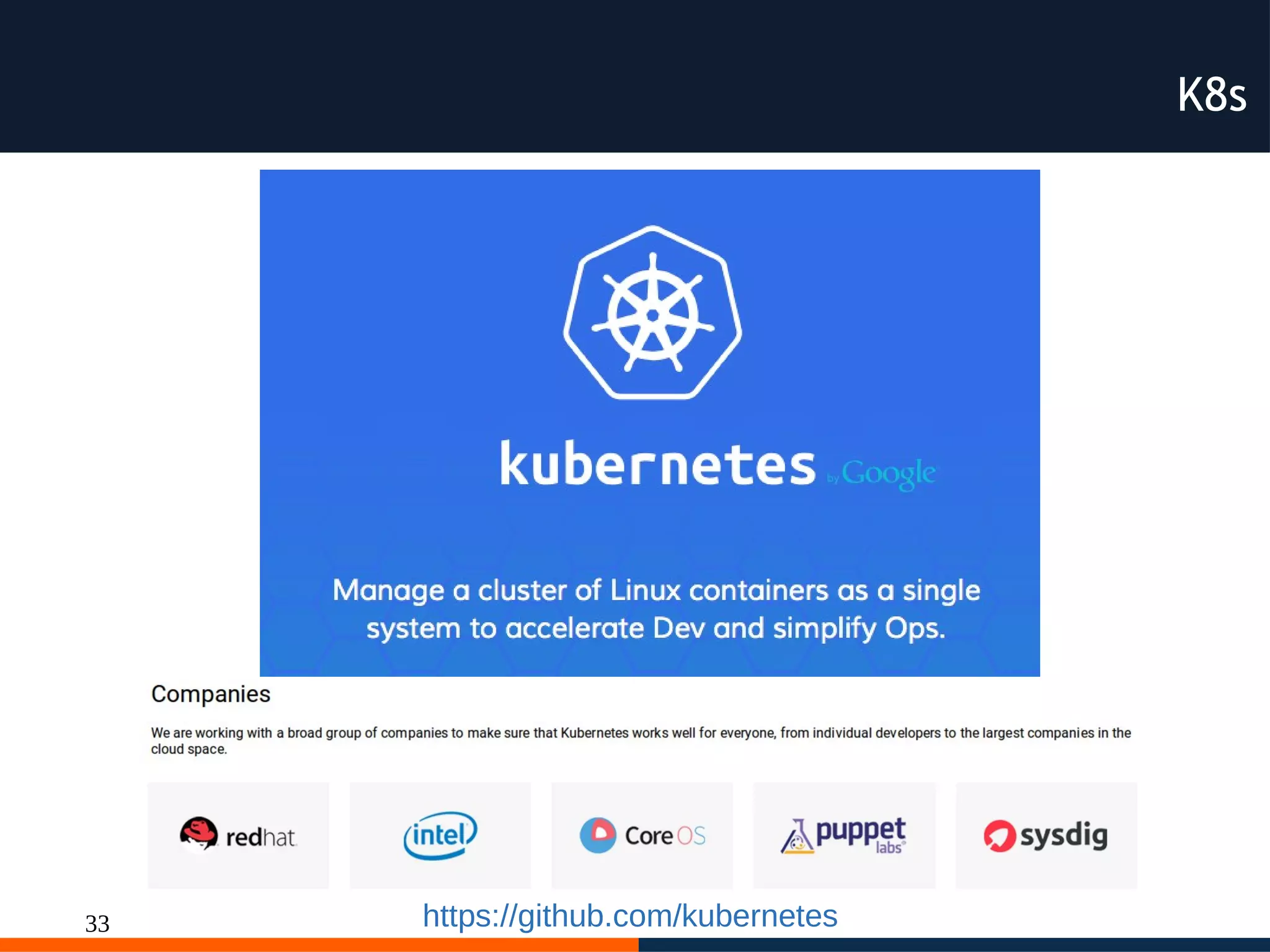
K8s
https://github.com/kubernetes
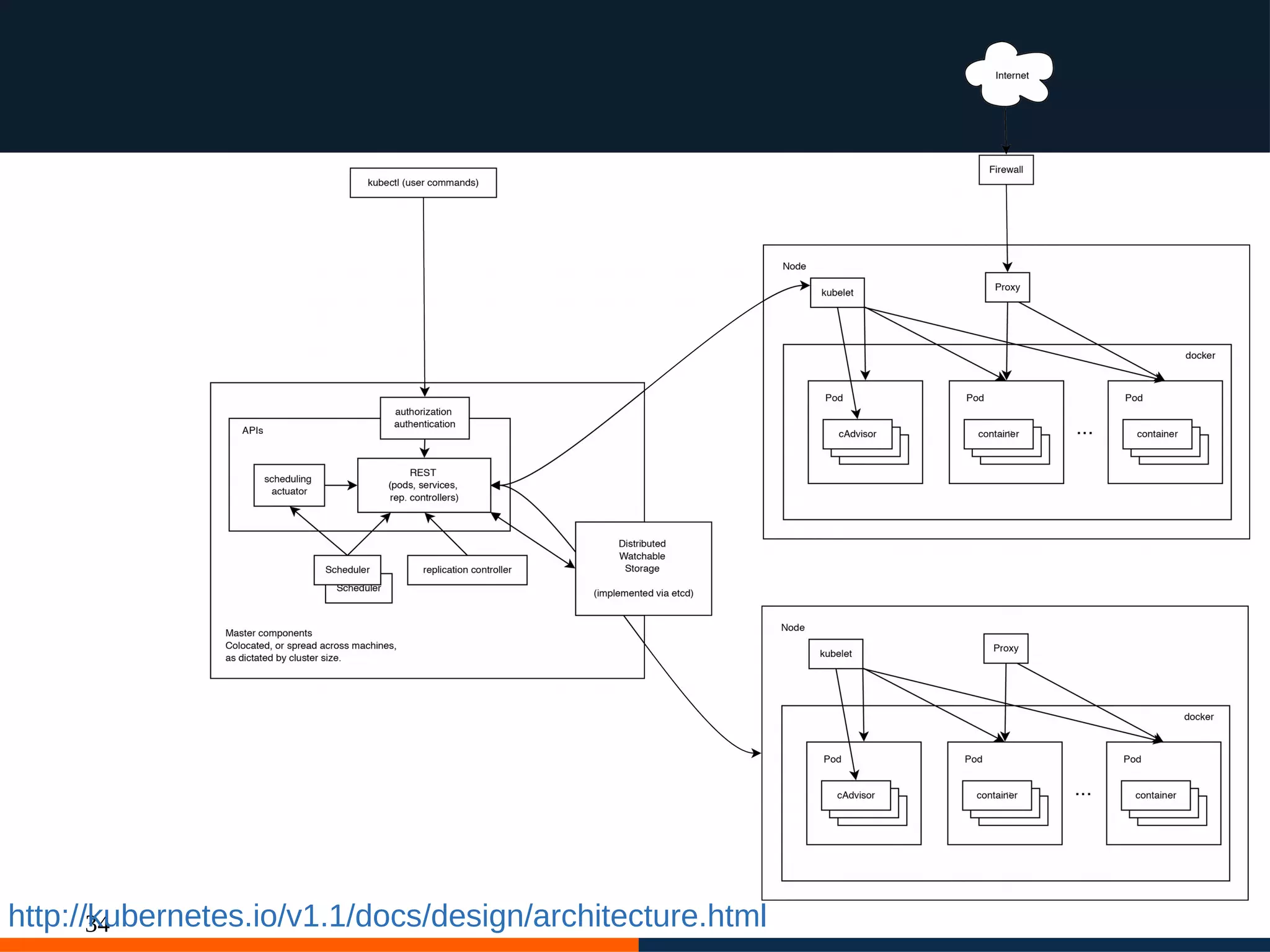
34http://kubernetes.io/v1.1/docs/design/architecture.html
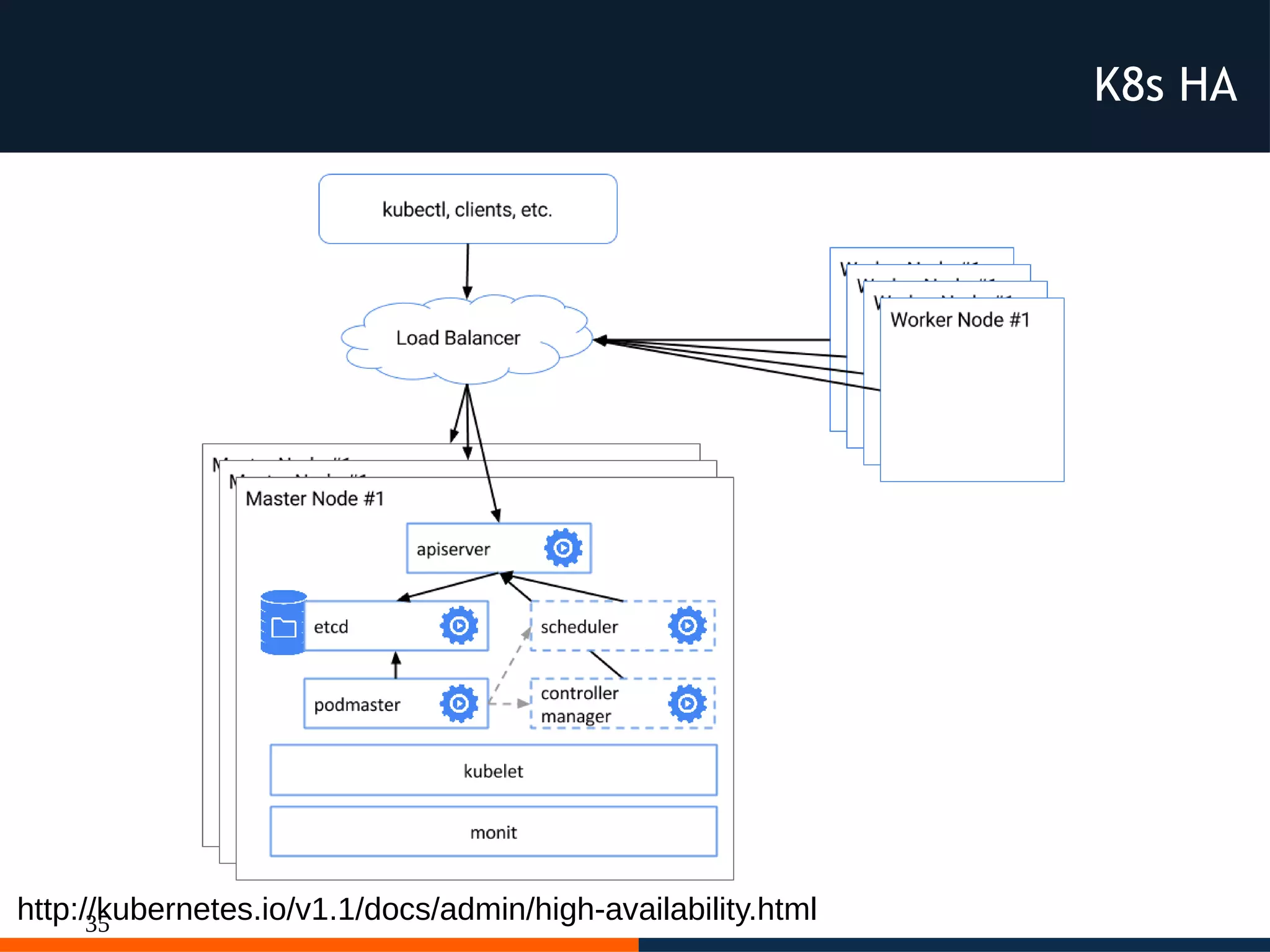
35http://kubernetes.io/v1.1/docs/admin/high-availability.html
K8s HA
36
Note
Docker and Kubernetes are written in Go
and are released with
Open Source license,
you can learn, hack and contribute
every single line of code
37
Names the pieces
Master: Is the core of the cluster, with restful
commands define our desidered cluster, it contains the
API Server
Scheduler: Schedule workloads in terms of Pods on
the nodes. It spread pods across the cluster for
matching pods replicas.
Etcd: Distributed configuration store, contains the
kubernetes state
38
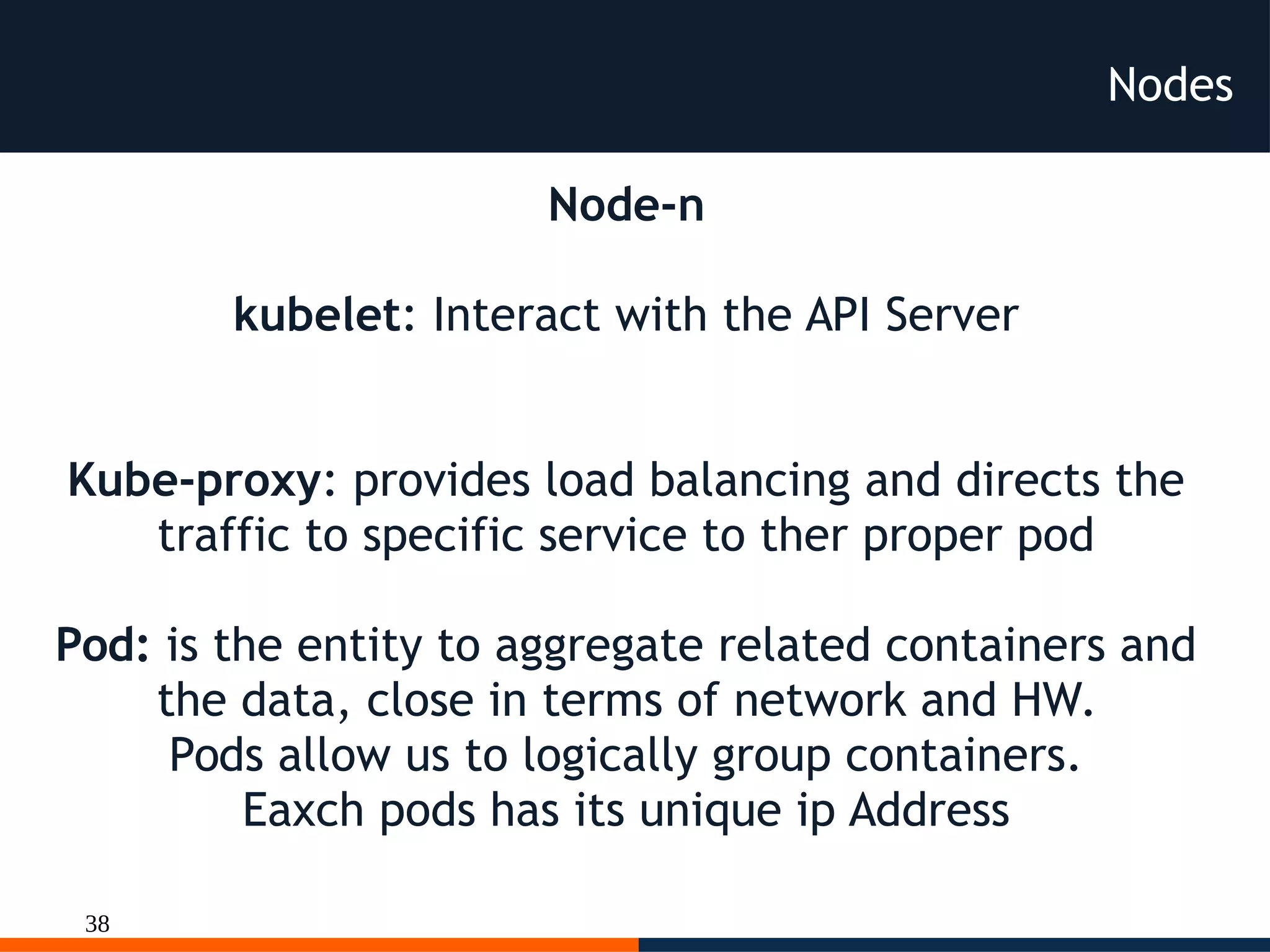
Nodes
Node-n
kubelet: Interact with the API Server
Kube-proxy: provides load balancing and directs the
traffic to specific service to ther proper pod
Pod: is the entity to aggregate related containers and
the data, close in terms of network and HW.
Pods allow us to logically group containers.
Eaxch pods has its unique ip Address
39
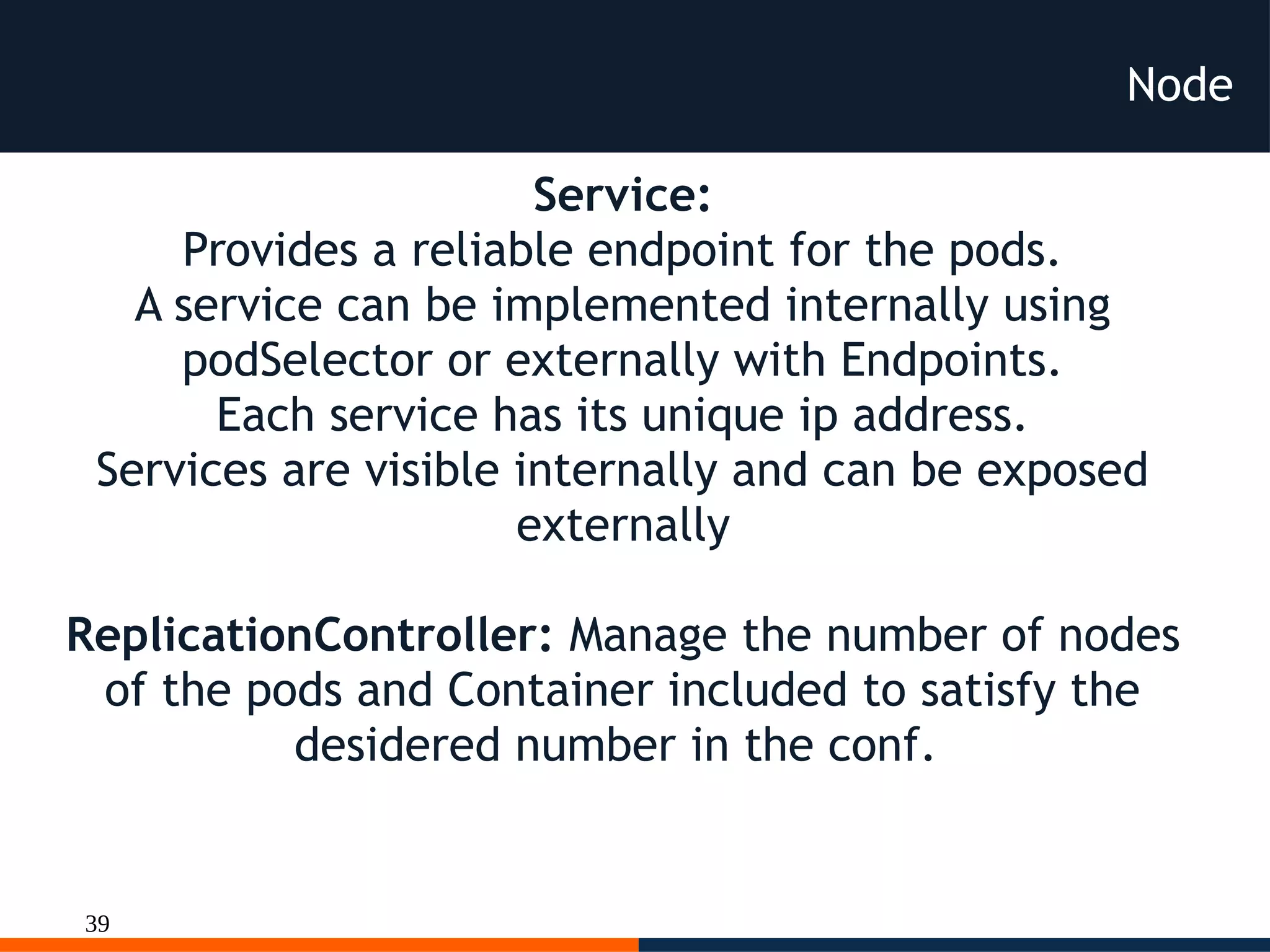
Node
Service:
Provides a reliable endpoint for the pods.
A service can be implemented internally using
podSelector or externally with Endpoints.
Each service has its unique ip address.
Services are visible internally and can be exposed
externally
ReplicationController: Manage the number of nodes
of the pods and Container included to satisfy the
desidered number in the conf.
40
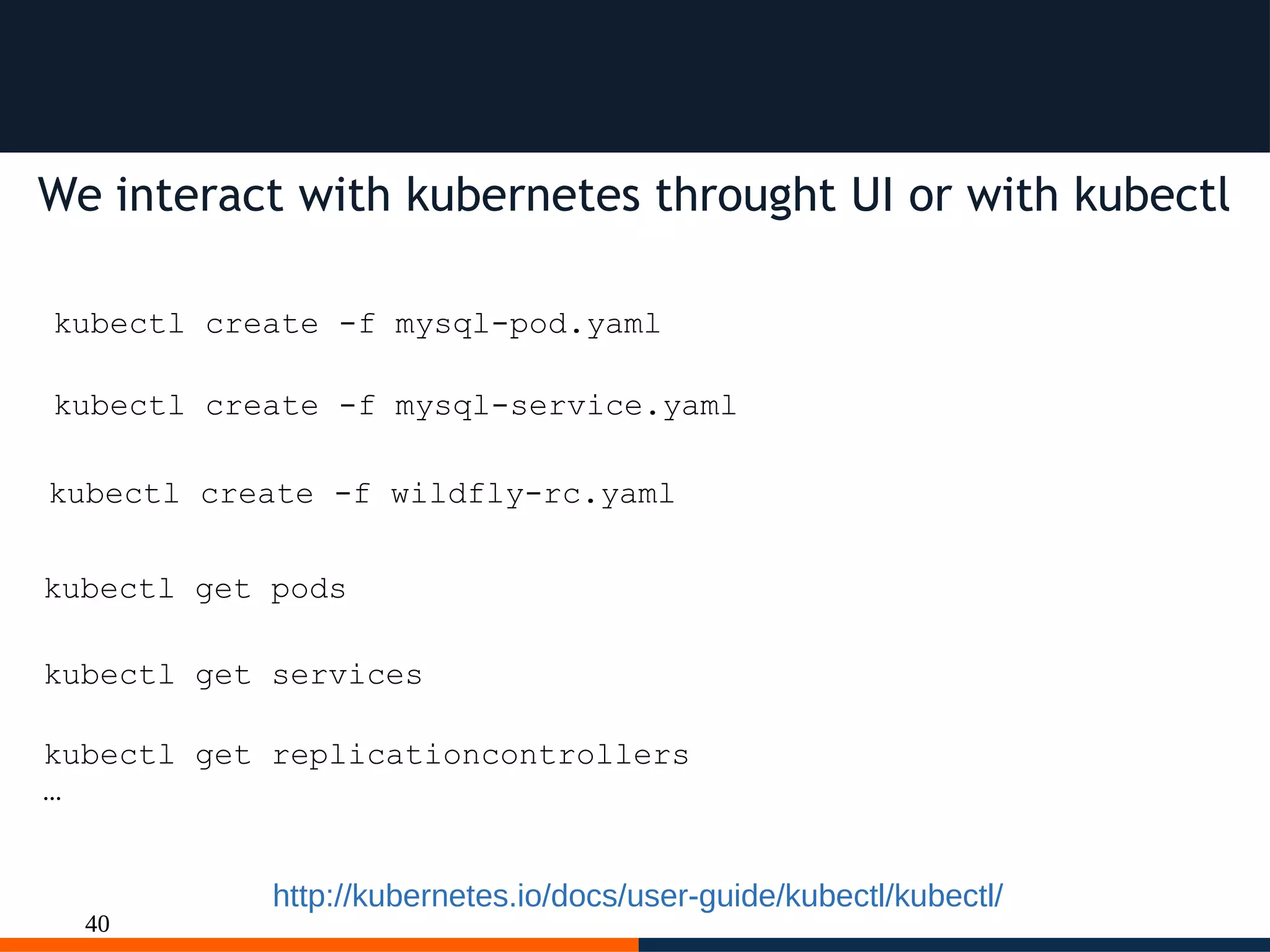
We interact with kubernetes throught UI or with kubectl
kubectl create -f mysql-pod.yaml
kubectl create -f mysql-service.yaml
kubectl create -f wildfly-rc.yaml
kubectl get pods
kubectl get services
kubectl get replicationcontrollers
…
http://kubernetes.io/docs/user-guide/kubectl/kubectl/
41
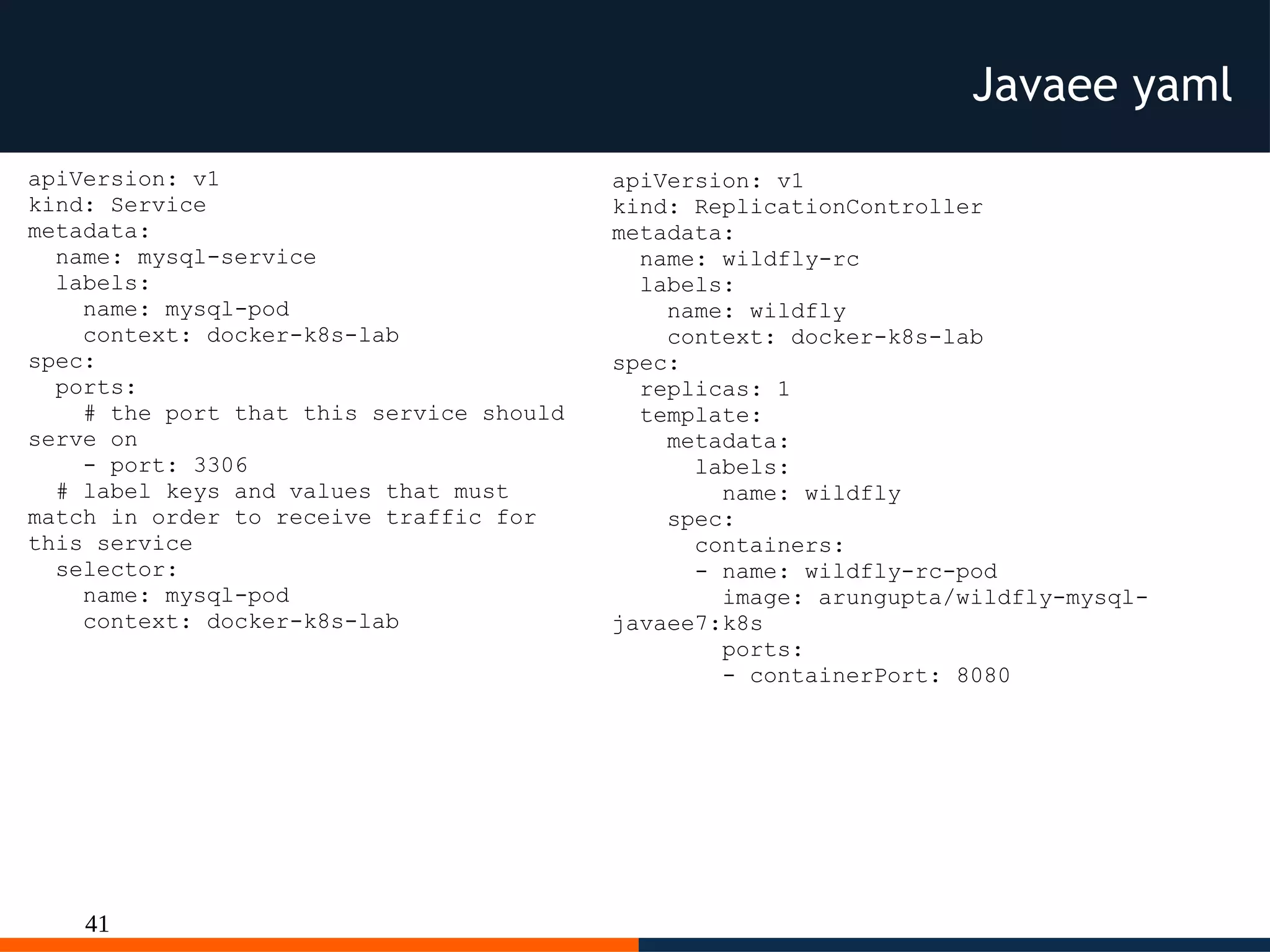
Javaee yaml
apiVersion: v1
kind: Service
metadata:
name: mysql-service
labels:
name: mysql-pod
context: docker-k8s-lab
spec:
ports:
# the port that this service should
serve on
- port: 3306
# label keys and values that must
match in order to receive traffic for
this service
selector:
name: mysql-pod
context: docker-k8s-lab
apiVersion: v1
kind: ReplicationController
metadata:
name: wildfly-rc
labels:
name: wildfly
context: docker-k8s-lab
spec:
replicas: 1
template:
metadata:
labels:
name: wildfly
spec:
containers:
- name: wildfly-rc-pod
image: arungupta/wildfly-mysql-
javaee7:k8s
ports:
- containerPort: 8080
42
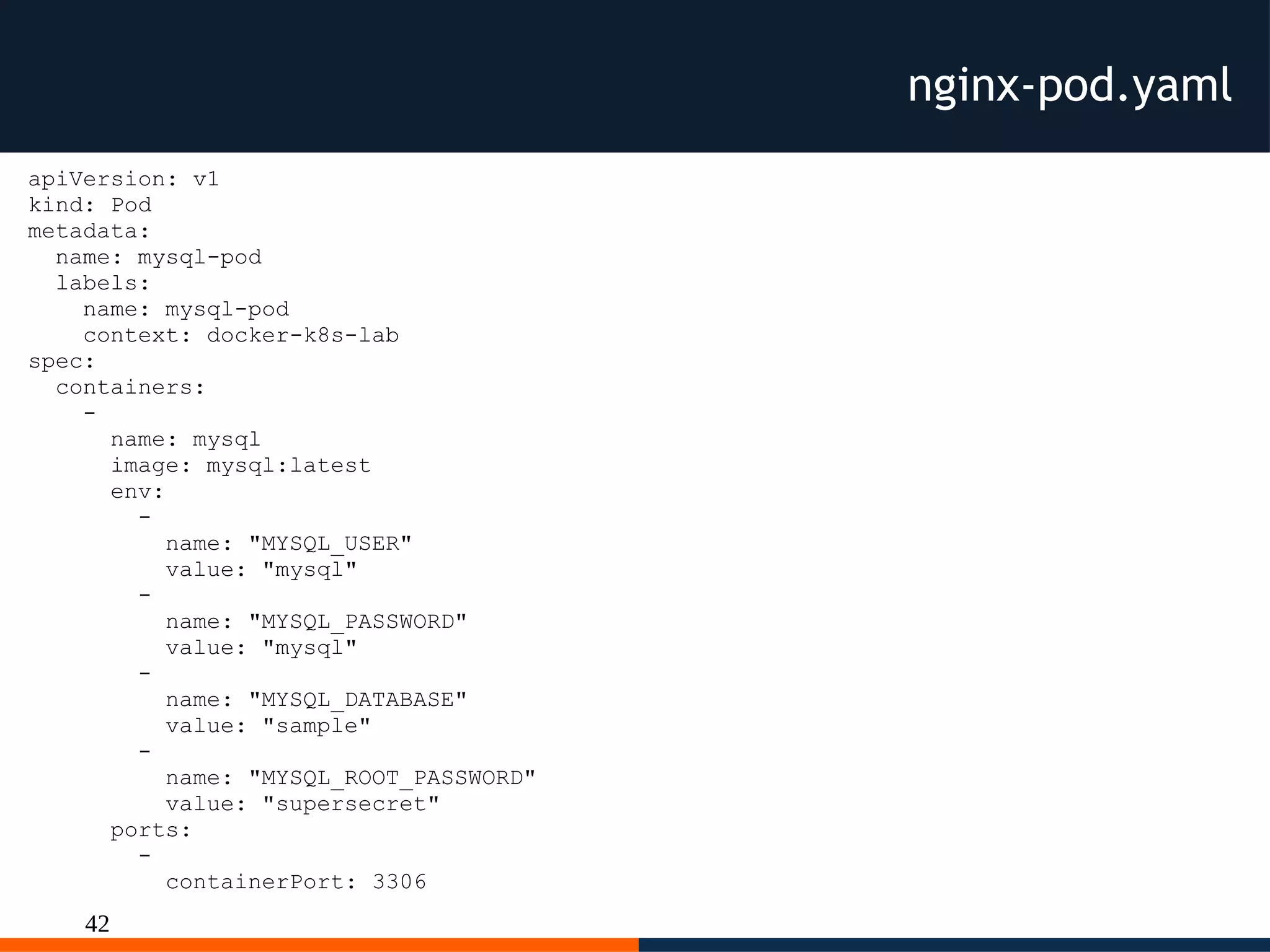
nginx-pod.yaml
apiVersion: v1
kind: Pod
metadata:
name: mysql-pod
labels:
name: mysql-pod
context: docker-k8s-lab
spec:
containers:
-
name: mysql
image: mysql:latest
env:
-
name: "MYSQL_USER"
value: "mysql"
-
name: "MYSQL_PASSWORD"
value: "mysql"
-
name: "MYSQL_DATABASE"
value: "sample"
-
name: "MYSQL_ROOT_PASSWORD"
value: "supersecret"
ports:
-
containerPort: 3306
43
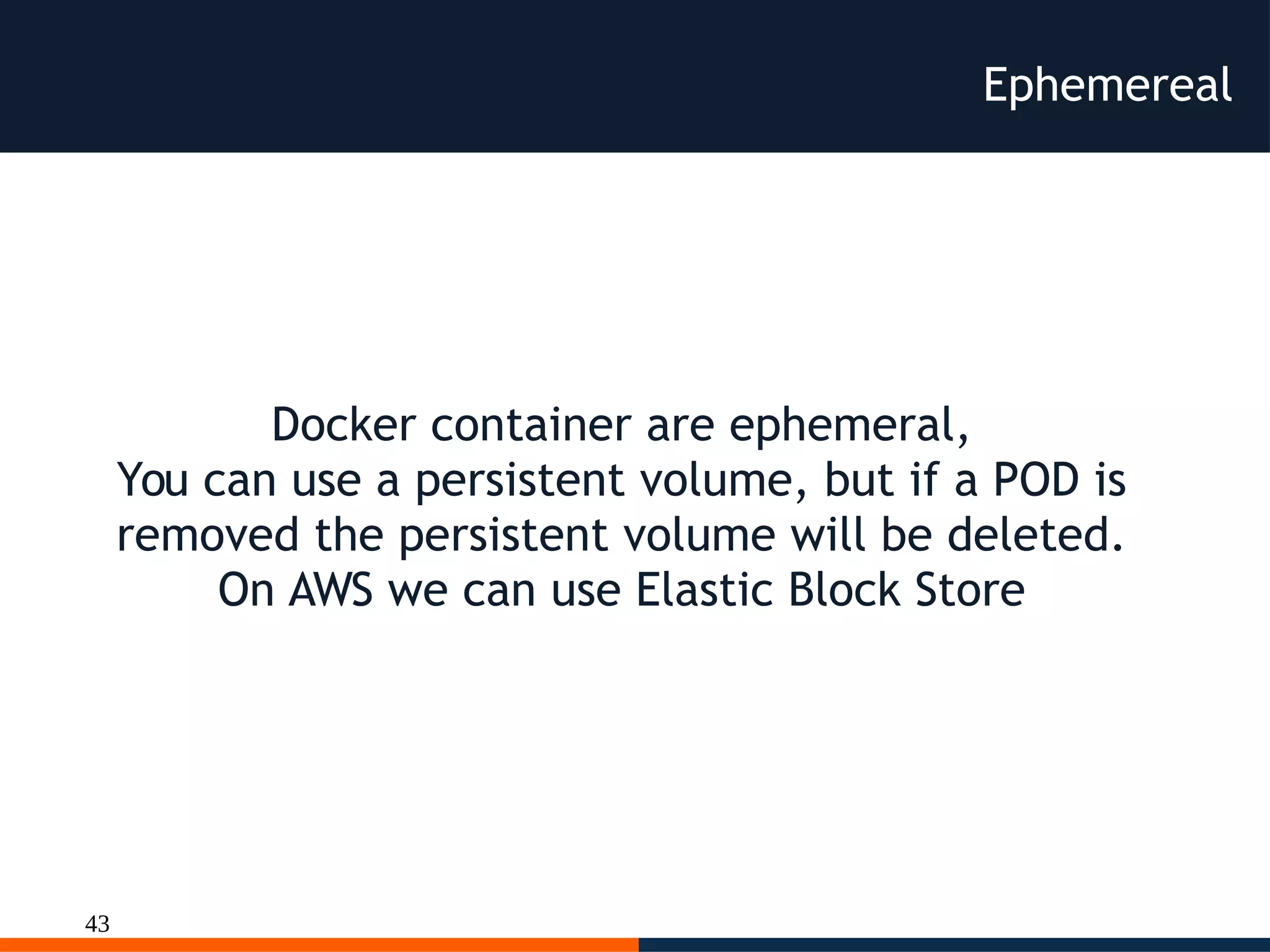
Ephemereal
Docker container are ephemeral,
You can use a persistent volume, but if a POD is
removed the persistent volume will be deleted.
On AWS we can use Elastic Block Store
44
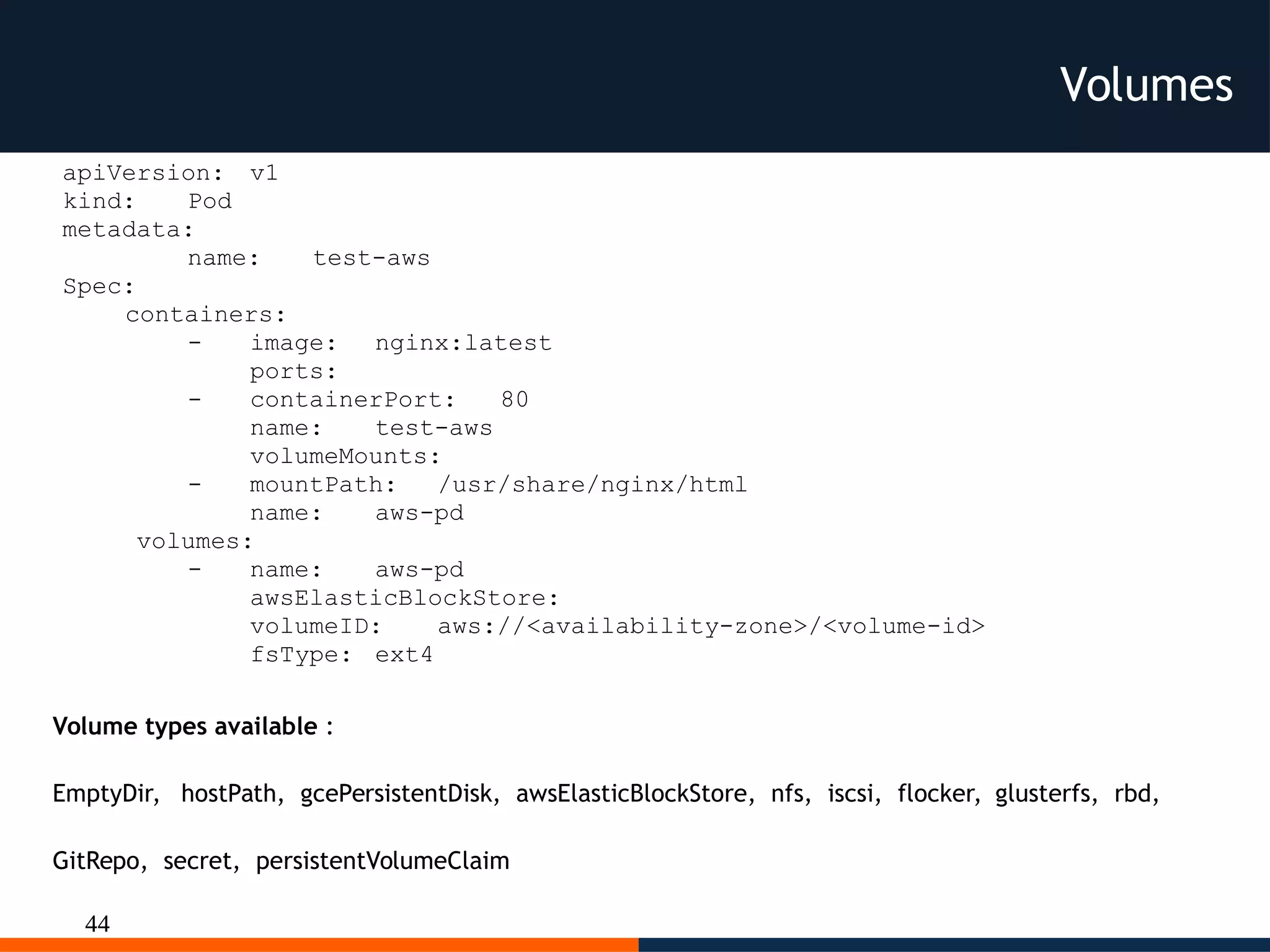
Volumes
apiVersion: v1
kind: Pod
metadata:
name: test-aws
Spec:
containers:
- image: nginx:latest
ports:
- containerPort: 80
name: test-aws
volumeMounts:
- mountPath: /usr/share/nginx/html
name: aws-pd
volumes:
- name: aws-pd
awsElasticBlockStore:
volumeID: aws://<availability-zone>/<volume-id>
fsType: ext4
Volume types available :
EmptyDir, hostPath, gcePersistentDisk, awsElasticBlockStore, nfs, iscsi, flocker, glusterfs, rbd,
GitRepo, secret, persistentVolumeClaim
45
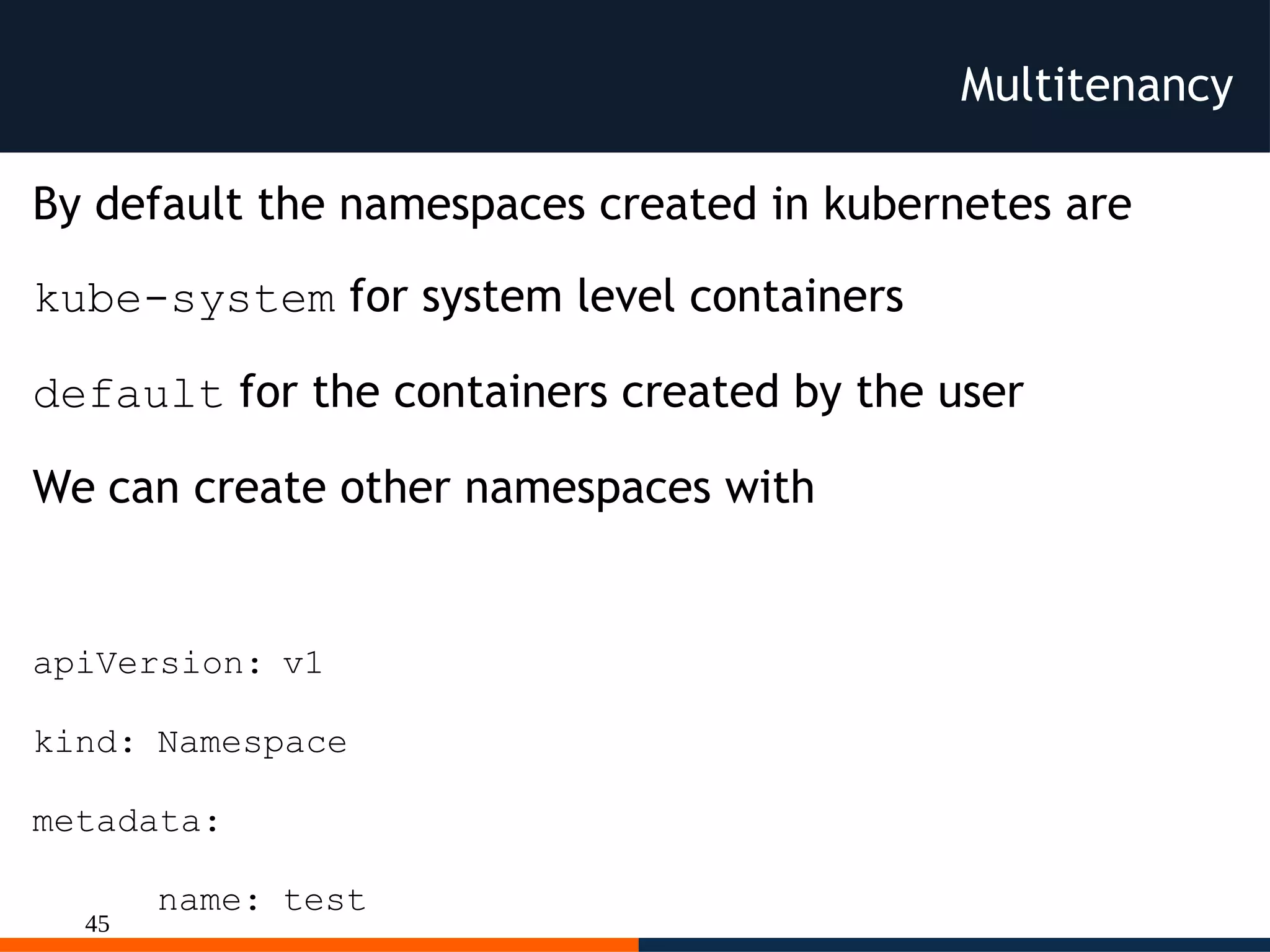
Multitenancy
By default the namespaces created in kubernetes are
kube-system for system level containers
default for the containers created by the user
We can create other namespaces with
apiVersion: v1
kind: Namespace
metadata:
name: test
46
Multitenancy
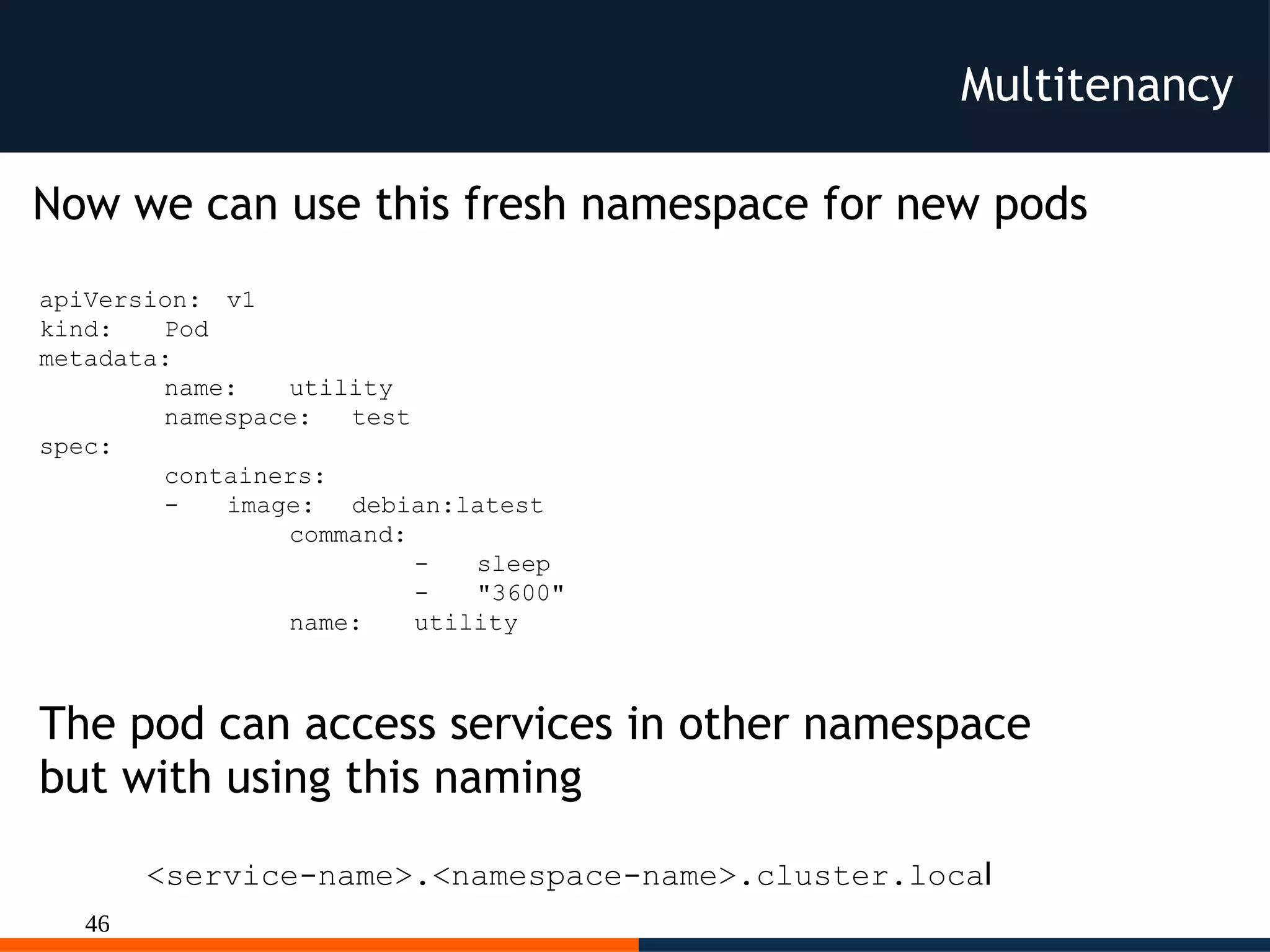
Now we can use this fresh namespace for new pods
apiVersion: v1
kind: Pod
metadata:
name: utility
namespace: test
spec:
containers:
- image: debian:latest
command:
- sleep
- "3600"
name: utility
<service-name>.<namespace-name>.cluster.local
The pod can access services in other namespace
but with using this naming
47
Scaling
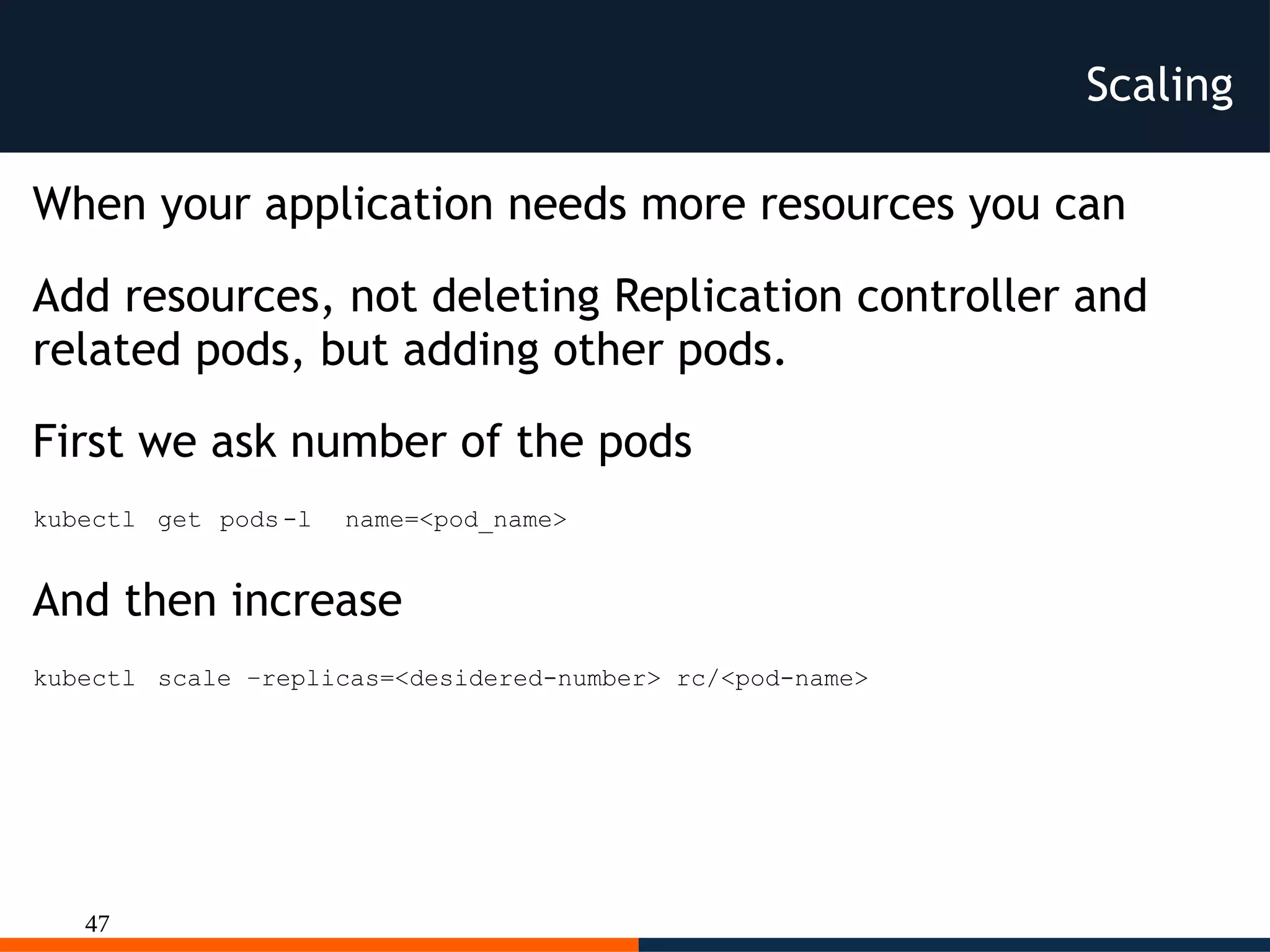
When your application needs more resources you can
Add resources, not deleting Replication controller and
related pods, but adding other pods.
First we ask number of the pods
kubectl get pods-l name=<pod_name>
And then increase
kubectl scale –replicas=<desidered-number> rc/<pod-name>
48
Dev on K8s
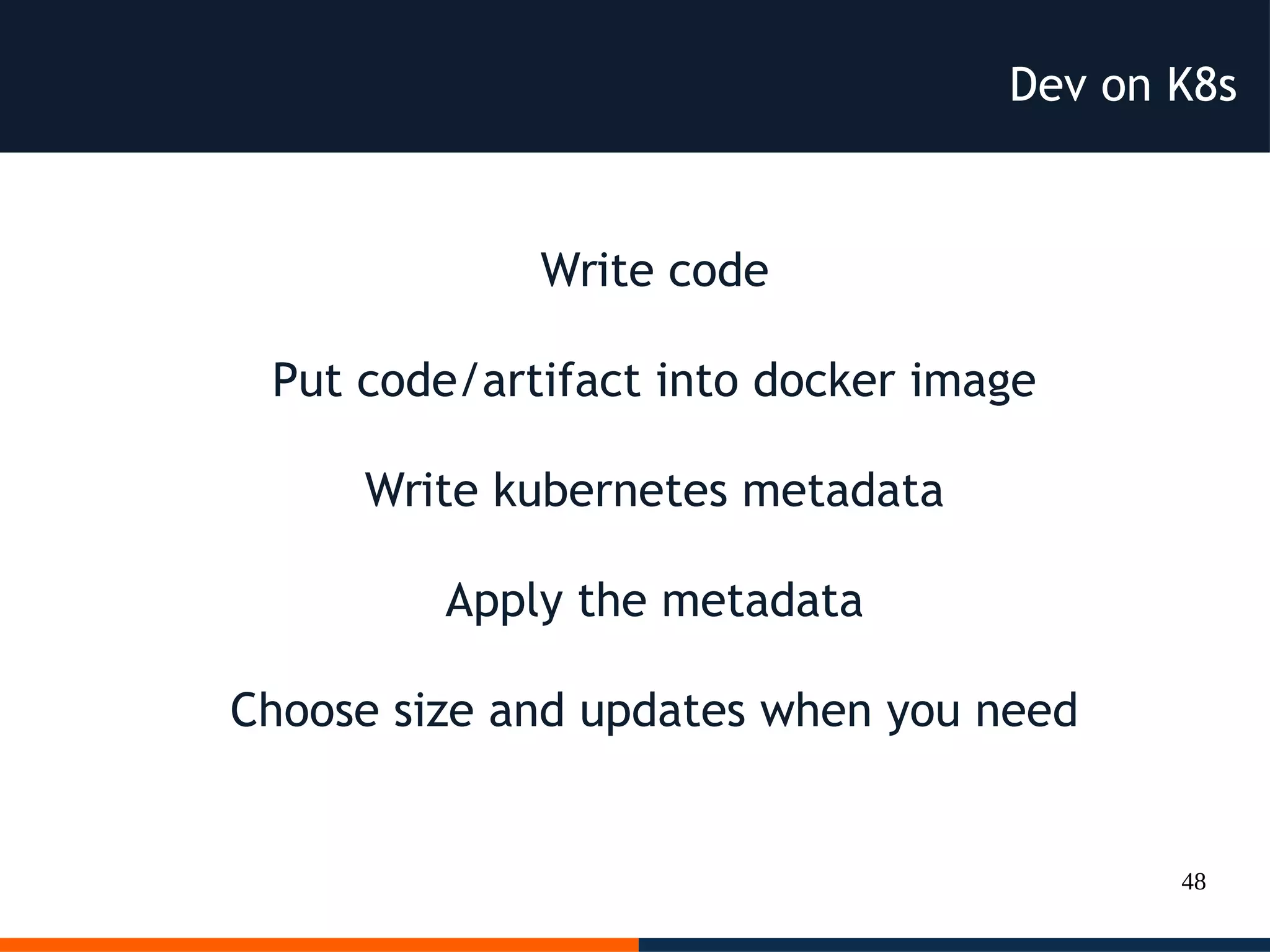
Write code
Put code/artifact into docker image
Write kubernetes metadata
Apply the metadata
Choose size and updates when you need
49
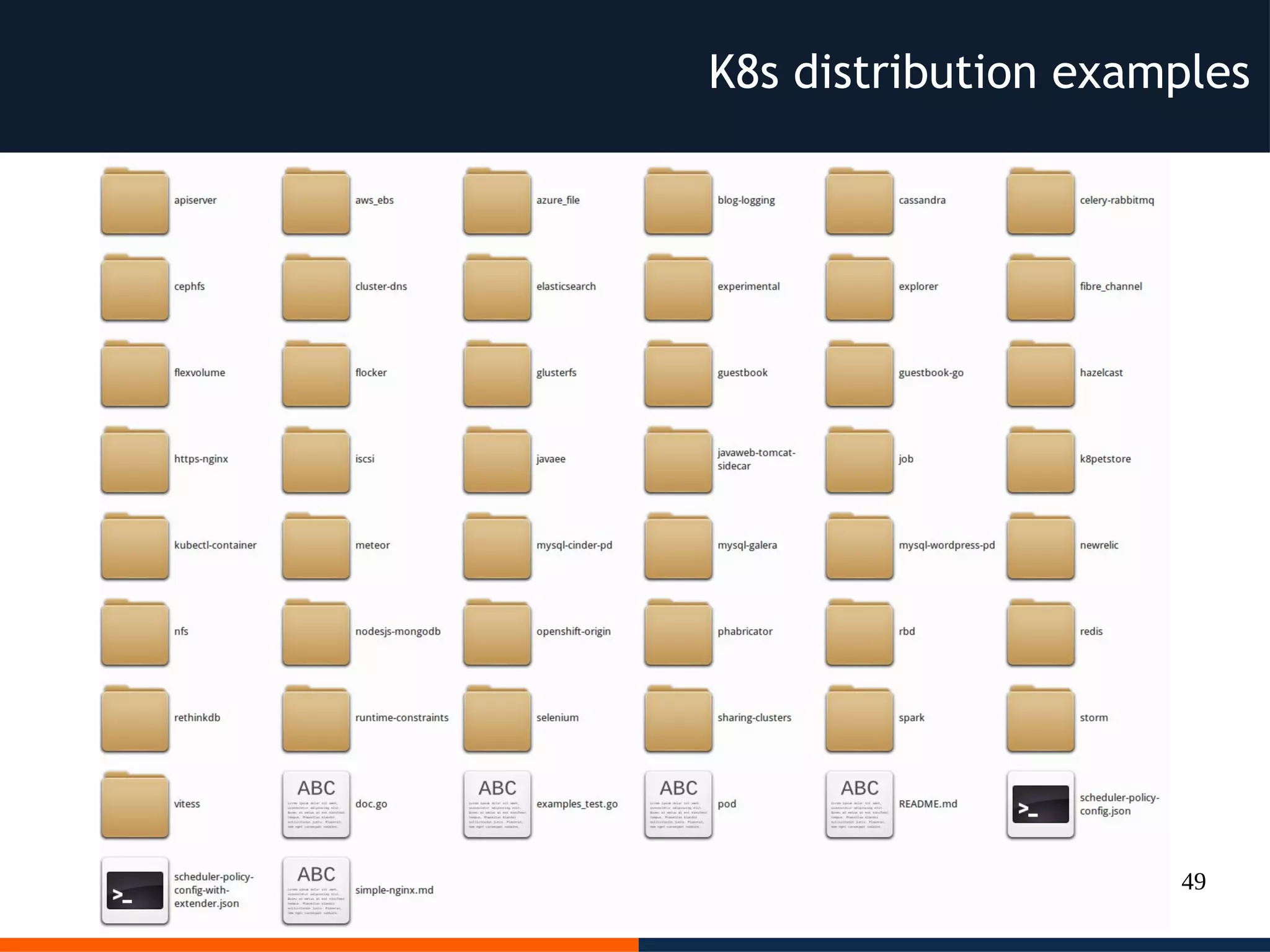
K8s distribution examples
50
Pro of Kubernetes:
● Open Source (Golang)/Community
● Tested (former Google Borg Project)
● Deployable on bare metal or public
Cloud public (AWS, GCE, Azure) or
private Cloud or virtualized env with
VMWare vSphere
51
Pro of Kubernetes (continuation):
● Testable locally with Vagrant and
virtual machines
● Portable configurations
(pods/service/controllers)
● Dashboard, Grafana, Metrics
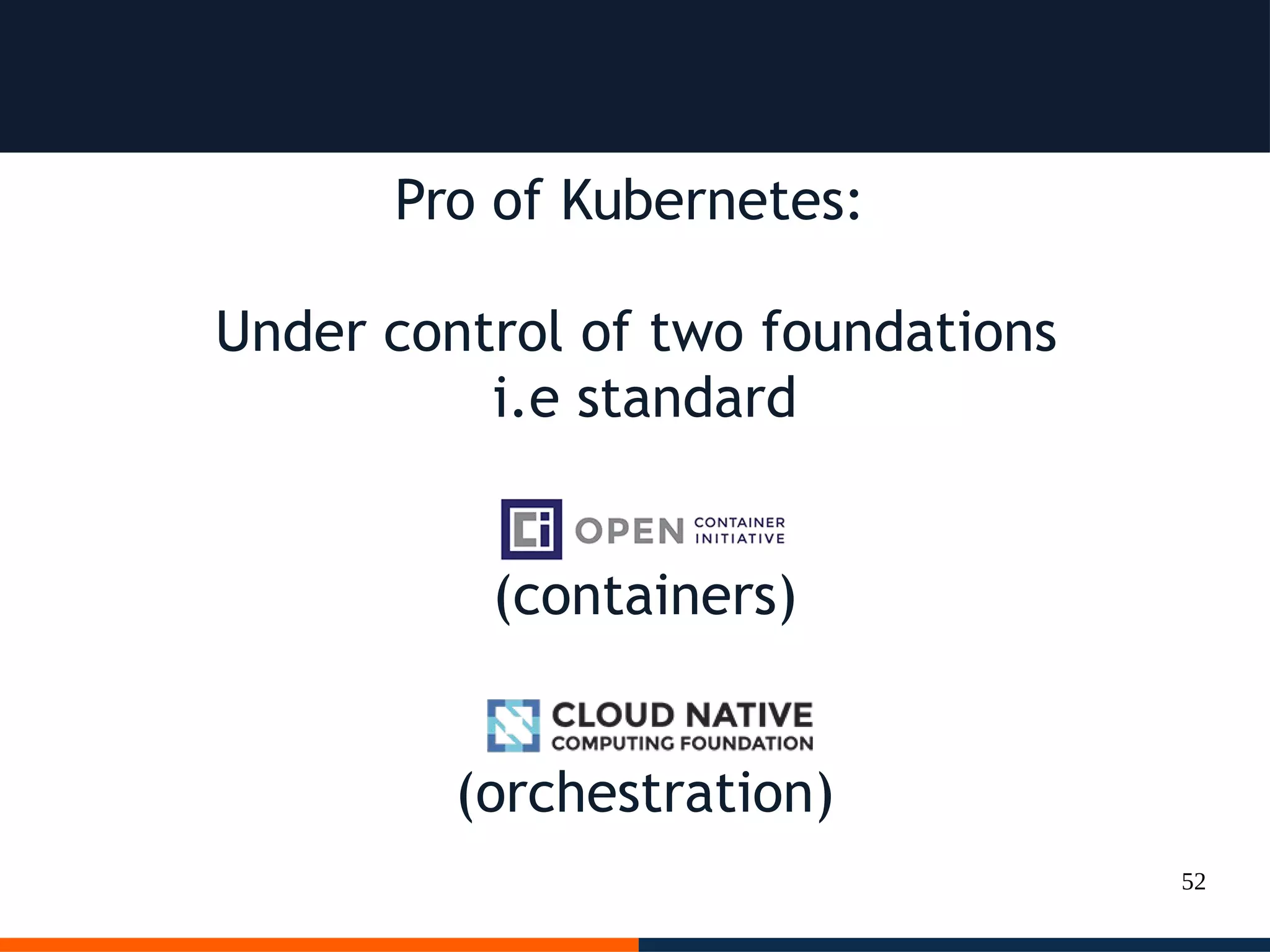
52
Pro of Kubernetes:
Under control of two foundations
i.e standard
(containers)
(orchestration)
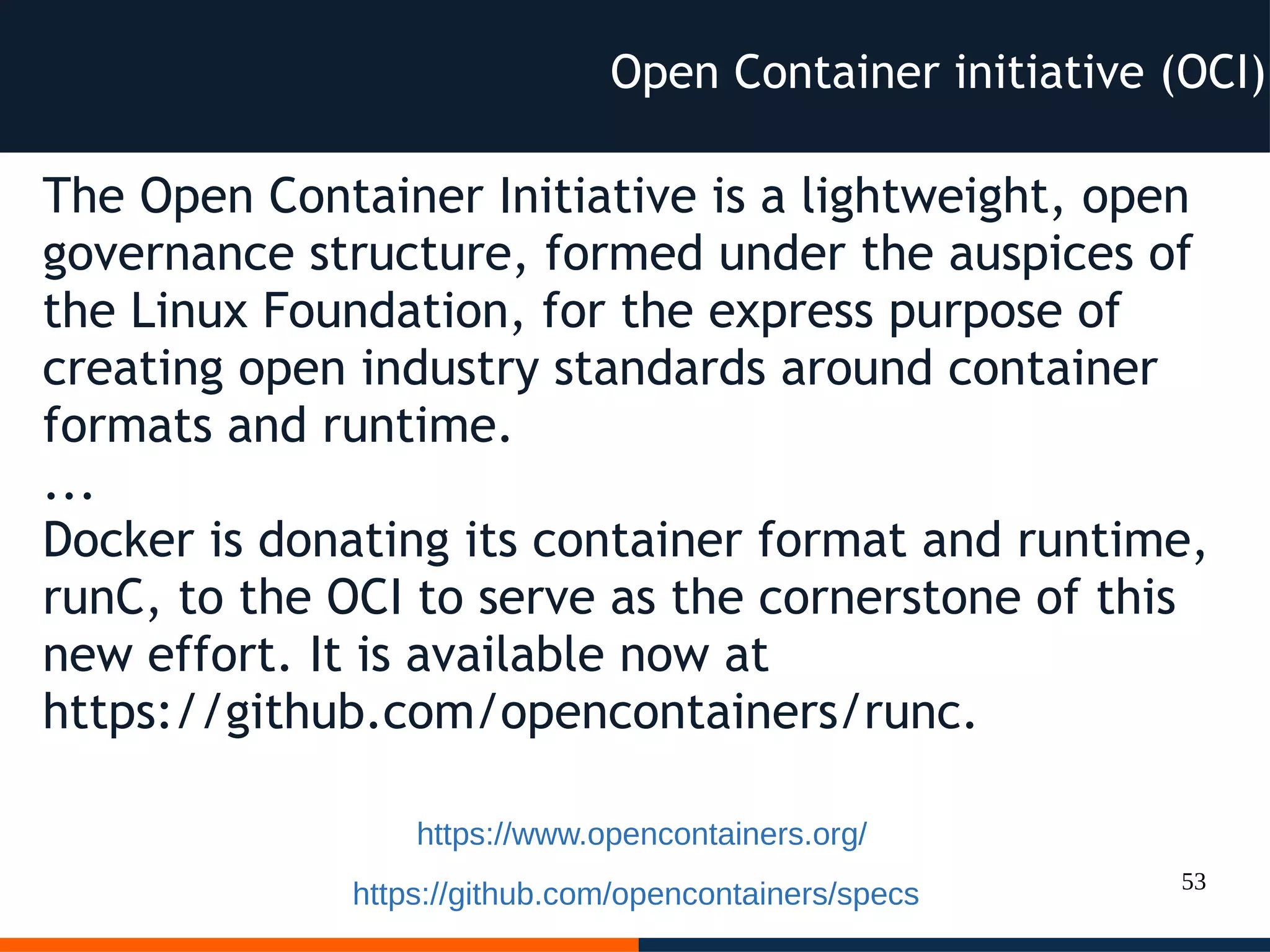
53
The Open Container Initiative is a lightweight, open
governance structure, formed under the auspices of
the Linux Foundation, for the express purpose of
creating open industry standards around container
formats and runtime.
...
Docker is donating its container format and runtime,
runC, to the OCI to serve as the cornerstone of this
new effort. It is available now at
https://github.com/opencontainers/runc.
Open Container initiative (OCI)
https://www.opencontainers.org/
https://github.com/opencontainers/specs
54
The Cloud Native Computing Foundation’s
mission is to create and drive the adoption of a new
computing paradigm that is optimized for modern
distributed systems environments.
Cloud native Initiative Foundation (CNCF)
https://cncf.io
55
K8s add on
Ok I like
Docker and K8s
but I want more
56
K8s add on
Docker & K8s with Devops tool,
deployable everywhere, included
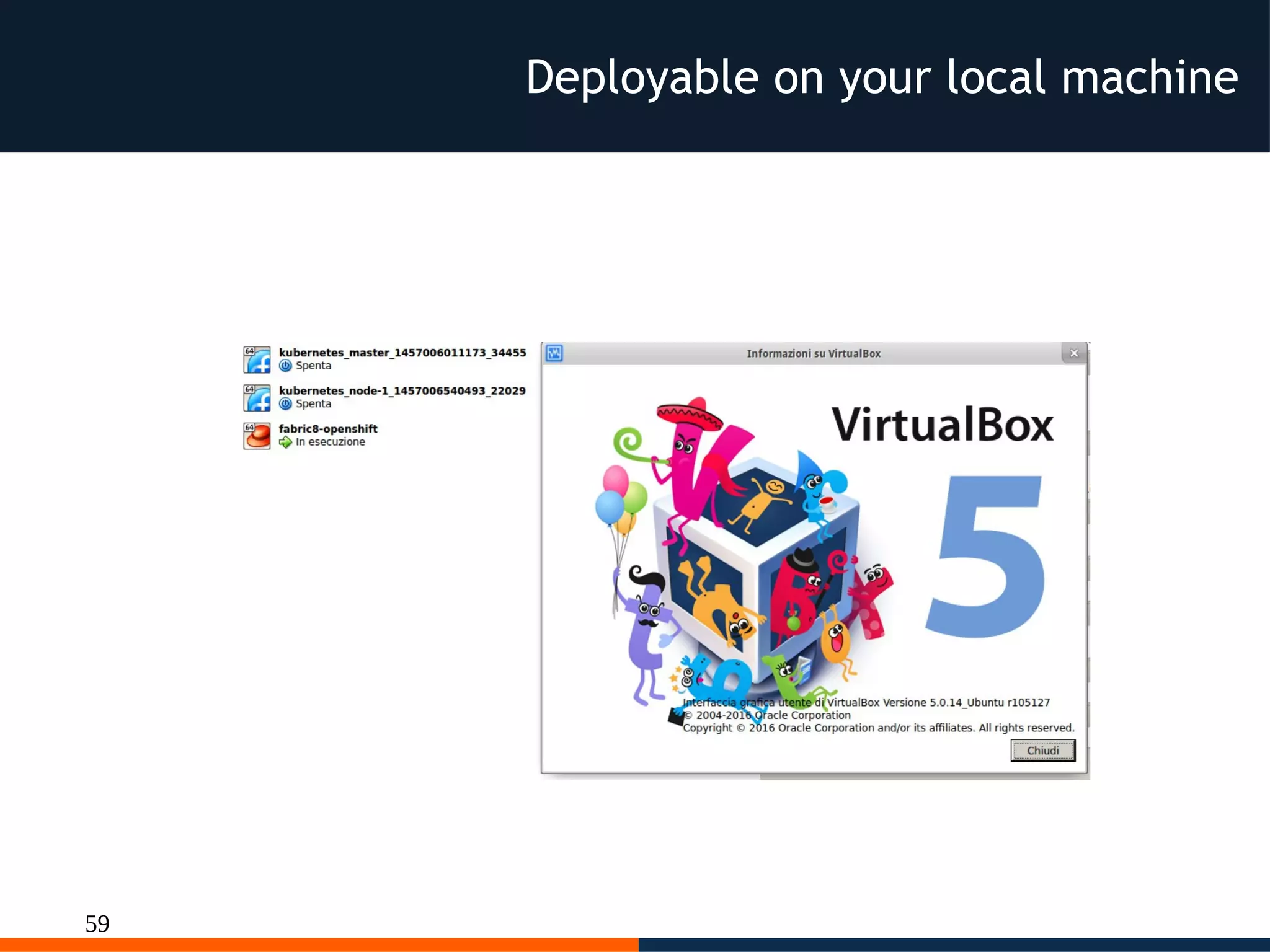
notebook with Vagrant and
Virtualbox
(included a commercial version)
57
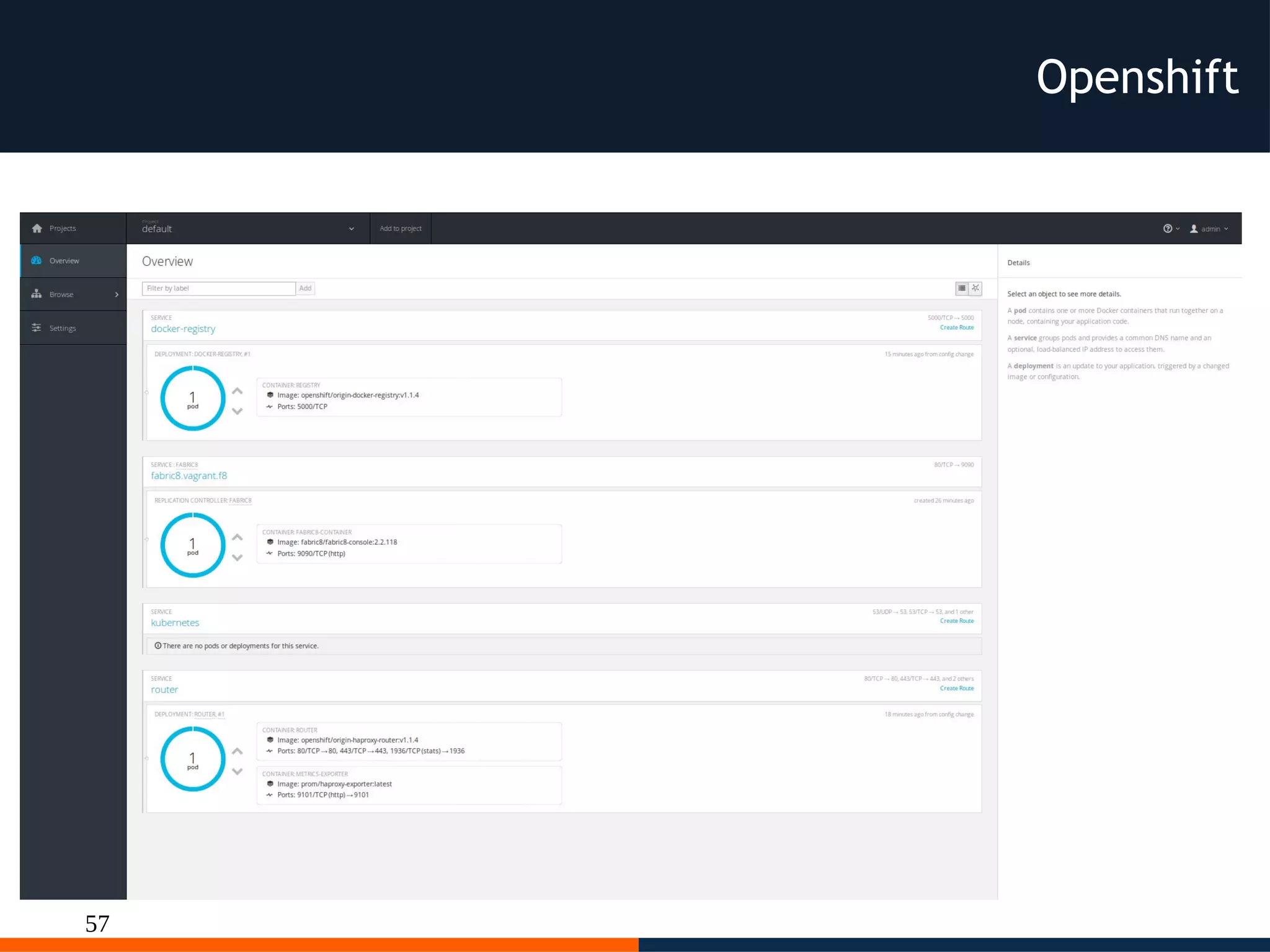
Openshift
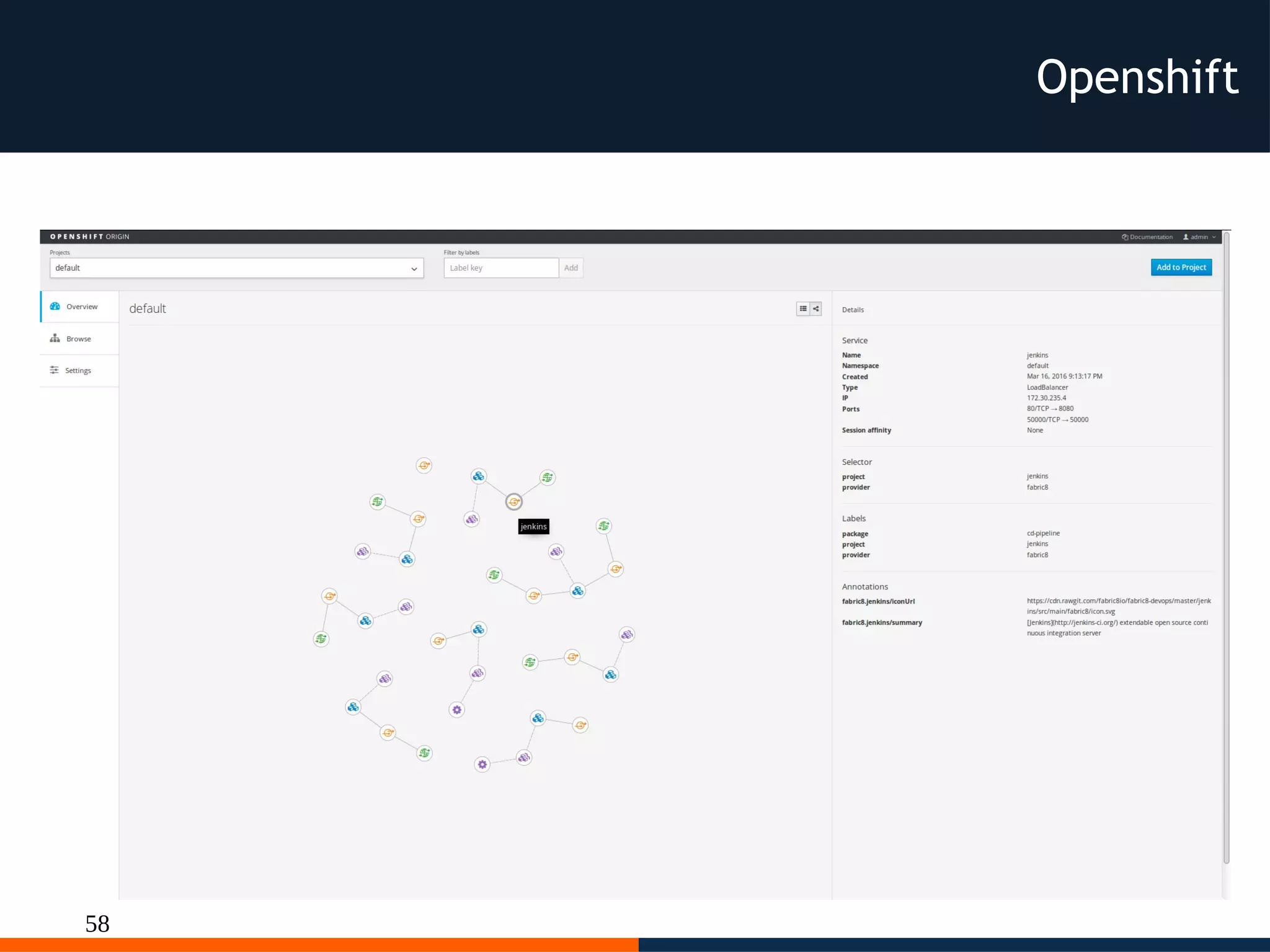
58
Openshift
59
Deployable on your local machine
60
Openshift commons
http://commons.openshift.org/index.html#colleagues
“Commons builds connections and collaboration across OpenShift
communities, projects and stakeholders. In doing so we'll enable
the success of customers, users, partners, and contributors as we
deepen our knowledge and experiences together.
Our goals go beyond code contributions. Commons is a place for
companies using OpenShift to accelerate its success and
adoption. To do this we'll act as resources for each other, share
best practices and provide a forum for peer-to-peer
communication.”
61
Openshift commons 1
http://commons.openshift.org/index.html#colleagues
62
Openshift commons 2
http://commons.openshift.org/index.html#colleagues
63
Openshift commons 3
http://commons.openshift.org/index.html#colleagues
64
Openshift commons 4
http://commons.openshift.org/index.html#colleagues
65
Openshift commons 5
http://commons.openshift.org/index.html#colleagues
66
Fabric8
Ok I like
Docker and K8s
and Openshift but…
I want a ready Paas DevOps
67
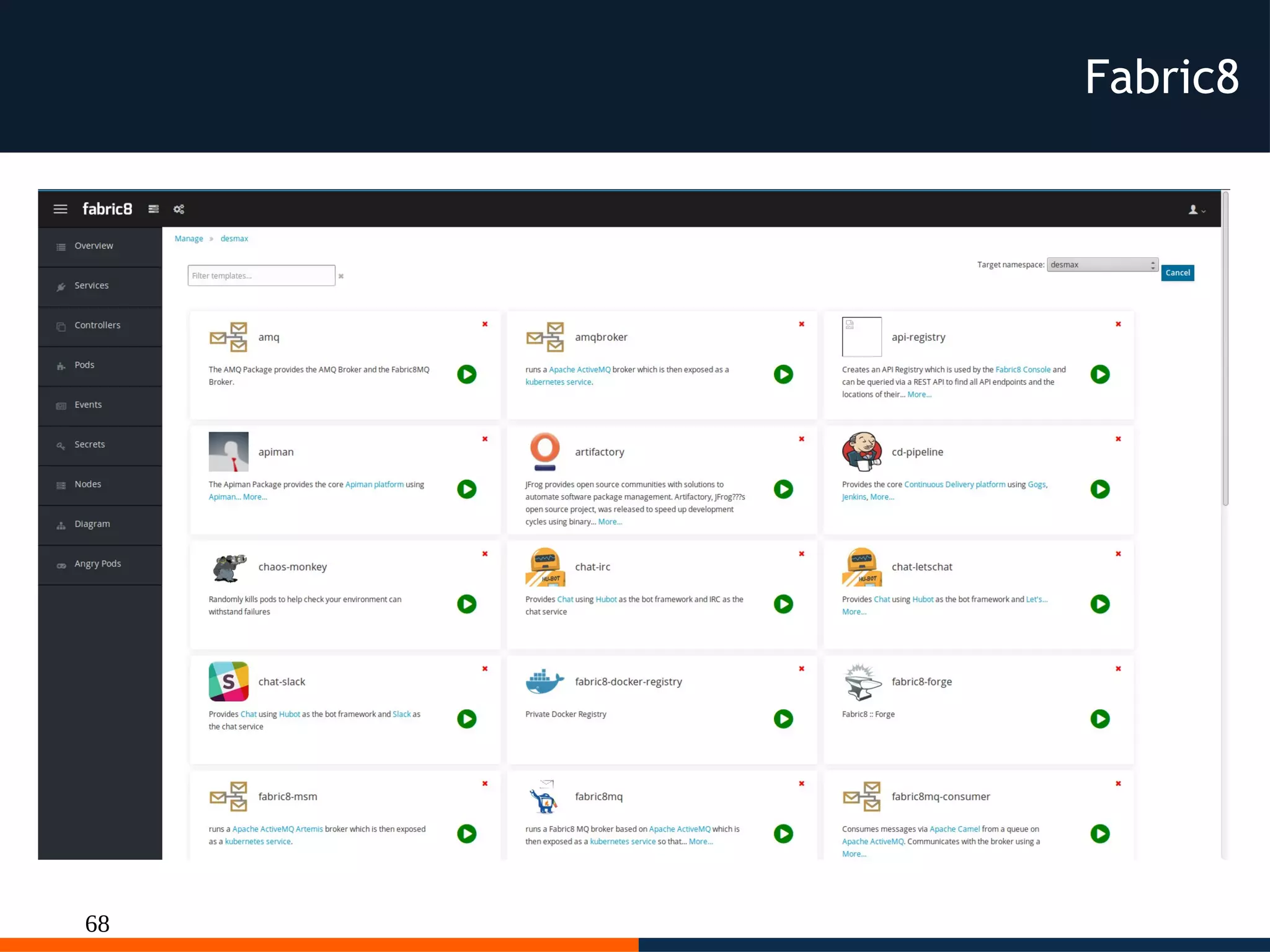
Fabric8
68
Fabric8
69
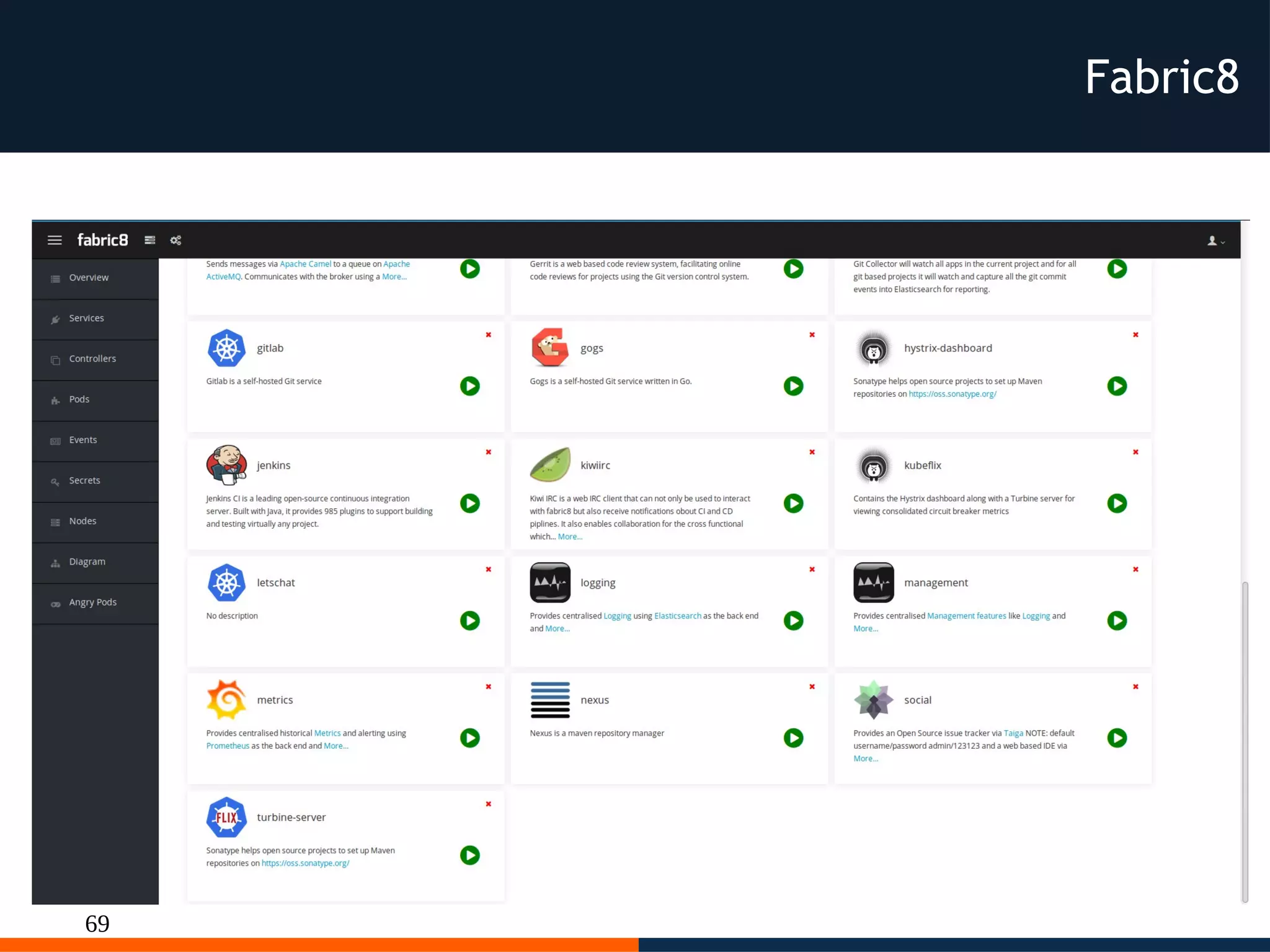
Fabric8
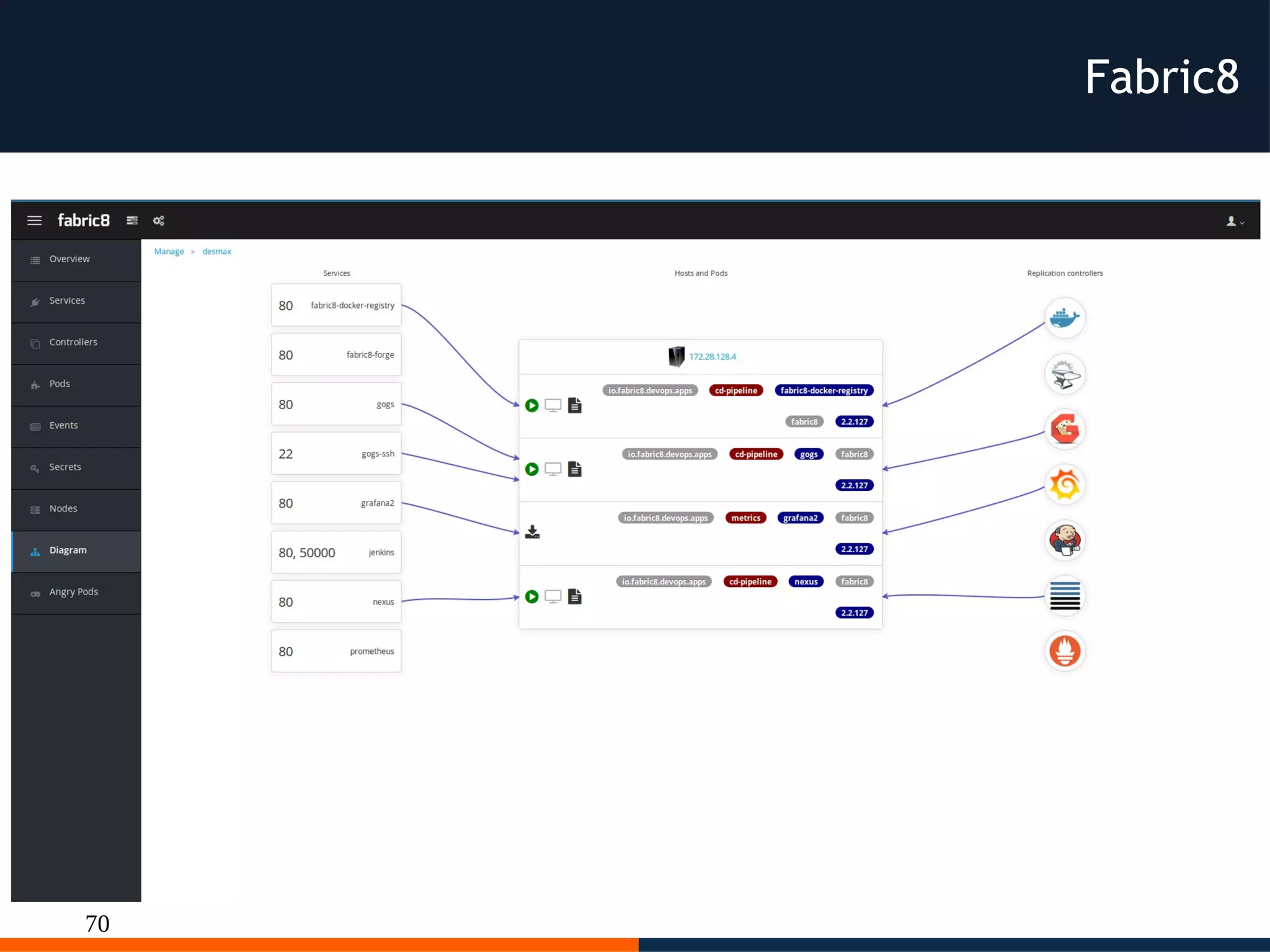
70
Fabric8
71
Fabric8
72
Q & A
73
Resources
http://www.docker.com/
http://kubernetes.io/
http://aws.amazon.com/documentation/ecs/
https://aws.amazon.com/documentation/elastic-beanstalk/
https://www.openshift.org/
http://fabric8.io/
74
Thanks!
ROME 18-19 MARCH 2016
@desmax74
http://slideshare.net/desmax74
All pictures belong
to their respective authors

Dessi docker kubernetes paas cloud

  • 1.
    Paas with Dockerand K8s Massimiliano Dessì @desmax74 ROME 18-19 MARCH 2016
  • 2.
    2 Speaker Massimiliano Dessì hasmore than 15 years of experience in programming. Manager of GDG Sardegna, Founder of SpringFramework IT, co-founder of Jug Sardegna. Author of Spring 2.5 AOP. He works in the CloudComputing and DevOps area.
  • 3.
    3 A lot ofhype around Docker FROM ubuntu:latest WORKDIR /app ADD src/github.com/<mycompany>/service1 /app/service1 EXPOSE 8080 ENTRYPOINT ["/app/service1"]
  • 4.
    4 Layered and immutableimages Copy on write model each container has its own file system and ports ...
  • 5.
    5 But the Rock& roll is when the system grows
  • 6.
    6 the rationale behinddocker http://martinfowler.com/articles/microservices.html
  • 7.
  • 8.
    8 Y Axis (FunctionalDecomposition) https://www.nginx.com/blog/introduction-to-microservices/
  • 9.
    9 X Axis (Horizontalduplication) https://www.nginx.com/blog/introduction-to-microservices/
  • 10.
    10 Z Axis (DataPartitioning) https://www.nginx.com/blog/introduction-to-microservices/
  • 11.
    11 Docker OS imagessize https://imagelayers.io
  • 12.
    12 Microservices Each microservice exposesa service and is independent, i.e. each microservices includes the “server” to expose its API to other microservices or to the outside world, this leads us to create images with small footprint as possible to optimize resources needed to scale. Micro didn't means micro endopint of a docker image with a size of n-Gigabyte.
  • 13.
    13 Docker best practice “Inalmost all cases, you should only run a single process in a single container. Decoupling applications into multiple containers makes it much easier to scale horizontally and reuse containers. If that service depends on another service, make use of container linking.” https://docs.docker.com/engine/userguide/eng-image/dockerfile_best-practices/
  • 14.
    14 Docker We can useDocker to run microservices inside containers lightweight services on Lightweight process Each microservice has its own release cycle
  • 15.
    15 Docker reduce complexity permicroservice smaller independent releases Continous Integration Continous Delivery / Deployment
  • 16.
    16 Let's see different approaches todeploy our microservices as a docker containers to understand pro and cons
  • 17.
    17 Docker on AWSECS With plain docker we can use AWS EC2 Container Service and compose our microservices
  • 18.
    18 https://github.com/aws/amazon-ecs-agent ECS Container instances areEC2 instances with an Agent installed (GO) Docker on AWS ECS
  • 19.
    19 You can composemicroservices (like docker compose) Docker on AWS ECS
  • 20.
    20 { "requiresAttributes": [], "taskDefinitionArn": "arn:aws:ecs:eu-west-1:073930265103:task-definition/console-sample-app- static:7", "status":"ACTIVE", "revision": 7, "containerDefinitions": [ { "volumesFrom": [], "memory": 300, "extraHosts": null, "dnsServers": null, "disableNetworking": null, "dnsSearchDomains": null, "portMappings": [ { "hostPort": 80, "containerPort": 80, "protocol": "tcp" } ], "hostname": null, "essential": true, "entryPoint": [ "sh", "-c" ], ... As usual on AWS every parts is configurable but not portable outside AWS Docker on AWS ECS
  • 21.
    21 "mountPoints": [], "name": "simple-app", "ulimits":null, "dockerSecurityOptions": null, "environment": [], "links": [], "workingDirectory": null, "readonlyRootFilesystem": null, "image": "httpd:2.4", "command": [ "/bin/sh -c "echo '<html> <head> <title>Amazon ECS Sample App</title> <style>body {margin-top: 40px; background-color: #333;} </style> </head><body> <div style=color:white;text- align:center> <h1>Amazon ECS Sample App</h1> <h2>Congratulations!</h2> <p>Your application is now running on a container in Amazon ECS.</p> </div></body></html>' > /usr/local/apache2/htdocs/index.html && httpd-foreground"" ], "user": null, "dockerLabels": null, "logConfiguration": null, "cpu": 10, "privileged": null, "expanded": true } ], "volumes": [], "family": "console-sample-app-static" } Docker on AWS ECS
  • 22.
    22 Approchable through sync/asyncAPI (various languages sdk available) Docker on AWS ECS
  • 23.
    23 Fully configurable throughAPI Docker on AWS ECS
  • 24.
    24 Pro of ECS: ●Fast way to deploy docker ● Cluster Cons of ECS: ● Docker is a simple agent in the EC2 instance you haven't full control ● Conf not portable ● Test only on AWS no Vagrant/Vbox to simulate two or more instances togheter outside AWS
  • 25.
    25 Docker on AWSElastic bean stalk
  • 26.
    26 Dockerrun.aws.json { "AWSEBDockerrunVersion": 2, "volumes": [ { "name":"php-app", "host": { "sourcePath": "/var/app/current/php-app" } }, { "name": "nginx-proxy-conf", "host": { "sourcePath": "/var/app/current/proxy/conf.d" } } ], "containerDefinitions": [ { "name": "php-app", "image": "php:fpm", "environment": [ { "name": "Container", "value": "PHP" } ], "essential": true, "memory": 128, "mountPoints": [ { "sourceVolume": "php-app", "containerPath": "/var/www/html", "readOnly": true } ] }, { "name": "nginx-proxy", "image": "nginx", "essential": true, "memory": 128, "portMappings": [ { "hostPort": 80, "containerPort": 80 } ], "links": [ "php-app" ], "mountPoints": [ …. ] } ] } Docker on AWS Elastic bean stalk
  • 27.
    27 Docker on AWSElastic bean stalk
  • 28.
    28 Pro of EBS: ●Fast way to deploy your stack with docker ● Windows APP Support (not related with Docker) ● Cluster Cons of EBS: ● Conf not portable ● Test only on AWS no Vagrant/Vbox to simulate two or more instances togheter outside AWS ● Not simple/clear cleanup of the resources used
  • 29.
    29 Houston we havea problem Who manages, controls, monitors and orchestrate and scales our microservices inside docker container ? AWS provides cluster group and loadbalancer but is a coarse grained solution.
  • 30.
    30 Some problems tosolve Manage: Who decides the number of containers with the same image control ? Who decides the dedicated resources for each container ? Who provide HA ? Monitor: Who checks the health of the containers Scale: Who acts as load balancer in front of the containers
  • 31.
    31 Some problems tosolve Orchestrate: Who puts the related container near each other ? Who provides the notion of app stack with containers ? Who provides endpoints ?
  • 32.
    32 Now we startto play the Rock & Roll
  • 33.
  • 34.
  • 35.
  • 36.
    36 Note Docker and Kubernetesare written in Go and are released with Open Source license, you can learn, hack and contribute every single line of code
  • 37.
    37 Names the pieces Master:Is the core of the cluster, with restful commands define our desidered cluster, it contains the API Server Scheduler: Schedule workloads in terms of Pods on the nodes. It spread pods across the cluster for matching pods replicas. Etcd: Distributed configuration store, contains the kubernetes state
  • 38.
    38 Nodes Node-n kubelet: Interact withthe API Server Kube-proxy: provides load balancing and directs the traffic to specific service to ther proper pod Pod: is the entity to aggregate related containers and the data, close in terms of network and HW. Pods allow us to logically group containers. Eaxch pods has its unique ip Address
  • 39.
    39 Node Service: Provides a reliableendpoint for the pods. A service can be implemented internally using podSelector or externally with Endpoints. Each service has its unique ip address. Services are visible internally and can be exposed externally ReplicationController: Manage the number of nodes of the pods and Container included to satisfy the desidered number in the conf.
  • 40.
    40 We interact withkubernetes throught UI or with kubectl kubectl create -f mysql-pod.yaml kubectl create -f mysql-service.yaml kubectl create -f wildfly-rc.yaml kubectl get pods kubectl get services kubectl get replicationcontrollers … http://kubernetes.io/docs/user-guide/kubectl/kubectl/
  • 41.
    41 Javaee yaml apiVersion: v1 kind:Service metadata: name: mysql-service labels: name: mysql-pod context: docker-k8s-lab spec: ports: # the port that this service should serve on - port: 3306 # label keys and values that must match in order to receive traffic for this service selector: name: mysql-pod context: docker-k8s-lab apiVersion: v1 kind: ReplicationController metadata: name: wildfly-rc labels: name: wildfly context: docker-k8s-lab spec: replicas: 1 template: metadata: labels: name: wildfly spec: containers: - name: wildfly-rc-pod image: arungupta/wildfly-mysql- javaee7:k8s ports: - containerPort: 8080
  • 42.
    42 nginx-pod.yaml apiVersion: v1 kind: Pod metadata: name:mysql-pod labels: name: mysql-pod context: docker-k8s-lab spec: containers: - name: mysql image: mysql:latest env: - name: "MYSQL_USER" value: "mysql" - name: "MYSQL_PASSWORD" value: "mysql" - name: "MYSQL_DATABASE" value: "sample" - name: "MYSQL_ROOT_PASSWORD" value: "supersecret" ports: - containerPort: 3306
  • 43.
    43 Ephemereal Docker container areephemeral, You can use a persistent volume, but if a POD is removed the persistent volume will be deleted. On AWS we can use Elastic Block Store
  • 44.
    44 Volumes apiVersion: v1 kind: Pod metadata: name:test-aws Spec: containers: - image: nginx:latest ports: - containerPort: 80 name: test-aws volumeMounts: - mountPath: /usr/share/nginx/html name: aws-pd volumes: - name: aws-pd awsElasticBlockStore: volumeID: aws://<availability-zone>/<volume-id> fsType: ext4 Volume types available : EmptyDir, hostPath, gcePersistentDisk, awsElasticBlockStore, nfs, iscsi, flocker, glusterfs, rbd, GitRepo, secret, persistentVolumeClaim
  • 45.
    45 Multitenancy By default thenamespaces created in kubernetes are kube-system for system level containers default for the containers created by the user We can create other namespaces with apiVersion: v1 kind: Namespace metadata: name: test
  • 46.
    46 Multitenancy Now we canuse this fresh namespace for new pods apiVersion: v1 kind: Pod metadata: name: utility namespace: test spec: containers: - image: debian:latest command: - sleep - "3600" name: utility <service-name>.<namespace-name>.cluster.local The pod can access services in other namespace but with using this naming
  • 47.
    47 Scaling When your applicationneeds more resources you can Add resources, not deleting Replication controller and related pods, but adding other pods. First we ask number of the pods kubectl get pods-l name=<pod_name> And then increase kubectl scale –replicas=<desidered-number> rc/<pod-name>
  • 48.
    48 Dev on K8s Writecode Put code/artifact into docker image Write kubernetes metadata Apply the metadata Choose size and updates when you need
  • 49.
  • 50.
    50 Pro of Kubernetes: ●Open Source (Golang)/Community ● Tested (former Google Borg Project) ● Deployable on bare metal or public Cloud public (AWS, GCE, Azure) or private Cloud or virtualized env with VMWare vSphere
  • 51.
    51 Pro of Kubernetes(continuation): ● Testable locally with Vagrant and virtual machines ● Portable configurations (pods/service/controllers) ● Dashboard, Grafana, Metrics
  • 52.
    52 Pro of Kubernetes: Undercontrol of two foundations i.e standard (containers) (orchestration)
  • 53.
    53 The Open ContainerInitiative is a lightweight, open governance structure, formed under the auspices of the Linux Foundation, for the express purpose of creating open industry standards around container formats and runtime. ... Docker is donating its container format and runtime, runC, to the OCI to serve as the cornerstone of this new effort. It is available now at https://github.com/opencontainers/runc. Open Container initiative (OCI) https://www.opencontainers.org/ https://github.com/opencontainers/specs
  • 54.
    54 The Cloud NativeComputing Foundation’s mission is to create and drive the adoption of a new computing paradigm that is optimized for modern distributed systems environments. Cloud native Initiative Foundation (CNCF) https://cncf.io
  • 55.
    55 K8s add on OkI like Docker and K8s but I want more
  • 56.
    56 K8s add on Docker& K8s with Devops tool, deployable everywhere, included notebook with Vagrant and Virtualbox (included a commercial version)
  • 57.
  • 58.
  • 59.
    59 Deployable on yourlocal machine
  • 60.
    60 Openshift commons http://commons.openshift.org/index.html#colleagues “Commons buildsconnections and collaboration across OpenShift communities, projects and stakeholders. In doing so we'll enable the success of customers, users, partners, and contributors as we deepen our knowledge and experiences together. Our goals go beyond code contributions. Commons is a place for companies using OpenShift to accelerate its success and adoption. To do this we'll act as resources for each other, share best practices and provide a forum for peer-to-peer communication.”
  • 61.
  • 62.
  • 63.
  • 64.
  • 65.
  • 66.
    66 Fabric8 Ok I like Dockerand K8s and Openshift but… I want a ready Paas DevOps
  • 67.
  • 68.
  • 69.
  • 70.
  • 71.
  • 72.
  • 73.
  • 74.
    74 Thanks! ROME 18-19 MARCH2016 @desmax74 http://slideshare.net/desmax74 All pictures belong to their respective authors