

www.diigo.com
“It is not a metaphorical stretch to argue that
computers, networks, and our methods of
accessing information online have become
“outboard” brains—at least the part of the
brain that catalogs and stores information.”
Nov. 2008 – Institute For The Future
*References listed on the last slide.
http
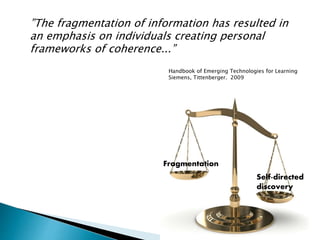
”The fragmentation of information has resulted in
an emphasis on individuals creating personal
frameworks of coherence...”
Fragmentation
Self-directed
discovery
Handbook of Emerging Technologies for Learning
Siemens, Tittenberger. 2009
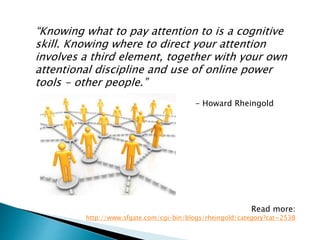
“Knowing what to pay attention to is a cognitive
skill. Knowing where to direct your attention
involves a third element, together with your own
attentional discipline and use of online power
tools - other people.”
- Howard Rheingold
Read more:
http://www.sfgate.com/cgi-bin/blogs/rheingold/category?cat=2538
Keynote yesterday:
New Universe has the user at the center:
BELONG
CREATE
UNDERSTAND
Explosion of innovation, experimentation,
disruption
Traditional assignments might not work. Need
to emphasize process…
Sandbox and scaffold space
• create their own “libraries” (personal learning
networks)
• train information to find them (Groups)
• use their contacts, friends, connections to expand
their spheres of knowledge
• use Diigo community to judge credibility of
information
• share and collaborate to solve problems (crowd
sourcing)
• reflect on and track their own learning
• interact with tools that expand their mental capacities
• learn to share as much they consume (feed forward)
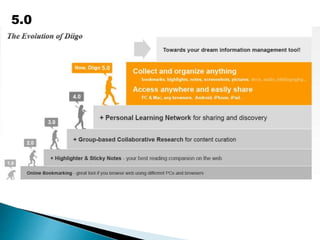
5.0
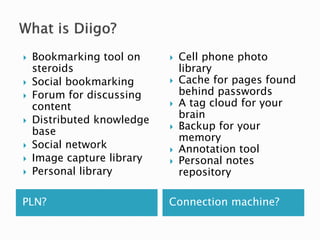
PLN? Connection machine?
 Bookmarking tool on
steroids
 Social bookmarking
 Forum for discussing
content
 Distributed knowledge
base
 Social network
 Image capture library
 Personal library
 Cell phone photo
library
 Cache for pages found
behind passwords
 A tag cloud for your
brain
 Backup for your
memory
 Annotation tool
 Personal notes
repository
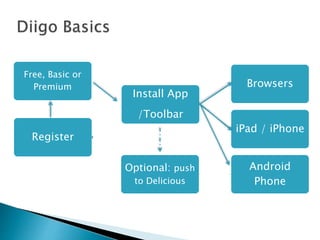
Register
Install App
/Toolbar
Browsers
iPad / iPhone
Optional: push
to Delicious
Android
Phone
Free, Basic or
Premium
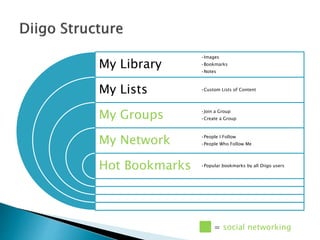
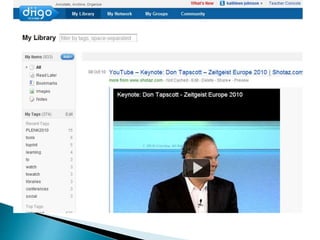
My Library
My Lists
My Groups
My Network
Hot Bookmarks
•Images
•Bookmarks
•Notes
•Custom Lists of Content
•Join a Group
•Create a Group
•People I Follow
•People Who Follow Me
•Popular bookmarks by all Diigo users
= social networking
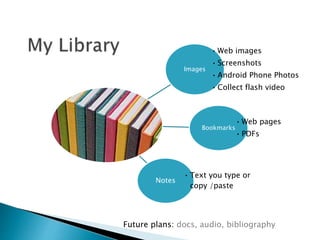
Images
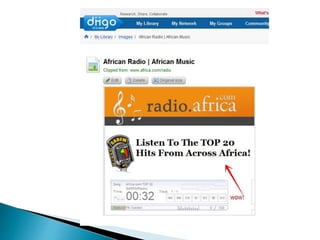
• Web images
• Screenshots
• Android Phone Photos
• Collect flash video
Bookmarks
• Web pages
• PDFs
Notes
• Text you type or
copy /paste
Future plans: docs, audio, bibliography
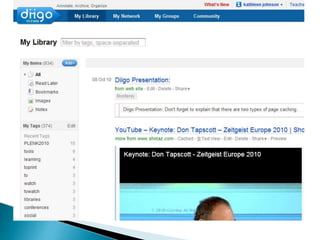
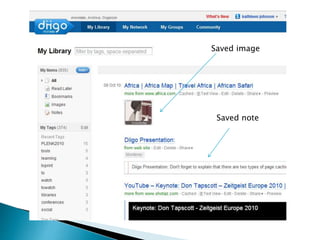
Saved image
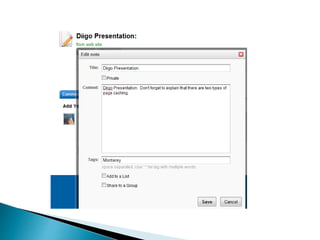
Saved note
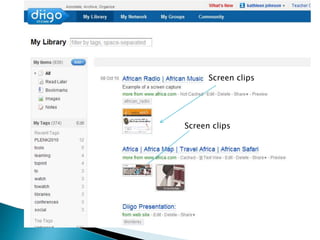
Screen clips
Screen clips
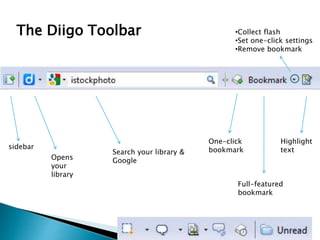
The Diigo Toolbar
sidebar
Opens
your
library
Search your library &
Google
One-click
bookmark
Full-featured
bookmark
Highlight
text
•Collect flash
•Set one-click settings
•Remove bookmark
.a
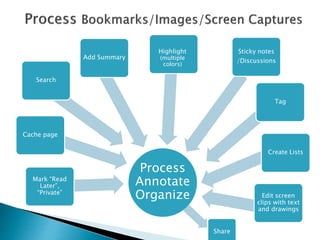
Process
Annotate
Organize
Mark “Read
Later”,
“Private”
Cache page
Add Summary
Highlight
(multiple
colors)
Sticky notes
/Discussions
Tag
Edit screen
clips with text
and drawings
Share
Search
Create Lists
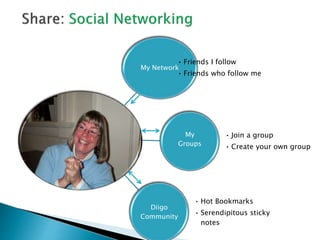
My Network
• Friends I follow
• Friends who follow me
My
Groups
• Join a group
• Create your own group
Diigo
Community
• Hot Bookmarks
• Serendipitous sticky
notes
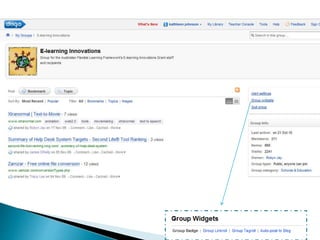
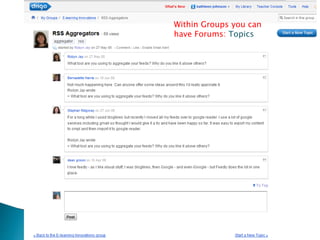
Within Groups you can
have Forums: Topics
.
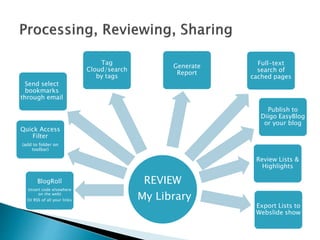
REVIEW
My Library
BlogRoll
(insert code elsewhere
on the web)
Or RSS of all your links
Quick Access
Filter
(add to folder on
toolbar)
Tag
Cloud/search
by tags
Generate
Report
Full-text
search of
cached pages
Review Lists &
Highlights
Export Lists to
Webslide show
Publish to
Diigo EasyBlog
or your blog
Send select
bookmarks
through email
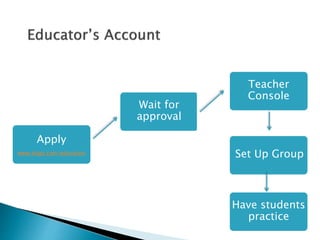
Apply
www.diigo.com/education
Wait for
approval
Teacher
Console
xx
Have students
practice
Set Up Group
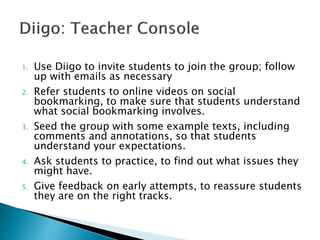
1. Use Diigo to invite students to join the group; follow
up with emails as necessary
2. Refer students to online videos on social
bookmarking, to make sure that students understand
what social bookmarking involves.
3. Seed the group with some example texts, including
comments and annotations, so that students
understand your expectations.
4. Ask students to practice, to find out what issues they
might have.
5. Give feedback on early attempts, to reassure students
they are on the right tracks.
 Students of the same class are automatically set up
as a Diigo group and given all the functionality of a
group.
 Student privacy settings are pre-set so that only
teachers and classmates can communicate with
them.
 Ads limited to education-related sponsors and
private groups not available to search engines.
 Classmates in the same class are automatically
added as friends with one another to facilitate
communication, but students cannot add anyone
else as friends except through email.
 Students can only communicate with their friends
and teachers. No one except their friends can send
message, group invite, or write on their profile
wall.
 Student profiles will not be indexed for People
Search, nor made available to public search
engines.
Affordances can be described as
the possibilities they offer
to people that might use them.
Diigo opportunities for students:
•Contained space to allow students to practice being
at the center of their information universe.
•A sandbox for self-directed learning.
•Practice collaborating with a team.
•Practice group discovery.
•Crowd source authority.
•Tame web fragmentation.
 Develop proficiency with the tools of technology
 Build relationships with others to pose and solve
problems collaboratively and cross-culturally
 Design and share information for global
communities to meet a variety of purposes
 Manage, analyze and synthesize multiple streams
of simultaneous information
 Create, critique, analyze, and evaluate multi-
media texts
 Attend to the ethical responsibilities required by
these complex environments
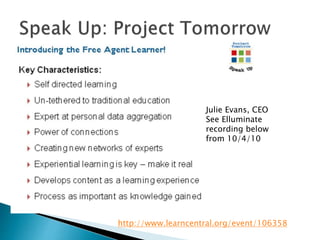
http://www.learncentral.org/event/106358
Julie Evans, CEO
See Elluminate
recording below
from 10/4/10
 Design curriculum to optimize the value of
building a network, building connections
 Learn by creating and connecting
 Practice pattern recognition & meaning making
 Learn to filter
 Discover and uncover collective intelligence
 Networks are the language of our times but our
institutions are not yet built to understand them
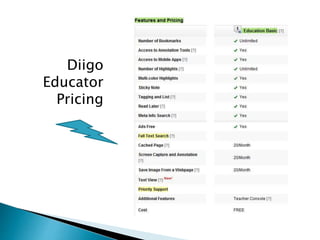
Diigo
Educator
Pricing
 www.diigo.com/help/
 Pang, Alex. Knowledge Tools of the Future. Institute for the
Future, 2008. Accessed 10/12/10:
http://www.iftf.org/node/2404
 Siemens, G., & Tittenberger, P. (2009). Handbook of emerging
technologies for learning. Winnipeg, MB: University of
Manitoba.
 Davidson, C. N., & Goldberg, D. T. (2010). The future of
thinking: Learning institutions in a digital age. Cambridge,
Mass: MIT Press.
 Siemens, G. (2004). Connectivism: A Learning Theory for the
Digital Age. Accessed 10/19/10:
http://www.elearnspace.org/Articles/connectivism.htm
Bonus Content
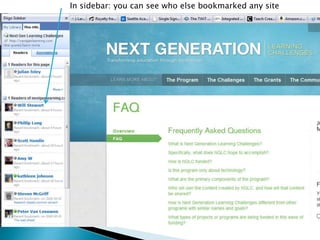
In sidebar: you can see who else bookmarked any site
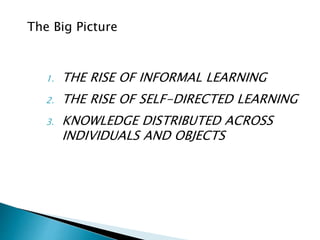
1. THE RISE OF INFORMAL LEARNING
2. THE RISE OF SELF-DIRECTED LEARNING
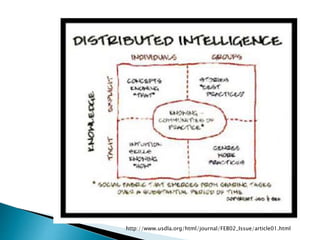
3. KNOWLEDGE DISTRIBUTED ACROSS
INDIVIDUALS AND OBJECTS
The Big Picture
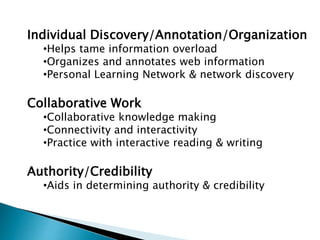
Individual Discovery/Annotation/Organization
•Helps tame information overload
•Organizes and annotates web information
•Personal Learning Network & network discovery
Collaborative Work
•Collaborative knowledge making
•Connectivity and interactivity
•Practice with interactive reading & writing
Authority/Credibility
•Aids in determining authority & credibility
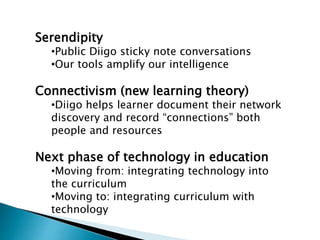
Serendipity
•Public Diigo sticky note conversations
•Our tools amplify our intelligence
Connectivism (new learning theory)
•Diigo helps learner document their network
discovery and record “connections” both
people and resources
Next phase of technology in education
•Moving from: integrating technology into
the curriculum
•Moving to: integrating curriculum with
technology
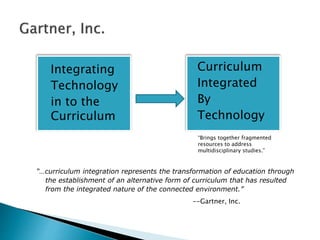
“…curriculum integration represents the transformation of education through
the establishment of an alternative form of curriculum that has resulted
from the integrated nature of the connected environment.”
--Gartner, Inc.
• Integrating
Technology
• in to the
Curriculum
• Curriculum
• Integrated
• By
• Technology
“Brings together fragmented
resources to address
multidisciplinary studies.”
We need, first, to take charge of our own learning, and next, help
others take charge of their own learning. We need to move beyond
the idea that an education is something that is provided for us, and
toward the idea that an education is something that we create for
ourselves. It is time, in other words, that we change out attitude
toward learning and the educational system in general.
That is not to advocate throwing learners off the bus to fend for
themselves. It is hard to be self-reliant, to take charge of one's
own learning, and people shouldn't have to do it alone. It is instead
to articulate a way we as a society approach education and
learning, beginning with an attitude, though the development of
supports and a system, through to the techniques and
technologies that support that.
- Stephen Downes, October 18, 2010
http://www.huffingtonpost.com/stephen-downes/a-world-to-change_b_762738.html
http://www.usdla.org/html/journal/FEB02_Issue/article01.html
PROPOSAL – Duke University – Comments Welcome
MASTERS in Knowledge and Networks
“We believe that knowledge in the Information Age is not a one-way transmission
from expert to learner but is constantly interactive and never stops. We believe that
knowledge in the classroom must extend beyond those walls and must bring the
knowledge in communities back into the academy as well. We believe that deep
knowledge of historical processes, in-depth understanding of context and culture,
and sustained critical thinking need to be combined with real-world project
management, collaboration, and sophisticated technology and social media skills in
order to prepare students for the challenges of a changing world and a twenty-first
century workplace.”
http://hastacblogs.org/duke/makn/ma-in-knowledge-and-networks/
DRAFT posted on CommentPress
Media theorist and practitioner Howard Rheingold has talked
about four “Twenty-first Century Literacies”
— attention
— participation
— collaboration
— network awareness
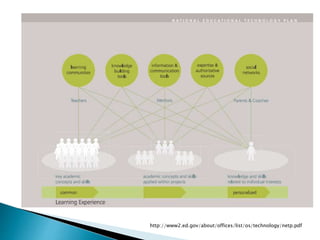
http://www2.ed.gov/about/offices/list/os/technology/netp.pdf

Diigo – Your Outboard Brain

  • 1.
  • 2.
    “It is nota metaphorical stretch to argue that computers, networks, and our methods of accessing information online have become “outboard” brains—at least the part of the brain that catalogs and stores information.” Nov. 2008 – Institute For The Future *References listed on the last slide.
  • 4.
  • 6.
    ”The fragmentation ofinformation has resulted in an emphasis on individuals creating personal frameworks of coherence...” Fragmentation Self-directed discovery Handbook of Emerging Technologies for Learning Siemens, Tittenberger. 2009
  • 7.
    “Knowing what topay attention to is a cognitive skill. Knowing where to direct your attention involves a third element, together with your own attentional discipline and use of online power tools - other people.” - Howard Rheingold Read more: http://www.sfgate.com/cgi-bin/blogs/rheingold/category?cat=2538
  • 8.
    Keynote yesterday: New Universehas the user at the center: BELONG CREATE UNDERSTAND Explosion of innovation, experimentation, disruption Traditional assignments might not work. Need to emphasize process…
  • 9.
    Sandbox and scaffoldspace • create their own “libraries” (personal learning networks) • train information to find them (Groups) • use their contacts, friends, connections to expand their spheres of knowledge • use Diigo community to judge credibility of information • share and collaborate to solve problems (crowd sourcing) • reflect on and track their own learning • interact with tools that expand their mental capacities • learn to share as much they consume (feed forward)
  • 10.
  • 11.
    PLN? Connection machine? Bookmarking tool on steroids  Social bookmarking  Forum for discussing content  Distributed knowledge base  Social network  Image capture library  Personal library  Cell phone photo library  Cache for pages found behind passwords  A tag cloud for your brain  Backup for your memory  Annotation tool  Personal notes repository
  • 12.
    Register Install App /Toolbar Browsers iPad /iPhone Optional: push to Delicious Android Phone Free, Basic or Premium
  • 13.
    My Library My Lists MyGroups My Network Hot Bookmarks •Images •Bookmarks •Notes •Custom Lists of Content •Join a Group •Create a Group •People I Follow •People Who Follow Me •Popular bookmarks by all Diigo users = social networking
  • 14.
    Images • Web images •Screenshots • Android Phone Photos • Collect flash video Bookmarks • Web pages • PDFs Notes • Text you type or copy /paste Future plans: docs, audio, bibliography
  • 18.
  • 19.
  • 21.
    The Diigo Toolbar sidebar Opens your library Searchyour library & Google One-click bookmark Full-featured bookmark Highlight text •Collect flash •Set one-click settings •Remove bookmark
  • 22.
    .a Process Annotate Organize Mark “Read Later”, “Private” Cache page AddSummary Highlight (multiple colors) Sticky notes /Discussions Tag Edit screen clips with text and drawings Share Search Create Lists
  • 23.
    My Network • FriendsI follow • Friends who follow me My Groups • Join a group • Create your own group Diigo Community • Hot Bookmarks • Serendipitous sticky notes
  • 26.
    Within Groups youcan have Forums: Topics
  • 27.
    . REVIEW My Library BlogRoll (insert codeelsewhere on the web) Or RSS of all your links Quick Access Filter (add to folder on toolbar) Tag Cloud/search by tags Generate Report Full-text search of cached pages Review Lists & Highlights Export Lists to Webslide show Publish to Diigo EasyBlog or your blog Send select bookmarks through email
  • 28.
  • 29.
    1. Use Diigoto invite students to join the group; follow up with emails as necessary 2. Refer students to online videos on social bookmarking, to make sure that students understand what social bookmarking involves. 3. Seed the group with some example texts, including comments and annotations, so that students understand your expectations. 4. Ask students to practice, to find out what issues they might have. 5. Give feedback on early attempts, to reassure students they are on the right tracks.
  • 30.
     Students ofthe same class are automatically set up as a Diigo group and given all the functionality of a group.  Student privacy settings are pre-set so that only teachers and classmates can communicate with them.  Ads limited to education-related sponsors and private groups not available to search engines.
  • 31.
     Classmates inthe same class are automatically added as friends with one another to facilitate communication, but students cannot add anyone else as friends except through email.  Students can only communicate with their friends and teachers. No one except their friends can send message, group invite, or write on their profile wall.  Student profiles will not be indexed for People Search, nor made available to public search engines.
  • 32.
    Affordances can bedescribed as the possibilities they offer to people that might use them.
  • 33.
    Diigo opportunities forstudents: •Contained space to allow students to practice being at the center of their information universe. •A sandbox for self-directed learning. •Practice collaborating with a team. •Practice group discovery. •Crowd source authority. •Tame web fragmentation.
  • 36.
     Develop proficiencywith the tools of technology  Build relationships with others to pose and solve problems collaboratively and cross-culturally  Design and share information for global communities to meet a variety of purposes  Manage, analyze and synthesize multiple streams of simultaneous information  Create, critique, analyze, and evaluate multi- media texts  Attend to the ethical responsibilities required by these complex environments
  • 37.
  • 38.
     Design curriculumto optimize the value of building a network, building connections  Learn by creating and connecting  Practice pattern recognition & meaning making  Learn to filter  Discover and uncover collective intelligence  Networks are the language of our times but our institutions are not yet built to understand them
  • 39.
  • 40.
     www.diigo.com/help/  Pang,Alex. Knowledge Tools of the Future. Institute for the Future, 2008. Accessed 10/12/10: http://www.iftf.org/node/2404  Siemens, G., & Tittenberger, P. (2009). Handbook of emerging technologies for learning. Winnipeg, MB: University of Manitoba.  Davidson, C. N., & Goldberg, D. T. (2010). The future of thinking: Learning institutions in a digital age. Cambridge, Mass: MIT Press.  Siemens, G. (2004). Connectivism: A Learning Theory for the Digital Age. Accessed 10/19/10: http://www.elearnspace.org/Articles/connectivism.htm
  • 41.
  • 42.
    In sidebar: youcan see who else bookmarked any site
  • 43.
    1. THE RISEOF INFORMAL LEARNING 2. THE RISE OF SELF-DIRECTED LEARNING 3. KNOWLEDGE DISTRIBUTED ACROSS INDIVIDUALS AND OBJECTS The Big Picture
  • 44.
    Individual Discovery/Annotation/Organization •Helps tameinformation overload •Organizes and annotates web information •Personal Learning Network & network discovery Collaborative Work •Collaborative knowledge making •Connectivity and interactivity •Practice with interactive reading & writing Authority/Credibility •Aids in determining authority & credibility
  • 45.
    Serendipity •Public Diigo stickynote conversations •Our tools amplify our intelligence Connectivism (new learning theory) •Diigo helps learner document their network discovery and record “connections” both people and resources Next phase of technology in education •Moving from: integrating technology into the curriculum •Moving to: integrating curriculum with technology
  • 46.
    “…curriculum integration representsthe transformation of education through the establishment of an alternative form of curriculum that has resulted from the integrated nature of the connected environment.” --Gartner, Inc. • Integrating Technology • in to the Curriculum • Curriculum • Integrated • By • Technology “Brings together fragmented resources to address multidisciplinary studies.”
  • 47.
    We need, first,to take charge of our own learning, and next, help others take charge of their own learning. We need to move beyond the idea that an education is something that is provided for us, and toward the idea that an education is something that we create for ourselves. It is time, in other words, that we change out attitude toward learning and the educational system in general. That is not to advocate throwing learners off the bus to fend for themselves. It is hard to be self-reliant, to take charge of one's own learning, and people shouldn't have to do it alone. It is instead to articulate a way we as a society approach education and learning, beginning with an attitude, though the development of supports and a system, through to the techniques and technologies that support that. - Stephen Downes, October 18, 2010 http://www.huffingtonpost.com/stephen-downes/a-world-to-change_b_762738.html
  • 48.
  • 49.
  • 50.
    PROPOSAL – DukeUniversity – Comments Welcome MASTERS in Knowledge and Networks “We believe that knowledge in the Information Age is not a one-way transmission from expert to learner but is constantly interactive and never stops. We believe that knowledge in the classroom must extend beyond those walls and must bring the knowledge in communities back into the academy as well. We believe that deep knowledge of historical processes, in-depth understanding of context and culture, and sustained critical thinking need to be combined with real-world project management, collaboration, and sophisticated technology and social media skills in order to prepare students for the challenges of a changing world and a twenty-first century workplace.” http://hastacblogs.org/duke/makn/ma-in-knowledge-and-networks/ DRAFT posted on CommentPress
  • 51.
    Media theorist andpractitioner Howard Rheingold has talked about four “Twenty-first Century Literacies” — attention — participation — collaboration — network awareness
  • 52.

Editor's Notes

  • #3 Diigo: amplifies our learning, serves as a storage repository of information
  • #4 Linear; static; orderly
  • #5 Along came 4 letters that turned our world upside down; a little protocol;
  • #6 finer granularity; fragmentation BUT we tend to forget this -- as individuals we gained the ability to navigate our own paths through knowledge
  • #7 TRADE OFF: The learner has been empowered but still struggles with complexity and chaos and info overload.
  • #8 Infotention, great CMAP
  • #10 Keynote: new Universe has the user at the center BELONG CREATE UNDERSTAND
  • #11 Responsive to
  • #12 robus
  • #13 General more robust than delicious ( but you can push to Delicious as well… )
  • #16 TIP: when saving flash look for very tiny tiny slice of text that will say “Collect”
  • #28 Easy blog - What is an EasyBlog? Diigo's EasyBlog feature allows users to have a simple personal blog with minimal effort. Based on Diigo's flexible internal messaging system, selected readings with your annotations and conversations with friends can be turned into blog posts with just one-click. This is a great way to share the best of the best you have found on the web.