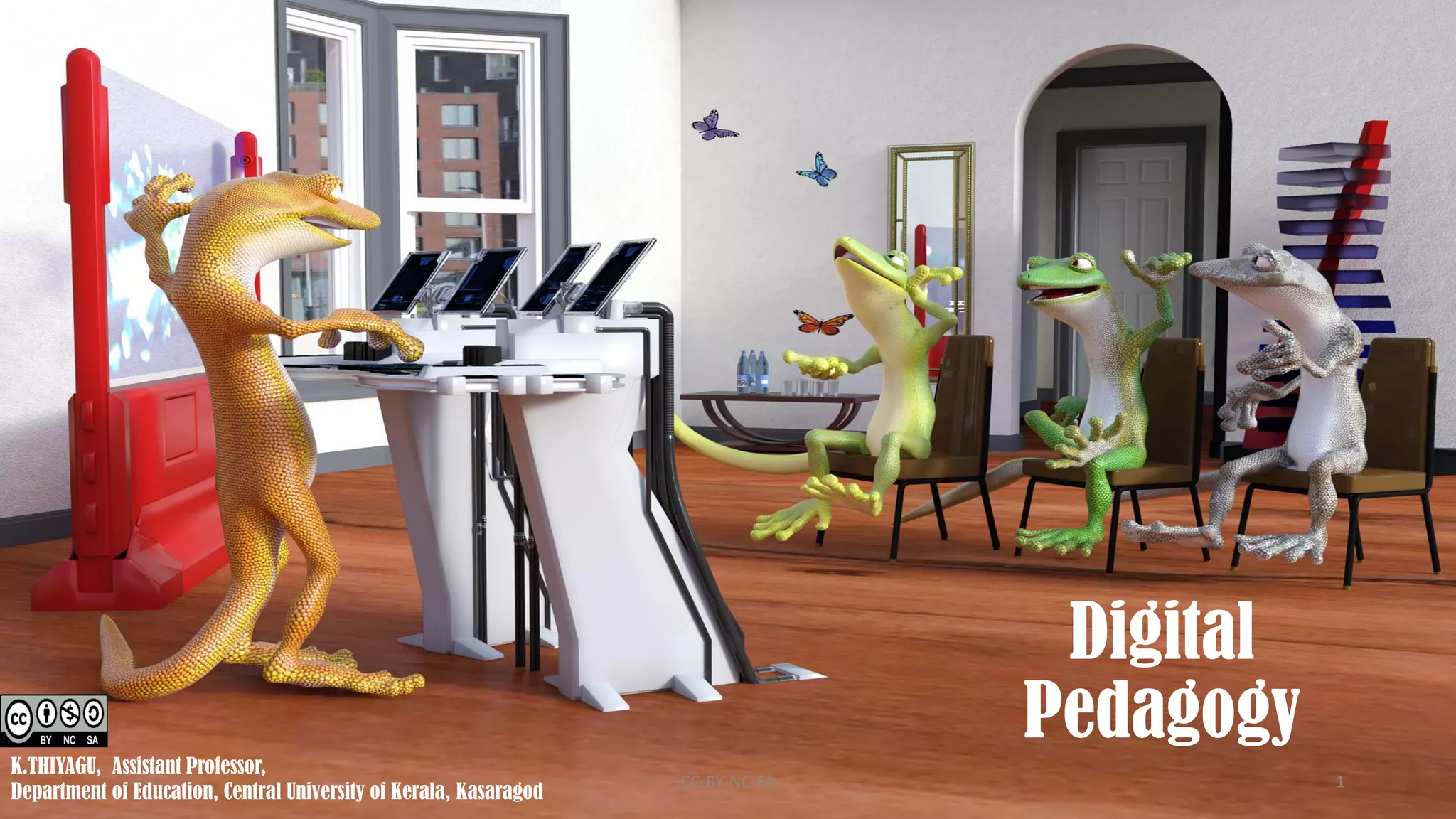
Digital
Pedagogy
K.THIYAGU, Assistant Professor,
Department of Education, Central University of Kerala, Kasaragod
CC-BY-NC-SA 1
• Startup
• Digital Literacy Pyramid
• Digital Teaching Model
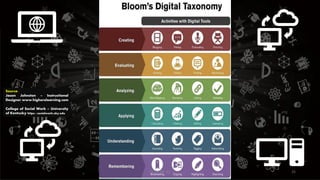
• Bloom’s Digital Taxonomy
• Digi Tech
• Effective Digital Learning
• Final Remarks
CC-BY-NC-SA 2
OFF
ON
OFF to ON
CC-BY-NC-SA 3
CC-BY-NC-SA 4
CC-BY-NC-SA 5
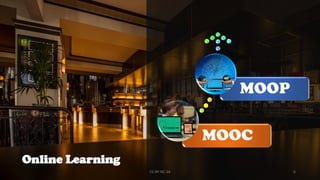
MOOC
MOOP
Online Learning
CC-BY-NC-SA 6
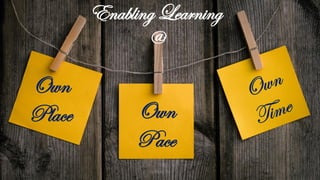
Enabling Learning
@
Own
Place Own
Pace
CC-BY-NC-SA 7
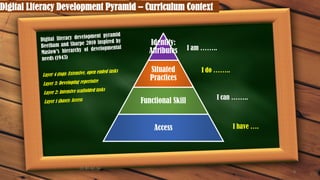
Digital Literacy Development Pyramid – Curriculum Context
8
Identity:
Attributes
Situated
Practices
Functional Skill
Access
I am ……..
I do ……..
I can ……..
I have ….
CC-BY-NC-SA
Models of Digital Teaching
CC-BY-NC-SA 9
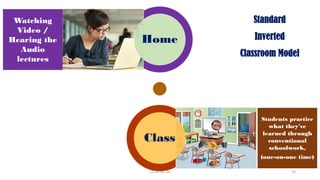
Home
Class
Watching
Video /
Hearing the
Audio
lectures
Students practice
what they've
learned through
conventional
schoolwork,
(one-on-one time)
Standard
Inverted
Classroom Model
CC-BY-NC-SA 10
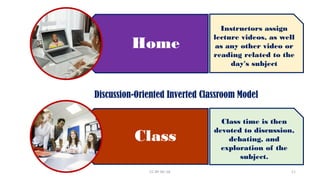
Home
Class
Instructors assign
lecture videos, as well
as any other video or
reading related to the
day's subject
Class time is then
devoted to discussion,
debating, and
exploration of the
subject.
Discussion-Oriented Inverted Classroom Model
CC-BY-NC-SA 11
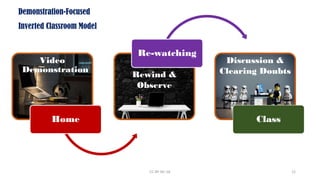
Video
Demonstration
Home
Rewind &
Observe
Re-watching
Discussion &
Clearing Doubts
Class
Demonstration-Focused
Inverted Classroom Model
CC-BY-NC-SA 12
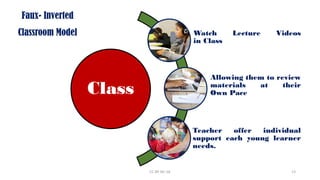
Class
Watch Lecture Videos
in Class
Allowing them to review
materials at their
Own Pace
Teacher offer individual
support each young learner
needs.
Faux- Inverted
Classroom Model
CC-BY-NC-SA 13
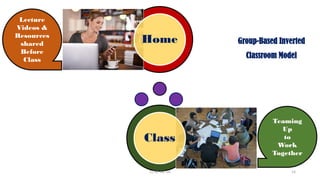
Home
Class
Lecture
Videos &
Resources
shared
Before
Class
Teaming
Up
to
Work
Together
Group-Based Inverted
Classroom Model
CC-BY-NC-SA 14
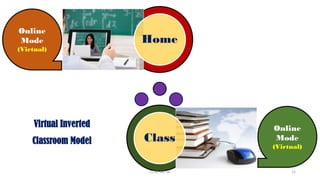
Home
Class
Online
Mode
(Virtual)
Online
Mode
(Virtual)
Virtual Inverted
Classroom Model
CC-BY-NC-SA 15
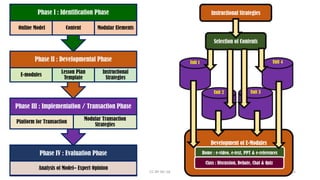
Phase IV : Evaluation Phase
Analysis of Model– Expert Opinion
Phase III : Implementation / Transaction Phase
Platform for Transaction
Modular Transaction
Strategies
Phase II : Developmental Phase
E-modules
Lesson Plan
Template
Instructional
Strategies
Phase I : Identification Phase
Online Model Content Modular Elements
Instructional Strategies
Selection of Contents
Unit 1 Unit 4
Unit 2 Unit 3
Development of E-Modules
Home : e-video, e-text, PPT & e-references
Class : Discussion, Debate, Chat & Quiz
CC-BY-NC-SA 16
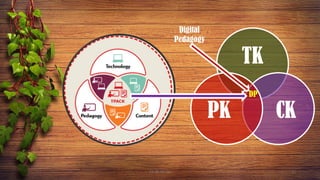
TK
CK
PK
Digital
Pedagogy
DP
CC-BY-NC-SA 17
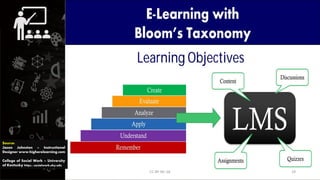
Source:
Jason Johnston – Instructional
Designer www.higherelearning.com
College of Social Work – University
of Kentucky https://socialwork.uky.edu
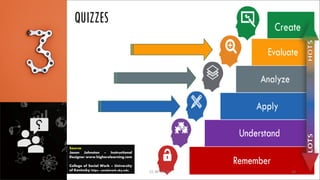
CC-BY-NC-SA 18
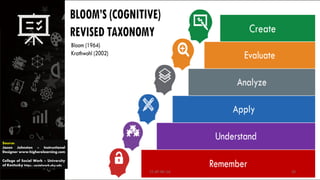
Source:
Jason Johnston – Instructional
Designer www.higherelearning.com
College of Social Work – University
of Kentucky https://socialwork.uky.edu
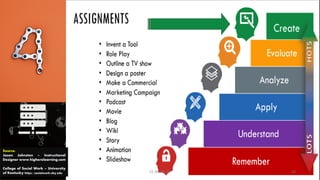
CC-BY-NC-SA 19
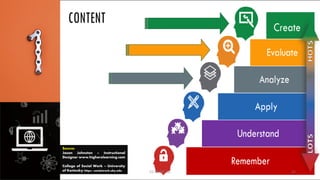
Source:
Jason Johnston – Instructional
Designer www.higherelearning.com
College of Social Work – University
of Kentucky https://socialwork.uky.edu
CC-BY-NC-SA 20
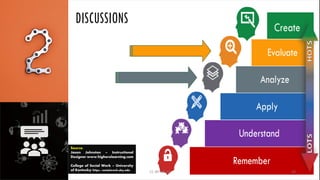
Source:
Jason Johnston – Instructional
Designer www.higherelearning.com
College of Social Work – University
of Kentucky https://socialwork.uky.edu CC-BY-NC-SA 21
Source:
Jason Johnston – Instructional
Designer www.higherelearning.com
College of Social Work – University
of Kentucky https://socialwork.uky.edu
CC-BY-NC-SA 22
Source:
Jason Johnston – Instructional
Designer www.higherelearning.com
College of Social Work – University
of Kentucky https://socialwork.uky.edu
CC-BY-NC-SA 23
Source:
Jason Johnston – Instructional
Designer www.higherelearning.com
College of Social Work – University
of Kentucky https://socialwork.uky.edu CC-BY-NC-SA 24
Source:
Jason Johnston – Instructional
Designer www.higherelearning.com
College of Social Work – University
of Kentucky https://socialwork.uky.edu
CC-BY-NC-SA 25
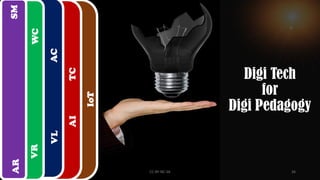
VR
AR
IoT
VL
AC
AI
TC
WC
SM
Digi Tech
for
Digi Pedagogy
CC-BY-NC-SA 26
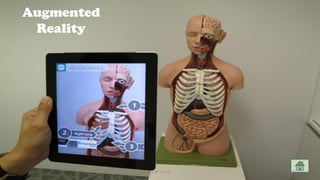
Augmented
Reality
CC-BY-NC-SA 27
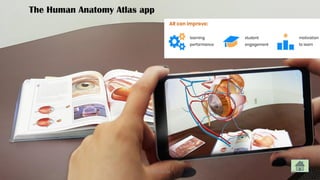
The Human Anatomy Atlas app
CC-BY-NC-SA 28
Virtual
Reality
CC-BY-NC-SA 29
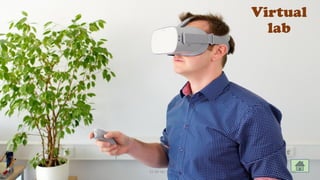
Virtual
lab
CC-BY-NC-SA 30
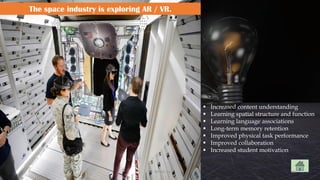
The space industry is exploring AR / VR.
▪ Increased content understanding
▪ Learning spatial structure and function
▪ Learning language associations
▪ Long-term memory retention
▪ Improved physical task performance
▪ Improved collaboration
▪ Increased student motivation
CC-BY-NC-SA 31
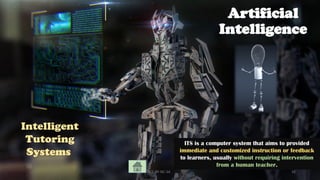
Artificial
Intelligence
Intelligent
Tutoring
Systems
ITS is a computer system that aims to provided
immediate and customized instruction or feedback
to learners, usually without requiring intervention
from a human teacher.
CC-BY-NC-SA 32
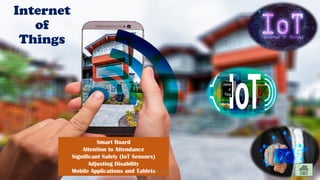
Internet
of
Things
Smart Board
Attention to Attendance
Significant Safety (IoT Sensors)
Adjusting Disability
Mobile Applications and Tablets
CC-BY-NC-SA 33
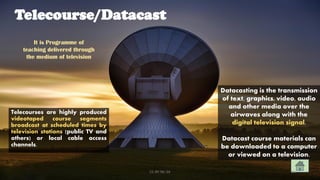
Telecourse/Datacast
Telecourses are highly produced
videotaped course segments
broadcast at scheduled times by
television stations (public TV and
others) or local cable access
channels.
Datacasting is the transmission
of text, graphics, video, audio
and other media over the
airwaves along with the
digital television signal.
Datacast course materials can
be downloaded to a computer
or viewed on a television.
It is Programme of
teaching delivered through
the medium of television
CC-BY-NC-SA 34
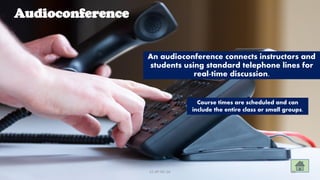
Audioconference
An audioconference connects instructors and
students using standard telephone lines for
real-time discussion.
Course times are scheduled and can
include the entire class or small groups.
CC-BY-NC-SA 35
Webconference
Webconference combines the use of a Web Browser
for visuals and an audioconference for discussion.
Students and instructors communicate and
collaborate in real-time.
CC-BY-NC-SA 36
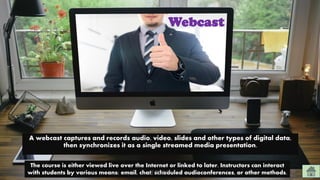
Webcast
A webcast captures and records audio, video, slides and other types of digital data,
then synchronizes it as a single streamed media presentation.
The course is either viewed live over the Internet or linked to later. Instructors can interact
with students by various means: email, chat, scheduled audioconferences, or other methods.
CC-BY-NC-SA 37
Increase
Social Media
Engagement
Facebook
Blog
Wiki
LinkedIn
Telegram
etc
CC-BY-NC-SA 38
Offer
E-Advising
CC-BY-NC-SA 39
Gamification
CC-BY-NC-SA 40
Effective
Digital
Learning
CC-BY-NC-SA 41
Content ?
What Tools
Should We Use for
CC-BY-NC-SA 42
Interaction ?
What Tools
Should We Use for
CC-BY-NC-SA 43
Independent
Learning ?
What Tools
Should We Use for
CC-BY-NC-SA 44
Assessment ?
What Tools
Should We Use for
CC-BY-NC-SA 45
Students
Support ?
What Tools
Should We Use for
CC-BY-NC-SA 46
Content ?
What Tools
Should We Use for
CC-BY-NC-SA 47
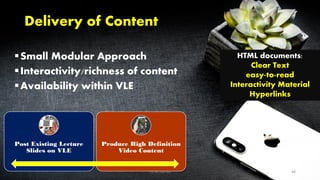
Delivery of Content
▪Small Modular Approach
▪Interactivity/richness of content
▪Availability within VLE
Post Existing Lecture
Slides on VLE
Produce High Definition
Video Content
HTML documents:
Clear Text
easy-to-read
Interactivity Material
Hyperlinks
CC-BY-NC-SA 48
Interaction ?
What Tools
Should We Use for
CC-BY-NC-SA 49
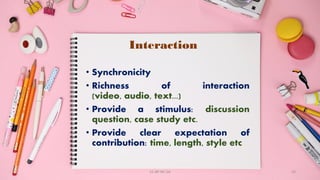
Interaction
• Synchronicity
• Richness of interaction
(video, audio, text...)
• Provide a stimulus: discussion
question, case study etc.
• Provide clear expectation of
contribution: time, length, style etc
CC-BY-NC-SA 50
Independent
Learning ?
What Tools
Should We Use for
CC-BY-NC-SA 51
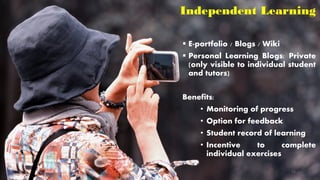
Independent Learning
▪ E-portfolio / Blogs / Wiki
▪ Personal Learning Blogs: Private
(only visible to individual student
and tutors)
Benefits:
• Monitoring of progress
• Option for feedback
• Student record of learning
• Incentive to complete
individual exercises
CC-BY-NC-SA 52
Assessment ?
What Tools
Should We Use for
CC-BY-NC-SA 53
Assessment and Feedback
• Continuous assessment element in
each module (10-20%).
• Badges
• Leaderboard
• All coursework, no exams.
• Pre-submission feedback
available.
• All feedback provided
electronically using Turnitin Grade
mark
• Automatic feedback mechanism
CC-BY-NC-SA 54
Students
Support ?
What Tools
Should We Use for
CC-BY-NC-SA 55
Student Support
• Personal tutor sessions (Skype or
telephone).
• Encourage informal feedback
• Staff available during office hours via
Skype or telephone.
• Act as guides through University
central services and support structure.
• AI Tutor
• E-Advise {enquiry onwards}...
CC-BY-NC-SA 56
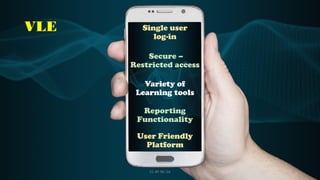
VLE Single user
log-in
Secure –
Restricted access
Variety of
Learning tools
Reporting
Functionality
User Friendly
Platform
CC-BY-NC-SA 57
CC-BY-NC-SA 58
CC-BY-NC-SA 59
E-TOOLS
Engage Encourage
Fruitful
Learning
Remote
Learning
CC-BY-NC-SA 60
Cybergogy
CC-BY-NC-SA 61
Cybergogy
CC-BY-NC-SA 62
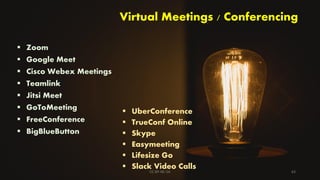
Virtual Meetings / Conferencing
▪ Zoom
▪ Google Meet
▪ Cisco Webex Meetings
▪ Teamlink
▪ Jitsi Meet
▪ GoToMeeting
▪ FreeConference
▪ BigBlueButton
▪ UberConference
▪ TrueConf Online
▪ Skype
▪ Easymeeting
▪ Lifesize Go
▪ Slack Video Calls
CC-BY-NC-SA 63
Live Streaming
Facebook Live
YouTube Live
CC-BY-NC-SA 64
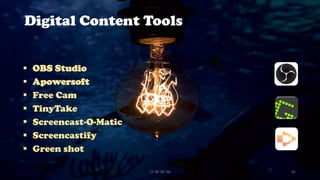
Digital Content Tools
▪ OBS Studio
▪ Apowersoft
▪ Free Cam
▪ TinyTake
▪ Screencast-O-Matic
▪ Screencastify
▪ Green shot
CC-BY-NC-SA 65
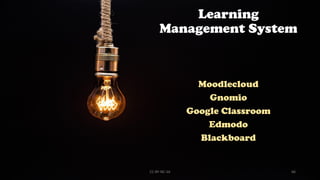
Learning
Management System
Moodlecloud
Gnomio
Google Classroom
Edmodo
Blackboard
CC-BY-NC-SA 66
Interactive
Presentation Tools
▪ MeetingPulse
▪ Vevex
▪ Slido
▪ Wooclap
▪ Mentimeter
▪ Polleverywhere
▪ Flipgrid
▪ Pigeonhole Live
▪ Conferences i/o
▪ Ahaslides CC-BY-NC-SA 67
Interactive
Whiteboard
Jamboard
Stromboard
Miro
Liveboard
CC-BY-NC-SA 68
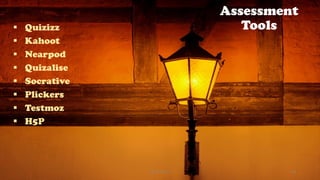
Assessment
Tools
▪ Quizizz
▪ Kahoot
▪ Nearpod
▪ Quizalise
▪ Socrative
▪ Plickers
▪ Testmoz
▪ H5P
CC-BY-NC-SA 69
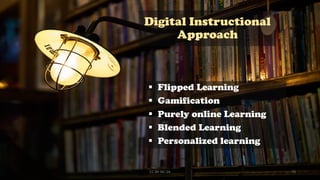
Digital Instructional
Approach
▪ Flipped Learning
▪ Gamification
▪ Purely online Learning
▪ Blended Learning
▪ Personalized learning
CC-BY-NC-SA 70
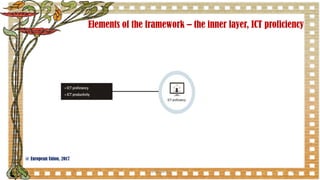
Elements of the framework – the inner layer, ICT proficiency
71
@ European Union, 2017
CC-BY-NC-SA
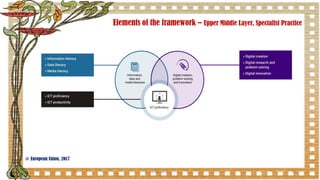
Elements of the framework – Upper Middle Layer, Specialist Practice
72
@ European Union, 2017
CC-BY-NC-SA
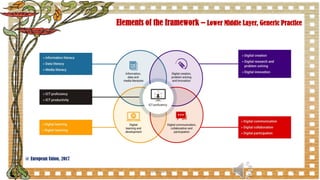
Elements of the framework – Lower Middle Layer, Generic Practice
CC-BY-NC-SA 73
@ European Union, 2017
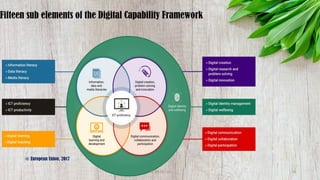
Fifteen sub elements of the Digital Capability Framework
74
@ European Union, 2017
CC-BY-NC-SA
DQ
Final
Thoughts…….
CC-BY-NC-SA 75
Acknowledgement Google / Pixabay
Slideshare – Contributors
Web site / apps - creators
References’ – Authors
MS office PowerPoint
My Teachers
My Students
My Colleagues
Organizing committee
All Participants
CC-BY-NC-SA 76
Thank You
Jai Bharat!
CC-BY-NC-SA 77

Digital Pedagogy (Cybergogy)