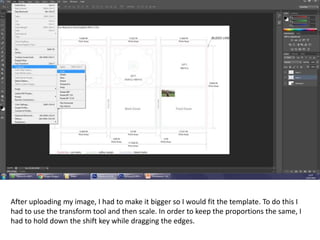
After uploading my image, I had to make it bigger so I would fit the template. To do this I
had to use the transform tool and then scale. In order to keep the proportions the same, I
had to hold down the shift key while dragging the edges.
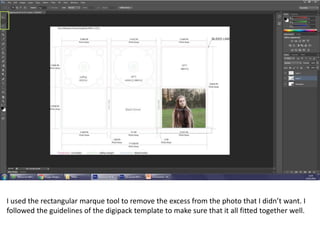
I used the rectangular marque tool to remove the excess from the photo that I didn’t want. I
followed the guidelines of the digipack template to make sure that it all fitted together well.
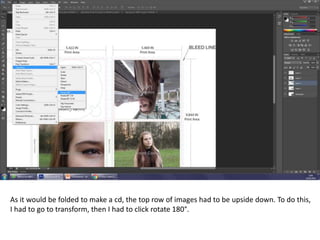
As it would be folded to make a cd, the top row of images had to be upside down. To do this,
I had to go to transform, then I had to click rotate 180°.
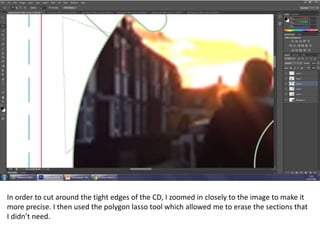
In order to cut around the tight edges of the CD, I zoomed in closely to the image to make it
more precise. I then used the polygon lasso tool which allowed me to erase the sections that
I didn’t need.
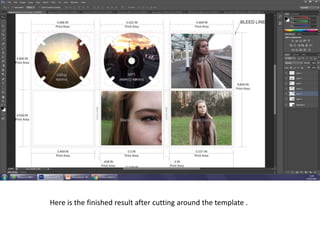
Here is the finished result after cutting around the template .
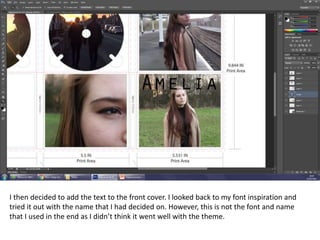
I then decided to add the text to the front cover. I looked back to my font inspiration and
tried it out with the name that I had decided on. However, this is not the font and name
that I used in the end as I didn’t think it went well with the theme.
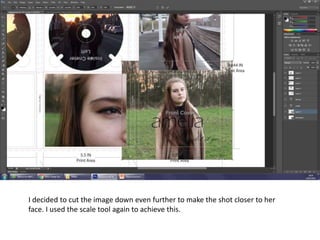
I decided to cut the image down even further to make the shot closer to her
face. I used the scale tool again to achieve this.
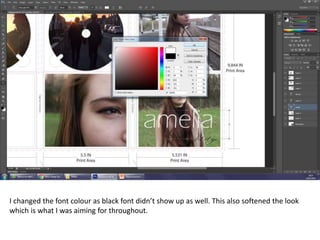
I changed the font colour as black font didn’t show up as well. This also softened the look
which is what I was aiming for throughout.
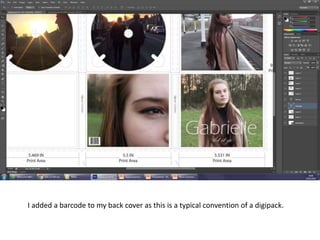
I added a barcode to my back cover as this is a typical convention of a digipack.
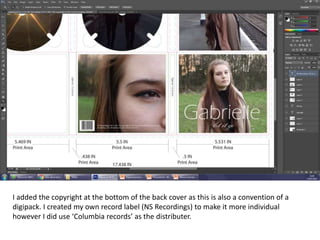
I added the copyright at the bottom of the back cover as this is also a convention of a
digipack. I created my own record label (NS Recordings) to make it more individual
however I did use ‘Columbia records’ as the distributer.
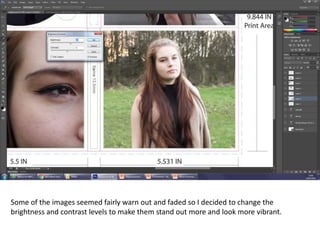
Some of the images seemed fairly warn out and faded so I decided to change the
brightness and contrast levels to make them stand out more and look more vibrant.
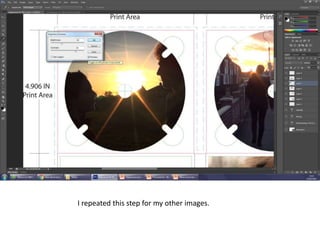
I repeated this step for my other images.
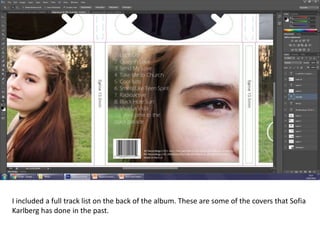
I included a full track list on the back of the album. These are some of the covers that Sofia
Karlberg has done in the past.
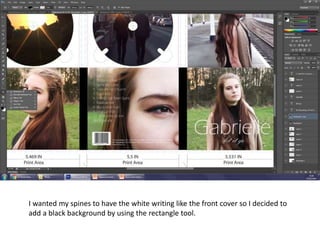
I wanted my spines to have the white writing like the front cover so I decided to
add a black background by using the rectangle tool.
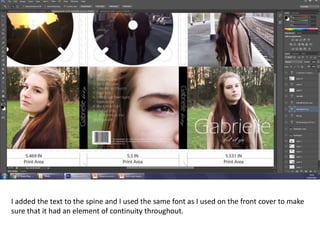
I added the text to the spine and I used the same font as I used on the front cover to make
sure that it had an element of continuity throughout.
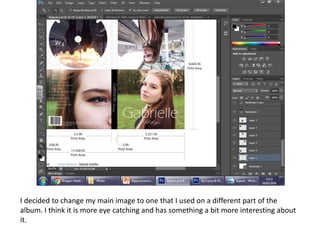
I decided to change my main image to one that I used on a different part of the
album. I think it is more eye catching and has something a bit more interesting about
it.

Digipack process

  • 1.
    After uploading myimage, I had to make it bigger so I would fit the template. To do this I had to use the transform tool and then scale. In order to keep the proportions the same, I had to hold down the shift key while dragging the edges.
  • 2.
    I used therectangular marque tool to remove the excess from the photo that I didn’t want. I followed the guidelines of the digipack template to make sure that it all fitted together well.
  • 3.
    As it wouldbe folded to make a cd, the top row of images had to be upside down. To do this, I had to go to transform, then I had to click rotate 180°.
  • 4.
    In order tocut around the tight edges of the CD, I zoomed in closely to the image to make it more precise. I then used the polygon lasso tool which allowed me to erase the sections that I didn’t need.
  • 5.
    Here is thefinished result after cutting around the template .
  • 6.
    I then decidedto add the text to the front cover. I looked back to my font inspiration and tried it out with the name that I had decided on. However, this is not the font and name that I used in the end as I didn’t think it went well with the theme.
  • 7.
    I decided tocut the image down even further to make the shot closer to her face. I used the scale tool again to achieve this.
  • 8.
    I changed thefont colour as black font didn’t show up as well. This also softened the look which is what I was aiming for throughout.
  • 9.
    I added abarcode to my back cover as this is a typical convention of a digipack.
  • 10.
    I added thecopyright at the bottom of the back cover as this is also a convention of a digipack. I created my own record label (NS Recordings) to make it more individual however I did use ‘Columbia records’ as the distributer.
  • 11.
    Some of theimages seemed fairly warn out and faded so I decided to change the brightness and contrast levels to make them stand out more and look more vibrant.
  • 12.
    I repeated thisstep for my other images.
  • 13.
    I included afull track list on the back of the album. These are some of the covers that Sofia Karlberg has done in the past.
  • 14.
    I wanted myspines to have the white writing like the front cover so I decided to add a black background by using the rectangle tool.
  • 15.
    I added thetext to the spine and I used the same font as I used on the front cover to make sure that it had an element of continuity throughout.
  • 16.
    I decided tochange my main image to one that I used on a different part of the album. I think it is more eye catching and has something a bit more interesting about it.