Design Best Practices
for WordPress Websites


 Presented by Suzette Franck
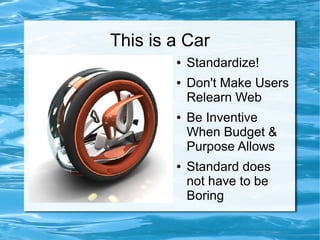
This is a Car
        ā—   Standardize!
        ā—   Don't Make Users
            Relearn Web
        ā—   Be Inventive
            When Budget &
            Purpose Allows
        ā—   Standard does
            not have to be
            Boring
Why Standardize?
ā—   Less Time to Code
ā—   Easier to Update and Maintain
ā—   Helps Search Engine Optimization
ā—   Painless Plugin and Software Upgrades
ā—   Pleasant Customer User Experience
ā—   Use Common Names & Icons for Sections
      Don't Label the Cart ā€œPink Bicycle Basketā€

ā—   Faster Loading
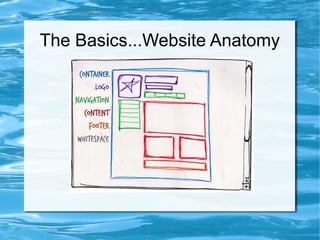
The Basics...Website Anatomy
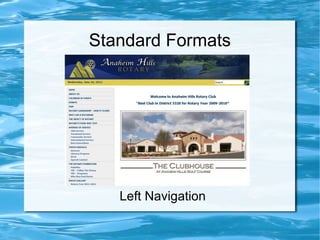
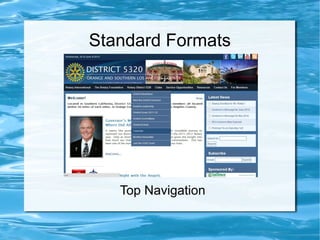
Standard Formats


   Left Navigation
Standard Formats


   Top Navigation
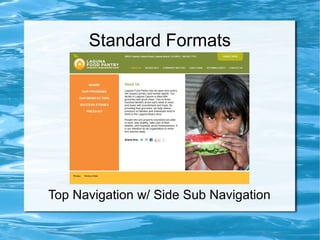
Standard Formats


Top Navigation w/ Side Sub Navigation
Things You Don't See But Exist
ā—   Active, Link & Navigation
    Hovers
ā—   Drop Down Menus
ā—   Outside of the Container
ā—   Special Functionality
ā—   No Background on Logo
ā—   Favicon 16x16 Icon
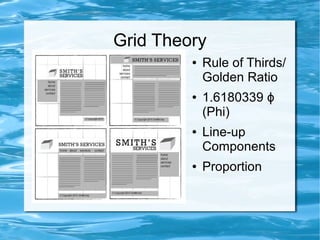
Grid Theory
         ā—   Rule of Thirds/
             Golden Ratio
         ā—   1.6180339 Éø
             (Phi)
         ā—   Line-up
             Components
         ā—   Proportion
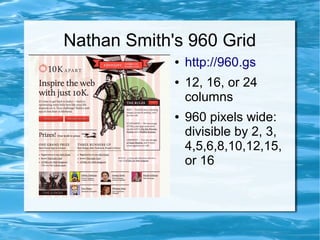
Nathan Smith's 960 Grid
             ā—   http://960.gs
             ā—   12, 16, or 24
                 columns
             ā—   960 pixels wide:
                 divisible by 2, 3,
                 4,5,6,8,10,12,15,
                 or 16
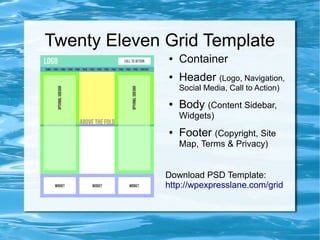
Twenty Eleven Grid Template
              ā—   Container
              ā—   Header (Logo, Navigation,
                  Social Media, Call to Action)
              ā—   Body (Content Sidebar,
                  Widgets)
              ā—   Footer (Copyright, Site
                  Map, Terms & Privacy)


              Download PSD Template:
              http://wpexpresslane.com/grid
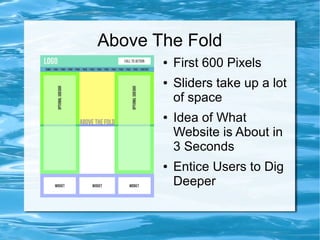
Above The Fold
       ā—   First 600 Pixels
       ā—   Sliders take up a lot
           of space
       ā—   Idea of What
           Website is About in
           3 Seconds
       ā—   Entice Users to Dig
           Deeper
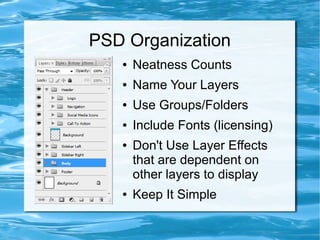
PSD Organization
   ā—   Neatness Counts
   ā—   Name Your Layers
   ā—   Use Groups/Folders
   ā—   Include Fonts (licensing)
   ā—   Don't Use Layer Effects
       that are dependent on
       other layers to display
   ā—   Keep It Simple
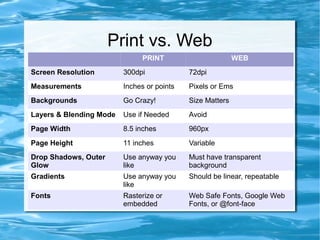
Print vs. Web
                              PRINT                        WEB
Screen Resolution        300dpi             72dpi
Measurements             Inches or points   Pixels or Ems
Backgrounds              Go Crazy!          Size Matters
Layers & Blending Mode   Use if Needed      Avoid
Page Width               8.5 inches         960px
Page Height              11 inches          Variable
Drop Shadows, Outer      Use anyway you     Must have transparent
Glow                     like               background
Gradients                Use anyway you     Should be linear, repeatable
                         like
Fonts                    Rasterize or       Web Safe Fonts, Google Web
                         embedded           Fonts, or @font-face
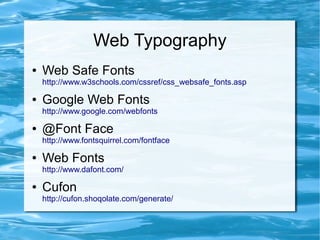
Web Typography
ā—   Web Safe Fonts
    http://www.w3schools.com/cssref/css_websafe_fonts.asp

ā—   Google Web Fonts
    http://www.google.com/webfonts

ā—   @Font Face
    http://www.fontsquirrel.com/fontface

ā—   Web Fonts
    http://www.dafont.com/

ā—   Cufon
    http://cufon.shoqolate.com/generate/
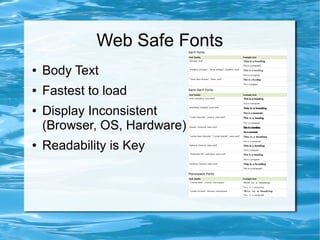
Web Safe Fonts
ā—   Body Text
ā—   Fastest to load
ā—   Display Inconsistent
    (Browser, OS, Hardware)
ā—   Readability is Key
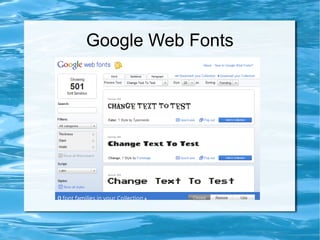
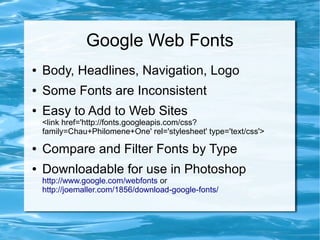
Google Web Fonts
Google Web Fonts
ā—   Body, Headlines, Navigation, Logo
ā—   Some Fonts are Inconsistent
ā—   Easy to Add to Web Sites
    <link href='http://fonts.googleapis.com/css?
    family=Chau+Philomene+One' rel='stylesheet' type='text/css'>

ā—   Compare and Filter Fonts by Type
ā—   Downloadable for use in Photoshop
    http://www.google.com/webfonts or
    http://joemaller.com/1856/download-google-fonts/
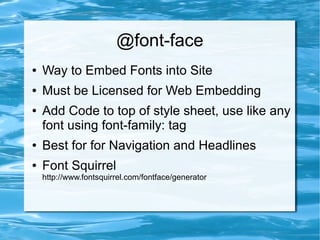
@font-face
ā—   Way to Embed Fonts into Site
ā—   Must be Licensed for Web Embedding
ā—   Add Code to top of style sheet, use like any
    font using font-family: tag
ā—   Best for for Navigation and Headlines
ā—   Font Squirrel
    http://www.fontsquirrel.com/fontface/generator
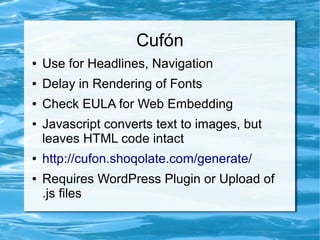
Cufón
ā—   Use for Headlines, Navigation
ā—   Delay in Rendering of Fonts
ā—   Check EULA for Web Embedding
ā—   Javascript converts text to images, but
    leaves HTML code intact
ā—   http://cufon.shoqolate.com/generate/
ā—   Requires WordPress Plugin or Upload of
    .js files
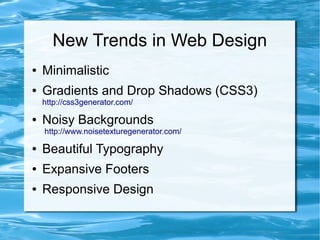
New Trends in Web Design
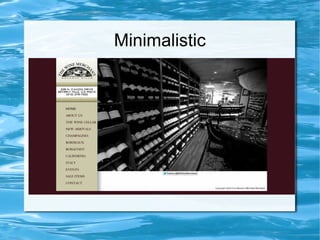
ā—   Minimalistic
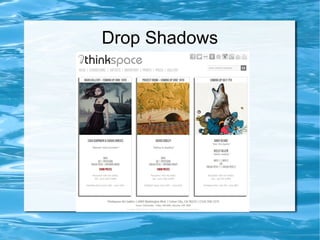
ā—   Gradients and Drop Shadows (CSS3)
    http://css3generator.com/

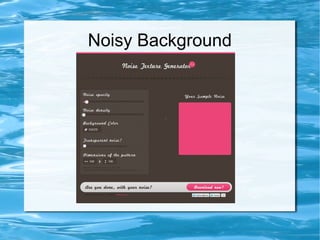
ā—   Noisy Backgrounds
    http://www.noisetexturegenerator.com/

ā—   Beautiful Typography
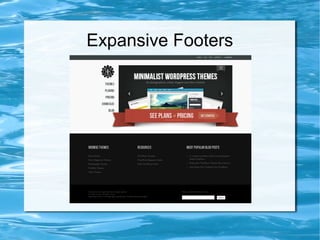
ā—   Expansive Footers
ā—   Responsive Design
Minimalistic
Drop Shadows
Noisy Background
Expansive Footers
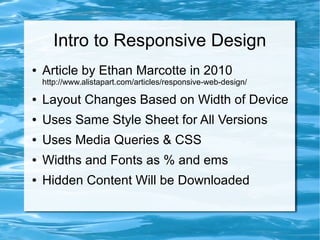
Intro to Responsive Design
ā—   Article by Ethan Marcotte in 2010
    http://www.alistapart.com/articles/responsive-web-design/

ā—   Layout Changes Based on Width of Device
ā—   Uses Same Style Sheet for All Versions
ā—   Uses Media Queries & CSS
ā—   Widths and Fonts as % and ems
ā—   Hidden Content Will be Downloaded
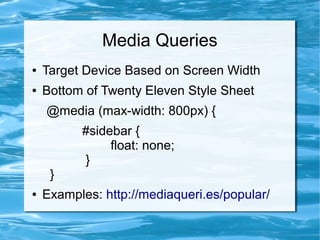
Media Queries
ā—   Target Device Based on Screen Width
ā—   Bottom of Twenty Eleven Style Sheet
    @media (max-width: 800px) {
          #sidebar {
               float: none;
          }
     }
ā—   Examples: http://mediaqueri.es/popular/
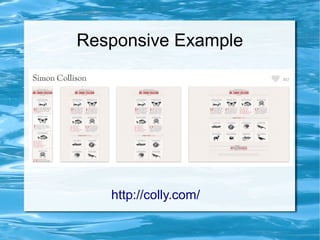
Responsive Example


   http://colly.com/
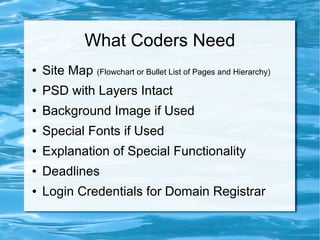
What Coders Need
ā—   Site Map (Flowchart or Bullet List of Pages and Hierarchy)
ā—   PSD with Layers Intact
ā—   Background Image if Used
ā—   Special Fonts if Used
ā—   Explanation of Special Functionality
ā—   Deadlines
ā—   Login Credentials for Domain Registrar
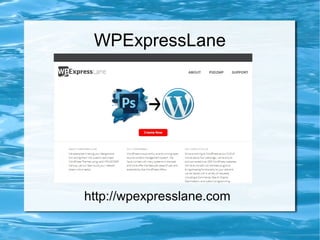
WPExpressLane


http://wpexpresslane.com
Prevent Catastrophes
ā—   Save Work Often
ā—   Take Snap Shots
ā—   Revision Control
ā—   Strong Passwords
ā—   Backup Often
ā—   Keep Software
    Updated
ā—   Develop A Process
Recommended Books
Q&A

suzette@kussner.com
       Twitter: @suzettework
          Slides will be at:
http://www.slideshare.net/bdollproject

Design Best Practices for WordPress

  • 1.
    Design Best Practices forWordPress Websites Presented by Suzette Franck
  • 2.
    This is aCar ā— Standardize! ā— Don't Make Users Relearn Web ā— Be Inventive When Budget & Purpose Allows ā— Standard does not have to be Boring
  • 3.
    Why Standardize? ā— Less Time to Code ā— Easier to Update and Maintain ā— Helps Search Engine Optimization ā— Painless Plugin and Software Upgrades ā— Pleasant Customer User Experience ā— Use Common Names & Icons for Sections Don't Label the Cart ā€œPink Bicycle Basketā€ ā— Faster Loading
  • 4.
  • 5.
    Standard Formats Left Navigation
  • 6.
    Standard Formats Top Navigation
  • 7.
    Standard Formats Top Navigationw/ Side Sub Navigation
  • 8.
    Things You Don'tSee But Exist ā— Active, Link & Navigation Hovers ā— Drop Down Menus ā— Outside of the Container ā— Special Functionality ā— No Background on Logo ā— Favicon 16x16 Icon
  • 9.
    Grid Theory ā— Rule of Thirds/ Golden Ratio ā— 1.6180339 Éø (Phi) ā— Line-up Components ā— Proportion
  • 10.
    Nathan Smith's 960Grid ā— http://960.gs ā— 12, 16, or 24 columns ā— 960 pixels wide: divisible by 2, 3, 4,5,6,8,10,12,15, or 16
  • 11.
    Twenty Eleven GridTemplate ā— Container ā— Header (Logo, Navigation, Social Media, Call to Action) ā— Body (Content Sidebar, Widgets) ā— Footer (Copyright, Site Map, Terms & Privacy) Download PSD Template: http://wpexpresslane.com/grid
  • 12.
    Above The Fold ā— First 600 Pixels ā— Sliders take up a lot of space ā— Idea of What Website is About in 3 Seconds ā— Entice Users to Dig Deeper
  • 13.
    PSD Organization ā— Neatness Counts ā— Name Your Layers ā— Use Groups/Folders ā— Include Fonts (licensing) ā— Don't Use Layer Effects that are dependent on other layers to display ā— Keep It Simple
  • 14.
    Print vs. Web PRINT WEB Screen Resolution 300dpi 72dpi Measurements Inches or points Pixels or Ems Backgrounds Go Crazy! Size Matters Layers & Blending Mode Use if Needed Avoid Page Width 8.5 inches 960px Page Height 11 inches Variable Drop Shadows, Outer Use anyway you Must have transparent Glow like background Gradients Use anyway you Should be linear, repeatable like Fonts Rasterize or Web Safe Fonts, Google Web embedded Fonts, or @font-face
  • 15.
    Web Typography ā— Web Safe Fonts http://www.w3schools.com/cssref/css_websafe_fonts.asp ā— Google Web Fonts http://www.google.com/webfonts ā— @Font Face http://www.fontsquirrel.com/fontface ā— Web Fonts http://www.dafont.com/ ā— Cufon http://cufon.shoqolate.com/generate/
  • 16.
    Web Safe Fonts ā— Body Text ā— Fastest to load ā— Display Inconsistent (Browser, OS, Hardware) ā— Readability is Key
  • 17.
  • 18.
    Google Web Fonts ā— Body, Headlines, Navigation, Logo ā— Some Fonts are Inconsistent ā— Easy to Add to Web Sites <link href='http://fonts.googleapis.com/css? family=Chau+Philomene+One' rel='stylesheet' type='text/css'> ā— Compare and Filter Fonts by Type ā— Downloadable for use in Photoshop http://www.google.com/webfonts or http://joemaller.com/1856/download-google-fonts/
  • 19.
    @font-face ā— Way to Embed Fonts into Site ā— Must be Licensed for Web Embedding ā— Add Code to top of style sheet, use like any font using font-family: tag ā— Best for for Navigation and Headlines ā— Font Squirrel http://www.fontsquirrel.com/fontface/generator
  • 20.
    Cufón ā— Use for Headlines, Navigation ā— Delay in Rendering of Fonts ā— Check EULA for Web Embedding ā— Javascript converts text to images, but leaves HTML code intact ā— http://cufon.shoqolate.com/generate/ ā— Requires WordPress Plugin or Upload of .js files
  • 21.
    New Trends inWeb Design ā— Minimalistic ā— Gradients and Drop Shadows (CSS3) http://css3generator.com/ ā— Noisy Backgrounds http://www.noisetexturegenerator.com/ ā— Beautiful Typography ā— Expansive Footers ā— Responsive Design
  • 22.
  • 23.
  • 24.
  • 25.
  • 26.
    Intro to ResponsiveDesign ā— Article by Ethan Marcotte in 2010 http://www.alistapart.com/articles/responsive-web-design/ ā— Layout Changes Based on Width of Device ā— Uses Same Style Sheet for All Versions ā— Uses Media Queries & CSS ā— Widths and Fonts as % and ems ā— Hidden Content Will be Downloaded
  • 27.
    Media Queries ā— Target Device Based on Screen Width ā— Bottom of Twenty Eleven Style Sheet @media (max-width: 800px) { #sidebar { float: none; } } ā— Examples: http://mediaqueri.es/popular/
  • 28.
    Responsive Example http://colly.com/
  • 29.
    What Coders Need ā— Site Map (Flowchart or Bullet List of Pages and Hierarchy) ā— PSD with Layers Intact ā— Background Image if Used ā— Special Fonts if Used ā— Explanation of Special Functionality ā— Deadlines ā— Login Credentials for Domain Registrar
  • 30.
  • 31.
    Prevent Catastrophes ā— Save Work Often ā— Take Snap Shots ā— Revision Control ā— Strong Passwords ā— Backup Often ā— Keep Software Updated ā— Develop A Process
  • 32.
  • 33.
    Q&A suzette@kussner.com Twitter: @suzettework Slides will be at: http://www.slideshare.net/bdollproject