Prepared by:- Mr. Pawan Kumar
Computer Lab Instructor (VTF)
Govt. Polytechnic Meham(Rohtak)
Desktop Publishing
COURSE DESCRIPTION:
. Desktop Publishing introduces publishing and
presentation concepts through the development
of sophisticated documents such as brochures,
manuscripts, reports, conference programs,
catalogue articles, pamphlets, business
presentations, business graphics,
transparencies, slides, advertisements, etc.
. The Desktop Publishing course builds on word
processing skills and uses industry software and
hardware permitting the manipulation of text and
graphics.
DESKTOP PUBLISHING
SYLLABUS
. This course is designed to provide “hands on”
experience using a desktop computerized
workstation with access to laser print capability.
. This course emphasizes editing, formatting, page
layout and design, and paste up technique for
clarity and impact.
. Upon successful completion of this course, the
student will be able to understand, apply, or
assess
. 1. computer technology as it relates to careers.
. 2. basic computer terminology
. 3. the production of newsletters with appropriate
publication software
. 4. manipulate text, graphics, and other drawing
tools to produce sophisticated publications
. 5. Understand the importance of Desktop
Publishing in the business world
COURSE OBJECTIVES
Strategy
PR’s Internal Communication
1
Understanding
Communication
needs
2
Developing
Internal Comm
Strategy
3
Engaging
People with
Corporate
Identity
5
Creating
Knowledge
Sharing
Culture
4
Supporting
Implementation
. Newsletter
.Corporate Web Page
. Brochure
.Annual Reports
. Megazine
Types of PR Publications
. Publication system applications
combines texts, graphics,
animations, illustrations into a
standard formatting to create and
produces publications material
DTP Definitions:
. Several events of the mid-1980s including the development
of Aldus PageMaker (now Adobe PageMaker) ushered in
the era of desktop publishing.
. A. It was primarily the introduction of both the Apple
LaserWriter, a PostScript desktop printer, and PageMaker
for the Mac that kicked off the desktop publishing
revolution. Aldus Corporation founder Paul Brainerd, is
generally credited for coining the phrase, "desktop
publishing."
. 1984 - The Apple Macintosh debuts.
. 1984 - Hewlett-Packard introduces the LaserJet, the first
desktop laser printer.
. 1985 - Adobe introduces PostScript, the industry standard
Page Description Language (PDL) for professional
typesetting.
When was desktop publishing
invented?
. 1985 - Aldus develops PageMaker for the Mac, the first
"desktop publishing" application.
. 1985 - Apple produces the LaserWriter, the first desktop
laser printer to contain PostScript.
. 1987 - PageMaker for the Windows platform is introduced.
. 1990 - Microsoft ships Windows 3.0.
. In the intervening years since PageMaker's introduction
and purchase by Adobe, Quark, Inc.'s QuarkXPress took
over as the sweetheart of desktop publishing applications.
But today Adobe's InDesign is making inroads in the
professional sector and wooing over many converts on
both the PC and Mac platforms.
. While Macintosh is still considered by some to be the
platform of choice for professional desktop publishing,
dozens of "consumer and small business desktop
publishing" packages hit the shelves in the 1990s, catering
to the growing legions of PC/Windows users. Most notable
among these low-cost Windows desktop publishing
options, Microsoft Publisher and Serif PagePlus continue to
add features that make them more and more viable as
contenders to the traditional "professional apps."
. Desktop publishing and graphic design
can make documents look better, prettier.
. Desktop publishing, used properly,
enhances visual communication and
streamlines the process of disseminating
information of all kinds.
. A. Desktop publishing is a tool that can
enhance communication by making it
possible to quickly and efficiently produce
printed and electronic documents.
Why is Desktop Publishing
Important?
. Desktop Publishing Software allows the user to
rearrange text and graphics on screen, change
typefaces as easily as changing shoes, and
resize graphics on the fly, before finally
committing a design to paper.
. There are drawbacks to desktop publishing in
that it also makes it easier and less expensive to
produce really bad designs. So, while desktop
publishing is important, education in basic
principles of graphic design and desktop
publishing techniques is equally important.
A. Graphic design jobs involve the creative process of
coming up with the concepts and ideas and arrangements
for visually communicating a specific message.
B. Desktop publishing is the mechanical process that the
designer and the non-designer use to turn their ideas for
newsletters, brochures, ads, posters, greeting cards, and
other projects into digital files for desktop or
commercial printing. While desktop publishing does
require a certain amount of creativity, it is more
production-oriented than design-oriented.
What is the difference between
graphic design and desktop
publishing?
. Graphic design is the process and art of
combining text and graphics and communicating
an effective message in the design of logos,
graphics, brochures, newsletters, posters, signs,
and any other type of visual communication.
. Desktop publishing is the process of using the
computer and specific types of software to
combine text and graphics to produce documents
such as newsletters, brochures, books, etc.
.Adobe makes many software packages used by designers.
You've probably heard of Photoshop, for example. But
these other programs are not page layout software
applications for print publishing. They are graphics
software, Web design software, programs for creating and
working with the PDF format, such as Adobe Acrobat, and
other related software tools. The DTP software or page
layout software applications are:
. Adobe FrameMaker
. Adobe InDesign
. Adobe PageMaker
. Adobe Photoshop
. Adobe Illustrator
DTP’s Software
.Corel is best known for its graphics suite that
includes Corel DRAW and Corel Photo-Paint. In
the past it has produced creative printing or
home publishing programs used for desktop
publishing too but the primary page layout
software from Corel is:
.Corel Ventura
.Microsoft produces Microsoft Word, Excel,
PowerPoint, and various consumer graphics and
creative printing programs but they are not DTP
software. Their entry into page layout for print is:
.Microsoft Office Publisher
.Quark has other software but the one most closely
associated with DTP is QuarkXPress and its many
XTensions (produced by many third party vendors) that
enhance and expand the basic capabilities of QuarkXPress.
. QuarkXPress
. Serif produces a suite of applications for graphics and Web
design but the core desktop publishing software
application is:
. Serif PagePlus
. Also, a few of the other desktop publishing software
packages that qualify as page layout applications or
software suites that have a page layout component are:
. Deneba Canvas
. RagTime
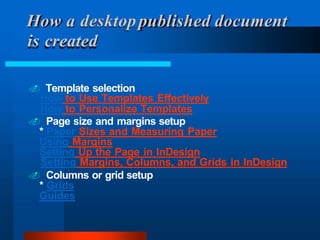
. Template selection
How to Use Templates Effectively
How to Personalize Templates
. Page size and margins setup
* Paper Sizes and Measuring Paper
Using Margins
Setting Up the Page in InDesign
Setting Margins, Columns, and Grids in InDesign
. Columns or grid setup
* Grids
Guides
How a desktoppublished document
is created
. Master pages setup
Master Pages in InDesign
Default Software Settings
Guides
. Color palette customization
* Process Color
* Spot Color
The Color Palette in InDesign
. Paragraph styles setup
Using Style Sheets
Document Defaults
Paragraph Spacing
Different fonts
Arial
ABCDEFGHIJKLMNOPQR
STUVWXYZabcdefghijkl
mnopqurstuvwxyz
Parts of type
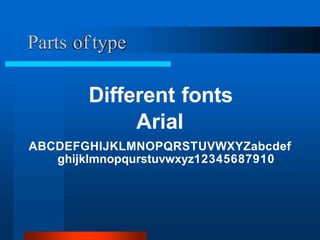
Different fonts
Arial
ABCDEFGHIJKLMNOPQRSTUVWXYZabcdef
ghijklmnopqurstuvwxyz12345687910
Parts of type
Different fonts
Times
ABCDEFGHIJKLMNOPQRSTUVWXYZabcdef
ghijklmnopqurstuvwxyz12345687910
Parts of type
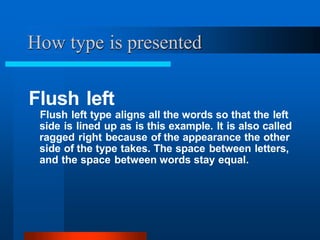
Flush left
Flush left type aligns all the words so that the left
side is lined up as is this example. It is also called
ragged right because of the appearance the other
side of the type takes. The space between letters,
and the space between words stay equal.
How type is presented
Flush right
Flush right type aligns all the words so that the
right side is lined up as is this example. It is also
called ragged left because of the appearance the
other side of the type takes. The space between
letters, and the space between words stay equal.
How type is presented
Centered
Centered type aligns all the type to the middle.
Spaces between letters and word remain the
same, the difference in the line length is split
between the left and the right side. Is difficult to
read because each line starts at a different spot.
How type is presented
Justified
The most common way that printed type is
displayed. The space between each letter and
word is modified so that each line begins at a
common point and ends at a common point. In
most cases the last line of a paragraph remains
flush left to avoid type spreading out to an
unreadable level.
How type is presented
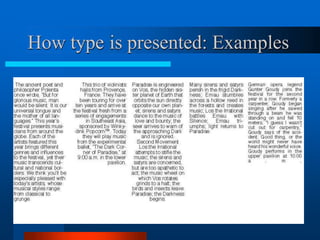
How type is presented: Examples
Columns Gutter
How type is presented
Units of measure
points and picas
1 inch = 6 picas
12 points = 1 picas
72 points = 1 inch
Units of measure
Points are used to measure type
Measure from the top of the ascender to the
bottom of the descender
How type is presented
Units of measure: points
kj
2 inches
144 points
Leading
Space between the lines can be altered so that a
given amount of type will take up less, or more
space. Standard leading is 5-10 percent over the
size of the font
How type is presented
Leading
Leading
LEADING
Kerning
Space between letters and words.
Can be altered to spread out type for effect
or to take up, or remove space.
How type is presented
Kerning
This is normal kerning
T h i s i s t y p e w i t h a l o t o f
k e r n i n g
How type is presented
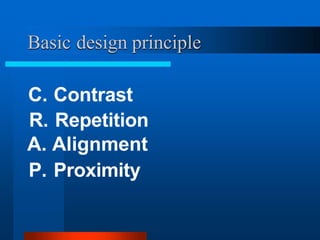
Basic design principle
C. Contrast
R. Repetition
A. Alignment
P. Proximity
Contrast.
. Variations in sizes, weights
and fonts can all give contrast
to a design.
. Contrast can help guide the
reader around a design.
C.R.A.P. and type
Repetition.
. Repetition within a
document can help connect
things that go together.
C.R.A.P. and type
Alignment.
Lining up objects can help help
provide order to a design
C.R.A.P. and type
Proximity. Object placed near
one another provides the
logical connection that the
items are of the same group.
C.R.A.P. and type
1. Read “Non-Designer’s” information on
C.R.A.P
2. Bring to next class the following.
-- Two examples of designs that conform
to the principle and that you feel are
good designs.
Assignment for next class
examples
Ethiopia,
568 BC
Book of Darrow,
680 AD
examples
La Operinadimparare di scrivere littera cancellaresca,
1522
examples
examples
Handbill
1876
examples
Type as art
1918
examples
Poster 1905
examples
Harper’s 1893
1918

desktop-publishing- learning power point

  • 1.
    Prepared by:- Mr.Pawan Kumar Computer Lab Instructor (VTF) Govt. Polytechnic Meham(Rohtak) Desktop Publishing
  • 2.
    COURSE DESCRIPTION: . DesktopPublishing introduces publishing and presentation concepts through the development of sophisticated documents such as brochures, manuscripts, reports, conference programs, catalogue articles, pamphlets, business presentations, business graphics, transparencies, slides, advertisements, etc. . The Desktop Publishing course builds on word processing skills and uses industry software and hardware permitting the manipulation of text and graphics. DESKTOP PUBLISHING SYLLABUS
  • 3.
    . This courseis designed to provide “hands on” experience using a desktop computerized workstation with access to laser print capability. . This course emphasizes editing, formatting, page layout and design, and paste up technique for clarity and impact.
  • 4.
    . Upon successfulcompletion of this course, the student will be able to understand, apply, or assess . 1. computer technology as it relates to careers. . 2. basic computer terminology . 3. the production of newsletters with appropriate publication software . 4. manipulate text, graphics, and other drawing tools to produce sophisticated publications . 5. Understand the importance of Desktop Publishing in the business world COURSE OBJECTIVES
  • 5.
    Strategy PR’s Internal Communication 1 Understanding Communication needs 2 Developing InternalComm Strategy 3 Engaging People with Corporate Identity 5 Creating Knowledge Sharing Culture 4 Supporting Implementation
  • 6.
    . Newsletter .Corporate WebPage . Brochure .Annual Reports . Megazine Types of PR Publications
  • 7.
    . Publication systemapplications combines texts, graphics, animations, illustrations into a standard formatting to create and produces publications material DTP Definitions:
  • 8.
    . Several eventsof the mid-1980s including the development of Aldus PageMaker (now Adobe PageMaker) ushered in the era of desktop publishing. . A. It was primarily the introduction of both the Apple LaserWriter, a PostScript desktop printer, and PageMaker for the Mac that kicked off the desktop publishing revolution. Aldus Corporation founder Paul Brainerd, is generally credited for coining the phrase, "desktop publishing." . 1984 - The Apple Macintosh debuts. . 1984 - Hewlett-Packard introduces the LaserJet, the first desktop laser printer. . 1985 - Adobe introduces PostScript, the industry standard Page Description Language (PDL) for professional typesetting. When was desktop publishing invented?
  • 9.
    . 1985 -Aldus develops PageMaker for the Mac, the first "desktop publishing" application. . 1985 - Apple produces the LaserWriter, the first desktop laser printer to contain PostScript. . 1987 - PageMaker for the Windows platform is introduced. . 1990 - Microsoft ships Windows 3.0.
  • 10.
    . In theintervening years since PageMaker's introduction and purchase by Adobe, Quark, Inc.'s QuarkXPress took over as the sweetheart of desktop publishing applications. But today Adobe's InDesign is making inroads in the professional sector and wooing over many converts on both the PC and Mac platforms. . While Macintosh is still considered by some to be the platform of choice for professional desktop publishing, dozens of "consumer and small business desktop publishing" packages hit the shelves in the 1990s, catering to the growing legions of PC/Windows users. Most notable among these low-cost Windows desktop publishing options, Microsoft Publisher and Serif PagePlus continue to add features that make them more and more viable as contenders to the traditional "professional apps."
  • 11.
    . Desktop publishingand graphic design can make documents look better, prettier. . Desktop publishing, used properly, enhances visual communication and streamlines the process of disseminating information of all kinds. . A. Desktop publishing is a tool that can enhance communication by making it possible to quickly and efficiently produce printed and electronic documents. Why is Desktop Publishing Important?
  • 12.
    . Desktop PublishingSoftware allows the user to rearrange text and graphics on screen, change typefaces as easily as changing shoes, and resize graphics on the fly, before finally committing a design to paper. . There are drawbacks to desktop publishing in that it also makes it easier and less expensive to produce really bad designs. So, while desktop publishing is important, education in basic principles of graphic design and desktop publishing techniques is equally important.
  • 13.
    A. Graphic designjobs involve the creative process of coming up with the concepts and ideas and arrangements for visually communicating a specific message. B. Desktop publishing is the mechanical process that the designer and the non-designer use to turn their ideas for newsletters, brochures, ads, posters, greeting cards, and other projects into digital files for desktop or commercial printing. While desktop publishing does require a certain amount of creativity, it is more production-oriented than design-oriented. What is the difference between graphic design and desktop publishing?
  • 14.
    . Graphic designis the process and art of combining text and graphics and communicating an effective message in the design of logos, graphics, brochures, newsletters, posters, signs, and any other type of visual communication. . Desktop publishing is the process of using the computer and specific types of software to combine text and graphics to produce documents such as newsletters, brochures, books, etc.
  • 15.
    .Adobe makes manysoftware packages used by designers. You've probably heard of Photoshop, for example. But these other programs are not page layout software applications for print publishing. They are graphics software, Web design software, programs for creating and working with the PDF format, such as Adobe Acrobat, and other related software tools. The DTP software or page layout software applications are: . Adobe FrameMaker . Adobe InDesign . Adobe PageMaker . Adobe Photoshop . Adobe Illustrator DTP’s Software
  • 16.
    .Corel is bestknown for its graphics suite that includes Corel DRAW and Corel Photo-Paint. In the past it has produced creative printing or home publishing programs used for desktop publishing too but the primary page layout software from Corel is: .Corel Ventura .Microsoft produces Microsoft Word, Excel, PowerPoint, and various consumer graphics and creative printing programs but they are not DTP software. Their entry into page layout for print is: .Microsoft Office Publisher
  • 17.
    .Quark has othersoftware but the one most closely associated with DTP is QuarkXPress and its many XTensions (produced by many third party vendors) that enhance and expand the basic capabilities of QuarkXPress. . QuarkXPress . Serif produces a suite of applications for graphics and Web design but the core desktop publishing software application is: . Serif PagePlus . Also, a few of the other desktop publishing software packages that qualify as page layout applications or software suites that have a page layout component are: . Deneba Canvas . RagTime
  • 18.
    . Template selection Howto Use Templates Effectively How to Personalize Templates . Page size and margins setup * Paper Sizes and Measuring Paper Using Margins Setting Up the Page in InDesign Setting Margins, Columns, and Grids in InDesign . Columns or grid setup * Grids Guides How a desktoppublished document is created
  • 19.
    . Master pagessetup Master Pages in InDesign Default Software Settings Guides . Color palette customization * Process Color * Spot Color The Color Palette in InDesign . Paragraph styles setup Using Style Sheets Document Defaults Paragraph Spacing
  • 20.
  • 21.
  • 22.
  • 23.
    Flush left Flush lefttype aligns all the words so that the left side is lined up as is this example. It is also called ragged right because of the appearance the other side of the type takes. The space between letters, and the space between words stay equal. How type is presented
  • 24.
    Flush right Flush righttype aligns all the words so that the right side is lined up as is this example. It is also called ragged left because of the appearance the other side of the type takes. The space between letters, and the space between words stay equal. How type is presented
  • 25.
    Centered Centered type alignsall the type to the middle. Spaces between letters and word remain the same, the difference in the line length is split between the left and the right side. Is difficult to read because each line starts at a different spot. How type is presented
  • 26.
    Justified The most commonway that printed type is displayed. The space between each letter and word is modified so that each line begins at a common point and ends at a common point. In most cases the last line of a paragraph remains flush left to avoid type spreading out to an unreadable level. How type is presented
  • 27.
    How type ispresented: Examples
  • 28.
    How type ispresented: Examples Columns Gutter
  • 29.
    How type ispresented Units of measure points and picas 1 inch = 6 picas 12 points = 1 picas 72 points = 1 inch
  • 30.
    Units of measure Pointsare used to measure type Measure from the top of the ascender to the bottom of the descender How type is presented
  • 31.
    How type ispresented Units of measure: points kj 2 inches 144 points
  • 32.
    Leading Space between thelines can be altered so that a given amount of type will take up less, or more space. Standard leading is 5-10 percent over the size of the font How type is presented
  • 33.
    How type ispresented Leading Leading LEADING
  • 34.
    Kerning Space between lettersand words. Can be altered to spread out type for effect or to take up, or remove space. How type is presented
  • 35.
    Kerning This is normalkerning T h i s i s t y p e w i t h a l o t o f k e r n i n g How type is presented
  • 36.
    How type ispresented
  • 37.
    Basic design principle C.Contrast R. Repetition A. Alignment P. Proximity
  • 38.
    Contrast. . Variations insizes, weights and fonts can all give contrast to a design. . Contrast can help guide the reader around a design. C.R.A.P. and type
  • 39.
    Repetition. . Repetition withina document can help connect things that go together. C.R.A.P. and type
  • 40.
    Alignment. Lining up objectscan help help provide order to a design C.R.A.P. and type
  • 41.
    Proximity. Object placednear one another provides the logical connection that the items are of the same group. C.R.A.P. and type
  • 42.
    1. Read “Non-Designer’s”information on C.R.A.P 2. Bring to next class the following. -- Two examples of designs that conform to the principle and that you feel are good designs. Assignment for next class
  • 43.
  • 44.
  • 45.
    La Operinadimparare discrivere littera cancellaresca, 1522 examples
  • 46.
  • 47.
  • 48.
  • 49.