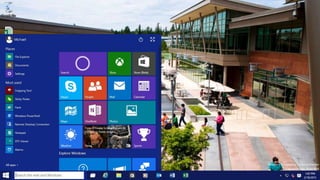
Everything Windows User Group
Windows 10 Deployment in the Enterprise
Key Takeaways
What’s new in Windows Deployment
Deployment options for Windows 10
Prepare for Windows 10
© EG A/S 2
Ronni Pedersen
Microsoft MVP: Enterprise Client Management
Senior Infrastructure Architect
Founder: System Center User Group Denmark
Microsoft Certified Trainer
Microsoft TechNet Moderator
Twitter: https://twitter.com/ronnipedersen
Blog: http://www.ronnipedersen.com/
Mail: Ronni.Pedersen@eg.dk
© EG A/S 3
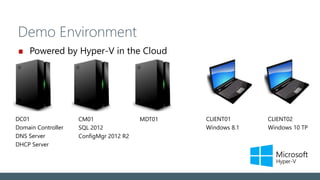
Demo Environment
Powered by Hyper-V in the Cloud
DC01
Domain Controller
DNS Server
DHCP Server
CLIENT02
Windows 10 TP
CM01
SQL 2012
ConfigMgr 2012 R2
CLIENT01
Windows 8.1
MDT01
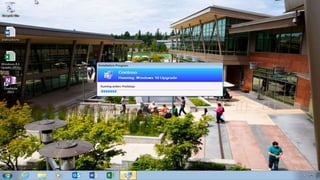
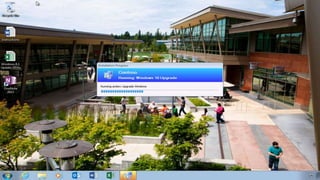
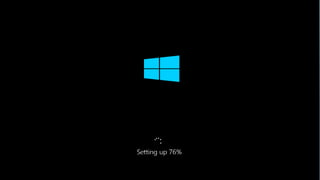
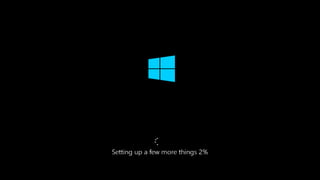
Windows 10 Setup (Technical Preview)
This is still BETA !
Things might change !!!
© EG A/S 6
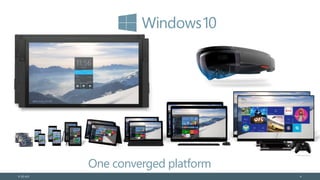
One converged platform
Vision: The end of Wipe and Reload
Managed in-place upgrade
Runtime configuration –
customize without imaging
Reduced validation
and deployment costs
© EG A/S 7
App & Device Compatibility
Hardware requirements
are unchanged
Strong desktop app compatibility
Windows Store apps are compatible
Internet Explorer
enterprise investments
© EG A/S 8
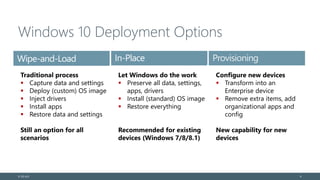
Windows 10 Deployment Options
© EG A/S 9
Traditional process
 Capture data and settings
 Deploy (custom) OS image
 Inject drivers
 Install apps
 Restore data and settings
Still an option for all
scenarios
Wipe-and-Load In-Place Provisioning
Let Windows do the work
 Preserve all data, settings,
apps, drivers
 Install (standard) OS image
 Restore everything
Recommended for existing
devices (Windows 7/8/8.1)
Configure new devices
 Transform into an
Enterprise device
 Remove extra items, add
organizational apps and
config
New capability for new
devices
Upgrade Matrix
Initial OS Final OS Media (ISO) Windows Update
Windows 7 RTM Windows 10
Windows 7 SP1 Windows 10
Windows 8 Windows 10
Windows 8.1 RTM Windows 10
Windows 8.1 S14 Windows 10
Windows RT -
Windows Phone 8.0 - n/a
Windows Phone 8.1 Windows 10 n/a
© EG A/S 10
Direct upgrade path
Direct upgrade path is not supported
Not Supported
DEMO
Windows 10: Building a reference image
Patching the reference Image
Use a dedicated WSUS Server
Add support for Windows Technical
Preview
© EG A/S 12
DEMO
Windows Technical Preview
Patch Management
Windows Everywhere…
And Your Driver Too: Universal Drivers
Announced at WinHEC in Shenzen (18/3-2015)
Drivers can be used on any device (Desktop, Mobile, IoT)
One binary per architecture (x64/x86/ARM)
Source: https://www.osr.com/blog/2015/03/18/windows-
everywhere-driver/
© EG A/S 14
DEMO
In-place upgrade
What’s next?
Lets make the process easy…
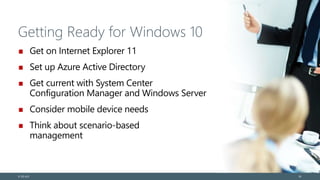
Getting Ready for Windows 10
Get on Internet Explorer 11
Set up Azure Active Directory
Get current with System Center
Configuration Manager and Windows Server
Consider mobile device needs
Think about scenario-based
management
© EG A/S 24
Questions
© EG A/S 25
© EG A/S 26

Deploying windows 10 in the Enterprise

  • 1.
    Everything Windows UserGroup Windows 10 Deployment in the Enterprise
  • 2.
    Key Takeaways What’s newin Windows Deployment Deployment options for Windows 10 Prepare for Windows 10 © EG A/S 2
  • 3.
    Ronni Pedersen Microsoft MVP:Enterprise Client Management Senior Infrastructure Architect Founder: System Center User Group Denmark Microsoft Certified Trainer Microsoft TechNet Moderator Twitter: https://twitter.com/ronnipedersen Blog: http://www.ronnipedersen.com/ Mail: Ronni.Pedersen@eg.dk © EG A/S 3
  • 4.
    Demo Environment Powered byHyper-V in the Cloud DC01 Domain Controller DNS Server DHCP Server CLIENT02 Windows 10 TP CM01 SQL 2012 ConfigMgr 2012 R2 CLIENT01 Windows 8.1 MDT01
  • 5.
    Windows 10 Setup(Technical Preview) This is still BETA ! Things might change !!!
  • 6.
    © EG A/S6 One converged platform
  • 7.
    Vision: The endof Wipe and Reload Managed in-place upgrade Runtime configuration – customize without imaging Reduced validation and deployment costs © EG A/S 7
  • 8.
    App & DeviceCompatibility Hardware requirements are unchanged Strong desktop app compatibility Windows Store apps are compatible Internet Explorer enterprise investments © EG A/S 8
  • 9.
    Windows 10 DeploymentOptions © EG A/S 9 Traditional process  Capture data and settings  Deploy (custom) OS image  Inject drivers  Install apps  Restore data and settings Still an option for all scenarios Wipe-and-Load In-Place Provisioning Let Windows do the work  Preserve all data, settings, apps, drivers  Install (standard) OS image  Restore everything Recommended for existing devices (Windows 7/8/8.1) Configure new devices  Transform into an Enterprise device  Remove extra items, add organizational apps and config New capability for new devices
  • 10.
    Upgrade Matrix Initial OSFinal OS Media (ISO) Windows Update Windows 7 RTM Windows 10 Windows 7 SP1 Windows 10 Windows 8 Windows 10 Windows 8.1 RTM Windows 10 Windows 8.1 S14 Windows 10 Windows RT - Windows Phone 8.0 - n/a Windows Phone 8.1 Windows 10 n/a © EG A/S 10 Direct upgrade path Direct upgrade path is not supported Not Supported
  • 11.
    DEMO Windows 10: Buildinga reference image
  • 12.
    Patching the referenceImage Use a dedicated WSUS Server Add support for Windows Technical Preview © EG A/S 12
  • 13.
  • 14.
    Windows Everywhere… And YourDriver Too: Universal Drivers Announced at WinHEC in Shenzen (18/3-2015) Drivers can be used on any device (Desktop, Mobile, IoT) One binary per architecture (x64/x86/ARM) Source: https://www.osr.com/blog/2015/03/18/windows- everywhere-driver/ © EG A/S 14
  • 15.
  • 23.
    What’s next? Lets makethe process easy…
  • 24.
    Getting Ready forWindows 10 Get on Internet Explorer 11 Set up Azure Active Directory Get current with System Center Configuration Manager and Windows Server Consider mobile device needs Think about scenario-based management © EG A/S 24
  • 25.
  • 26.

Editor's Notes

  • #20 All the existing apps, data, and settings will automatically be captured and restored during the upgrade process. If needed, drivers will be migrated forward as well. [Windows Setup will prefer new drivers included in Windows 10 if available, but will migrate older drivers when necessary. You can also specify your own drivers to inject during the upgrade process, if you know that there are some that need updating.]