© 2017 MICROLAND LIMITED
Dealing with Complexities of
Windows 10 Migration
© 2017 MICROLAND LIMITED
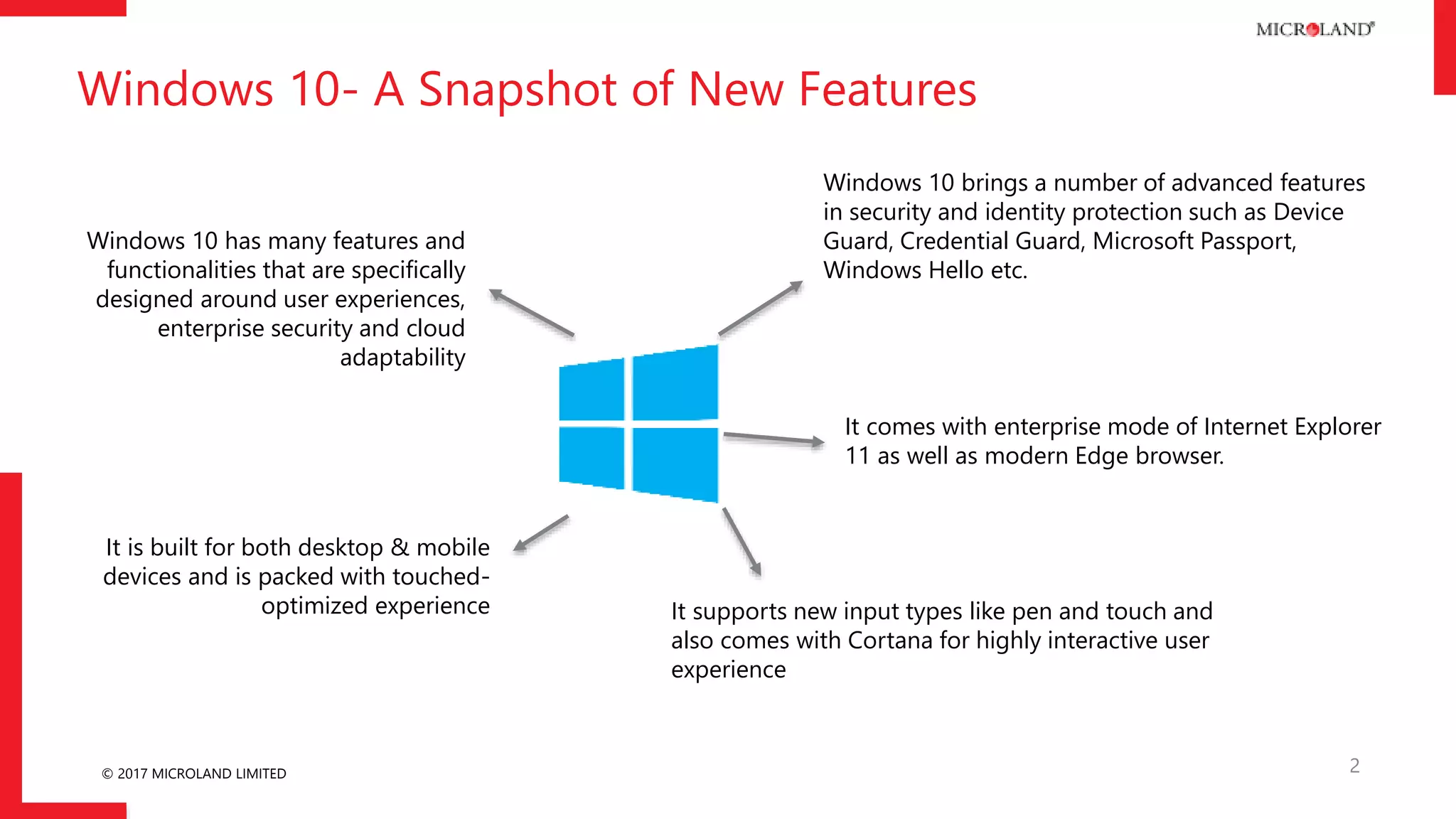
Windows 10- A Snapshot of New Features
2
Windows 10 has many features and
functionalities that are specifically
designed around user experiences,
enterprise security and cloud
adaptability
Windows 10 brings a number of advanced features
in security and identity protection such as Device
Guard, Credential Guard, Microsoft Passport,
Windows Hello etc.
It supports new input types like pen and touch and
also comes with Cortana for highly interactive user
experience
It is built for both desktop & mobile
devices and is packed with touched-
optimized experience
It comes with enterprise mode of Internet Explorer
11 as well as modern Edge browser.
© 2017 MICROLAND LIMITED 3
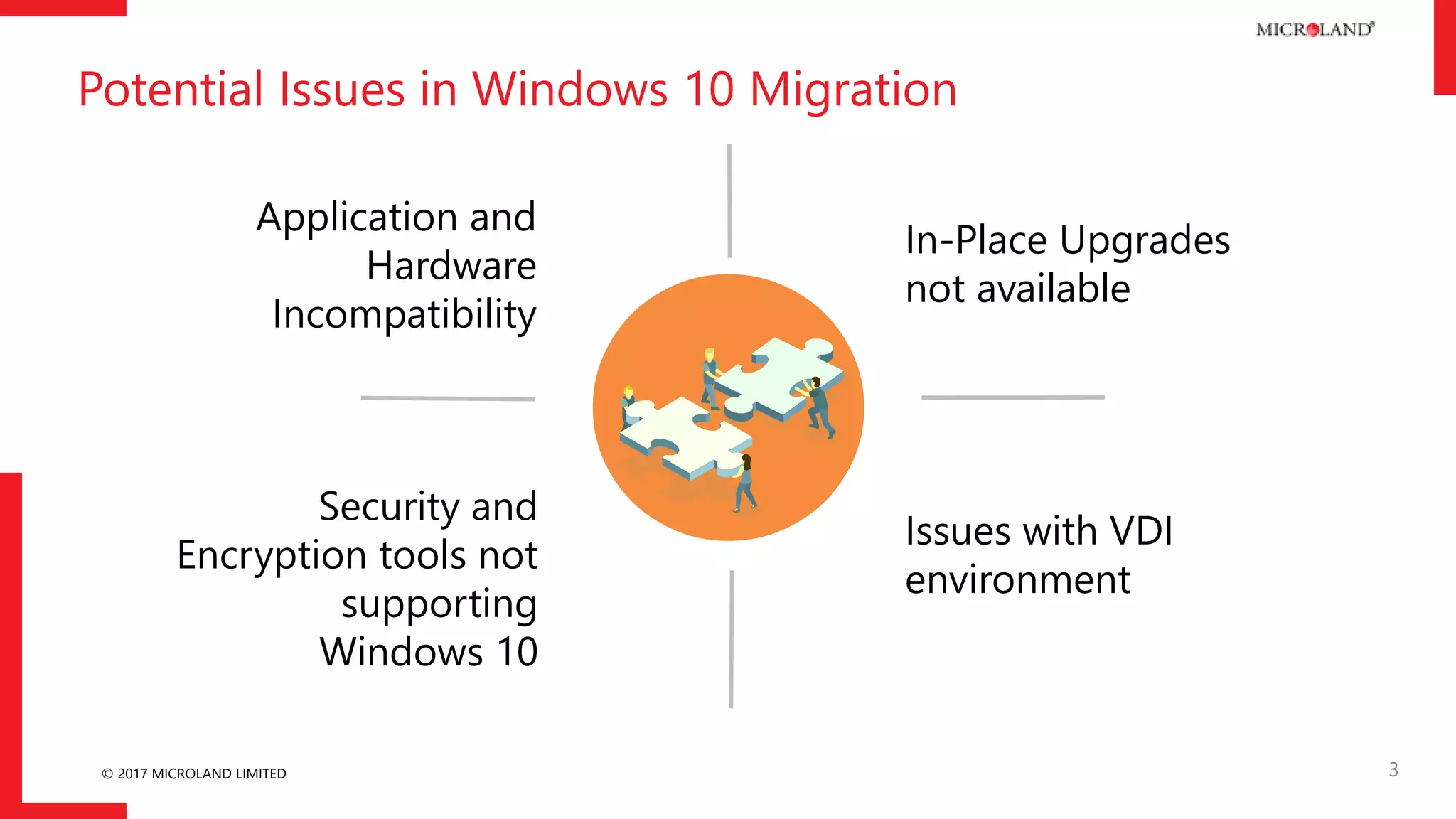
Application and
Hardware
Incompatibility
Issues with VDI
environment
In-Place Upgrades
not available
Security and
Encryption tools not
supporting
Windows 10
Potential Issues in Windows 10 Migration
© 2017 MICROLAND LIMITED
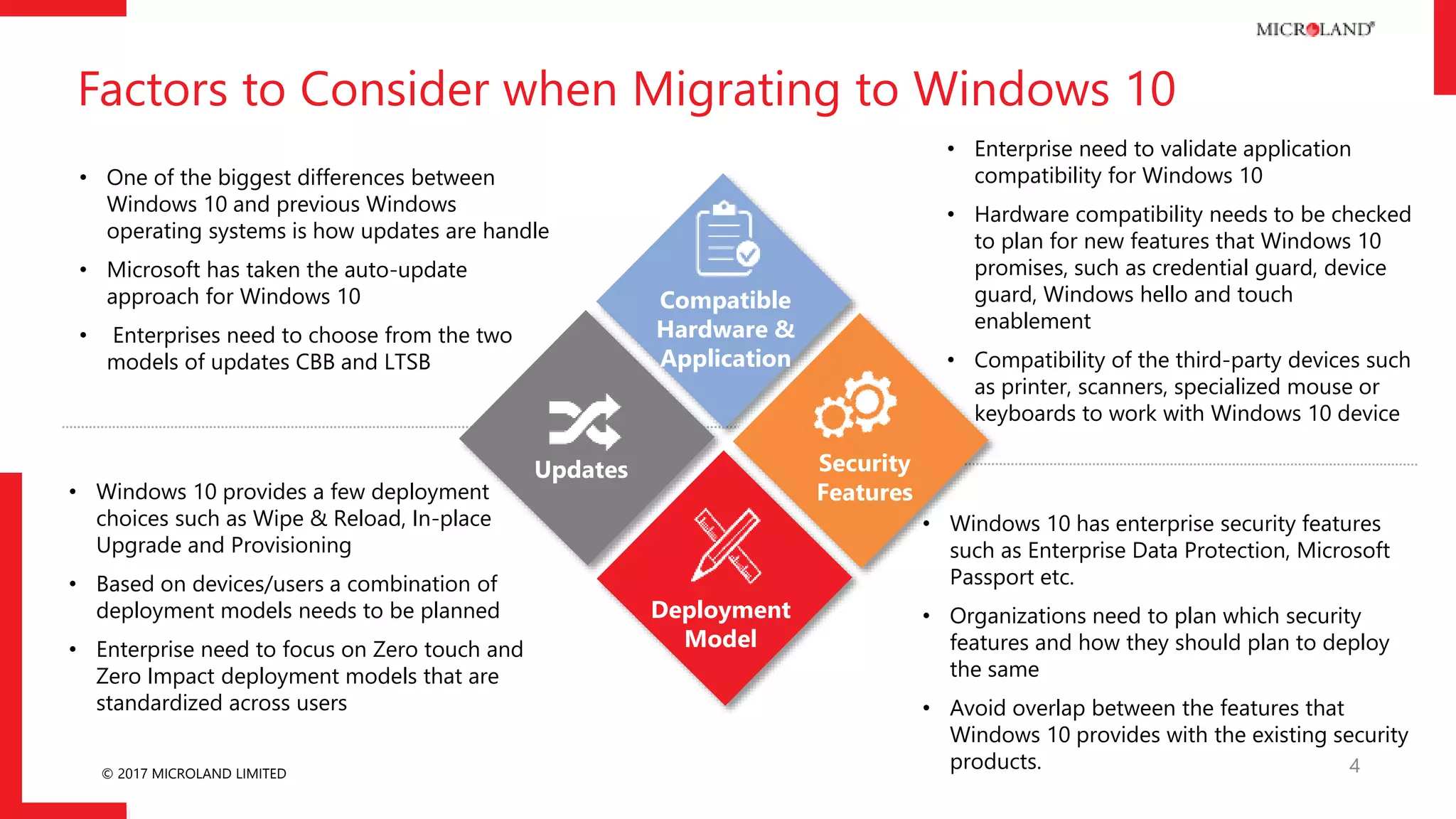
Factors to Consider when Migrating to Windows 10
4
Compatible
Hardware &
Application
Security
Features
Deployment
Model
Updates
• Enterprise need to validate application
compatibility for Windows 10
• Hardware compatibility needs to be checked
to plan for new features that Windows 10
promises, such as credential guard, device
guard, Windows hello and touch
enablement
• Compatibility of the third-party devices such
as printer, scanners, specialized mouse or
keyboards to work with Windows 10 device
• Windows 10 has enterprise security features
such as Enterprise Data Protection, Microsoft
Passport etc.
• Organizations need to plan which security
features and how they should plan to deploy
the same
• Avoid overlap between the features that
Windows 10 provides with the existing security
products.
• Windows 10 provides a few deployment
choices such as Wipe & Reload, In-place
Upgrade and Provisioning
• Based on devices/users a combination of
deployment models needs to be planned
• Enterprise need to focus on Zero touch and
Zero Impact deployment models that are
standardized across users
• One of the biggest differences between
Windows 10 and previous Windows
operating systems is how updates are handle
• Microsoft has taken the auto-update
approach for Windows 10
• Enterprises need to choose from the two
models of updates CBB and LTSB
© 2017 MICROLAND LIMITED
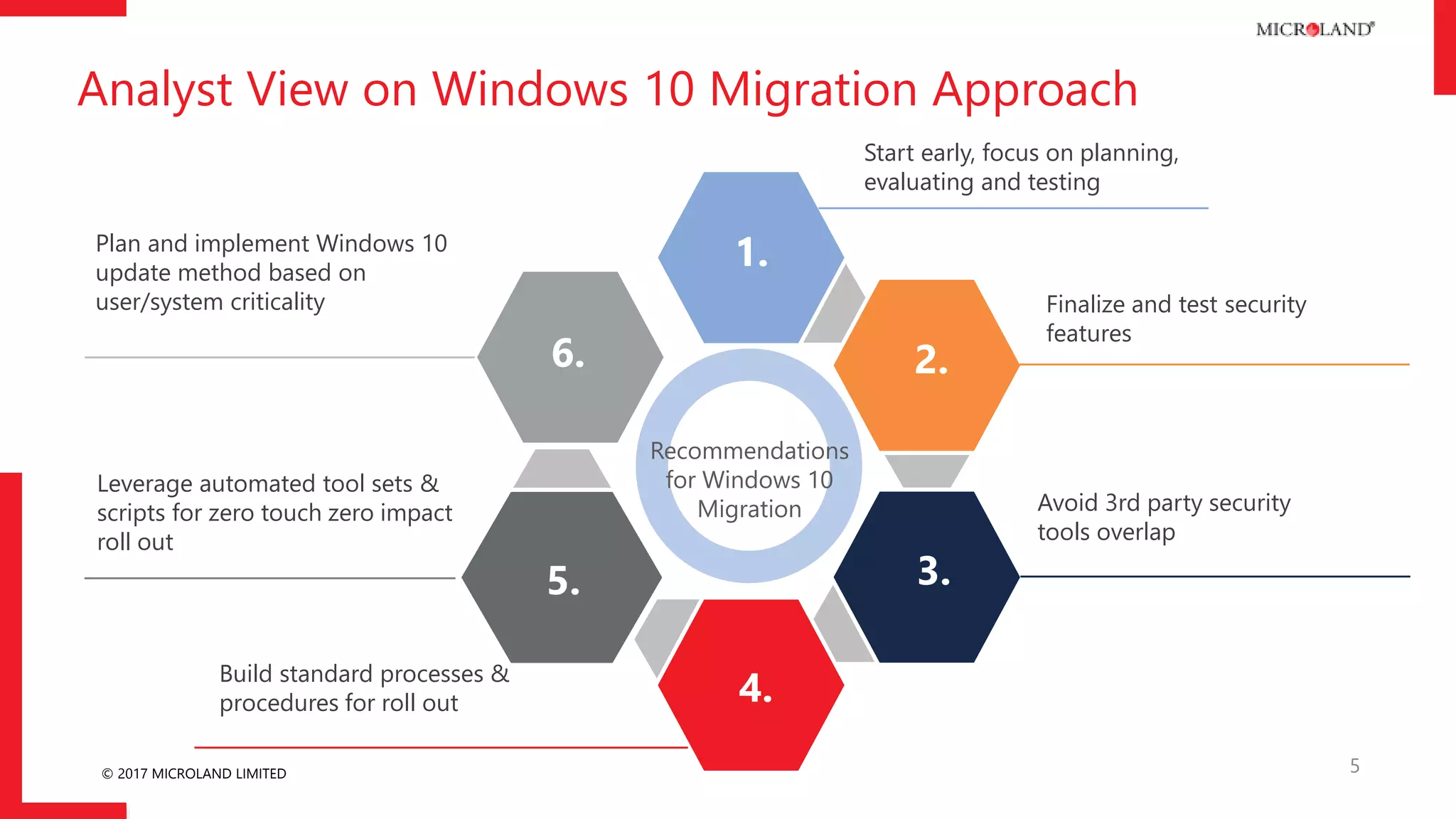
Analyst View on Windows 10 Migration Approach
5
Recommendations
for Windows 10
Migration
1.
Start early, focus on planning,
evaluating and testing
2.
Finalize and test security
features
3.
Avoid 3rd party security
tools overlap
6.
Plan and implement Windows 10
update method based on
user/system criticality
5.
Leverage automated tool sets &
scripts for zero touch zero impact
roll out
4.Build standard processes &
procedures for roll out
© 2017 MICROLAND LIMITED
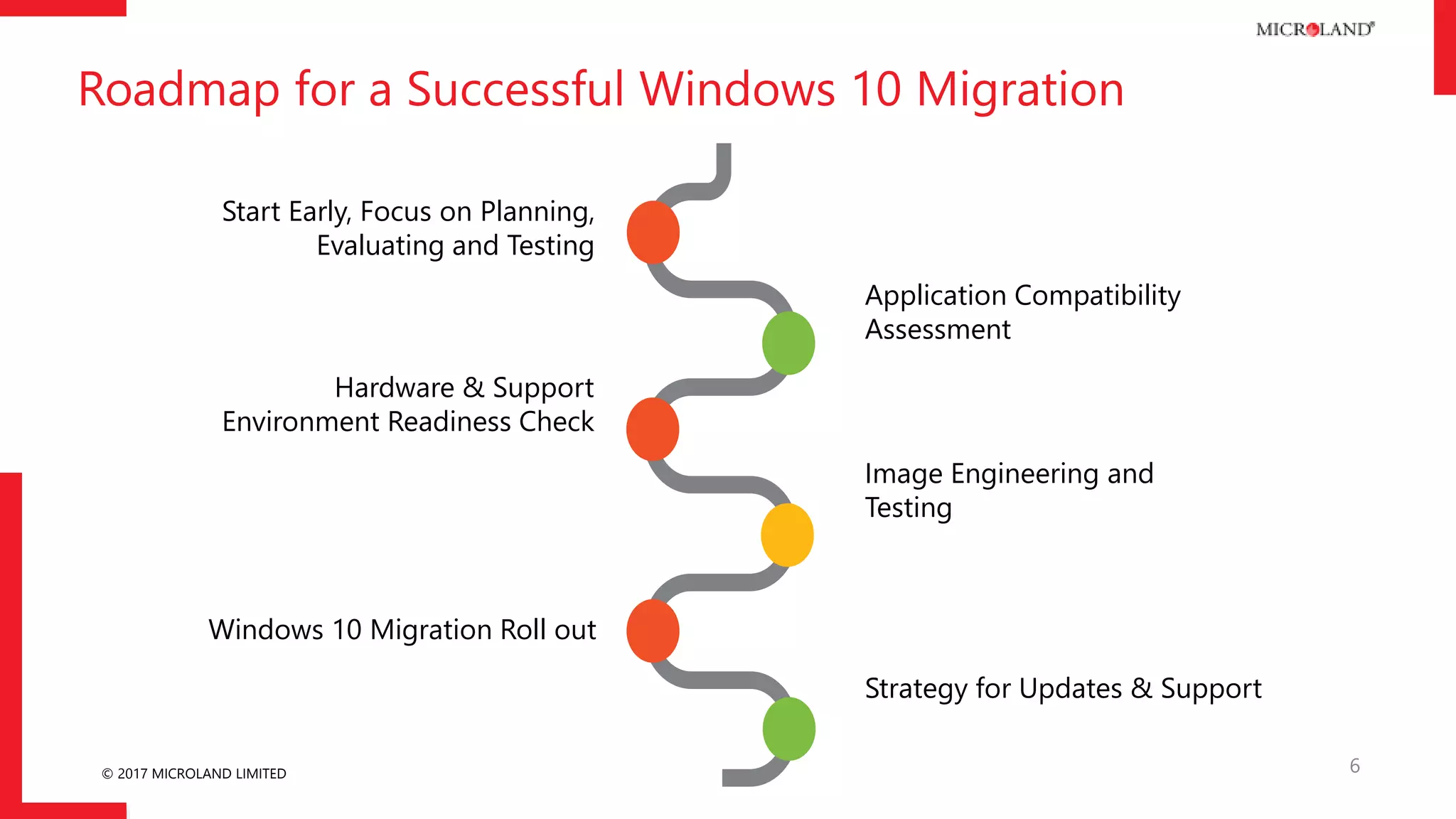
Roadmap for a Successful Windows 10 Migration
6
Start Early, Focus on Planning,
Evaluating and Testing
Application Compatibility
Assessment
Hardware & Support
Environment Readiness Check
Windows 10 Migration Roll out
Image Engineering and
Testing
Strategy for Updates & Support
© 2017 MICROLAND LIMITED
Read the complete
Newsletter:
10 for 10-10 easy steps
to migrate to
Windows 10
Download
© 2017 MICROLAND LIMITED
THANK YOU
8

Dealing with complexities of Windows 10 migration

  • 1.
    © 2017 MICROLANDLIMITED Dealing with Complexities of Windows 10 Migration
  • 2.
    © 2017 MICROLANDLIMITED Windows 10- A Snapshot of New Features 2 Windows 10 has many features and functionalities that are specifically designed around user experiences, enterprise security and cloud adaptability Windows 10 brings a number of advanced features in security and identity protection such as Device Guard, Credential Guard, Microsoft Passport, Windows Hello etc. It supports new input types like pen and touch and also comes with Cortana for highly interactive user experience It is built for both desktop & mobile devices and is packed with touched- optimized experience It comes with enterprise mode of Internet Explorer 11 as well as modern Edge browser.
  • 3.
    © 2017 MICROLANDLIMITED 3 Application and Hardware Incompatibility Issues with VDI environment In-Place Upgrades not available Security and Encryption tools not supporting Windows 10 Potential Issues in Windows 10 Migration
  • 4.
    © 2017 MICROLANDLIMITED Factors to Consider when Migrating to Windows 10 4 Compatible Hardware & Application Security Features Deployment Model Updates • Enterprise need to validate application compatibility for Windows 10 • Hardware compatibility needs to be checked to plan for new features that Windows 10 promises, such as credential guard, device guard, Windows hello and touch enablement • Compatibility of the third-party devices such as printer, scanners, specialized mouse or keyboards to work with Windows 10 device • Windows 10 has enterprise security features such as Enterprise Data Protection, Microsoft Passport etc. • Organizations need to plan which security features and how they should plan to deploy the same • Avoid overlap between the features that Windows 10 provides with the existing security products. • Windows 10 provides a few deployment choices such as Wipe & Reload, In-place Upgrade and Provisioning • Based on devices/users a combination of deployment models needs to be planned • Enterprise need to focus on Zero touch and Zero Impact deployment models that are standardized across users • One of the biggest differences between Windows 10 and previous Windows operating systems is how updates are handle • Microsoft has taken the auto-update approach for Windows 10 • Enterprises need to choose from the two models of updates CBB and LTSB
  • 5.
    © 2017 MICROLANDLIMITED Analyst View on Windows 10 Migration Approach 5 Recommendations for Windows 10 Migration 1. Start early, focus on planning, evaluating and testing 2. Finalize and test security features 3. Avoid 3rd party security tools overlap 6. Plan and implement Windows 10 update method based on user/system criticality 5. Leverage automated tool sets & scripts for zero touch zero impact roll out 4.Build standard processes & procedures for roll out
  • 6.
    © 2017 MICROLANDLIMITED Roadmap for a Successful Windows 10 Migration 6 Start Early, Focus on Planning, Evaluating and Testing Application Compatibility Assessment Hardware & Support Environment Readiness Check Windows 10 Migration Roll out Image Engineering and Testing Strategy for Updates & Support
  • 7.
    © 2017 MICROLANDLIMITED Read the complete Newsletter: 10 for 10-10 easy steps to migrate to Windows 10 Download
  • 8.
    © 2017 MICROLANDLIMITED THANK YOU 8