Microsoft® Official Academic Course
Windows Operating System Fundamentals
Microsoft Technology Associate Exam 98-349
Installing and Upgrading Client Systems
Lesson 1
Objectives
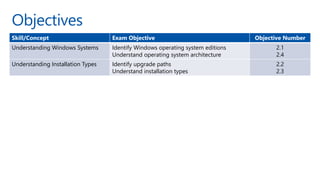
Skill/Concept Exam Objective Objective Number
Understanding Windows Systems Identify Windows operating system editions
Understand operating system architecture
2.1
2.4
Understanding Installation Types Identify upgrade paths
Understand installation types
2.2
2.3
Understanding Windows Systems (1/2)
•
•
Understanding Windows Systems (2/2)
•
•
•
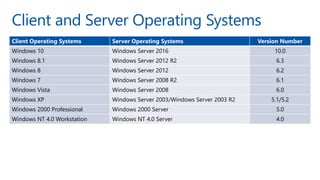
Client and Server Operating Systems
Client Operating Systems Server Operating Systems Version Number
Windows 10 Windows Server 2016 10.0
Windows 8.1 Windows Server 2012 R2 6.3
Windows 8 Windows Server 2012 6.2
Windows 7 Windows Server 2008 R2 6.1
Windows Vista Windows Server 2008 6.0
Windows XP Windows Server 2003/Windows Server 2003 R2 5.1/5.2
Windows 2000 Professional Windows 2000 Server 5.0
Windows NT 4.0 Workstation Windows NT 4.0 Server 4.0
Understanding User Interfaces (UIs) (1/2)
•
Understanding User Interfaces (UIs) (2/2)
•
•
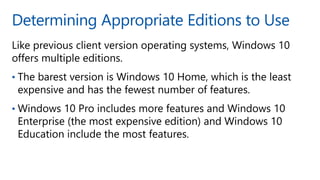
Determining Appropriate Editions to Use
•
•
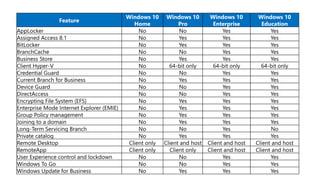
Feature
Windows 10
Home
Windows 10
Pro
Windows 10
Enterprise
Windows 10
Education
AppLocker No No Yes Yes
Assigned Access 8.1 No Yes Yes Yes
BitLocker No Yes Yes Yes
BranchCache No No Yes Yes
Business Store No Yes Yes Yes
Client Hyper-V No 64-bit only 64-bit only 64-bit only
Credential Guard No No Yes Yes
Current Branch for Business No Yes Yes Yes
Device Guard No No Yes Yes
DirectAccess No No Yes Yes
Encrypting File System (EFS) No Yes Yes Yes
Enterprise Mode Internet Explorer (EMIE) No Yes Yes Yes
Group Policy management No Yes Yes Yes
Joining to a domain No Yes Yes Yes
Long-Term Servicing Branch No No Yes No
Private catalog No Yes Yes Yes
Remote Desktop Client only Client and host Client and host Client and host
RemoteApp Client only Client only Client and host Client and host
User Experience control and lockdown No No Yes Yes
Windows To Go No No Yes Yes
Windows Update for Business No Yes Yes Yes
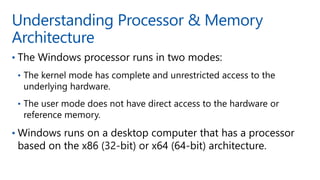
Understanding Processor & Memory
Architecture
•
•
•
•
32-bit and 64-bit Computing (1/2)
•
•
•
•
32-bit and 64-bit Computing (2/2)
•
•
•
Viewing System Information
Viewing System Type Value
Understanding Drivers
•
•
Windows 10 System Requirements
•
•
•
•
•
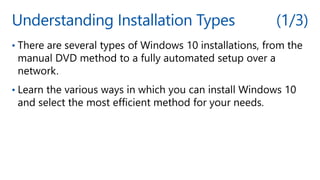
Understanding Installation Types (1/3)
•
•
Understanding Installation Types (2/3)
•
•
•
Understanding Installation Types (3/3)
•
Performing a Clean Install of Windows 10
•
•
•
The Windows Setup Page
Windows 10 Activation
• Activation helps verify that the copy of Windows is genuine,
and that it is not in use on more devices than the number
for which you own licenses.
• To Activate Windows 10, you need to type a valid 25-
character product key which looks similar to:
• xxxxx-xxxxx-xxxxx-xxxxx-xxxxx
but is composed of letters and numbers.
Windows 10 Product Key
• It is usually located:
 On the installation disc holder inside the Windows package
 On a sticker on the back or bottom of your computer if the
operating system came pre-installed on the computer
 In a confirmation e-mail if you purchased and downloaded
Windows 10 online.
Upgrading to Windows 10
•
•
•
https://developer.microsoft.com/en-us/windows/ready-for-
windows
Upgrading to Windows 10
•
•
•
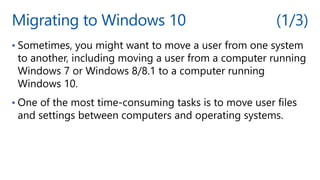
Migrating to Windows 10 (1/3)
•
•
Migrating to Windows 10 (2/3)
•
•
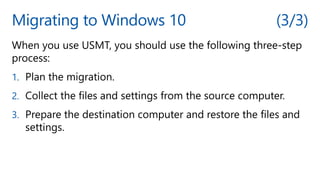
Migrating to Windows 10 (3/3)
1.
2.
3.
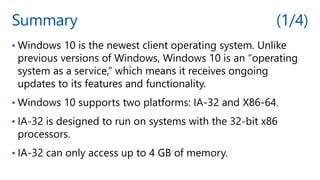
Summary (1/4)
•
•
•
•
Summary (2/4)
•
•
•
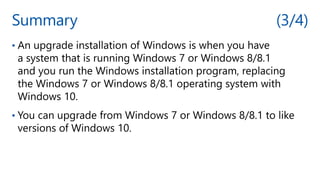
Summary (3/4)
•
•
Summary (4/4)
•
•
© 2018 Microsoft Corporation. All rights reserved.
Microsoft and the trademarks listed at http://www.microsoft.com/trademarks are trademarks of the Microsoft group of companies.
All other trademarks are property of their respective owners.

Windows 10 Operating System Installation.pptx