Your Interactive Guide
to the Digital World
Discovering
Computers 2012
Databases, Data, and Information
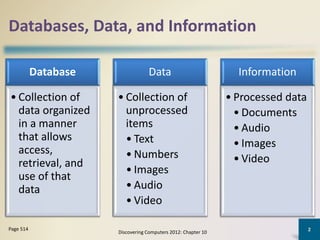
Database
• Collection of
data organized
in a manner
that allows
access,
retrieval, and
use of that
data
Data
• Collection of
unprocessed
items
• Text
• Numbers
• Images
• Audio
• Video
Information
• Processed data
• Documents
• Audio
• Images
• Video
Discovering Computers 2012: Chapter 10
2Page 514
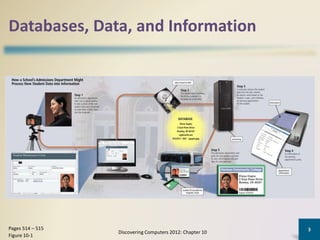
Databases, Data, and Information
Discovering Computers 2012: Chapter 10
3Pages 514 – 515
Figure 10-1
Databases, Data, and Information
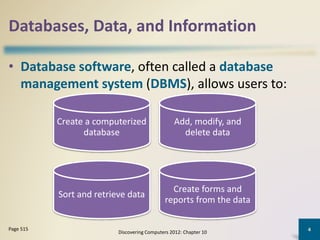
• Database software, often called a database
management system (DBMS), allows users to:
Discovering Computers 2012: Chapter 10
4Page 515
Create a computerized
database
Add, modify, and
delete data
Sort and retrieve data
Create forms and
reports from the data
Databases, Data, and Information
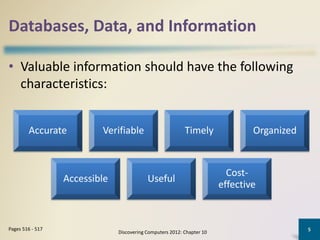
• Valuable information should have the following
characteristics:
Discovering Computers 2012: Chapter 10
5Pages 516 - 517
Accurate Verifiable Timely Organized
Accessible Useful
Cost-
effective
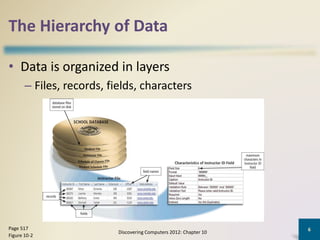
The Hierarchy of Data
• Data is organized in layers
– Files, records, fields, characters
Discovering Computers 2012: Chapter 10
6Page 517
Figure 10-2
The Hierarchy of Data
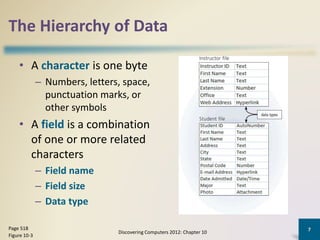
• A character is one byte
– Numbers, letters, space,
punctuation marks, or
other symbols
• A field is a combination
of one or more related
characters
– Field name
– Field size
– Data type
Discovering Computers 2012: Chapter 10
7Page 518
Figure 10-3
The Hierarchy of Data
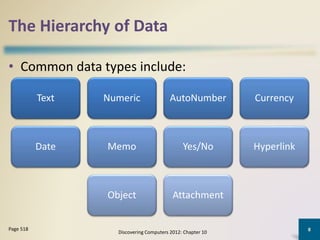
• Common data types include:
Discovering Computers 2012: Chapter 10
8Page 518
Text Numeric AutoNumber Currency
Date Memo Yes/No Hyperlink
Object Attachment
The Hierarchy of Data
Discovering Computers 2012: Chapter 10
9Page 519
Figure 10-4
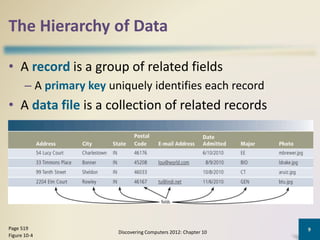
• A record is a group of related fields
– A primary key uniquely identifies each record
• A data file is a collection of related records
Maintaining Data
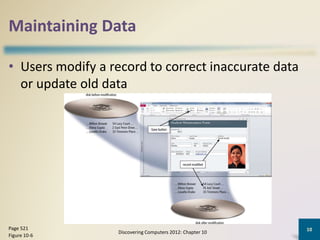
• Users modify a record to correct inaccurate data
or update old data
Discovering Computers 2012: Chapter 10
10Page 521
Figure 10-6
Maintaining Data
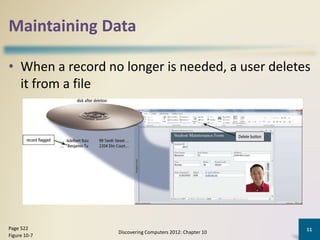
• When a record no longer is needed, a user deletes
it from a file
Discovering Computers 2012: Chapter 10
11Page 522
Figure 10-7
Maintaining Data
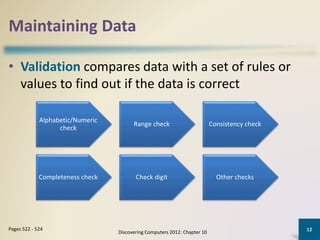
• Validation compares data with a set of rules or
values to find out if the data is correct
Discovering Computers 2012: Chapter 10
12Pages 522 - 524
Alphabetic/Numeric
check
Range check Consistency check
Completeness check Check digit Other checks
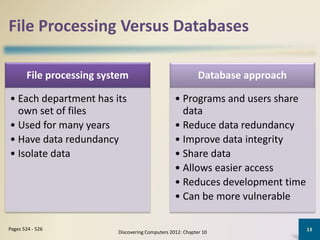
File Processing Versus Databases
Discovering Computers 2012: Chapter 10
13Pages 524 - 526
File processing system
• Each department has its
own set of files
• Used for many years
• Have data redundancy
• Isolate data
Database approach
• Programs and users share
data
• Reduce data redundancy
• Improve data integrity
• Share data
• Allows easier access
• Reduces development time
• Can be more vulnerable
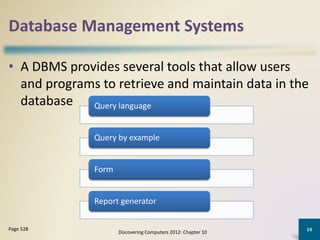
Database Management Systems
• A DBMS provides several tools that allow users
and programs to retrieve and maintain data in the
database
Discovering Computers 2012: Chapter 10
14Page 528
Query language
Query by example
Form
Report generator
Database Management Systems
• A query language consists of simple, English-like
statements that allow users to specify the data to
display, print, or store
• Query by example (QBE) provides a GUI to assist
users with retrieving data
Discovering Computers 2012: Chapter 10
15Page 528
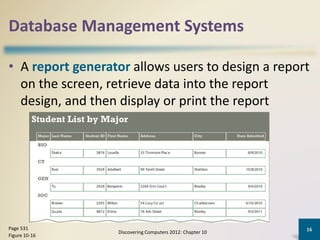
Database Management Systems
• A report generator allows users to design a report
on the screen, retrieve data into the report
design, and then display or print the report
Discovering Computers 2012: Chapter 10
16Page 531
Figure 10-16
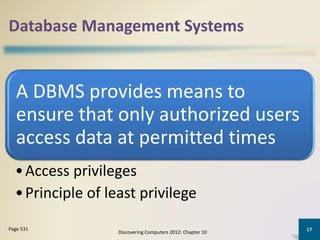
Database Management Systems
A DBMS provides means to
ensure that only authorized users
access data at permitted times
•Access privileges
•Principle of least privilege
Discovering Computers 2012: Chapter 10
17Page 531
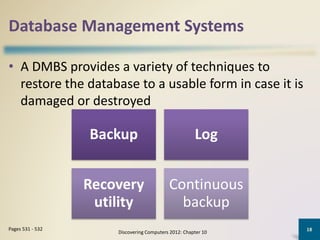
Database Management Systems
• A DMBS provides a variety of techniques to
restore the database to a usable form in case it is
damaged or destroyed
Discovering Computers 2012: Chapter 10
18Pages 531 - 532
Backup Log
Recovery
utility
Continuous
backup
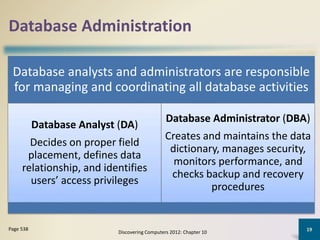
Database Administration
Database analysts and administrators are responsible
for managing and coordinating all database activities
Database Analyst (DA)
Decides on proper field
placement, defines data
relationship, and identifies
users’ access privileges
Database Administrator (DBA)
Creates and maintains the data
dictionary, manages security,
monitors performance, and
checks backup and recovery
procedures
Discovering Computers 2012: Chapter 10
19Page 538

Database

  • 1.
    Your Interactive Guide tothe Digital World Discovering Computers 2012
  • 2.
    Databases, Data, andInformation Database • Collection of data organized in a manner that allows access, retrieval, and use of that data Data • Collection of unprocessed items • Text • Numbers • Images • Audio • Video Information • Processed data • Documents • Audio • Images • Video Discovering Computers 2012: Chapter 10 2Page 514
  • 3.
    Databases, Data, andInformation Discovering Computers 2012: Chapter 10 3Pages 514 – 515 Figure 10-1
  • 4.
    Databases, Data, andInformation • Database software, often called a database management system (DBMS), allows users to: Discovering Computers 2012: Chapter 10 4Page 515 Create a computerized database Add, modify, and delete data Sort and retrieve data Create forms and reports from the data
  • 5.
    Databases, Data, andInformation • Valuable information should have the following characteristics: Discovering Computers 2012: Chapter 10 5Pages 516 - 517 Accurate Verifiable Timely Organized Accessible Useful Cost- effective
  • 6.
    The Hierarchy ofData • Data is organized in layers – Files, records, fields, characters Discovering Computers 2012: Chapter 10 6Page 517 Figure 10-2
  • 7.
    The Hierarchy ofData • A character is one byte – Numbers, letters, space, punctuation marks, or other symbols • A field is a combination of one or more related characters – Field name – Field size – Data type Discovering Computers 2012: Chapter 10 7Page 518 Figure 10-3
  • 8.
    The Hierarchy ofData • Common data types include: Discovering Computers 2012: Chapter 10 8Page 518 Text Numeric AutoNumber Currency Date Memo Yes/No Hyperlink Object Attachment
  • 9.
    The Hierarchy ofData Discovering Computers 2012: Chapter 10 9Page 519 Figure 10-4 • A record is a group of related fields – A primary key uniquely identifies each record • A data file is a collection of related records
  • 10.
    Maintaining Data • Usersmodify a record to correct inaccurate data or update old data Discovering Computers 2012: Chapter 10 10Page 521 Figure 10-6
  • 11.
    Maintaining Data • Whena record no longer is needed, a user deletes it from a file Discovering Computers 2012: Chapter 10 11Page 522 Figure 10-7
  • 12.
    Maintaining Data • Validationcompares data with a set of rules or values to find out if the data is correct Discovering Computers 2012: Chapter 10 12Pages 522 - 524 Alphabetic/Numeric check Range check Consistency check Completeness check Check digit Other checks
  • 13.
    File Processing VersusDatabases Discovering Computers 2012: Chapter 10 13Pages 524 - 526 File processing system • Each department has its own set of files • Used for many years • Have data redundancy • Isolate data Database approach • Programs and users share data • Reduce data redundancy • Improve data integrity • Share data • Allows easier access • Reduces development time • Can be more vulnerable
  • 14.
    Database Management Systems •A DBMS provides several tools that allow users and programs to retrieve and maintain data in the database Discovering Computers 2012: Chapter 10 14Page 528 Query language Query by example Form Report generator
  • 15.
    Database Management Systems •A query language consists of simple, English-like statements that allow users to specify the data to display, print, or store • Query by example (QBE) provides a GUI to assist users with retrieving data Discovering Computers 2012: Chapter 10 15Page 528
  • 16.
    Database Management Systems •A report generator allows users to design a report on the screen, retrieve data into the report design, and then display or print the report Discovering Computers 2012: Chapter 10 16Page 531 Figure 10-16
  • 17.
    Database Management Systems ADBMS provides means to ensure that only authorized users access data at permitted times •Access privileges •Principle of least privilege Discovering Computers 2012: Chapter 10 17Page 531
  • 18.
    Database Management Systems •A DMBS provides a variety of techniques to restore the database to a usable form in case it is damaged or destroyed Discovering Computers 2012: Chapter 10 18Pages 531 - 532 Backup Log Recovery utility Continuous backup
  • 19.
    Database Administration Database analystsand administrators are responsible for managing and coordinating all database activities Database Analyst (DA) Decides on proper field placement, defines data relationship, and identifies users’ access privileges Database Administrator (DBA) Creates and maintains the data dictionary, manages security, monitors performance, and checks backup and recovery procedures Discovering Computers 2012: Chapter 10 19Page 538