Data Visualization
• http://www.ted.com/talks/hans_rosling_shows_the_best_stats_you_ve_ever_seen.html
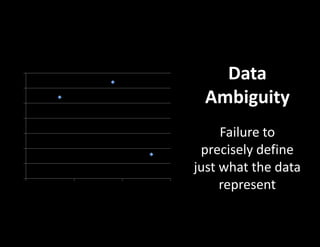
Data
Ambiguity
Failure to
precisely define
just what the data
represent
0
0.5
1
1.5
2
2.5
3
3.5
0 1 2 3
Y-Value 1
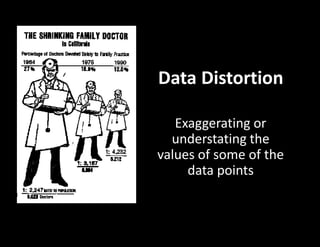
Data Distortion
Exaggerating or
understating the
values of some of the
data points
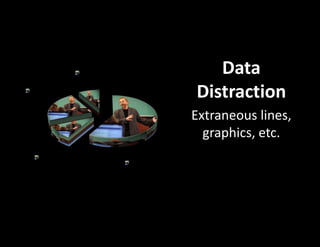
Data
Distraction
Extraneous lines,
graphics, etc.
1st Qtr
58%
2nd Qtr
10%
3rd Qtr
23%
4th Qtr
9%
Sales
How to make graphs that work
(advice from Seth Godin)
1. Don't let popular spreadsheets be in charge
of the way you look.
2. Tell a story.
3. Follow some simple rules.*
4. Break some other rules.
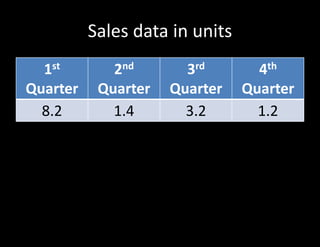
Classics – The Table
• While it might be possible to display data
better graphically, a table often does the job
quite nicely.
*Godin’s Rules
• Time goes from left to right.
Sales data in units
1st
Quarter
2nd
Quarter
3rd
Quarter
4th
Quarter
8.2 1.4 3.2 1.2
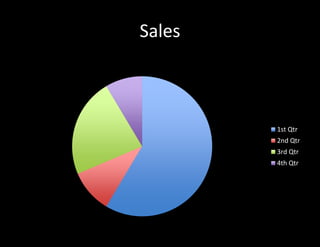
Classics – Pie Charts
• Pie charts have a mixed reputation.
• They are popular in business and the media but
many information designers have criticized the
technique.
• Some claim that the pie slice shape
communicates numbers less exactly than other
possibilities such as line length.
• At least one study indicates that use of a pie chart
for analyzing a problem as opposed to a bar chart
changes the way people think about the problem.
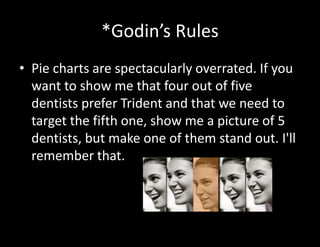
*Godin’s Rules
• Pie charts are spectacularly overrated. If you
want to show me that four out of five
dentists prefer Trident and that we need to
target the fifth one, show me a picture of 5
dentists, but make one of them stand out. I'll
remember that.
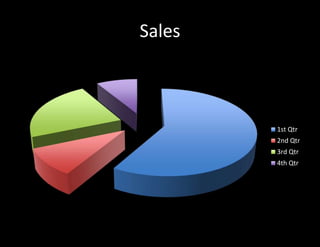
Sales
Sales
1st Qtr
2nd Qtr
3rd Qtr
4th Qtr
Sales
Sales
1st Qtr
2nd Qtr
3rd Qtr
4th Qtr
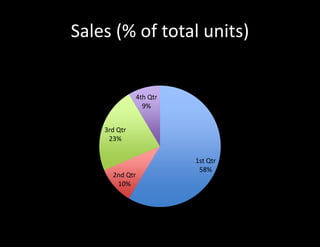
Sales (% of total units)
1st Qtr
58%
2nd Qtr
10%
3rd Qtr
23%
4th Qtr
9%
Sales
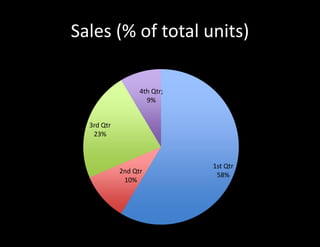
Sales (% of total units)
1st Qtr
58%
2nd Qtr
10%
3rd Qtr
23%
4th Qtr;
9%
Sales
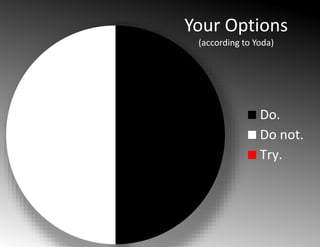
Your Options
(according to Yoda)
Do.
Do not.
Try.
Classics – Line Graphs
• Line graphs are classic diagrams that usually
give a good picture of the data.
• Line graphs should only be used when the
positions on the x-axis have a natural
ordering. If your labels are "2000, 2001,
2002" that's fine. If your labels are "US,
England, Germany" you should consider a bar
graph instead.
*Godin’s Rules
• Good results should go up on the Y axis. This
means that if you're charting weight loss,
don't chart "how much I weigh" because
good results would go down. Instead, chart
"percentage of goal" or "how much I lost.
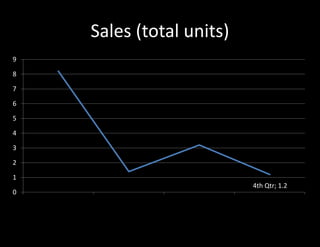
Sales (total units)
1st Qtr, 8.2
2nd Qtr, 1.4
3rd Qtr, 3.2
4th Qtr; 1.2
0
1
2
3
4
5
6
7
8
9
1st Qtr 2nd Qtr 3rd Qtr 4th Qtr
Sales
*Godin’s Rules
• "Don't connect unrelated events. For
example, a graph of IQs of everyone in your
kindergarten class should be a series of
unrelated points, not a line graph. On the
other hand, your weight loss is in fact a
continuous function, so each piece of data
should be attached.
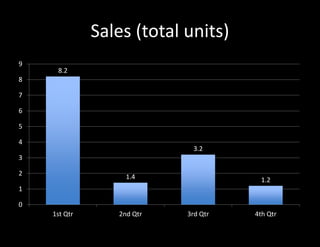
Classics – Bar Charts
• Bar charts are classic diagrams that usually
give a good picture of the data.
• Their main problem is that when there are
many bars, labeling becomes problematic.
• They also imply that the data is discrete; if
your data is something that is plausibly
continuously changing over time, for
instance, you might consider a line graph
instead.
Sales (total units)
8.2
1.4
3.2
1.2
1st Qtr 2nd Qtr 3rd Qtr 4th Qtr
0
1
2
3
4
5
6
7
8
9
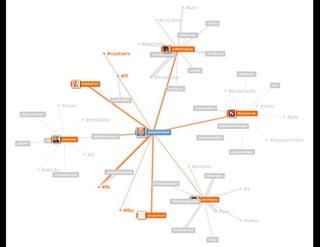
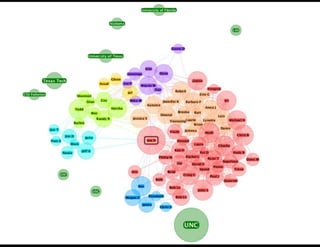
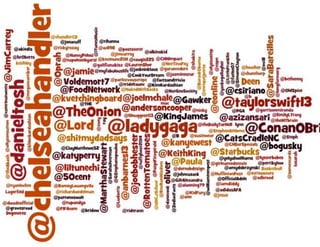
New Classics – Network Diagram
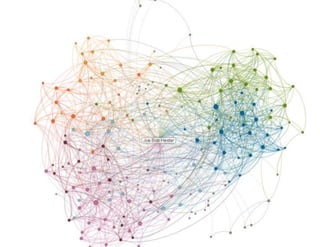
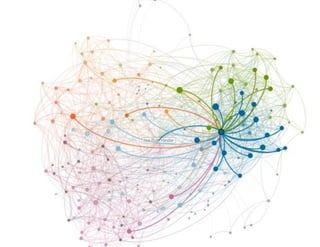
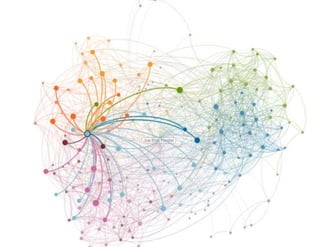
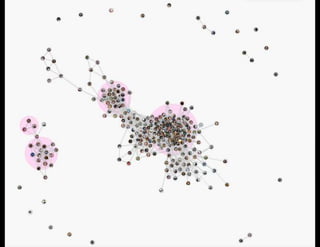
• Real-world information often comes in the
form of relationships between entities or
items, such as people who know each other
(social networks), or Web pages that are
connected to each other.
• In a network diagram, entities are connected
to each other in the form of a node and link
diagram.
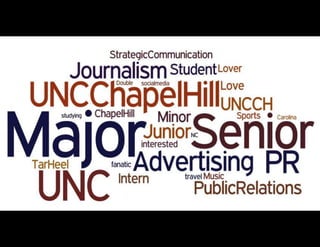
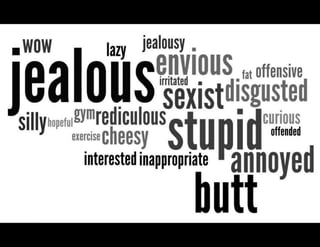
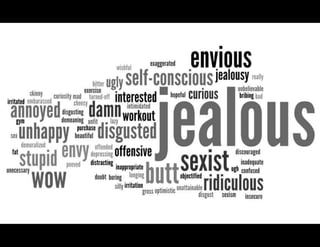
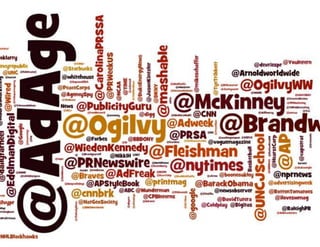
New Classics – Word Cloud
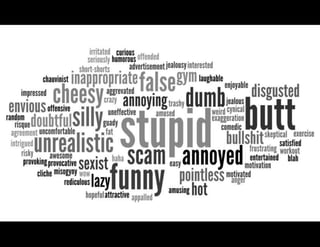
• A "Word Cloud" enables you to see how
frequently words appear in a given text, or
see the relationship between a column of
words and a column of numbers.
• You can tweak your word "clouds" with
different fonts, layouts, and color schemes.
• Wordle.net
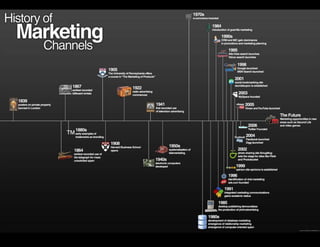
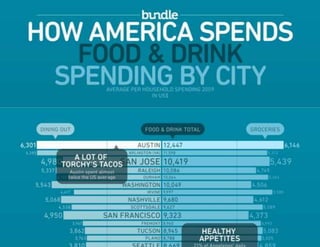
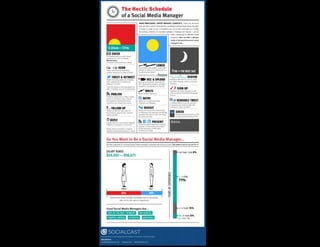
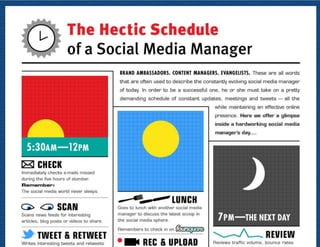
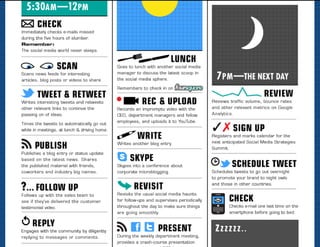
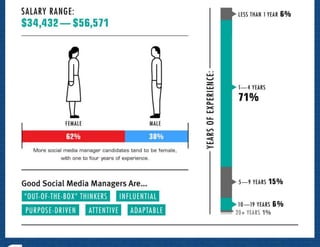
New Classics - Infographics
• Information graphics or infographics are
graphic visual representations of
information, data or knowledge.
The future of visualization
• One word: DATA
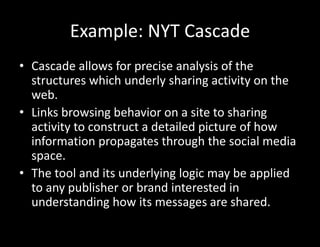
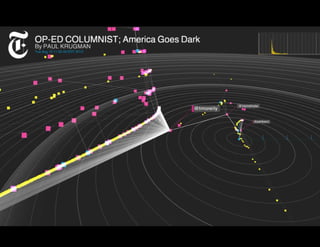
Example: NYT Cascade
• Cascade allows for precise analysis of the
structures which underly sharing activity on the
web.
• Links browsing behavior on a site to sharing
activity to construct a detailed picture of how
information propagates through the social media
space.
• The tool and its underlying logic may be applied
to any publisher or brand interested in
understanding how its messages are shared.
• http://nytlabs.com/projects/cascade.html

Data visualization

  • 1.
  • 2.
  • 3.
    Data Ambiguity Failure to precisely define justwhat the data represent 0 0.5 1 1.5 2 2.5 3 3.5 0 1 2 3 Y-Value 1
  • 4.
    Data Distortion Exaggerating or understatingthe values of some of the data points
  • 5.
    Data Distraction Extraneous lines, graphics, etc. 1stQtr 58% 2nd Qtr 10% 3rd Qtr 23% 4th Qtr 9% Sales
  • 6.
    How to makegraphs that work (advice from Seth Godin) 1. Don't let popular spreadsheets be in charge of the way you look. 2. Tell a story. 3. Follow some simple rules.* 4. Break some other rules.
  • 7.
    Classics – TheTable • While it might be possible to display data better graphically, a table often does the job quite nicely.
  • 8.
    *Godin’s Rules • Timegoes from left to right.
  • 9.
    Sales data inunits 1st Quarter 2nd Quarter 3rd Quarter 4th Quarter 8.2 1.4 3.2 1.2
  • 10.
    Classics – PieCharts • Pie charts have a mixed reputation. • They are popular in business and the media but many information designers have criticized the technique. • Some claim that the pie slice shape communicates numbers less exactly than other possibilities such as line length. • At least one study indicates that use of a pie chart for analyzing a problem as opposed to a bar chart changes the way people think about the problem.
  • 11.
    *Godin’s Rules • Piecharts are spectacularly overrated. If you want to show me that four out of five dentists prefer Trident and that we need to target the fifth one, show me a picture of 5 dentists, but make one of them stand out. I'll remember that.
  • 12.
  • 13.
  • 14.
    Sales (% oftotal units) 1st Qtr 58% 2nd Qtr 10% 3rd Qtr 23% 4th Qtr 9% Sales
  • 15.
    Sales (% oftotal units) 1st Qtr 58% 2nd Qtr 10% 3rd Qtr 23% 4th Qtr; 9% Sales
  • 16.
    Your Options (according toYoda) Do. Do not. Try.
  • 17.
    Classics – LineGraphs • Line graphs are classic diagrams that usually give a good picture of the data. • Line graphs should only be used when the positions on the x-axis have a natural ordering. If your labels are "2000, 2001, 2002" that's fine. If your labels are "US, England, Germany" you should consider a bar graph instead.
  • 18.
    *Godin’s Rules • Goodresults should go up on the Y axis. This means that if you're charting weight loss, don't chart "how much I weigh" because good results would go down. Instead, chart "percentage of goal" or "how much I lost.
  • 19.
    Sales (total units) 1stQtr, 8.2 2nd Qtr, 1.4 3rd Qtr, 3.2 4th Qtr; 1.2 0 1 2 3 4 5 6 7 8 9 1st Qtr 2nd Qtr 3rd Qtr 4th Qtr Sales
  • 20.
    *Godin’s Rules • "Don'tconnect unrelated events. For example, a graph of IQs of everyone in your kindergarten class should be a series of unrelated points, not a line graph. On the other hand, your weight loss is in fact a continuous function, so each piece of data should be attached.
  • 21.
    Classics – BarCharts • Bar charts are classic diagrams that usually give a good picture of the data. • Their main problem is that when there are many bars, labeling becomes problematic. • They also imply that the data is discrete; if your data is something that is plausibly continuously changing over time, for instance, you might consider a line graph instead.
  • 22.
    Sales (total units) 8.2 1.4 3.2 1.2 1stQtr 2nd Qtr 3rd Qtr 4th Qtr 0 1 2 3 4 5 6 7 8 9
  • 23.
    New Classics –Network Diagram • Real-world information often comes in the form of relationships between entities or items, such as people who know each other (social networks), or Web pages that are connected to each other. • In a network diagram, entities are connected to each other in the form of a node and link diagram.
  • 30.
    New Classics –Word Cloud • A "Word Cloud" enables you to see how frequently words appear in a given text, or see the relationship between a column of words and a column of numbers. • You can tweak your word "clouds" with different fonts, layouts, and color schemes. • Wordle.net
  • 38.
    New Classics -Infographics • Information graphics or infographics are graphic visual representations of information, data or knowledge.
  • 45.
    The future ofvisualization • One word: DATA
  • 46.
    Example: NYT Cascade •Cascade allows for precise analysis of the structures which underly sharing activity on the web. • Links browsing behavior on a site to sharing activity to construct a detailed picture of how information propagates through the social media space. • The tool and its underlying logic may be applied to any publisher or brand interested in understanding how its messages are shared.
  • 48.