Claude Hubert
MSx Evangelist / Cybersecurity SME
Jeff Meltzer
Channel Manager – South Florida
2COVID-19 Cybersecurity Concerns
 ATC Welcome and Introduction
 Voice | Data | Cloud | Security
 TPx – Hidden Gem– 250+ Providers
 Essentials and Why Managed Security?
 Encourage Dialogue and Q&A
 Speaker Intro– Claude Hubert
3
Louie Hollmeyer
louie@4atc.com
ThreatsHaveIncreasedExponentially
All current statistics show a massive increase in all threat vectors as a result
of COVID-19:
• COVID-19 informational sites infected with malware are popping up
all around the world
• Ransomware attacks on the rise
• Company attacks on the rise
• Home networks now being actively attacked
• Massive phishing campaigns
• Viruses, trojans, keyloggers, and all other malware also on the rise
Bad actors will use anything to steal data for gain! And now some of them
have more time on their hands because of the COVID-19 confinement.
4
Headlines
Here are the headlines from Artic Wolf’s COVID-19 Weekly Threat Roundup
for April 24
Remote Work Attacks Continue
• Phishing Campaign Impersonates Skype
• Phishing Campaign Imitates HR Department Remote Work Announcement
• Zoom User Enumeration Threat Discovered & Remediated
• Zoombombing Hits US Congress Meeting
COVID Related Attacks by State Actors
• Google’s Threat Analysis Group (TAG) Identifies COVID-Themed Attacks By State
Actors
• Suspected Vietnamese threat actors APT32 target Chinese government
Institutions, NGOs Breached
• Emails and credentials for WHO, NIH, Gates Foundation dumped online
• Attackers Use Pulse Secure VPN Vulnerability to Attack Hospitals, Government
Entities
• FBI Alerts of Phishing Attacks Against Hospitals and Healthcare Providers
Small Business Administration (SBA) Leaks and Attacks
• SBA Spoofed to Distribute Remote Access Trojan
5
GoldenCybersecurityRule
DON’T CLICK ON THINGS!!!
Received an email with a link? DON’T CLICK ON IT!
Received a pop-up while browsing inviting you to click on something?
DON’T CLICK ON IT!
Malware usually requires you to take some action to do its dirty work
and often all it takes is 1 click! Make sure links are clean before you
click, and if you don’t know, then just DON’T CLICK ON IT!
If possible, get confirmation before clicking, and remember hackers can
take control and respond as someone else, so getting confirmation by
phone is better (and safer) than by email.
6
Ex-HackerHacked–Part1
Shortly after the start of the COVID-19 confinement, my home network
crashed randomly. This went on for nearly 3 weeks and happened a few
times every day.
Could not find the cause until I was looking at devices connected to my
network and a computer popped-up that wasn’t mine. A few moments later
my network crashed. Caught it again a little later.
It caused my Ring security system to fail over to 4G, my Philips Hue smart
lights to only work with wall switches, and my Amazon Echos to go offline…
Nothing serious, but annoying.
7
Ex-HackerHacked–Part2
Time to replace my router with a firewall with the following features, which I
now deem a necessity:
• Intrusion detection/protection system (IDS/IPS)
• SSL Deep Packet Inspection (DPI)
• Device discovery with ability to require admin confirmation
After looking at some options, I ordered a Bitdefender Box 2, which I
installed and configured as soon as it arrived - No more intrusions and no
more network crashes. Problem solved.
8
WhatisaFirewall?
There are 2 types of firewalls:
• A network security device, sometimes referred to as a network or
security appliance.
• A software firewall which runs on a computer.
In both cases, the firewall monitors incoming and outgoing network traffic
and decides whether to allow or block specific traffic based on a defined set
of security rules.
9
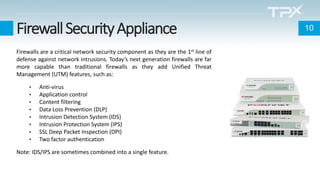
FirewallSecurityAppliance
Firewalls are a critical network security component as they are the 1st line of
defense against network intrusions. Today’s next generation firewalls are far
more capable than traditional firewalls as they add Unified Threat
Management (UTM) features, such as:
• Anti-virus
• Application control
• Content filtering
• Data Loss Prevention (DLP)
• Intrusion Detection System (IDS)
• Intrusion Protection System (IPS)
• SSL Deep Packet Inspection (DPI)
• Two factor authentication
Note: IDS/IPS are sometimes combined into a single feature.
10
DistributedorCentralized?
Firewall security appliances can be distributed at every location or
centralized at a given location or in the cloud. Generally:
• Distributed firewalls provide protection at each location, even when
other locations are compromised, but cost is usually higher, and
takes more work to manage and maintain.
• Centralized firewalls are easier to manage and maintain, and cost is
usually lower overall, but if communications to the centralized
firewall fail, locations may lose access to the WAN or the Internet
unless an alternative local solution is implemented.
11
WhattoLookFor?
More and more malware is being delivered with SSL encryption, making SSL
Deep Packet Inspection an absolute necessity.
Look for next generation firewalls with critical UTM features:
• Anti-virus
• Content filtering
• Data Loss Prevention (DLP)
• Intrusion Detection System (IDS)
• Intrusion Protection System (IPS)
• SSL Deep Packet Inspection (SSL DPI)
The more UTM features a firewall has, the more it costs, but it’s still several
orders of magnitude lower than the cost of a breach. Think of it as insurance.
12
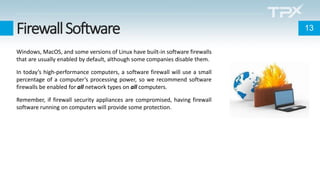
FirewallSoftware
Windows, MacOS, and some versions of Linux have built-in software firewalls
that are usually enabled by default, although some companies disable them.
In today’s high-performance computers, a software firewall will use a small
percentage of a computer’s processing power, so we recommend software
firewalls be enabled for all network types on all computers.
Remember, if firewall security appliances are compromised, having firewall
software running on computers will provide some protection.
13
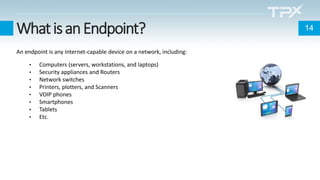
WhatisanEndpoint?
An endpoint is any Internet-capable device on a network, including:
• Computers (servers, workstations, and laptops)
• Security appliances and Routers
• Network switches
• Printers, plotters, and Scanners
• VOIP phones
• Smartphones
• Tablets
• Etc.
14
KeepingEndpointsUptodate
Hardware and software providers normally issue updates and security
patches on a regular basis to fix bugs and potential vulnerabilities.
It is critical that endpoints be kept up to date, including:
• BIOS
• Firmware
• Operating system
• Anti-malware
• Software
15
Anti-Malware
Computers are targeted by many threats (ransomware, viruses, trojans,
worms, key loggers, etc.), making anti-malware software a necessity:
• Traditional anti-malware looks for “signatures” in files to identify
viruses and malware.
• Next generation anti-malware still does that, but it also looks at
what programs are doing, in other words, a program’s behavior.
As new threats emerge, anti-malware programs need to be updated to deal
with the new threats.
And remember: no one can guarantee 100% protection.
16
Ransomware 17
Ransomware usually lays dormant for some time to allow it to spread and so
it gets on backups. That way, if someone restores their systems from an
infected backup, they bring the ransomware back with it.
To safely recover from a ransomware attack, care must be taken to scan
backups for ransomware and only restore files that are not infected.
Every company, no matter their size, needs to consider Backup and Disaster
Recovery (BDR) a critical component of their cybersecurity measures.
Lastly, paying a ransom motivates hackers to do it again, flags company for
possible future attacks, and there is no guarantee a decryption key will be
provided. Of course, if there is no other way to recover data, companies may
not have a choice.
BackupsandDisasterRecovery
Companies need more than just backups; they need a complete Backup and
Disaster Recovery (BDR) solution so they can recover their systems quickly.
A good BDR solution should include malware detection and offsite
replication, either to another location or to the cloud.
Keep in mind:
• 43% of SMBs go out of business after experiencing a major data loss
(Gartner)
• Ransomware costs US Small Business $75B in downtime (Datto)
• Unplanned downtime can cost an SMB $8,600 per hour (Aberdeen)
18
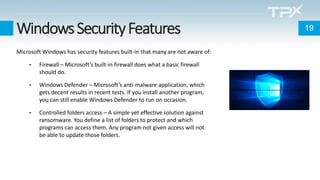
WindowsSecurityFeatures
Microsoft Windows has security features built-in that many are not aware of:
• Firewall – Microsoft’s built-in firewall does what a basic firewall
should do.
• Windows Defender – Microsoft’s anti-malware application, which
gets decent results in recent tests. If you install another program,
you can still enable Windows Defender to run on occasion.
• Controlled folders access – A simple yet effective solution against
ransomware. You define a list of folders to protect and which
programs can access them. Any program not given access will not
be able to update those folders.
19
Remember
• No solution is 100% safe.
• Security is a multi-layer effort – There is no single solution.
• Security is a moving target – Security measures must be kept up to date.
• Security measures are only expensive before an incident.
• Once an incident has occurred, it’s too late.
• Whenever possible, technology should be used to mitigate risks.
• The golden rule: DON’T CLICK ON THINGS!!!
20
Videos
The evail twin – Part 1:
https://www.tpx.com/wp-content/uploads/2018/09/The-Evil-Twin_-
Getting-Hacked-Is-Easier-Than-You-Think-Part-1.mp4
The evil twin – Part 2:
https://www.tpx.com/wp-content/uploads/2018/09/The-Evil-Twin_-
Getting-Hacked-Is-Easier-Than-You-Think-Part-2.mp4
21
TPxCanHelp!
TPx offers different security measures
across products and services it provides.
22
MSxManagedFirewalls
Firewalls are a strong line of defense against multiple threats and are often the central piece of the security fabric. Depending on
the service level and options chosen, our firewall solution can include:
• Content filtering
• Standard routing policies
• Anti-Virus
• Anti-Spam
• Application control
• Intrusion detection (IDS) / Intrusion protection (IPS)
• SSL packet inspection
• SSL certificates
• Threat detection and alerting (automated log monitoring)
• Active directory integration
• Remote VPN users
• Site to site VPNs
• Reporting
• High availability
• Two factor authentication (hard and/or soft tokens)
23
MSxManagedEndpoints
Keeping endpoints and their protection software up to date is a critical part of the security fabric. Depending on service level
and options chosen, our endpoint management solution can offer:
• Workstation and server management
• Automated patch management
• Monitoring and alerting
• Asset management
• Secure remote access agent
• Endpoint protection software (anti-virus and anti-malware)
• Automated reporting
• RMM administration
• 3rd party application assistance and troubleshooting
• Virus and malware deep scan assistance
24
MSxManagedBackups
Backups and disaster recovery are an important part of the security fabric. Depending on service level and options chosen, our
backup solution can offer:
• Onsite and cloud backups
• Unified backup and disaster recovery solution
• Off-site retention of backups to cloud environment
• AES/SSL encryption during both transmission and cloud storage
• Optional AES encryption of local backups (on some models)
• Backup screenshot verification
• Ransomware detection
• Fast failback bare metal restores
• Disaster recovery virtualization
• Bandwidth optimization
• End-to-end encryption
• Device and cloud audit reports
25
Questions? 26
Thank You! 27
Claude Hubert
MSx Evangelist / Cybersecurity SME
Jeff Meltzer
Channel Manager – South Florida

Cybersecurity Concerns You Should be Thinking About

  • 1.
    Claude Hubert MSx Evangelist/ Cybersecurity SME Jeff Meltzer Channel Manager – South Florida
  • 2.
  • 3.
     ATC Welcomeand Introduction  Voice | Data | Cloud | Security  TPx – Hidden Gem– 250+ Providers  Essentials and Why Managed Security?  Encourage Dialogue and Q&A  Speaker Intro– Claude Hubert 3 Louie Hollmeyer louie@4atc.com
  • 4.
    ThreatsHaveIncreasedExponentially All current statisticsshow a massive increase in all threat vectors as a result of COVID-19: • COVID-19 informational sites infected with malware are popping up all around the world • Ransomware attacks on the rise • Company attacks on the rise • Home networks now being actively attacked • Massive phishing campaigns • Viruses, trojans, keyloggers, and all other malware also on the rise Bad actors will use anything to steal data for gain! And now some of them have more time on their hands because of the COVID-19 confinement. 4
  • 5.
    Headlines Here are theheadlines from Artic Wolf’s COVID-19 Weekly Threat Roundup for April 24 Remote Work Attacks Continue • Phishing Campaign Impersonates Skype • Phishing Campaign Imitates HR Department Remote Work Announcement • Zoom User Enumeration Threat Discovered & Remediated • Zoombombing Hits US Congress Meeting COVID Related Attacks by State Actors • Google’s Threat Analysis Group (TAG) Identifies COVID-Themed Attacks By State Actors • Suspected Vietnamese threat actors APT32 target Chinese government Institutions, NGOs Breached • Emails and credentials for WHO, NIH, Gates Foundation dumped online • Attackers Use Pulse Secure VPN Vulnerability to Attack Hospitals, Government Entities • FBI Alerts of Phishing Attacks Against Hospitals and Healthcare Providers Small Business Administration (SBA) Leaks and Attacks • SBA Spoofed to Distribute Remote Access Trojan 5
  • 6.
    GoldenCybersecurityRule DON’T CLICK ONTHINGS!!! Received an email with a link? DON’T CLICK ON IT! Received a pop-up while browsing inviting you to click on something? DON’T CLICK ON IT! Malware usually requires you to take some action to do its dirty work and often all it takes is 1 click! Make sure links are clean before you click, and if you don’t know, then just DON’T CLICK ON IT! If possible, get confirmation before clicking, and remember hackers can take control and respond as someone else, so getting confirmation by phone is better (and safer) than by email. 6
  • 7.
    Ex-HackerHacked–Part1 Shortly after thestart of the COVID-19 confinement, my home network crashed randomly. This went on for nearly 3 weeks and happened a few times every day. Could not find the cause until I was looking at devices connected to my network and a computer popped-up that wasn’t mine. A few moments later my network crashed. Caught it again a little later. It caused my Ring security system to fail over to 4G, my Philips Hue smart lights to only work with wall switches, and my Amazon Echos to go offline… Nothing serious, but annoying. 7
  • 8.
    Ex-HackerHacked–Part2 Time to replacemy router with a firewall with the following features, which I now deem a necessity: • Intrusion detection/protection system (IDS/IPS) • SSL Deep Packet Inspection (DPI) • Device discovery with ability to require admin confirmation After looking at some options, I ordered a Bitdefender Box 2, which I installed and configured as soon as it arrived - No more intrusions and no more network crashes. Problem solved. 8
  • 9.
    WhatisaFirewall? There are 2types of firewalls: • A network security device, sometimes referred to as a network or security appliance. • A software firewall which runs on a computer. In both cases, the firewall monitors incoming and outgoing network traffic and decides whether to allow or block specific traffic based on a defined set of security rules. 9
  • 10.
    FirewallSecurityAppliance Firewalls are acritical network security component as they are the 1st line of defense against network intrusions. Today’s next generation firewalls are far more capable than traditional firewalls as they add Unified Threat Management (UTM) features, such as: • Anti-virus • Application control • Content filtering • Data Loss Prevention (DLP) • Intrusion Detection System (IDS) • Intrusion Protection System (IPS) • SSL Deep Packet Inspection (DPI) • Two factor authentication Note: IDS/IPS are sometimes combined into a single feature. 10
  • 11.
    DistributedorCentralized? Firewall security appliancescan be distributed at every location or centralized at a given location or in the cloud. Generally: • Distributed firewalls provide protection at each location, even when other locations are compromised, but cost is usually higher, and takes more work to manage and maintain. • Centralized firewalls are easier to manage and maintain, and cost is usually lower overall, but if communications to the centralized firewall fail, locations may lose access to the WAN or the Internet unless an alternative local solution is implemented. 11
  • 12.
    WhattoLookFor? More and moremalware is being delivered with SSL encryption, making SSL Deep Packet Inspection an absolute necessity. Look for next generation firewalls with critical UTM features: • Anti-virus • Content filtering • Data Loss Prevention (DLP) • Intrusion Detection System (IDS) • Intrusion Protection System (IPS) • SSL Deep Packet Inspection (SSL DPI) The more UTM features a firewall has, the more it costs, but it’s still several orders of magnitude lower than the cost of a breach. Think of it as insurance. 12
  • 13.
    FirewallSoftware Windows, MacOS, andsome versions of Linux have built-in software firewalls that are usually enabled by default, although some companies disable them. In today’s high-performance computers, a software firewall will use a small percentage of a computer’s processing power, so we recommend software firewalls be enabled for all network types on all computers. Remember, if firewall security appliances are compromised, having firewall software running on computers will provide some protection. 13
  • 14.
    WhatisanEndpoint? An endpoint isany Internet-capable device on a network, including: • Computers (servers, workstations, and laptops) • Security appliances and Routers • Network switches • Printers, plotters, and Scanners • VOIP phones • Smartphones • Tablets • Etc. 14
  • 15.
    KeepingEndpointsUptodate Hardware and softwareproviders normally issue updates and security patches on a regular basis to fix bugs and potential vulnerabilities. It is critical that endpoints be kept up to date, including: • BIOS • Firmware • Operating system • Anti-malware • Software 15
  • 16.
    Anti-Malware Computers are targetedby many threats (ransomware, viruses, trojans, worms, key loggers, etc.), making anti-malware software a necessity: • Traditional anti-malware looks for “signatures” in files to identify viruses and malware. • Next generation anti-malware still does that, but it also looks at what programs are doing, in other words, a program’s behavior. As new threats emerge, anti-malware programs need to be updated to deal with the new threats. And remember: no one can guarantee 100% protection. 16
  • 17.
    Ransomware 17 Ransomware usuallylays dormant for some time to allow it to spread and so it gets on backups. That way, if someone restores their systems from an infected backup, they bring the ransomware back with it. To safely recover from a ransomware attack, care must be taken to scan backups for ransomware and only restore files that are not infected. Every company, no matter their size, needs to consider Backup and Disaster Recovery (BDR) a critical component of their cybersecurity measures. Lastly, paying a ransom motivates hackers to do it again, flags company for possible future attacks, and there is no guarantee a decryption key will be provided. Of course, if there is no other way to recover data, companies may not have a choice.
  • 18.
    BackupsandDisasterRecovery Companies need morethan just backups; they need a complete Backup and Disaster Recovery (BDR) solution so they can recover their systems quickly. A good BDR solution should include malware detection and offsite replication, either to another location or to the cloud. Keep in mind: • 43% of SMBs go out of business after experiencing a major data loss (Gartner) • Ransomware costs US Small Business $75B in downtime (Datto) • Unplanned downtime can cost an SMB $8,600 per hour (Aberdeen) 18
  • 19.
    WindowsSecurityFeatures Microsoft Windows hassecurity features built-in that many are not aware of: • Firewall – Microsoft’s built-in firewall does what a basic firewall should do. • Windows Defender – Microsoft’s anti-malware application, which gets decent results in recent tests. If you install another program, you can still enable Windows Defender to run on occasion. • Controlled folders access – A simple yet effective solution against ransomware. You define a list of folders to protect and which programs can access them. Any program not given access will not be able to update those folders. 19
  • 20.
    Remember • No solutionis 100% safe. • Security is a multi-layer effort – There is no single solution. • Security is a moving target – Security measures must be kept up to date. • Security measures are only expensive before an incident. • Once an incident has occurred, it’s too late. • Whenever possible, technology should be used to mitigate risks. • The golden rule: DON’T CLICK ON THINGS!!! 20
  • 21.
    Videos The evail twin– Part 1: https://www.tpx.com/wp-content/uploads/2018/09/The-Evil-Twin_- Getting-Hacked-Is-Easier-Than-You-Think-Part-1.mp4 The evil twin – Part 2: https://www.tpx.com/wp-content/uploads/2018/09/The-Evil-Twin_- Getting-Hacked-Is-Easier-Than-You-Think-Part-2.mp4 21
  • 22.
    TPxCanHelp! TPx offers differentsecurity measures across products and services it provides. 22
  • 23.
    MSxManagedFirewalls Firewalls are astrong line of defense against multiple threats and are often the central piece of the security fabric. Depending on the service level and options chosen, our firewall solution can include: • Content filtering • Standard routing policies • Anti-Virus • Anti-Spam • Application control • Intrusion detection (IDS) / Intrusion protection (IPS) • SSL packet inspection • SSL certificates • Threat detection and alerting (automated log monitoring) • Active directory integration • Remote VPN users • Site to site VPNs • Reporting • High availability • Two factor authentication (hard and/or soft tokens) 23
  • 24.
    MSxManagedEndpoints Keeping endpoints andtheir protection software up to date is a critical part of the security fabric. Depending on service level and options chosen, our endpoint management solution can offer: • Workstation and server management • Automated patch management • Monitoring and alerting • Asset management • Secure remote access agent • Endpoint protection software (anti-virus and anti-malware) • Automated reporting • RMM administration • 3rd party application assistance and troubleshooting • Virus and malware deep scan assistance 24
  • 25.
    MSxManagedBackups Backups and disasterrecovery are an important part of the security fabric. Depending on service level and options chosen, our backup solution can offer: • Onsite and cloud backups • Unified backup and disaster recovery solution • Off-site retention of backups to cloud environment • AES/SSL encryption during both transmission and cloud storage • Optional AES encryption of local backups (on some models) • Backup screenshot verification • Ransomware detection • Fast failback bare metal restores • Disaster recovery virtualization • Bandwidth optimization • End-to-end encryption • Device and cloud audit reports 25
  • 26.
  • 27.
    Thank You! 27 ClaudeHubert MSx Evangelist / Cybersecurity SME Jeff Meltzer Channel Manager – South Florida