New Options For the
New Normal
Janet Pinto, Curriki
Reed Pangborn, AT&T

Booth #5530
Free Learning Resources
          for the World
        www.curriki.org


2
AT&T Is Proud
     To Support


3
Curriki = Quality

Quality Resources
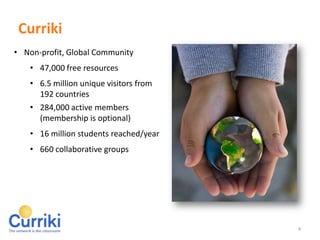
    • 47,000 free resources
    • Vetted by Curriki Content
      Specialists & Members
Global Community
    • 6.5 million unique visitors from 192
      countries
    • 284,000 active members
      (membership is optional)
    • 16 million students reached/year
    • 660 collaborative groups


4
Today’s Mission


    Discover how OERs broaden the use of alternatives to
    textbooks while maintaining instructional quality, and
    lowers costs.
    Learn how to use BYOD and OER to enhance classroom
    curriculum and to collaborate with other teachers.
    Learn how to take advantage of BYOD safely in your
    classrooms.


5
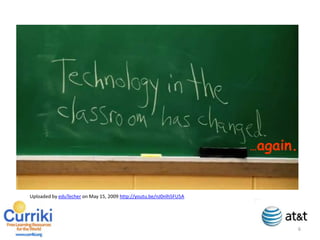
…again.

    Uploaded by eduTecher on May 15, 2009 http://youtu.be/nJ0nlh5FU5A
6
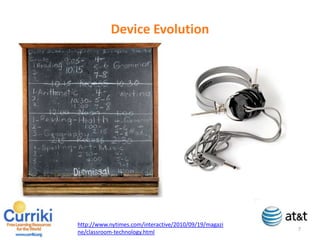
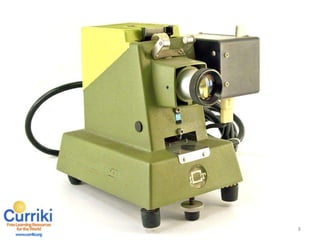
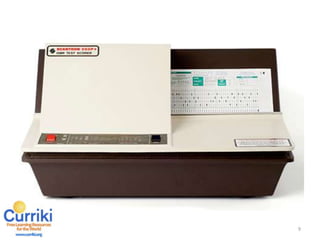
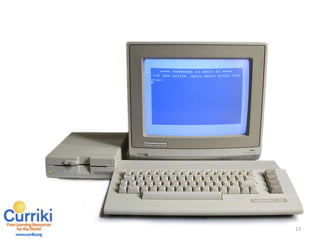
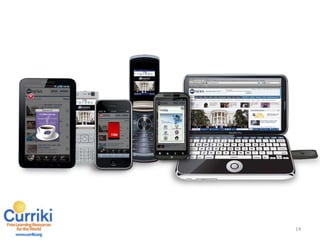
Device Evolution


    http://www.nytimes.com/interactive/2010/09/19/magazine/classroom-technology.html


7
8
9
10
11
12
13
14
15
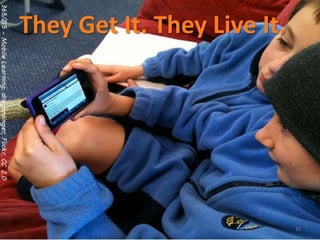
They Get It. They Live It.


16
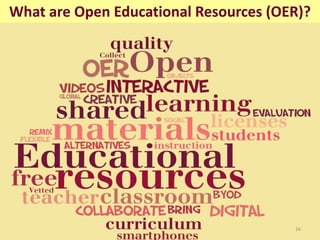
What are Open Educational Resources (OER)?


17
OER Content Management


       •   How do I find stuff?
       •   How do I know it’s accurate?
       •   How do I share content?
       •   How do I organize content?
       •   How do I categorize content?


18
Curriki = Quality
                   47,000 Free Resources

     Teacher Contributed          Partner Contributed
     • Vetted by Curriki          • Hand-selected by
       Content Specialists          Curriki
     • Reviewed by Members        • Recommended by
                                    members


19
Our Partners


20
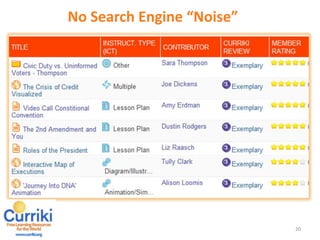
No Search Engine “Noise”


21
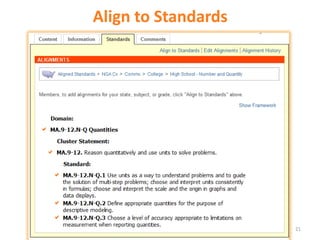
Align to Standards


22
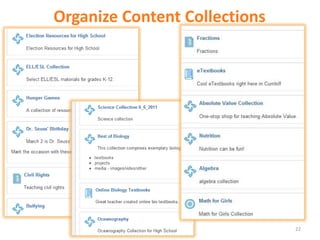
Organize Content Collections


23
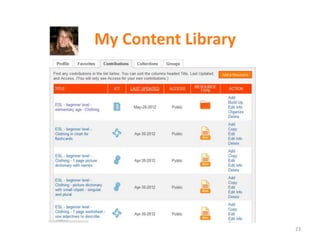
My Content Library


24
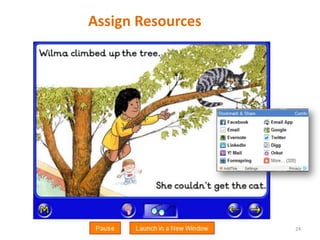
Assign Resources


25
Get Published


26
27
28
29
30
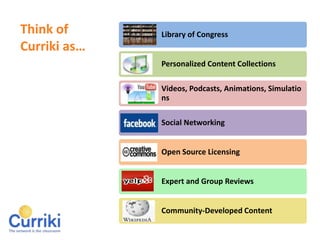
Think of Curriki as…

                   Library of Congress


                   Personalized Content Collections

                   Videos, Podcasts, Animations,
                   Simulations

                   Social Networking


                   Open Source Licensing


                   Expert and Group Reviews


                   Community-Developed Content


31
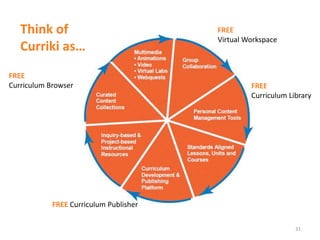
Think of Curriki as…
                                        FREE
                                        Virtual Workspace


FREE
Curriculum Browser                               FREE
                                                 Curriculum Library


            FREE Curriculum Publisher


 32
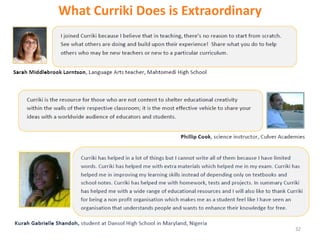
What Curriki Does is Extraordinary


33
Recap


     OER can broaden the use of alternatives to textbooks
     while maintaining instructional quality.

     OER can enhance classroom curriculum and help you to
     collaborate with other teachers.

     OER can help to lower costs of instruction.


34
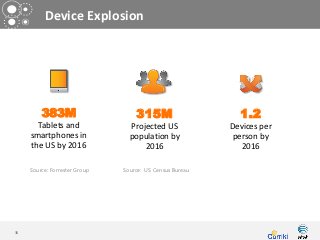
Device Explosion


         383M                      315M                     1.2
       Tablets and               Projected US             Devices per
     smartphones in              population by             person by
     the US by 2016                  2016                    2016

     Source: Forrester Group   Source: US Census Bureau


35
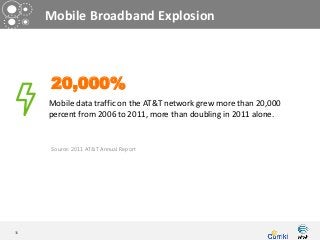
Mobile Broadband Explosion


      20,000%
     Mobile data traffic on the AT&T network grew more than 20,000
     percent from 2006 to 2011, more than doubling in 2011 alone.


      Source: 2011 AT&T Annual Report


36
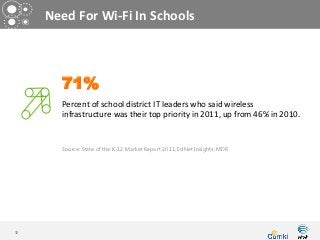
Need For Wi-Fi In Schools


       71%
       Percent of school district IT leaders who said wireless
       infrastructure was their top priority in 2011, up from 46% in 2010.


       Source: State of the K-12 Market Report 2011, EdNet Insights, MDR


37
Taking BYOD From
       Good to Great


38
Good BYOD Programs


      Allow students to bring their devices to school,
      but, don’t allow them to connect to a network.

             To read digital books
             To access learning apps/games


39
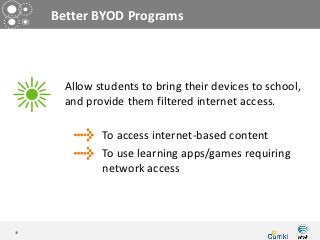
Better BYOD Programs


      Allow students to bring their devices to school,
      and provide them filtered internet access.

             To access internet-based content
             To use learning apps/games requiring
             network access


40
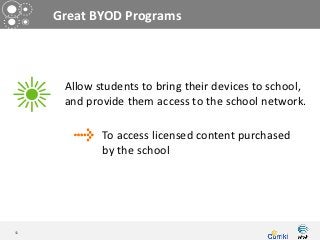
Great BYOD Programs


      Allow students to bring their devices to school,
      and provide them access to the school network.

             To access licensed content purchased
             by the school


41
Great BYOD Programs


42
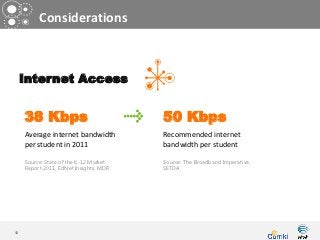
Considerations


     Internet Access


     38 Kbps                            50 Kbps
     Average internet bandwidth         Recommended internet
     per student in 2011                bandwidth per student

     Source: State of the K-12 Market   Source: The Broadband Imperative,
     Report 2011, EdNet Insights, MDR   SETDA


43
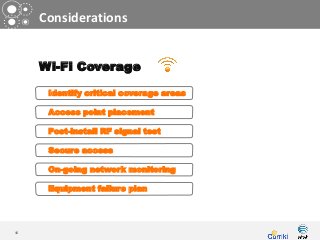
Considerations


     Wi-Fi Coverage

      Identify critical coverage areas

      Access point placement

      Post-install RF signal test

      Secure access

      On-going network monitoring

      Equipment failure plan


44
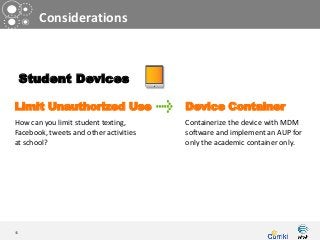
Considerations


     Student Devices

Limit Unauthorized Use                  Device Container
How can you limit student texting,      Containerize the device with MDM
Facebook, tweets and other activities   software and implement an AUP for
at school?                              only the academic container only.


45
Questions


46

Curriki & AT&T Presentation at ISTE 2012

  • 1.
    New Options Forthe New Normal Janet Pinto, Curriki Reed Pangborn, AT&T Booth #5530
  • 2.
    Free Learning Resources for the World www.curriki.org 2
  • 3.
    AT&T Is Proud To Support 3
  • 4.
    Curriki = Quality QualityResources • 47,000 free resources • Vetted by Curriki Content Specialists & Members Global Community • 6.5 million unique visitors from 192 countries • 284,000 active members (membership is optional) • 16 million students reached/year • 660 collaborative groups 4
  • 5.
    Today’s Mission Discover how OERs broaden the use of alternatives to textbooks while maintaining instructional quality, and lowers costs. Learn how to use BYOD and OER to enhance classroom curriculum and to collaborate with other teachers. Learn how to take advantage of BYOD safely in your classrooms. 5
  • 6.
    …again. Uploaded by eduTecher on May 15, 2009 http://youtu.be/nJ0nlh5FU5A 6
  • 7.
    Device Evolution http://www.nytimes.com/interactive/2010/09/19/magazine/classroom-technology.html 7
  • 8.
  • 9.
  • 10.
  • 11.
  • 12.
  • 13.
  • 14.
  • 15.
  • 16.
    They Get It.They Live It. 16
  • 17.
    What are OpenEducational Resources (OER)? 17
  • 18.
    OER Content Management • How do I find stuff? • How do I know it’s accurate? • How do I share content? • How do I organize content? • How do I categorize content? 18
  • 19.
    Curriki = Quality 47,000 Free Resources Teacher Contributed Partner Contributed • Vetted by Curriki • Hand-selected by Content Specialists Curriki • Reviewed by Members • Recommended by members 19
  • 20.
  • 21.
    No Search Engine“Noise” 21
  • 22.
  • 23.
  • 24.
  • 25.
  • 26.
  • 27.
  • 28.
  • 29.
  • 30.
  • 31.
    Think of Currikias… Library of Congress Personalized Content Collections Videos, Podcasts, Animations, Simulations Social Networking Open Source Licensing Expert and Group Reviews Community-Developed Content 31
  • 32.
    Think of Currikias… FREE Virtual Workspace FREE Curriculum Browser FREE Curriculum Library FREE Curriculum Publisher 32
  • 33.
    What Curriki Doesis Extraordinary 33
  • 34.
    Recap OER can broaden the use of alternatives to textbooks while maintaining instructional quality. OER can enhance classroom curriculum and help you to collaborate with other teachers. OER can help to lower costs of instruction. 34
  • 35.
    Device Explosion 383M 315M 1.2 Tablets and Projected US Devices per smartphones in population by person by the US by 2016 2016 2016 Source: Forrester Group Source: US Census Bureau 35
  • 36.
    Mobile Broadband Explosion 20,000% Mobile data traffic on the AT&T network grew more than 20,000 percent from 2006 to 2011, more than doubling in 2011 alone. Source: 2011 AT&T Annual Report 36
  • 37.
    Need For Wi-FiIn Schools 71% Percent of school district IT leaders who said wireless infrastructure was their top priority in 2011, up from 46% in 2010. Source: State of the K-12 Market Report 2011, EdNet Insights, MDR 37
  • 38.
    Taking BYOD From Good to Great 38
  • 39.
    Good BYOD Programs Allow students to bring their devices to school, but, don’t allow them to connect to a network. To read digital books To access learning apps/games 39
  • 40.
    Better BYOD Programs Allow students to bring their devices to school, and provide them filtered internet access. To access internet-based content To use learning apps/games requiring network access 40
  • 41.
    Great BYOD Programs Allow students to bring their devices to school, and provide them access to the school network. To access licensed content purchased by the school 41
  • 42.
  • 43.
    Considerations Internet Access 38 Kbps 50 Kbps Average internet bandwidth Recommended internet per student in 2011 bandwidth per student Source: State of the K-12 Market Source: The Broadband Imperative, Report 2011, EdNet Insights, MDR SETDA 43
  • 44.
    Considerations Wi-Fi Coverage Identify critical coverage areas Access point placement Post-install RF signal test Secure access On-going network monitoring Equipment failure plan 44
  • 45.
    Considerations Student Devices Limit Unauthorized Use Device Container How can you limit student texting, Containerize the device with MDM Facebook, tweets and other activities software and implement an AUP for at school? only the academic container only. 45
  • 46.

Editor's Notes

  • #4 Briefly intro Curriki.Non-profit offering FREE learning resources.Our visitors and members hail from around the world! SAY PERCENTAGE OF Educators 60%Parents 13%Students 27%ADD TWIT POLLS
  • #6 There are many sources for OERs on the web – I am sure we could name hundreds of individual sites offering a specific type of free/open content. What Curriki does is aggregate all of those sources so the highest quality is all in one place. On Curriki,  Teacher contributed content is reviewed and rated by our Curriki Review Team – subject area experts.Members also rate resources - similar to Yelp.Our visitors and members hail from around the world! SAY PERCENTAGE OF EducatorsParentsStudents
  • #7 So we are all here to discuss how to implement the incorporation of open resources and BYOD on a school wide basis that will be at a comfortable pace for teachers and learn more about the available OER to better provide a BYOD experience to students.To be successful in that schools realize cost savings and student engagement/achievement improvements, open educational resoruces or OER, must be a key element of the implementation. Through this discussion, we hope that you will Discover how OERs broaden the use of alternatives to textbooks while maintaining instructional quality, and lowers costs.Learn how to use BYOD and OER to enhance classroom curriculum and to collaborate with other teachers.Learn how to take advantage of BYOD safely in your classrooms.
  • #8 Play Video: http://youtu.be/nJ0nlh5FU5ATechnology in the Classroom has Changed….again.But first let’s take a quick look back at how technology innovations have worked their way into the classroom over the years. Play video.
  • #9 DEVICE EVOLUTION SLIDES– chalkboard, projector, scantron, mimeograph, calculator, overhead, typewriter, early pc, now devices!That’s right, technology has changed over time, but we’re good at leveraging these new devices to our advantage. Integrating new devices into the way we teach and learn is nothing new. (START CLICKING THROUGH ) Look at some of the lovely pieces of technology that have had their place in our classrooms. My generation is particularly fond of the mimeograph! 
  • #15 PC SLIDE: Teachers have always looked for ways to engage – what motivates students to pay attention, work hard, talk about what they’re learning.
  • #16 DEVICE SLIDE: Today, that means in-class hand-held devices. It means tablets, smartphones.
  • #17 BYOD TSHIRT SLIDE: So technology in the classroom has changed. We’re educators. We get this. We know how to do this! Let’s talk about how to leverage these new technologies to improve the curriculum and enhance learning and make teaching fun!
  • #18 THEY GET IT. THEY LIVE IT. SLIDE:Well the kids get it too. Today’s learners are:more self-directedbetter equipped to capture informationmore reliant on feedback from peersmore inclined to collaborateSo, the devices are in the room, what’s next?Content! Open Educational Resources.
  • #19 For anyone who is new to the concept, Open educational resources (OER) are digital materials that can be re-used for teaching, learning, and research. They are made available for free through open licensing instead of copyright, which allows very flexible use and reuse of the materials.Open Educational Resources (OER) are learning materials that are freely available to use, remix, and redistribute. OER have Creative Commons licenses stating specifically how the material can be used, reused, adapted, and shared. (Wikipedia article) BUT, for OERs to be fully embraced in our schools they have to be far better at doing some key tasks/ they have to be better at doing some really important things. better than the printed textBetter than generic web searchBetter than a local network
  • #20 So. Questions.How do I find stuffKnow its accurate and high quality?How do I organize and categorize it?What’s the deal with sharing?
  • #21 Let’s start with quality.On Curriki, you will find two types of content, teacher contributed and partner contributed. Teacher contributed content is reviewed and rated by our Curriki Review Team – subject area experts who review content based on a rubric, which is published on curriki for you.Members also rate resources - similar to Yelp. Give a star rating and make comments. It ensures that educators have a voice in determining what’s high quality and what’s not. So you can be confident that the reviewed resources are high quality. Can’t get that by googling!There are many sources for free content on the web – you can go around to all of these individual sites that specific type of free content. Math videos, science lessons, etexbooks etc. So What Curriki does, is aggregate all of those sources so the highest quality is all in one place.
  • #22 Curriki seeks the highest quality content from those sites – we have content partnerships with NROC, NASA, Khan Academy, Math for America, Lincoln Center Institute, and many more.
  • #23 It’s phenomenal to see hundreds …thousands of rated resources right in front of you…none of the ads or noise on search engines…no irrelevant items in search results. You can see all the highest rated resources first! Then you can refine in just seconds.
  • #27 It’s unbelieveably great!Way better than a generic search engine.Phenomenal for sharing & assigning. If you want to assign a resource to class…you can do that (show social tools)You want to tell parents to try this animated language activity with their first grader, you can do that!
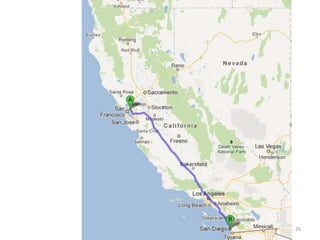
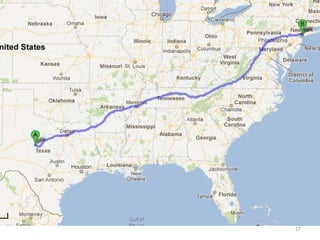
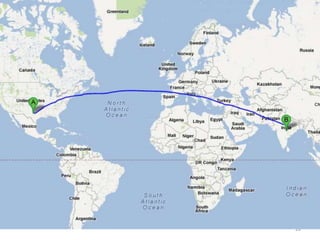
  • #28 It’s a wonderful way to get published. Not only can you share stuff with teachers you know personally, but you can publish your creations, publish your written project plans, units, entire courses to the global education community. This means a teacher in Berkley can use a lesson published in San Diego. A teacher in NY can find an algebra project published in TX. US MapA teacher in India can use a course published in the US. Globe
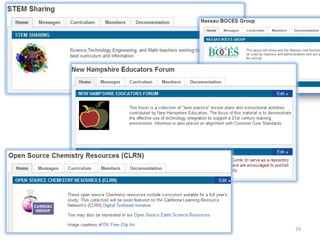
  • #32 It means that schools, districts, regions can have free web space to collaboratively design & Publish curricula. http://www.curriki.org/xwiki/bin/view/Group_NassauBOCESGroup/