Derek Wenmoth Director, eLearning CORE Education Ltd TEN TRENDS for 2009
The ten trends… … represents a view of some key areas of interest for NZ educators with regards to the impact of ICTs on teaching and learning.
Overview Mobile Technologies for learning Netbooks Cloud Computing Learning spaces/environments Open Education Resources High Definition Video conferencing Advanced Networks Cyber-Citizenary Green computing Digital Literacy
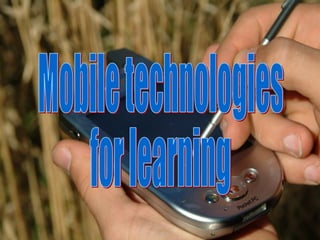
Mobile  Technologies  for Learning Mobile technologies for learning
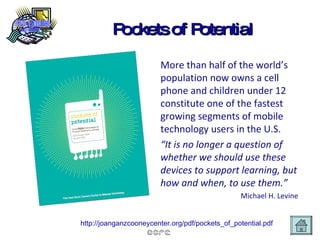
Pockets of Potential More than half of the world’s   population now owns a cell phone and children under 12 constitute one of the fastest growing segments of mobile technology users in the U.S. “ It is no longer a question of whether we should use these devices to support learning, but how and when, to use them.” Michael H. Levine http://joanganzcooneycenter.org/pdf/pockets_of_potential.pdf
Blog response… Hi Derek. Today I was at a Wellington kindy, checking in on a young student about to transition to school. With cell phone in one pocket and digital camera in the other, I caught footage with both devices of the student putting audio on her photostory, which we then posted to her blog. On the wing, the teacher and I chatted about the ease with which a student could take a photo with a cell phone and bluetooth it to a laptop. We reflected on the practice that although many kindys have adopted digital cameras, cell phones still remain an adult domain, yet many of the students in the kindy would be quite adept at moving around their parents or older siblings phones.
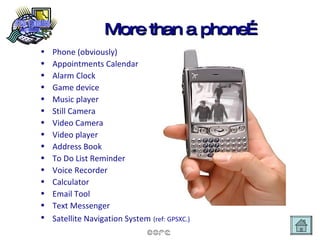
More than a phone… Phone (obviously) Appointments Calendar Alarm Clock Game device Music player Still Camera Video Camera Video player Address Book To Do List Reminder Voice Recorder Calculator Email Tool Text Messenger Satellite Navigation System   (ref:  GPSXC .)
Take aways… Students are more likely to have access to a mobile device than any other form of technology. Mobile technologies are the ultimate ubiquitous device. Not a question of  whether  to use them in our schools, but  how .
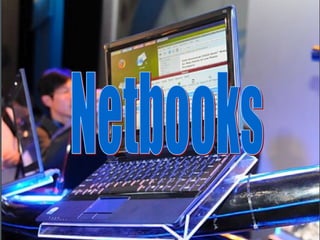
Netbooks
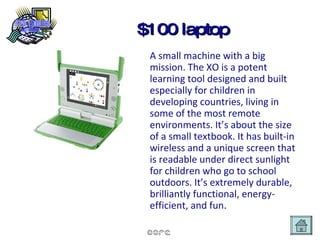
$100 laptop A small machine with a big mission. The XO is a potent learning tool designed and built especially for children in developing countries, living in some of the most remote environments. It’s about the size of a small textbook. It has built-in wireless and a unique screen that is readable under direct sunlight for children who go to school outdoors. It’s extremely durable, brilliantly functional, energy-efficient, and fun.
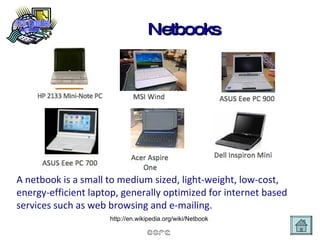
Netbooks A netbook is a small to medium sized, light-weight, low-cost, energy-efficient laptop, generally optimized for internet based services such as web browsing and e-mailing. http://en.wikipedia.org/wiki/Netbook
Take aways… Price point makes these accessible for all students Personal ownership eliminates need for schools to worry about software updates and operating system etc Need to consider how to provide wireless access across our whole campus
Cloud Computing Cloud Computing
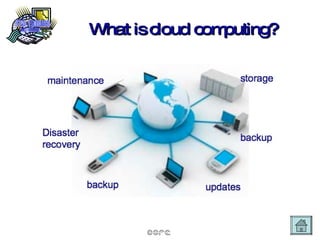
What is cloud computing?
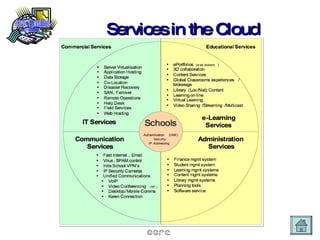
Services in the Cloud
Take aways… Advantages of cloud computing for education are twofold: Reduction in overall costs and liabilities for schools, and better management of costs on a service model provision. Students (and staff) are able to access applications, resources and data from anywhere, at any time and on any device.
Learning Spaces/environments Learning spaces/ environments
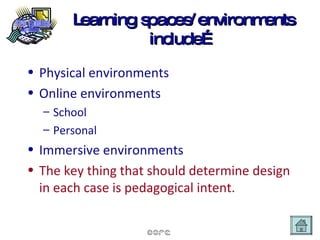
Learning spaces/environments include… Physical environments Online environments School Personal Immersive environments The key thing that should determine design in each case is pedagogical intent.
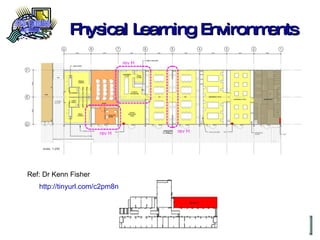
Physical Learning Environments Ref: Dr Kenn Fisher http://tinyurl.com/c2pm8n
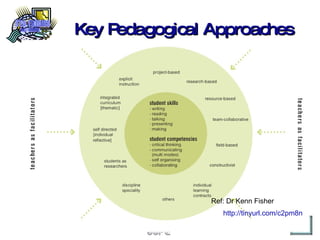
Key Pedagogical Approaches Ref: Dr Kenn Fisher http://tinyurl.com/c2pm8n
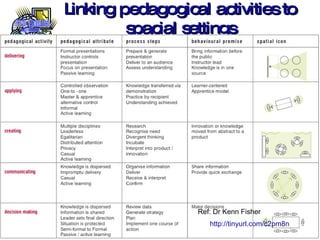
Linking pedagogical activities to spacial settings Ref: Dr Kenn Fisher http://tinyurl.com/c2pm8n
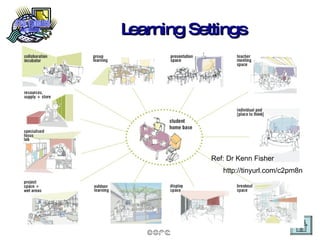
Learning Settings Ref: Dr Kenn Fisher http://tinyurl.com/c2pm8n
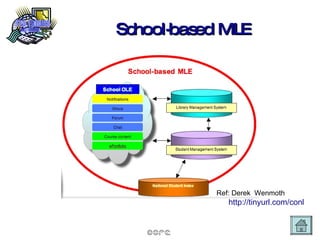
School-based MLE Ref: Derek  Wenmoth http://tinyurl.com/conl
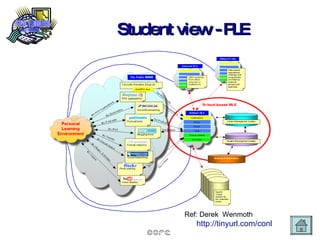
Student view - PLE Ref: Derek  Wenmoth http://tinyurl.com/conl
Immersive Environments IBM Powerup
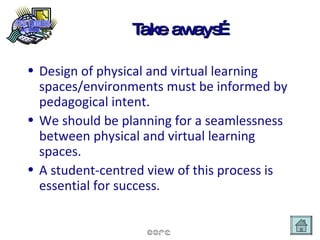
Take aways… Design of physical and virtual learning spaces/environments must be informed by pedagogical intent. We should be planning for a seamlessness between physical and virtual learning spaces. A student-centred view of this process is essential for success.
Open Education Resources Open education resources
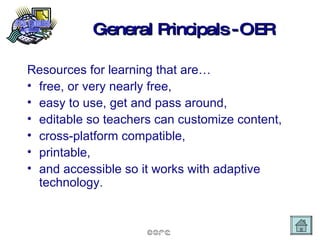
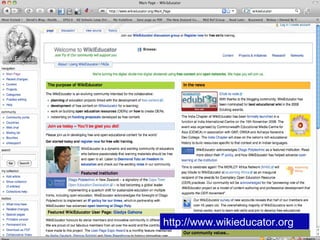
General Principals - OER Resources for learning that are… free, or very nearly free,  easy to use, get and pass around, editable so teachers can customize content, cross-platform compatible, printable, and accessible so it works with adaptive technology.
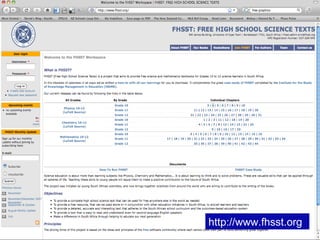
Free science texts http://www.fhsst.org
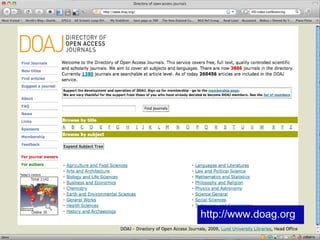
Open access journals directory http://www.doag.org
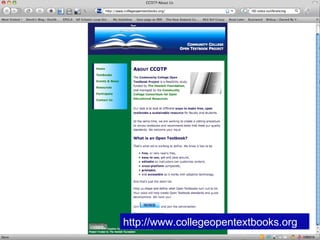
Open textbook Project http://www.collegeopentextbooks.org
Wikieducator http://www.wikieducator.org
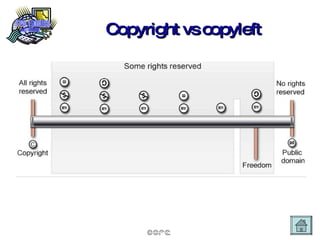
Copyright vs copyleft
Take aways… What use do your and your staff currently make of open education resources? Do you have policies and practices in place regarding the use of resources obtained online? Do you have policies and practice in place regarding the development and sharing of student and teacher created resources? Need to consider whole school policy and procedures re copyright/creative commons licensing.
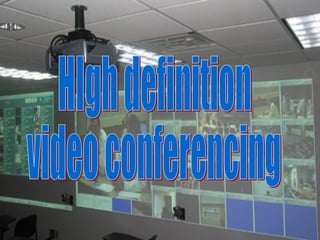
High Definition Video Conferencing HIgh definition video conferencing
HD VC enables…. Grid video conferencing Real-time, no delays  Eg. Canterbury Uni. musicGrid Virtual presence Multiple inputs - incl. streaming video, multimedia etc as part of the presentation Interactivity during the session.
Take aways… If your school currently uses VC in any form, what are the limitations you experience? How could HD video conferencing benefit your school? What opportunities does it open up for you?
Advanced Networks Advanced networks
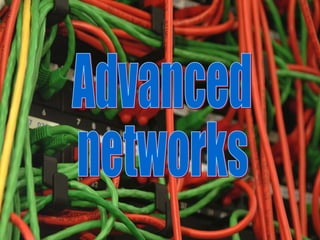
What is an advanced network? An Advanced Network is a very high speed communications network of regional “meet me” points (referred to as GigaPoPs) that are in turn linked to international networks.  They typically use optical fibre infrastructure as opposed to copper wire telephone network systems such as those used by ADSL (Asymmetric Digital Subscriber Line). Advanced Networks are also know as Next Generation Internet (NGI) networks and, in the USA, as Internet2.
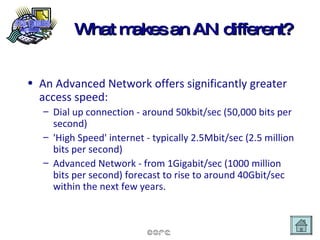
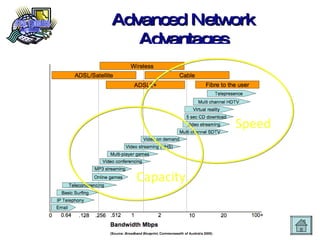
What makes an AN different? An Advanced Network offers significantly greater access speed: Dial up connection - around 50kbit/sec (50,000 bits per second) 'High Speed' internet - typically 2.5Mbit/sec (2.5 million bits per second) Advanced Network - from 1Gigabit/sec (1000 million bits per second) forecast to rise to around 40Gbit/sec within the next few years.
How is this like PROBE? The advanced network is a separate project to probe. Both address the government objective of bringing the benefits of improved connectivity.  PROBE is doing just this for around 2700 schools and communities, particularly rural ones through the provision of high speed Internet access (initially a minimum of 512kbit/sec with scope for expansion for secondary schools to 4Mbps) to many schools.  It is anticipated that users of both PROBE and the advanced network could be linked together in the future.
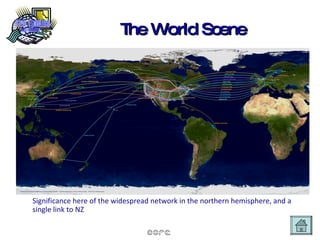
The World Scene Significance here of the widespread network in the northern hemisphere, and a single link to NZ
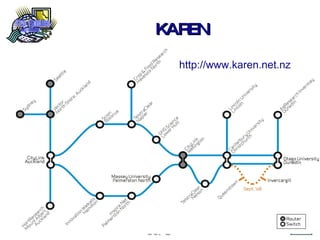
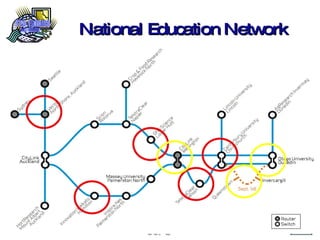
KAREN http://www.karen.net.nz
Advanced Network Advantages Speed Capacity
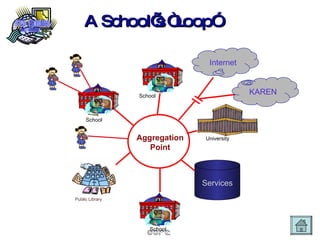
A School’s “Loop” School School School School A School A School A Services Internet Public Library University KAREN Aggregation Point
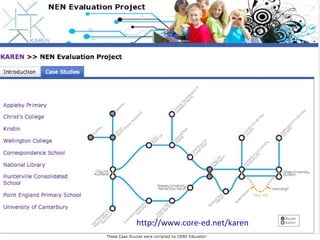
National Education Network
NEN Trial http://www.core-ed.net/karen
Take aways… Do you know how much your current ICT systems actually cost (including staff time for support and maintenance etc?) Are you actively seeking to work with local/regional councils and business groups to find solutions in your area? Who in your school/community is charged with understanding and leading this?
Cyber-citizenery Cyber Citizenery
Take aways… Are your school cyber safety policies based on ignorance and fear, or understanding? How are the practices of cyber citizens being modelled in your school? What would be the response of your staff to a breakdown in this area?
Green Computing Green computing
Carbon factlets… A Sky news report claim that carbon emissions from the global ICT community equal that of the worldwide aviation industry and are growing much faster.  One small computer server generates as much carbon dioxide as a SUV with a fuel efficiency of 15 miles per gallon.  The ICT industry in the UK consumes the equivalent amount of electricity as produced by 4 nuclear reactors.   http://news.sky.com/skynews/video/videoplayer/0,,31200-1295311,.html
Global Action Plan Government to provide incentives to help companies reduce the carbon footprint of their IT activities Government to ensure that there is a sufficient supply of energy for data centre needs in the future Government to review its policies on long-term data storage to take into account the carbon implications  ICT vendors to significantly improve the quality of their environmental information ICT departments to be accountable for the energy costs of running and cooling ICT equipment Companies to ensure ICT departments are fully engaged in their CSR and environmental policies Companies to ensure that their ICT infrastructure meets stricter efficiency targets
e-waste Where do our old computers, monitors, printers etc end up?  How long do they take to break down in landfill?  What are the alternatives?
New Business models needed Instead of measuring the value of a network in terms of  "bits per second" , we instead should be using  "bits per carbon" .  And while the utilization of R&E network may be low by traditional measurement standards of "bps" its impact on the environment may be significantly less when measured by "bpc” compared to a commercial network. And once again, the R&E networks can help develop a new business model through carbon offset trading by demonstrating that an optical light-path mesh network has significantly less of a carbon footprint than a traditional electronic routed network.
Electricity demand to drive ICTs The carbon footprint of dark fiber, wavelengths and customer controlled network with optical switches is significantly less than a traditional carrier with expensive high end switches and (especially) routers which collectively consume the power of a small nuclear reactor.  NZ’s public service computing total energy consumption is approximately the same as the power output from the Benmore Hydro Dam! Most [university]departments do not pay for the power and cooling costs associated with these facilities and so do not appreciate their true impact on the overall energy use of the university or the associated carbon emissions.
Take aways How “green” are the ICT investments in your school? Do issues of sustainability and energy conservation take priority over cost? How actively are you investigating shared data storage and shared services solutions?
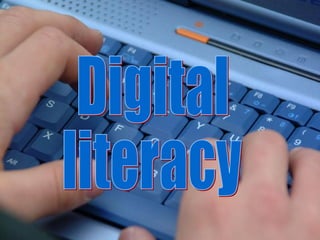
Digital Literacy Digital literacy
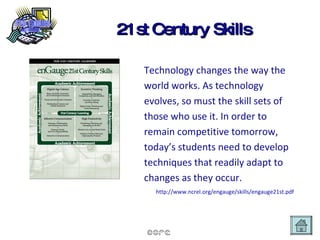
21st Century Skills Technology changes the way the world works. As technology evolves, so must the skill sets of those who use it. In order to remain competitive tomorrow, today ’s  students need to develop techniques that readily adapt to changes as they occur. http://www.ncrel.org/engauge/skills/engauge21st.pdf
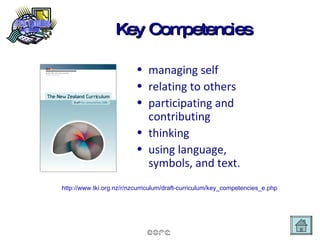
Key Competencies managing self relating to others participating and contributing thinking using language, symbols, and text. http://www.tki.org.nz/r/nzcurriculum/draft-curriculum/key_competencies_e.php
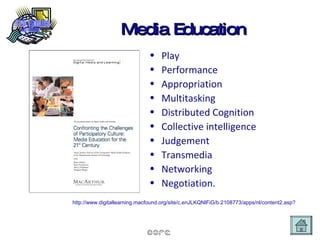
Media Education Play Performance Appropriation Multitasking Distributed Cognition Collective intelligence Judgement Transmedia Networking Negotiation. http://www.digitallearning.macfound.org/site/c.enJLKQNlFiG/b.2108773/apps/nl/content2.asp?content_id={CD911571-0240-4714-A93B-1D0C07C7B6C1}&notoc=1
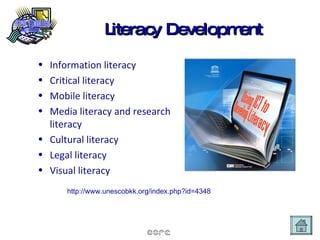
Literacy Development Information literacy Critical literacy Mobile literacy Media literacy and research literacy Cultural literacy Legal literacy Visual literacy http://www.unescobkk.org/index.php?id=4348
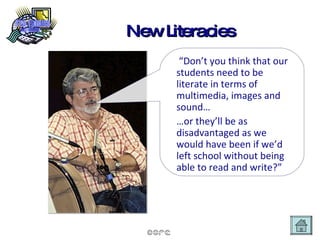
New Literacies “ Don’t you think that our students need to be literate in terms of multimedia, images and sound… … or they’ll be as disadvantaged as we would have been if we’d left school without being able to read and write?”
Take aways… What is your personal vision for being literate in the 21st Century? What is your school’s vision for developing 21st Century literacy? How is this catered for? How is it modelled?
Thank you Images used in the presentation from  http://www.freefoto.com CC License To continue this discussion go to: http://www.core-ed.net And click on the link: Email me:  [email_address] .net   Blog:  http: //blog .core-ed. net/derek

CORE's 10 Trends 2009

  • 1.
    Derek Wenmoth Director,eLearning CORE Education Ltd TEN TRENDS for 2009
  • 2.
    The ten trends…… represents a view of some key areas of interest for NZ educators with regards to the impact of ICTs on teaching and learning.
  • 3.
    Overview Mobile Technologiesfor learning Netbooks Cloud Computing Learning spaces/environments Open Education Resources High Definition Video conferencing Advanced Networks Cyber-Citizenary Green computing Digital Literacy
  • 4.
    Mobile Technologies for Learning Mobile technologies for learning
  • 5.
    Pockets of PotentialMore than half of the world’s population now owns a cell phone and children under 12 constitute one of the fastest growing segments of mobile technology users in the U.S. “ It is no longer a question of whether we should use these devices to support learning, but how and when, to use them.” Michael H. Levine http://joanganzcooneycenter.org/pdf/pockets_of_potential.pdf
  • 6.
    Blog response… HiDerek. Today I was at a Wellington kindy, checking in on a young student about to transition to school. With cell phone in one pocket and digital camera in the other, I caught footage with both devices of the student putting audio on her photostory, which we then posted to her blog. On the wing, the teacher and I chatted about the ease with which a student could take a photo with a cell phone and bluetooth it to a laptop. We reflected on the practice that although many kindys have adopted digital cameras, cell phones still remain an adult domain, yet many of the students in the kindy would be quite adept at moving around their parents or older siblings phones.
  • 7.
    More than aphone… Phone (obviously) Appointments Calendar Alarm Clock Game device Music player Still Camera Video Camera Video player Address Book To Do List Reminder Voice Recorder Calculator Email Tool Text Messenger Satellite Navigation System (ref: GPSXC .)
  • 8.
    Take aways… Studentsare more likely to have access to a mobile device than any other form of technology. Mobile technologies are the ultimate ubiquitous device. Not a question of whether to use them in our schools, but how .
  • 9.
  • 10.
    $100 laptop Asmall machine with a big mission. The XO is a potent learning tool designed and built especially for children in developing countries, living in some of the most remote environments. It’s about the size of a small textbook. It has built-in wireless and a unique screen that is readable under direct sunlight for children who go to school outdoors. It’s extremely durable, brilliantly functional, energy-efficient, and fun.
  • 11.
    Netbooks A netbookis a small to medium sized, light-weight, low-cost, energy-efficient laptop, generally optimized for internet based services such as web browsing and e-mailing. http://en.wikipedia.org/wiki/Netbook
  • 12.
    Take aways… Pricepoint makes these accessible for all students Personal ownership eliminates need for schools to worry about software updates and operating system etc Need to consider how to provide wireless access across our whole campus
  • 13.
  • 14.
    What is cloudcomputing?
  • 15.
  • 16.
    Take aways… Advantagesof cloud computing for education are twofold: Reduction in overall costs and liabilities for schools, and better management of costs on a service model provision. Students (and staff) are able to access applications, resources and data from anywhere, at any time and on any device.
  • 17.
  • 18.
    Learning spaces/environments include…Physical environments Online environments School Personal Immersive environments The key thing that should determine design in each case is pedagogical intent.
  • 19.
    Physical Learning EnvironmentsRef: Dr Kenn Fisher http://tinyurl.com/c2pm8n
  • 20.
    Key Pedagogical ApproachesRef: Dr Kenn Fisher http://tinyurl.com/c2pm8n
  • 21.
    Linking pedagogical activitiesto spacial settings Ref: Dr Kenn Fisher http://tinyurl.com/c2pm8n
  • 22.
    Learning Settings Ref:Dr Kenn Fisher http://tinyurl.com/c2pm8n
  • 23.
    School-based MLE Ref:Derek Wenmoth http://tinyurl.com/conl
  • 24.
    Student view -PLE Ref: Derek Wenmoth http://tinyurl.com/conl
  • 25.
  • 26.
    Take aways… Designof physical and virtual learning spaces/environments must be informed by pedagogical intent. We should be planning for a seamlessness between physical and virtual learning spaces. A student-centred view of this process is essential for success.
  • 27.
    Open Education ResourcesOpen education resources
  • 28.
    General Principals -OER Resources for learning that are… free, or very nearly free, easy to use, get and pass around, editable so teachers can customize content, cross-platform compatible, printable, and accessible so it works with adaptive technology.
  • 29.
    Free science textshttp://www.fhsst.org
  • 30.
    Open access journalsdirectory http://www.doag.org
  • 31.
    Open textbook Projecthttp://www.collegeopentextbooks.org
  • 32.
  • 33.
  • 34.
    Take aways… Whatuse do your and your staff currently make of open education resources? Do you have policies and practices in place regarding the use of resources obtained online? Do you have policies and practice in place regarding the development and sharing of student and teacher created resources? Need to consider whole school policy and procedures re copyright/creative commons licensing.
  • 35.
    High Definition VideoConferencing HIgh definition video conferencing
  • 36.
    HD VC enables….Grid video conferencing Real-time, no delays Eg. Canterbury Uni. musicGrid Virtual presence Multiple inputs - incl. streaming video, multimedia etc as part of the presentation Interactivity during the session.
  • 37.
    Take aways… Ifyour school currently uses VC in any form, what are the limitations you experience? How could HD video conferencing benefit your school? What opportunities does it open up for you?
  • 38.
  • 39.
    What is anadvanced network? An Advanced Network is a very high speed communications network of regional “meet me” points (referred to as GigaPoPs) that are in turn linked to international networks. They typically use optical fibre infrastructure as opposed to copper wire telephone network systems such as those used by ADSL (Asymmetric Digital Subscriber Line). Advanced Networks are also know as Next Generation Internet (NGI) networks and, in the USA, as Internet2.
  • 40.
    What makes anAN different? An Advanced Network offers significantly greater access speed: Dial up connection - around 50kbit/sec (50,000 bits per second) 'High Speed' internet - typically 2.5Mbit/sec (2.5 million bits per second) Advanced Network - from 1Gigabit/sec (1000 million bits per second) forecast to rise to around 40Gbit/sec within the next few years.
  • 41.
    How is thislike PROBE? The advanced network is a separate project to probe. Both address the government objective of bringing the benefits of improved connectivity. PROBE is doing just this for around 2700 schools and communities, particularly rural ones through the provision of high speed Internet access (initially a minimum of 512kbit/sec with scope for expansion for secondary schools to 4Mbps) to many schools. It is anticipated that users of both PROBE and the advanced network could be linked together in the future.
  • 42.
    The World SceneSignificance here of the widespread network in the northern hemisphere, and a single link to NZ
  • 43.
  • 44.
  • 45.
    A School’s “Loop”School School School School A School A School A Services Internet Public Library University KAREN Aggregation Point
  • 46.
  • 47.
  • 48.
    Take aways… Doyou know how much your current ICT systems actually cost (including staff time for support and maintenance etc?) Are you actively seeking to work with local/regional councils and business groups to find solutions in your area? Who in your school/community is charged with understanding and leading this?
  • 49.
  • 50.
    Take aways… Areyour school cyber safety policies based on ignorance and fear, or understanding? How are the practices of cyber citizens being modelled in your school? What would be the response of your staff to a breakdown in this area?
  • 51.
  • 52.
    Carbon factlets… ASky news report claim that carbon emissions from the global ICT community equal that of the worldwide aviation industry and are growing much faster. One small computer server generates as much carbon dioxide as a SUV with a fuel efficiency of 15 miles per gallon. The ICT industry in the UK consumes the equivalent amount of electricity as produced by 4 nuclear reactors. http://news.sky.com/skynews/video/videoplayer/0,,31200-1295311,.html
  • 53.
    Global Action PlanGovernment to provide incentives to help companies reduce the carbon footprint of their IT activities Government to ensure that there is a sufficient supply of energy for data centre needs in the future Government to review its policies on long-term data storage to take into account the carbon implications ICT vendors to significantly improve the quality of their environmental information ICT departments to be accountable for the energy costs of running and cooling ICT equipment Companies to ensure ICT departments are fully engaged in their CSR and environmental policies Companies to ensure that their ICT infrastructure meets stricter efficiency targets
  • 54.
    e-waste Where doour old computers, monitors, printers etc end up? How long do they take to break down in landfill? What are the alternatives?
  • 55.
    New Business modelsneeded Instead of measuring the value of a network in terms of "bits per second" , we instead should be using "bits per carbon" . And while the utilization of R&E network may be low by traditional measurement standards of "bps" its impact on the environment may be significantly less when measured by "bpc” compared to a commercial network. And once again, the R&E networks can help develop a new business model through carbon offset trading by demonstrating that an optical light-path mesh network has significantly less of a carbon footprint than a traditional electronic routed network.
  • 56.
    Electricity demand todrive ICTs The carbon footprint of dark fiber, wavelengths and customer controlled network with optical switches is significantly less than a traditional carrier with expensive high end switches and (especially) routers which collectively consume the power of a small nuclear reactor. NZ’s public service computing total energy consumption is approximately the same as the power output from the Benmore Hydro Dam! Most [university]departments do not pay for the power and cooling costs associated with these facilities and so do not appreciate their true impact on the overall energy use of the university or the associated carbon emissions.
  • 57.
    Take aways How“green” are the ICT investments in your school? Do issues of sustainability and energy conservation take priority over cost? How actively are you investigating shared data storage and shared services solutions?
  • 58.
  • 59.
    21st Century SkillsTechnology changes the way the world works. As technology evolves, so must the skill sets of those who use it. In order to remain competitive tomorrow, today ’s students need to develop techniques that readily adapt to changes as they occur. http://www.ncrel.org/engauge/skills/engauge21st.pdf
  • 60.
    Key Competencies managingself relating to others participating and contributing thinking using language, symbols, and text. http://www.tki.org.nz/r/nzcurriculum/draft-curriculum/key_competencies_e.php
  • 61.
    Media Education PlayPerformance Appropriation Multitasking Distributed Cognition Collective intelligence Judgement Transmedia Networking Negotiation. http://www.digitallearning.macfound.org/site/c.enJLKQNlFiG/b.2108773/apps/nl/content2.asp?content_id={CD911571-0240-4714-A93B-1D0C07C7B6C1}&notoc=1
  • 62.
    Literacy Development Informationliteracy Critical literacy Mobile literacy Media literacy and research literacy Cultural literacy Legal literacy Visual literacy http://www.unescobkk.org/index.php?id=4348
  • 63.
    New Literacies “Don’t you think that our students need to be literate in terms of multimedia, images and sound… … or they’ll be as disadvantaged as we would have been if we’d left school without being able to read and write?”
  • 64.
    Take aways… Whatis your personal vision for being literate in the 21st Century? What is your school’s vision for developing 21st Century literacy? How is this catered for? How is it modelled?
  • 65.
    Thank you Imagesused in the presentation from http://www.freefoto.com CC License To continue this discussion go to: http://www.core-ed.net And click on the link: Email me: [email_address] .net Blog: http: //blog .core-ed. net/derek