HTML Tutorial 3HTML Tutorial 3
Web Development & Design Foundations with XHTML
Cascading Style Sheets (CSS)
Overview ofOverview of
Cascading Style Sheets (CSS)Cascading Style Sheets (CSS)
What is CSS?
CSS stands for Cascading Style Sheets
Styles define how to display HTML elements
External Style Sheets can save a lot of work
Styles are normally saved in external .css files. External
style sheets enable you to change the appearance and
layout of all the pages in a Web site, just by editing one
single file!
2
Methods of using Styles:Methods of using Styles:
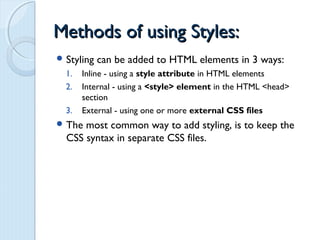
 Styling can be added to HTML elements in 3 ways:
1. Inline - using a style attribute in HTML elements
2. Internal - using a <style> element in the HTML <head>
section
3. External - using one or more external CSS files
 The most common way to add styling, is to keep the
CSS syntax in separate CSS files.
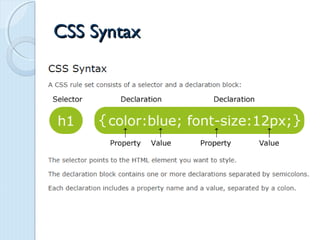
CSS SyntaxCSS Syntax
CSS Syntax SampleCSS Syntax Sample
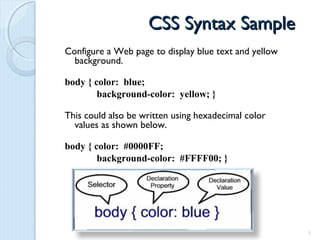
Configure a Web page to display blue text and yellow
background.
body { color: blue;
background-color: yellow; }
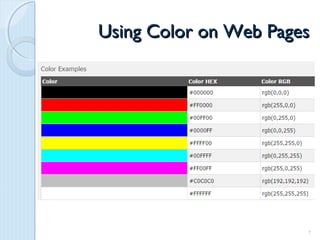
This could also be written using hexadecimal color
values as shown below.
body { color: #0000FF;
background-color: #FFFF00; }
5
Color ValuesColor Values
CSS colors are defined using a
hexadecimal (hex) notation for the
combination of Red, Green, and Blue
color values (RGB). The lowest value that
can be given to one of the light sources is
0 (hex 00). The highest value is 255 (hex
FF).
Hex values are written as 3 double digit
numbers, starting with a # sign.
Using Color on Web PagesUsing Color on Web Pages
7
Common FormattingCommon Formatting
CSS PropertiesCSS Properties
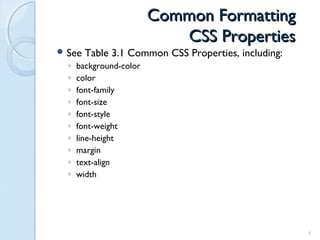
 See Table 3.1 Common CSS Properties, including:
◦ background-color
◦ color
◦ font-family
◦ font-size
◦ font-style
◦ font-weight
◦ line-height
◦ margin
◦ text-align
◦ width
8
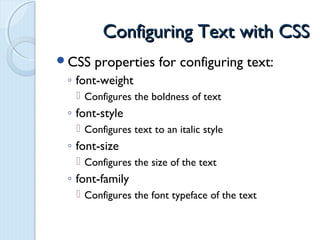
Configuring Text with CSSConfiguring Text with CSS
CSS properties for configuring text:
◦ font-weight
 Configures the boldness of text
◦ font-style
 Configures text to an italic style
◦ font-size
 Configures the size of the text
◦ font-family
 Configures the font typeface of the text
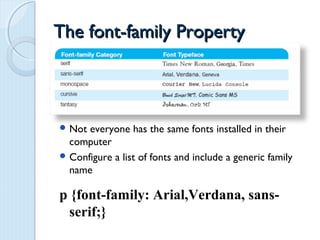
The font-family PropertyThe font-family Property
 Not everyone has the same fonts installed in their
computer
 Configure a list of fonts and include a generic family
name
p {font-family: Arial,Verdana, sans-
serif;}
1. External Style Sheets1. External Style Sheets
CSS style rules are contained in a
text file separate from the XHTML
documents.
The External Style Sheet text file:
◦ extension ".css"
◦ contains only style rules
◦ does not contain any XHTML tags
11
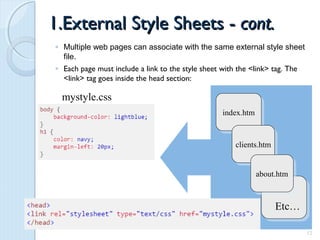
1.External Style Sheets -1.External Style Sheets - cont.cont.
◦ Multiple web pages can associate with the same external style sheet
file.
◦ Each page must include a link to the style sheet with the <link> tag. The
<link> tag goes inside the head section:
12
mystyle.css
index.htmindex.htm
clients.htmclients.htm
about.htmabout.htm
Etc…
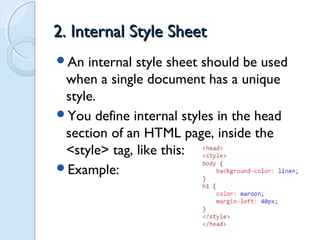
2. Internal Style Sheet2. Internal Style Sheet
An internal style sheet should be used
when a single document has a unique
style.
You define internal styles in the head
section of an HTML page, inside the
<style> tag, like this:
Example:
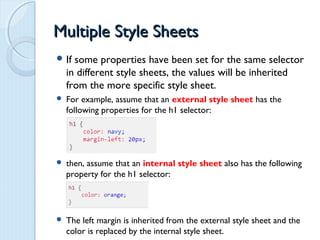
Multiple Style SheetsMultiple Style Sheets
 If some properties have been set for the same selector
in different style sheets, the values will be inherited
from the more specific style sheet. 
 For example, assume that an external style sheet has the
following properties for the h1 selector:
 then, assume that an internal style sheet also has the following
property for the h1 selector:
 The left margin is inherited from the external style sheet and the
color is replaced by the internal style sheet.
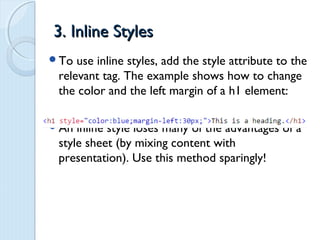
3. Inline Styles3. Inline Styles
To use inline styles, add the style attribute to the
relevant tag. The example shows how to change
the color and the left margin of a h1 element:
An inline style loses many of the advantages of a
style sheet (by mixing content with
presentation). Use this method sparingly!
ReferenceReference
http://www.w3schools.com/html/html_cs
s.asp
Visit @ www.casestudyhelp.com
Or
Email id: casestudyassignmenthelp@gmail.com