CSS Grids & Flexbox
Rachel Andrew
Rachel Andrew
• Web developer since 1996ish
• ex Web Standards Project member
• edgeofmyseat.com since 2001
• grabaperch.com since 2009
• http://rachelandrew.co.uk
• http://twitter.com/rachelandrew
Flexbox
Flexible Box Module
• W3C Last Call Working Draft, http://
www.w3.org/TR/css3-flexbox/
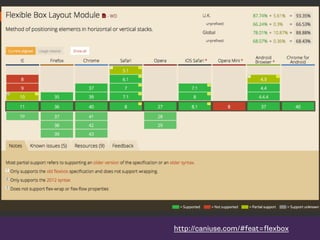
• Modern browsers support the up to date syntax
• Beware support for a previous version in older
browsers
• Primarily a method for laying out items in a
single horizontal or vertical line
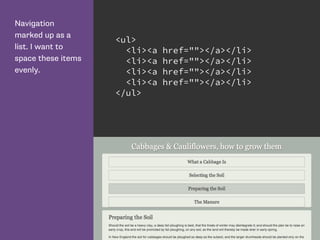
Navigation
marked up as a
list. I want to
space these items
evenly.
<ul>
<li><a href=""></a></li>
</ul>
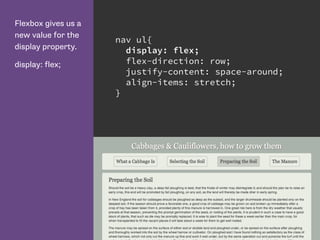
Flexbox gives us a
new value for the
display property.
display: flex;
nav ul{
display: flex;
flex-direction: row;
justify-content: space-around;
align-items: stretch;
}
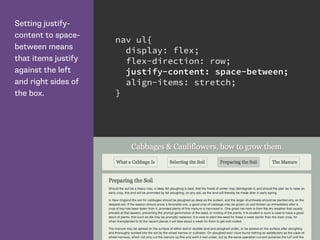
Setting justify-
content to space-
between means
that items justify
against the left
and right sides of
the box.
nav ul{
display: flex;
flex-direction: row;
justify-content: space-between;
align-items: stretch;
}
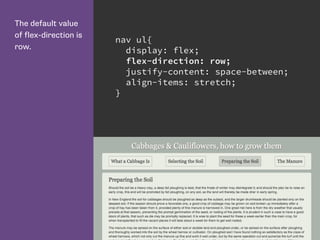
The default value
of flex-direction is
row.
nav ul{
display: flex;
flex-direction: row;
justify-content: space-between;
align-items: stretch;
}
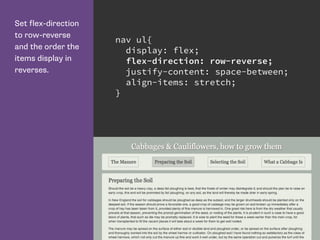
Set flex-direction
to row-reverse
and the order the
items display in
reverses.
nav ul{
display: flex;
flex-direction: row-reverse;
justify-content: space-between;
align-items: stretch;
}
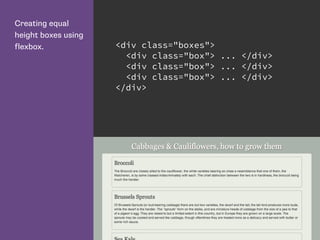
Creating equal
height boxes using
flexbox. <div class="boxes">
<div class="box"> ... </div>
</div>
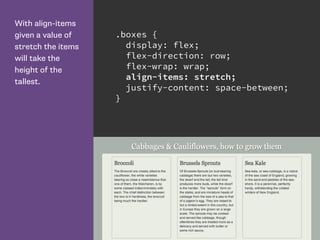
With align-items
given a value of
stretch the items
will take the
height of the
tallest.
.boxes {
display: flex;
flex-direction: row;
flex-wrap: wrap;
align-items: stretch;
justify-content: space-between;
}
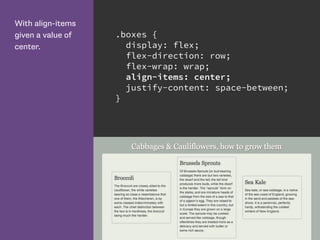
With align-items
given a value of
center.
.boxes {
display: flex;
flex-direction: row;
flex-wrap: wrap;
align-items: center;
justify-content: space-between;
}
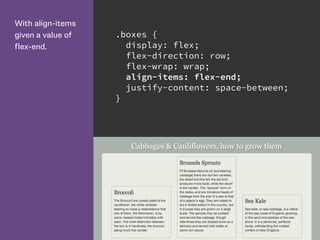
With align-items
given a value of
flex-end.
.boxes {
display: flex;
flex-direction: row;
flex-wrap: wrap;
align-items: flex-end;
justify-content: space-between;
}
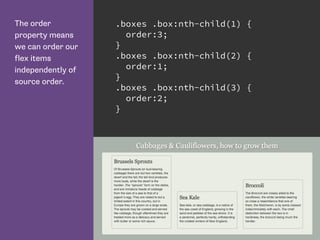
The order
property means
we can order our
flex items
independently of
source order.
.boxes .box:nth-child(1) {
order:3;
}
.boxes .box:nth-child(2) {
order:1;
}
.boxes .box:nth-child(3) {
order:2;
}
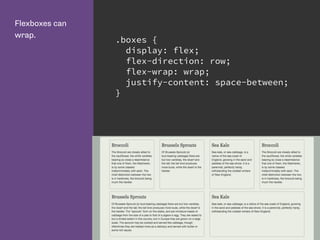
Flexboxes can
wrap.
.boxes {
display: flex;
flex-direction: row;
flex-wrap: wrap;
justify-content: space-between;
}
http://caniuse.com/#feat=flexbox
Flexbox Resources
CSS Tricks Guide to Flexbox: https://css-tricks.com/snippets/css/
a-guide-to-flexbox/
Solved by Flexbox: http://philipwalton.github.io/solved-by-flexbox/
Flexplorer: http://bennettfeely.com/flexplorer/
Flexbox on Codrops CSS reference: http://tympanus.net/codrops/
css_reference/flexbox/
Flexbox Cheat Sheet: http://www.sketchingwithcss.com/
samplechapter/cheatsheet.html
CSS Grid Layout https://www.flickr.com/photos/blachswan/15174207821
CSS Grid Layout
• First Public Draft April 2011
• Proposal developed by Microsoft
• Early implementation in IE10
• Spec has moved on. Is now very different to the
IE10 implementation.
• Latest Editors Draft 2 March 2015
• Implementation in Chrome (Experimental)
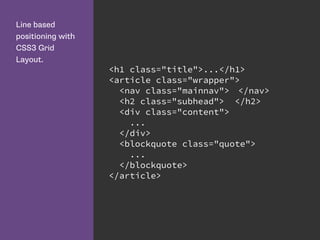
Line based
positioning with
CSS3 Grid
Layout.
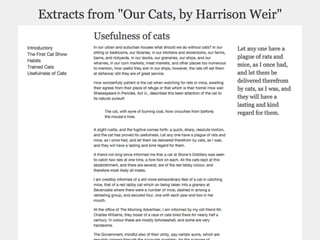
<h1 class="title">...</h1>
<article class="wrapper">
<nav class="mainnav"> </nav>
<h2 class="subhead"> </h2>
<div class="content">
...
</div>
<blockquote class="quote">
...
</blockquote>
</article>
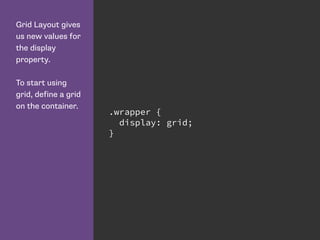
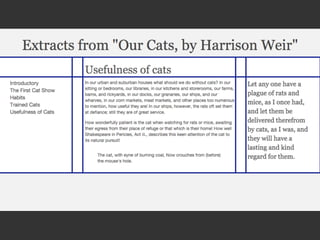
Grid Layout gives
us new values for
the display
property.
To start using
grid, define a grid
on the container.
.wrapper {
display: grid;
}
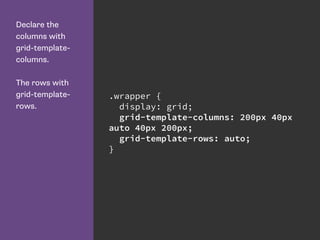
Declare the
columns with
grid-template-
columns.
The rows with
grid-template-
rows.
.wrapper {
display: grid;
grid-template-columns: 200px 40px
auto 40px 200px;
grid-template-rows: auto;
}
Grid lines can be explict or implicit
• Explicit grid lines are those that you specify and
give sizing information to
• Implicit lines are created when you place
something into a row or column you have not
specified with grid-template-rows or grid-
template-columns
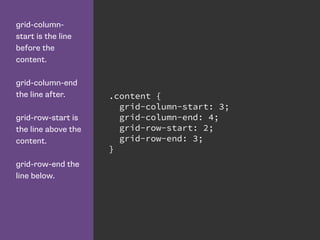
grid-column-
start is the line
before the
content.
grid-column-end
the line after.
grid-row-start is
the line above the
content.
grid-row-end the
line below.
.content {
grid-column-start: 3;
grid-column-end: 4;
grid-row-start: 2;
grid-row-end: 3;
}
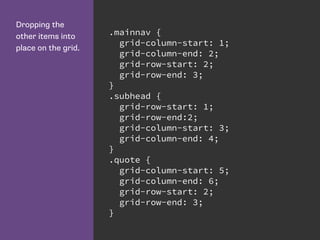
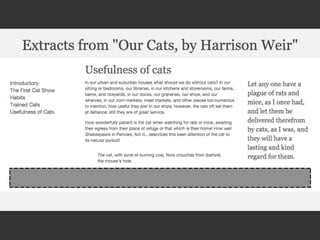
Dropping the
other items into
place on the grid.
.mainnav {
grid-column-start: 1;
grid-column-end: 2;
grid-row-start: 2;
grid-row-end: 3;
}
.subhead {
grid-row-start: 1;
grid-row-end:2;
grid-column-start: 3;
grid-column-end: 4;
}
.quote {
grid-column-start: 5;
grid-column-end: 6;
grid-row-start: 2;
grid-row-end: 3;
}
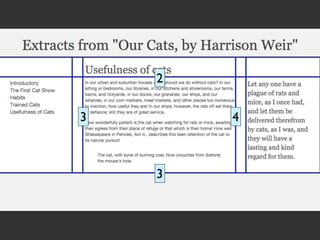
For columns start
is the line before
the column, end
the line after.
For rows start is
the line above,
and end the row
below.
.content {
grid-column-start: 3;
grid-column-end: 4;
grid-row-start: 2;
grid-row-end: 3;
}
3 4
2
3
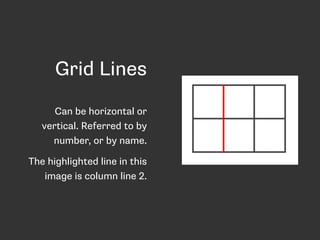
Grid Lines
Can be horizontal or
vertical. Referred to by
number, or by name.
The highlighted line in this
image is column line 2.
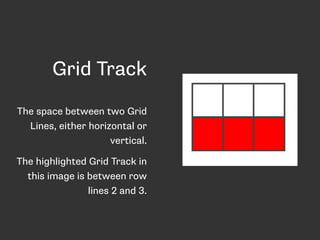
Grid Track
The space between two Grid
Lines, either horizontal or
vertical.
The highlighted Grid Track in
this image is between row
lines 2 and 3.
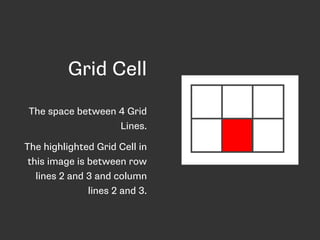
Grid Cell
The space between 4 Grid
Lines.
The highlighted Grid Cell in
this image is between row
lines 2 and 3 and column
lines 2 and 3.
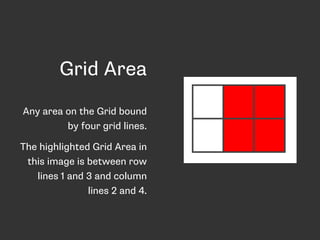
Grid Area
Any area on the Grid bound
by four grid lines.
The highlighted Grid Area in
this image is between row
lines 1 and 3 and column
lines 2 and 4.
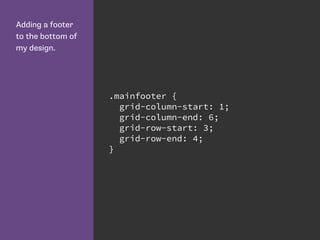
Adding a footer
to the bottom of
my design.
.mainfooter {
grid-column-start: 1;
grid-column-end: 6;
grid-row-start: 3;
grid-row-end: 4;
}
Shorthand Syntax
The grid-row and
grid-column
properties allow
you to declare
the start and end
values separated
by a / character.
.content {
grid-column: 3 / 4;
grid-row: 2 / 3;
}
The grid-area
property lets us
set all 4 values at
once. The order
of the values is:
- grid-row-start
- grid-column-start
- grid-row-end
- grid-column-end
.content {
grid-area: 2 / 3 / 3 / 4;
}
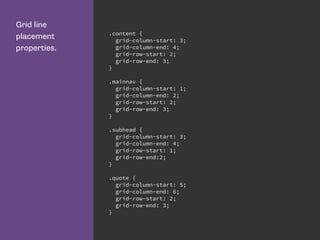
Grid line
placement
properties.
.content {
grid-column-start: 3;
grid-column-end: 4;
grid-row-start: 2;
grid-row-end: 3;
}
.mainnav {
grid-column-start: 1;
grid-column-end: 2;
grid-row-start: 2;
grid-row-end: 3;
}
.subhead {
grid-column-start: 3;
grid-column-end: 4;
grid-row-start: 1;
grid-row-end:2;
}
.quote {
grid-column-start: 5;
grid-column-end: 6;
grid-row-start: 2;
grid-row-end: 3;
}
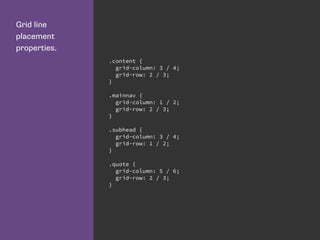
Grid line
placement
properties.
.content {
grid-column: 3 / 4;
grid-row: 2 / 3;
}
.mainnav {
grid-column: 1 / 2;
grid-row: 2 / 3;
}
.subhead {
grid-column: 3 / 4;
grid-row: 1 / 2;
}
.quote {
grid-column: 5 / 6;
grid-row: 2 / 3;
}
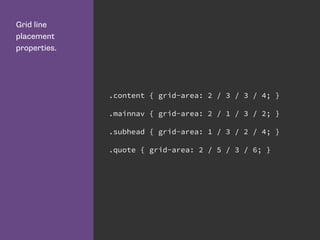
Grid line
placement
properties.
.content { grid-area: 2 / 3 / 3 / 4; }
.mainnav { grid-area: 2 / 1 / 3 / 2; }
.subhead { grid-area: 1 / 3 / 2 / 4; }
.quote { grid-area: 2 / 5 / 3 / 6; }
Redefining the grid
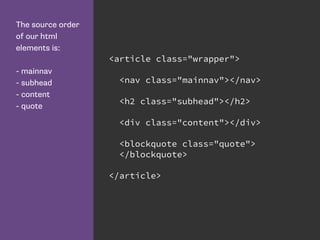
The source order
of our html
elements is:
- mainnav
- subhead
- content
- quote
<article class="wrapper">
<nav class="mainnav"></nav>
<h2 class="subhead"></h2>
<div class="content"></div>
<blockquote class="quote">
</blockquote>
</article>
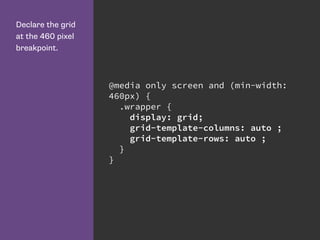
Declare the grid
at the 460 pixel
breakpoint.
@media only screen and (min-width:
460px) {
.wrapper {
display: grid;
grid-template-columns: auto ;
grid-template-rows: auto ;
}
}
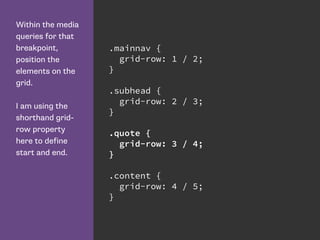
Within the media
queries for that
breakpoint,
position the
elements on the
grid.
I am using the
shorthand grid-
row property
here to define
start and end.
.mainnav {
grid-row: 1 / 2;
}
.subhead {
grid-row: 2 / 3;
}
.quote {
grid-row: 3 / 4;
}
.content {
grid-row: 4 / 5;
}
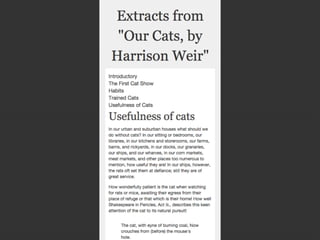
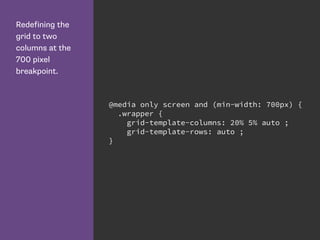
Redefining the
grid to two
columns at the
700 pixel
breakpoint.
@media only screen and (min-width: 700px) {
.wrapper {
grid-template-columns: 20% 5% auto ;
grid-template-rows: auto ;
}
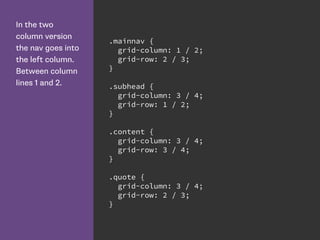
In the two
column version
the nav goes into
the left column.
Between column
lines 1 and 2.
.mainnav {
grid-column: 1 / 2;
grid-row: 2 / 3;
}
.subhead {
grid-column: 3 / 4;
grid-row: 1 / 2;
}
.content {
grid-column: 3 / 4;
grid-row: 3 / 4;
}
.quote {
grid-column: 3 / 4;
grid-row: 2 / 3;
}
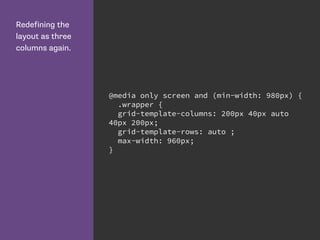
Redefining the
layout as three
columns again.
@media only screen and (min-width: 980px) {
.wrapper {
grid-template-columns: 200px 40px auto
40px 200px;
grid-template-rows: auto ;
max-width: 960px;
}
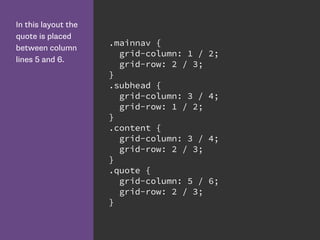
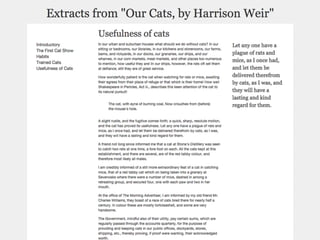
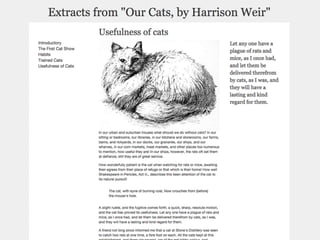
In this layout the
quote is placed
between column
lines 5 and 6.
.mainnav {
grid-column: 1 / 2;
grid-row: 2 / 3;
}
.subhead {
grid-column: 3 / 4;
grid-row: 1 / 2;
}
.content {
grid-column: 3 / 4;
grid-row: 2 / 3;
}
.quote {
grid-column: 5 / 6;
grid-row: 2 / 3;
}
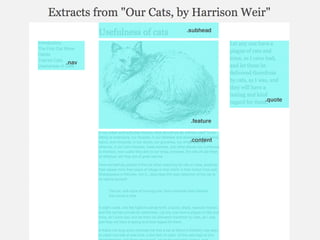
Grid Template Areas
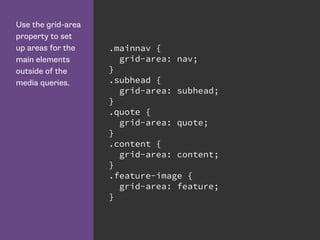
Use the grid-area
property to set
up areas for the
main elements
outside of the
media queries.
.mainnav {
grid-area: nav;
}
.subhead {
grid-area: subhead;
}
.quote {
grid-area: quote;
}
.content {
grid-area: content;
}
.feature-image {
grid-area: feature;
}
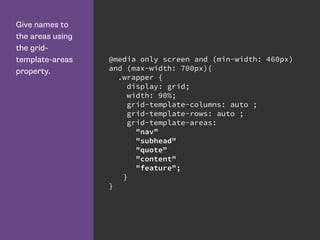
Give names to
the areas using
the grid-
template-areas
property.
@media only screen and (min-width: 460px)
and (max-width: 700px){
.wrapper {
display: grid;
width: 90%;
grid-template-columns: auto ;
grid-template-rows: auto ;
grid-template-areas:
"nav"
"subhead"
"quote"
"content"
"feature";
}
}
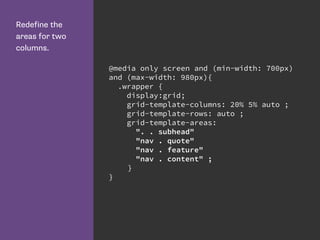
Redefine the
areas for two
columns.
@media only screen and (min-width: 700px)
and (max-width: 980px){
.wrapper {
display:grid;
grid-template-columns: 20% 5% auto ;
grid-template-rows: auto ;
grid-template-areas:
". . subhead"
"nav . quote"
"nav . feature"
"nav . content" ;
}
}
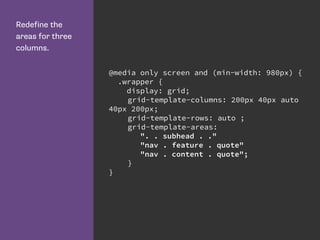
Redefine the
areas for three
columns.
@media only screen and (min-width: 980px) {
.wrapper {
display: grid;
grid-template-columns: 200px 40px auto
40px 200px;
grid-template-rows: auto ;
grid-template-areas:
". . subhead . ."
"nav . feature . quote"
"nav . content . quote";
}
}
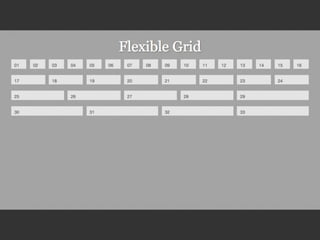
16 Column Grid
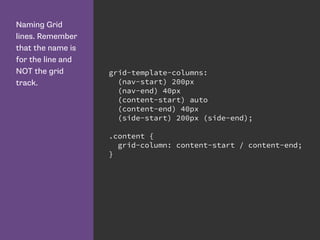
Naming Grid
lines. Remember
that the name is
for the line and
NOT the grid
track.
grid-template-columns:
(nav-start) 200px
(nav-end) 40px
(content-start) auto
(content-end) 40px
(side-start) 200px (side-end);
.content {
grid-column: content-start / content-end;
}
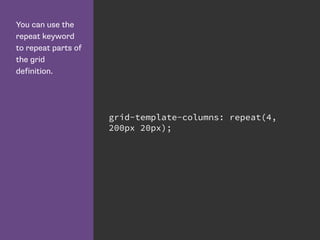
You can use the
repeat keyword
to repeat parts of
the grid
definition.
grid-template-columns: repeat(4,
200px 20px);
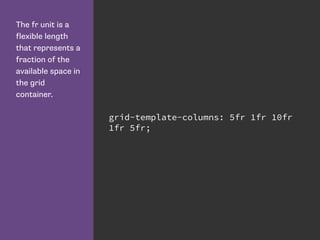
The fr unit is a
flexible length
that represents a
fraction of the
available space in
the grid
container.
grid-template-columns: 5fr 1fr 10fr
1fr 5fr;
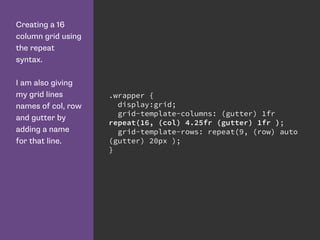
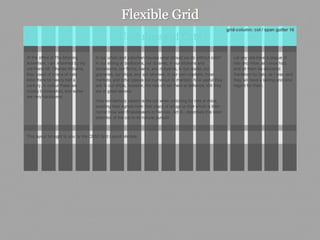
Creating a 16
column grid using
the repeat
syntax.
I am also giving
my grid lines
names of col, row
and gutter by
adding a name
for that line.
.wrapper {
display:grid;
grid-template-columns: (gutter) 1fr
repeat(16, (col) 4.25fr (gutter) 1fr );
grid-template-rows: repeat(9, (row) auto
(gutter) 20px );
}
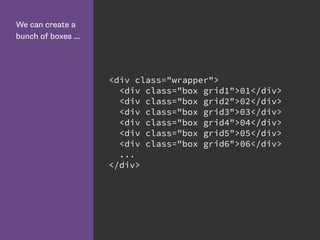
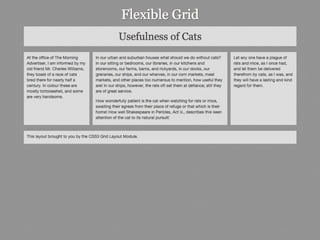
We can create a
bunch of boxes ...
<div class="wrapper">
<div class="box grid1">01</div>
<div class="box grid2">02</div>
<div class="box grid3">03</div>
<div class="box grid4">04</div>
<div class="box grid5">05</div>
<div class="box grid6">06</div>
...
</div>
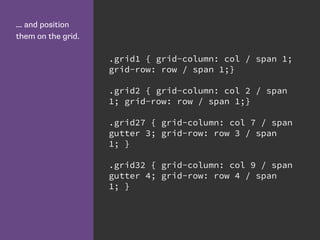
... and position
them on the grid.
.grid1 { grid-column: col / span 1;
grid-row: row / span 1;}
.grid2 { grid-column: col 2 / span
1; grid-row: row / span 1;}
.grid27 { grid-column: col 7 / span
gutter 3; grid-row: row 3 / span
1; }
.grid32 { grid-column: col 9 / span
gutter 4; grid-row: row 4 / span
1; }
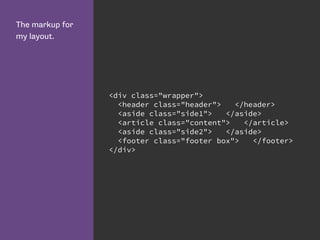
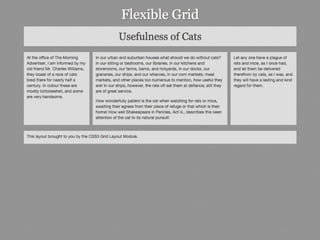
The markup for
my layout.
<div class="wrapper">
<header class="header"> </header>
<aside class="side1"> </aside>
<article class="content"> </article>
<aside class="side2"> </aside>
<footer class="footer box"> </footer>
</div>
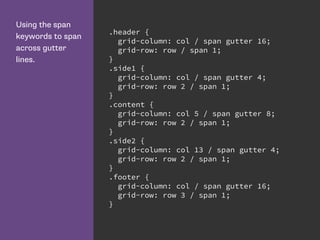
Using the span
keywords to span
across gutter
lines.
.header {
grid-column: col / span gutter 16;
grid-row: row / span 1;
}
.side1 {
grid-column: col / span gutter 4;
grid-row: row 2 / span 1;
}
.content {
grid-column: col 5 / span gutter 8;
grid-row: row 2 / span 1;
}
.side2 {
grid-column: col 13 / span gutter 4;
grid-row: row 2 / span 1;
}
.footer {
grid-column: col / span gutter 16;
grid-row: row 3 / span 1;
}
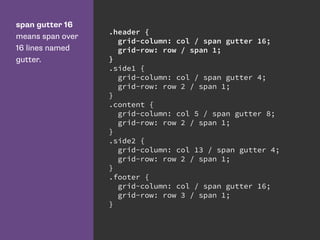
span gutter 16
means span over
16 lines named
gutter.
.header {
grid-column: col / span gutter 16;
grid-row: row / span 1;
}
.side1 {
grid-column: col / span gutter 4;
grid-row: row 2 / span 1;
}
.content {
grid-column: col 5 / span gutter 8;
grid-row: row 2 / span 1;
}
.side2 {
grid-column: col 13 / span gutter 4;
grid-row: row 2 / span 1;
}
.footer {
grid-column: col / span gutter 16;
grid-row: row 3 / span 1;
}
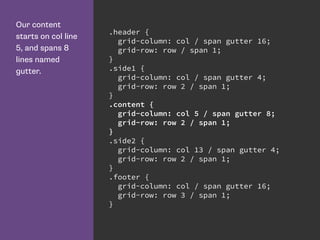
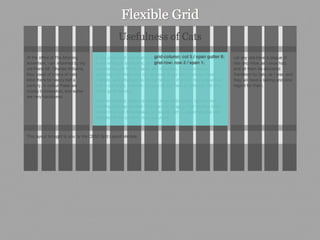
Our content
starts on col line
5, and spans 8
lines named
gutter.
.header {
grid-column: col / span gutter 16;
grid-row: row / span 1;
}
.side1 {
grid-column: col / span gutter 4;
grid-row: row 2 / span 1;
}
.content {
grid-column: col 5 / span gutter 8;
grid-row: row 2 / span 1;
}
.side2 {
grid-column: col 13 / span gutter 4;
grid-row: row 2 / span 1;
}
.footer {
grid-column: col / span gutter 16;
grid-row: row 3 / span 1;
}
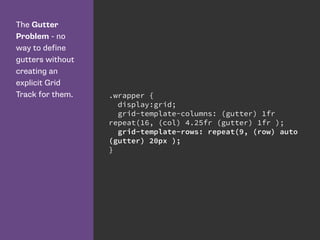
The Gutter
Problem - no
way to define
gutters without
creating an
explicit Grid
Track for them. .wrapper {
display:grid;
grid-template-columns: (gutter) 1fr
repeat(16, (col) 4.25fr (gutter) 1fr );
grid-template-rows: repeat(9, (row) auto
(gutter) 20px );
}
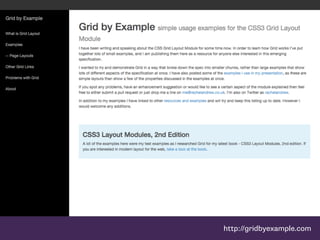
http://gridbyexample.com
https://github.com/FremyCompany/css-grid-polyfill/
Grid or Flexbox?
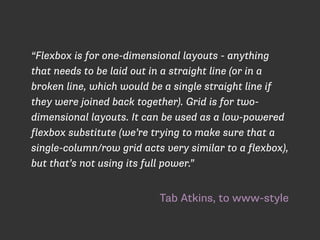
Tab Atkins, to www-style
“Flexbox is for one-dimensional layouts - anything
that needs to be laid out in a straight line (or in a
broken line, which would be a single straight line if
they were joined back together). Grid is for two-
dimensional layouts. It can be used as a low-powered
flexbox substitute (we’re trying to make sure that a
single-column/row grid acts very similar to a flexbox),
but that’s not using its full power.”
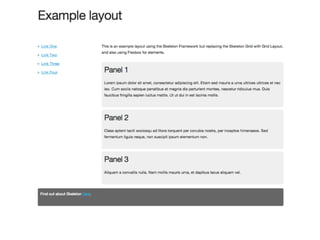
Grid Layout for the main page
structure of rows and columns.
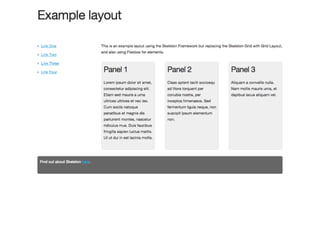
Flexbox for navigation, UI elements,
anything you could linearize.
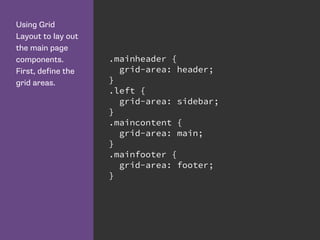
Using Grid
Layout to lay out
the main page
components.
First, define the
grid areas.
.mainheader {
grid-area: header;
}
.left {
grid-area: sidebar;
}
.maincontent {
grid-area: main;
}
.mainfooter {
grid-area: footer;
}
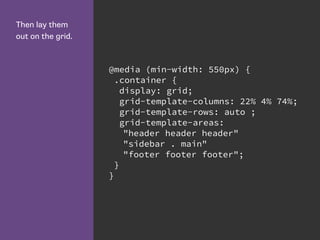
Then lay them
out on the grid.
@media (min-width: 550px) {
.container {
display: grid;
grid-template-columns: 22% 4% 74%;
grid-template-rows: auto ;
grid-template-areas:
"header header header"
"sidebar . main"
"footer footer footer";
}
}
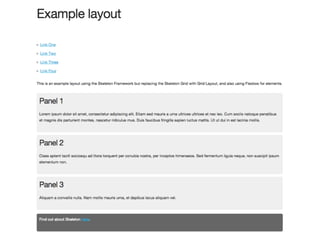
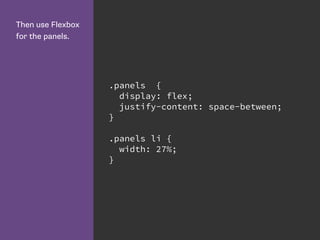
Then use Flexbox
for the panels.
.panels {
display: flex;
justify-content: space-between;
}
.panels li {
width: 27%;
}
Grid Resources
Grid by Example: http://gridbyexample.com
Examples from Igalia: http://igalia.github.io/css-grid-layout/
Interesting post about the evolution of the spec: http://
blogs.igalia.com/mrego/2014/12/30/css-grid-layout-2014-recap-
specification-evolution/
Thank you
@rachelandrew

Flexbox and Grid Layout

  • 1.
    CSS Grids &Flexbox Rachel Andrew
  • 2.
    Rachel Andrew • Webdeveloper since 1996ish • ex Web Standards Project member • edgeofmyseat.com since 2001 • grabaperch.com since 2009 • http://rachelandrew.co.uk • http://twitter.com/rachelandrew
  • 3.
  • 4.
    Flexible Box Module •W3C Last Call Working Draft, http:// www.w3.org/TR/css3-flexbox/ • Modern browsers support the up to date syntax • Beware support for a previous version in older browsers • Primarily a method for laying out items in a single horizontal or vertical line
  • 5.
    Navigation marked up asa list. I want to space these items evenly. <ul> <li><a href=""></a></li> <li><a href=""></a></li> <li><a href=""></a></li> <li><a href=""></a></li> </ul>
  • 6.
    Flexbox gives usa new value for the display property. display: flex; nav ul{ display: flex; flex-direction: row; justify-content: space-around; align-items: stretch; }
  • 7.
    Setting justify- content tospace- between means that items justify against the left and right sides of the box. nav ul{ display: flex; flex-direction: row; justify-content: space-between; align-items: stretch; }
  • 8.
    The default value offlex-direction is row. nav ul{ display: flex; flex-direction: row; justify-content: space-between; align-items: stretch; }
  • 9.
    Set flex-direction to row-reverse andthe order the items display in reverses. nav ul{ display: flex; flex-direction: row-reverse; justify-content: space-between; align-items: stretch; }
  • 10.
    Creating equal height boxesusing flexbox. <div class="boxes"> <div class="box"> ... </div> <div class="box"> ... </div> <div class="box"> ... </div> </div>
  • 11.
    With align-items given avalue of stretch the items will take the height of the tallest. .boxes { display: flex; flex-direction: row; flex-wrap: wrap; align-items: stretch; justify-content: space-between; }
  • 12.
    With align-items given avalue of center. .boxes { display: flex; flex-direction: row; flex-wrap: wrap; align-items: center; justify-content: space-between; }
  • 13.
    With align-items given avalue of flex-end. .boxes { display: flex; flex-direction: row; flex-wrap: wrap; align-items: flex-end; justify-content: space-between; }
  • 14.
    The order property means wecan order our flex items independently of source order. .boxes .box:nth-child(1) { order:3; } .boxes .box:nth-child(2) { order:1; } .boxes .box:nth-child(3) { order:2; }
  • 15.
    Flexboxes can wrap. .boxes { display:flex; flex-direction: row; flex-wrap: wrap; justify-content: space-between; }
  • 16.
  • 18.
    Flexbox Resources CSS TricksGuide to Flexbox: https://css-tricks.com/snippets/css/ a-guide-to-flexbox/ Solved by Flexbox: http://philipwalton.github.io/solved-by-flexbox/ Flexplorer: http://bennettfeely.com/flexplorer/ Flexbox on Codrops CSS reference: http://tympanus.net/codrops/ css_reference/flexbox/ Flexbox Cheat Sheet: http://www.sketchingwithcss.com/ samplechapter/cheatsheet.html
  • 19.
    CSS Grid Layouthttps://www.flickr.com/photos/blachswan/15174207821
  • 20.
    CSS Grid Layout •First Public Draft April 2011 • Proposal developed by Microsoft • Early implementation in IE10 • Spec has moved on. Is now very different to the IE10 implementation. • Latest Editors Draft 2 March 2015 • Implementation in Chrome (Experimental)
  • 21.
    Line based positioning with CSS3Grid Layout. <h1 class="title">...</h1> <article class="wrapper"> <nav class="mainnav"> </nav> <h2 class="subhead"> </h2> <div class="content"> ... </div> <blockquote class="quote"> ... </blockquote> </article>
  • 23.
    Grid Layout gives usnew values for the display property. To start using grid, define a grid on the container. .wrapper { display: grid; }
  • 24.
    Declare the columns with grid-template- columns. Therows with grid-template- rows. .wrapper { display: grid; grid-template-columns: 200px 40px auto 40px 200px; grid-template-rows: auto; }
  • 25.
    Grid lines canbe explict or implicit • Explicit grid lines are those that you specify and give sizing information to • Implicit lines are created when you place something into a row or column you have not specified with grid-template-rows or grid- template-columns
  • 27.
    grid-column- start is theline before the content. grid-column-end the line after. grid-row-start is the line above the content. grid-row-end the line below. .content { grid-column-start: 3; grid-column-end: 4; grid-row-start: 2; grid-row-end: 3; }
  • 29.
    Dropping the other itemsinto place on the grid. .mainnav { grid-column-start: 1; grid-column-end: 2; grid-row-start: 2; grid-row-end: 3; } .subhead { grid-row-start: 1; grid-row-end:2; grid-column-start: 3; grid-column-end: 4; } .quote { grid-column-start: 5; grid-column-end: 6; grid-row-start: 2; grid-row-end: 3; }
  • 32.
    For columns start isthe line before the column, end the line after. For rows start is the line above, and end the row below. .content { grid-column-start: 3; grid-column-end: 4; grid-row-start: 2; grid-row-end: 3; }
  • 33.
  • 34.
    Grid Lines Can behorizontal or vertical. Referred to by number, or by name. The highlighted line in this image is column line 2.
  • 35.
    Grid Track The spacebetween two Grid Lines, either horizontal or vertical. The highlighted Grid Track in this image is between row lines 2 and 3.
  • 36.
    Grid Cell The spacebetween 4 Grid Lines. The highlighted Grid Cell in this image is between row lines 2 and 3 and column lines 2 and 3.
  • 37.
    Grid Area Any areaon the Grid bound by four grid lines. The highlighted Grid Area in this image is between row lines 1 and 3 and column lines 2 and 4.
  • 39.
    Adding a footer tothe bottom of my design. .mainfooter { grid-column-start: 1; grid-column-end: 6; grid-row-start: 3; grid-row-end: 4; }
  • 41.
  • 42.
    The grid-row and grid-column propertiesallow you to declare the start and end values separated by a / character. .content { grid-column: 3 / 4; grid-row: 2 / 3; }
  • 43.
    The grid-area property letsus set all 4 values at once. The order of the values is: - grid-row-start - grid-column-start - grid-row-end - grid-column-end .content { grid-area: 2 / 3 / 3 / 4; }
  • 44.
    Grid line placement properties. .content { grid-column-start:3; grid-column-end: 4; grid-row-start: 2; grid-row-end: 3; } .mainnav { grid-column-start: 1; grid-column-end: 2; grid-row-start: 2; grid-row-end: 3; } .subhead { grid-column-start: 3; grid-column-end: 4; grid-row-start: 1; grid-row-end:2; } .quote { grid-column-start: 5; grid-column-end: 6; grid-row-start: 2; grid-row-end: 3; }
  • 45.
    Grid line placement properties. .content { grid-column:3 / 4; grid-row: 2 / 3; } .mainnav { grid-column: 1 / 2; grid-row: 2 / 3; } .subhead { grid-column: 3 / 4; grid-row: 1 / 2; } .quote { grid-column: 5 / 6; grid-row: 2 / 3; }
  • 46.
    Grid line placement properties. .content {grid-area: 2 / 3 / 3 / 4; } .mainnav { grid-area: 2 / 1 / 3 / 2; } .subhead { grid-area: 1 / 3 / 2 / 4; } .quote { grid-area: 2 / 5 / 3 / 6; }
  • 47.
  • 48.
    The source order ofour html elements is: - mainnav - subhead - content - quote <article class="wrapper"> <nav class="mainnav"></nav> <h2 class="subhead"></h2> <div class="content"></div> <blockquote class="quote"> </blockquote> </article>
  • 50.
    Declare the grid atthe 460 pixel breakpoint. @media only screen and (min-width: 460px) { .wrapper { display: grid; grid-template-columns: auto ; grid-template-rows: auto ; } }
  • 51.
    Within the media queriesfor that breakpoint, position the elements on the grid. I am using the shorthand grid- row property here to define start and end. .mainnav { grid-row: 1 / 2; } .subhead { grid-row: 2 / 3; } .quote { grid-row: 3 / 4; } .content { grid-row: 4 / 5; }
  • 53.
    Redefining the grid totwo columns at the 700 pixel breakpoint. @media only screen and (min-width: 700px) { .wrapper { grid-template-columns: 20% 5% auto ; grid-template-rows: auto ; }
  • 54.
    In the two columnversion the nav goes into the left column. Between column lines 1 and 2. .mainnav { grid-column: 1 / 2; grid-row: 2 / 3; } .subhead { grid-column: 3 / 4; grid-row: 1 / 2; } .content { grid-column: 3 / 4; grid-row: 3 / 4; } .quote { grid-column: 3 / 4; grid-row: 2 / 3; }
  • 56.
    Redefining the layout asthree columns again. @media only screen and (min-width: 980px) { .wrapper { grid-template-columns: 200px 40px auto 40px 200px; grid-template-rows: auto ; max-width: 960px; }
  • 57.
    In this layoutthe quote is placed between column lines 5 and 6. .mainnav { grid-column: 1 / 2; grid-row: 2 / 3; } .subhead { grid-column: 3 / 4; grid-row: 1 / 2; } .content { grid-column: 3 / 4; grid-row: 2 / 3; } .quote { grid-column: 5 / 6; grid-row: 2 / 3; }
  • 59.
  • 60.
    Use the grid-area propertyto set up areas for the main elements outside of the media queries. .mainnav { grid-area: nav; } .subhead { grid-area: subhead; } .quote { grid-area: quote; } .content { grid-area: content; } .feature-image { grid-area: feature; }
  • 61.
    Give names to theareas using the grid- template-areas property. @media only screen and (min-width: 460px) and (max-width: 700px){ .wrapper { display: grid; width: 90%; grid-template-columns: auto ; grid-template-rows: auto ; grid-template-areas: "nav" "subhead" "quote" "content" "feature"; } }
  • 63.
    Redefine the areas fortwo columns. @media only screen and (min-width: 700px) and (max-width: 980px){ .wrapper { display:grid; grid-template-columns: 20% 5% auto ; grid-template-rows: auto ; grid-template-areas: ". . subhead" "nav . quote" "nav . feature" "nav . content" ; } }
  • 65.
    Redefine the areas forthree columns. @media only screen and (min-width: 980px) { .wrapper { display: grid; grid-template-columns: 200px 40px auto 40px 200px; grid-template-rows: auto ; grid-template-areas: ". . subhead . ." "nav . feature . quote" "nav . content . quote"; } }
  • 68.
  • 69.
    Naming Grid lines. Remember thatthe name is for the line and NOT the grid track. grid-template-columns: (nav-start) 200px (nav-end) 40px (content-start) auto (content-end) 40px (side-start) 200px (side-end); .content { grid-column: content-start / content-end; }
  • 70.
    You can usethe repeat keyword to repeat parts of the grid definition. grid-template-columns: repeat(4, 200px 20px);
  • 71.
    The fr unitis a flexible length that represents a fraction of the available space in the grid container. grid-template-columns: 5fr 1fr 10fr 1fr 5fr;
  • 72.
    Creating a 16 columngrid using the repeat syntax. I am also giving my grid lines names of col, row and gutter by adding a name for that line. .wrapper { display:grid; grid-template-columns: (gutter) 1fr repeat(16, (col) 4.25fr (gutter) 1fr ); grid-template-rows: repeat(9, (row) auto (gutter) 20px ); }
  • 73.
    We can createa bunch of boxes ... <div class="wrapper"> <div class="box grid1">01</div> <div class="box grid2">02</div> <div class="box grid3">03</div> <div class="box grid4">04</div> <div class="box grid5">05</div> <div class="box grid6">06</div> ... </div>
  • 74.
    ... and position themon the grid. .grid1 { grid-column: col / span 1; grid-row: row / span 1;} .grid2 { grid-column: col 2 / span 1; grid-row: row / span 1;} .grid27 { grid-column: col 7 / span gutter 3; grid-row: row 3 / span 1; } .grid32 { grid-column: col 9 / span gutter 4; grid-row: row 4 / span 1; }
  • 76.
    The markup for mylayout. <div class="wrapper"> <header class="header"> </header> <aside class="side1"> </aside> <article class="content"> </article> <aside class="side2"> </aside> <footer class="footer box"> </footer> </div>
  • 77.
    Using the span keywordsto span across gutter lines. .header { grid-column: col / span gutter 16; grid-row: row / span 1; } .side1 { grid-column: col / span gutter 4; grid-row: row 2 / span 1; } .content { grid-column: col 5 / span gutter 8; grid-row: row 2 / span 1; } .side2 { grid-column: col 13 / span gutter 4; grid-row: row 2 / span 1; } .footer { grid-column: col / span gutter 16; grid-row: row 3 / span 1; }
  • 78.
    span gutter 16 meansspan over 16 lines named gutter. .header { grid-column: col / span gutter 16; grid-row: row / span 1; } .side1 { grid-column: col / span gutter 4; grid-row: row 2 / span 1; } .content { grid-column: col 5 / span gutter 8; grid-row: row 2 / span 1; } .side2 { grid-column: col 13 / span gutter 4; grid-row: row 2 / span 1; } .footer { grid-column: col / span gutter 16; grid-row: row 3 / span 1; }
  • 81.
    Our content starts oncol line 5, and spans 8 lines named gutter. .header { grid-column: col / span gutter 16; grid-row: row / span 1; } .side1 { grid-column: col / span gutter 4; grid-row: row 2 / span 1; } .content { grid-column: col 5 / span gutter 8; grid-row: row 2 / span 1; } .side2 { grid-column: col 13 / span gutter 4; grid-row: row 2 / span 1; } .footer { grid-column: col / span gutter 16; grid-row: row 3 / span 1; }
  • 84.
    The Gutter Problem -no way to define gutters without creating an explicit Grid Track for them. .wrapper { display:grid; grid-template-columns: (gutter) 1fr repeat(16, (col) 4.25fr (gutter) 1fr ); grid-template-rows: repeat(9, (row) auto (gutter) 20px ); }
  • 85.
  • 86.
  • 87.
  • 88.
    Tab Atkins, towww-style “Flexbox is for one-dimensional layouts - anything that needs to be laid out in a straight line (or in a broken line, which would be a single straight line if they were joined back together). Grid is for two- dimensional layouts. It can be used as a low-powered flexbox substitute (we’re trying to make sure that a single-column/row grid acts very similar to a flexbox), but that’s not using its full power.”
  • 89.
    Grid Layout forthe main page structure of rows and columns.
  • 90.
    Flexbox for navigation,UI elements, anything you could linearize.
  • 92.
    Using Grid Layout tolay out the main page components. First, define the grid areas. .mainheader { grid-area: header; } .left { grid-area: sidebar; } .maincontent { grid-area: main; } .mainfooter { grid-area: footer; }
  • 93.
    Then lay them outon the grid. @media (min-width: 550px) { .container { display: grid; grid-template-columns: 22% 4% 74%; grid-template-rows: auto ; grid-template-areas: "header header header" "sidebar . main" "footer footer footer"; } }
  • 95.
    Then use Flexbox forthe panels. .panels { display: flex; justify-content: space-between; } .panels li { width: 27%; }
  • 97.
    Grid Resources Grid byExample: http://gridbyexample.com Examples from Igalia: http://igalia.github.io/css-grid-layout/ Interesting post about the evolution of the spec: http:// blogs.igalia.com/mrego/2014/12/30/css-grid-layout-2014-recap- specification-evolution/
  • 98.