Creating Dictionaries
P.Prabhu
Manager Research
5th August 2013
What is a Dictionary?
 CSPro data files are text files with no metadata, only data
 A dictionary is needed to describe the contents of the data file
 CSPro dictionaries:
– End with the extension .dcf
– Are text files that can be edited manually, though that is
inadvisable
– Are not dependent on the existence of a data entry
application
 Every CSPro application needs a dictionary
 Multiple CSPro applications can share the same dictionary
CSPro Data Files
 CSPro data files are:
– Flat files (all data in a single file)
– Text files (all data is stored in ANSI format and is human
readable)
 Items in the data file have a fixed length
 Records in the data file are stored one per line
 Have no specific file extension
 An index is created for the data file to allow for quick access to
specific cases (file extension: .idx)
Identification Items
 CSPro needs a way to differentiate between different cases
(questionnaires)
 Identification (ID) items uniquely identify all cases
 Two cases in a single data file cannot have the same ID, but
cases across data files can share IDs
Identification Items (continued)
 Generally a questionnaire has geocodes or some other system
of attributes that uniquely identifies each unit of enumeration
 For censuses, these IDs are almost always geocodes
– Example: Province – District – Division – Location –
Sublocation – Enumeration Area – Household Number
 For surveys, these ID sections are often more condensed
– Example: Cluster – Household Number
Identification Items (continued)
 It is common for the “identification section” of a questionnaire to have
questions that do not help uniquely identify a household
 Examples include:
– Enumerator number
– Household type
– Urban/rural status
 Some people prefer to make the ID section as small as possible, to pick
the fewest number of items possible to ensure that each case is unique
 Other people take a more liberal approach to ID fields, but CSPro does
have a limit to how long the ID field can be (length: 127)
Dictionary Fundamentals
 Identification Items: value(s) to uniquely identify a case
 Levels: a group of one or several records
 Records: a group of one or several items
 Items: a value, or variable, that is numeric or alphanumeric
 Subitems: part of an item
 Value Sets: a listing of valid values for an item
Dictionary Fundamentals (with a typical survey example)
 Identification Items: value (s) to uniquely identify a case
Cluster number, household number
 Levels: a group of one or several records
Household questionnaire, female questionnaires
 Records: a group of one or several items
Housing characteristics, household roster, fertility questions
 Items: a value, or variable, that is numeric or alphanumeric
Water access, roof type, …, sex, age, …, children ever born
 Subitems: part of an item
Date of birth broken down into year, month, day
 Value Sets: a listing of valid values for an item
Sex: Male (1), Female (2)
Naming Dictionary Elements
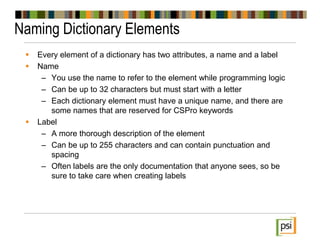
 Every element of a dictionary has two attributes, a name and a label
 Name
– You use the name to refer to the element while programming logic
– Can be up to 32 characters but must start with a letter
– Each dictionary element must have a unique name, and there are
some names that are reserved for CSPro keywords
 Label
– A more thorough description of the element
– Can be up to 255 characters and can contain punctuation and
spacing
– Often labels are the only documentation that anyone sees, so be
sure to take care when creating labels
Items
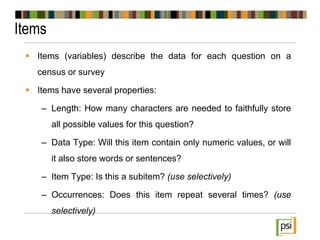
 Items (variables) describe the data for each question on a
census or survey
 Items have several properties:
– Length: How many characters are needed to faithfully store
all possible values for this question?
– Data Type: Will this item contain only numeric values, or will
it also store words or sentences?
– Item Type: Is this a subitem? (use selectively)
– Occurrences: Does this item repeat several times? (use
selectively)
Value Set Examples
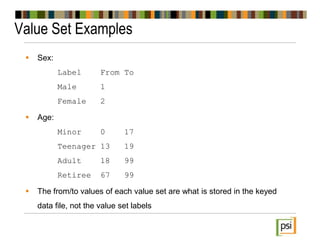
 Sex:
Label From To
Male 1
Female 2
 Age:
Minor 0 17
Teenager 13 19
Adult 18 99
Retiree 67 99
 The from/to values of each value set are what is stored in the keyed
data file, not the value set labels
Special Values
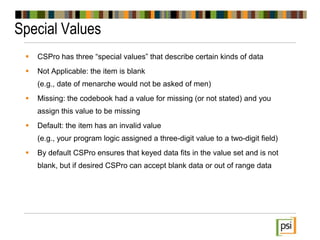
 CSPro has three “special values” that describe certain kinds of data
 Not Applicable: the item is blank
(e.g., date of menarche would not be asked of men)
 Missing: the codebook had a value for missing (or not stated) and you
assign this value to be missing
 Default: the item has an invalid value
(e.g., your program logic assigned a three-digit value to a two-digit field)
 By default CSPro ensures that keyed data fits in the value set and is not
blank, but if desired CSPro can accept blank data or out of range data
Modifying the Dictionary
 Before a data entry operation begins, feel free to modify the
dictionary freely
 CSPro will detect changes between the dictionary and forms, so
if you rename or delete a dictionary item, the field on the form
will also be renamed, or will be removed from the form
 However, once some data exists using a dictionary format,
modifying the dictionary must be done with great care
 In all cases, make backups of your dictionary before any
modifications so that you always have a dictionary to read data
that was entered at any time of the data entry operation
Dictionary Macros
 By right-clicking on the dictionary name in the tree you can
access the undocumented dictionary macros
 Names and labels of dictionary items, or value sets, can be
copied to Excel format, modified in Excel, and then pasted back
to CSPro
 This can be particularly useful if you want coworkers who do not
know how to use CSPro to help with the creation of the
dictionary, perhaps by adding values to the codebook (value
sets)
Moving to next
PSI

CSPro Workshop P-3

  • 1.
  • 2.
    What is aDictionary?  CSPro data files are text files with no metadata, only data  A dictionary is needed to describe the contents of the data file  CSPro dictionaries: – End with the extension .dcf – Are text files that can be edited manually, though that is inadvisable – Are not dependent on the existence of a data entry application  Every CSPro application needs a dictionary  Multiple CSPro applications can share the same dictionary
  • 3.
    CSPro Data Files CSPro data files are: – Flat files (all data in a single file) – Text files (all data is stored in ANSI format and is human readable)  Items in the data file have a fixed length  Records in the data file are stored one per line  Have no specific file extension  An index is created for the data file to allow for quick access to specific cases (file extension: .idx)
  • 4.
    Identification Items  CSProneeds a way to differentiate between different cases (questionnaires)  Identification (ID) items uniquely identify all cases  Two cases in a single data file cannot have the same ID, but cases across data files can share IDs
  • 5.
    Identification Items (continued) Generally a questionnaire has geocodes or some other system of attributes that uniquely identifies each unit of enumeration  For censuses, these IDs are almost always geocodes – Example: Province – District – Division – Location – Sublocation – Enumeration Area – Household Number  For surveys, these ID sections are often more condensed – Example: Cluster – Household Number
  • 6.
    Identification Items (continued) It is common for the “identification section” of a questionnaire to have questions that do not help uniquely identify a household  Examples include: – Enumerator number – Household type – Urban/rural status  Some people prefer to make the ID section as small as possible, to pick the fewest number of items possible to ensure that each case is unique  Other people take a more liberal approach to ID fields, but CSPro does have a limit to how long the ID field can be (length: 127)
  • 7.
    Dictionary Fundamentals  IdentificationItems: value(s) to uniquely identify a case  Levels: a group of one or several records  Records: a group of one or several items  Items: a value, or variable, that is numeric or alphanumeric  Subitems: part of an item  Value Sets: a listing of valid values for an item
  • 8.
    Dictionary Fundamentals (witha typical survey example)  Identification Items: value (s) to uniquely identify a case Cluster number, household number  Levels: a group of one or several records Household questionnaire, female questionnaires  Records: a group of one or several items Housing characteristics, household roster, fertility questions  Items: a value, or variable, that is numeric or alphanumeric Water access, roof type, …, sex, age, …, children ever born  Subitems: part of an item Date of birth broken down into year, month, day  Value Sets: a listing of valid values for an item Sex: Male (1), Female (2)
  • 9.
    Naming Dictionary Elements Every element of a dictionary has two attributes, a name and a label  Name – You use the name to refer to the element while programming logic – Can be up to 32 characters but must start with a letter – Each dictionary element must have a unique name, and there are some names that are reserved for CSPro keywords  Label – A more thorough description of the element – Can be up to 255 characters and can contain punctuation and spacing – Often labels are the only documentation that anyone sees, so be sure to take care when creating labels
  • 10.
    Items  Items (variables)describe the data for each question on a census or survey  Items have several properties: – Length: How many characters are needed to faithfully store all possible values for this question? – Data Type: Will this item contain only numeric values, or will it also store words or sentences? – Item Type: Is this a subitem? (use selectively) – Occurrences: Does this item repeat several times? (use selectively)
  • 11.
    Value Set Examples Sex: Label From To Male 1 Female 2  Age: Minor 0 17 Teenager 13 19 Adult 18 99 Retiree 67 99  The from/to values of each value set are what is stored in the keyed data file, not the value set labels
  • 12.
    Special Values  CSProhas three “special values” that describe certain kinds of data  Not Applicable: the item is blank (e.g., date of menarche would not be asked of men)  Missing: the codebook had a value for missing (or not stated) and you assign this value to be missing  Default: the item has an invalid value (e.g., your program logic assigned a three-digit value to a two-digit field)  By default CSPro ensures that keyed data fits in the value set and is not blank, but if desired CSPro can accept blank data or out of range data
  • 13.
    Modifying the Dictionary Before a data entry operation begins, feel free to modify the dictionary freely  CSPro will detect changes between the dictionary and forms, so if you rename or delete a dictionary item, the field on the form will also be renamed, or will be removed from the form  However, once some data exists using a dictionary format, modifying the dictionary must be done with great care  In all cases, make backups of your dictionary before any modifications so that you always have a dictionary to read data that was entered at any time of the data entry operation
  • 14.
    Dictionary Macros  Byright-clicking on the dictionary name in the tree you can access the undocumented dictionary macros  Names and labels of dictionary items, or value sets, can be copied to Excel format, modified in Excel, and then pasted back to CSPro  This can be particularly useful if you want coworkers who do not know how to use CSPro to help with the creation of the dictionary, perhaps by adding values to the codebook (value sets)
  • 15.