Hashes, MAC, Key Derivation, Encrypting Passwords,
Symmetric Ciphers & AES, Digital Signatures & ECDSA
Cryptography for Java Developers
Dr. Svetlin Nakov
Co-Founder, Chief Training & Innovation
@ Software University (SoftUni)
https://nakov.com
Software University (SoftUni) – http://softuni.org
Table of Contents
1. About the Speaker
2. What is Cryptography?
3. Cryptography in Java – APIs and Libraries
4. Hashes, MAC Codes and Key Derivation (KDF)
5. Encrypting Passwords: from Plaintext to Argon2
6. Symmetric Encryption:
AES (KDF + Block Modes + IV + MAC)
7. Digital Signatures, Elliptic Curves, ECDSA, EdDSA 2
 Software engineer, trainer, entrepreneur,
PhD, author of 15+ books, blockchain expert
 3 successful tech educational initiatives (150,000+ students)
About Dr. Svetlin Nakov
3
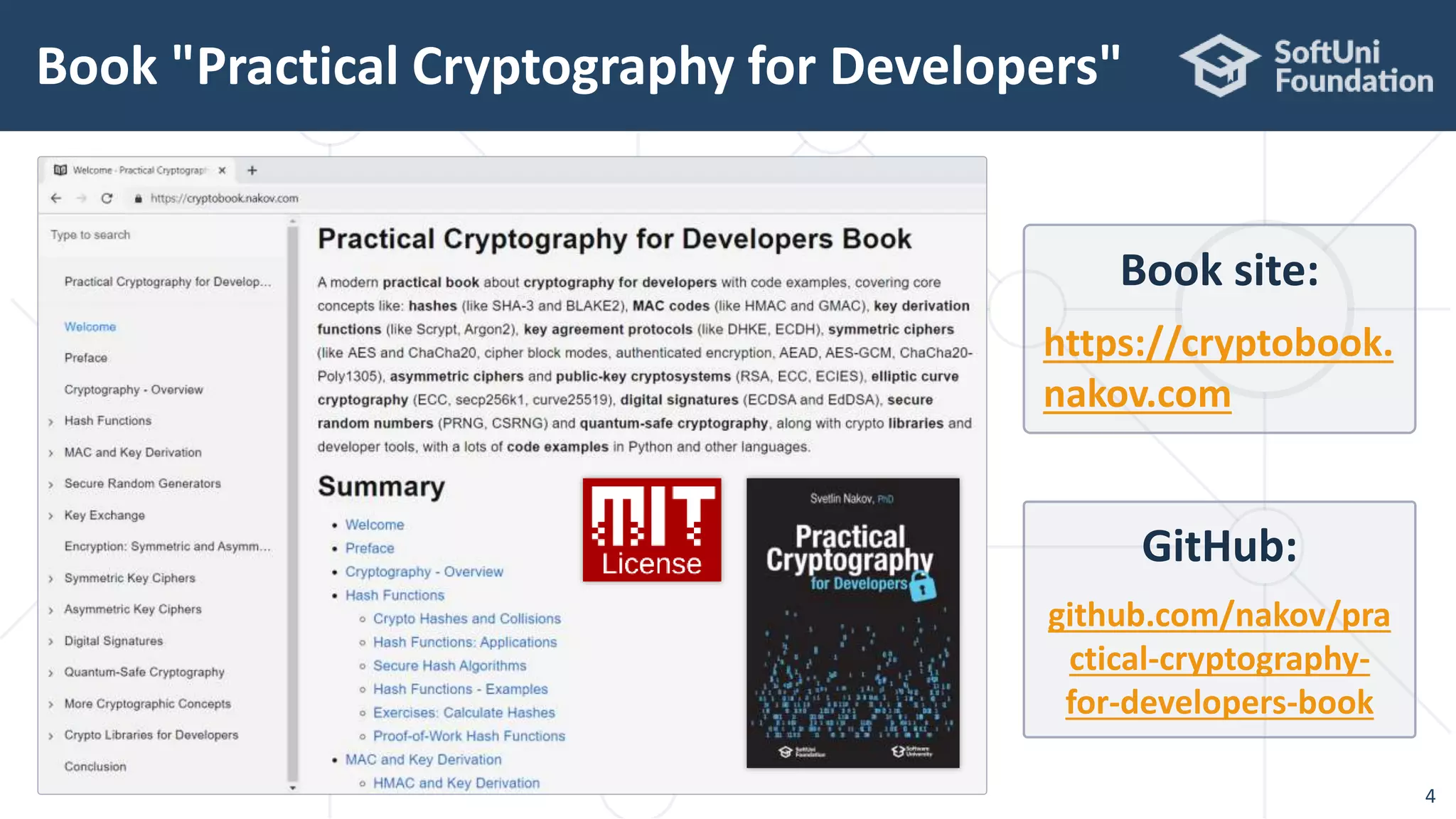
Book "Practical Cryptography for Developers"
4
GitHub:
github.com/nakov/pra
ctical-cryptography-
for-developers-book
Book site:
https://cryptobook.
nakov.com
What is Cryptography?
 Cryptography provides security and protection of information
 Storing and transmitting data in a secure way
 Hashing data (message digest) and MAC codes
 Encrypting and decrypting data
 Symmetric and asymmetric schemes
 Key derivation functions (KDF)
 Key agreement schemes, digital certificates
 Digital signatures (sign / verify)
What is Cryptography?
6
Cryptography in Java:
JCA, Bouncy Castle, Other Libraries
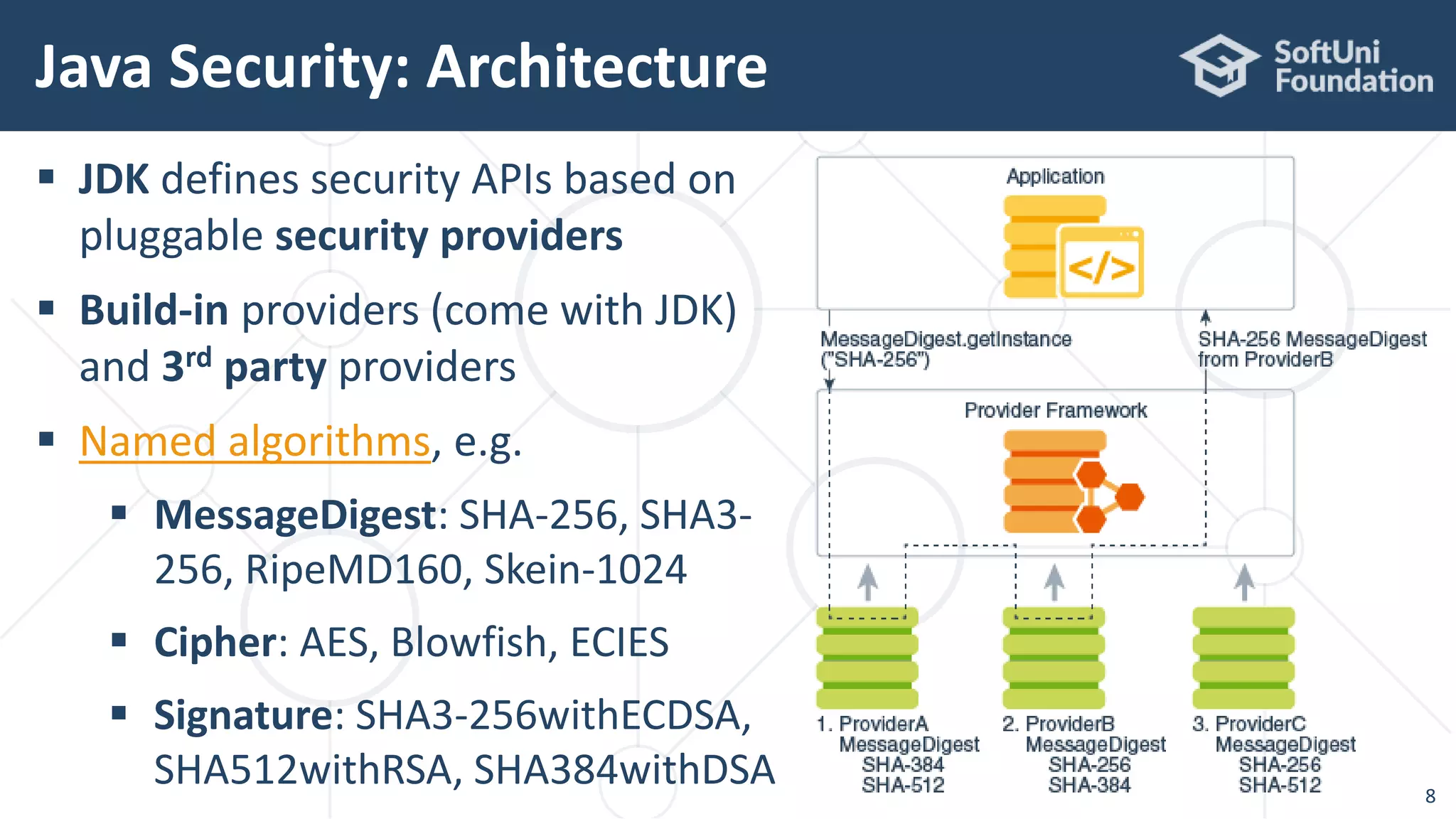
 JDK defines security APIs based on
pluggable security providers
 Build-in providers (come with JDK)
and 3rd party providers
 Named algorithms, e.g.
 MessageDigest: SHA-256, SHA3-
256, RipeMD160, Skein-1024
 Cipher: AES, Blowfish, ECIES
 Signature: SHA3-256withECDSA,
SHA512withRSA, SHA384withDSA
Java Security: Architecture
8
 Cryptography in Java is based on the Java Cryptography
Architecture (JCA)
 The built-in functionality is limited
 Typical Java style: lot of boilerplate code
 Bouncy Castle is a leading Java crypto library / API / provider
 https://www.bouncycastle.org/java.html
 Argon2 JVM – fast Argon2 native implementation for Java
 https://github.com/phxql/argon2-jvm
Cryptography APIs in Java
9
 Cava Crypto – excellent simple ECDSA library for secp256k1
 https://github.com/ConsenSys/cava
 https://github.com/ConsenSys/cava/tree/master/crypto
 Web3j / Crypto – a simplified library for secp256k1 signatures
 https://github.com/web3j
 Ed25519-Java – simple EdDSA and Ed25519 implementation
 https://github.com/str4d/ed25519-java
Cryptography APIs in Java
10
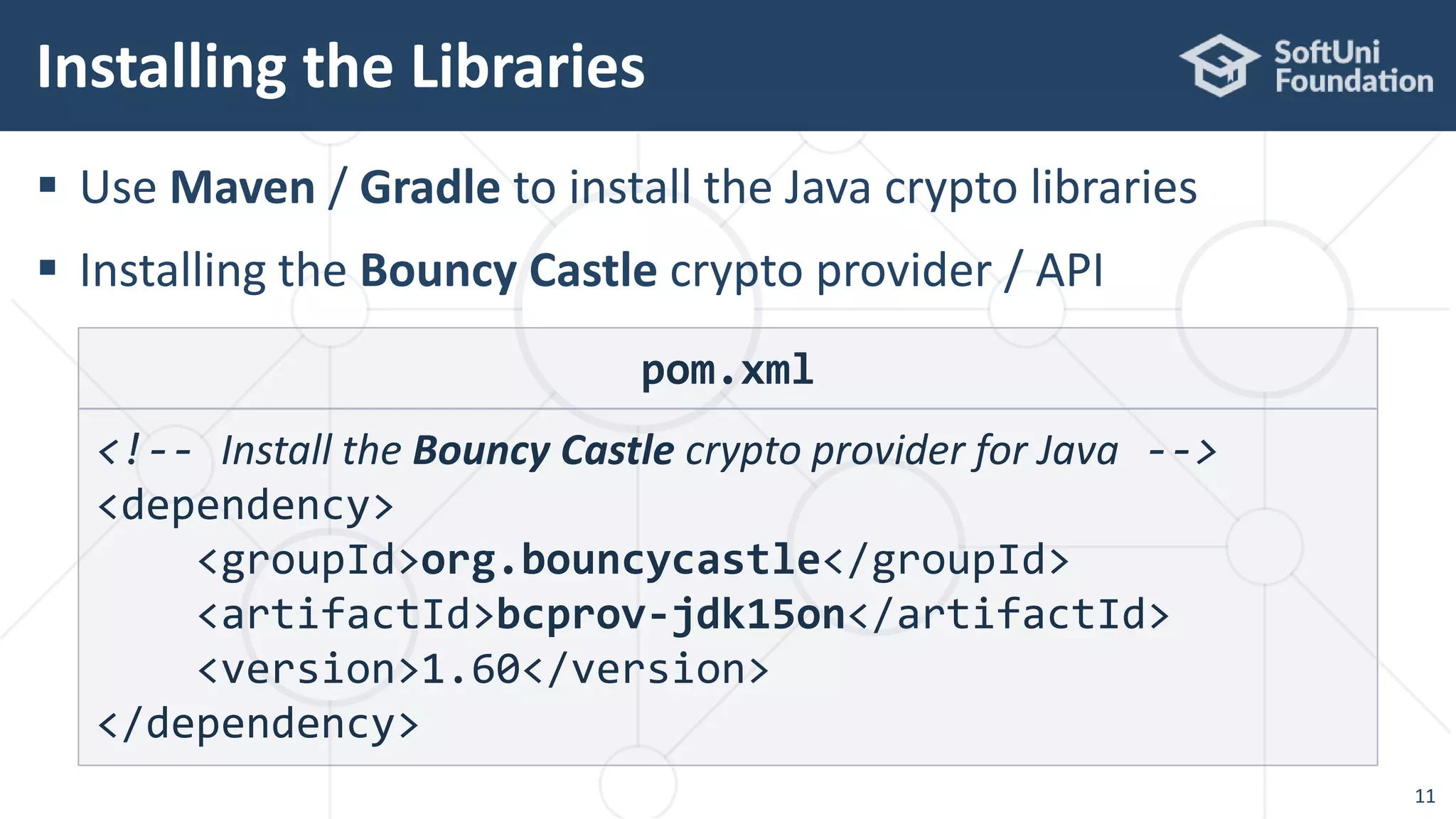
 Use Maven / Gradle to install the Java crypto libraries
 Installing the Bouncy Castle crypto provider / API
Installing the Libraries
11
pom.xml
<!-- Install the Bouncy Castle crypto provider for Java -->
<dependency>
<groupId>org.bouncycastle</groupId>
<artifactId>bcprov-jdk15on</artifactId>
<version>1.60</version>
</dependency>
Cryptographic Hash Functions
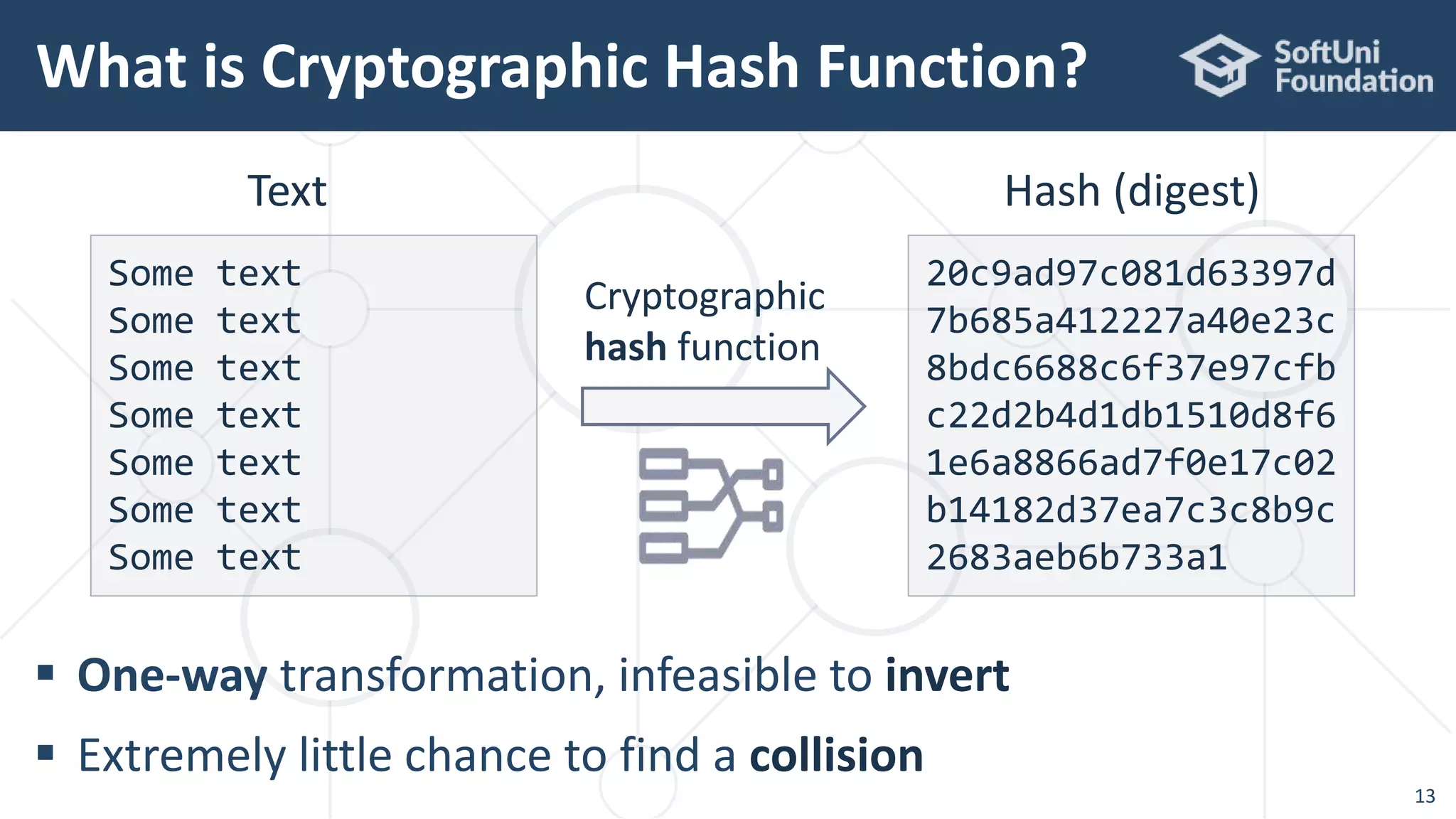
What is Cryptographic Hash Function?
13
 One-way transformation, infeasible to invert
 Extremely little chance to find a collision
Some text
Some text
Some text
Some text
Some text
Some text
Some text
20c9ad97c081d63397d
7b685a412227a40e23c
8bdc6688c6f37e97cfb
c22d2b4d1db1510d8f6
1e6a8866ad7f0e17c02
b14182d37ea7c3c8b9c
2683aeb6b733a1
Text Hash (digest)
Cryptographic
hash function
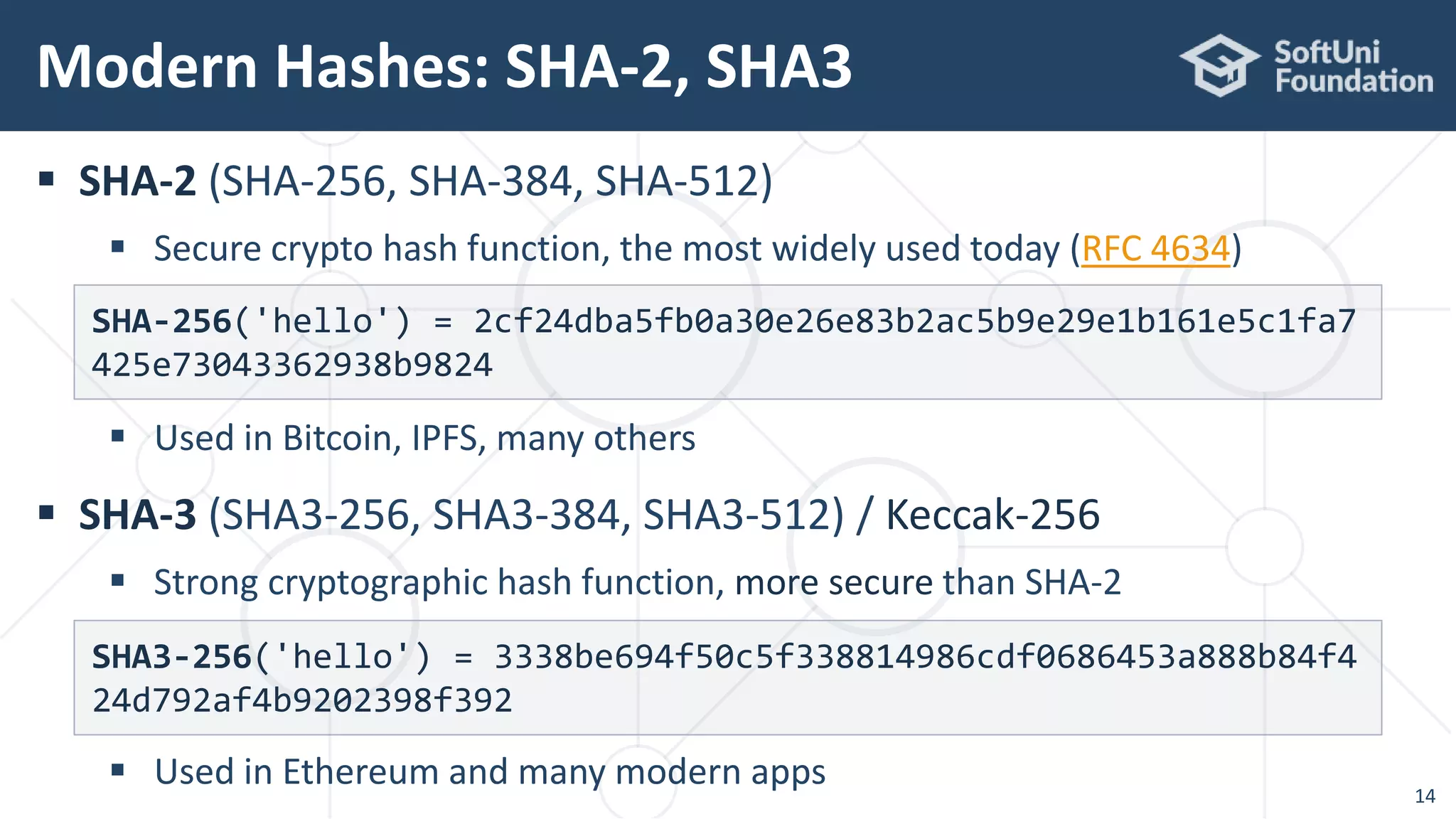
 SHA-2 (SHA-256, SHA-384, SHA-512)
 Secure crypto hash function, the most widely used today (RFC 4634)
 Used in Bitcoin, IPFS, many others
 SHA-3 (SHA3-256, SHA3-384, SHA3-512) / Keccak-256
 Strong cryptographic hash function, more secure than SHA-2
 Used in Ethereum and many modern apps
Modern Hashes: SHA-2, SHA3
14
SHA-256('hello') = 2cf24dba5fb0a30e26e83b2ac5b9e29e1b161e5c1fa7
425e73043362938b9824
SHA3-256('hello') = 3338be694f50c5f338814986cdf0686453a888b84f4
24d792af4b9202398f392
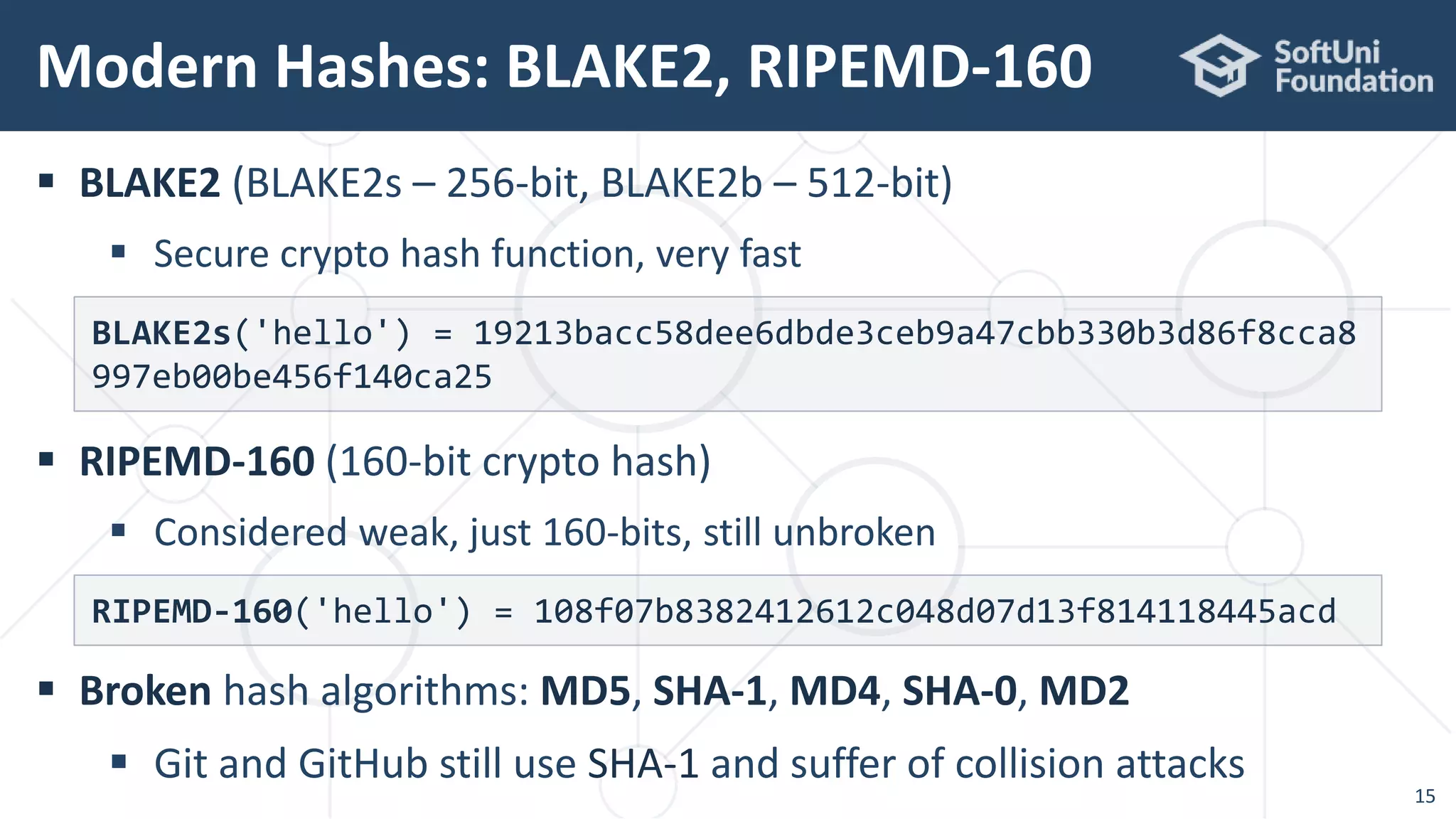
 BLAKE2 (BLAKE2s – 256-bit, BLAKE2b – 512-bit)
 Secure crypto hash function, very fast
 RIPEMD-160 (160-bit crypto hash)
 Considered weak, just 160-bits, still unbroken
 Broken hash algorithms: MD5, SHA-1, MD4, SHA-0, MD2
 Git and GitHub still use SHA-1 and suffer of collision attacks
Modern Hashes: BLAKE2, RIPEMD-160
15
BLAKE2s('hello') = 19213bacc58dee6dbde3ceb9a47cbb330b3d86f8cca8
997eb00be456f140ca25
RIPEMD-160('hello') = 108f07b8382412612c048d07d13f814118445acd
 Calculate SHA-256 hash using the built-in JCA provider:
SHA-256 in Java – Example
16
var digest = MessageDigest.getInstance("SHA-256");
digest.update("hello".getBytes());
byte[] hash = digest.digest();
System.out.println("SHA-256('hello') = " +
Hex.toHexString(hash));
import java.security.MessageDigest;
import org.bouncycastle.util.encoders.Hex;
SHA-256('hello') =
2cf24dba5fb0a30e26e83b2ac5b9e29e1b161e5c1fa7425e73043362938b9824
 Calculate RIPEMD-160 hash using the Bouncy Castle provider:
RIPEMD-160 in Java – Example
17
var digest = MessageDigest.getInstance("RIPEMD160");
digest.update("hello".getBytes());
byte[] hash = digest.digest();
System.out.println("RIPEMD-160('hello') = " +
Hex.toHexString(hash));
import java.security.*;
import org.bouncycastle.util.encoders.Hex;
import org.bouncycastle.jce.provider.BouncyCastleProvider;
// One-time registration of the "BouncyCastle" JCA provider
Security.addProvider(new BouncyCastleProvider());
108f07b8382412612c048d07d13f814118445acd
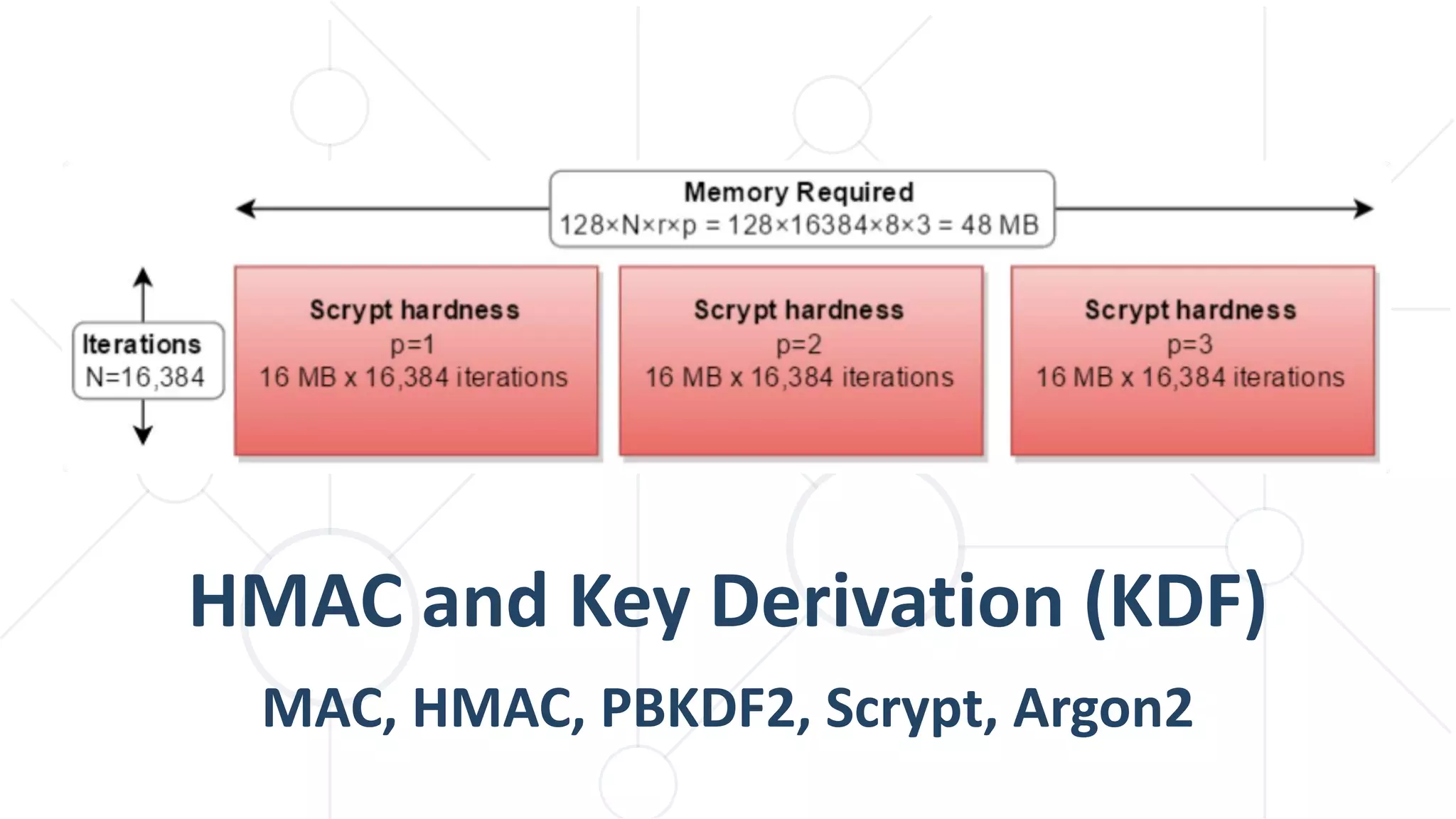
HMAC and Key Derivation (KDF)
MAC, HMAC, PBKDF2, Scrypt, Argon2
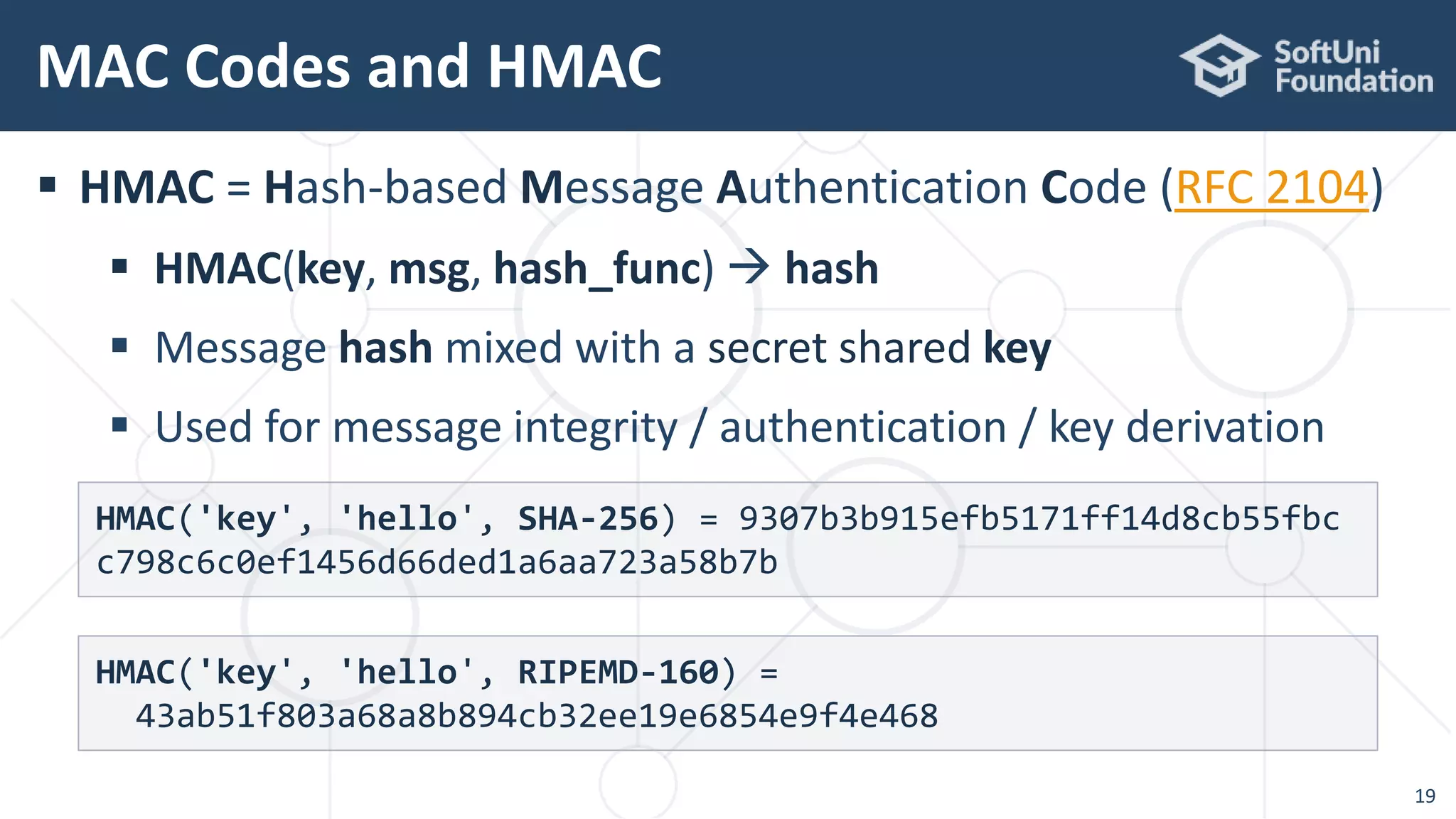
 HMAC = Hash-based Message Authentication Code (RFC 2104)
 HMAC(key, msg, hash_func)  hash
 Message hash mixed with a secret shared key
 Used for message integrity / authentication / key derivation
MAC Codes and HMAC
19
HMAC('key', 'hello', SHA-256) = 9307b3b915efb5171ff14d8cb55fbc
c798c6c0ef1456d66ded1a6aa723a58b7b
HMAC('key', 'hello', RIPEMD-160) =
43ab51f803a68a8b894cb32ee19e6854e9f4e468
 Calculate HMAC-SHA-256 hash using the built-in JCA provider:
HMAC in Java – Example
20
Mac mac = Mac.getInstance("HmacSHA256");
Key key = new SecretKeySpec("key".getBytes(), "HmacSHA256");
mac.init(key);
byte[] hash = mac.doFinal("hello".getBytes());
System.out.println("HMAC-SHA-256: " + Hex.toHexString(hash));
import javax.crypto.Mac;
import javax.crypto.spec.SecretKeySpec;
import java.security.Key;
import org.bouncycastle.util.encoders.Hex;
HMAC-SHA-256: 9307b3b915efb5171ff14d8cb55fbcc798c6c0ef1456d66ded1a6aa723a58b7b
 Key derivation function (KDF) == function(password)  key
 PBKDF2 (Password-Based Key Derivation Function 2, RFC 2898)
Key Derivation Functions (KDF)
21
PBEKeySpec spec = new PBEKeySpec("password".toCharArray(),
"salt".getBytes(), 1000, 128);
SecretKeyFactory keyFactory =
SecretKeyFactory.getInstance("PBKDF2WithHmacSHA256");
byte[] derivedKey = keyFactory.generateSecret(spec).getEncoded();
System.out.println("PBKDF2 key: " + Hex.toHexString(derivedKey));
PBKDF2 derived key: 632c2812e46d4604102ba7618e9d6d7d
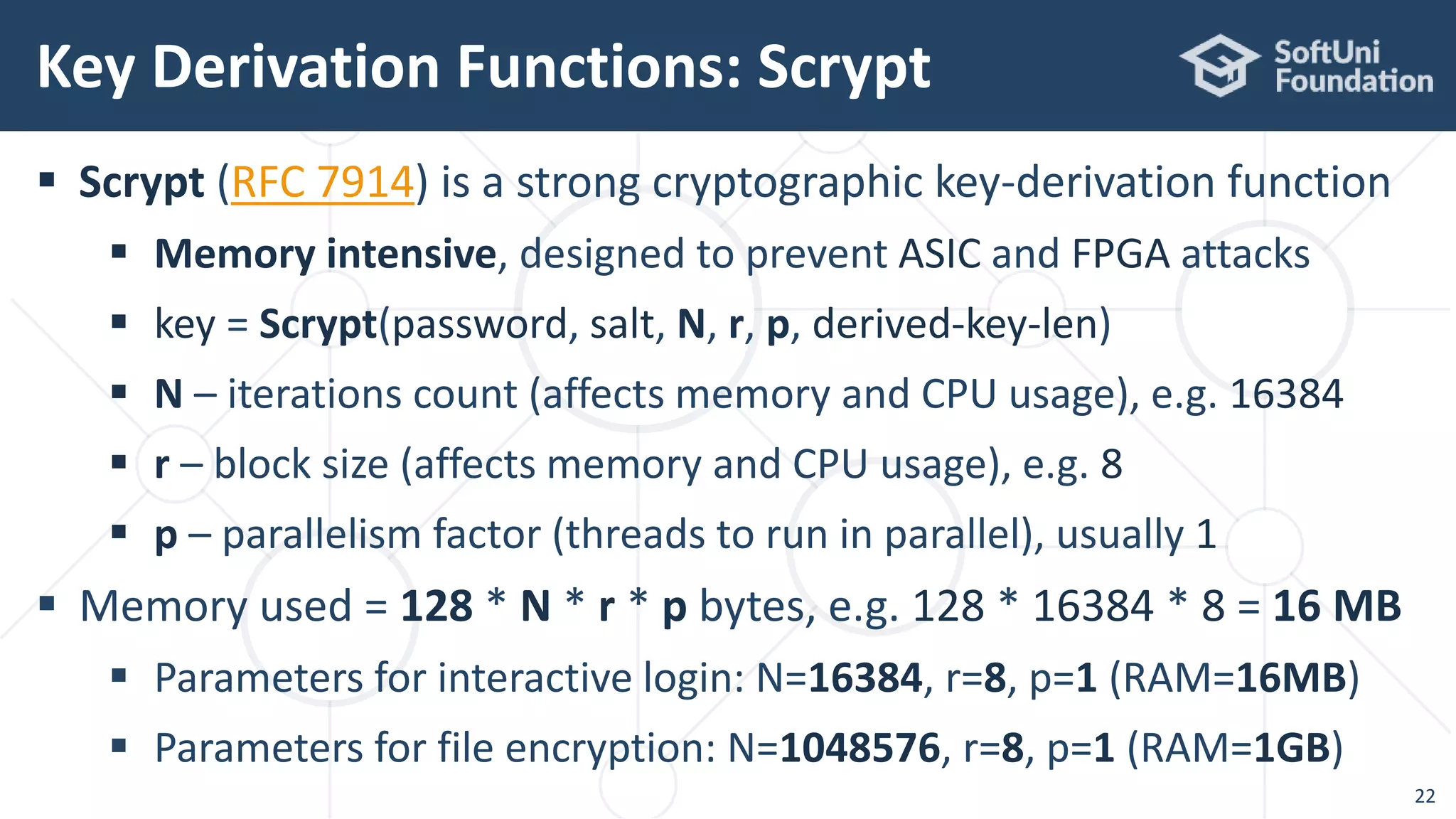
 Scrypt (RFC 7914) is a strong cryptographic key-derivation function
 Memory intensive, designed to prevent ASIC and FPGA attacks
 key = Scrypt(password, salt, N, r, p, derived-key-len)
 N – iterations count (affects memory and CPU usage), e.g. 16384
 r – block size (affects memory and CPU usage), e.g. 8
 p – parallelism factor (threads to run in parallel), usually 1
 Memory used = 128 * N * r * p bytes, e.g. 128 * 16384 * 8 = 16 MB
 Parameters for interactive login: N=16384, r=8, p=1 (RAM=16MB)
 Parameters for file encryption: N=1048576, r=8, p=1 (RAM=1GB)
Key Derivation Functions: Scrypt
22
Scrypt in Java – Example
23
// One-time registration of the "BouncyCastle" JCA provider
Security.addProvider(new BouncyCastleProvider());
ScryptKeySpec spec = new ScryptKeySpec(
"password".toCharArray(), "salt".getBytes(),
16384, 8, 1, 128);
var keyFact = SecretKeyFactory.getInstance("Scrypt");
byte[] derivedKey = keyFact.generateSecret(spec).getEncoded();
System.out.println("Scrypt: " + Hex.toHexString(derivedKey));
Scrypt: 745731af4484f323968969eda289aeee
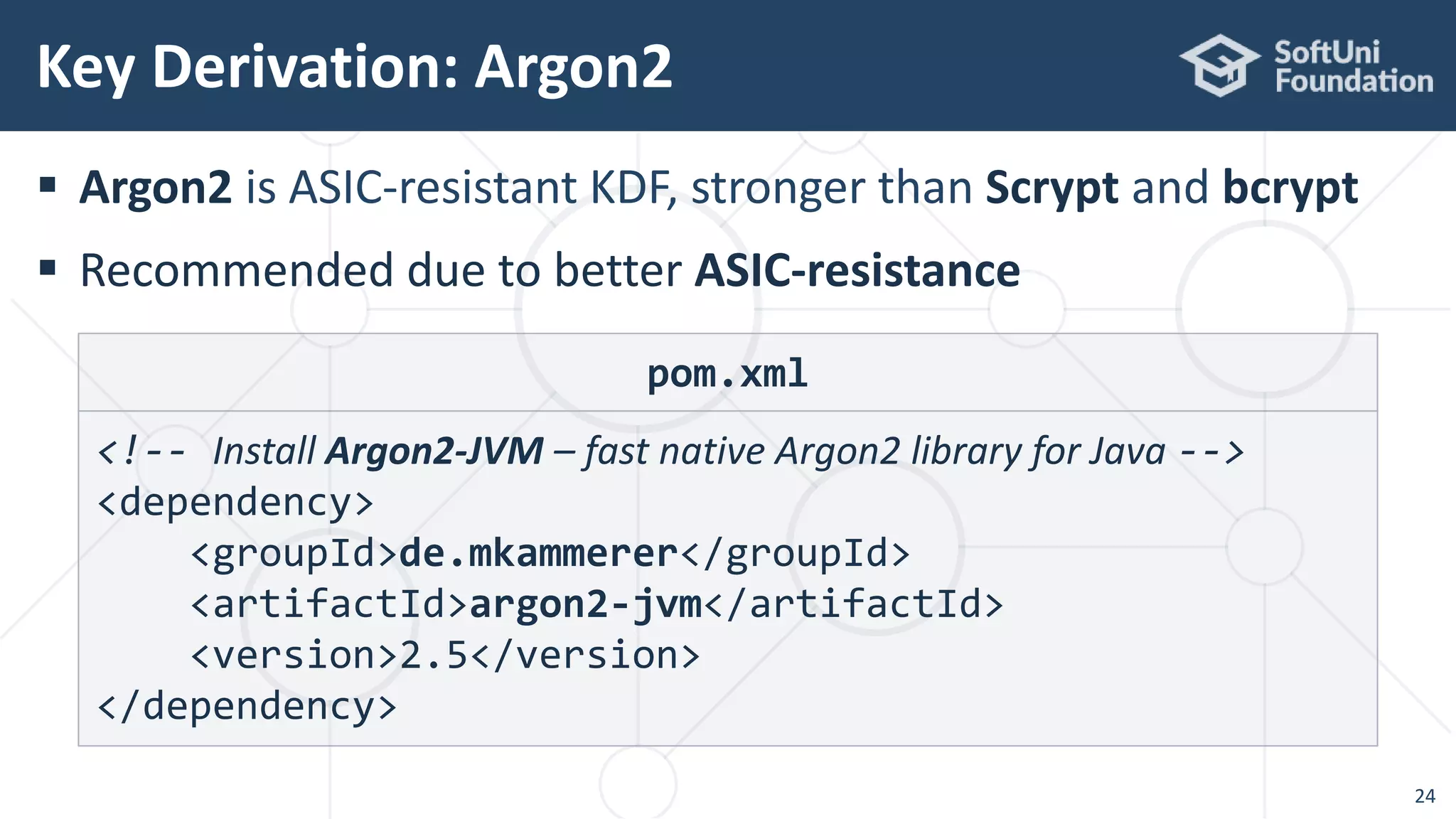
 Argon2 is ASIC-resistant KDF, stronger than Scrypt and bcrypt
 Recommended due to better ASIC-resistance
Key Derivation: Argon2
24
pom.xml
<!-- Install Argon2-JVM – fast native Argon2 library for Java -->
<dependency>
<groupId>de.mkammerer</groupId>
<artifactId>argon2-jvm</artifactId>
<version>2.5</version>
</dependency>
Argon2 in Java – Example
25
import de.mkammerer.argon2.Argon2Advanced;
import de.mkammerer.argon2.Argon2Factory;
import org.bouncycastle.util.encoders.Hex;
Argon2Advanced argon2 = Argon2Factory.createAdvanced(
Argon2Factory.Argon2Types.ARGON2id);
byte[] hash = argon2.rawHash(16, 1 << 15,
2, "password", "some salt".getBytes());
System.out.println("Argon2 hash: " + Hex.toHexString(hash));
Argon2 hash:
157f21dd3fdf7bafb76d2923ccaffa0b7be7cbae394709474d2bc66ee7b09d3e
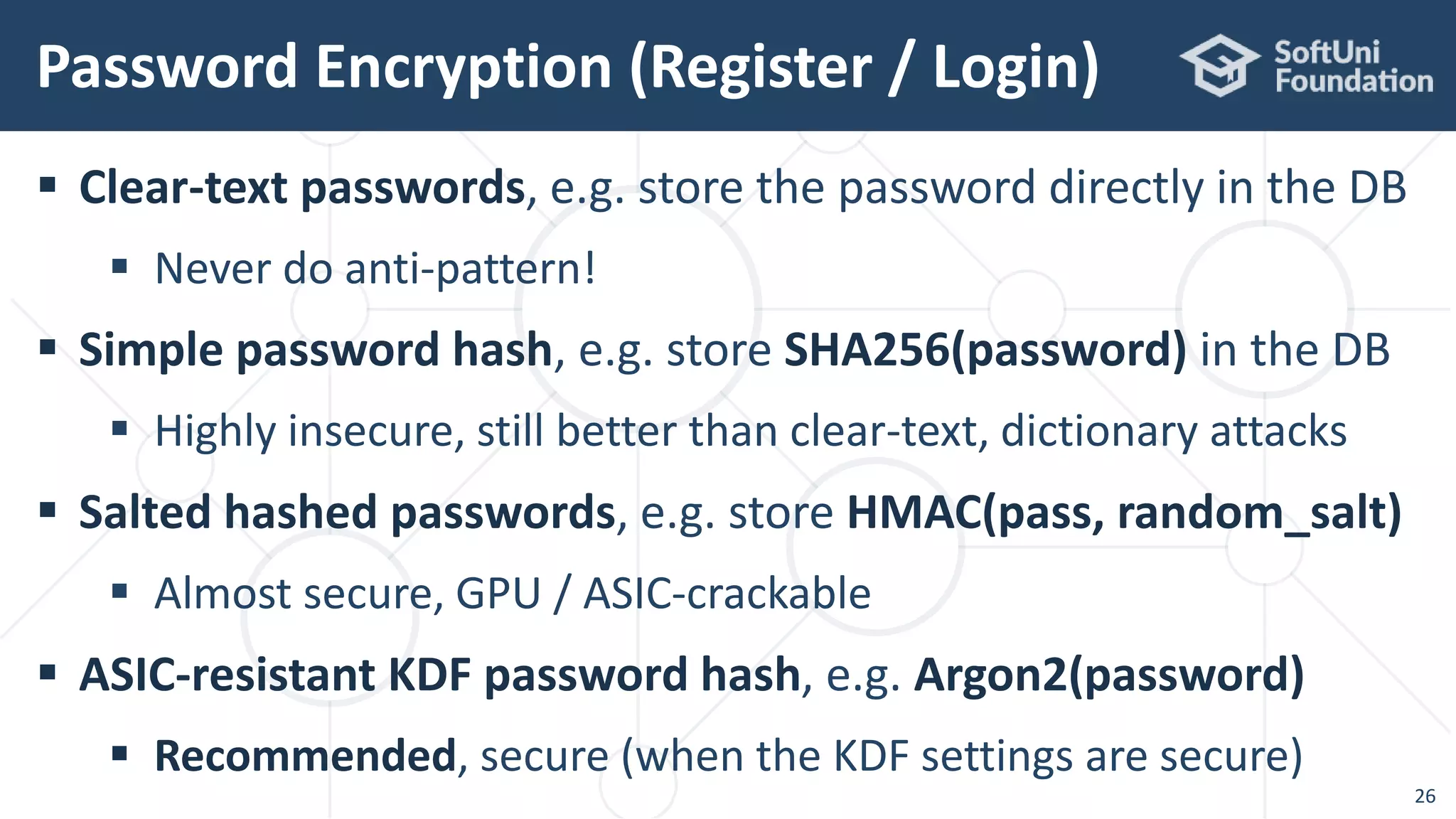
 Clear-text passwords, e.g. store the password directly in the DB
 Never do anti-pattern!
 Simple password hash, e.g. store SHA256(password) in the DB
 Highly insecure, still better than clear-text, dictionary attacks
 Salted hashed passwords, e.g. store HMAC(pass, random_salt)
 Almost secure, GPU / ASIC-crackable
 ASIC-resistant KDF password hash, e.g. Argon2(password)
 Recommended, secure (when the KDF settings are secure)
Password Encryption (Register / Login)
26
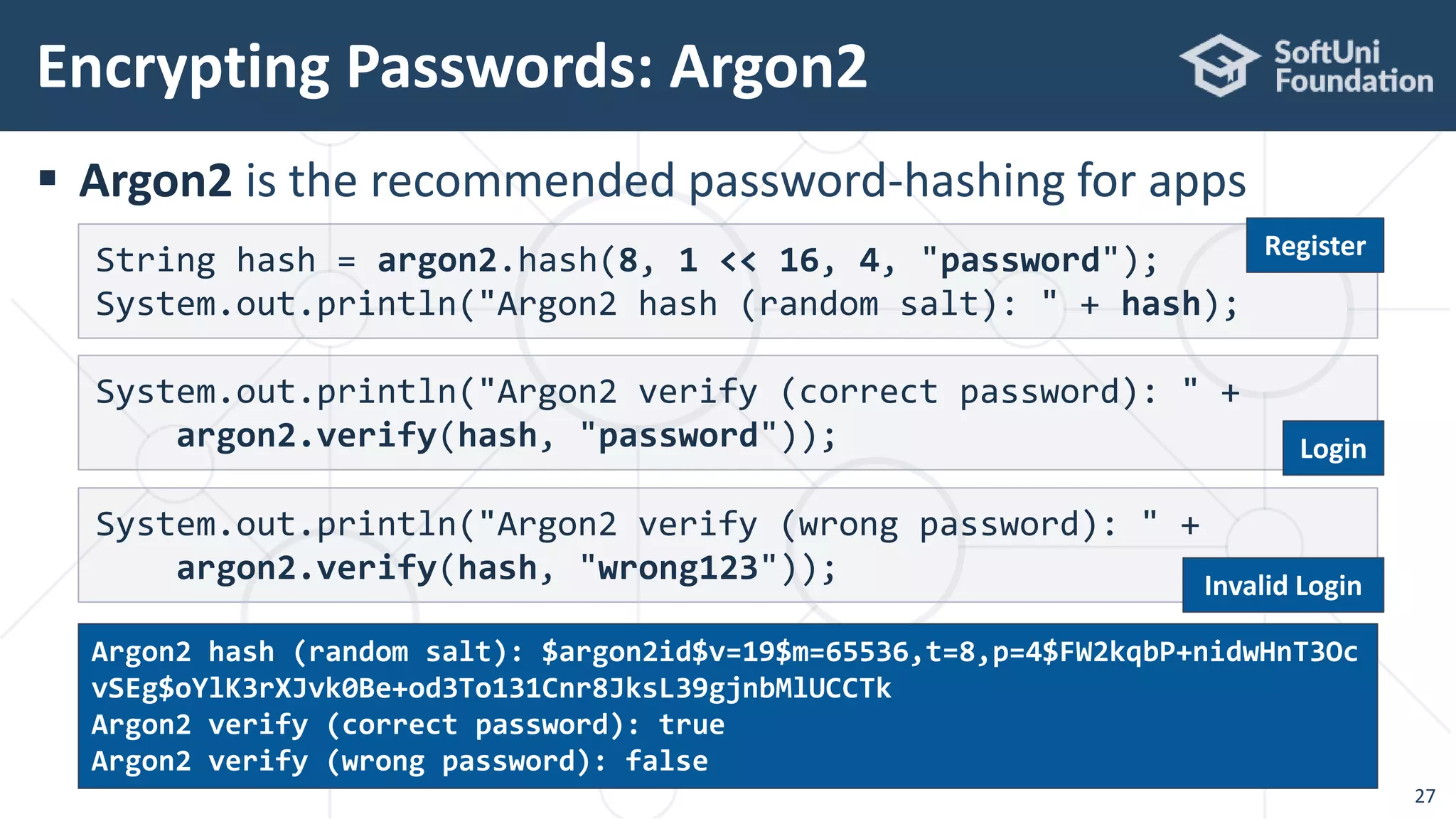
 Argon2 is the recommended password-hashing for apps
Encrypting Passwords: Argon2
27
String hash = argon2.hash(8, 1 << 16, 4, "password");
System.out.println("Argon2 hash (random salt): " + hash);
System.out.println("Argon2 verify (correct password): " +
argon2.verify(hash, "password"));
System.out.println("Argon2 verify (wrong password): " +
argon2.verify(hash, "wrong123"));
Argon2 hash (random salt): $argon2id$v=19$m=65536,t=8,p=4$FW2kqbP+nidwHnT3Oc
vSEg$oYlK3rXJvk0Be+od3To131Cnr8JksL39gjnbMlUCCTk
Argon2 verify (correct password): true
Argon2 verify (wrong password): false
Register
Login
Invalid Login
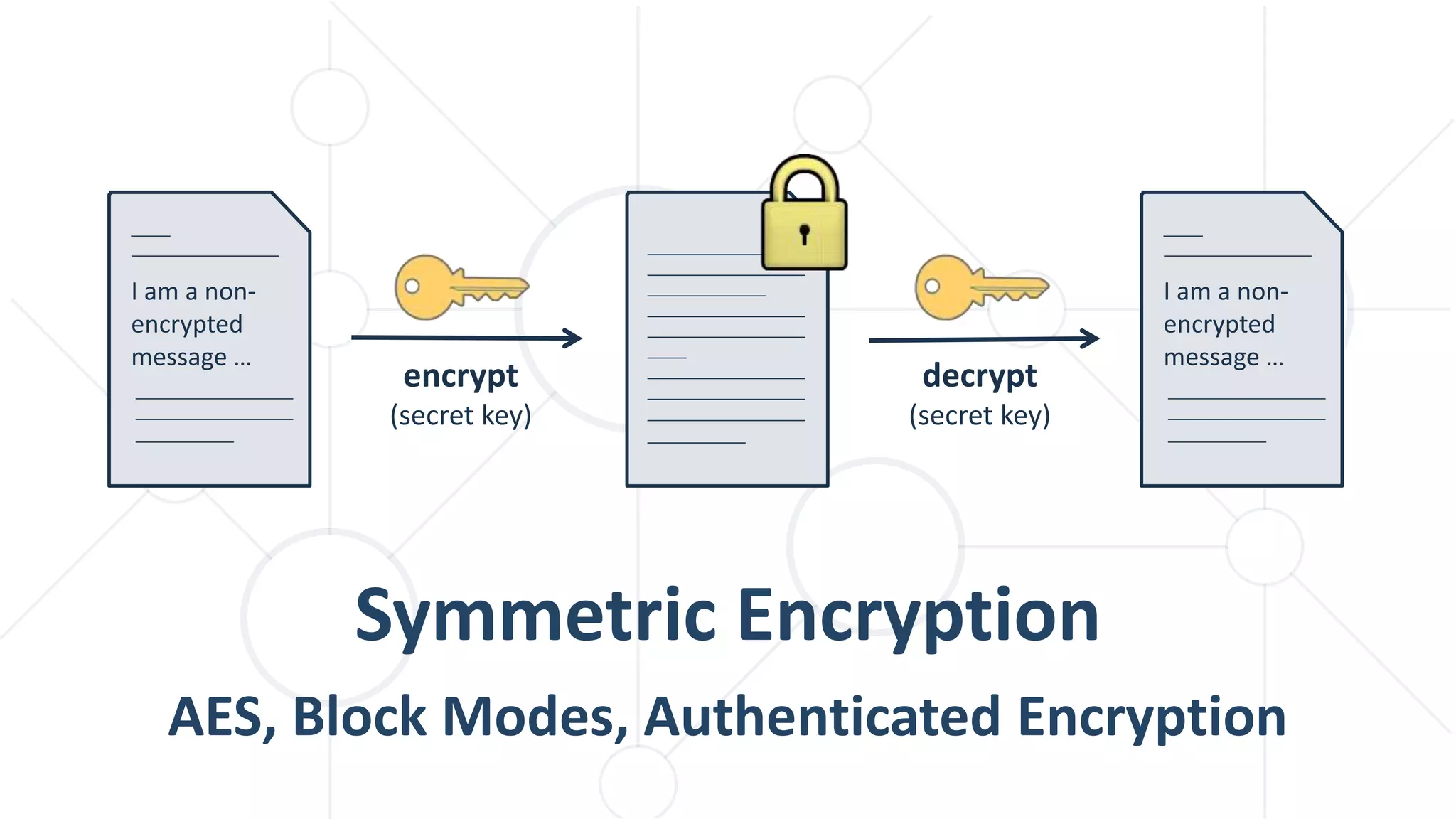
Symmetric Encryption
AES, Block Modes, Authenticated Encryption
encrypt
(secret key)
I am a non-
encrypted
message …
decrypt
(secret key)
I am a non-
encrypted
message …
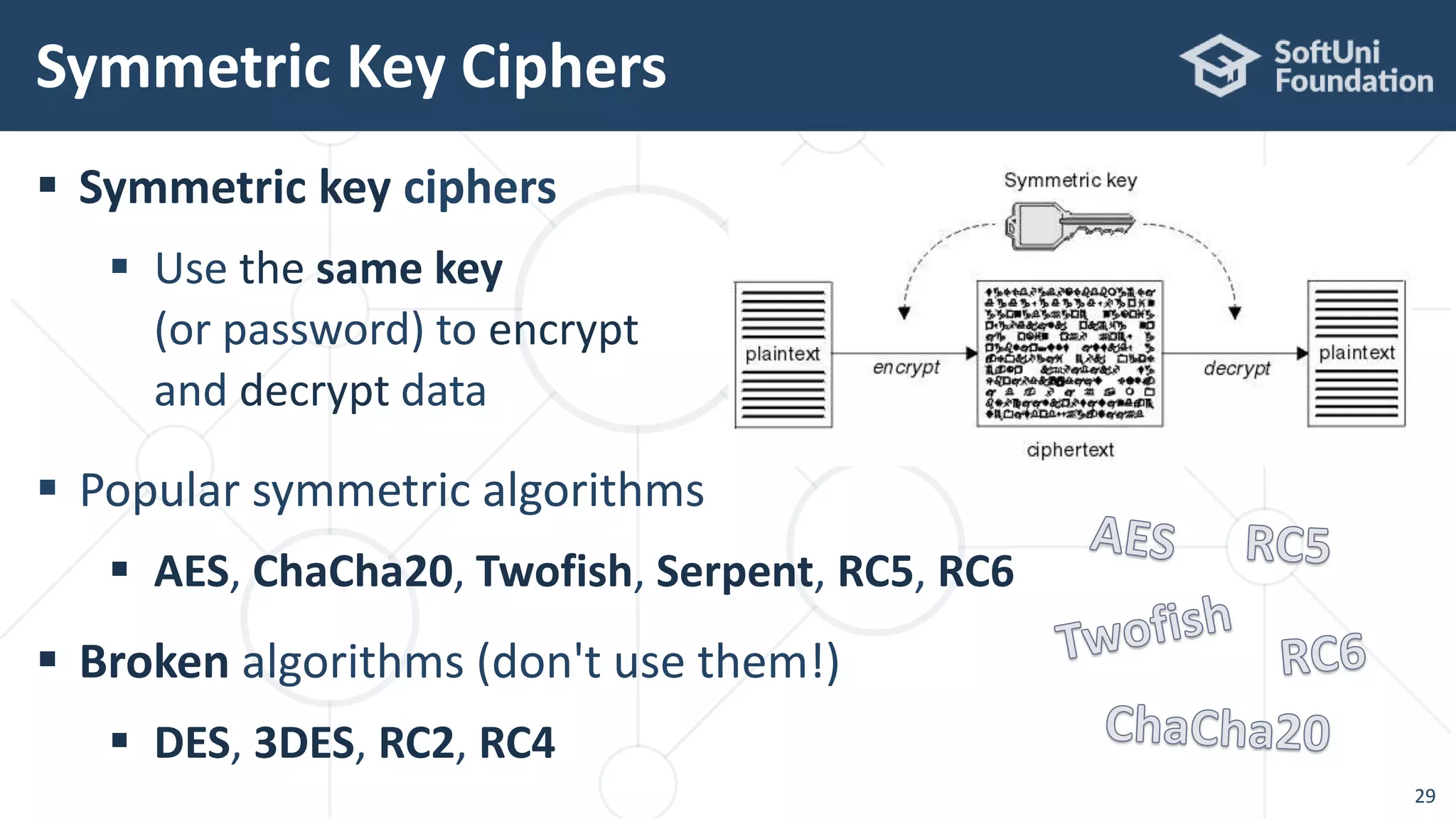
 Symmetric key ciphers
 Use the same key
(or password) to encrypt
and decrypt data
 Popular symmetric algorithms
 AES, ChaCha20, Twofish, Serpent, RC5, RC6
 Broken algorithms (don't use them!)
 DES, 3DES, RC2, RC4
Symmetric Key Ciphers
29
 Block ciphers
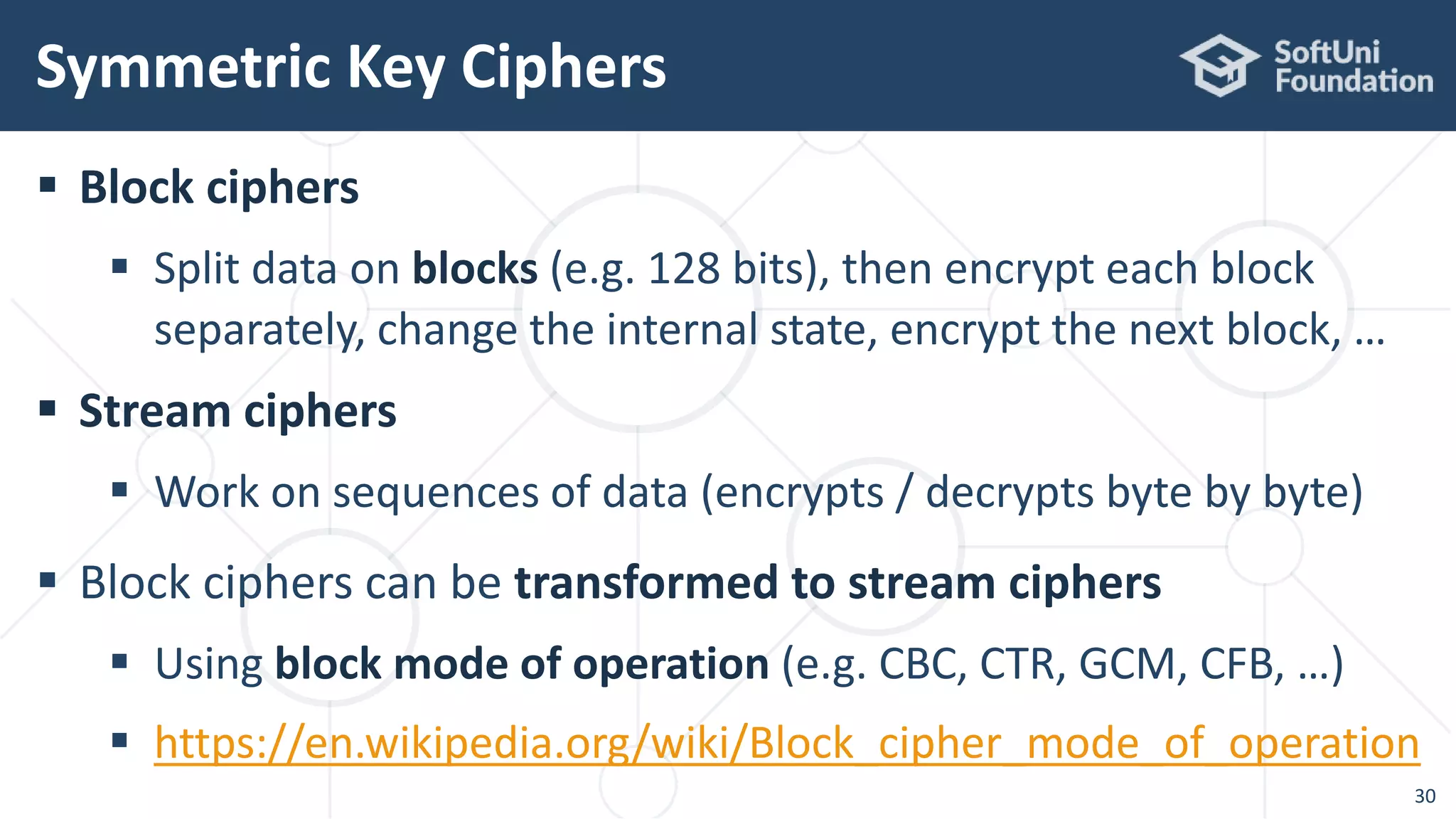
 Split data on blocks (e.g. 128 bits), then encrypt each block
separately, change the internal state, encrypt the next block, …
 Stream ciphers
 Work on sequences of data (encrypts / decrypts byte by byte)
 Block ciphers can be transformed to stream ciphers
 Using block mode of operation (e.g. CBC, CTR, GCM, CFB, …)
 https://en.wikipedia.org/wiki/Block_cipher_mode_of_operation
Symmetric Key Ciphers
30
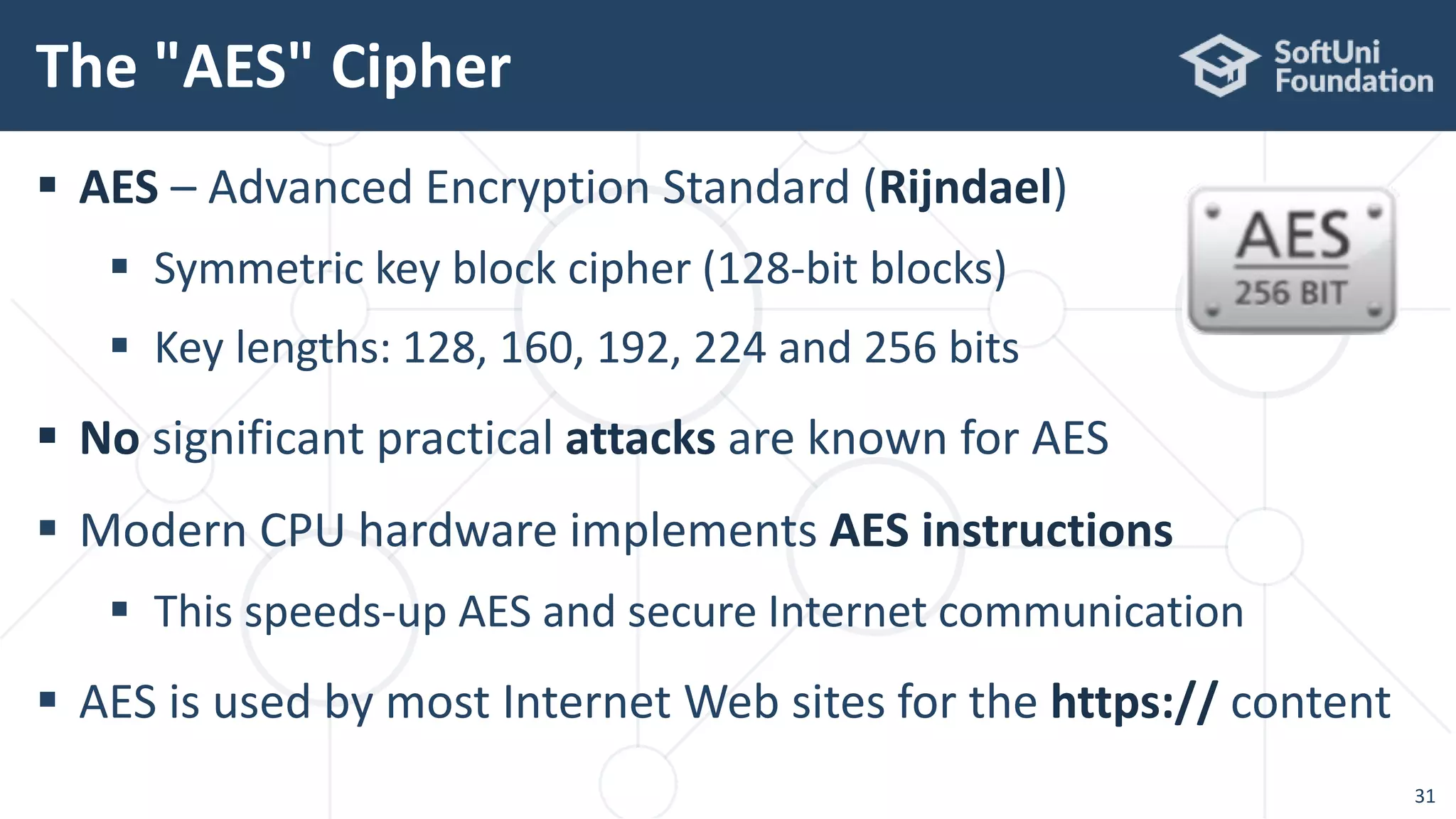
 AES – Advanced Encryption Standard (Rijndael)
 Symmetric key block cipher (128-bit blocks)
 Key lengths: 128, 160, 192, 224 and 256 bits
 No significant practical attacks are known for AES
 Modern CPU hardware implements AES instructions
 This speeds-up AES and secure Internet communication
 AES is used by most Internet Web sites for the https:// content
The "AES" Cipher
31
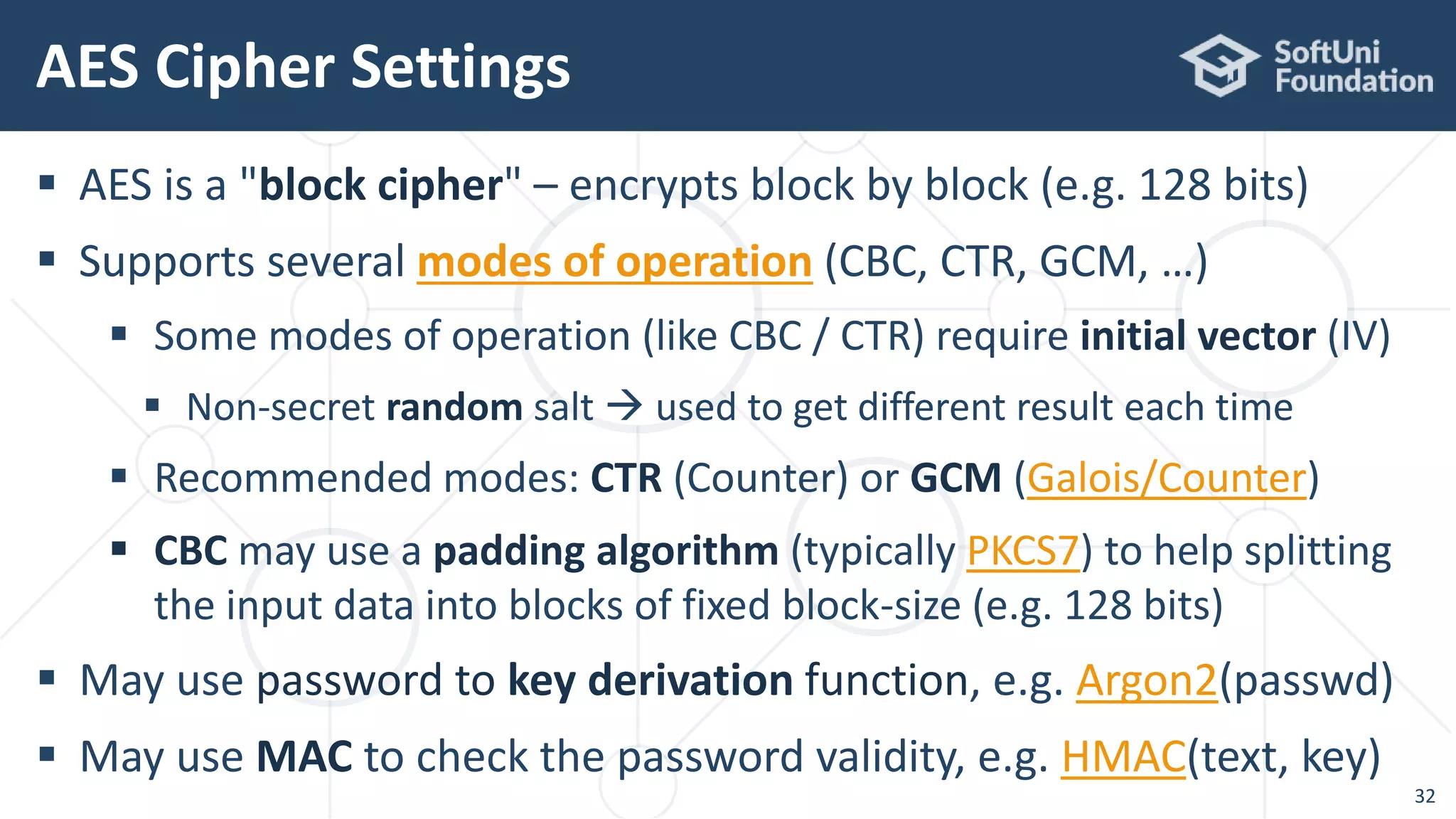
 AES is a "block cipher" – encrypts block by block (e.g. 128 bits)
 Supports several modes of operation (CBC, CTR, GCM, …)
 Some modes of operation (like CBC / CTR) require initial vector (IV)
 Non-secret random salt  used to get different result each time
 Recommended modes: CTR (Counter) or GCM (Galois/Counter)
 CBC may use a padding algorithm (typically PKCS7) to help splitting
the input data into blocks of fixed block-size (e.g. 128 bits)
 May use password to key derivation function, e.g. Argon2(passwd)
 May use MAC to check the password validity, e.g. HMAC(text, key)
AES Cipher Settings
32
The AES Encryption Process
33
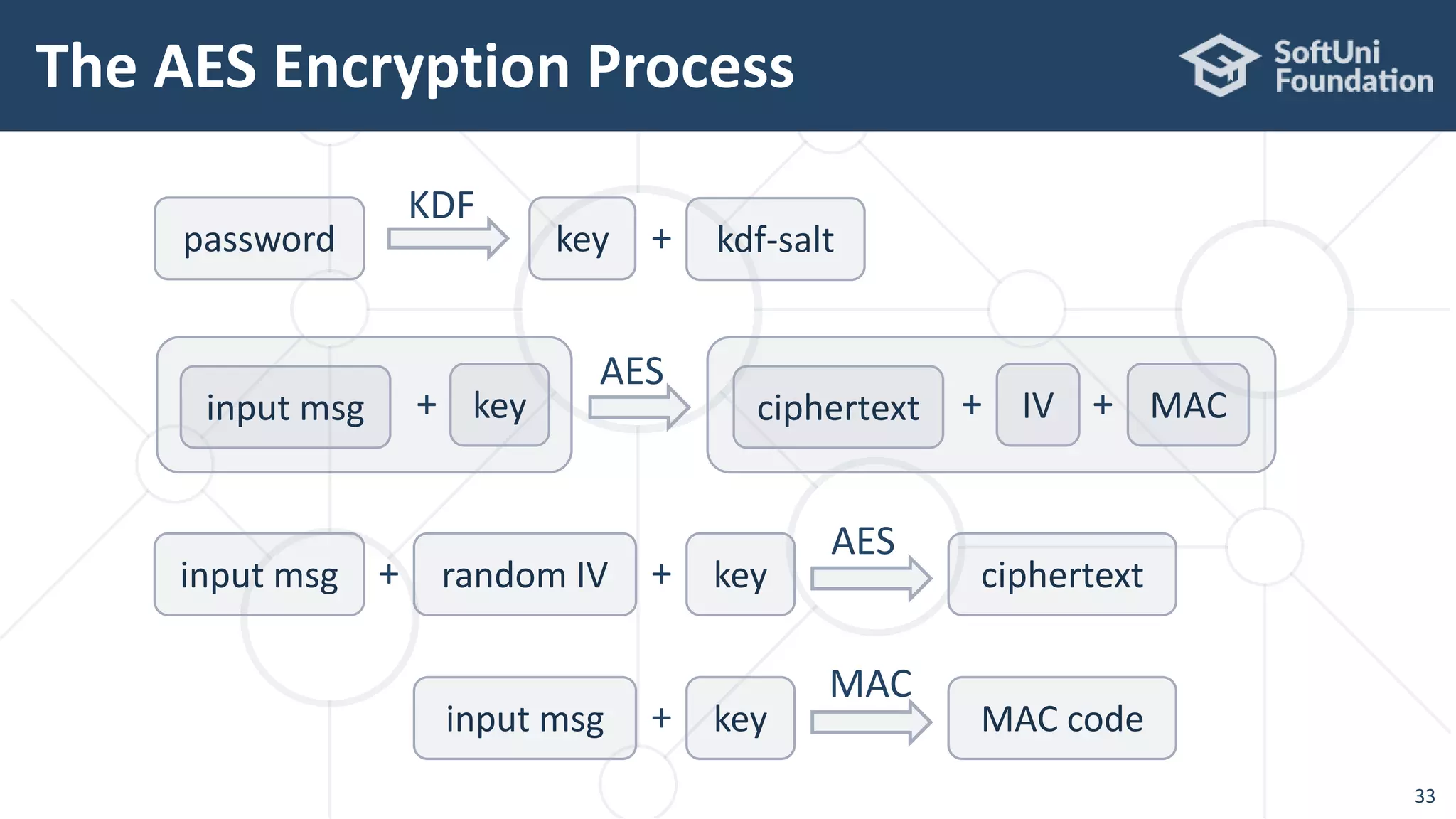
input msg random IV+
AES
key+ ciphertext
input msg
MAC
key+ MAC code
input msg key+
AES
ciphertext MAC+IV+
KDF
password key kdf-salt+
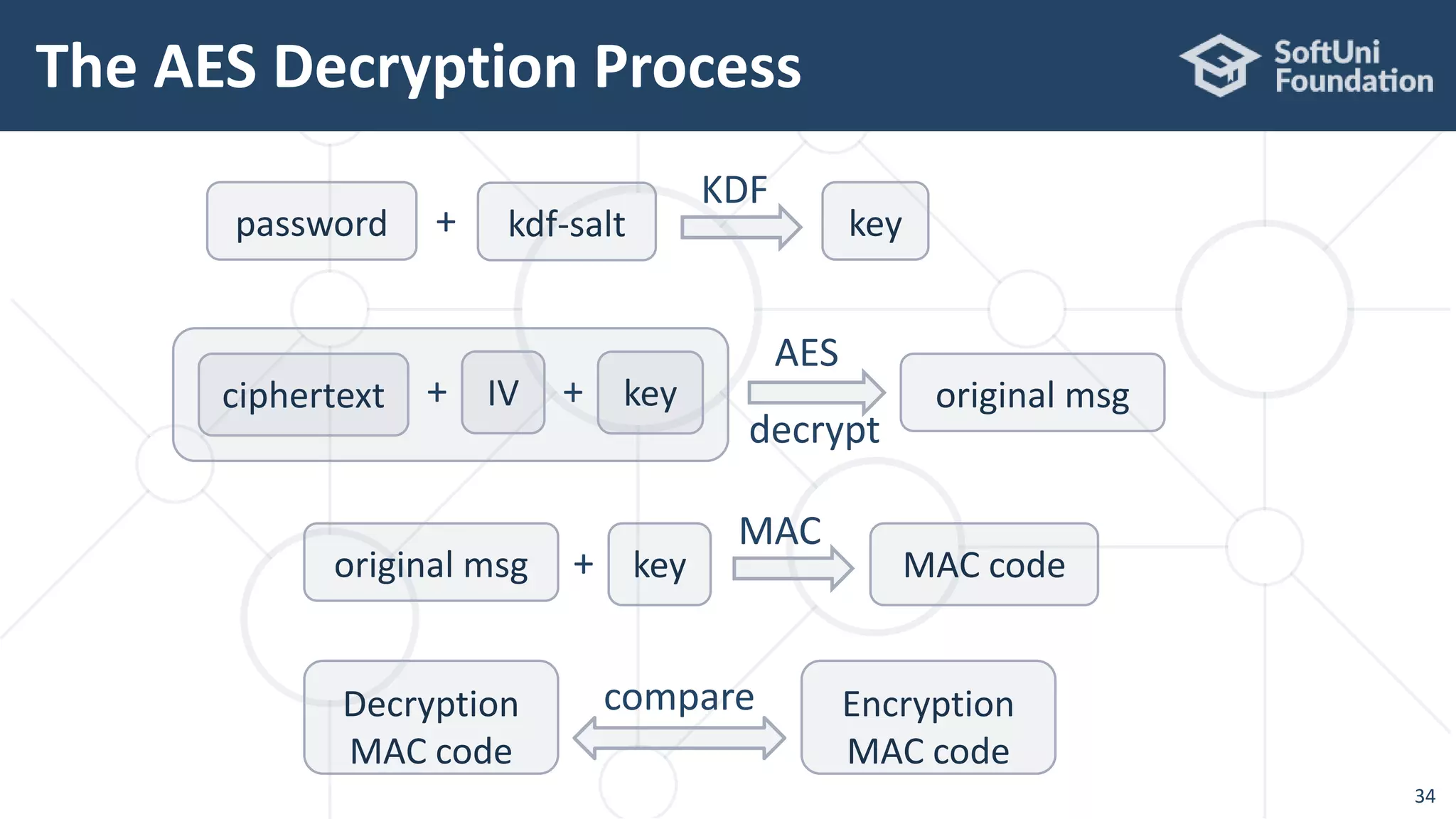
The AES Decryption Process
34
original msg
MAC
key+ MAC code
AES
ciphertext IV+
KDF
password key
original msg
decrypt
Decryption
MAC code
compare Encryption
MAC code
key+
kdf-salt+
AES-256-CTR-Argon2-HMAC – Encrypt
35
static Map<String, String> aes256CtrArgon2HMacEncrypt(
String plainText, String password) throws Exception {
// Derive a secret key from the encryption password
SecureRandom rand = new SecureRandom();
byte[] argon2salt = new byte[16];
rand.nextBytes(argon2salt); // Generate 128-bit salt
byte[] argon2hash = Argon2Factory.createAdvanced(
Argon2Factory.Argon2Types.ARGON2id).rawHash(16,
1 << 15, 2, password, argon2salt);
Key secretKey = new SecretKeySpec(argon2hash, "AES");
AES-256-CTR-Argon2-HMAC – Encrypt
36
// AES encryption: {plaintext + IV + secretKey} -> ciphertext
byte[] aesIV = new byte[16];
rand.nextBytes(aesIV); // Generate 128-bit IV (salt)
IvParameterSpec ivSpec = new IvParameterSpec(aesIV);
Cipher cipher = Cipher.getInstance("AES/CTR/NoPadding");
cipher.init(Cipher.ENCRYPT_MODE, secretKey, ivSpec);
byte[] plainTextBytes = plainText.getBytes("utf8");
byte[] cipherBytes = cipher.doFinal(plainTextBytes);
// Calculate the MAC of the plaintext with the argon2hash
Mac mac = Mac.getInstance("HmacSHA256");
Key macKey = new SecretKeySpec(argon2hash, "HmacSHA256");
mac.init(macKey);
byte[] hmac = mac.doFinal(plainText.getBytes("utf8"));
AES-256-CTR-Argon2-HMAC – Encrypt
37
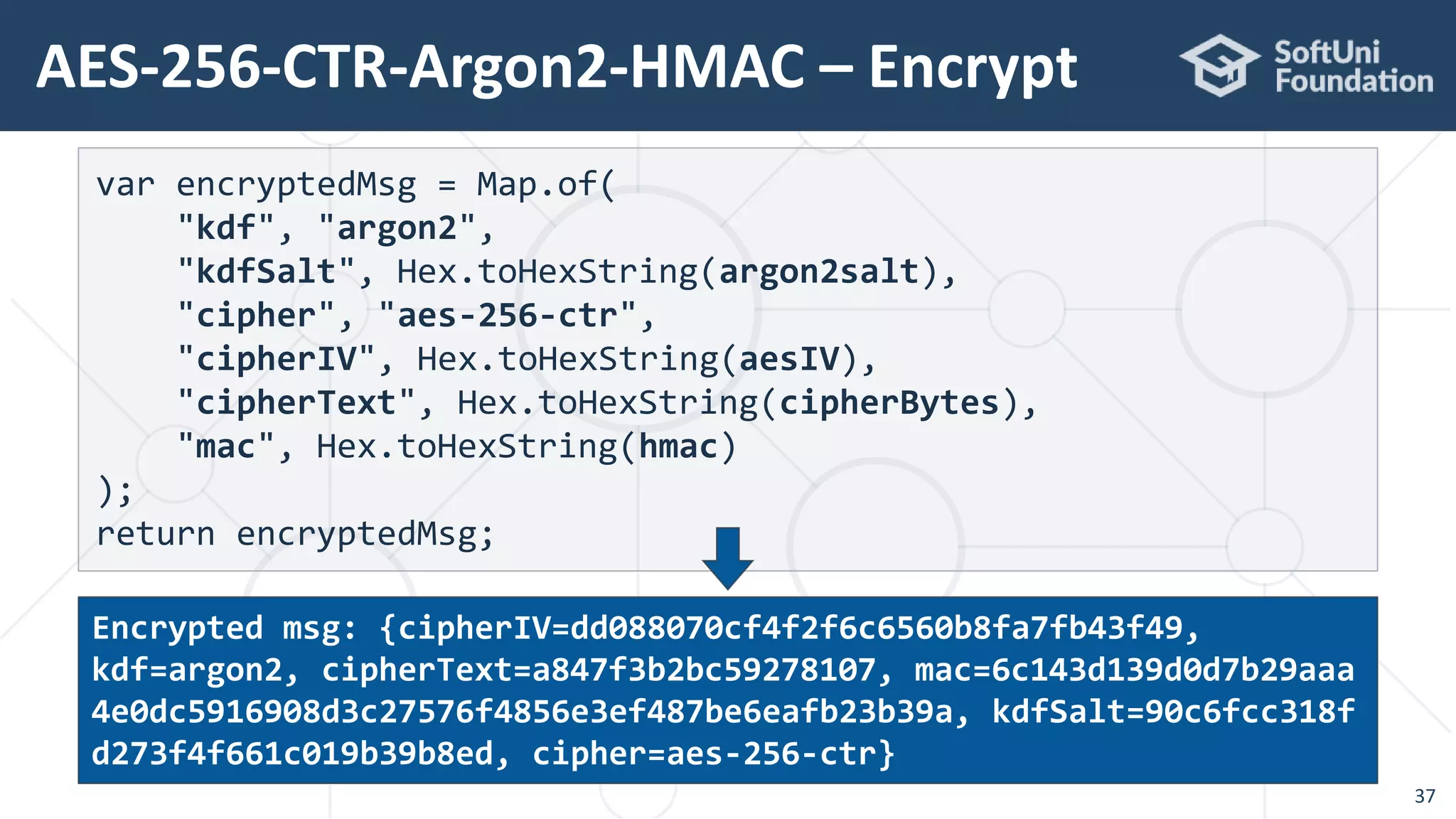
var encryptedMsg = Map.of(
"kdf", "argon2",
"kdfSalt", Hex.toHexString(argon2salt),
"cipher", "aes-256-ctr",
"cipherIV", Hex.toHexString(aesIV),
"cipherText", Hex.toHexString(cipherBytes),
"mac", Hex.toHexString(hmac)
);
return encryptedMsg;
Encrypted msg: {cipherIV=dd088070cf4f2f6c6560b8fa7fb43f49,
kdf=argon2, cipherText=a847f3b2bc59278107, mac=6c143d139d0d7b29aaa
4e0dc5916908d3c27576f4856e3ef487be6eafb23b39a, kdfSalt=90c6fcc318f
d273f4f661c019b39b8ed, cipher=aes-256-ctr}
AES-256-CTR-Argon2-HMAC – Decrypt
38
static String aes256CtrArgon2HMacDecrypt(Map<String, String>
encryptedMsg, String password) throws Exception {
// Derive the secret key from the encryption password with argon2salt
byte[] argon2salt = Hex.decode(encryptedMsg.get("kdfSalt"));
byte[] argon2hash = Argon2Factory.createAdvanced(
Argon2Factory.Argon2Types.ARGON2id).rawHash(16,
1 << 15, 2, password, argon2salt);
AES-256-CTR-Argon2-HMAC – Decrypt
39
// AES decryption: {cipherText + IV + secretKey} -> plainText
byte[] aesIV = Hex.decode(encryptedMsg.get("cipherIV"));
IvParameterSpec ivSpec = new IvParameterSpec(aesIV);
Cipher cipher = Cipher.getInstance("AES/CTR/NoPadding");
Key secretKey = new SecretKeySpec(argon2hash, "AES");
cipher.init(Cipher.DECRYPT_MODE, secretKey, ivSpec);
byte[] cipherTextBytes =
Hex.decode(encryptedMsg.get("cipherText"));
byte[] plainTextBytes = cipher.doFinal(cipherTextBytes);
String plainText = new String(plainTextBytes, "utf8");
AES-256-CTR-Argon2-HMAC – Decrypt
40
// Calculate & check the MAC code: HMAC(plaintext, argon2hash)
Mac mac = Mac.getInstance("HmacSHA256");
Key macKey = new SecretKeySpec(argon2hash, "HmacSHA256");
mac.init(macKey);
byte[] hmac = mac.doFinal(plainText.getBytes("utf8"));
String decodedMac = Hex.toHexString(hmac);
String cipherTextMac = encryptedMsg.get("mac");
if (! decodedMac.equals(cipherTextMac)) throw new
InvalidKeyException("MAC does not match: maybe wrong password");
return plainText;
}
Digital Signatures
ECDSA, EdDSA, Sign / Verify
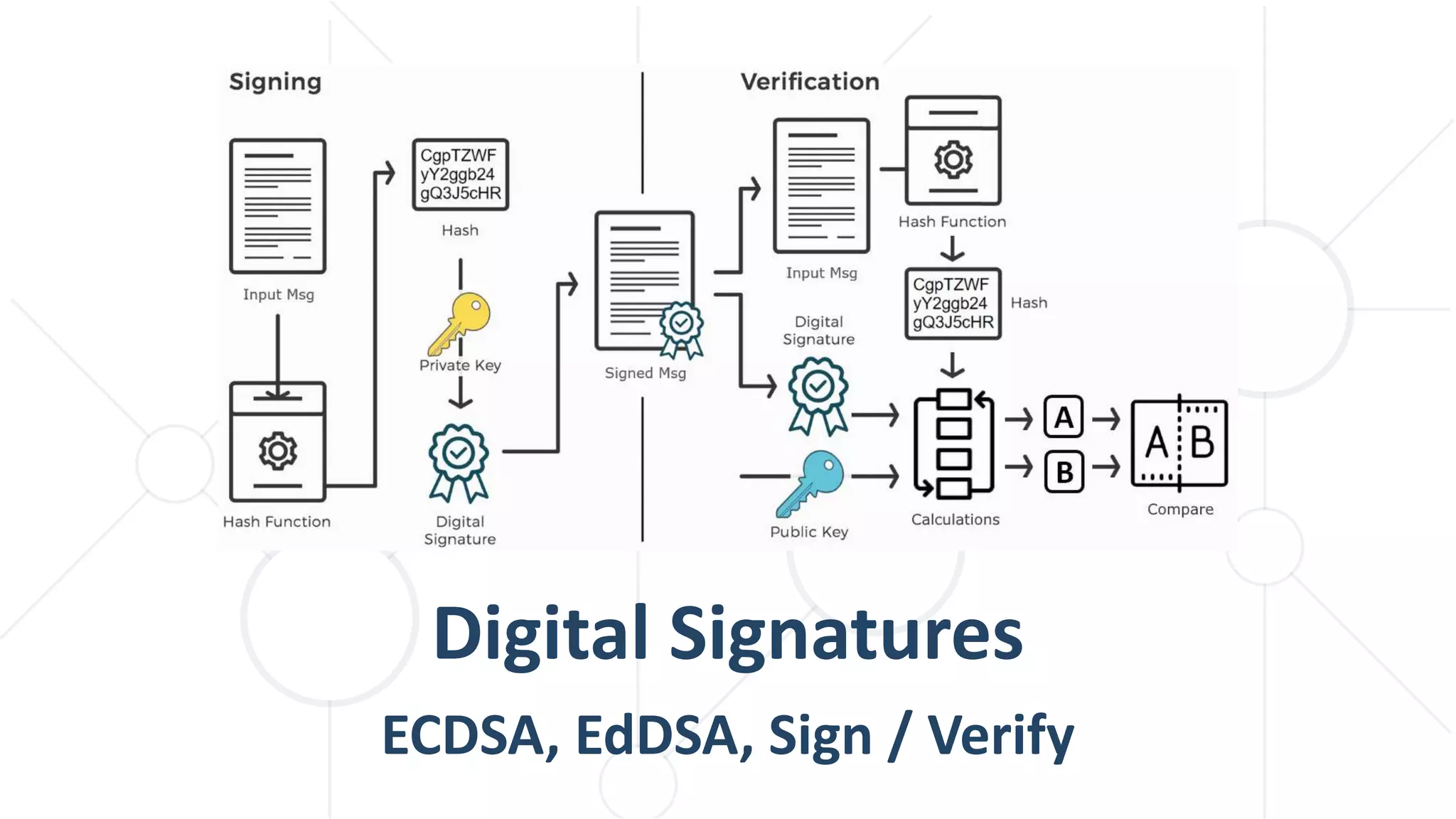
 Digital signatures provide message signing / verification
 Authentication (proof that known sender have signed the message)
 Integrity (the message cannot be altered after signing)
 Non-repudiation (signer cannot deny message signing)
 Digital signatures are based on public key cryptography
 Messages are signed by someone's private key
 Signatures are verified by the corresponding public key
 May use RSA, DSA, elliptic curves (ECC) like ECDSA / EdDSA
Digital Signatures – Concepts
42
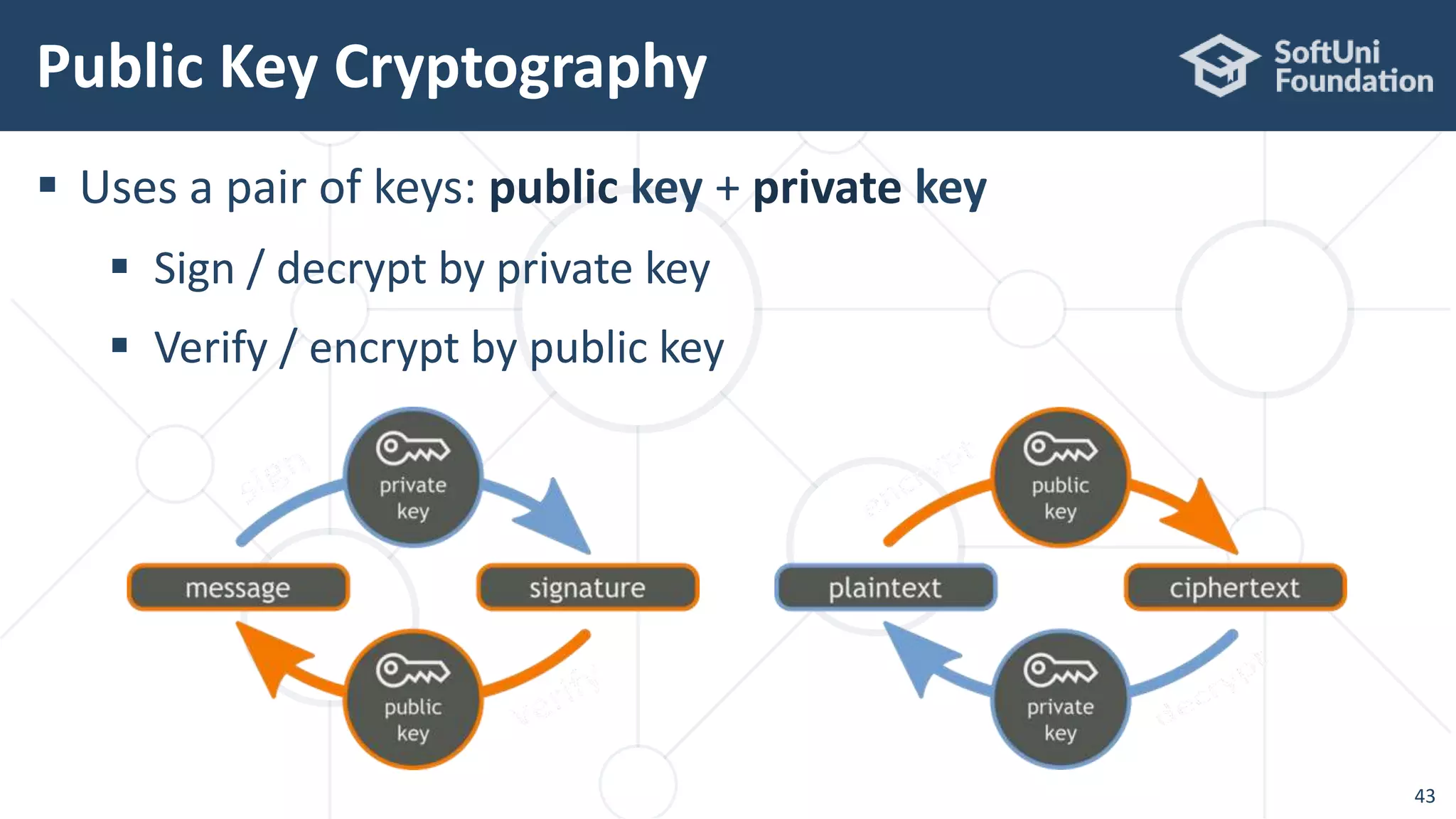
 Uses a pair of keys: public key + private key
 Sign / decrypt by private key
 Verify / encrypt by public key
Public Key Cryptography
43
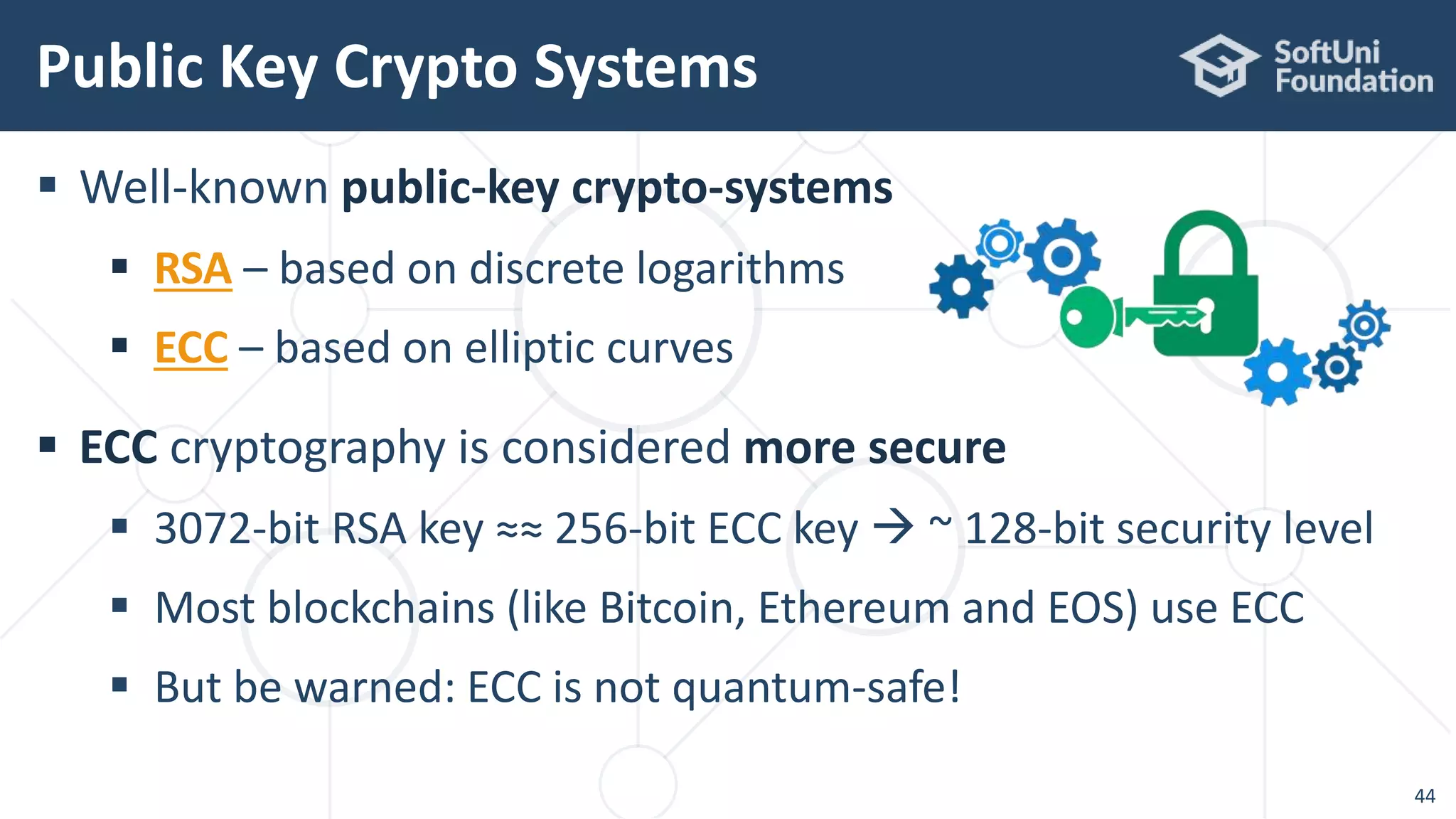
 Well-known public-key crypto-systems
 RSA – based on discrete logarithms
 ECC – based on elliptic curves
 ECC cryptography is considered more secure
 3072-bit RSA key ≈≈ 256-bit ECC key  ~ 128-bit security level
 Most blockchains (like Bitcoin, Ethereum and EOS) use ECC
 But be warned: ECC is not quantum-safe!
Public Key Crypto Systems
44
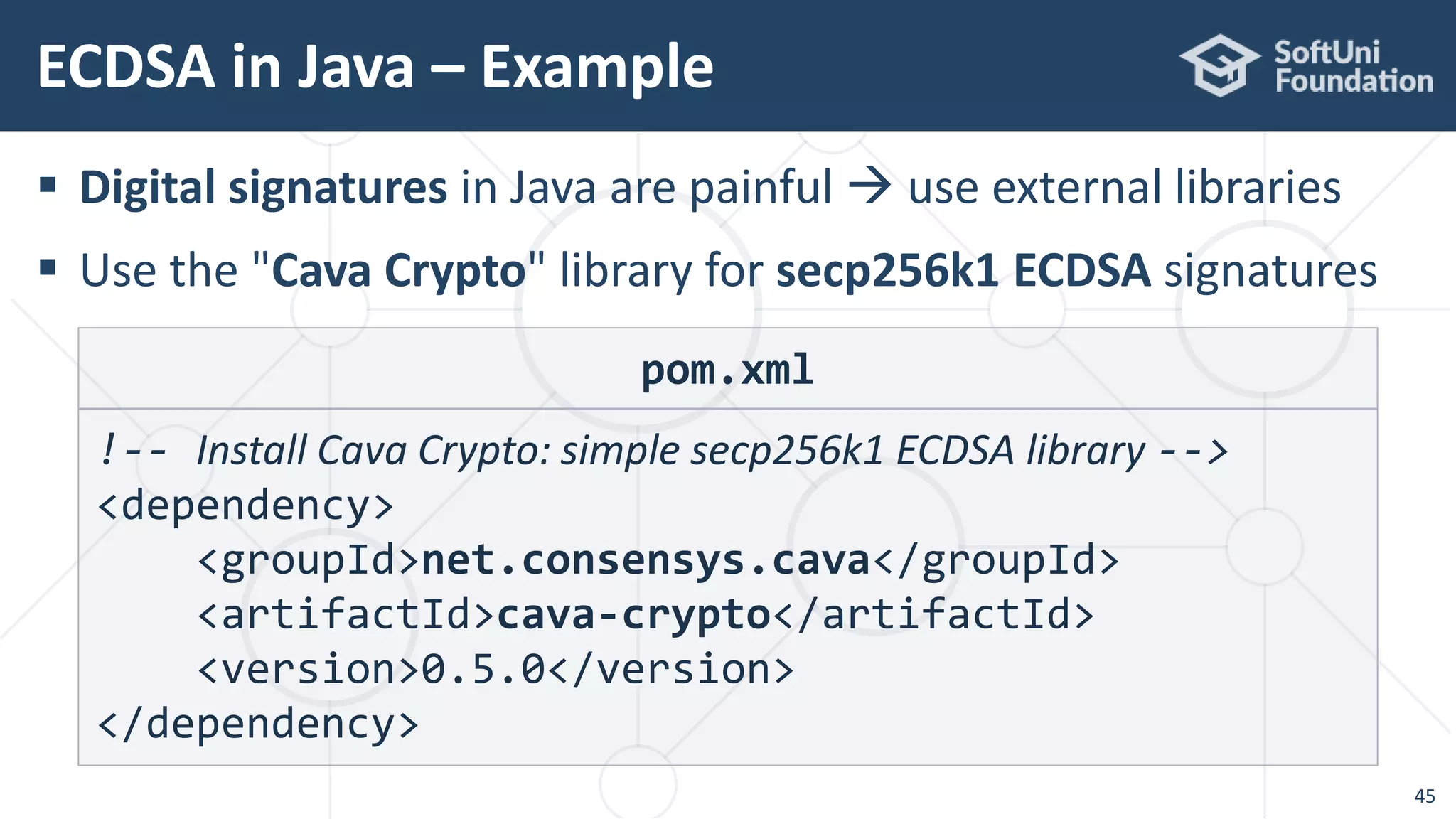
 Digital signatures in Java are painful  use external libraries
 Use the "Cava Crypto" library for secp256k1 ECDSA signatures
ECDSA in Java – Example
45
pom.xml
!-- Install Cava Crypto: simple secp256k1 ECDSA library -->
<dependency>
<groupId>net.consensys.cava</groupId>
<artifactId>cava-crypto</artifactId>
<version>0.5.0</version>
</dependency>
ECDSA in Java – Example
46
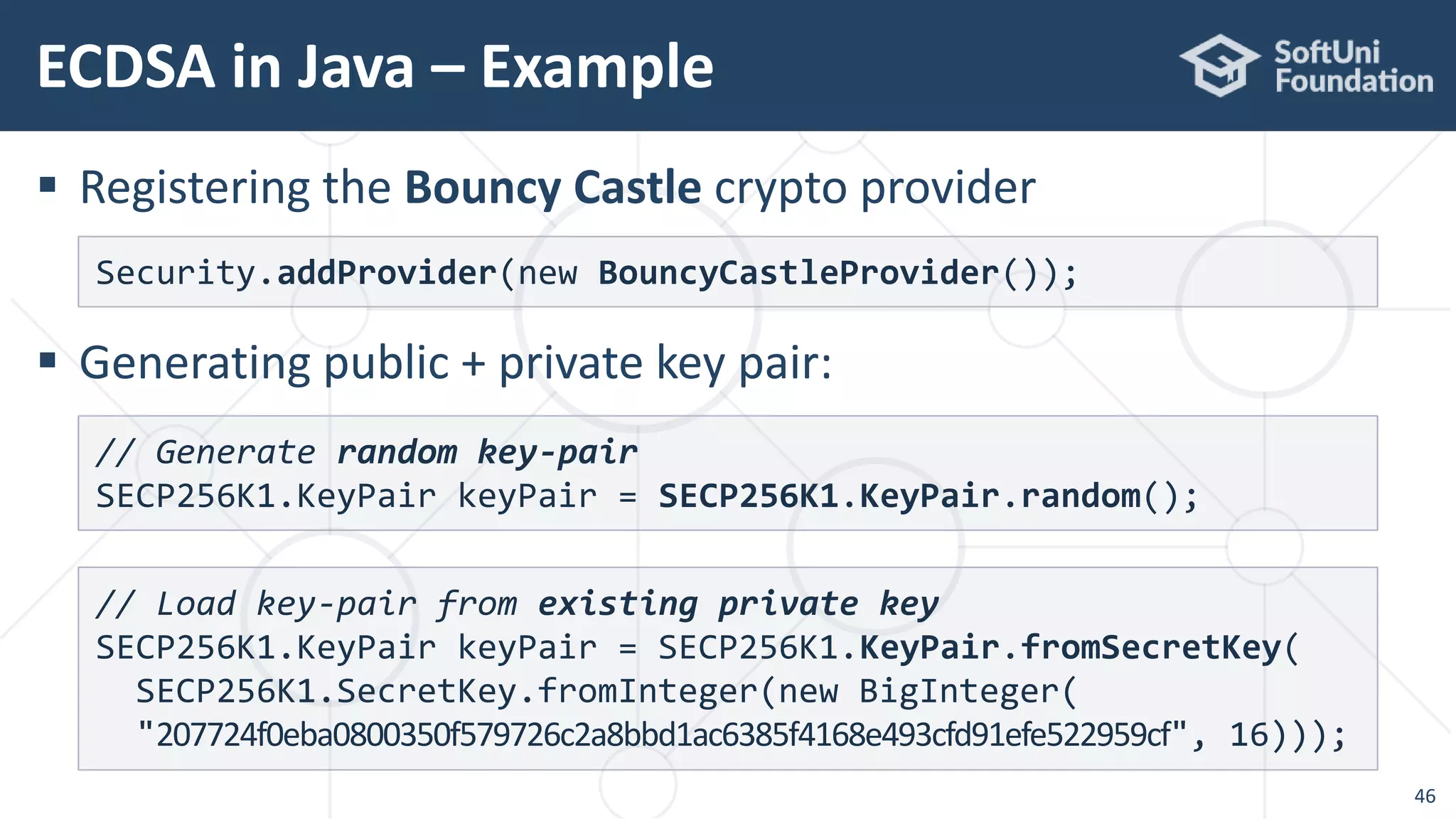
 Registering the Bouncy Castle crypto provider
 Generating public + private key pair:
Security.addProvider(new BouncyCastleProvider());
// Generate random key-pair
SECP256K1.KeyPair keyPair = SECP256K1.KeyPair.random();
// Load key-pair from existing private key
SECP256K1.KeyPair keyPair = SECP256K1.KeyPair.fromSecretKey(
SECP256K1.SecretKey.fromInteger(new BigInteger(
"207724f0eba0800350f579726c2a8bbd1ac6385f4168e493cfd91efe522959cf", 16)));
ECDSA in Java – Example
47
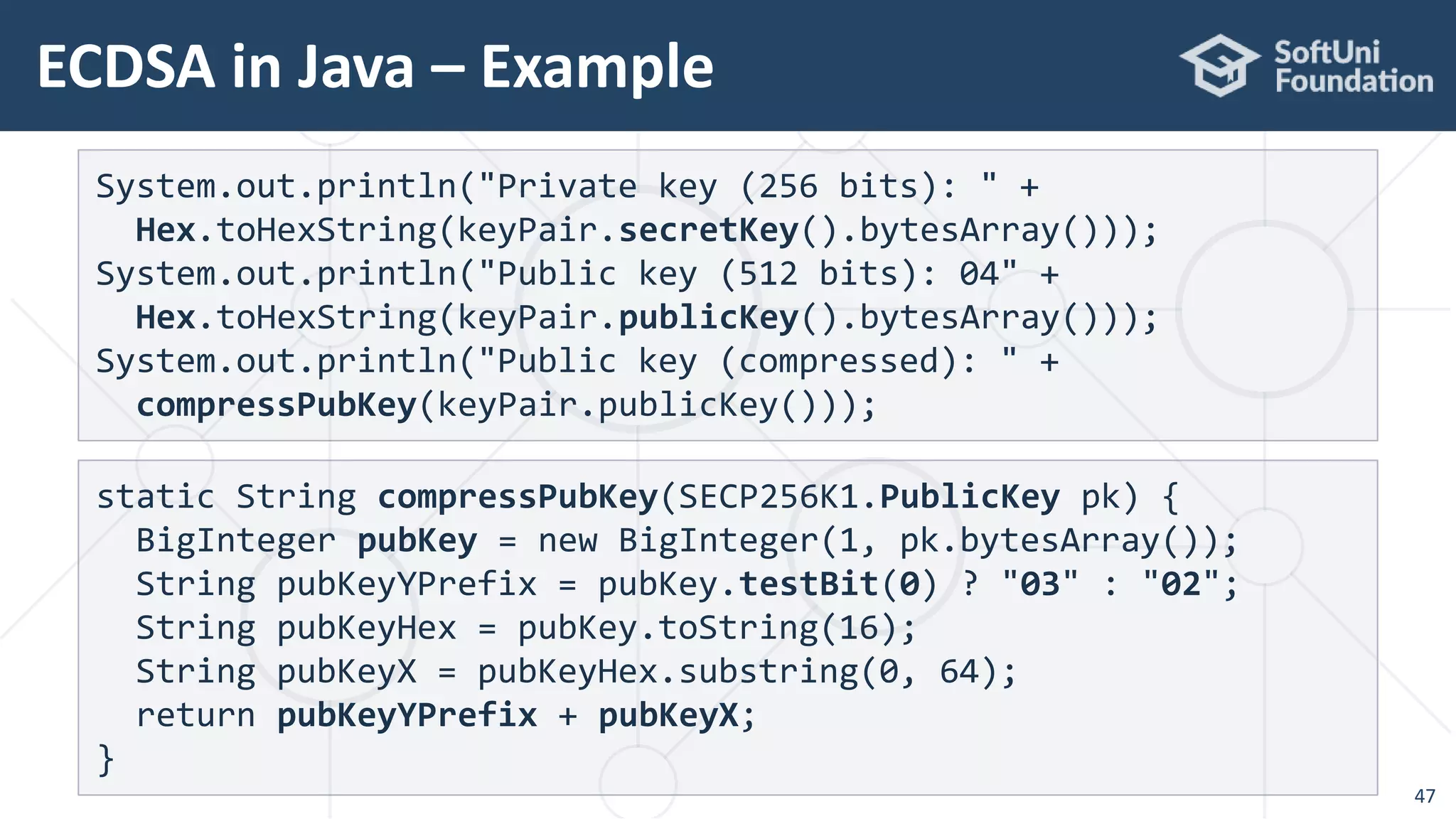
System.out.println("Private key (256 bits): " +
Hex.toHexString(keyPair.secretKey().bytesArray()));
System.out.println("Public key (512 bits): 04" +
Hex.toHexString(keyPair.publicKey().bytesArray()));
System.out.println("Public key (compressed): " +
compressPubKey(keyPair.publicKey()));
static String compressPubKey(SECP256K1.PublicKey pk) {
BigInteger pubKey = new BigInteger(1, pk.bytesArray());
String pubKeyYPrefix = pubKey.testBit(0) ? "03" : "02";
String pubKeyHex = pubKey.toString(16);
String pubKeyX = pubKeyHex.substring(0, 64);
return pubKeyYPrefix + pubKeyX;
}
 Signing a message with SHA256 + ECDSA with secp256k1
ECDSA in Java – Example
48
String msg = "Message for signing";
byte[] msgHash = Hash.sha2_256(msg.getBytes());
var signature = SECP256K1.signHashed(msgHash, keyPair);
System.out.println("Msg: " + msg);
System.out.println("Msg hash: " + Hex.toHexString(msgHash));
System.out.printf("Signature: [r = %s, s = %s, v = %d]n",
signature.r().toString(16), signature.s().toString(16),
signature.v());
Signature: [r = 3ce2c58b02a06f16c849d6ac1d05e9d6dc41b92929ed2733d3
ddf060e2035c20, s = 292d5d83ffd5a46befeef33a9c6e9fc562d412e0d90934
dfb4ed0a7d80caff61, v = 0]
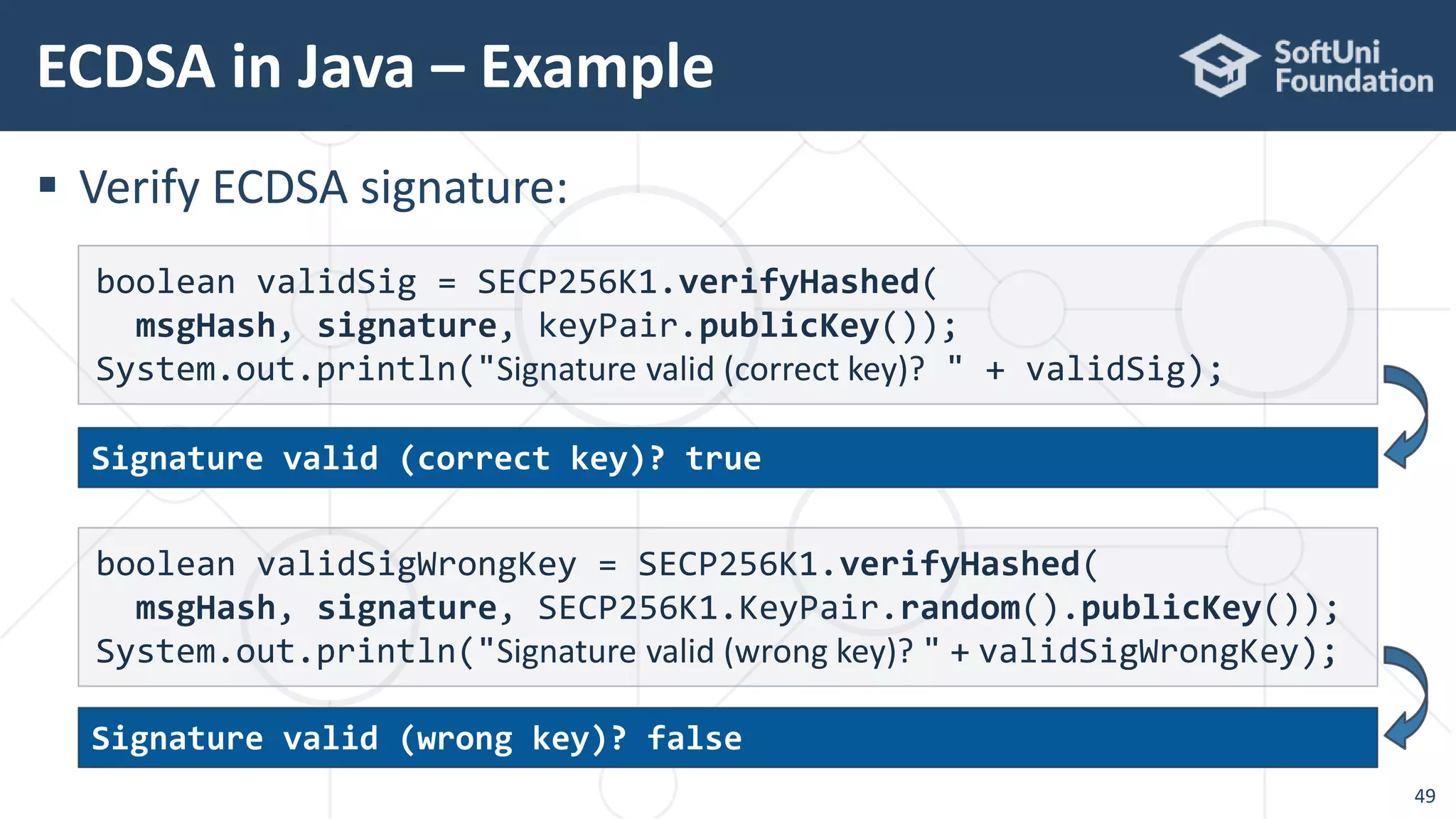
 Verify ECDSA signature:
ECDSA in Java – Example
49
boolean validSig = SECP256K1.verifyHashed(
msgHash, signature, keyPair.publicKey());
System.out.println("Signature valid (correct key)? " + validSig);
boolean validSigWrongKey = SECP256K1.verifyHashed(
msgHash, signature, SECP256K1.KeyPair.random().publicKey());
System.out.println("Signature valid (wrong key)? " + validSigWrongKey);
Signature valid (wrong key)? false
Signature valid (correct key)? true
ECDSA + secp256k1: Recover Public Key
50
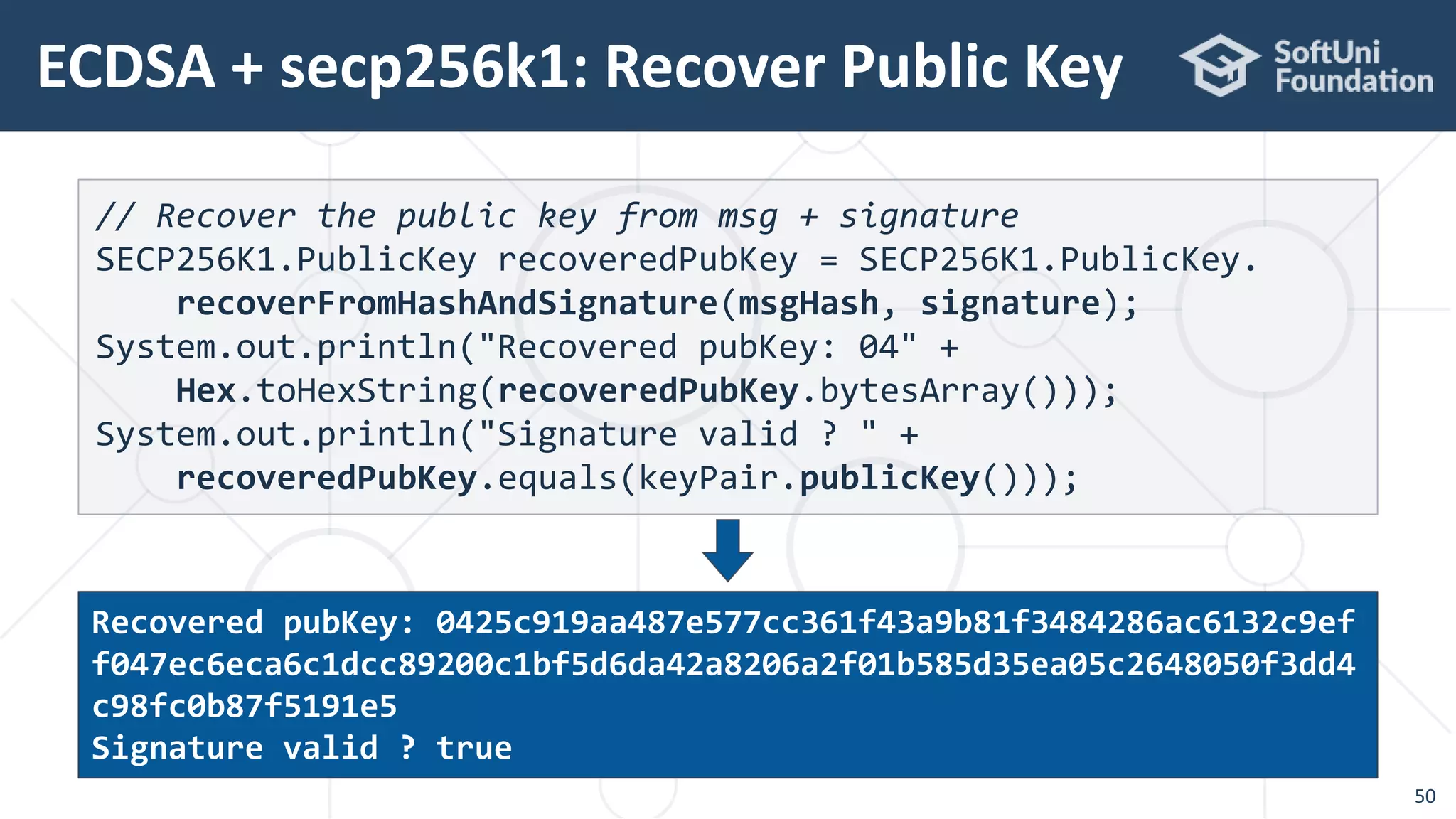
// Recover the public key from msg + signature
SECP256K1.PublicKey recoveredPubKey = SECP256K1.PublicKey.
recoverFromHashAndSignature(msgHash, signature);
System.out.println("Recovered pubKey: 04" +
Hex.toHexString(recoveredPubKey.bytesArray()));
System.out.println("Signature valid ? " +
recoveredPubKey.equals(keyPair.publicKey()));
Recovered pubKey: 0425c919aa487e577cc361f43a9b81f3484286ac6132c9ef
f047ec6eca6c1dcc89200c1bf5d6da42a8206a2f01b585d35ea05c2648050f3dd4
c98fc0b87f5191e5
Signature valid ? true
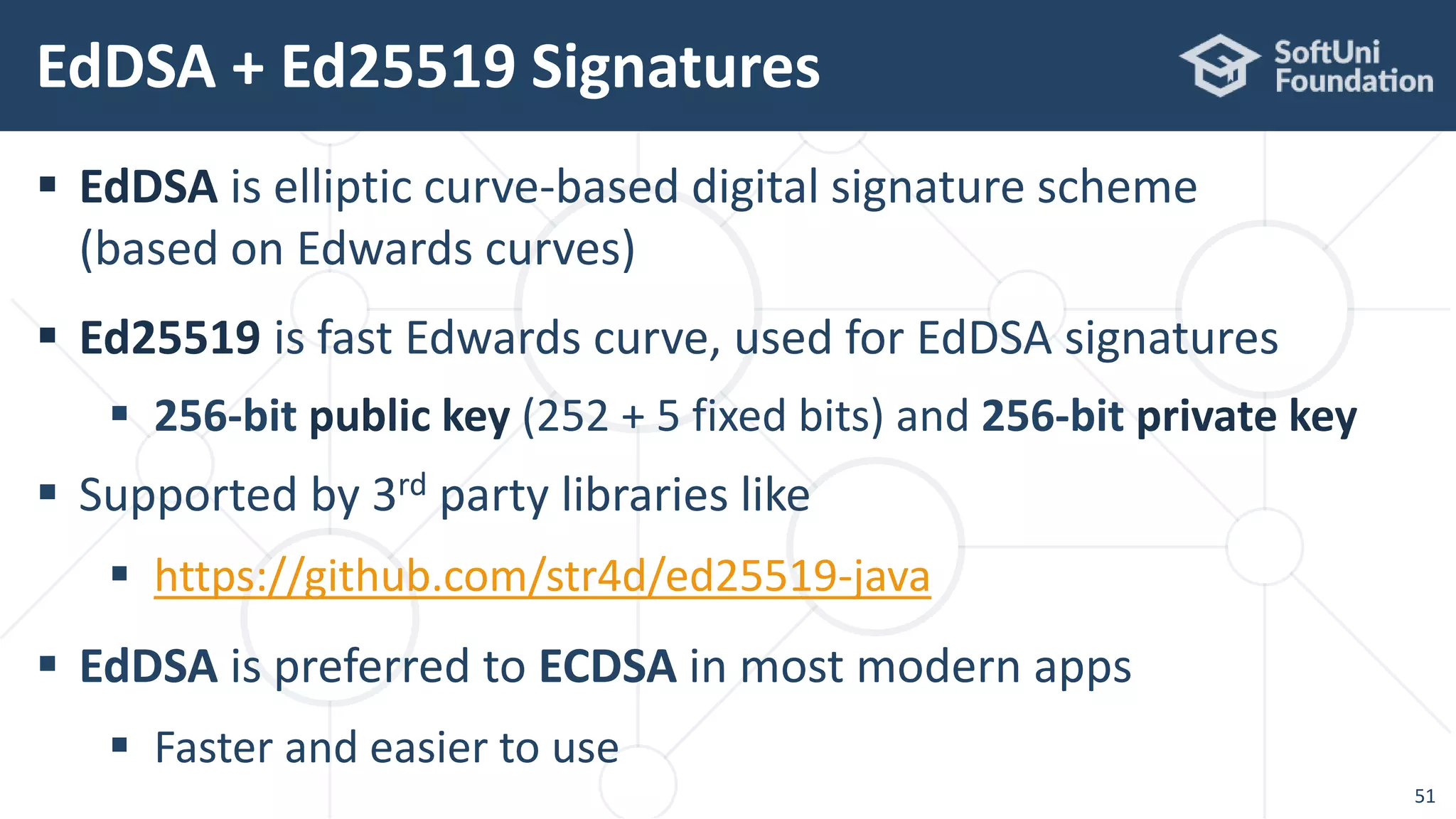
 EdDSA is elliptic curve-based digital signature scheme
(based on Edwards curves)
 Ed25519 is fast Edwards curve, used for EdDSA signatures
 256-bit public key (252 + 5 fixed bits) and 256-bit private key
 Supported by 3rd party libraries like
 https://github.com/str4d/ed25519-java
 EdDSA is preferred to ECDSA in most modern apps
 Faster and easier to use
EdDSA + Ed25519 Signatures
51
EdDSA in Java – Example
52
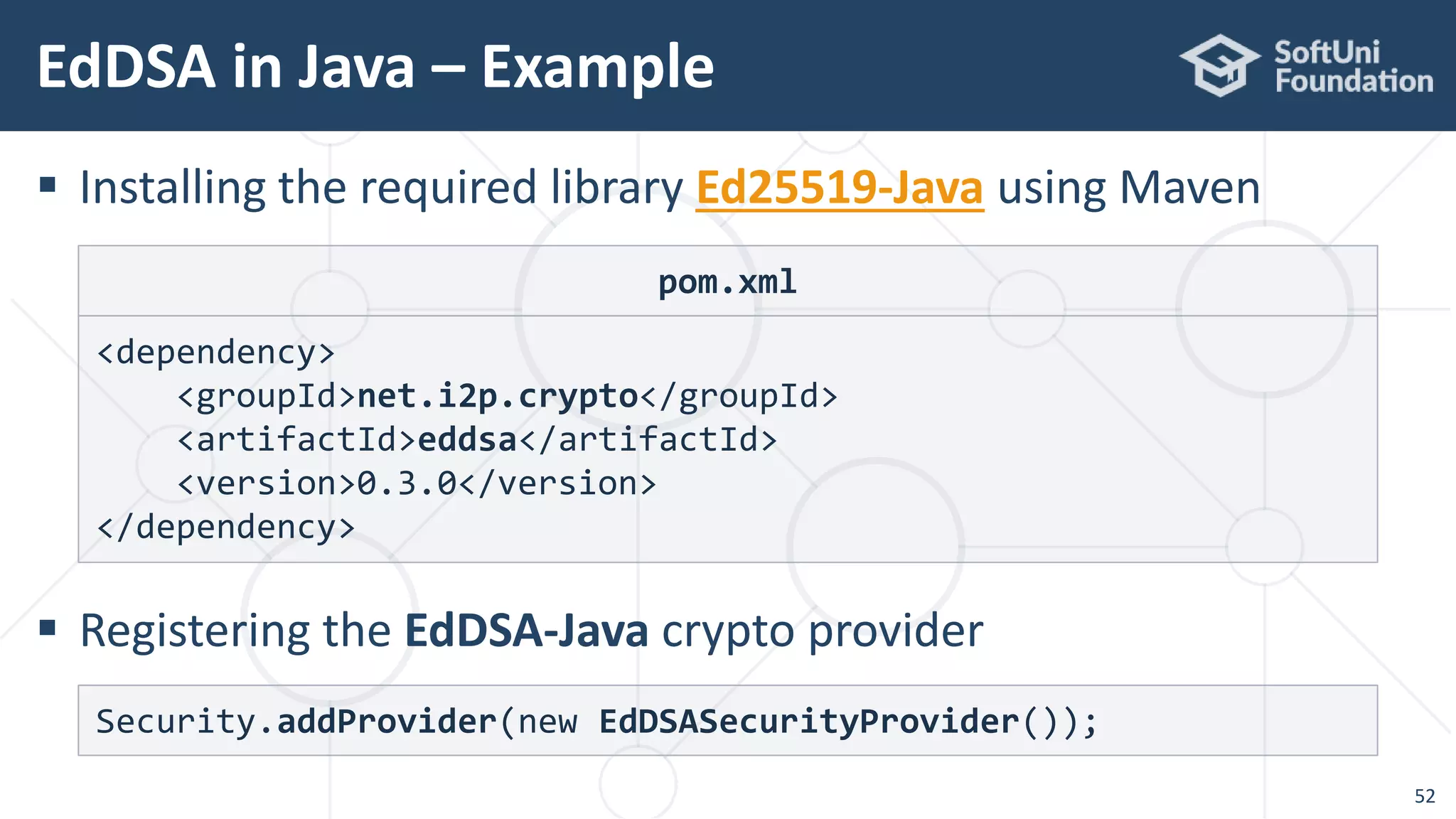
 Installing the required library Ed25519-Java using Maven
 Registering the EdDSA-Java crypto provider
Security.addProvider(new EdDSASecurityProvider());
pom.xml
<dependency>
<groupId>net.i2p.crypto</groupId>
<artifactId>eddsa</artifactId>
<version>0.3.0</version>
</dependency>
EdDSA in Java – Example
53
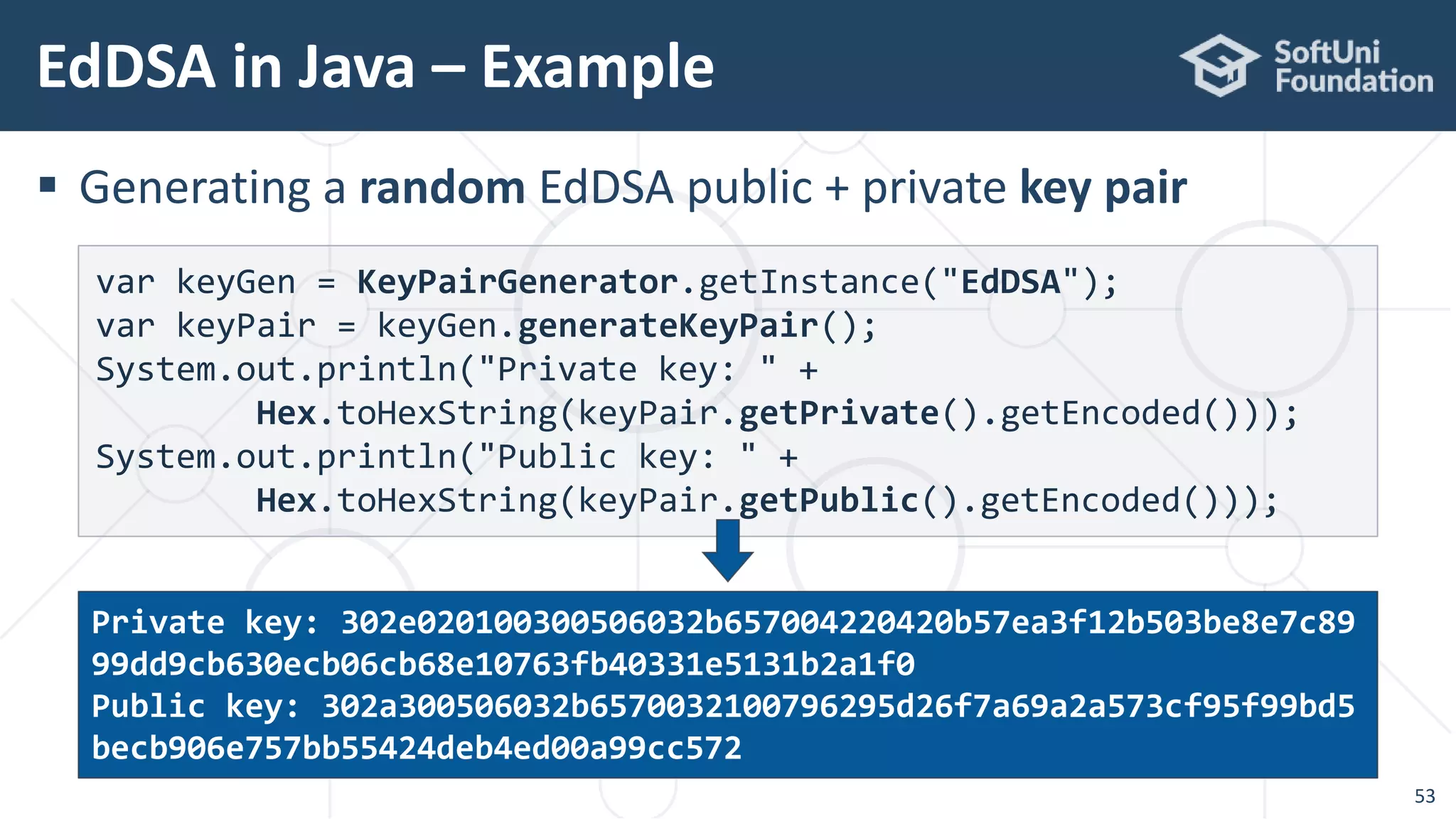
 Generating a random EdDSA public + private key pair
var keyGen = KeyPairGenerator.getInstance("EdDSA");
var keyPair = keyGen.generateKeyPair();
System.out.println("Private key: " +
Hex.toHexString(keyPair.getPrivate().getEncoded()));
System.out.println("Public key: " +
Hex.toHexString(keyPair.getPublic().getEncoded()));
Private key: 302e020100300506032b657004220420b57ea3f12b503be8e7c89
99dd9cb630ecb06cb68e10763fb40331e5131b2a1f0
Public key: 302a300506032b6570032100796295d26f7a69a2a573cf95f99bd5
becb906e757bb55424deb4ed00a99cc572
EdDSA in Java – Example
54
 Signing a message with EdDSA
String msg = "Message for signing";
Signature signer = new EdDSAEngine(
MessageDigest.getInstance("SHA-512"));
signer.initSign(keyPair.getPrivate());
signer.update(msg.getBytes());
byte[] signature = signer.sign();
System.out.println("Signature: " + Hex.toHexString(signature));
Signature: 1256d92d27b5b4e633494b86f5f55dc18155ae4eed35d5f596f1dbb
894acef0df7e2b756ef5e5681260d2f46dd1c26e180591e1ec3f9997f213ddf0ca
55c6703
EdDSA in Java – Example
55
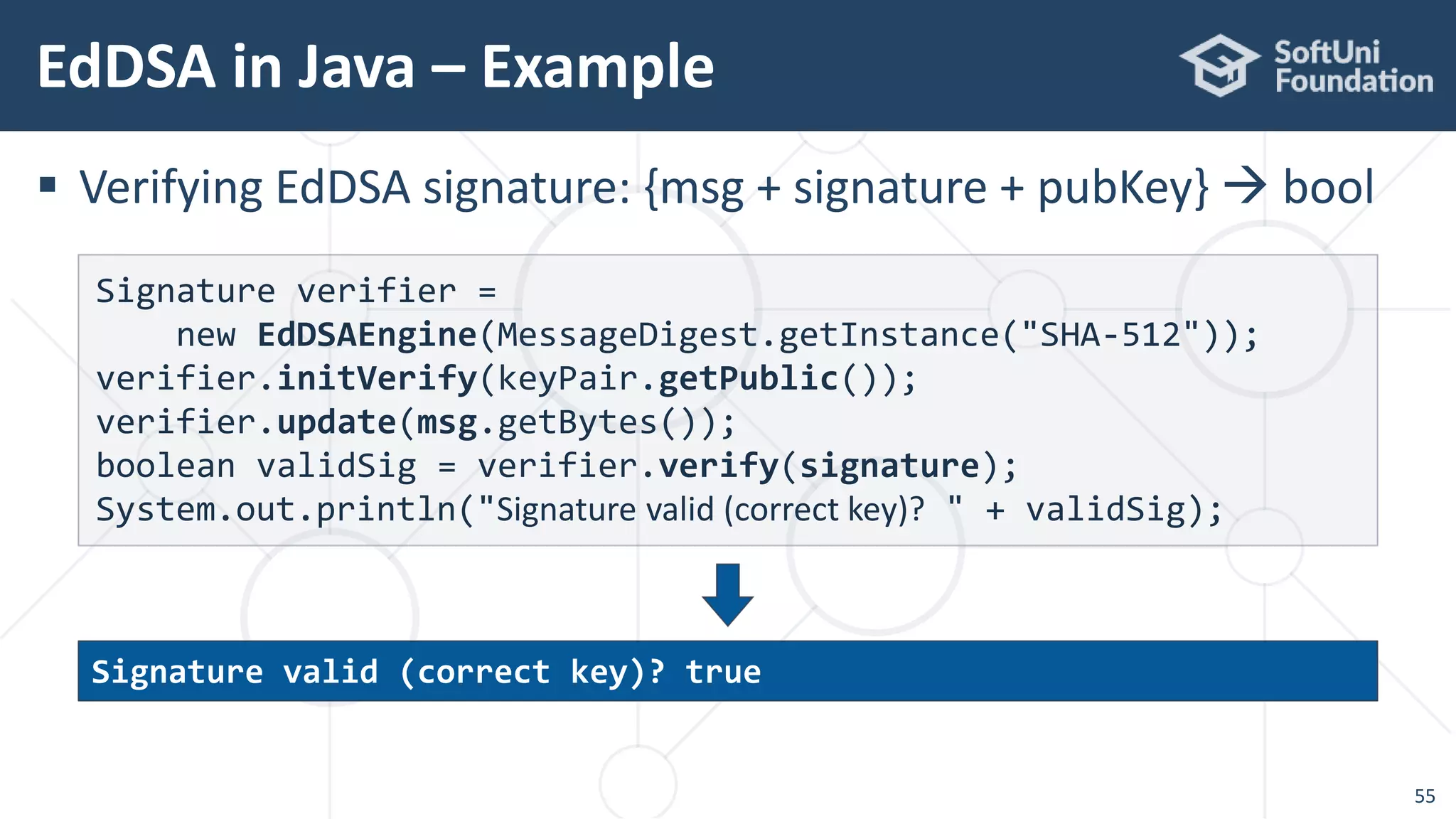
 Verifying EdDSA signature: {msg + signature + pubKey}  bool
Signature verifier =
new EdDSAEngine(MessageDigest.getInstance("SHA-512"));
verifier.initVerify(keyPair.getPublic());
verifier.update(msg.getBytes());
boolean validSig = verifier.verify(signature);
System.out.println("Signature valid (correct key)? " + validSig);
Signature valid (correct key)? true
Live Demos and Code Examples
https://github.com/nakov/Java-Cryptography-Examples
https://nakov.com
Cryptography for Java Developers

Cryptography for Java Developers: Nakov jProfessionals (Jan 2019)

  • 1.
    Hashes, MAC, KeyDerivation, Encrypting Passwords, Symmetric Ciphers & AES, Digital Signatures & ECDSA Cryptography for Java Developers Dr. Svetlin Nakov Co-Founder, Chief Training & Innovation @ Software University (SoftUni) https://nakov.com Software University (SoftUni) – http://softuni.org
  • 2.
    Table of Contents 1.About the Speaker 2. What is Cryptography? 3. Cryptography in Java – APIs and Libraries 4. Hashes, MAC Codes and Key Derivation (KDF) 5. Encrypting Passwords: from Plaintext to Argon2 6. Symmetric Encryption: AES (KDF + Block Modes + IV + MAC) 7. Digital Signatures, Elliptic Curves, ECDSA, EdDSA 2
  • 3.
     Software engineer,trainer, entrepreneur, PhD, author of 15+ books, blockchain expert  3 successful tech educational initiatives (150,000+ students) About Dr. Svetlin Nakov 3
  • 4.
    Book "Practical Cryptographyfor Developers" 4 GitHub: github.com/nakov/pra ctical-cryptography- for-developers-book Book site: https://cryptobook. nakov.com
  • 5.
  • 6.
     Cryptography providessecurity and protection of information  Storing and transmitting data in a secure way  Hashing data (message digest) and MAC codes  Encrypting and decrypting data  Symmetric and asymmetric schemes  Key derivation functions (KDF)  Key agreement schemes, digital certificates  Digital signatures (sign / verify) What is Cryptography? 6
  • 7.
    Cryptography in Java: JCA,Bouncy Castle, Other Libraries
  • 8.
     JDK definessecurity APIs based on pluggable security providers  Build-in providers (come with JDK) and 3rd party providers  Named algorithms, e.g.  MessageDigest: SHA-256, SHA3- 256, RipeMD160, Skein-1024  Cipher: AES, Blowfish, ECIES  Signature: SHA3-256withECDSA, SHA512withRSA, SHA384withDSA Java Security: Architecture 8
  • 9.
     Cryptography inJava is based on the Java Cryptography Architecture (JCA)  The built-in functionality is limited  Typical Java style: lot of boilerplate code  Bouncy Castle is a leading Java crypto library / API / provider  https://www.bouncycastle.org/java.html  Argon2 JVM – fast Argon2 native implementation for Java  https://github.com/phxql/argon2-jvm Cryptography APIs in Java 9
  • 10.
     Cava Crypto– excellent simple ECDSA library for secp256k1  https://github.com/ConsenSys/cava  https://github.com/ConsenSys/cava/tree/master/crypto  Web3j / Crypto – a simplified library for secp256k1 signatures  https://github.com/web3j  Ed25519-Java – simple EdDSA and Ed25519 implementation  https://github.com/str4d/ed25519-java Cryptography APIs in Java 10
  • 11.
     Use Maven/ Gradle to install the Java crypto libraries  Installing the Bouncy Castle crypto provider / API Installing the Libraries 11 pom.xml <!-- Install the Bouncy Castle crypto provider for Java --> <dependency> <groupId>org.bouncycastle</groupId> <artifactId>bcprov-jdk15on</artifactId> <version>1.60</version> </dependency>
  • 12.
  • 13.
    What is CryptographicHash Function? 13  One-way transformation, infeasible to invert  Extremely little chance to find a collision Some text Some text Some text Some text Some text Some text Some text 20c9ad97c081d63397d 7b685a412227a40e23c 8bdc6688c6f37e97cfb c22d2b4d1db1510d8f6 1e6a8866ad7f0e17c02 b14182d37ea7c3c8b9c 2683aeb6b733a1 Text Hash (digest) Cryptographic hash function
  • 14.
     SHA-2 (SHA-256,SHA-384, SHA-512)  Secure crypto hash function, the most widely used today (RFC 4634)  Used in Bitcoin, IPFS, many others  SHA-3 (SHA3-256, SHA3-384, SHA3-512) / Keccak-256  Strong cryptographic hash function, more secure than SHA-2  Used in Ethereum and many modern apps Modern Hashes: SHA-2, SHA3 14 SHA-256('hello') = 2cf24dba5fb0a30e26e83b2ac5b9e29e1b161e5c1fa7 425e73043362938b9824 SHA3-256('hello') = 3338be694f50c5f338814986cdf0686453a888b84f4 24d792af4b9202398f392
  • 15.
     BLAKE2 (BLAKE2s– 256-bit, BLAKE2b – 512-bit)  Secure crypto hash function, very fast  RIPEMD-160 (160-bit crypto hash)  Considered weak, just 160-bits, still unbroken  Broken hash algorithms: MD5, SHA-1, MD4, SHA-0, MD2  Git and GitHub still use SHA-1 and suffer of collision attacks Modern Hashes: BLAKE2, RIPEMD-160 15 BLAKE2s('hello') = 19213bacc58dee6dbde3ceb9a47cbb330b3d86f8cca8 997eb00be456f140ca25 RIPEMD-160('hello') = 108f07b8382412612c048d07d13f814118445acd
  • 16.
     Calculate SHA-256hash using the built-in JCA provider: SHA-256 in Java – Example 16 var digest = MessageDigest.getInstance("SHA-256"); digest.update("hello".getBytes()); byte[] hash = digest.digest(); System.out.println("SHA-256('hello') = " + Hex.toHexString(hash)); import java.security.MessageDigest; import org.bouncycastle.util.encoders.Hex; SHA-256('hello') = 2cf24dba5fb0a30e26e83b2ac5b9e29e1b161e5c1fa7425e73043362938b9824
  • 17.
     Calculate RIPEMD-160hash using the Bouncy Castle provider: RIPEMD-160 in Java – Example 17 var digest = MessageDigest.getInstance("RIPEMD160"); digest.update("hello".getBytes()); byte[] hash = digest.digest(); System.out.println("RIPEMD-160('hello') = " + Hex.toHexString(hash)); import java.security.*; import org.bouncycastle.util.encoders.Hex; import org.bouncycastle.jce.provider.BouncyCastleProvider; // One-time registration of the "BouncyCastle" JCA provider Security.addProvider(new BouncyCastleProvider()); 108f07b8382412612c048d07d13f814118445acd
  • 18.
    HMAC and KeyDerivation (KDF) MAC, HMAC, PBKDF2, Scrypt, Argon2
  • 19.
     HMAC =Hash-based Message Authentication Code (RFC 2104)  HMAC(key, msg, hash_func)  hash  Message hash mixed with a secret shared key  Used for message integrity / authentication / key derivation MAC Codes and HMAC 19 HMAC('key', 'hello', SHA-256) = 9307b3b915efb5171ff14d8cb55fbc c798c6c0ef1456d66ded1a6aa723a58b7b HMAC('key', 'hello', RIPEMD-160) = 43ab51f803a68a8b894cb32ee19e6854e9f4e468
  • 20.
     Calculate HMAC-SHA-256hash using the built-in JCA provider: HMAC in Java – Example 20 Mac mac = Mac.getInstance("HmacSHA256"); Key key = new SecretKeySpec("key".getBytes(), "HmacSHA256"); mac.init(key); byte[] hash = mac.doFinal("hello".getBytes()); System.out.println("HMAC-SHA-256: " + Hex.toHexString(hash)); import javax.crypto.Mac; import javax.crypto.spec.SecretKeySpec; import java.security.Key; import org.bouncycastle.util.encoders.Hex; HMAC-SHA-256: 9307b3b915efb5171ff14d8cb55fbcc798c6c0ef1456d66ded1a6aa723a58b7b
  • 21.
     Key derivationfunction (KDF) == function(password)  key  PBKDF2 (Password-Based Key Derivation Function 2, RFC 2898) Key Derivation Functions (KDF) 21 PBEKeySpec spec = new PBEKeySpec("password".toCharArray(), "salt".getBytes(), 1000, 128); SecretKeyFactory keyFactory = SecretKeyFactory.getInstance("PBKDF2WithHmacSHA256"); byte[] derivedKey = keyFactory.generateSecret(spec).getEncoded(); System.out.println("PBKDF2 key: " + Hex.toHexString(derivedKey)); PBKDF2 derived key: 632c2812e46d4604102ba7618e9d6d7d
  • 22.
     Scrypt (RFC7914) is a strong cryptographic key-derivation function  Memory intensive, designed to prevent ASIC and FPGA attacks  key = Scrypt(password, salt, N, r, p, derived-key-len)  N – iterations count (affects memory and CPU usage), e.g. 16384  r – block size (affects memory and CPU usage), e.g. 8  p – parallelism factor (threads to run in parallel), usually 1  Memory used = 128 * N * r * p bytes, e.g. 128 * 16384 * 8 = 16 MB  Parameters for interactive login: N=16384, r=8, p=1 (RAM=16MB)  Parameters for file encryption: N=1048576, r=8, p=1 (RAM=1GB) Key Derivation Functions: Scrypt 22
  • 23.
    Scrypt in Java– Example 23 // One-time registration of the "BouncyCastle" JCA provider Security.addProvider(new BouncyCastleProvider()); ScryptKeySpec spec = new ScryptKeySpec( "password".toCharArray(), "salt".getBytes(), 16384, 8, 1, 128); var keyFact = SecretKeyFactory.getInstance("Scrypt"); byte[] derivedKey = keyFact.generateSecret(spec).getEncoded(); System.out.println("Scrypt: " + Hex.toHexString(derivedKey)); Scrypt: 745731af4484f323968969eda289aeee
  • 24.
     Argon2 isASIC-resistant KDF, stronger than Scrypt and bcrypt  Recommended due to better ASIC-resistance Key Derivation: Argon2 24 pom.xml <!-- Install Argon2-JVM – fast native Argon2 library for Java --> <dependency> <groupId>de.mkammerer</groupId> <artifactId>argon2-jvm</artifactId> <version>2.5</version> </dependency>
  • 25.
    Argon2 in Java– Example 25 import de.mkammerer.argon2.Argon2Advanced; import de.mkammerer.argon2.Argon2Factory; import org.bouncycastle.util.encoders.Hex; Argon2Advanced argon2 = Argon2Factory.createAdvanced( Argon2Factory.Argon2Types.ARGON2id); byte[] hash = argon2.rawHash(16, 1 << 15, 2, "password", "some salt".getBytes()); System.out.println("Argon2 hash: " + Hex.toHexString(hash)); Argon2 hash: 157f21dd3fdf7bafb76d2923ccaffa0b7be7cbae394709474d2bc66ee7b09d3e
  • 26.
     Clear-text passwords,e.g. store the password directly in the DB  Never do anti-pattern!  Simple password hash, e.g. store SHA256(password) in the DB  Highly insecure, still better than clear-text, dictionary attacks  Salted hashed passwords, e.g. store HMAC(pass, random_salt)  Almost secure, GPU / ASIC-crackable  ASIC-resistant KDF password hash, e.g. Argon2(password)  Recommended, secure (when the KDF settings are secure) Password Encryption (Register / Login) 26
  • 27.
     Argon2 isthe recommended password-hashing for apps Encrypting Passwords: Argon2 27 String hash = argon2.hash(8, 1 << 16, 4, "password"); System.out.println("Argon2 hash (random salt): " + hash); System.out.println("Argon2 verify (correct password): " + argon2.verify(hash, "password")); System.out.println("Argon2 verify (wrong password): " + argon2.verify(hash, "wrong123")); Argon2 hash (random salt): $argon2id$v=19$m=65536,t=8,p=4$FW2kqbP+nidwHnT3Oc vSEg$oYlK3rXJvk0Be+od3To131Cnr8JksL39gjnbMlUCCTk Argon2 verify (correct password): true Argon2 verify (wrong password): false Register Login Invalid Login
  • 28.
    Symmetric Encryption AES, BlockModes, Authenticated Encryption encrypt (secret key) I am a non- encrypted message … decrypt (secret key) I am a non- encrypted message …
  • 29.
     Symmetric keyciphers  Use the same key (or password) to encrypt and decrypt data  Popular symmetric algorithms  AES, ChaCha20, Twofish, Serpent, RC5, RC6  Broken algorithms (don't use them!)  DES, 3DES, RC2, RC4 Symmetric Key Ciphers 29
  • 30.
     Block ciphers Split data on blocks (e.g. 128 bits), then encrypt each block separately, change the internal state, encrypt the next block, …  Stream ciphers  Work on sequences of data (encrypts / decrypts byte by byte)  Block ciphers can be transformed to stream ciphers  Using block mode of operation (e.g. CBC, CTR, GCM, CFB, …)  https://en.wikipedia.org/wiki/Block_cipher_mode_of_operation Symmetric Key Ciphers 30
  • 31.
     AES –Advanced Encryption Standard (Rijndael)  Symmetric key block cipher (128-bit blocks)  Key lengths: 128, 160, 192, 224 and 256 bits  No significant practical attacks are known for AES  Modern CPU hardware implements AES instructions  This speeds-up AES and secure Internet communication  AES is used by most Internet Web sites for the https:// content The "AES" Cipher 31
  • 32.
     AES isa "block cipher" – encrypts block by block (e.g. 128 bits)  Supports several modes of operation (CBC, CTR, GCM, …)  Some modes of operation (like CBC / CTR) require initial vector (IV)  Non-secret random salt  used to get different result each time  Recommended modes: CTR (Counter) or GCM (Galois/Counter)  CBC may use a padding algorithm (typically PKCS7) to help splitting the input data into blocks of fixed block-size (e.g. 128 bits)  May use password to key derivation function, e.g. Argon2(passwd)  May use MAC to check the password validity, e.g. HMAC(text, key) AES Cipher Settings 32
  • 33.
    The AES EncryptionProcess 33 input msg random IV+ AES key+ ciphertext input msg MAC key+ MAC code input msg key+ AES ciphertext MAC+IV+ KDF password key kdf-salt+
  • 34.
    The AES DecryptionProcess 34 original msg MAC key+ MAC code AES ciphertext IV+ KDF password key original msg decrypt Decryption MAC code compare Encryption MAC code key+ kdf-salt+
  • 35.
    AES-256-CTR-Argon2-HMAC – Encrypt 35 staticMap<String, String> aes256CtrArgon2HMacEncrypt( String plainText, String password) throws Exception { // Derive a secret key from the encryption password SecureRandom rand = new SecureRandom(); byte[] argon2salt = new byte[16]; rand.nextBytes(argon2salt); // Generate 128-bit salt byte[] argon2hash = Argon2Factory.createAdvanced( Argon2Factory.Argon2Types.ARGON2id).rawHash(16, 1 << 15, 2, password, argon2salt); Key secretKey = new SecretKeySpec(argon2hash, "AES");
  • 36.
    AES-256-CTR-Argon2-HMAC – Encrypt 36 //AES encryption: {plaintext + IV + secretKey} -> ciphertext byte[] aesIV = new byte[16]; rand.nextBytes(aesIV); // Generate 128-bit IV (salt) IvParameterSpec ivSpec = new IvParameterSpec(aesIV); Cipher cipher = Cipher.getInstance("AES/CTR/NoPadding"); cipher.init(Cipher.ENCRYPT_MODE, secretKey, ivSpec); byte[] plainTextBytes = plainText.getBytes("utf8"); byte[] cipherBytes = cipher.doFinal(plainTextBytes); // Calculate the MAC of the plaintext with the argon2hash Mac mac = Mac.getInstance("HmacSHA256"); Key macKey = new SecretKeySpec(argon2hash, "HmacSHA256"); mac.init(macKey); byte[] hmac = mac.doFinal(plainText.getBytes("utf8"));
  • 37.
    AES-256-CTR-Argon2-HMAC – Encrypt 37 varencryptedMsg = Map.of( "kdf", "argon2", "kdfSalt", Hex.toHexString(argon2salt), "cipher", "aes-256-ctr", "cipherIV", Hex.toHexString(aesIV), "cipherText", Hex.toHexString(cipherBytes), "mac", Hex.toHexString(hmac) ); return encryptedMsg; Encrypted msg: {cipherIV=dd088070cf4f2f6c6560b8fa7fb43f49, kdf=argon2, cipherText=a847f3b2bc59278107, mac=6c143d139d0d7b29aaa 4e0dc5916908d3c27576f4856e3ef487be6eafb23b39a, kdfSalt=90c6fcc318f d273f4f661c019b39b8ed, cipher=aes-256-ctr}
  • 38.
    AES-256-CTR-Argon2-HMAC – Decrypt 38 staticString aes256CtrArgon2HMacDecrypt(Map<String, String> encryptedMsg, String password) throws Exception { // Derive the secret key from the encryption password with argon2salt byte[] argon2salt = Hex.decode(encryptedMsg.get("kdfSalt")); byte[] argon2hash = Argon2Factory.createAdvanced( Argon2Factory.Argon2Types.ARGON2id).rawHash(16, 1 << 15, 2, password, argon2salt);
  • 39.
    AES-256-CTR-Argon2-HMAC – Decrypt 39 //AES decryption: {cipherText + IV + secretKey} -> plainText byte[] aesIV = Hex.decode(encryptedMsg.get("cipherIV")); IvParameterSpec ivSpec = new IvParameterSpec(aesIV); Cipher cipher = Cipher.getInstance("AES/CTR/NoPadding"); Key secretKey = new SecretKeySpec(argon2hash, "AES"); cipher.init(Cipher.DECRYPT_MODE, secretKey, ivSpec); byte[] cipherTextBytes = Hex.decode(encryptedMsg.get("cipherText")); byte[] plainTextBytes = cipher.doFinal(cipherTextBytes); String plainText = new String(plainTextBytes, "utf8");
  • 40.
    AES-256-CTR-Argon2-HMAC – Decrypt 40 //Calculate & check the MAC code: HMAC(plaintext, argon2hash) Mac mac = Mac.getInstance("HmacSHA256"); Key macKey = new SecretKeySpec(argon2hash, "HmacSHA256"); mac.init(macKey); byte[] hmac = mac.doFinal(plainText.getBytes("utf8")); String decodedMac = Hex.toHexString(hmac); String cipherTextMac = encryptedMsg.get("mac"); if (! decodedMac.equals(cipherTextMac)) throw new InvalidKeyException("MAC does not match: maybe wrong password"); return plainText; }
  • 41.
  • 42.
     Digital signaturesprovide message signing / verification  Authentication (proof that known sender have signed the message)  Integrity (the message cannot be altered after signing)  Non-repudiation (signer cannot deny message signing)  Digital signatures are based on public key cryptography  Messages are signed by someone's private key  Signatures are verified by the corresponding public key  May use RSA, DSA, elliptic curves (ECC) like ECDSA / EdDSA Digital Signatures – Concepts 42
  • 43.
     Uses apair of keys: public key + private key  Sign / decrypt by private key  Verify / encrypt by public key Public Key Cryptography 43
  • 44.
     Well-known public-keycrypto-systems  RSA – based on discrete logarithms  ECC – based on elliptic curves  ECC cryptography is considered more secure  3072-bit RSA key ≈≈ 256-bit ECC key  ~ 128-bit security level  Most blockchains (like Bitcoin, Ethereum and EOS) use ECC  But be warned: ECC is not quantum-safe! Public Key Crypto Systems 44
  • 45.
     Digital signaturesin Java are painful  use external libraries  Use the "Cava Crypto" library for secp256k1 ECDSA signatures ECDSA in Java – Example 45 pom.xml !-- Install Cava Crypto: simple secp256k1 ECDSA library --> <dependency> <groupId>net.consensys.cava</groupId> <artifactId>cava-crypto</artifactId> <version>0.5.0</version> </dependency>
  • 46.
    ECDSA in Java– Example 46  Registering the Bouncy Castle crypto provider  Generating public + private key pair: Security.addProvider(new BouncyCastleProvider()); // Generate random key-pair SECP256K1.KeyPair keyPair = SECP256K1.KeyPair.random(); // Load key-pair from existing private key SECP256K1.KeyPair keyPair = SECP256K1.KeyPair.fromSecretKey( SECP256K1.SecretKey.fromInteger(new BigInteger( "207724f0eba0800350f579726c2a8bbd1ac6385f4168e493cfd91efe522959cf", 16)));
  • 47.
    ECDSA in Java– Example 47 System.out.println("Private key (256 bits): " + Hex.toHexString(keyPair.secretKey().bytesArray())); System.out.println("Public key (512 bits): 04" + Hex.toHexString(keyPair.publicKey().bytesArray())); System.out.println("Public key (compressed): " + compressPubKey(keyPair.publicKey())); static String compressPubKey(SECP256K1.PublicKey pk) { BigInteger pubKey = new BigInteger(1, pk.bytesArray()); String pubKeyYPrefix = pubKey.testBit(0) ? "03" : "02"; String pubKeyHex = pubKey.toString(16); String pubKeyX = pubKeyHex.substring(0, 64); return pubKeyYPrefix + pubKeyX; }
  • 48.
     Signing amessage with SHA256 + ECDSA with secp256k1 ECDSA in Java – Example 48 String msg = "Message for signing"; byte[] msgHash = Hash.sha2_256(msg.getBytes()); var signature = SECP256K1.signHashed(msgHash, keyPair); System.out.println("Msg: " + msg); System.out.println("Msg hash: " + Hex.toHexString(msgHash)); System.out.printf("Signature: [r = %s, s = %s, v = %d]n", signature.r().toString(16), signature.s().toString(16), signature.v()); Signature: [r = 3ce2c58b02a06f16c849d6ac1d05e9d6dc41b92929ed2733d3 ddf060e2035c20, s = 292d5d83ffd5a46befeef33a9c6e9fc562d412e0d90934 dfb4ed0a7d80caff61, v = 0]
  • 49.
     Verify ECDSAsignature: ECDSA in Java – Example 49 boolean validSig = SECP256K1.verifyHashed( msgHash, signature, keyPair.publicKey()); System.out.println("Signature valid (correct key)? " + validSig); boolean validSigWrongKey = SECP256K1.verifyHashed( msgHash, signature, SECP256K1.KeyPair.random().publicKey()); System.out.println("Signature valid (wrong key)? " + validSigWrongKey); Signature valid (wrong key)? false Signature valid (correct key)? true
  • 50.
    ECDSA + secp256k1:Recover Public Key 50 // Recover the public key from msg + signature SECP256K1.PublicKey recoveredPubKey = SECP256K1.PublicKey. recoverFromHashAndSignature(msgHash, signature); System.out.println("Recovered pubKey: 04" + Hex.toHexString(recoveredPubKey.bytesArray())); System.out.println("Signature valid ? " + recoveredPubKey.equals(keyPair.publicKey())); Recovered pubKey: 0425c919aa487e577cc361f43a9b81f3484286ac6132c9ef f047ec6eca6c1dcc89200c1bf5d6da42a8206a2f01b585d35ea05c2648050f3dd4 c98fc0b87f5191e5 Signature valid ? true
  • 51.
     EdDSA iselliptic curve-based digital signature scheme (based on Edwards curves)  Ed25519 is fast Edwards curve, used for EdDSA signatures  256-bit public key (252 + 5 fixed bits) and 256-bit private key  Supported by 3rd party libraries like  https://github.com/str4d/ed25519-java  EdDSA is preferred to ECDSA in most modern apps  Faster and easier to use EdDSA + Ed25519 Signatures 51
  • 52.
    EdDSA in Java– Example 52  Installing the required library Ed25519-Java using Maven  Registering the EdDSA-Java crypto provider Security.addProvider(new EdDSASecurityProvider()); pom.xml <dependency> <groupId>net.i2p.crypto</groupId> <artifactId>eddsa</artifactId> <version>0.3.0</version> </dependency>
  • 53.
    EdDSA in Java– Example 53  Generating a random EdDSA public + private key pair var keyGen = KeyPairGenerator.getInstance("EdDSA"); var keyPair = keyGen.generateKeyPair(); System.out.println("Private key: " + Hex.toHexString(keyPair.getPrivate().getEncoded())); System.out.println("Public key: " + Hex.toHexString(keyPair.getPublic().getEncoded())); Private key: 302e020100300506032b657004220420b57ea3f12b503be8e7c89 99dd9cb630ecb06cb68e10763fb40331e5131b2a1f0 Public key: 302a300506032b6570032100796295d26f7a69a2a573cf95f99bd5 becb906e757bb55424deb4ed00a99cc572
  • 54.
    EdDSA in Java– Example 54  Signing a message with EdDSA String msg = "Message for signing"; Signature signer = new EdDSAEngine( MessageDigest.getInstance("SHA-512")); signer.initSign(keyPair.getPrivate()); signer.update(msg.getBytes()); byte[] signature = signer.sign(); System.out.println("Signature: " + Hex.toHexString(signature)); Signature: 1256d92d27b5b4e633494b86f5f55dc18155ae4eed35d5f596f1dbb 894acef0df7e2b756ef5e5681260d2f46dd1c26e180591e1ec3f9997f213ddf0ca 55c6703
  • 55.
    EdDSA in Java– Example 55  Verifying EdDSA signature: {msg + signature + pubKey}  bool Signature verifier = new EdDSAEngine(MessageDigest.getInstance("SHA-512")); verifier.initVerify(keyPair.getPublic()); verifier.update(msg.getBytes()); boolean validSig = verifier.verify(signature); System.out.println("Signature valid (correct key)? " + validSig); Signature valid (correct key)? true
  • 56.
    Live Demos andCode Examples https://github.com/nakov/Java-Cryptography-Examples
  • 57.