Welcome to SAP SD Training
Credit management
Overview
AGENDA
 Introduction to SAP R/3 Credit Management Concepts
 Credit Control Area
 Concepts of Update group
 Different Types of Credit Check
 Dynamic Credit Check Configuration
Introduction to SAP R/3 Credit
Management Concepts
 A time period can be defined in SAP, within which a
customer is suppose to pay up his accounts. This time
period is defined via the “payment term” defined in the
customer master record.
 SAP has developed a complex credit management
solution that enables the maintenance of set credit
limits per customer as well as the system responses in
case the credit limit is exceeded.
 Customer Credit details are maintained individually
credit control area wise. T-Code – FD32
Features of the System
 You can define automatic credit limit checks according to
a range of criteria and in line with your company’s
requirements & at what point the system carries out
these checks (order, delivery, goods issue, and so on).
 Critical credit situation alerts the Credit Representative as
soon as order processing starts.
 Automatically notified of critical credit situations via
internal mail.
 Credit Management you can work in distributed
systems(central FI and non-central S&D).
Credit Control Area [OB45]
Sales
Organisation
CCA
1
Sales
Organisation
2
Sales
Organisation
3 Sales
Organisation
4
Company Code 2
Company Code 1 Company Code 3
…..Credit Control Area
continued
 The credit control area is an organizational unit that specifies and
checks a credit limit for customers .
 A credit control area can include one or more company codes. It is
not possible to assign a company code to more than one cr. control
area. Within a credit control area, the credit limits must be specified
in the same currency.
 Credit and Risk Mgmt takes place in the CCA.
• For centralized credit management, you can define one CCA
area for all of your CoCds.
• For decentralized credit management, you can define CCA for
each CoCd or each group of CoCds.
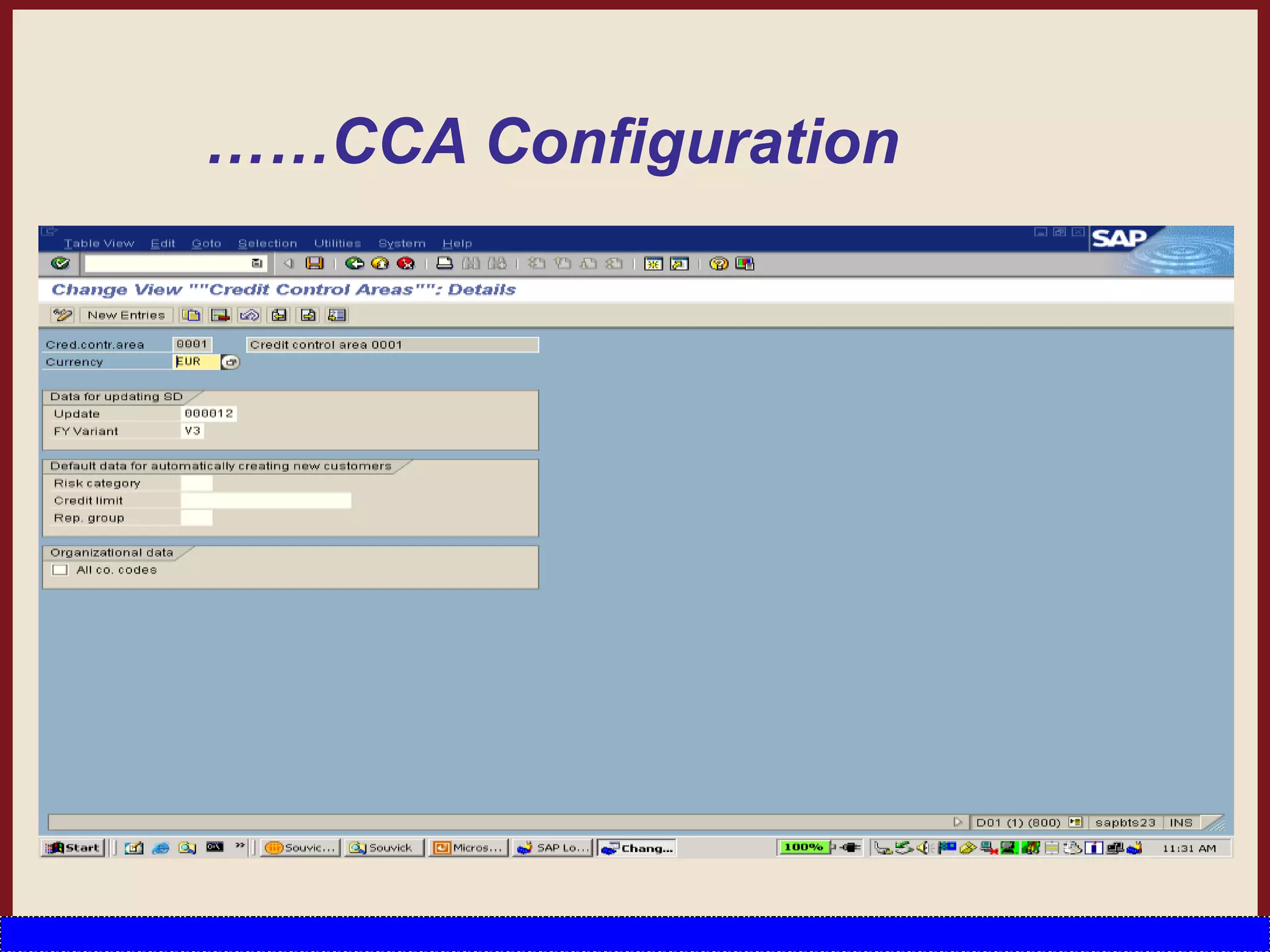
 In the credit control area configuration important fields are Currency,
Update group, Risk Category and Credit limit.
This fields will be discussed in details in the following slides
……CCA Configuration
Function of update Group in CCA
 Credit Check happens by comparing the Credit Limit specified in the Customer
Credit Information with the value of open sales order, open deliveries and open
billing.
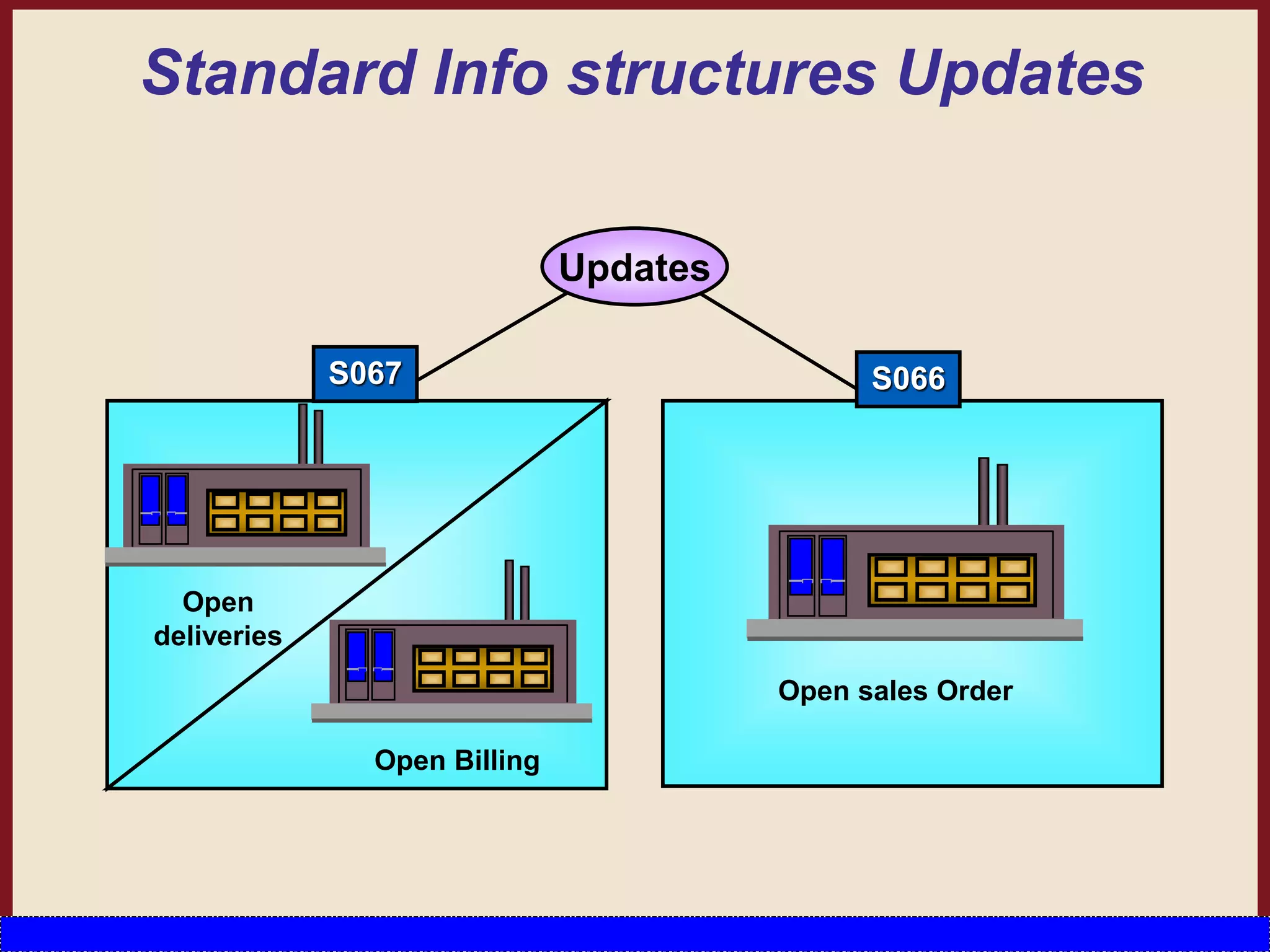
 The Credit Update Group controls when the values of open sales orders, deliveries,
and billing documents are updated in the standard info structure.
 You can specify the following update groups for updating credit-related statistics:
 Update group 000012
Sales order
– Increases open order value from delivery-relevant schedule lines
Delivery
– Reduces open order value from delivery-relevant schedule lines
– Increases open delivery value
Billing document
– Reduces open delivery value
– Increases open billing document value
Financial accounting document
– Reduces open billing document value
– Increases open items
…..Function of update Group in CCA
 Update group 000015
Delivery
– Increases open delivery value
– Increases open billing document value
Financial accounting document
– Reduces open billing document value
– Increases open items
 Update group 000018
 Sales order
– Increases open delivery value
 Billing document
– Reduces open delivery value
– Increases open billing document value
 Financial accounting document
– Reduces open billing document value
– Increases open items
……Update Group Continued
If a document cannot be processed with the update group you
specify, the system determines the next possible update it can
carry out. For example , you select Update group 000012 which, at
delivery, reduces the open order value and increases the open
delivery value. Assume that one item in the order is not relevant
for delivery. In this case, the system automatically determines
Update group 000018 for this item. Update group 000018
increases the open delivery value for the order item. The system
uses the confirmed quantity of delivery-relevant schedule lines to
update the order value.
S066
Open sales Order
Updates
Open
deliveries
Open Billing
S067
Standard Info structures Updates
Deriving the Credit Control Area
CCAr can be derived in four ways (sequence):
 Company code
 Sales area: can be assigned to a CCAr in Customizing.
 Customer master (payer’s Sales Area segment)
 User exit EXIT_SAPFV45K_001
You can use this user exit to derive the CCAr from all the
fields in the Sales Order header.
In the last 3 options, the CCAr must also be assigned to
the CoCd.
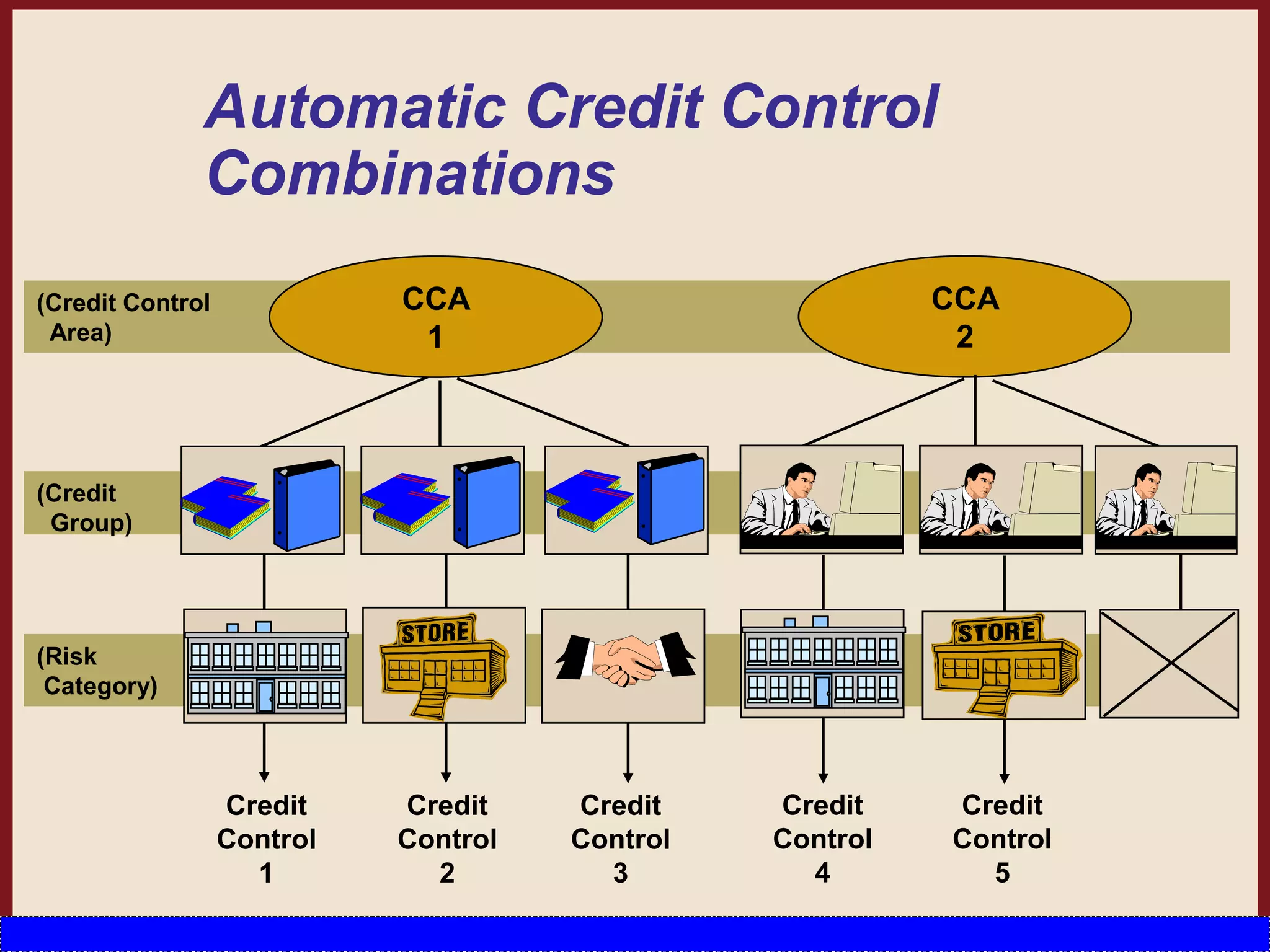
Automatic Credit Control
Combinations
(Credit
Group)
(Risk
Category)
(Credit Control
Area)
CCA
1
CCA
2
Credit
Control
1
Credit
Control
2
Credit
Control
3
Credit
Control
4
Credit
Control
5
Different Types of Credit Checks
Credit Check
Simple Credit Check Automatic Credit Check
Dynamic Credit Check Static Credit Check
Simple Credit Check
 A simple credit limit check can be carried out when sales
documents are created or changed.
 The check is carried out within one credit control area.
 When changing a document , the check is repeated if
changes regarding quantity or value are made.
 A sales document belongs to one credit control area
depending on the allocation of the sales organization to a
company code. The SAP System checks the credit limit
which was granted to the customer in this credit control area.
 During the check, the SAP System totals the receivables, the
open items from special G/L transactions and the net value of
the sales order for every item of a sales document. The total
is compared with the credit limit. If the limit is exceeded, the
system responds in the way defined by you in the
configuration menu.
……Simple Credit Check
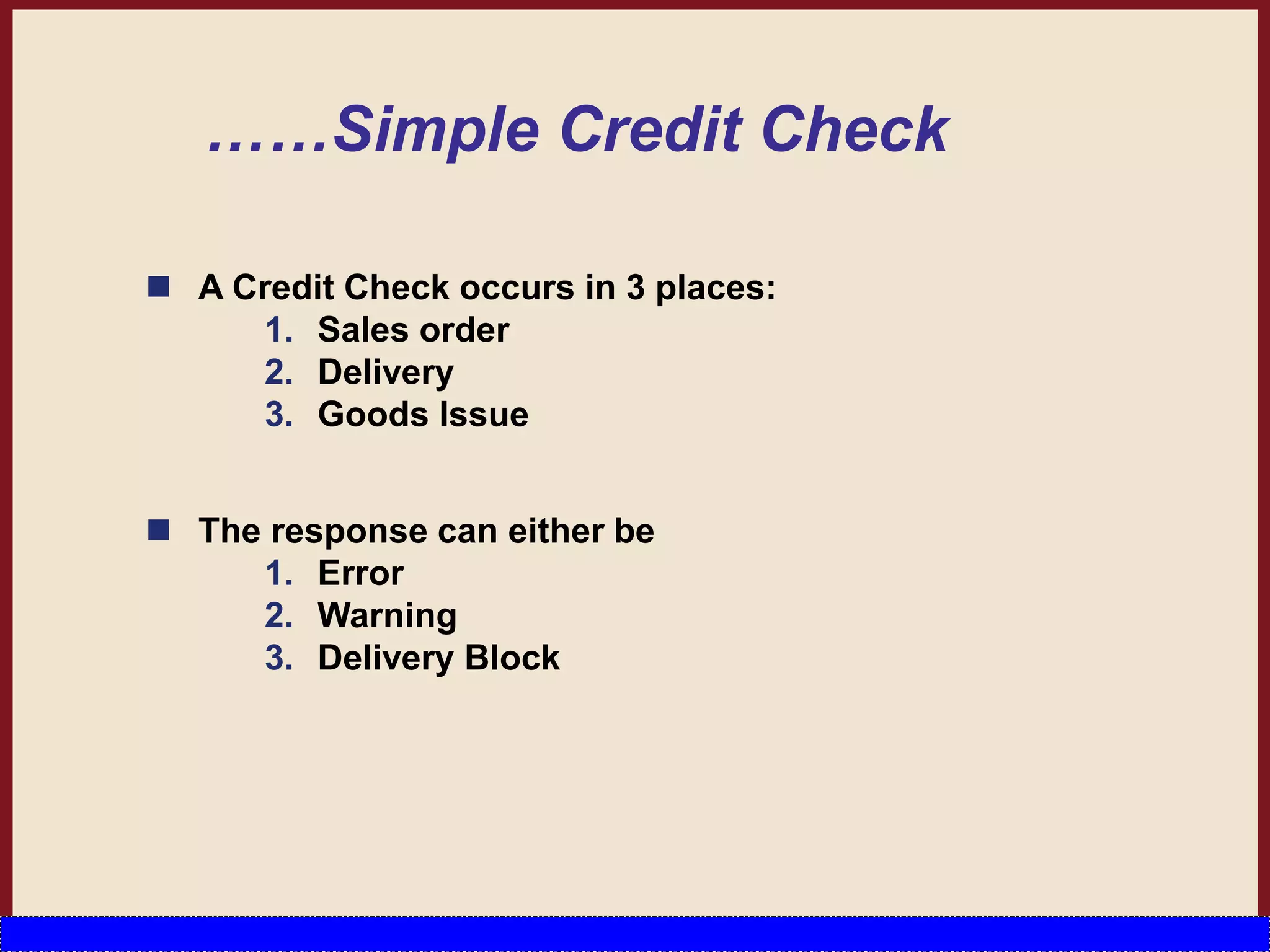
 A Credit Check occurs in 3 places:
1. Sales order
2. Delivery
3. Goods Issue
 The response can either be
1. Error
2. Warning
3. Delivery Block
Simple Credit Check [OVAK]
Automatic Credit Check
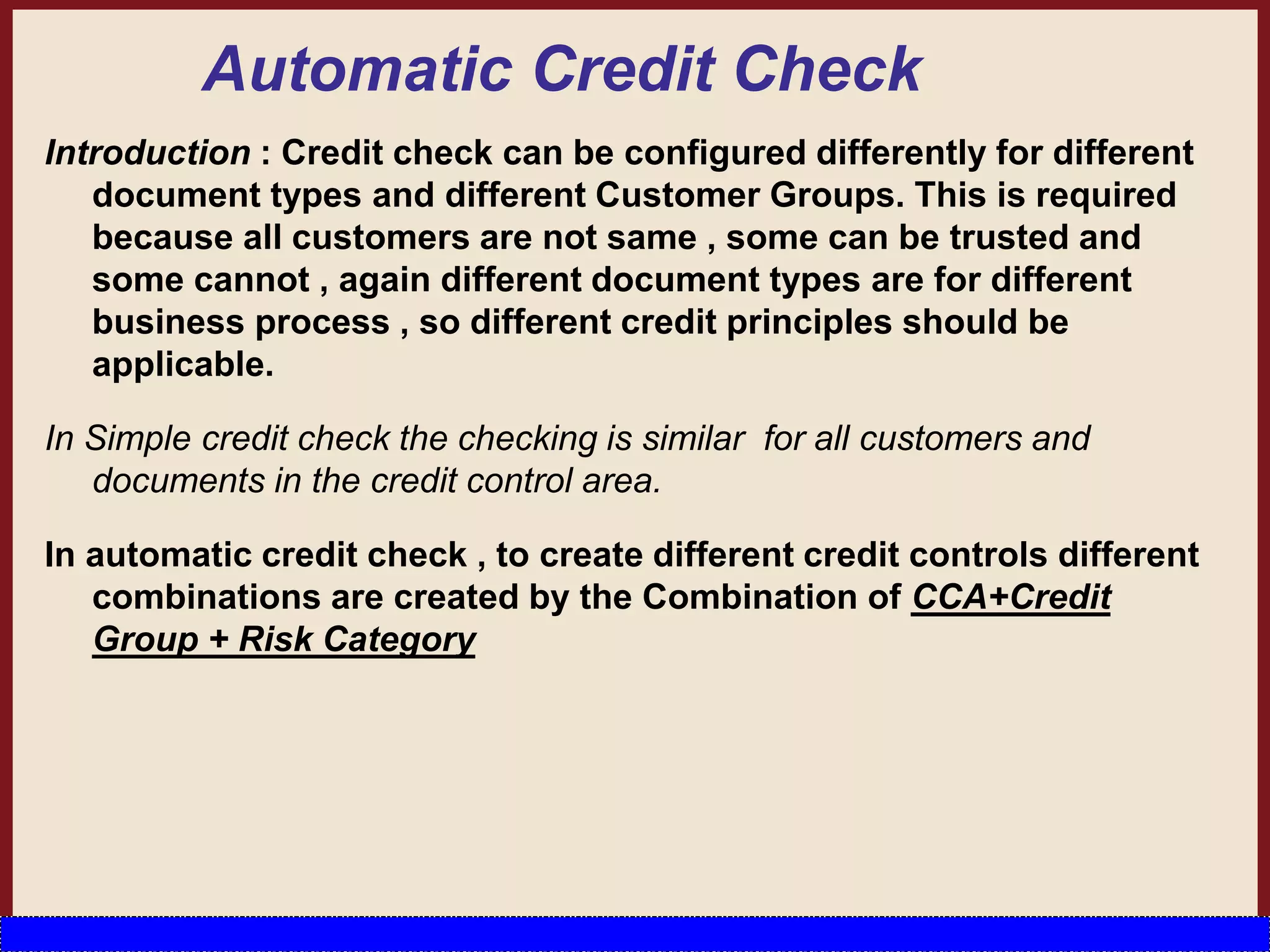
Introduction : Credit check can be configured differently for different
document types and different Customer Groups. This is required
because all customers are not same , some can be trusted and
some cannot , again different document types are for different
business process , so different credit principles should be
applicable.
In Simple credit check the checking is similar for all customers and
documents in the credit control area.
In automatic credit check , to create different credit controls different
combinations are created by the Combination of CCA+Credit
Group + Risk Category
Credit Group
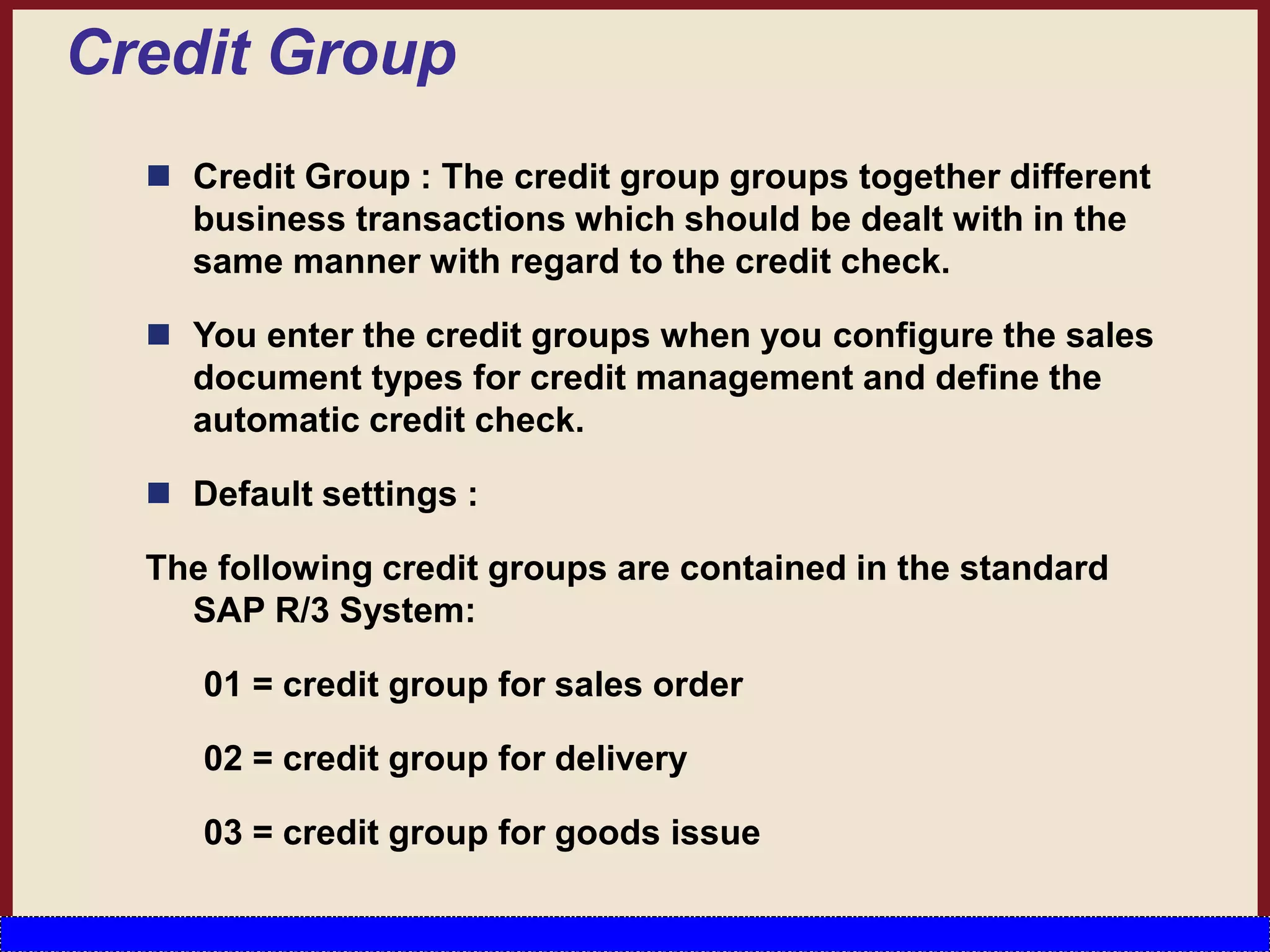
 Credit Group : The credit group groups together different
business transactions which should be dealt with in the
same manner with regard to the credit check.
 You enter the credit groups when you configure the sales
document types for credit management and define the
automatic credit check.
 Default settings :
The following credit groups are contained in the standard
SAP R/3 System:
01 = credit group for sales order
02 = credit group for delivery
03 = credit group for goods issue
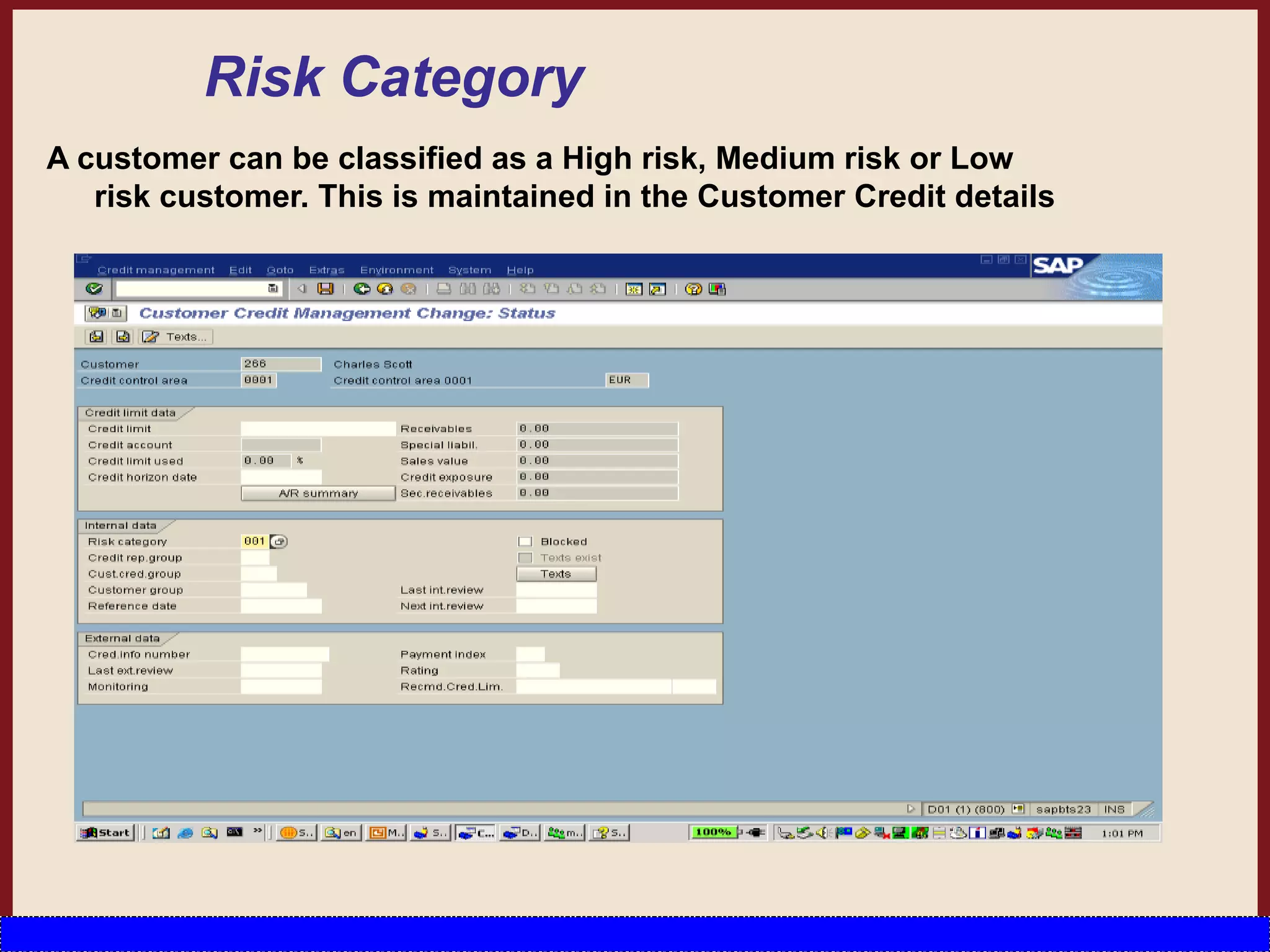
Risk Category
A customer can be classified as a High risk, Medium risk or Low
risk customer. This is maintained in the Customer Credit details
Credit Control
Credit Control [OVA8] is determined by the combination of
– Credit Control Area [OB45] ,
– Document Credit Group [OVA6] and
– Customer Risk category [OB01] .
Configuration of credit control
Types of Credit Checks
1. Static Credit Limit Check
2. Dynamic Credit Limit Check with Credit Horizon
3. Maximum Document Value
4. Changes Made to Critical Fields
5. Date of Next Review
6. Overdue Open Items
7. Oldest Open Item
8. Maximum Number of Dunning Levels Allowed
9. User-Defined Checks
Customer Credit Management
[FD32]
We can assign various credit settings in relation to Cust
Master Record here. The Customer Credit Master is
divided into 5 views:
 Overview: of the credit settings in relation to the
Customer including his
• Credit limit
• Credit exposure
• % of the credit limit used
• Payment data &
• Risk category
 Address: as in the Customer Master Record
Contd…
….Customer Credit Management
 Central Data: shows the Total Credit Limit the
customer can receive across all CCArs as well as the
maximum limit he can receive in one CCAr.
– Here the selections of interest are:
• Current credit limit assigned
• maximum individual credit limit
• Last Information
– Maximum individual credit limit gives the following
details:
• Total amount
• Individual limit
• Currency
….Customer Credit Management
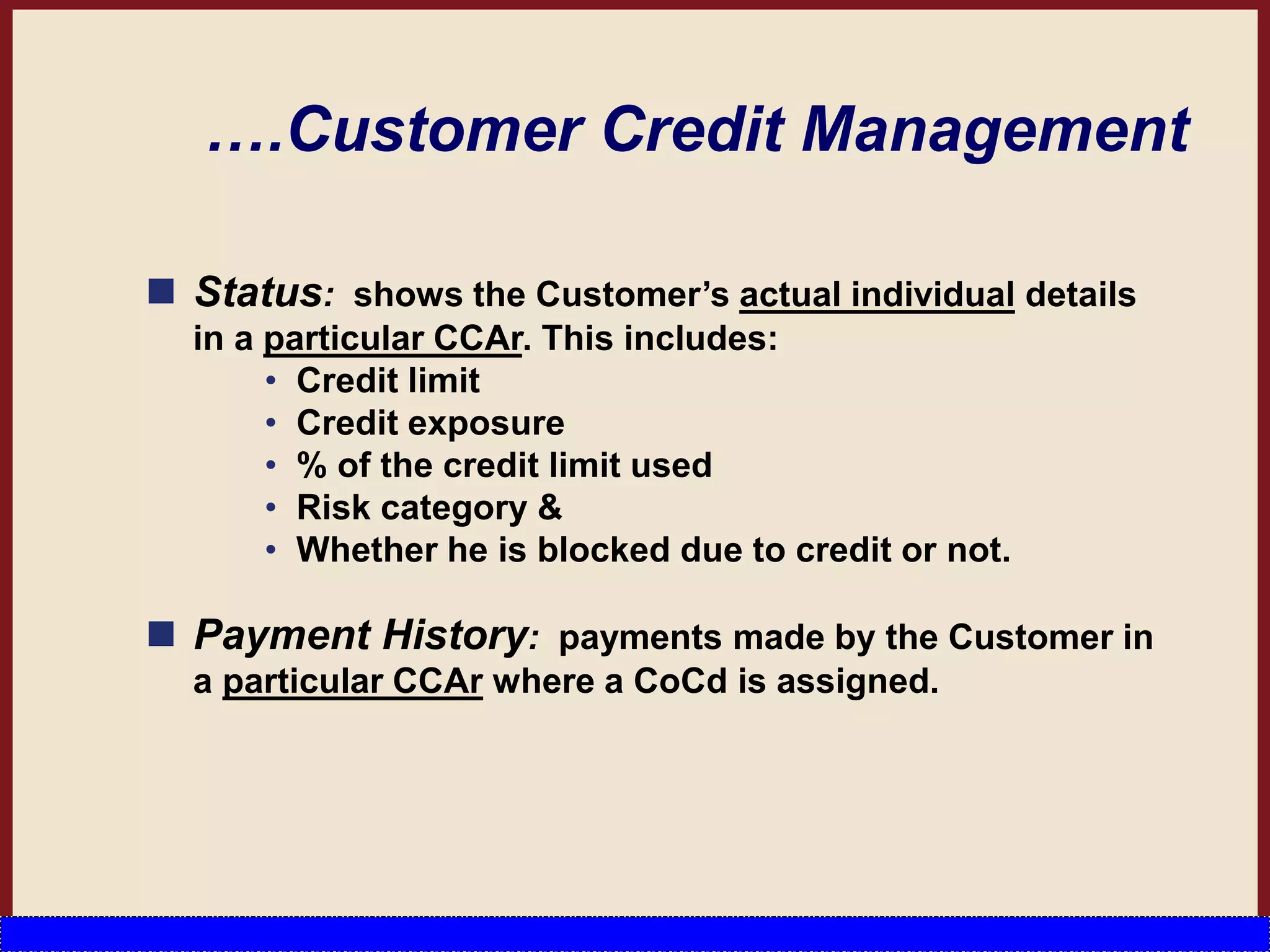
 Status: shows the Customer’s actual individual details
in a particular CCAr. This includes:
• Credit limit
• Credit exposure
• % of the credit limit used
• Risk category &
• Whether he is blocked due to credit or not.
 Payment History: payments made by the Customer in
a particular CCAr where a CoCd is assigned.
Resetting Credit Limits
You need to reset credit limits if you have:
 Assigned a CoCd to a new control area
 Changed the assignment of CoCd to control areas
 Changed the currency of a control area
 Altered the classification of a difference reason code
from disputed to non-disputed (or vice versa).
Subsequent Functions in Credit
Checks
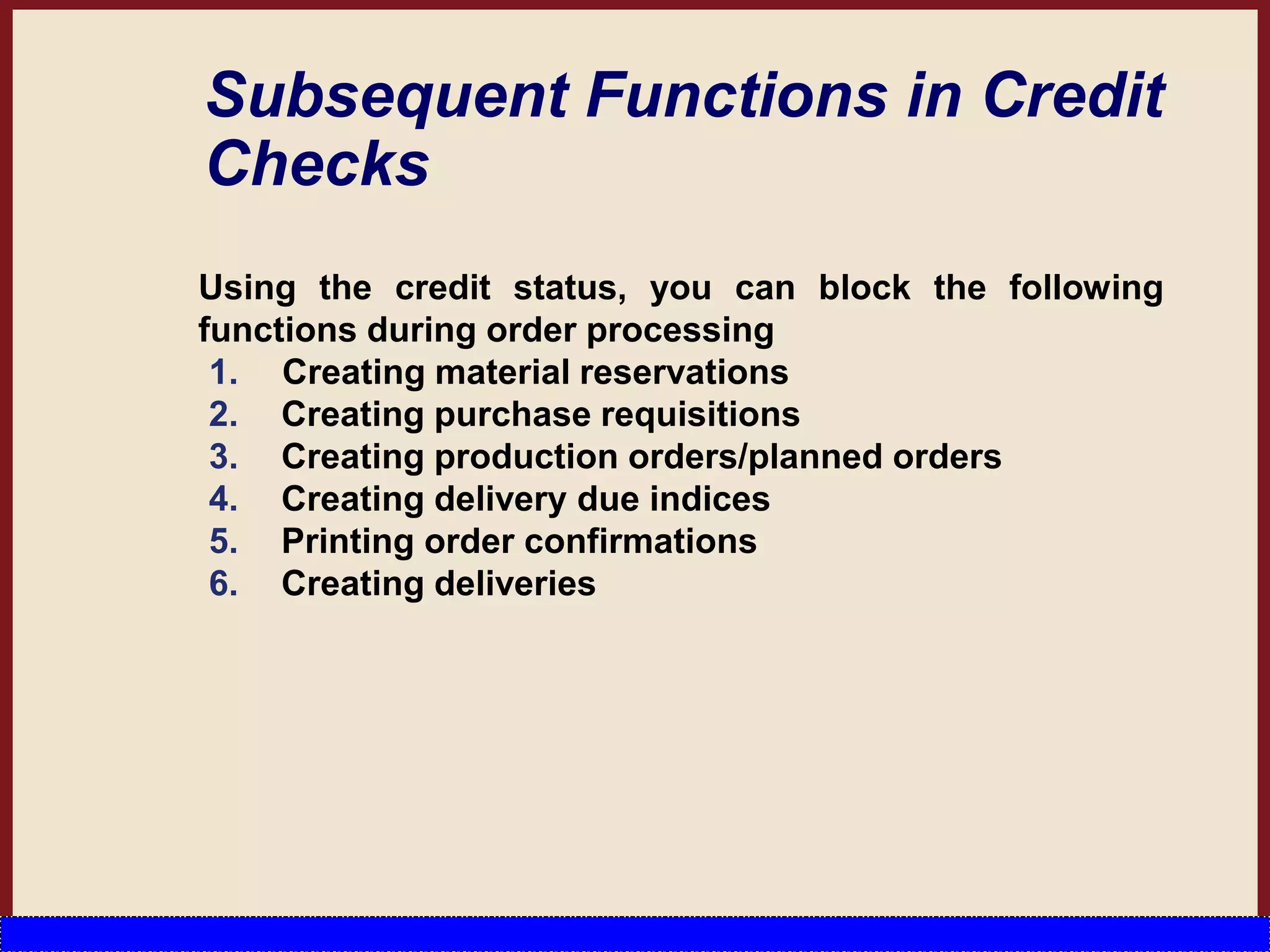
Using the credit status, you can block the following
functions during order processing
1. Creating material reservations
2. Creating purchase requisitions
3. Creating production orders/planned orders
4. Creating delivery due indices
5. Printing order confirmations
6. Creating deliveries
…… Subsequent Functions in
Credit Checks
In Shipping you can use the credit status to block the
following functions:
1. Picking
2. Packing
3. Posting goods issue
4. Printing delivery notes
5. For particularly important or urgent credit problems,
you can use output control to specify that electronic
mail messages are automatically sent to the
appropriate credit representative.
creditmanagement.ppt

creditmanagement.ppt

  • 1.
    Welcome to SAPSD Training Credit management Overview
  • 2.
    AGENDA  Introduction toSAP R/3 Credit Management Concepts  Credit Control Area  Concepts of Update group  Different Types of Credit Check  Dynamic Credit Check Configuration
  • 3.
    Introduction to SAPR/3 Credit Management Concepts  A time period can be defined in SAP, within which a customer is suppose to pay up his accounts. This time period is defined via the “payment term” defined in the customer master record.  SAP has developed a complex credit management solution that enables the maintenance of set credit limits per customer as well as the system responses in case the credit limit is exceeded.  Customer Credit details are maintained individually credit control area wise. T-Code – FD32
  • 4.
    Features of theSystem  You can define automatic credit limit checks according to a range of criteria and in line with your company’s requirements & at what point the system carries out these checks (order, delivery, goods issue, and so on).  Critical credit situation alerts the Credit Representative as soon as order processing starts.  Automatically notified of critical credit situations via internal mail.  Credit Management you can work in distributed systems(central FI and non-central S&D).
  • 5.
    Credit Control Area[OB45] Sales Organisation CCA 1 Sales Organisation 2 Sales Organisation 3 Sales Organisation 4 Company Code 2 Company Code 1 Company Code 3
  • 6.
    …..Credit Control Area continued The credit control area is an organizational unit that specifies and checks a credit limit for customers .  A credit control area can include one or more company codes. It is not possible to assign a company code to more than one cr. control area. Within a credit control area, the credit limits must be specified in the same currency.  Credit and Risk Mgmt takes place in the CCA. • For centralized credit management, you can define one CCA area for all of your CoCds. • For decentralized credit management, you can define CCA for each CoCd or each group of CoCds.  In the credit control area configuration important fields are Currency, Update group, Risk Category and Credit limit. This fields will be discussed in details in the following slides
  • 7.
  • 8.
    Function of updateGroup in CCA  Credit Check happens by comparing the Credit Limit specified in the Customer Credit Information with the value of open sales order, open deliveries and open billing.  The Credit Update Group controls when the values of open sales orders, deliveries, and billing documents are updated in the standard info structure.  You can specify the following update groups for updating credit-related statistics:  Update group 000012 Sales order – Increases open order value from delivery-relevant schedule lines Delivery – Reduces open order value from delivery-relevant schedule lines – Increases open delivery value Billing document – Reduces open delivery value – Increases open billing document value Financial accounting document – Reduces open billing document value – Increases open items
  • 9.
    …..Function of updateGroup in CCA  Update group 000015 Delivery – Increases open delivery value – Increases open billing document value Financial accounting document – Reduces open billing document value – Increases open items  Update group 000018  Sales order – Increases open delivery value  Billing document – Reduces open delivery value – Increases open billing document value  Financial accounting document – Reduces open billing document value – Increases open items
  • 10.
    ……Update Group Continued Ifa document cannot be processed with the update group you specify, the system determines the next possible update it can carry out. For example , you select Update group 000012 which, at delivery, reduces the open order value and increases the open delivery value. Assume that one item in the order is not relevant for delivery. In this case, the system automatically determines Update group 000018 for this item. Update group 000018 increases the open delivery value for the order item. The system uses the confirmed quantity of delivery-relevant schedule lines to update the order value.
  • 11.
    S066 Open sales Order Updates Open deliveries OpenBilling S067 Standard Info structures Updates
  • 12.
    Deriving the CreditControl Area CCAr can be derived in four ways (sequence):  Company code  Sales area: can be assigned to a CCAr in Customizing.  Customer master (payer’s Sales Area segment)  User exit EXIT_SAPFV45K_001 You can use this user exit to derive the CCAr from all the fields in the Sales Order header. In the last 3 options, the CCAr must also be assigned to the CoCd.
  • 13.
    Automatic Credit Control Combinations (Credit Group) (Risk Category) (CreditControl Area) CCA 1 CCA 2 Credit Control 1 Credit Control 2 Credit Control 3 Credit Control 4 Credit Control 5
  • 14.
    Different Types ofCredit Checks Credit Check Simple Credit Check Automatic Credit Check Dynamic Credit Check Static Credit Check
  • 15.
    Simple Credit Check A simple credit limit check can be carried out when sales documents are created or changed.  The check is carried out within one credit control area.  When changing a document , the check is repeated if changes regarding quantity or value are made.  A sales document belongs to one credit control area depending on the allocation of the sales organization to a company code. The SAP System checks the credit limit which was granted to the customer in this credit control area.  During the check, the SAP System totals the receivables, the open items from special G/L transactions and the net value of the sales order for every item of a sales document. The total is compared with the credit limit. If the limit is exceeded, the system responds in the way defined by you in the configuration menu.
  • 16.
    ……Simple Credit Check A Credit Check occurs in 3 places: 1. Sales order 2. Delivery 3. Goods Issue  The response can either be 1. Error 2. Warning 3. Delivery Block
  • 17.
  • 18.
    Automatic Credit Check Introduction: Credit check can be configured differently for different document types and different Customer Groups. This is required because all customers are not same , some can be trusted and some cannot , again different document types are for different business process , so different credit principles should be applicable. In Simple credit check the checking is similar for all customers and documents in the credit control area. In automatic credit check , to create different credit controls different combinations are created by the Combination of CCA+Credit Group + Risk Category
  • 19.
    Credit Group  CreditGroup : The credit group groups together different business transactions which should be dealt with in the same manner with regard to the credit check.  You enter the credit groups when you configure the sales document types for credit management and define the automatic credit check.  Default settings : The following credit groups are contained in the standard SAP R/3 System: 01 = credit group for sales order 02 = credit group for delivery 03 = credit group for goods issue
  • 21.
    Risk Category A customercan be classified as a High risk, Medium risk or Low risk customer. This is maintained in the Customer Credit details
  • 22.
    Credit Control Credit Control[OVA8] is determined by the combination of – Credit Control Area [OB45] , – Document Credit Group [OVA6] and – Customer Risk category [OB01] .
  • 23.
  • 24.
    Types of CreditChecks 1. Static Credit Limit Check 2. Dynamic Credit Limit Check with Credit Horizon 3. Maximum Document Value 4. Changes Made to Critical Fields 5. Date of Next Review 6. Overdue Open Items 7. Oldest Open Item 8. Maximum Number of Dunning Levels Allowed 9. User-Defined Checks
  • 25.
    Customer Credit Management [FD32] Wecan assign various credit settings in relation to Cust Master Record here. The Customer Credit Master is divided into 5 views:  Overview: of the credit settings in relation to the Customer including his • Credit limit • Credit exposure • % of the credit limit used • Payment data & • Risk category  Address: as in the Customer Master Record Contd…
  • 26.
    ….Customer Credit Management Central Data: shows the Total Credit Limit the customer can receive across all CCArs as well as the maximum limit he can receive in one CCAr. – Here the selections of interest are: • Current credit limit assigned • maximum individual credit limit • Last Information – Maximum individual credit limit gives the following details: • Total amount • Individual limit • Currency
  • 27.
    ….Customer Credit Management Status: shows the Customer’s actual individual details in a particular CCAr. This includes: • Credit limit • Credit exposure • % of the credit limit used • Risk category & • Whether he is blocked due to credit or not.  Payment History: payments made by the Customer in a particular CCAr where a CoCd is assigned.
  • 28.
    Resetting Credit Limits Youneed to reset credit limits if you have:  Assigned a CoCd to a new control area  Changed the assignment of CoCd to control areas  Changed the currency of a control area  Altered the classification of a difference reason code from disputed to non-disputed (or vice versa).
  • 29.
    Subsequent Functions inCredit Checks Using the credit status, you can block the following functions during order processing 1. Creating material reservations 2. Creating purchase requisitions 3. Creating production orders/planned orders 4. Creating delivery due indices 5. Printing order confirmations 6. Creating deliveries
  • 30.
    …… Subsequent Functionsin Credit Checks In Shipping you can use the credit status to block the following functions: 1. Picking 2. Packing 3. Posting goods issue 4. Printing delivery notes 5. For particularly important or urgent credit problems, you can use output control to specify that electronic mail messages are automatically sent to the appropriate credit representative.