Android Services
Jim McKeeth
Lead Developer Evangelist
Embarcadero Technologies
About Jim McKeeth
• Lead World Wide Developer Evangelist
• Host of Podcast at Delphi.org
• Longtime developer
– Object Pascal, Java, C#, JavaScript, Objective-C, etc.
• Invented and patented swipe to unlock in 2000
– US Patent # 8352745 & 6766456, etc.
• Improvisational performer with ComedySportz Boise
Why Android Services?
• Provide background functionality
• Can run even when app is closed
• Can start on boot or other events
• Can be accessible by multiple apps
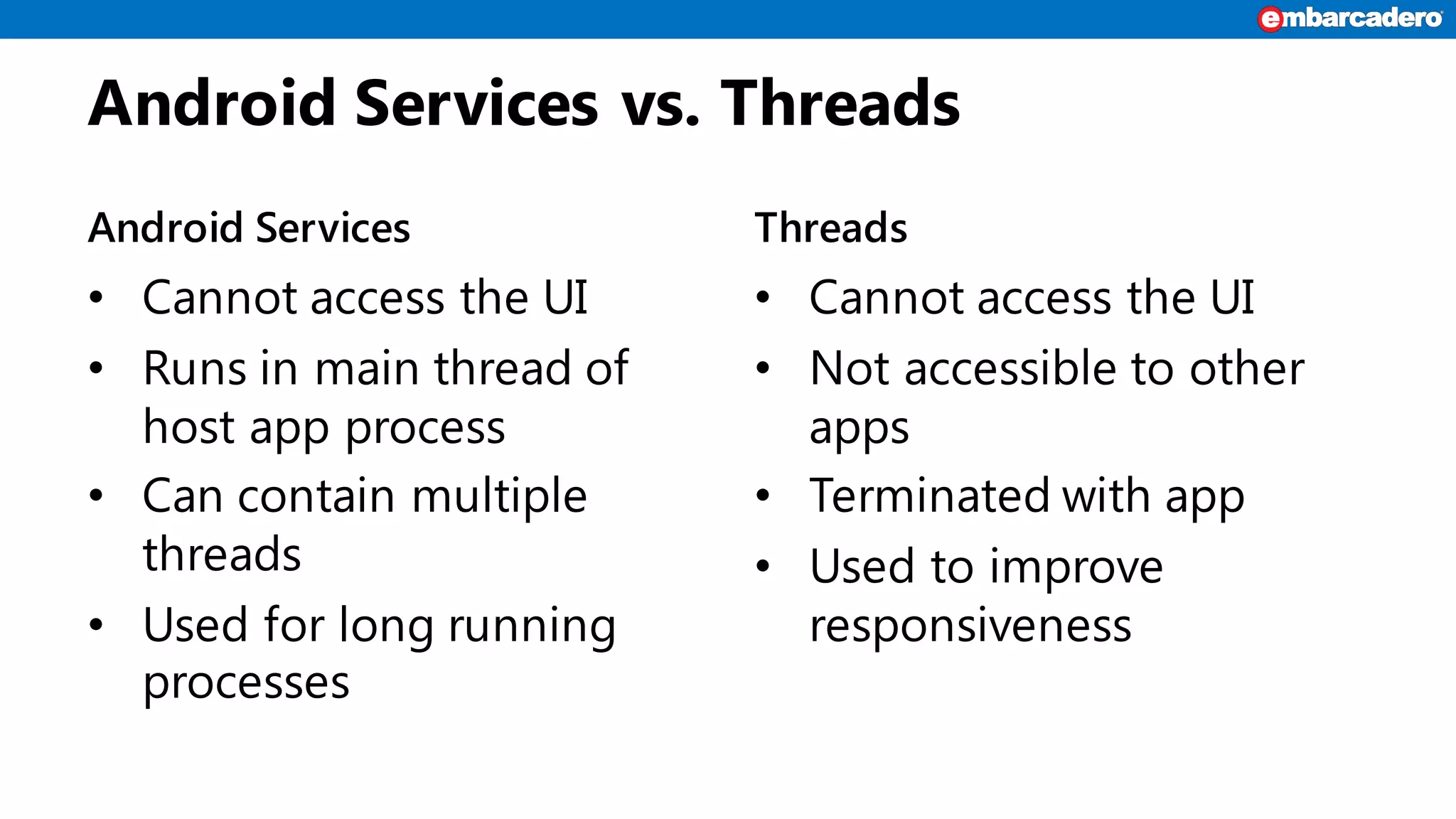
Android Services vs. Threads
Android Services
• Cannot access the UI
• Runs in main thread of
host app process
• Can contain multiple
threads
• Used for long running
processes
Threads
• Cannot access the UI
• Not accessible to other
apps
• Terminated with app
• Used to improve
responsiveness
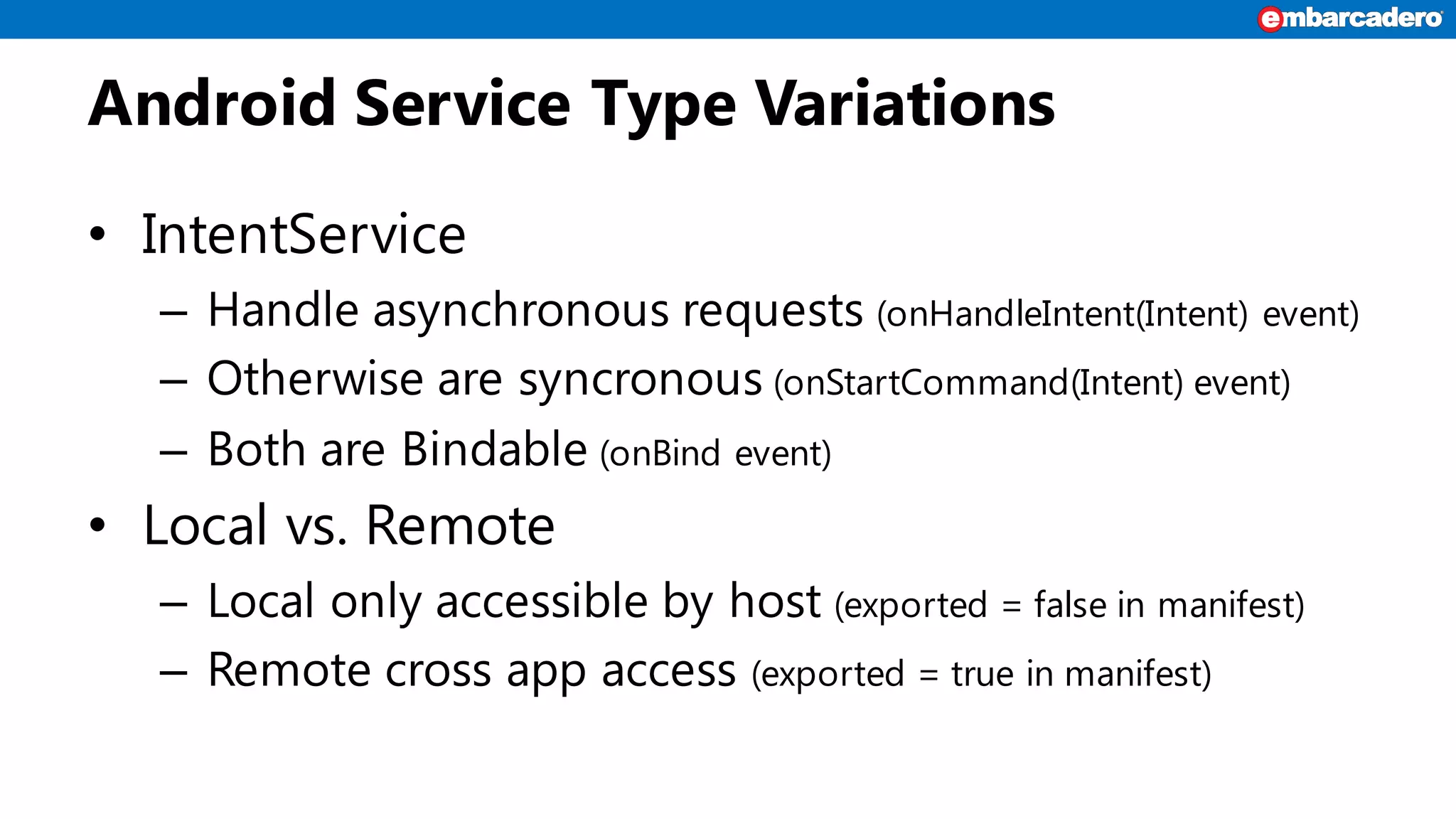
Android Service Type Variations
• IntentService
– Handle asynchronous requests (onHandleIntent(Intent) event)
– Otherwise are syncronous (onStartCommand(Intent) event)
– Both are Bindable (onBind event)
• Local vs. Remote
– Local only accessible by host (exported = false in manifest)
– Remote cross app access (exported = true in manifest)
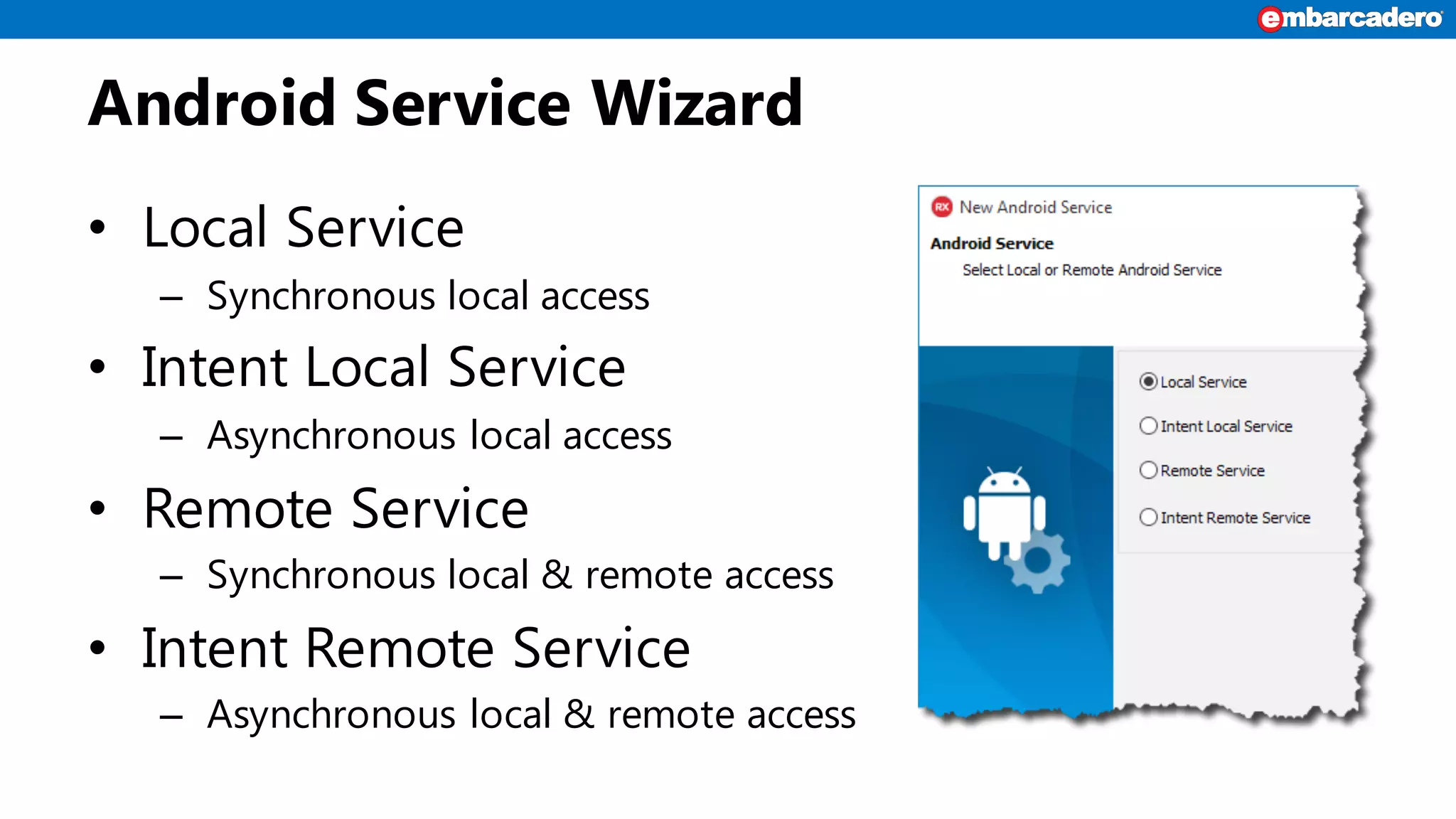
Android Service Wizard
• Local Service
– Synchronous local access
• Intent Local Service
– Asynchronous local access
• Remote Service
– Synchronous local & remote access
• Intent Remote Service
– Asynchronous local & remote access
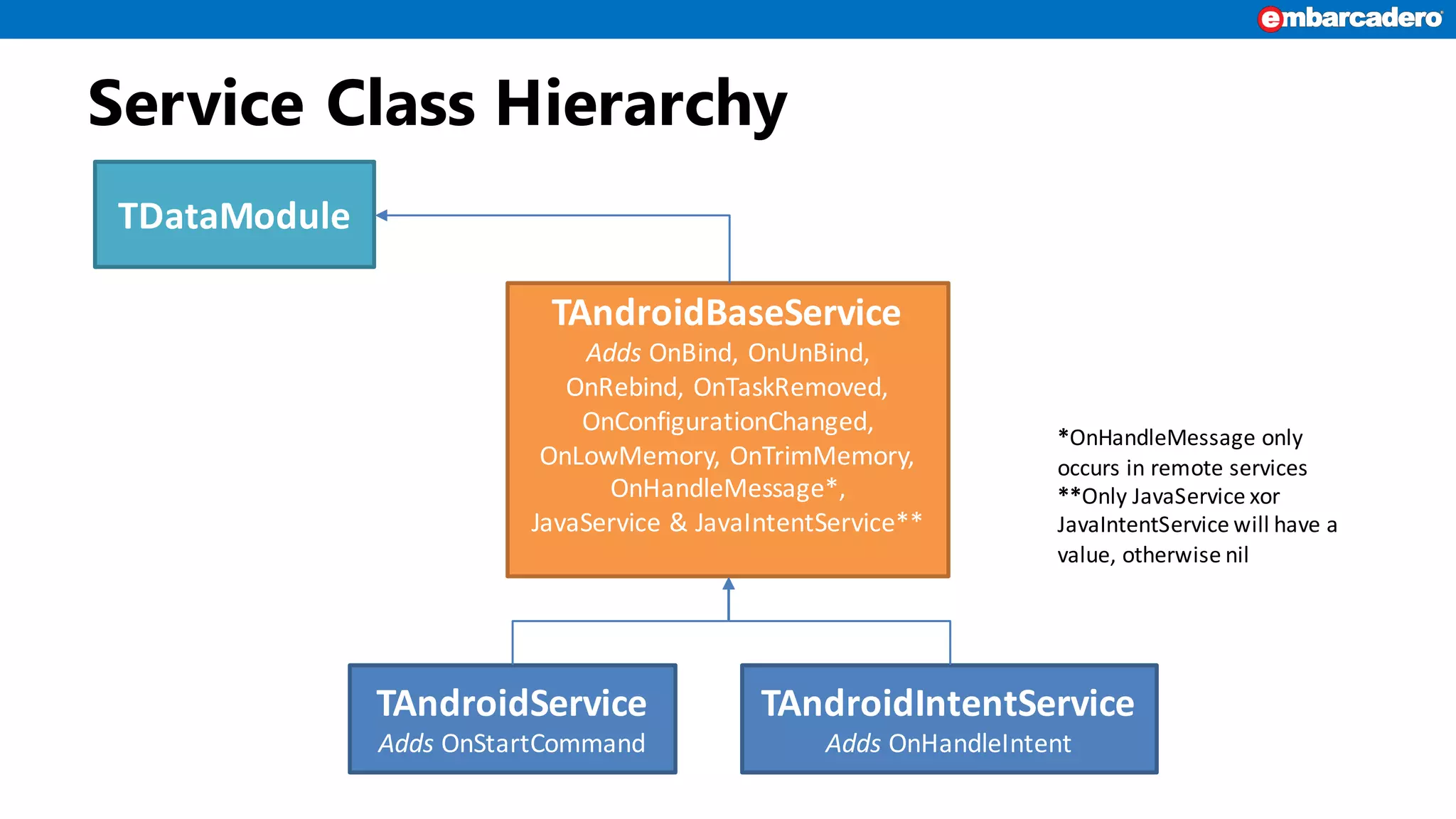
Service Class Hierarchy
TDataModule
TAndroidBaseService
Adds OnBind,	OnUnBind,	
OnRebind,	OnTaskRemoved,	
OnConfigurationChanged,	
OnLowMemory,	OnTrimMemory,	
OnHandleMessage*,
JavaService &	JavaIntentService**
TAndroidService
Adds OnStartCommand
TAndroidIntentService
Adds OnHandleIntent
*OnHandleMessage only	
occurs	in	remote	services
**Only	JavaService xor
JavaIntentService will	have	a	
value,	otherwise	nil
Services in Delphi
• The Service is a separate project
• Referenced by, and included in host app
• Must build service before adding to host
• For best results put service in its own directory
How to use a Service
• We have two ways to use a Service:
1. Sending a request (startService(Intent))
It is used to execute an unattended work in background
return START_STICKY or START_REDELIVER_INTENT in OnStartCommand to
restart the service in case the app is closed
2. Bound to the service (bindService)
It is used to create a long-standing connection to interact with the service
3. Can use a combination of both
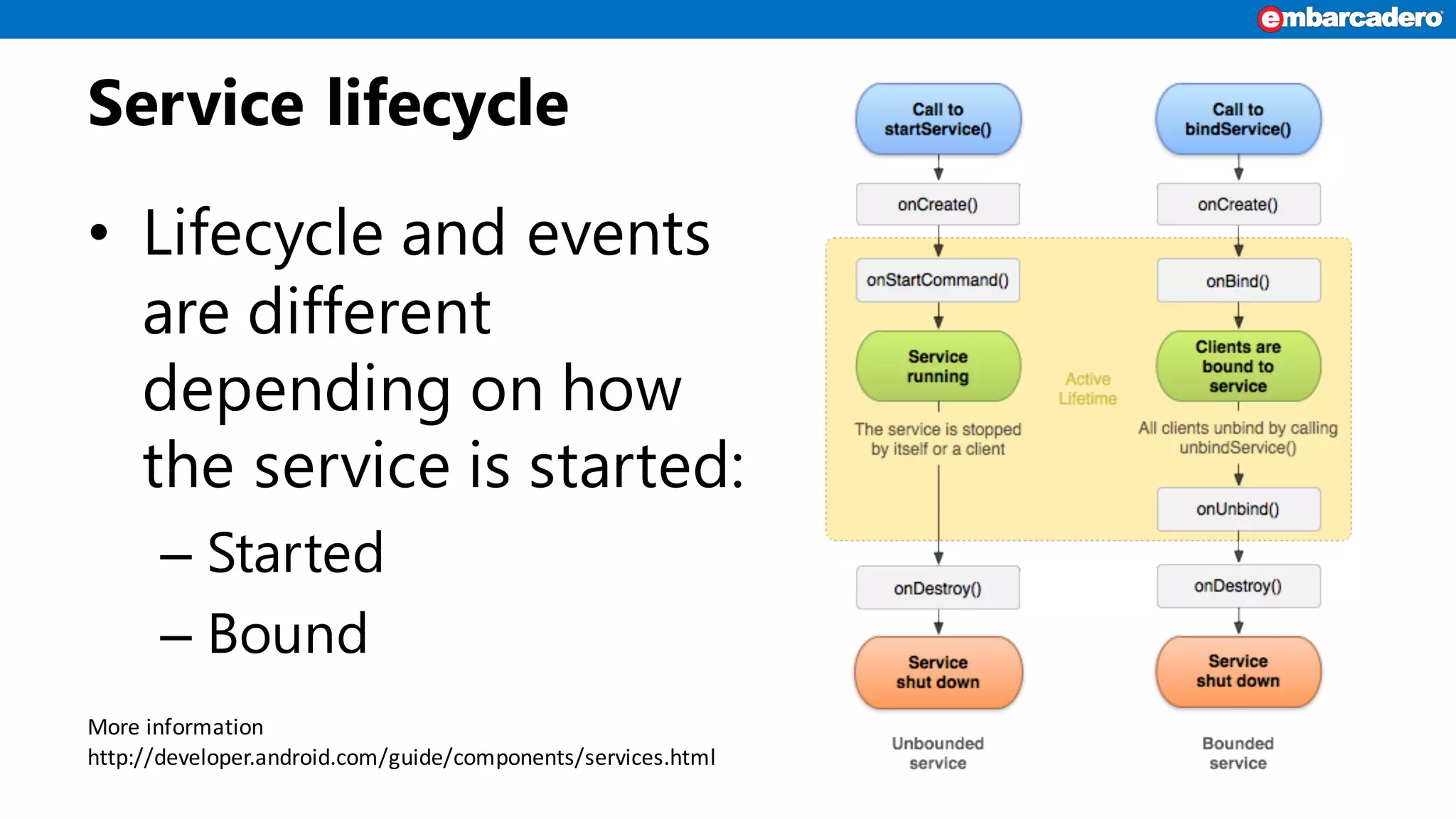
Service lifecycle
• Lifecycle and events
are different
depending on how
the service is started:
– Started
– Bound
More	information
http://developer.android.com/guide/components/services.html
Restrictions for Services
• Cannot Access UI
• Not use components from the FMX namespace
• Be aware of power consumption
– Using a lot of CPU
– Using network connection
• Respect users expectations and privacy
Service Workarounds
• Use RTL or low-level calls instead of FMX
components. If the service fails when started, use
a lower level call.
• Manually edit manifest to make remote services
published.
• Manually edit Java Templates for Intent and
Remote Services (see http://delphi.org/?p=2084)
DEMONSTRATIONS
Android Services
Summary
• Android services allow for execution even when
app is not running.
• Add a new Android Service project to your app.
• Build service before adding reference.
• More information:
– http://delphi.org/tag/android-services/
– http://embt.co/creating_android_services
– http://embt.co/android_service

Creating Android Services with Delphi and RAD Studio 10 Seattle

  • 1.
    Android Services Jim McKeeth LeadDeveloper Evangelist Embarcadero Technologies
  • 2.
    About Jim McKeeth •Lead World Wide Developer Evangelist • Host of Podcast at Delphi.org • Longtime developer – Object Pascal, Java, C#, JavaScript, Objective-C, etc. • Invented and patented swipe to unlock in 2000 – US Patent # 8352745 & 6766456, etc. • Improvisational performer with ComedySportz Boise
  • 3.
    Why Android Services? •Provide background functionality • Can run even when app is closed • Can start on boot or other events • Can be accessible by multiple apps
  • 4.
    Android Services vs.Threads Android Services • Cannot access the UI • Runs in main thread of host app process • Can contain multiple threads • Used for long running processes Threads • Cannot access the UI • Not accessible to other apps • Terminated with app • Used to improve responsiveness
  • 5.
    Android Service TypeVariations • IntentService – Handle asynchronous requests (onHandleIntent(Intent) event) – Otherwise are syncronous (onStartCommand(Intent) event) – Both are Bindable (onBind event) • Local vs. Remote – Local only accessible by host (exported = false in manifest) – Remote cross app access (exported = true in manifest)
  • 6.
    Android Service Wizard •Local Service – Synchronous local access • Intent Local Service – Asynchronous local access • Remote Service – Synchronous local & remote access • Intent Remote Service – Asynchronous local & remote access
  • 7.
    Service Class Hierarchy TDataModule TAndroidBaseService AddsOnBind, OnUnBind, OnRebind, OnTaskRemoved, OnConfigurationChanged, OnLowMemory, OnTrimMemory, OnHandleMessage*, JavaService & JavaIntentService** TAndroidService Adds OnStartCommand TAndroidIntentService Adds OnHandleIntent *OnHandleMessage only occurs in remote services **Only JavaService xor JavaIntentService will have a value, otherwise nil
  • 8.
    Services in Delphi •The Service is a separate project • Referenced by, and included in host app • Must build service before adding to host • For best results put service in its own directory
  • 9.
    How to usea Service • We have two ways to use a Service: 1. Sending a request (startService(Intent)) It is used to execute an unattended work in background return START_STICKY or START_REDELIVER_INTENT in OnStartCommand to restart the service in case the app is closed 2. Bound to the service (bindService) It is used to create a long-standing connection to interact with the service 3. Can use a combination of both
  • 10.
    Service lifecycle • Lifecycleand events are different depending on how the service is started: – Started – Bound More information http://developer.android.com/guide/components/services.html
  • 11.
    Restrictions for Services •Cannot Access UI • Not use components from the FMX namespace • Be aware of power consumption – Using a lot of CPU – Using network connection • Respect users expectations and privacy
  • 12.
    Service Workarounds • UseRTL or low-level calls instead of FMX components. If the service fails when started, use a lower level call. • Manually edit manifest to make remote services published. • Manually edit Java Templates for Intent and Remote Services (see http://delphi.org/?p=2084)
  • 13.
  • 14.
    Summary • Android servicesallow for execution even when app is not running. • Add a new Android Service project to your app. • Build service before adding reference. • More information: – http://delphi.org/tag/android-services/ – http://embt.co/creating_android_services – http://embt.co/android_service