Android Marshmallow
Runtime Permissions
What is the difference
● Ask for permissions when
application need it.
● Less install resistance.
● Better privacy control.
What is the difference
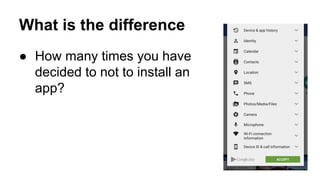
● How many times you have
decided to not to install an
app?
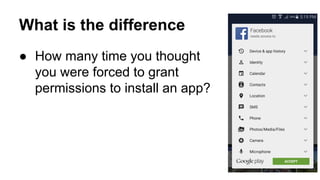
What is the difference
● How many time you thought
you were forced to grant
permissions to install an app?
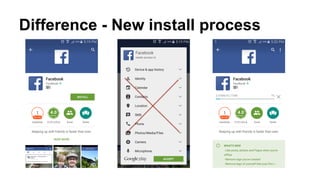
Difference - New install process
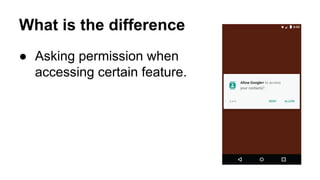
What is the difference
● Asking permission when
accessing certain feature.
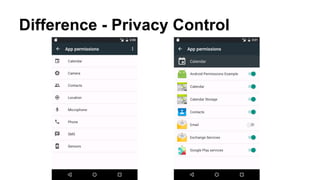
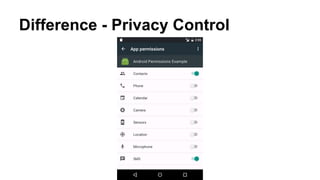
Difference - Privacy Control
Backward Compatibility
● Legacy apps work as usual on Android M.
● Ask for permissions at install time.
● Users can still revoke the granted
permissions!
● Application doesn’t get any exception (read
crash) for not having permission.
● Application get null or zero records!
Forward Compatibility
● Installing an application on older Android
versions….
● Your application ask for permissions at
install time.
● Support library takes care of API calls.
● Separate xml identifier for newer permission
only available at Android M.
Best Practices
● UX Best Practices.
● Development Best Practices.
UX Best Practices
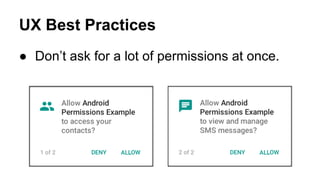
● Don’t ask for a lot of permissions at once.
UX Best Practices
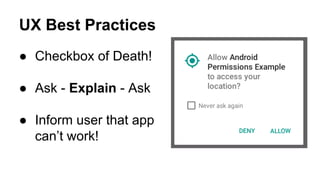
● Checkbox of Death!
● Ask - Explain - Ask
● Inform user that app
can’t work!
Best Practices
● UX Best Practices.
● Development Best Practices.
Development Best Practices
● UX best practices applies.
● Ask for permission when you are really using that
feature
● Always check for permissions. Don’t assume or cache
results.
● Permissions can be revoked while your background
service is running.
Code Samples
● https://github.com/googlesamples/android-
RuntimePermissions
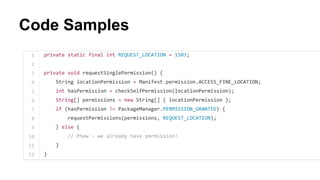
Code Samples
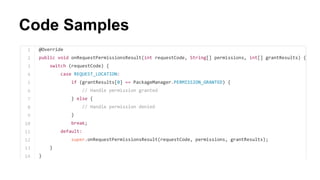
Code Samples
References
● https://medium.com/ribot-labs/exploring-the-new-
android-permissions-model-ba1d5d6c0610
● http://developer.android.com/preview/features/runtime-
permissions.html
● https://www.youtube.com/watch?v=f17qe9vZ8RM

Android M - Runtime Permissions | Getting ready for Marshmallow