To create a blog using Blogger:
1. Decide on an objective and name for your blog.
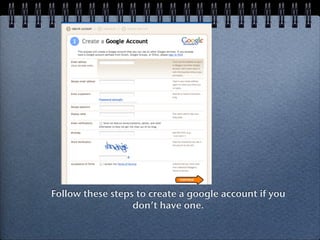
2. Create a Google account if you don't already have one.
3. Sign into Blogger with your Google account and choose a template to get started with your new blog.
Creating a Blogusing
Blogger
1. Decide on the objective for your blog.
2. Decide on a name for your blog.
3. Set up a google account.
You are now ready to set up your blog.
2.
Text
Text
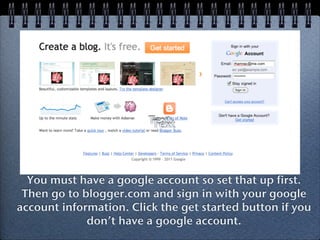
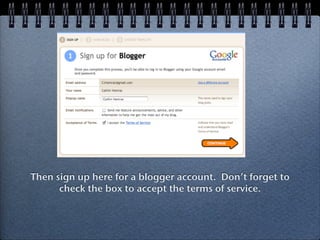
You must have a google account so set that up first.
Then go to blogger.com and sign in with your google
account information. Click the get started button if you
don’t have a google account.
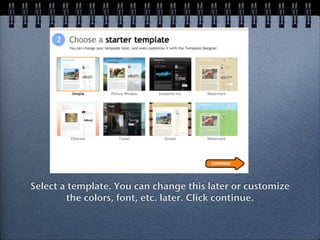
Select a template.You can change this later or customize
the colors, font, etc. later. Click continue.
7.
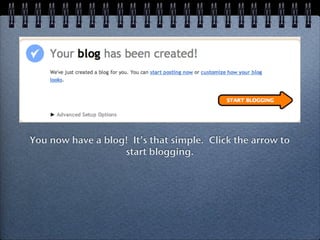
You now havea blog! It’s that simple. Click the arrow to
start blogging.
8.
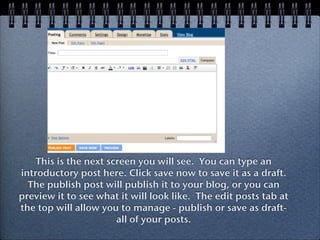
This is thenext screen you will see. You can type an
introductory post here. Click save now to save it as a draft.
The publish post will publish it to your blog, or you can
preview it to see what it will look like. The edit posts tab at
the top will allow you to manage - publish or save as draft-
all of your posts.
9.
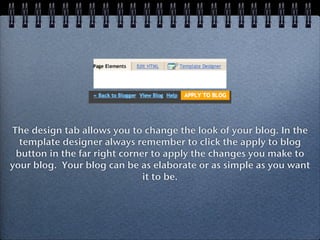
The design taballows you to change the look of your blog. In the
template designer always remember to click the apply to blog
button in the far right corner to apply the changes you make to
your blog. Your blog can be as elaborate or as simple as you want
it to be.