Continuous Integration &
Continuous Delivery
Prakash Chockalingam
December, 2017
Housekeeping
• Your connection will be muted
• Submit questions via the Q&Apanel
• Questions will be answered at the end of the webinar
• Any outstanding questions will be answered in the Databricks Forum
(https://forums.databricks.com)
• Webinar will be recorded and attachments will be made available via
www.databricks.com
2
About Prakash
Prakash Chockalingam
● Product Manager at Databricks
● Works closelywith customers
● Deep experience building large scale
distributed systems and machine learning
infrastructure at Netflix and Yahoo
3
4
Agenda
• About Databricks
• Different stages and challenges involved in building a data
pipeline.
• Best practices for building a data pipeline in Databricks
–Development
–Unit testing and build
–Staging
–Production
5
Accelerate innovation by unifying data science,
engineering and business
• Founded by the creators of Apache Spark
• Contributes 75%of the open source code, 10x more
than any other company
• Trained 40k+ Spark users on the Databricks platform
VISION
WHO WE ARE
Unified Analytics Platform powered by Apache SparkPRODUCT
6
CI/CD - Terminologies
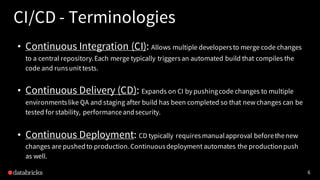
• Continuous Integration (CI): Allows multiple developersto merge code changes
to a central repository.Each merge typically triggersan automated build that compiles the
code and runsunit tests.
• Continuous Delivery (CD): Expands on CI by pushingcode changes to multiple
environmentslike QA and staging after build has been completed so that new changes can be
tested for stability, performanceandsecurity.
• Continuous Deployment: CD typically requiresmanualapproval beforethenew
changes are pushedto production.Continuousdeployment automates the productionpush
as well.
7
CI/CD - Stages for general development
PRODUCTION
Deploy code
to production
STAGING
Deploy code to staging
& verify behavior &
stability
BUILD
Build code &
run tests
SOURCE
Developers
commit changes
8
CI/CD - Stages for a data pipeline
PRODUCTION
Deploy code
to production
STAGING
Deploy code to staging
& verify behavior &
stability
BUILD
Build code &
run tests
SOURCE
Developers
commit changes
DATA
EXPLORATION
Identify characteristics
of a data set
9
Databricks Concepts
10
Databricks Clusters
• Resilient to transient cloud failures
• Optimized for high throughput
• High availability
• Scalable to handle thousands of nodes
• Bulletproof security
• Optimized for lowering your cloud costs
11
Databricks Workspace
• Hosted notebook service
• Organize notebooks & libraries
with folders
• Collaboration
• Access controls
• One-click visualizations &
dashboarding
12
Databricks FileSystem (DBFS)
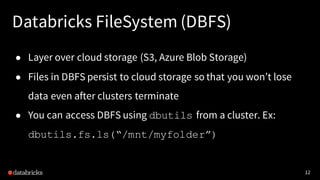
● Layer over cloud storage (S3, Azure Blob Storage)
● Files in DBFS persist to cloud storage so that you won’t lose
data even after clusters terminate
● You can access DBFS using dbutils from a cluster. Ex:
dbutils.fs.ls(“/mnt/myfolder”)
13
Databricks Jobs
• Built-in scheduler
• Schedule notebooks,jars, python
files & eggs
• Support for spark-submit
• Alerting to email, slack, pagerduty
• Access controls
• Metrics & monitoring
14
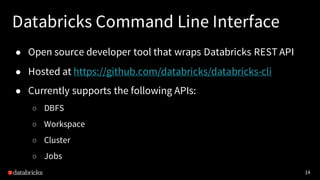
Databricks Command Line Interface
● Open source developer tool that wraps Databricks REST API
● Hosted at https://github.com/databricks/databricks-cli
● Currently supports the following APIs:
○ DBFS
○ Workspace
○ Cluster
○ Jobs
15
Development in
Databricks
16
Development Environment
17
Development Setup
18
Recommended code organization
Libraries
- Core logic that needs to be unit tested
Notebook
- Parameters
- Contents of main class that calls different classes in libraries
19
Development Stages
1.Checkout code from revision control to your computer
2.Compile code locally into libraries. Copy them to DBFS
3.Import Notebooks from your computer to Databricks
4.Create/Start your cluster
5.Attach library in DBFS to the cluster
6.Run notebooks and explore data
7.Once done, download/export notebooks to local computer
8.Checkin code from local computer to revision control
20
Best practices for notebook development
Unit testing: Refactor core logic in notebooksto classes with Dependency
Injection so that you can unit test easily. Package the core logic as libraries in
your favorite IDE.
21
Parameterization: Keepthe lightweight business logic and parameters
in notebooks so that you can iterate quickly and move only the core logic into
libraries.
Best practices for notebook development
22
Best practices for notebook development
Simple Chaining:Chain simple linear workflow with fail fast mechanism.
The workflow could be chaining different different code blocks from the
same library or different libraries too.
23
Best practices for notebook development
Performance& Visual Troubleshooting: Use different cells to call
different code blocks so that you can easily look at the performance & logs.
24
Best practices for notebook development
Return value: You can return results from notebooksby calling
dbutils.notebook.exit(value). You can get the return value through
API so that you can easily take further actions based on return values.
25
CI/CD with Databricks
26
CI/CD with Databricks
27
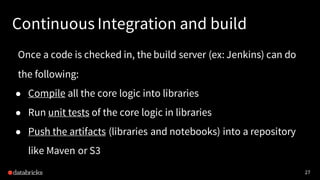
Continuous Integration and build
Once a code is checked in, the build server (ex: Jenkins) can do
the following:
● Compile all the core logic into libraries
● Run unit tests of the core logic in libraries
● Push the artifacts (libraries and notebooks) into a repository
like Maven or S3
28
Push to Staging
29
Staging Job
30
Push to Staging
● Libraries: The build server can programmatically push the libraries to a staging
folder in DBFS in Databricks using the DBFS API.
● Notebooks: The build server can also programmatically push the notebooks to a
staging folder in the Databricks workspace through the Workspace API.
● Jobs and cluster configuration: The build server can then leverage the Jobs
API to create a staging job with a certain set of configuration, provide the libraries
in DBFS and point to the main notebook to be triggered by the job.
● Results: The build server can also get the output of the run and then take further
actions based on that.
31
Push to Production
Blue/Green deployment to production
● Push the new production ready libraries to a new DBFS location.
● Push the new production ready notebooks to a new folder under a restricted
production folder in Databricks’ workspace.
● Modify the job configuration to point to the new notebook and library location so
that the next run of the job can pick them up and run the pipeline with the new
code.
32
Push to Production
Try Apache Spark in Databricks
Blog: https://databricks.com/blog/2017/10/30/continuous-
integration-continuous-delivery-databricks.html
Sign up for a free 14-day trial of Databricks
https://databricks.com/try-databricks
Additional Questions?
Contact us at http://go.databricks.com/contact-databricks
3
3

Continuous Integration & Continuous Delivery

  • 1.
    Continuous Integration & ContinuousDelivery Prakash Chockalingam December, 2017
  • 2.
    Housekeeping • Your connectionwill be muted • Submit questions via the Q&Apanel • Questions will be answered at the end of the webinar • Any outstanding questions will be answered in the Databricks Forum (https://forums.databricks.com) • Webinar will be recorded and attachments will be made available via www.databricks.com 2
  • 3.
    About Prakash Prakash Chockalingam ●Product Manager at Databricks ● Works closelywith customers ● Deep experience building large scale distributed systems and machine learning infrastructure at Netflix and Yahoo 3
  • 4.
    4 Agenda • About Databricks •Different stages and challenges involved in building a data pipeline. • Best practices for building a data pipeline in Databricks –Development –Unit testing and build –Staging –Production
  • 5.
    5 Accelerate innovation byunifying data science, engineering and business • Founded by the creators of Apache Spark • Contributes 75%of the open source code, 10x more than any other company • Trained 40k+ Spark users on the Databricks platform VISION WHO WE ARE Unified Analytics Platform powered by Apache SparkPRODUCT
  • 6.
    6 CI/CD - Terminologies •Continuous Integration (CI): Allows multiple developersto merge code changes to a central repository.Each merge typically triggersan automated build that compiles the code and runsunit tests. • Continuous Delivery (CD): Expands on CI by pushingcode changes to multiple environmentslike QA and staging after build has been completed so that new changes can be tested for stability, performanceandsecurity. • Continuous Deployment: CD typically requiresmanualapproval beforethenew changes are pushedto production.Continuousdeployment automates the productionpush as well.
  • 7.
    7 CI/CD - Stagesfor general development PRODUCTION Deploy code to production STAGING Deploy code to staging & verify behavior & stability BUILD Build code & run tests SOURCE Developers commit changes
  • 8.
    8 CI/CD - Stagesfor a data pipeline PRODUCTION Deploy code to production STAGING Deploy code to staging & verify behavior & stability BUILD Build code & run tests SOURCE Developers commit changes DATA EXPLORATION Identify characteristics of a data set
  • 9.
  • 10.
    10 Databricks Clusters • Resilientto transient cloud failures • Optimized for high throughput • High availability • Scalable to handle thousands of nodes • Bulletproof security • Optimized for lowering your cloud costs
  • 11.
    11 Databricks Workspace • Hostednotebook service • Organize notebooks & libraries with folders • Collaboration • Access controls • One-click visualizations & dashboarding
  • 12.
    12 Databricks FileSystem (DBFS) ●Layer over cloud storage (S3, Azure Blob Storage) ● Files in DBFS persist to cloud storage so that you won’t lose data even after clusters terminate ● You can access DBFS using dbutils from a cluster. Ex: dbutils.fs.ls(“/mnt/myfolder”)
  • 13.
    13 Databricks Jobs • Built-inscheduler • Schedule notebooks,jars, python files & eggs • Support for spark-submit • Alerting to email, slack, pagerduty • Access controls • Metrics & monitoring
  • 14.
    14 Databricks Command LineInterface ● Open source developer tool that wraps Databricks REST API ● Hosted at https://github.com/databricks/databricks-cli ● Currently supports the following APIs: ○ DBFS ○ Workspace ○ Cluster ○ Jobs
  • 15.
  • 16.
  • 17.
  • 18.
    18 Recommended code organization Libraries -Core logic that needs to be unit tested Notebook - Parameters - Contents of main class that calls different classes in libraries
  • 19.
    19 Development Stages 1.Checkout codefrom revision control to your computer 2.Compile code locally into libraries. Copy them to DBFS 3.Import Notebooks from your computer to Databricks 4.Create/Start your cluster 5.Attach library in DBFS to the cluster 6.Run notebooks and explore data 7.Once done, download/export notebooks to local computer 8.Checkin code from local computer to revision control
  • 20.
    20 Best practices fornotebook development Unit testing: Refactor core logic in notebooksto classes with Dependency Injection so that you can unit test easily. Package the core logic as libraries in your favorite IDE.
  • 21.
    21 Parameterization: Keepthe lightweightbusiness logic and parameters in notebooks so that you can iterate quickly and move only the core logic into libraries. Best practices for notebook development
  • 22.
    22 Best practices fornotebook development Simple Chaining:Chain simple linear workflow with fail fast mechanism. The workflow could be chaining different different code blocks from the same library or different libraries too.
  • 23.
    23 Best practices fornotebook development Performance& Visual Troubleshooting: Use different cells to call different code blocks so that you can easily look at the performance & logs.
  • 24.
    24 Best practices fornotebook development Return value: You can return results from notebooksby calling dbutils.notebook.exit(value). You can get the return value through API so that you can easily take further actions based on return values.
  • 25.
  • 26.
  • 27.
    27 Continuous Integration andbuild Once a code is checked in, the build server (ex: Jenkins) can do the following: ● Compile all the core logic into libraries ● Run unit tests of the core logic in libraries ● Push the artifacts (libraries and notebooks) into a repository like Maven or S3
  • 28.
  • 29.
  • 30.
    30 Push to Staging ●Libraries: The build server can programmatically push the libraries to a staging folder in DBFS in Databricks using the DBFS API. ● Notebooks: The build server can also programmatically push the notebooks to a staging folder in the Databricks workspace through the Workspace API. ● Jobs and cluster configuration: The build server can then leverage the Jobs API to create a staging job with a certain set of configuration, provide the libraries in DBFS and point to the main notebook to be triggered by the job. ● Results: The build server can also get the output of the run and then take further actions based on that.
  • 31.
    31 Push to Production Blue/Greendeployment to production ● Push the new production ready libraries to a new DBFS location. ● Push the new production ready notebooks to a new folder under a restricted production folder in Databricks’ workspace. ● Modify the job configuration to point to the new notebook and library location so that the next run of the job can pick them up and run the pipeline with the new code.
  • 32.
  • 33.
    Try Apache Sparkin Databricks Blog: https://databricks.com/blog/2017/10/30/continuous- integration-continuous-delivery-databricks.html Sign up for a free 14-day trial of Databricks https://databricks.com/try-databricks Additional Questions? Contact us at http://go.databricks.com/contact-databricks 3 3