GIT
By:Naim Latifi
Hope you had a great summer !
Agenda
•VCS (Version control systems)
•What is GIT ?
•GIT branching
•GIT most common commands
•An example scenario
Version control systems (VCS)
• Easily management collaboration on a project by
avoiding frustration of swapping files.
• Ability to have unlimited number of developers working
on the same code base.
• Easily revert back your files if something happened.
VCS (cont’d)
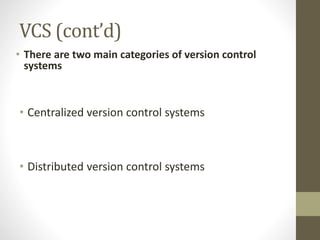
• There are two main categories of version control
systems
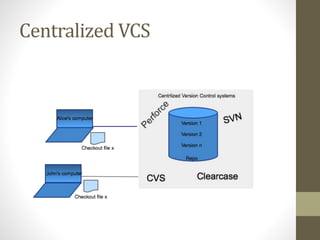
• Centralized version control systems
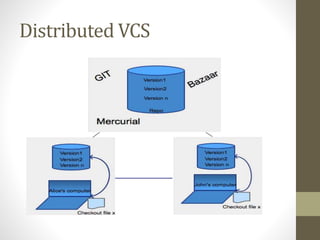
• Distributed version control systems
Centralized VCS
Distributed VCS
What is GIT ?
• GIT is free and open source distributed system
with the emphasis on speed and data integrity.
• No centralized connectivity is needed.
• Powerful and cheap branching with easy to
merge.
• Loosing work in your project is very very hard.
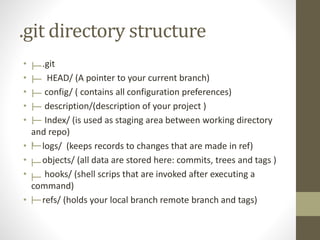
.git directory structure
• .git
• HEAD/ (A pointer to your current branch)
• config/ ( contains all configuration preferences)
• description/(description of your project )
• Index/ (is used as staging area between working directory
and repo)
• logs/ (keeps records to changes that are made in ref)
• objects/ (all data are stored here: commits, trees and tags )
• hooks/ (shell scrips that are invoked after executing a
command)
• refs/ (holds your local branch remote branch and tags)
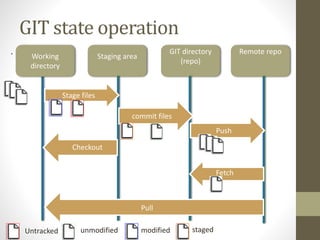
GIT state operation
. Working
directory
Staging area
GIT directory
(repo)
Remote repo
Untracked unmodified modified staged
Stage files
commit files
Checkout
Push
Fetch
Pull
GIT branching
• Lightweight movable pointers for different
commits.
• By default the branch name is called “master”.
• You can create as many branches as you need,
merge them or delete (branches are CHEAP on
GIT).
• Merging of branches is easy.
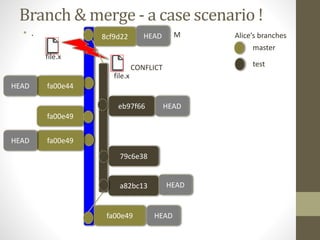
Branch & merge - a case scenario !
• .
fa00e49
Alice’s branches
master
test
a82bc13
79c6e38
fa00e49
fa00e49
eb97f66
fa00e44
file.x
file.x
CONFLICT
8cf9d22 M
HEAD
HEAD
HEAD
HEAD
HEAD
HEAD
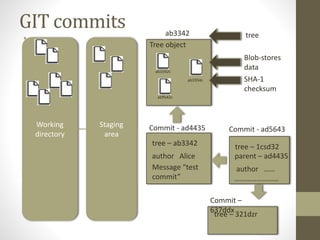
GIT commits
• .
Working
directory
Staging
area
Tree object
ab3342
ab3342c
ab3354c
abffs42c
SHA-1
checksum
Blob-stores
data
tree
Commit - ad4435
tree – ab3342
author Alice
Message “test
commit”
Commit - ad5643
tree – 1csd32
parent – ad4435
author ……
……………………
Commit –
637ddx
tree – 321dzr
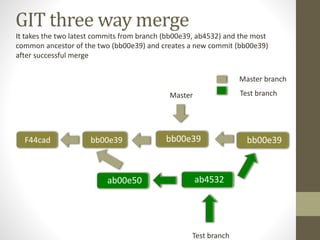
GIT three way merge
F44cad bb00e39
ab00e50
Master branch
Test branch
ab4532
bb00e39
Test branch
Master
bb00e39
It takes the two latest commits from branch (bb00e39, ab4532) and the most
common ancestor of the two (bb00e39) and creates a new commit (bb00e39)
after successful merge
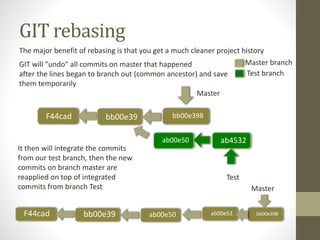
GIT rebasing
Master branch
Test branch
Master
The major benefit of rebasing is that you get a much cleaner project history
F44cad bb00e39
ab00e50 ab4532
bb00e398
Test
F44cad bb00e39 ab00e50 ab00e51 bb00e398
Master
GIT will "undo" all commits on master that happened
after the lines began to branch out (common ancestor) and save
them temporarily
bb00e39
It then will integrate the commits
from our test branch, then the new
commits on branch master are
reapplied on top of integrated
commits from branch Test
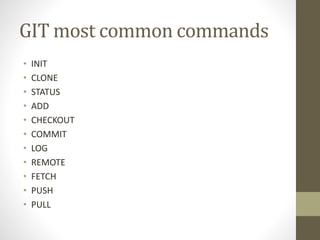
GIT most common commands
• INIT
• CLONE
• STATUS
• ADD
• CHECKOUT
• COMMIT
• LOG
• REMOTE
• FETCH
• PUSH
• PULL
(cont’d )
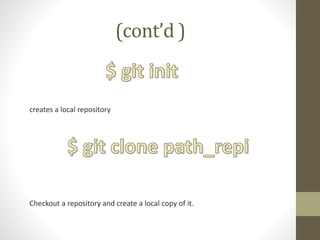
creates a local repository
Checkout a repository and create a local copy of it.
(cont’d)
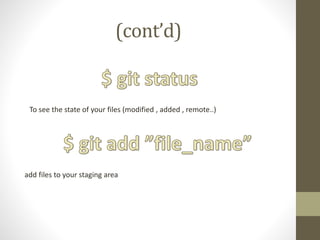
To see the state of your files (modified , added , remote..)
add files to your staging area
(cont’d)
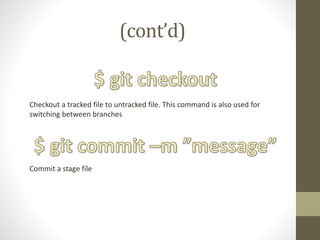
Checkout a tracked file to untracked file. This command is also used for
switching between branches
Commit a stage file
(cont’d)
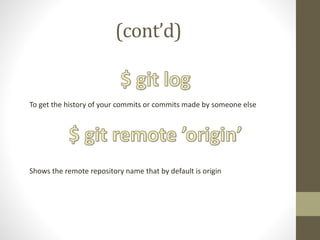
To get the history of your commits or commits made by someone else
Shows the remote repository name that by default is origin
(cont’d)
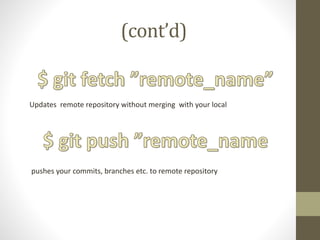
Updates remote repository without merging with your local
pushes your commits, branches etc. to remote repository
(cont’d)
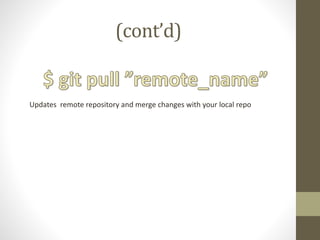
Updates remote repository and merge changes with your local repo
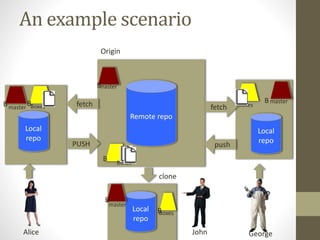
An example scenario
dsfRemote repo
Origin
B
Alice
Local
repo
masterB BBoxes
PUSH
fetch
B
fetch
B
master
Boxes
Boxes
masterB
push
Local
repo
Local
repo
clone
GeorgeJohn
master
B
BBoxes
QUESTIONS

GIT presentation

  • 1.
  • 2.
    Hope you hada great summer !
  • 3.
    Agenda •VCS (Version controlsystems) •What is GIT ? •GIT branching •GIT most common commands •An example scenario
  • 4.
    Version control systems(VCS) • Easily management collaboration on a project by avoiding frustration of swapping files. • Ability to have unlimited number of developers working on the same code base. • Easily revert back your files if something happened.
  • 5.
    VCS (cont’d) • Thereare two main categories of version control systems • Centralized version control systems • Distributed version control systems
  • 6.
  • 7.
  • 8.
    What is GIT? • GIT is free and open source distributed system with the emphasis on speed and data integrity. • No centralized connectivity is needed. • Powerful and cheap branching with easy to merge. • Loosing work in your project is very very hard.
  • 9.
    .git directory structure •.git • HEAD/ (A pointer to your current branch) • config/ ( contains all configuration preferences) • description/(description of your project ) • Index/ (is used as staging area between working directory and repo) • logs/ (keeps records to changes that are made in ref) • objects/ (all data are stored here: commits, trees and tags ) • hooks/ (shell scrips that are invoked after executing a command) • refs/ (holds your local branch remote branch and tags)
  • 10.
    GIT state operation .Working directory Staging area GIT directory (repo) Remote repo Untracked unmodified modified staged Stage files commit files Checkout Push Fetch Pull
  • 11.
    GIT branching • Lightweightmovable pointers for different commits. • By default the branch name is called “master”. • You can create as many branches as you need, merge them or delete (branches are CHEAP on GIT). • Merging of branches is easy.
  • 12.
    Branch & merge- a case scenario ! • . fa00e49 Alice’s branches master test a82bc13 79c6e38 fa00e49 fa00e49 eb97f66 fa00e44 file.x file.x CONFLICT 8cf9d22 M HEAD HEAD HEAD HEAD HEAD HEAD
  • 13.
    GIT commits • . Working directory Staging area Treeobject ab3342 ab3342c ab3354c abffs42c SHA-1 checksum Blob-stores data tree Commit - ad4435 tree – ab3342 author Alice Message “test commit” Commit - ad5643 tree – 1csd32 parent – ad4435 author …… …………………… Commit – 637ddx tree – 321dzr
  • 14.
    GIT three waymerge F44cad bb00e39 ab00e50 Master branch Test branch ab4532 bb00e39 Test branch Master bb00e39 It takes the two latest commits from branch (bb00e39, ab4532) and the most common ancestor of the two (bb00e39) and creates a new commit (bb00e39) after successful merge
  • 15.
    GIT rebasing Master branch Testbranch Master The major benefit of rebasing is that you get a much cleaner project history F44cad bb00e39 ab00e50 ab4532 bb00e398 Test F44cad bb00e39 ab00e50 ab00e51 bb00e398 Master GIT will "undo" all commits on master that happened after the lines began to branch out (common ancestor) and save them temporarily bb00e39 It then will integrate the commits from our test branch, then the new commits on branch master are reapplied on top of integrated commits from branch Test
  • 16.
    GIT most commoncommands • INIT • CLONE • STATUS • ADD • CHECKOUT • COMMIT • LOG • REMOTE • FETCH • PUSH • PULL
  • 17.
    (cont’d ) creates alocal repository Checkout a repository and create a local copy of it.
  • 18.
    (cont’d) To see thestate of your files (modified , added , remote..) add files to your staging area
  • 19.
    (cont’d) Checkout a trackedfile to untracked file. This command is also used for switching between branches Commit a stage file
  • 20.
    (cont’d) To get thehistory of your commits or commits made by someone else Shows the remote repository name that by default is origin
  • 21.
    (cont’d) Updates remote repositorywithout merging with your local pushes your commits, branches etc. to remote repository
  • 22.
    (cont’d) Updates remote repositoryand merge changes with your local repo
  • 23.
    An example scenario dsfRemoterepo Origin B Alice Local repo masterB BBoxes PUSH fetch B fetch B master Boxes Boxes masterB push Local repo Local repo clone GeorgeJohn master B BBoxes
  • 25.

Editor's Notes

  • #13 Merge the remote branch to local master branch *(if any conflicts fix them and commit)
  • #15 As Base it takes the base commit from where the test branch is branch off (bb00e39) the last commit of test branch (ab4532) and the latest commit from branch master (bb00e39) and moves the head Master as a result of three way merge