
Power of
Ahmad Ezzeir
Business Solutions Design & Development Manager
• Full stack developer
linkedin.com/in/ahmad-Ezzeir
1. DevOps core principles
2. CI/CD basics
3. Demo: CI/CD with asp.net core webapi and Angular app
4. IaC Why and What?
5. Demo: IaC using Azure & Azure DevOps “ARM”
6. (Containers) Docker why and what ?
7. Demo: Docker deployment using Azure & Azure DevOps
8. Kubernetes why and what ?
9. Demo: Kubernetes deployment using Azure & Azure DevOps
Agenda
What is the problem
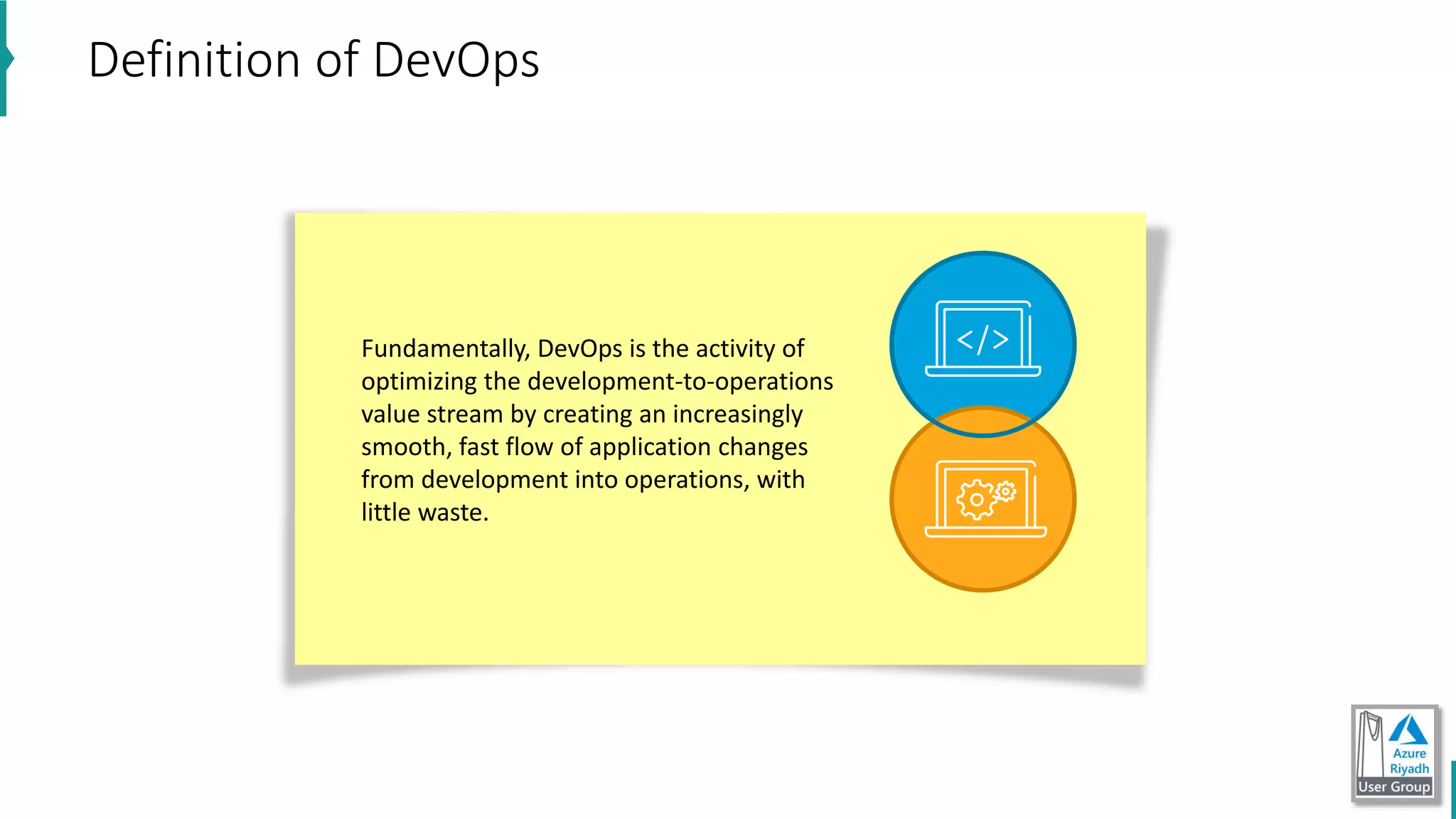
Fundamentally, DevOps is the activity of
optimizing the development-to-operations
value stream by creating an increasingly
smooth, fast flow of application changes
from development into operations, with
little waste.
Definition of DevOps
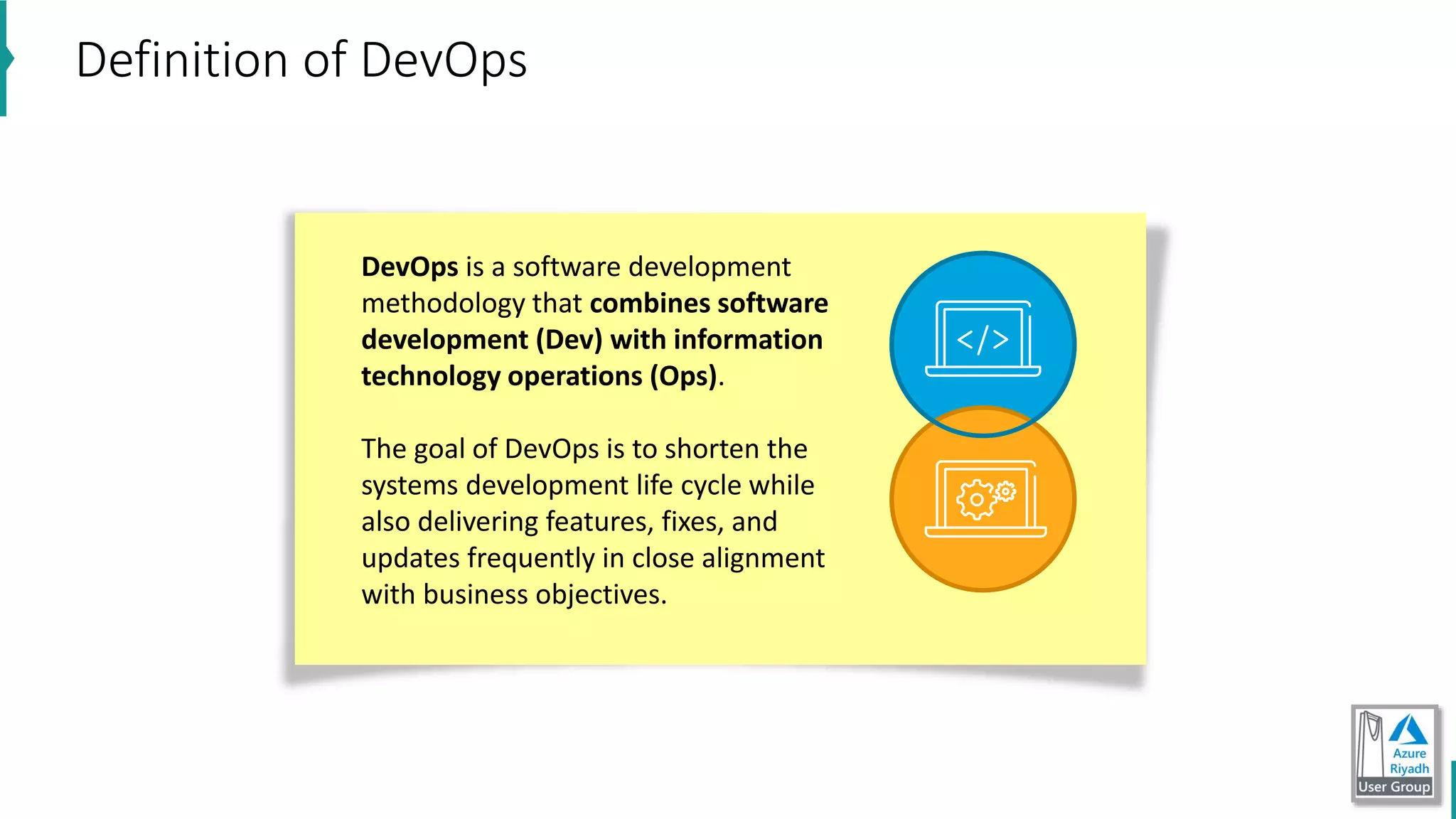
DevOps is a software development
methodology that combines software
development (Dev) with information
technology operations (Ops).
The goal of DevOps is to shorten the
systems development life cycle while
also delivering features, fixes, and
updates frequently in close alignment
with business objectives.
Definition of DevOps
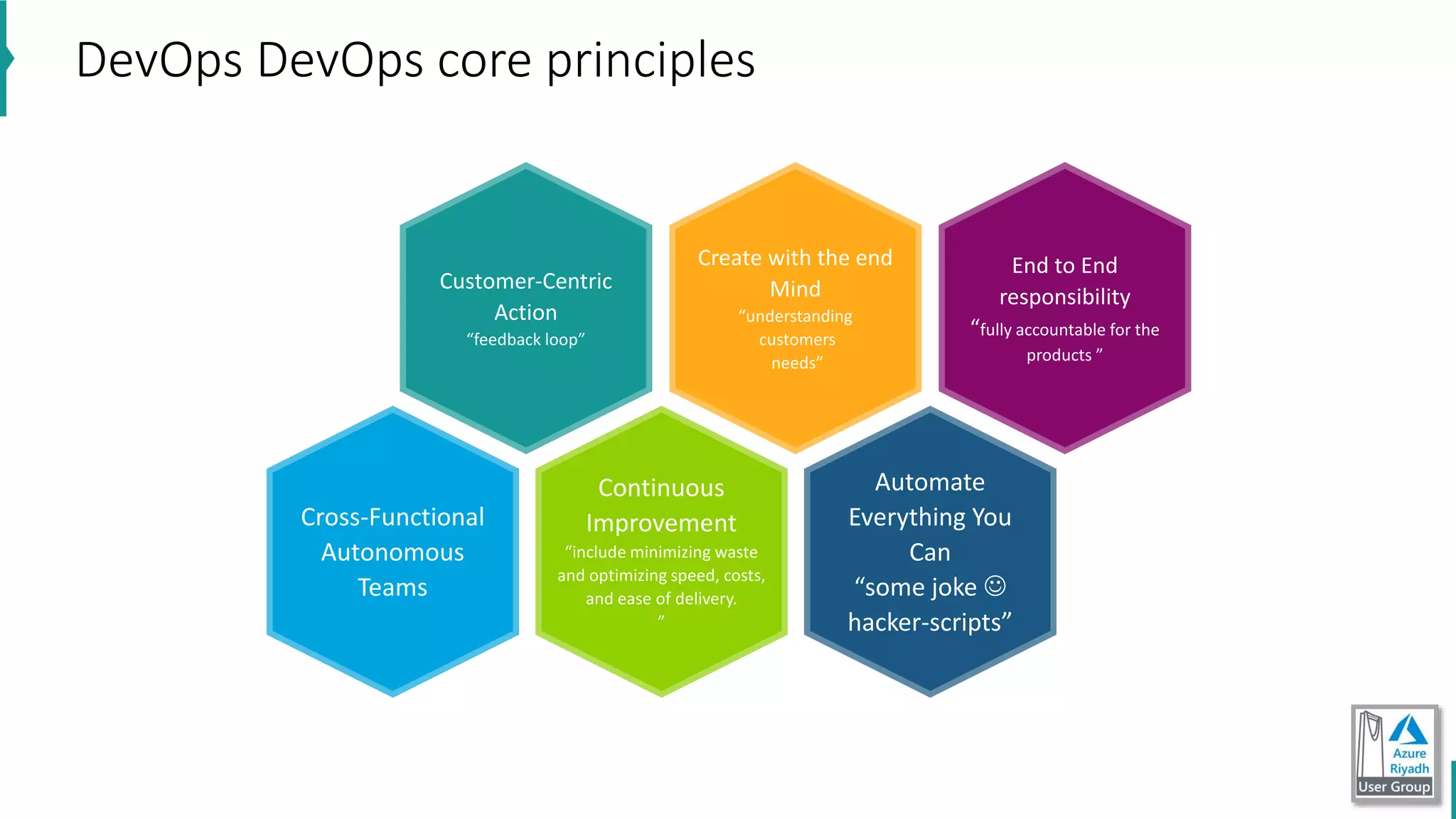
DevOps DevOps core principles
Customer-Centric
Action
“feedback loop”
Create with the end
Mind
“understanding
customers
needs”
End to End
responsibility
“fully accountable for the
products ”
Cross-Functional
Autonomous
Teams
Continuous
Improvement
“include minimizing waste
and optimizing speed, costs,
and ease of delivery.
”
Automate
Everything You
Can
“some joke 
hacker-scripts”
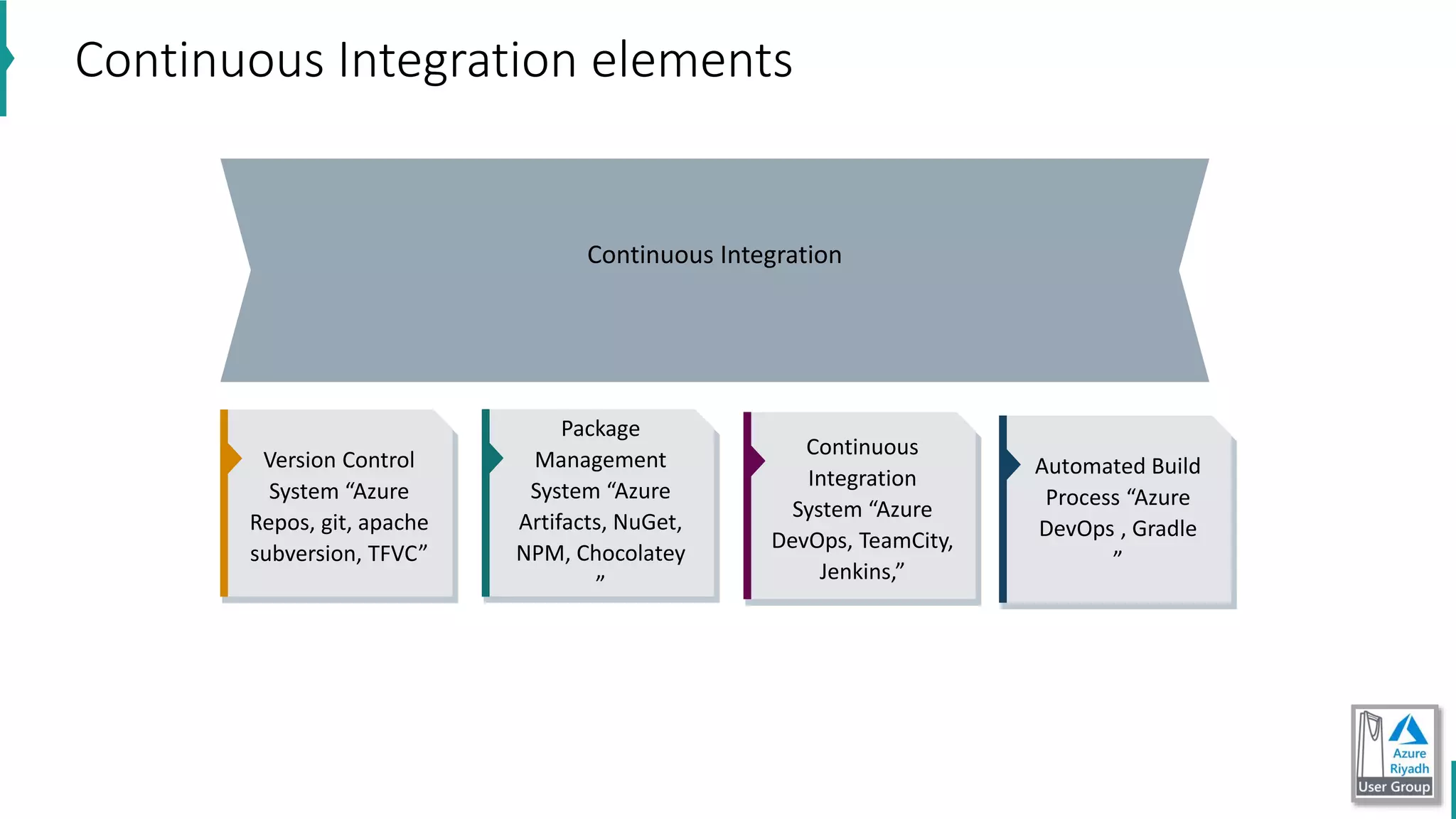
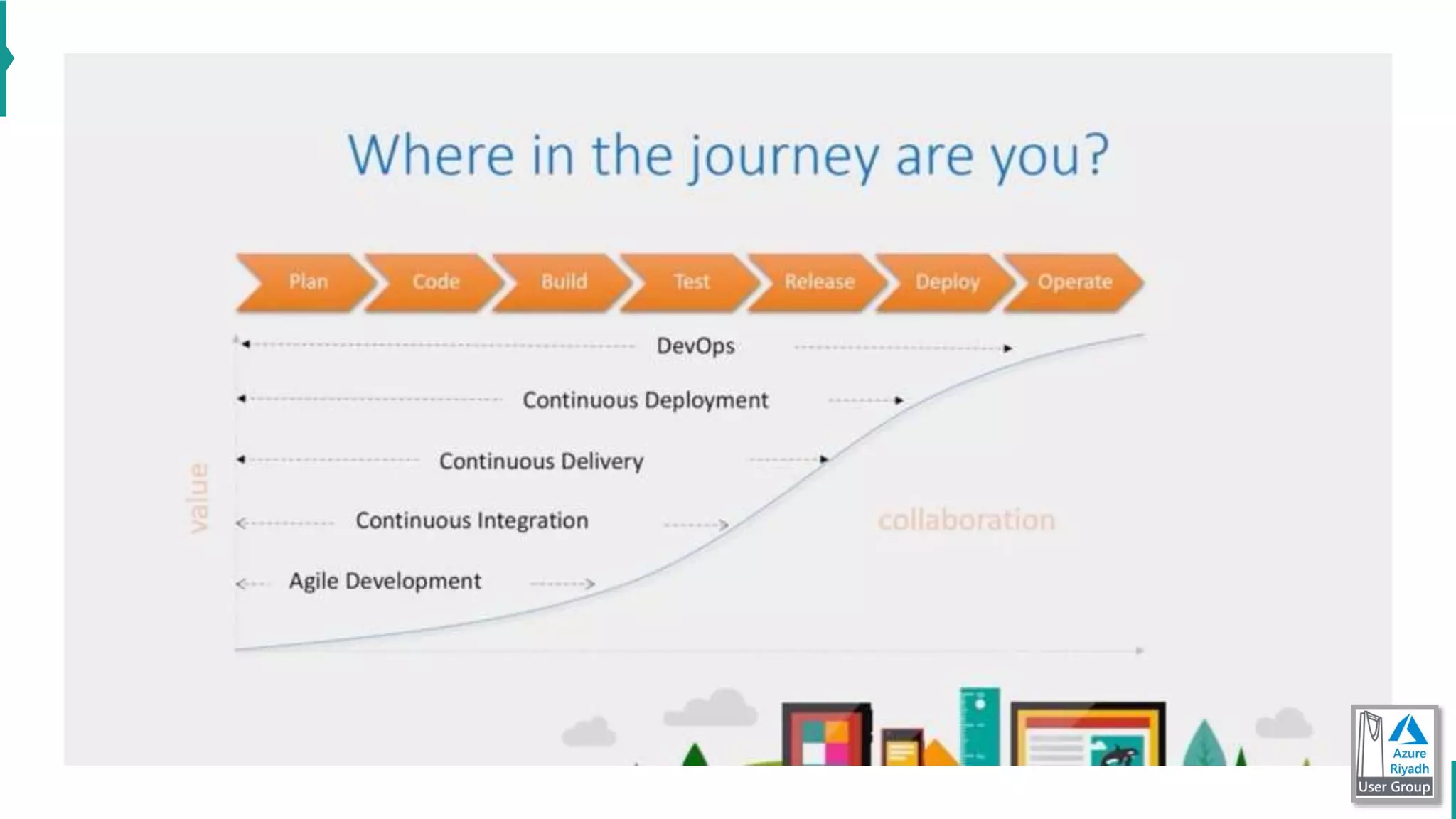
Continuous Integration
Continuous Integration elements
Version Control
System “Azure
Repos, git, apache
subversion, TFVC”
Automated Build
Process “Azure
DevOps , Gradle
”
Package
Management
System “Azure
Artifacts, NuGet,
NPM, Chocolatey
”
Continuous
Integration
System “Azure
DevOps, TeamCity,
Jenkins,”
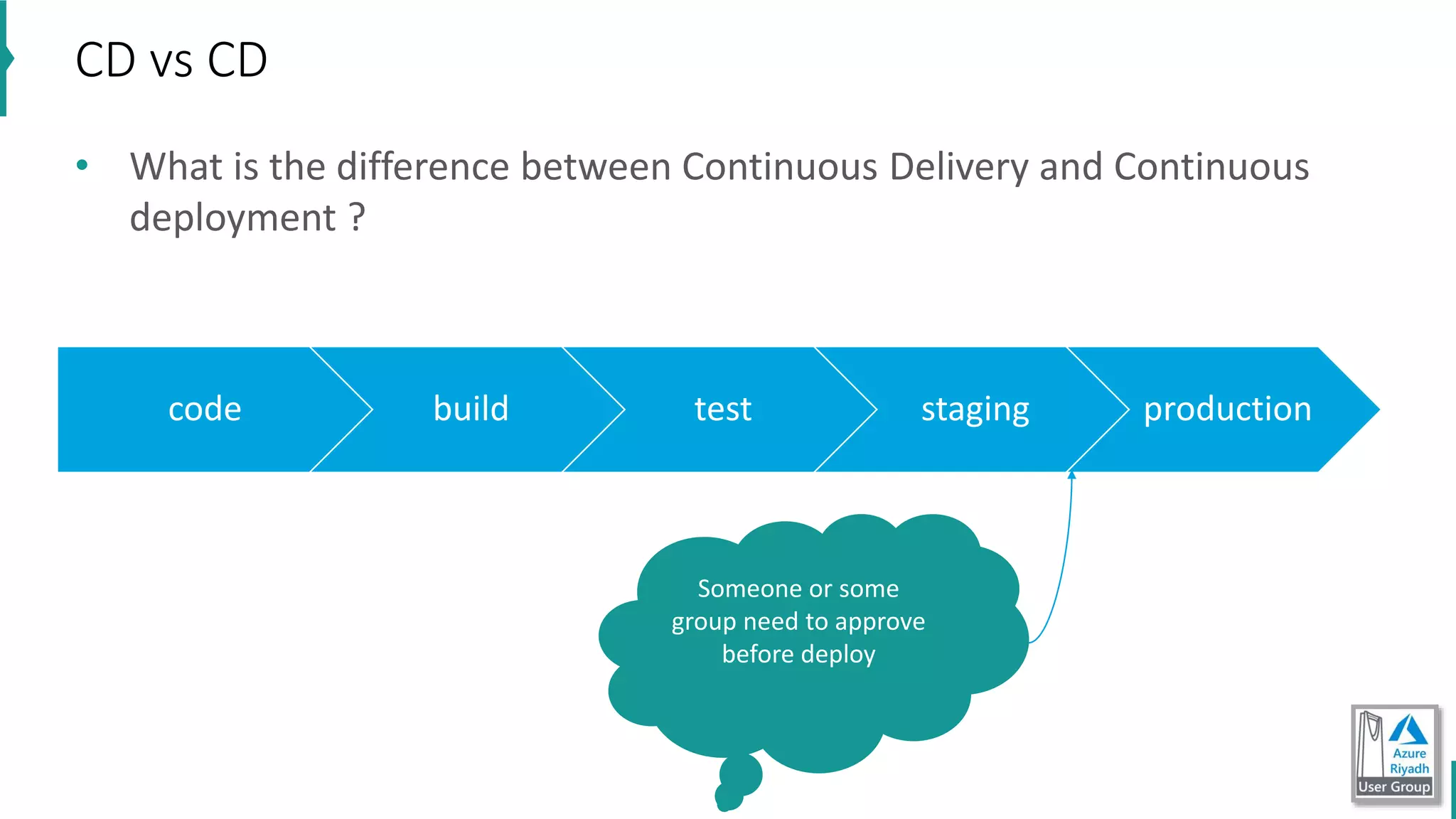
• What is the difference between Continuous Delivery and Continuous
deployment ?
CD vs CD
code build test staging production
Someone or some
group need to approve
before deploy
Demo: CI/CD with asp.net core webapi and Angular app
https://dev.azure.com/nashmetech/DemoApp
Demo
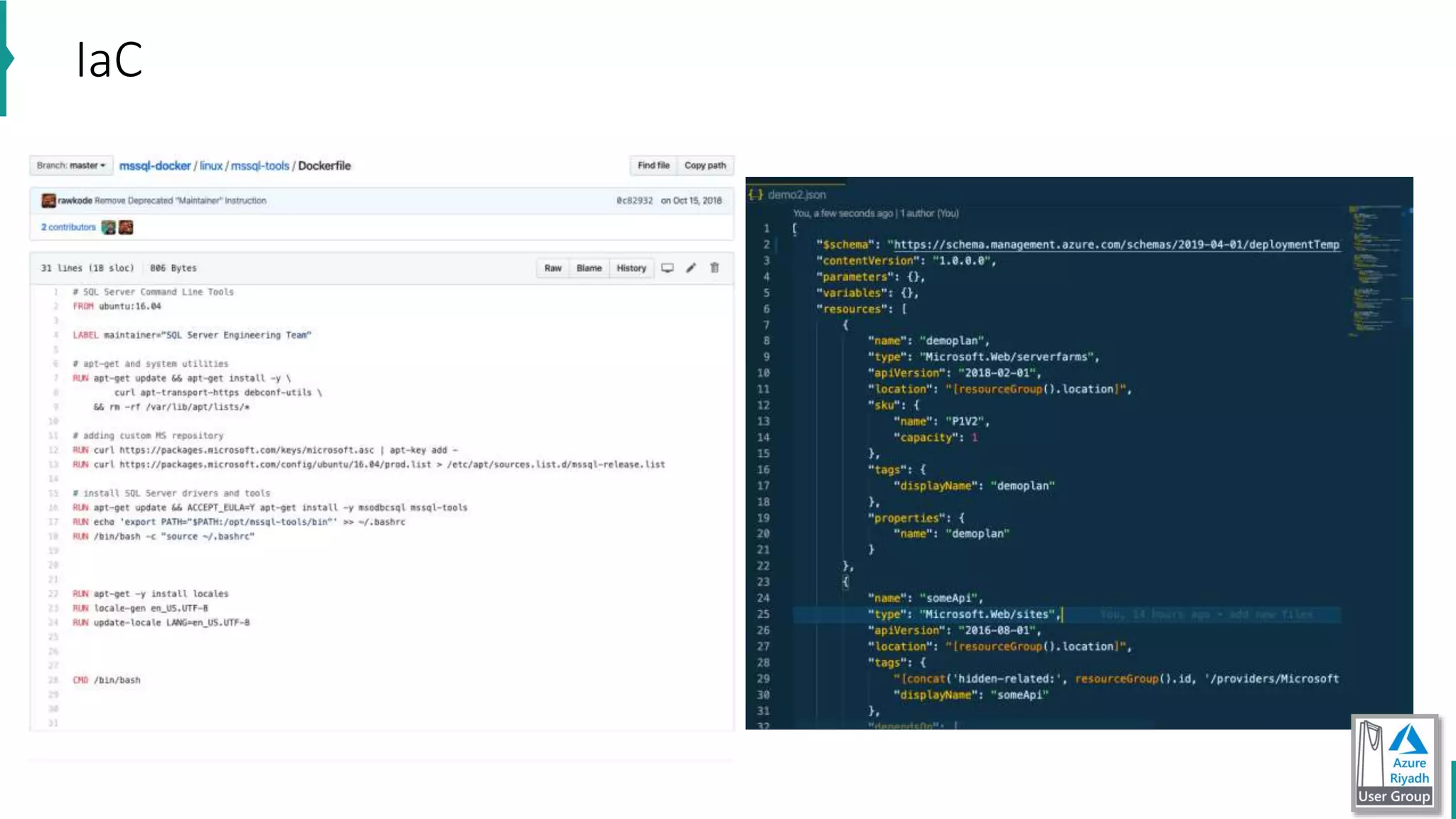
IaC
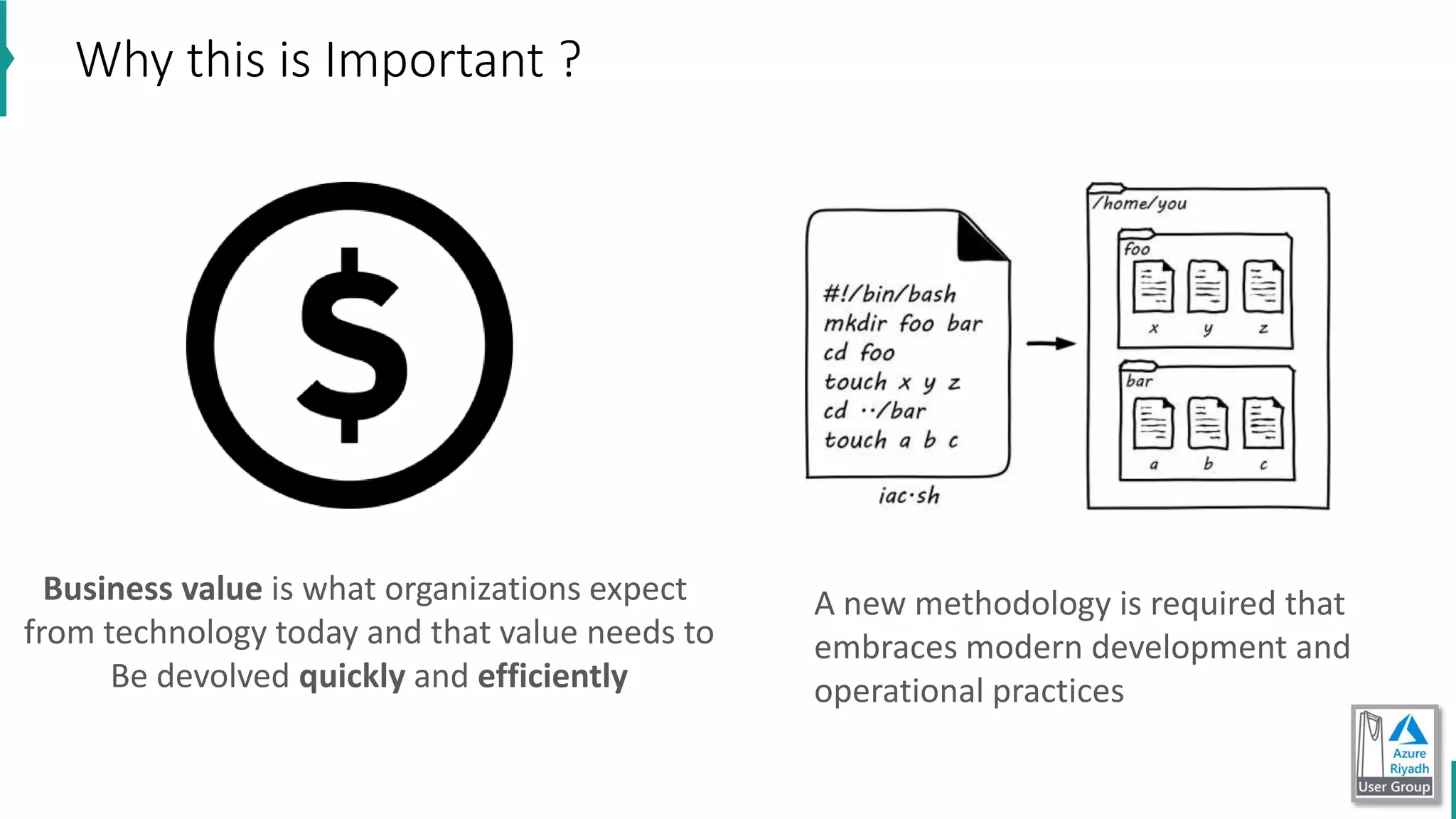
Why this is Important ?
Business value is what organizations expect
from technology today and that value needs to
Be devolved quickly and efficiently
A new methodology is required that
embraces modern development and
operational practices
Why Infrastructure as Code
• Facilitates auditing by making it easier to trace what was deployed, when, and how (In
other words, improves Traceability).
• Provides consistent environments from release to release.
• Greater consistency across development, test, and production environments.
• Automates scale-up and scale-out processes.
• Allows configurations to be version controlled.
• Provides code review and unit-testing capabilities to help manage infrastructure changes.
• Treats infrastructure as a flexible resource.
• Its possible to perform blue/green deployments. This is a release methodology to minimize
downtime, where two identical environments exist, one is live and the other is not. Updates
are applied to the server that is not live, and when testing is verified and complete, it is
switched to become the live environment and the previous live environment is no longer
the live environment i.e. they are swapped. It can also be referred to as A/B deployment.
• Immutable means that the service is not updated. If a change is needed to an environment,
a new one is deployed and the old one taken down.
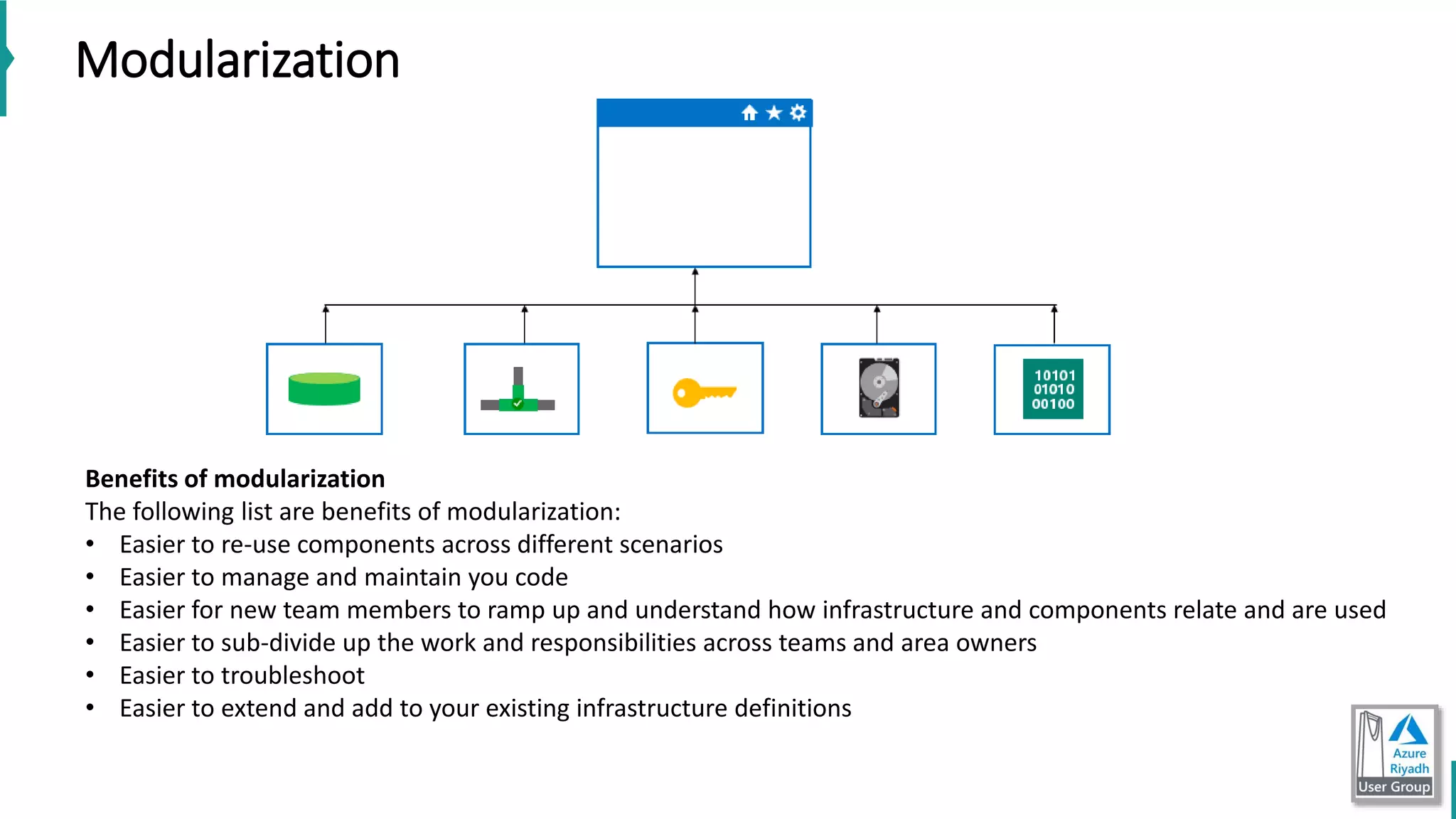
Modularization
Benefits of modularization
The following list are benefits of modularization:
• Easier to re-use components across different scenarios
• Easier to manage and maintain you code
• Easier for new team members to ramp up and understand how infrastructure and components relate and are used
• Easier to sub-divide up the work and responsibilities across teams and area owners
• Easier to troubleshoot
• Easier to extend and add to your existing infrastructure definitions
• Azure Resource Manager templates are written in JSON “class for
developers”.
A JSON document is essentially a collection of key-value pairs. Each key is a
string, that's value can be:
• string
• number
• Boolean expression
• list of values
• object (which is a collection of other key-value pairs)
ARM
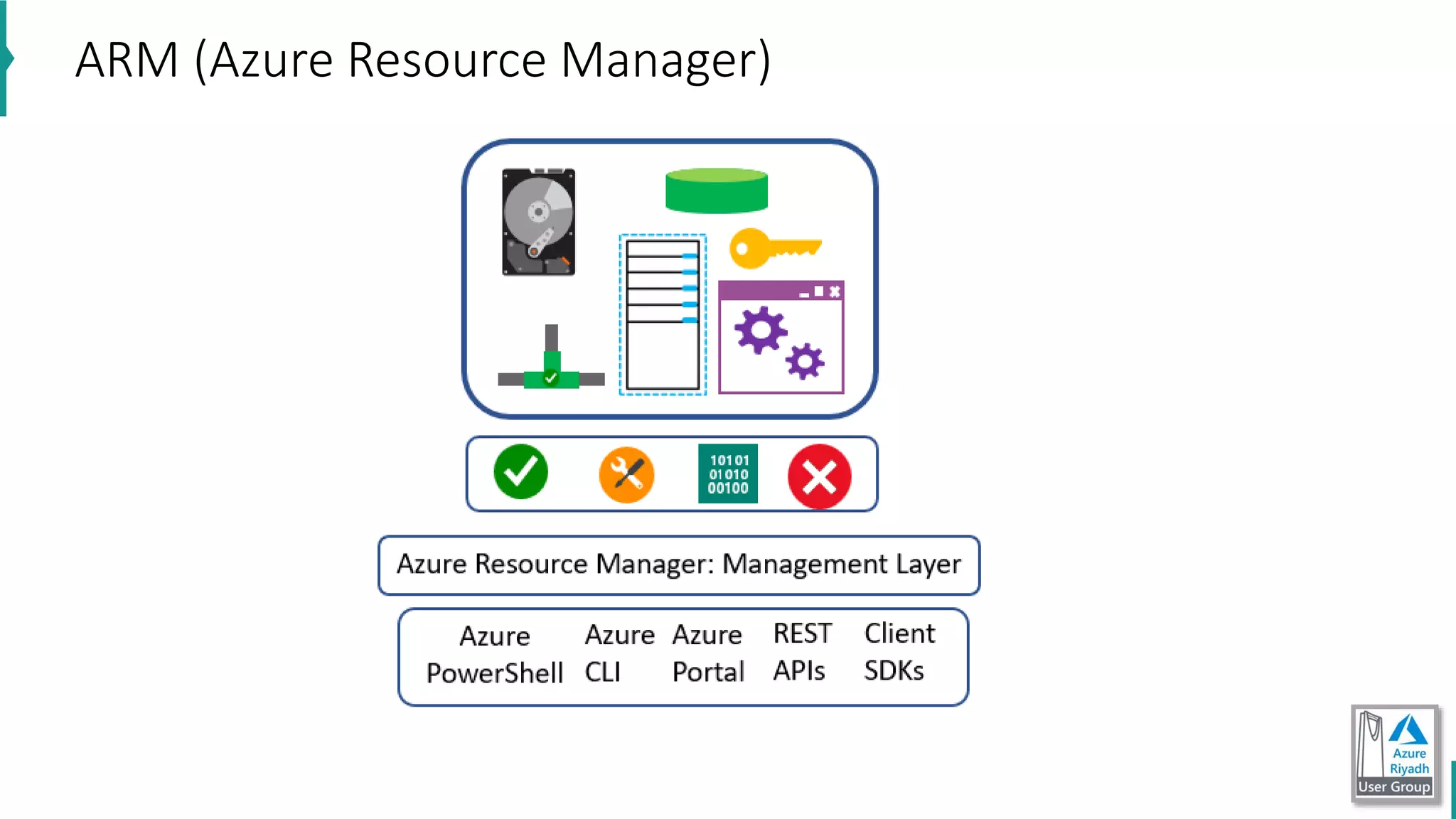
ARM (Azure Resource Manager)
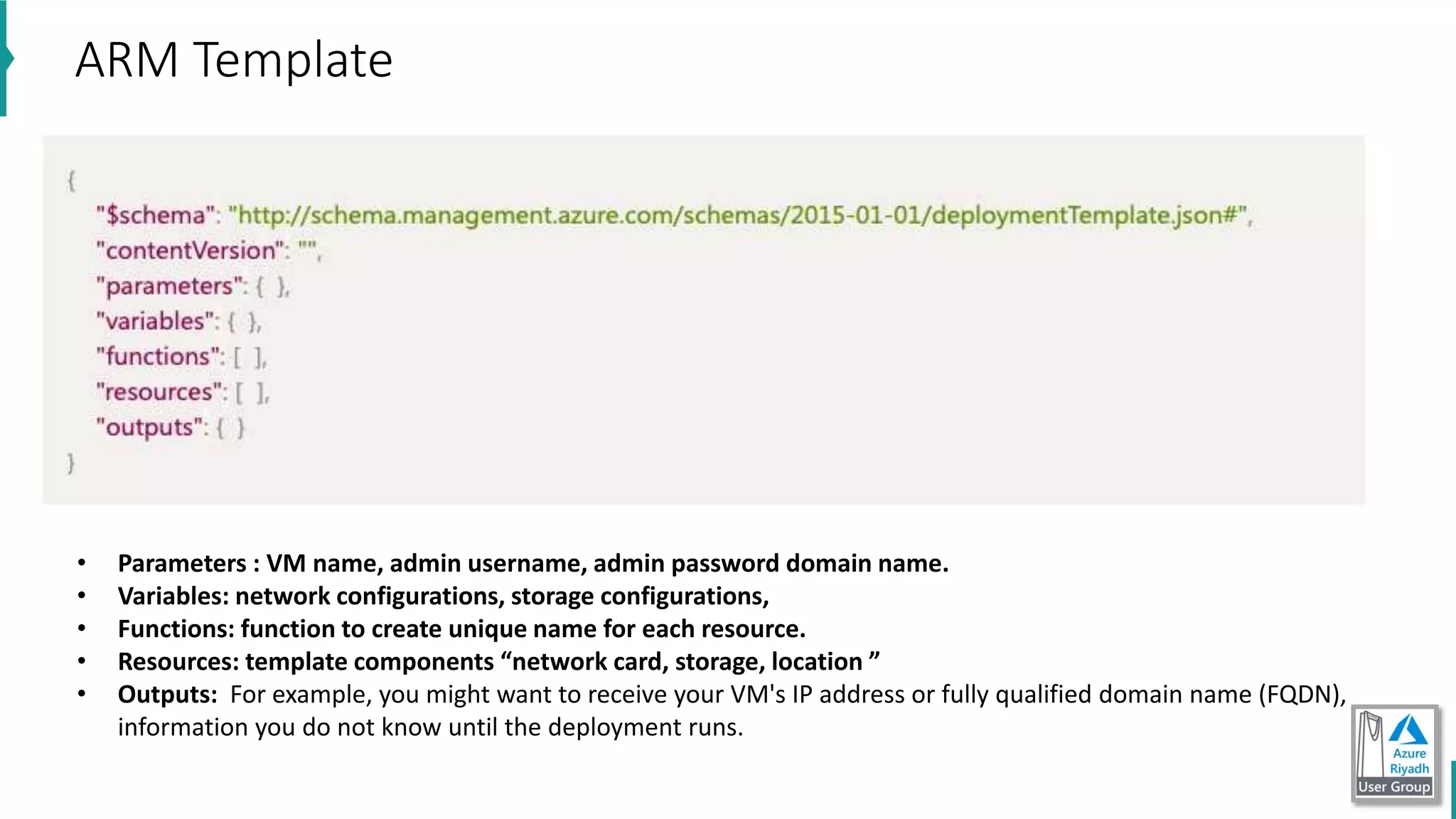
ARM Template
• Parameters : VM name, admin username, admin password domain name.
• Variables: network configurations, storage configurations,
• Functions: function to create unique name for each resource.
• Resources: template components “network card, storage, location ”
• Outputs: For example, you might want to receive your VM's IP address or fully qualified domain name (FQDN),
information you do not know until the deployment runs.
• https://dev.azure.com/nashmetech/IaC
• https://github.com/Azure/azure-quickstart-templates/tree/master/101-
vm-tags/
• Quick start templates: https://azure.microsoft.com/en-
us/resources/templates/101-vm-tags/
• show demo using ARM Template Viewer VS code ext
IaC Demos
• Chef
• Puppet
• Ansible
• Cloud-init with Azure
• Terraform with Azure
Third Party and Open Source Tool integration with Azure
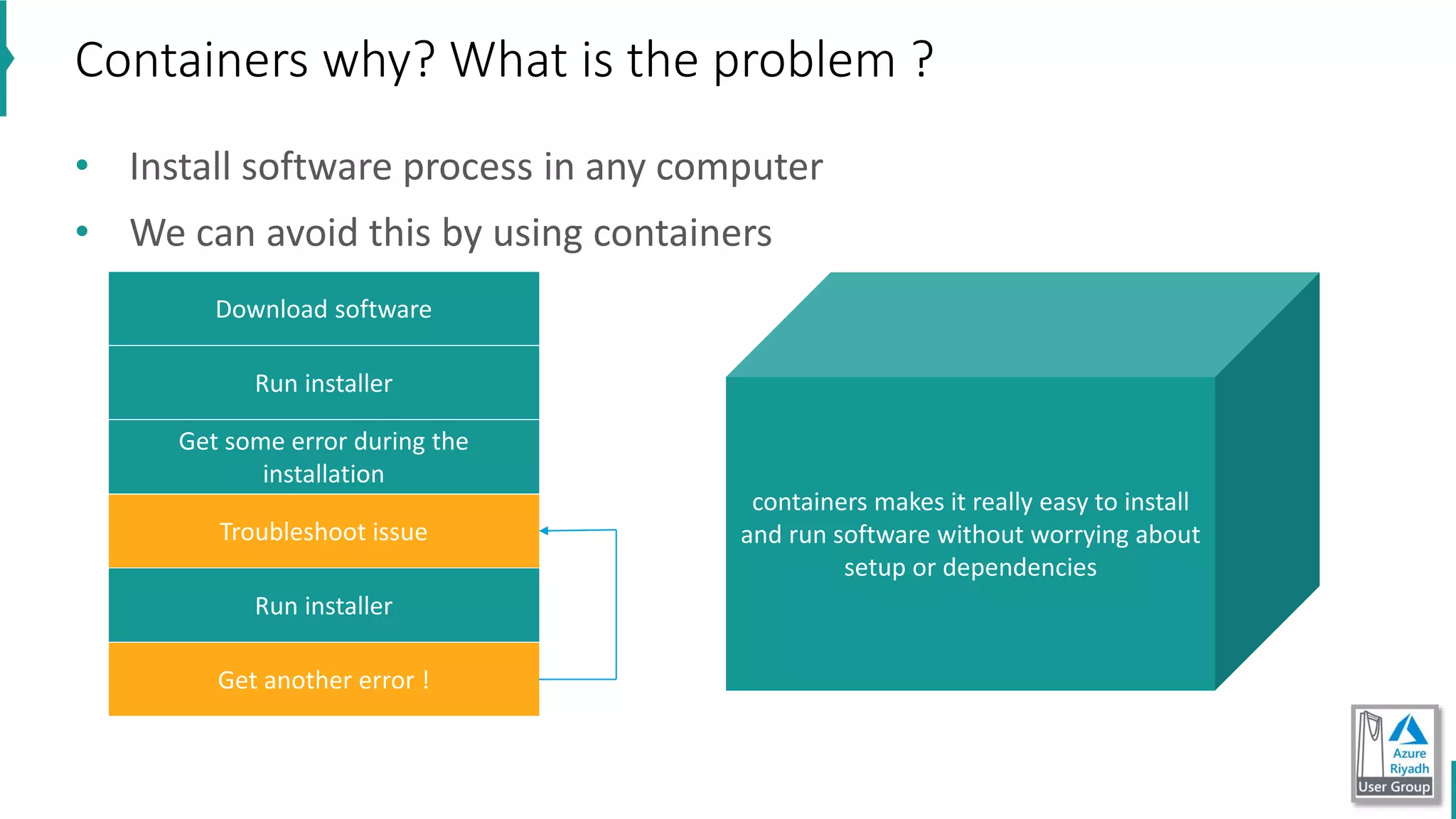
• Install software process in any computer
• We can avoid this by using containers
Containers why? What is the problem ?
Download software
Run installer
Get some error during the
installation
Troubleshoot issue
Run installer
Get another error !
containers makes it really easy to install
and run software without worrying about
setup or dependencies
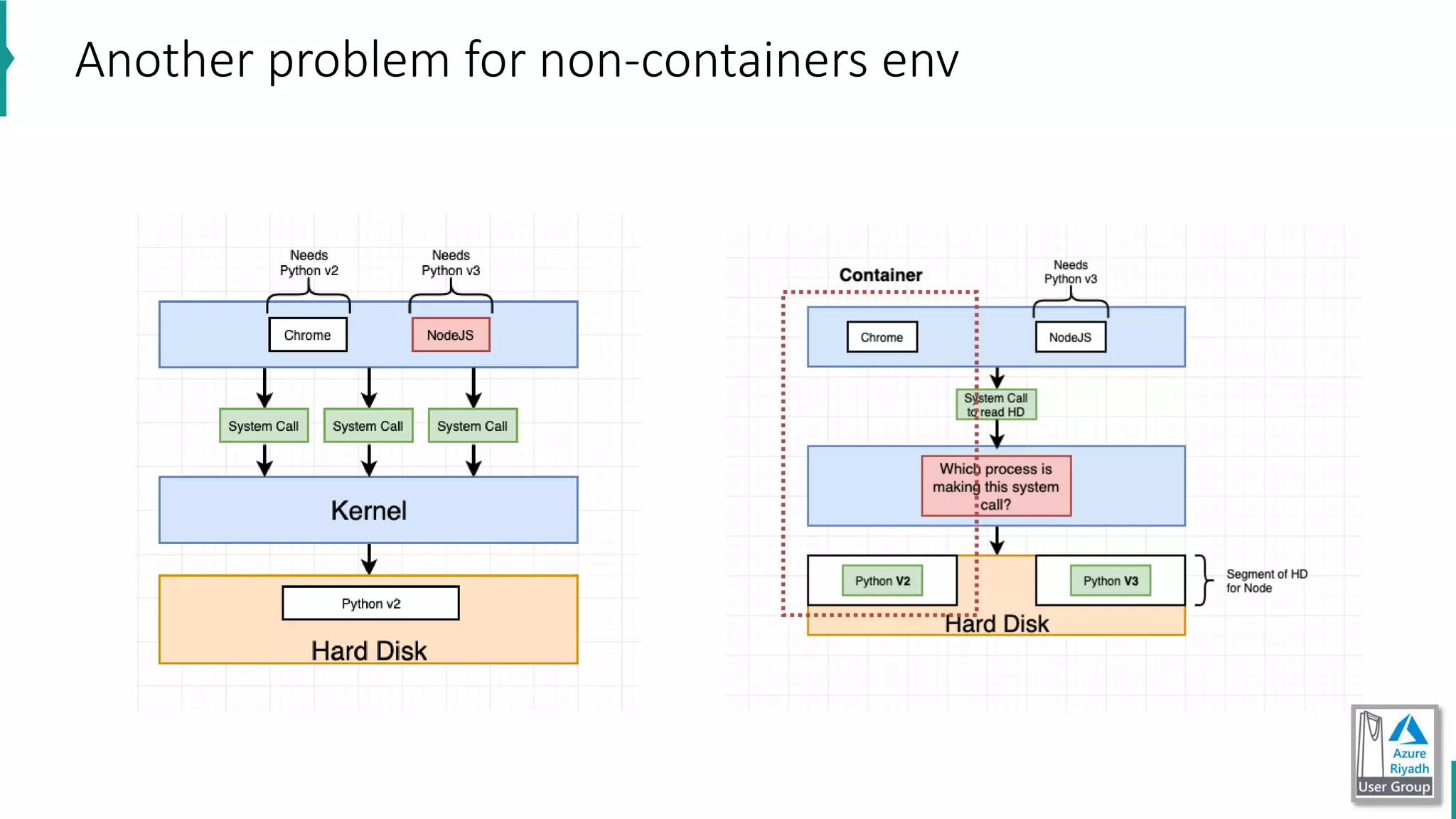
Another problem for non-containers env
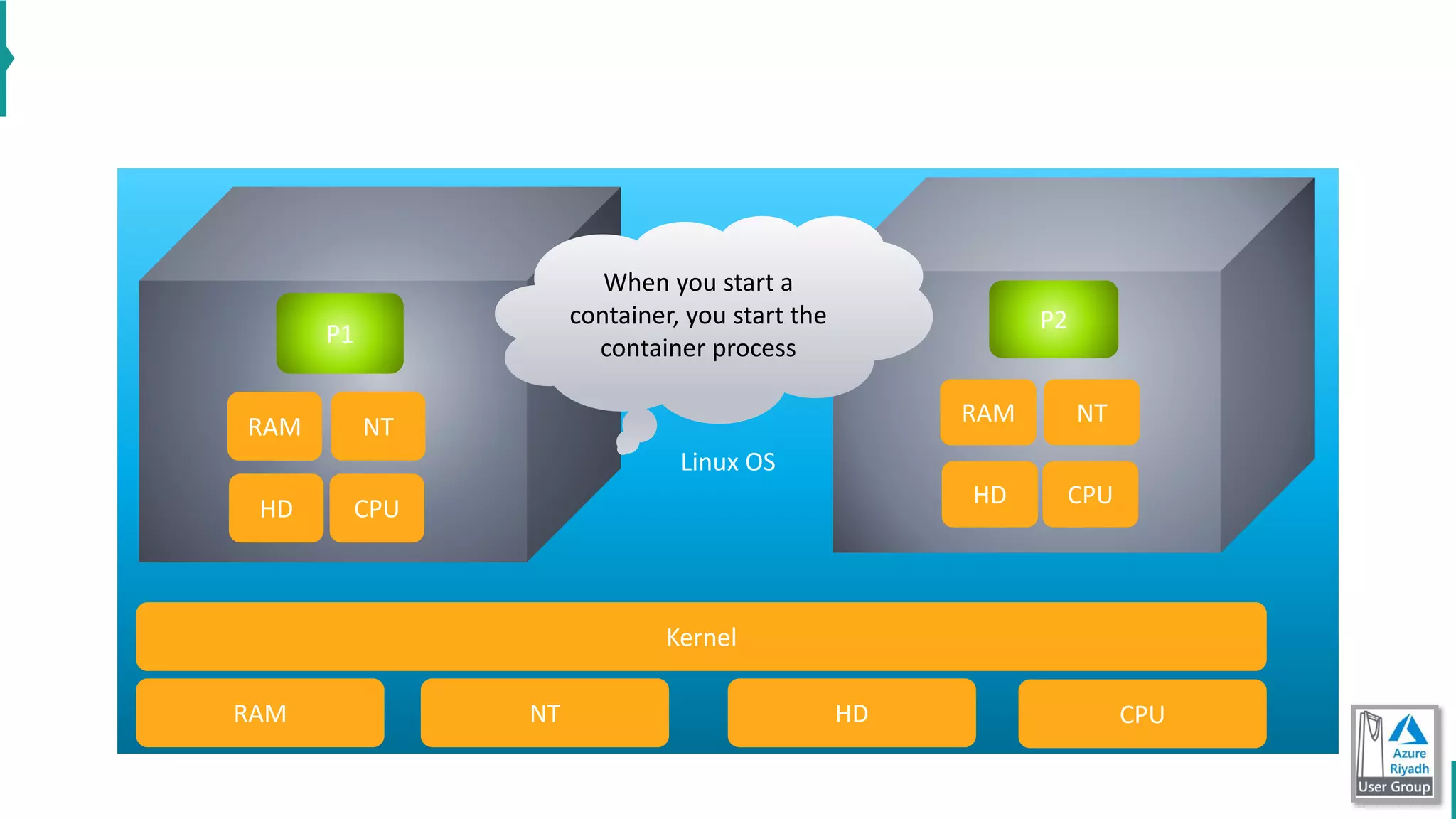
Linux OS
P2
RAM
HD CPU
NT
CPUHDNTRAM
P1
RAM
HD CPU
NT
Kernel
When you start a
container, you start the
container process
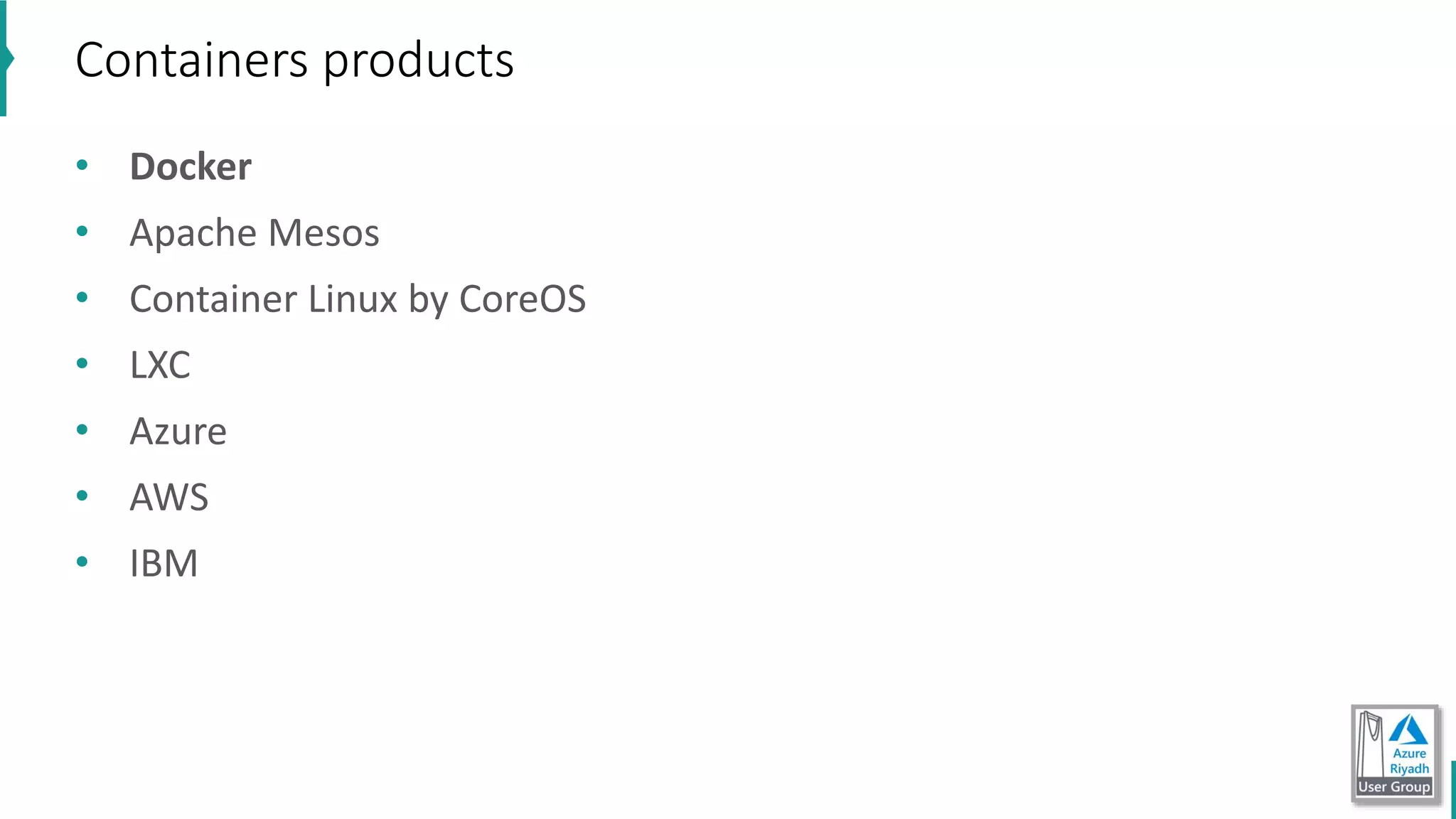
Containers products
• Docker
• Apache Mesos
• Container Linux by CoreOS
• LXC
• Azure
• AWS
• IBM
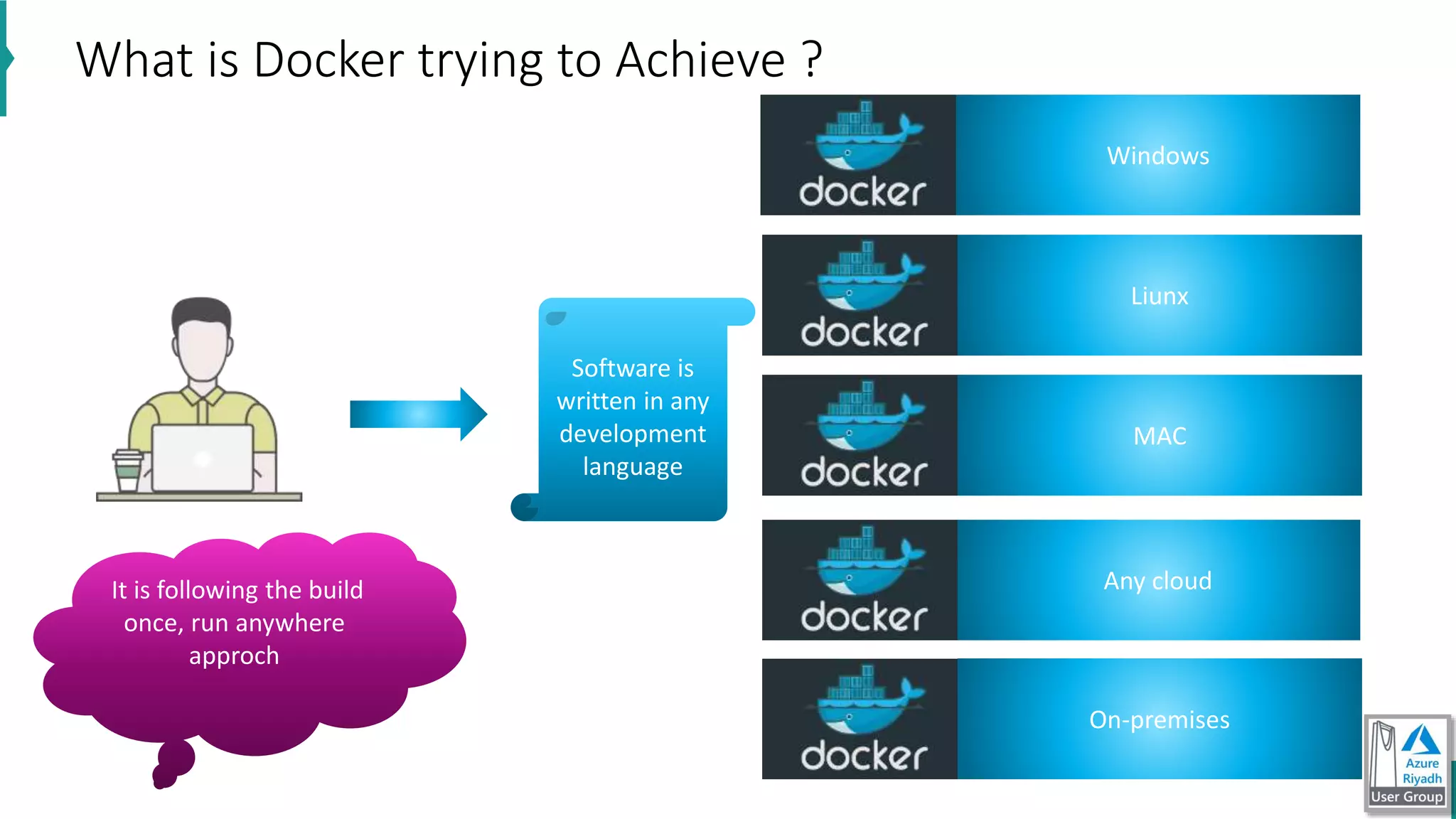
What is Docker trying to Achieve ?
Windows
Liunx
MAC
It is following the build
once, run anywhere
approch
Any cloud
On-premises
Software is
written in any
development
language
• docker version
• docker run hello-world
• let us see diagrams
Hello Word from Docker
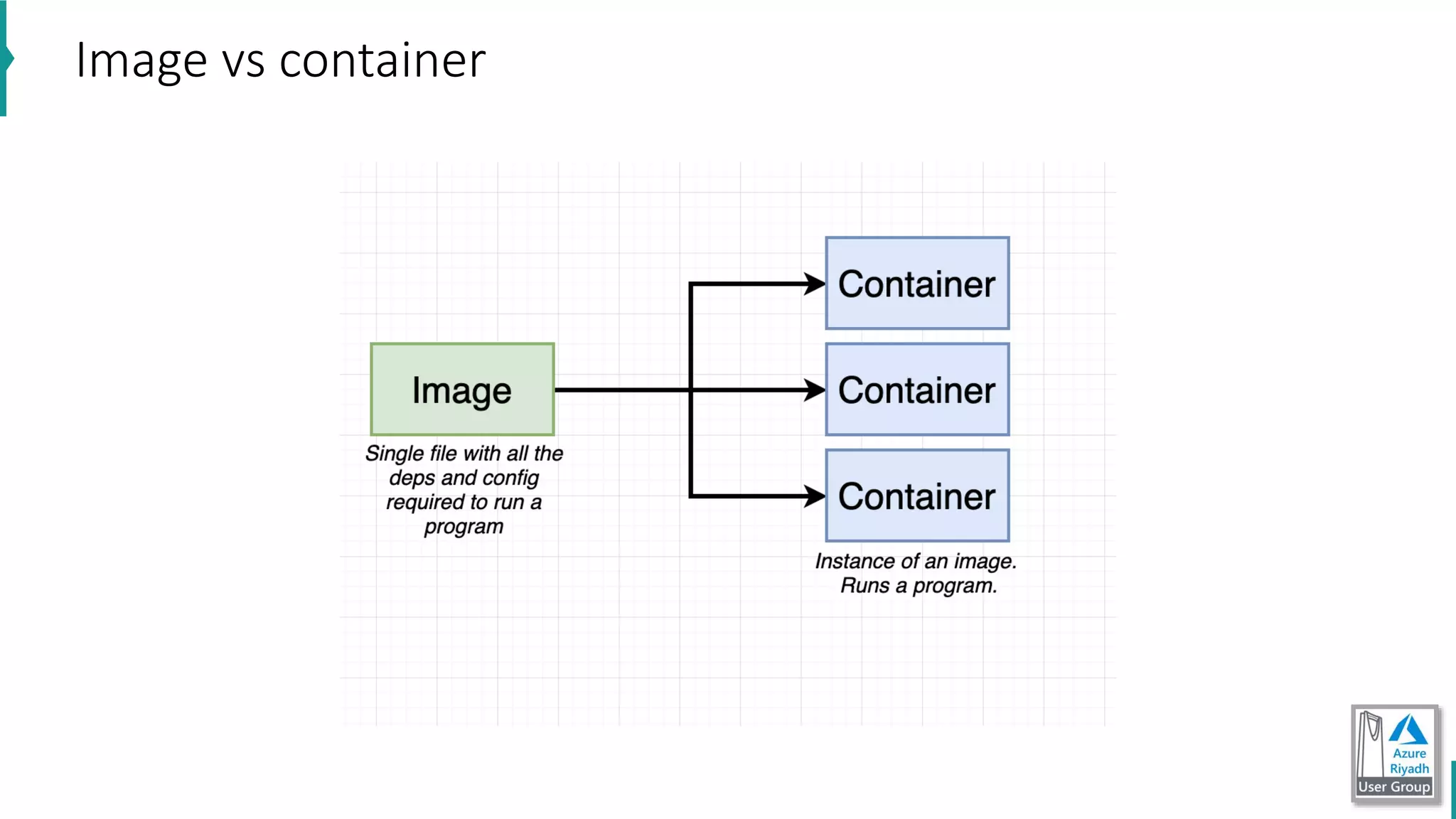
Image vs container
Create a new container process
• check diagram ” Create container”
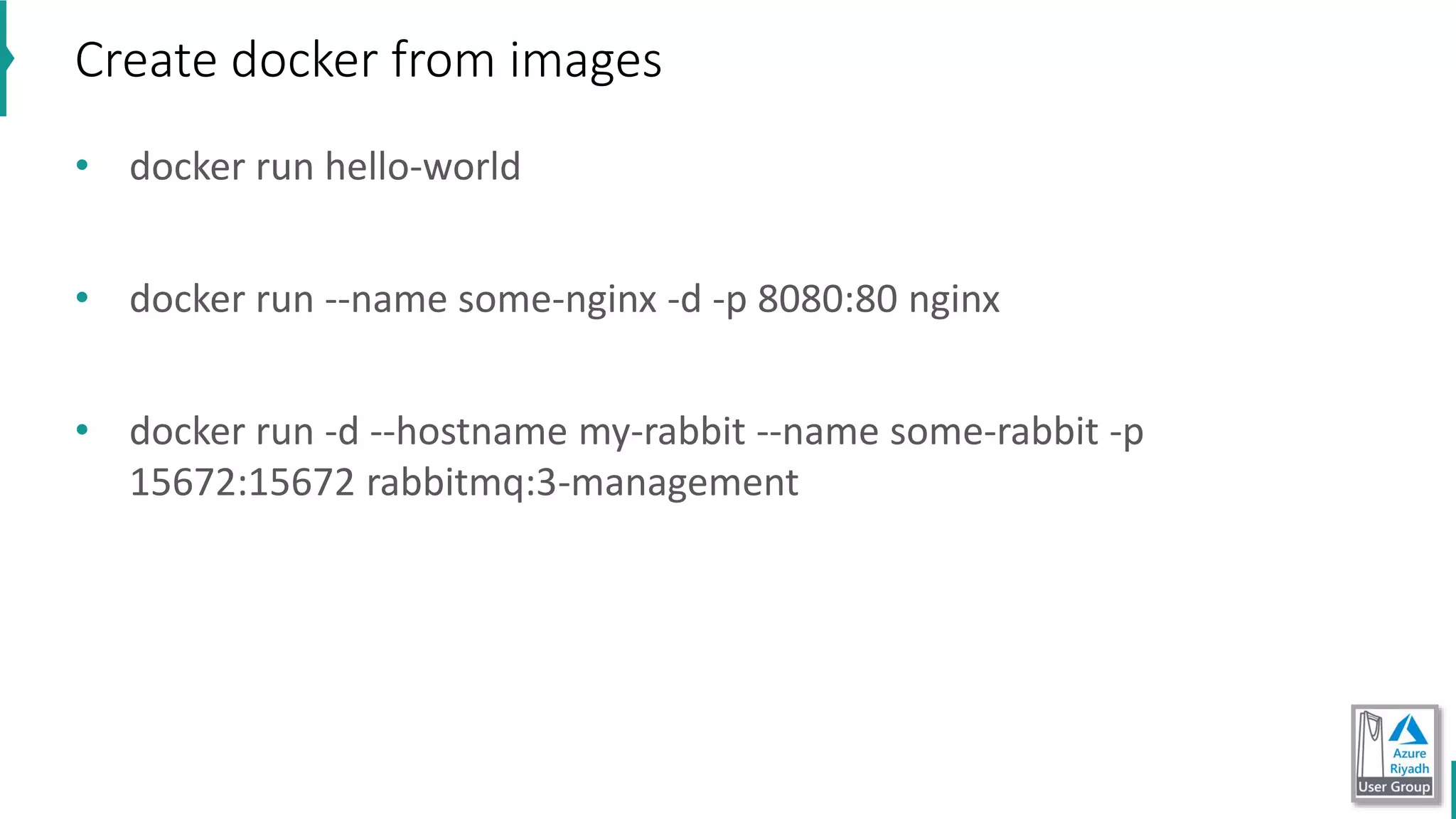
• docker run hello-world
• docker run --name some-nginx -d -p 8080:80 nginx
• docker run -d --hostname my-rabbit --name some-rabbit -p
15672:15672 rabbitmq:3-management
Create docker from images
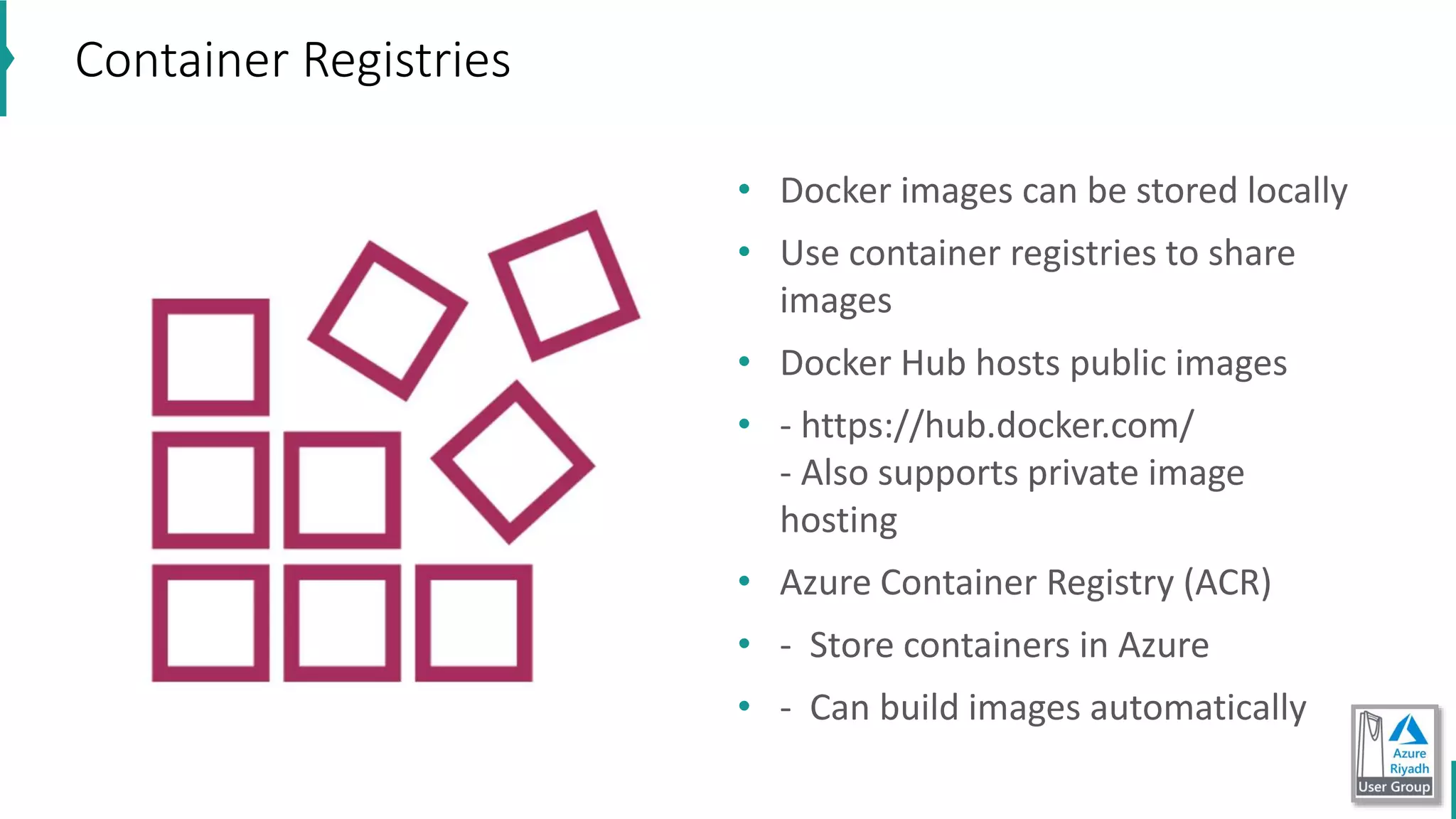
Container Registries
• Docker images can be stored locally
• Use container registries to share
images
• Docker Hub hosts public images
• - https://hub.docker.com/
- Also supports private image
hosting
• Azure Container Registry (ACR)
• - Store containers in Azure
• - Can build images automatically
• store image in docker hub
• docker login
• docker push image ..
• store image on Azure Container Registries (ACR)
• az acr login
• from Azure DevOps CI CD
Demo
Tip # 1: if you want really understand docker do not follow below courses
to understand docker
• Docker for nodejs developer
• Docker for .net developer
• Docker for java developer
Tip # 2: Linux commands essential (for sure not all now)
Tip # 3: you need to learn and do practices in real projects.
Advice to get started with docker
example
https://github.com/nitin27may/MEAN-With-Docker
Docker-compose
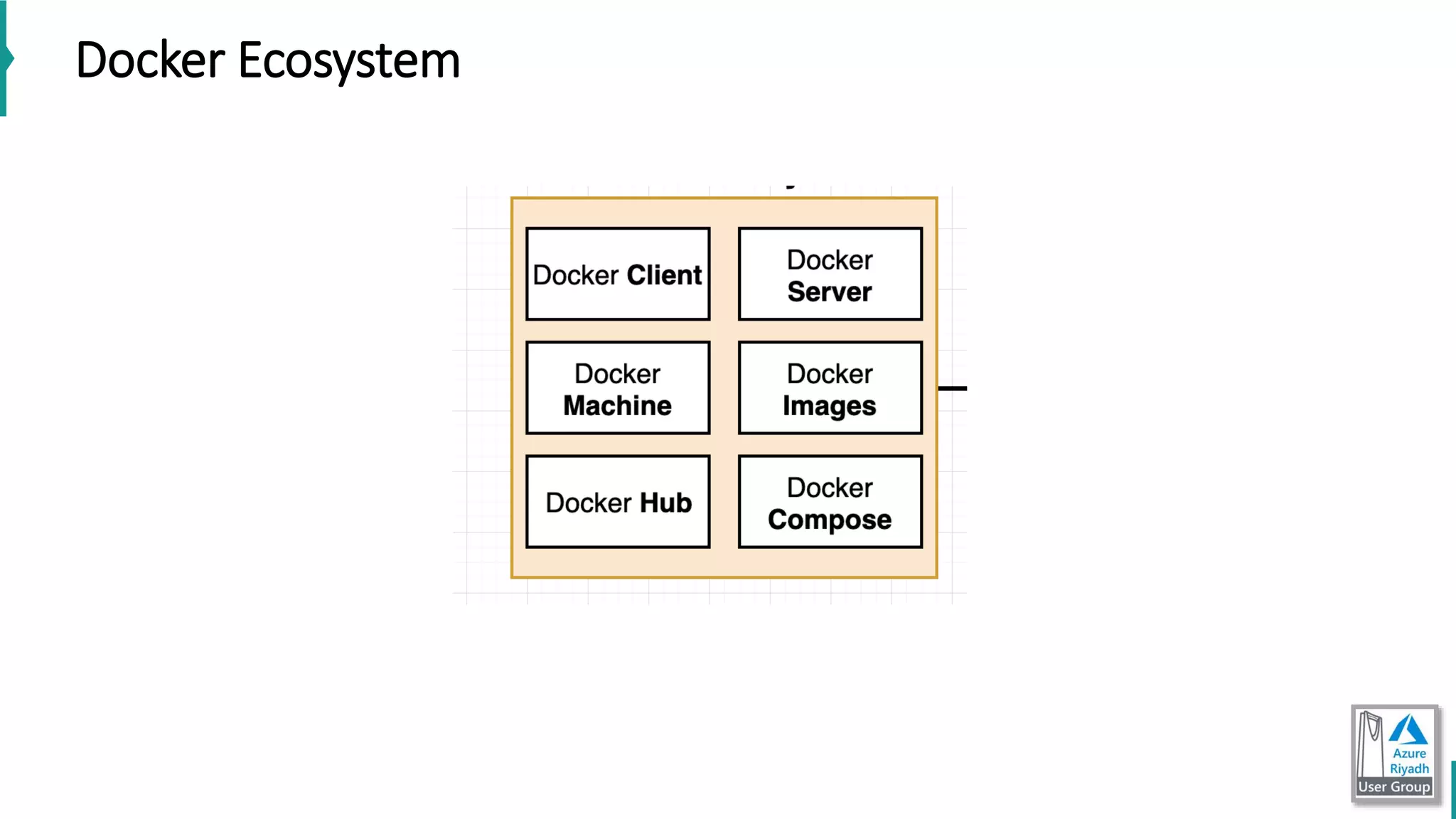
Docker Ecosystem
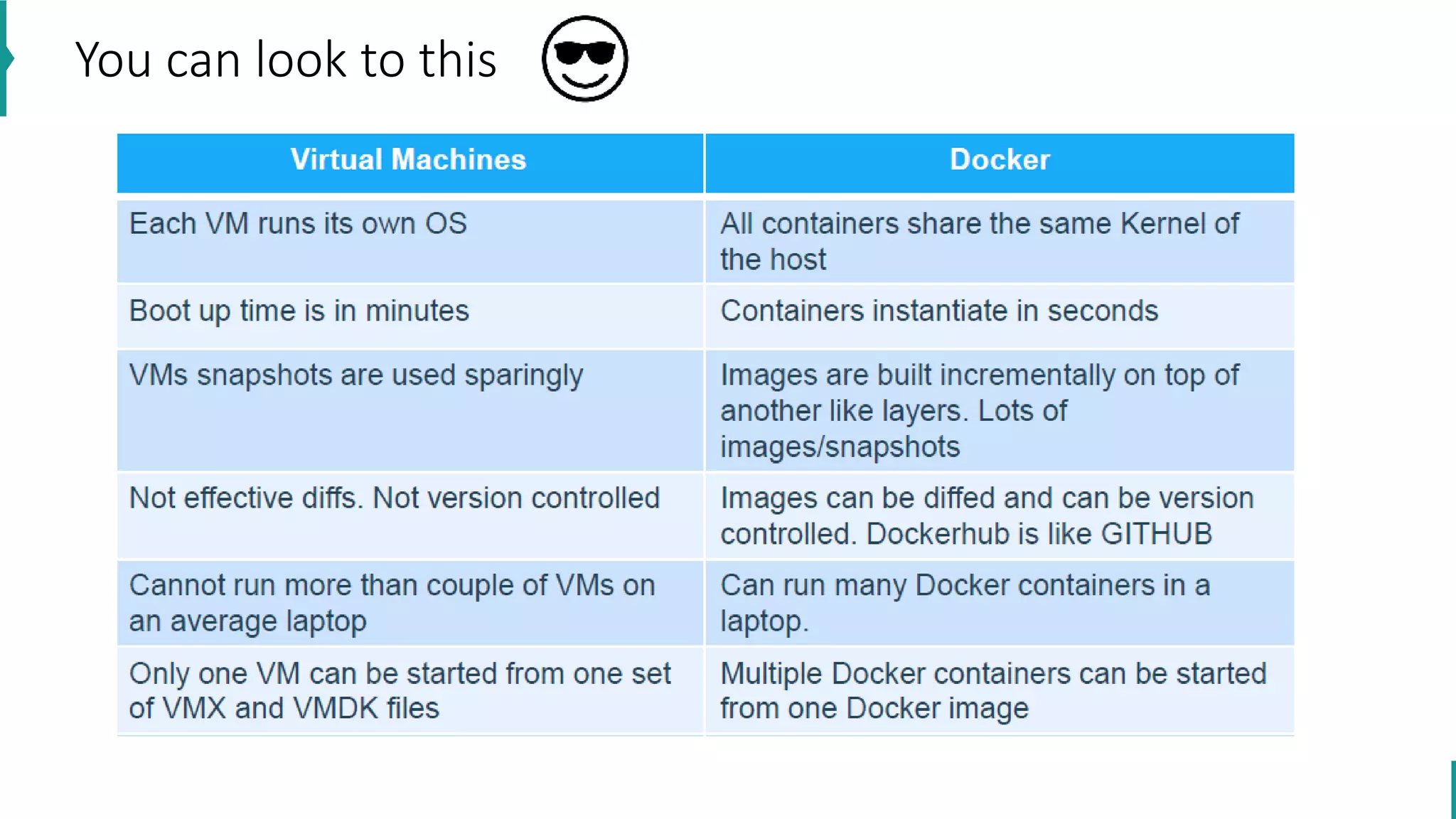
You can look to this
Kubernetes
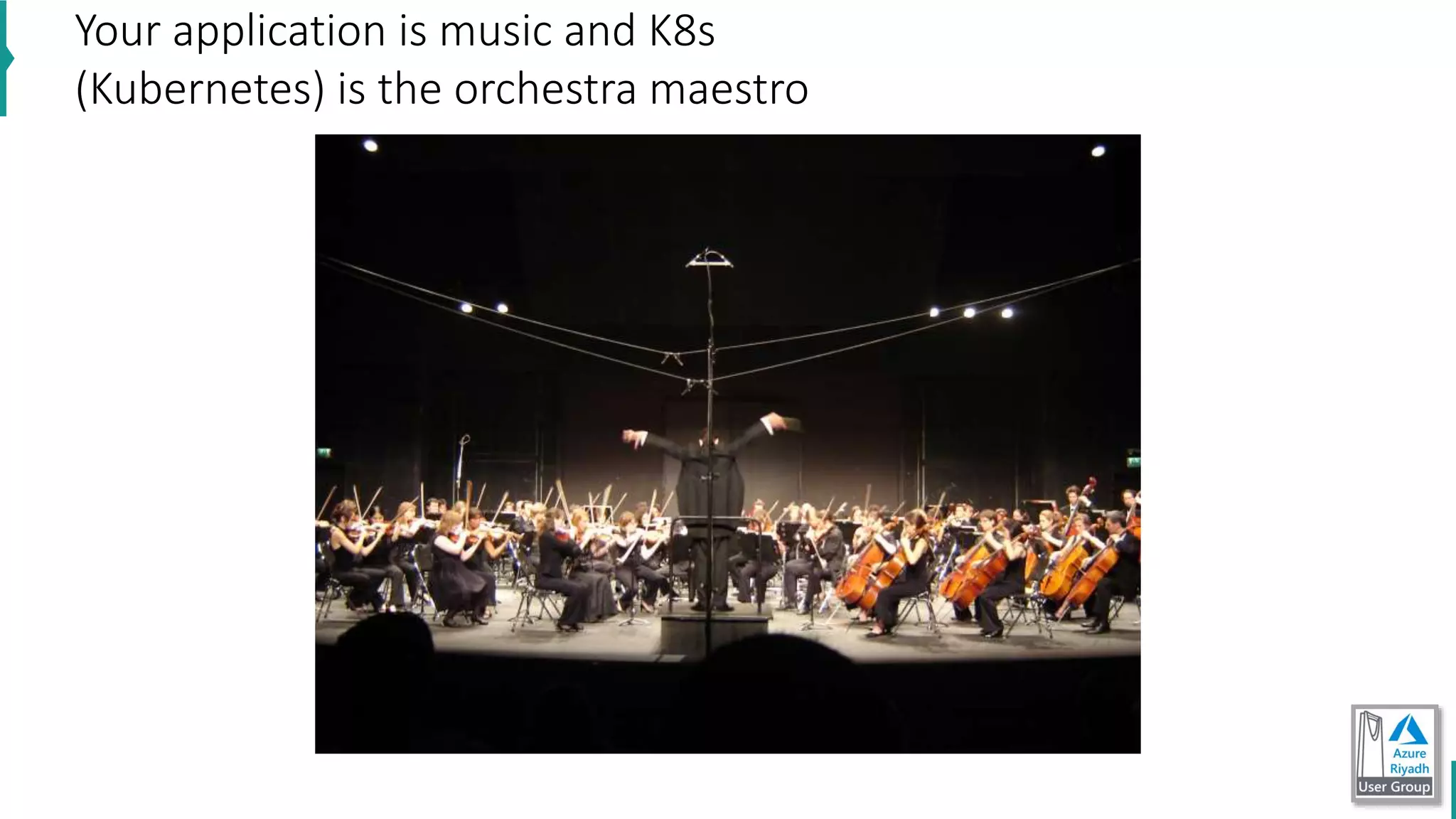
Your application is music and K8s
(Kubernetes) is the orchestra maestro
• High availability: NO downtime
• scalability: high performance
• Disaster recovery
what feature do orchestration tools offer
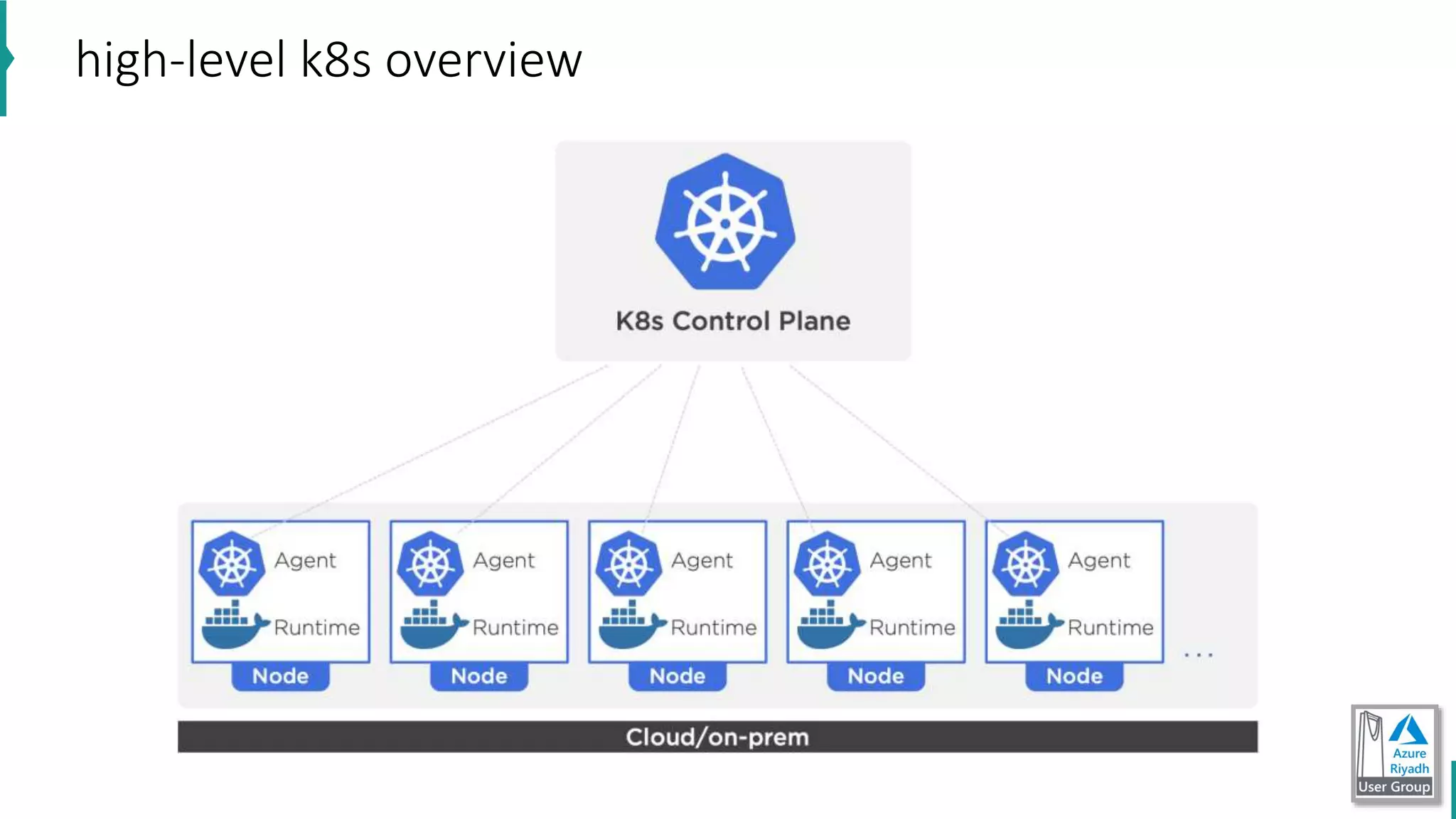
high-level k8s overview
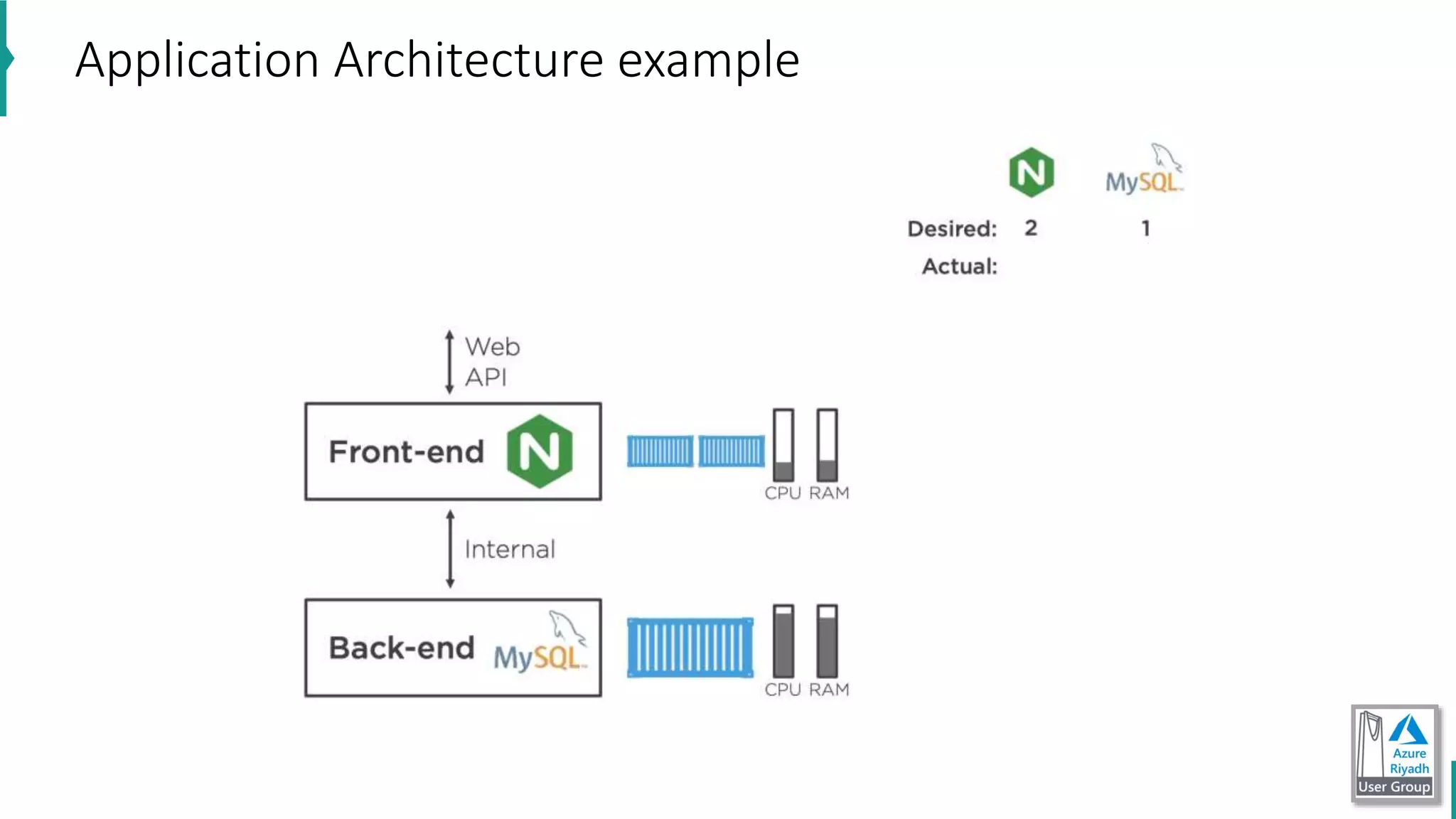
Application Architecture example
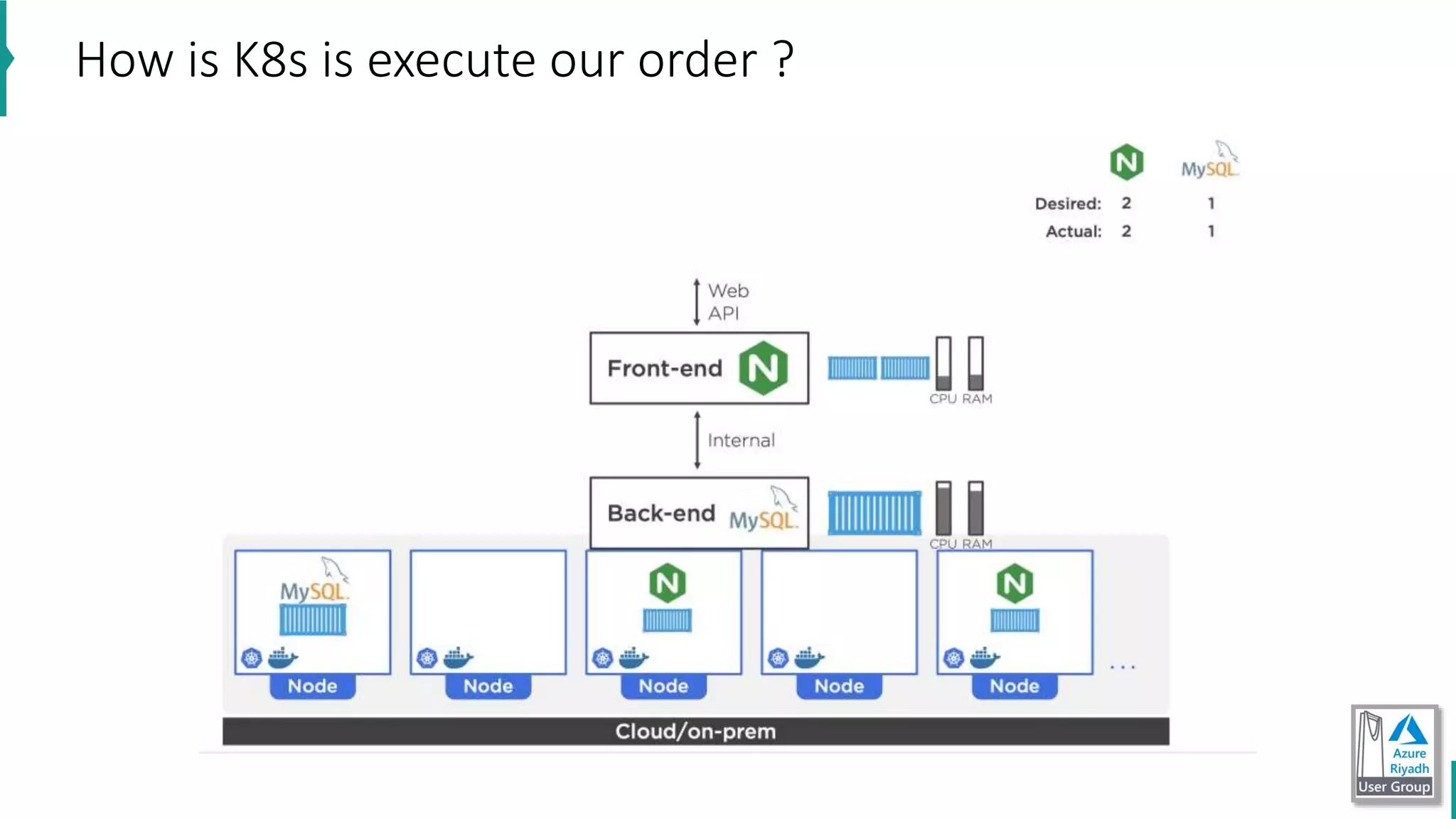
How is K8s is execute our order ?
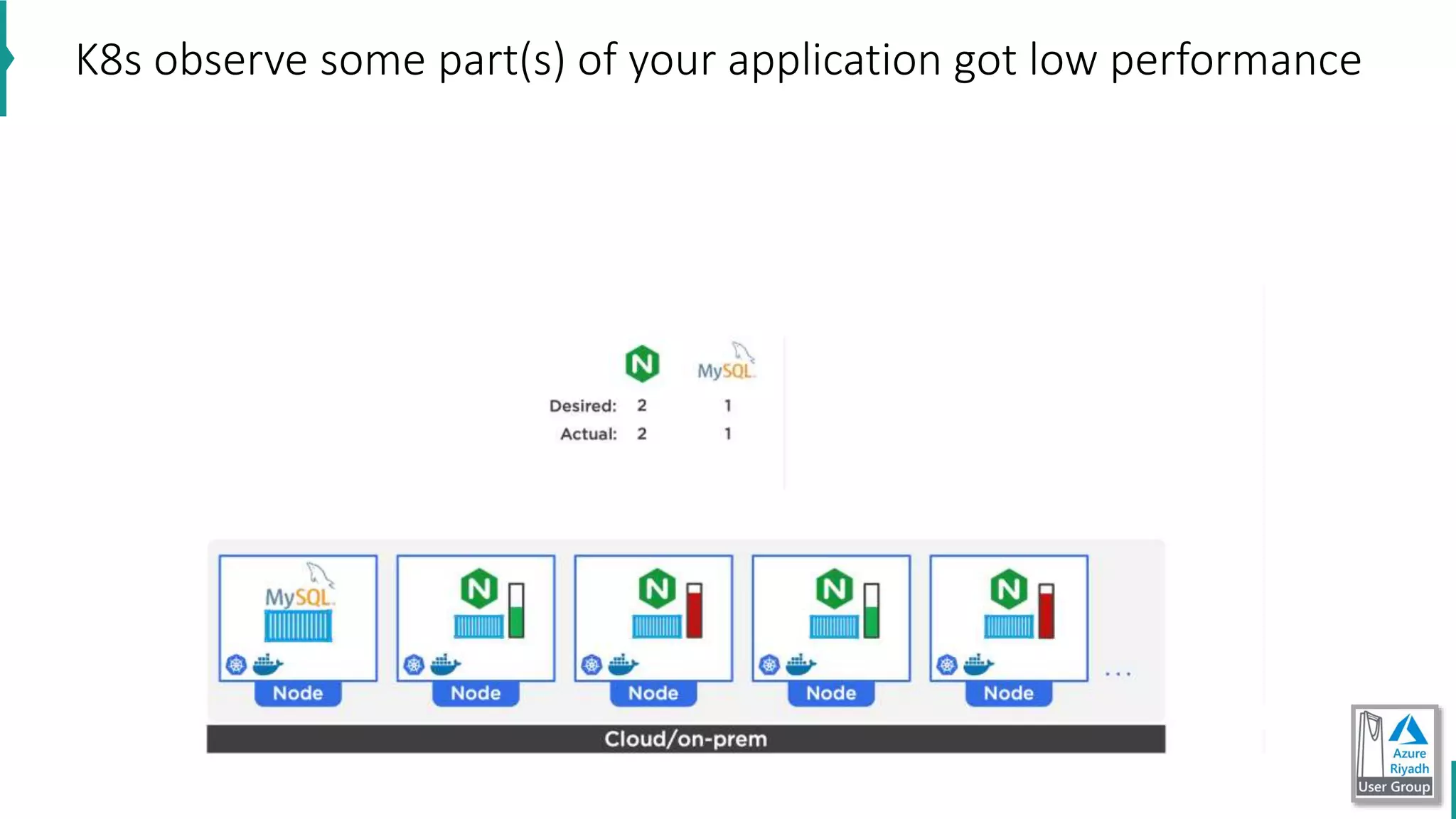
K8s observe some part(s) of your application got low performance
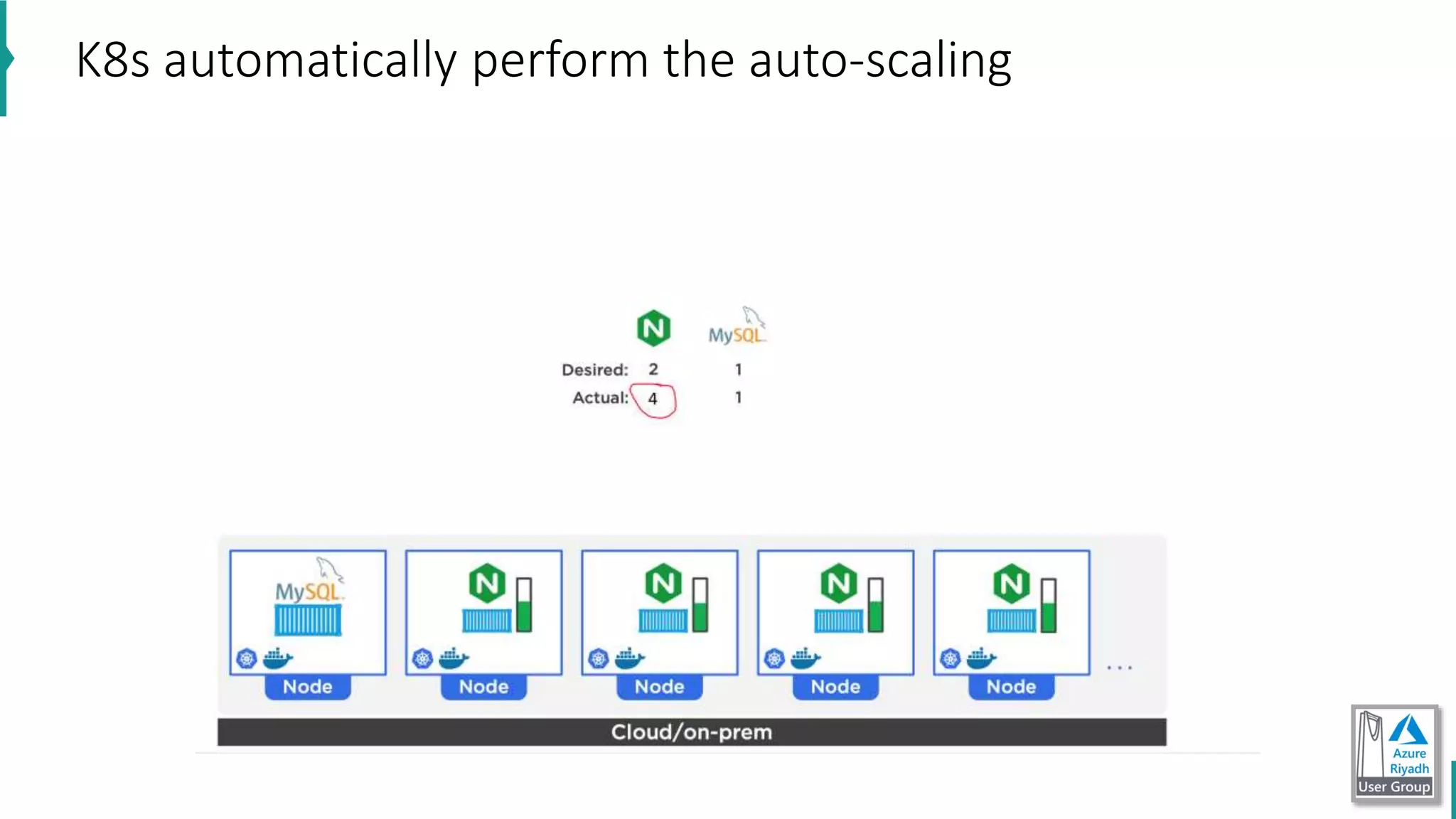
K8s automatically perform the auto-scaling
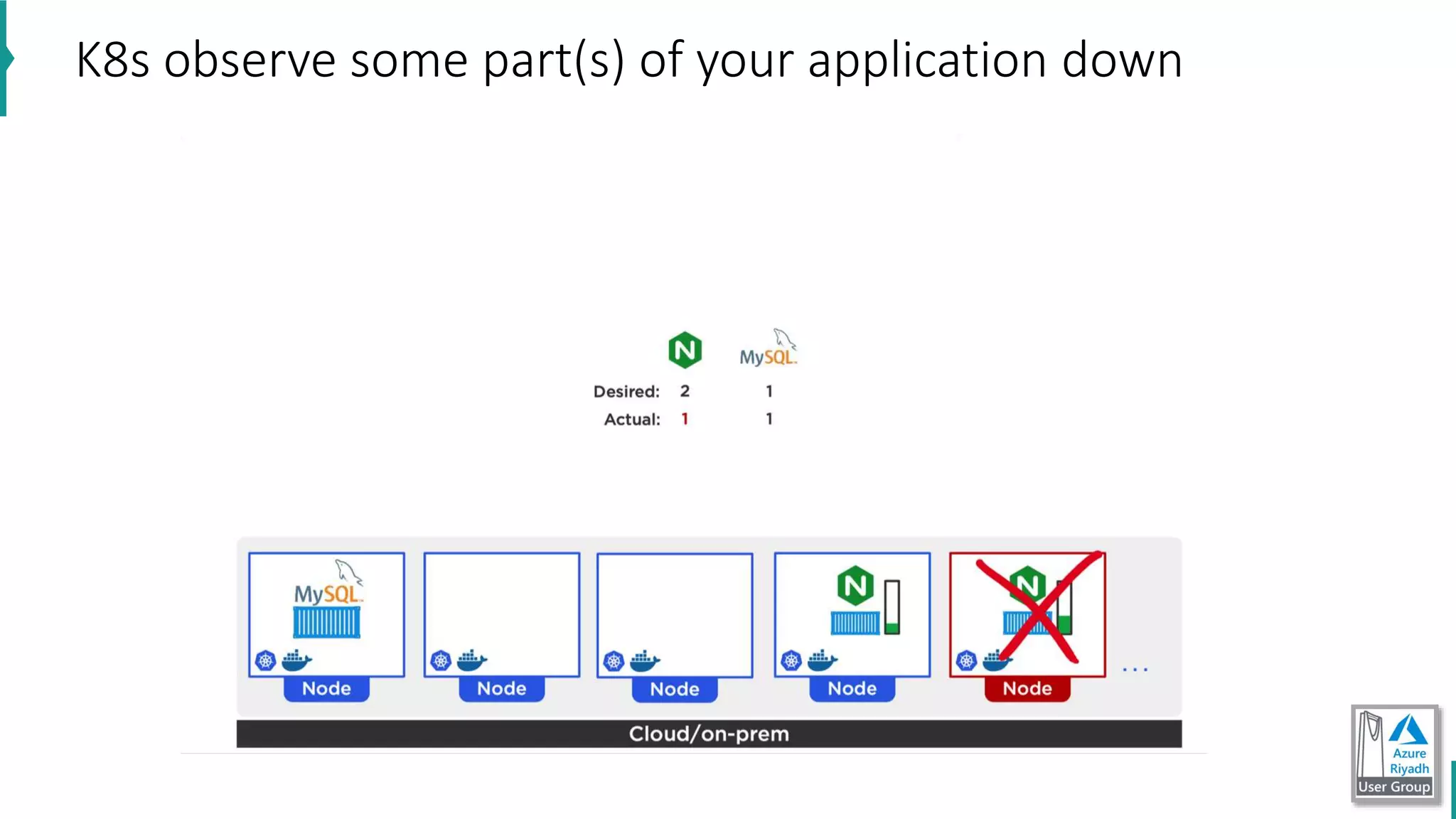
K8s observe some part(s) of your application down
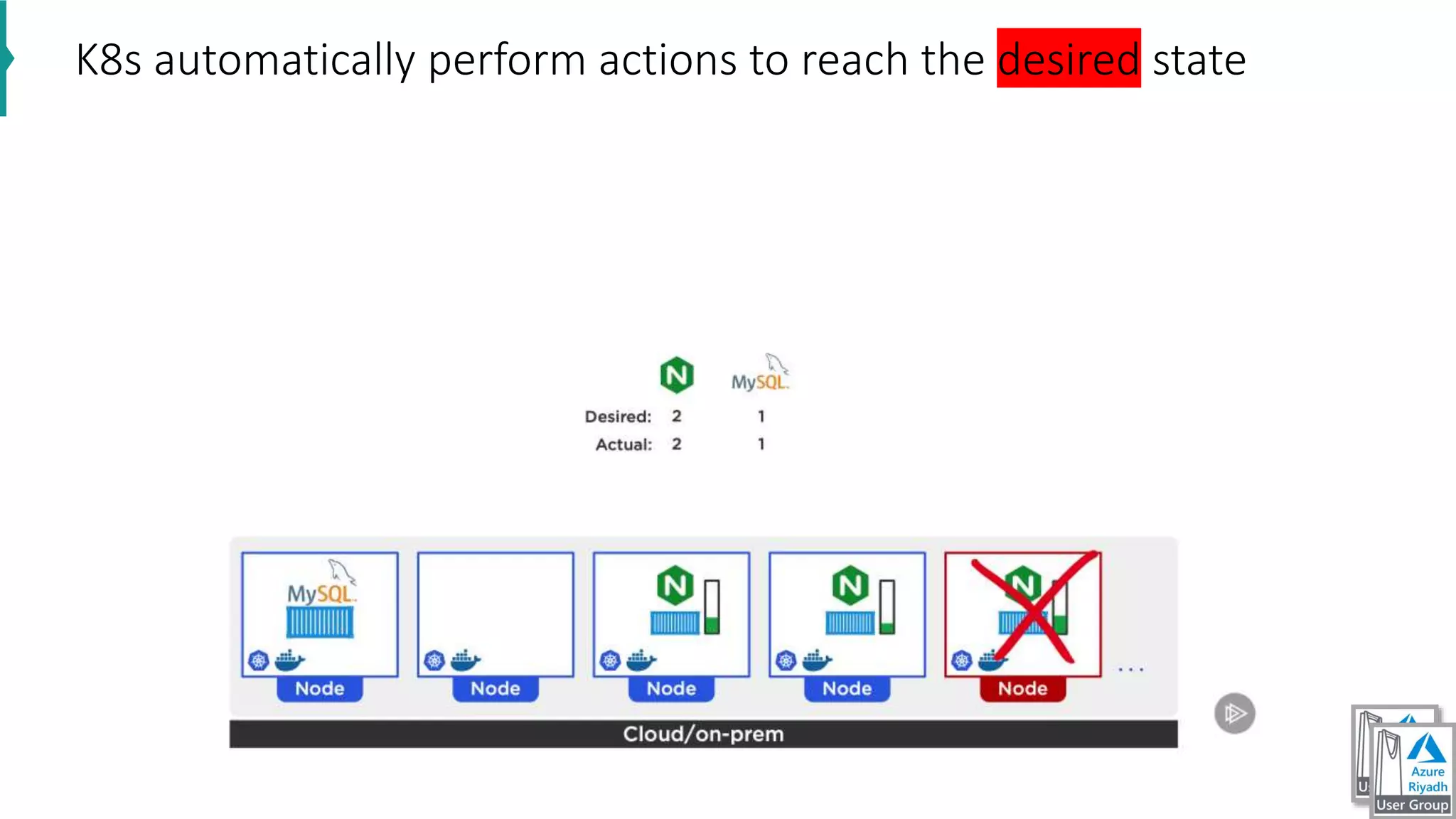
K8s automatically perform actions to reach the desired state
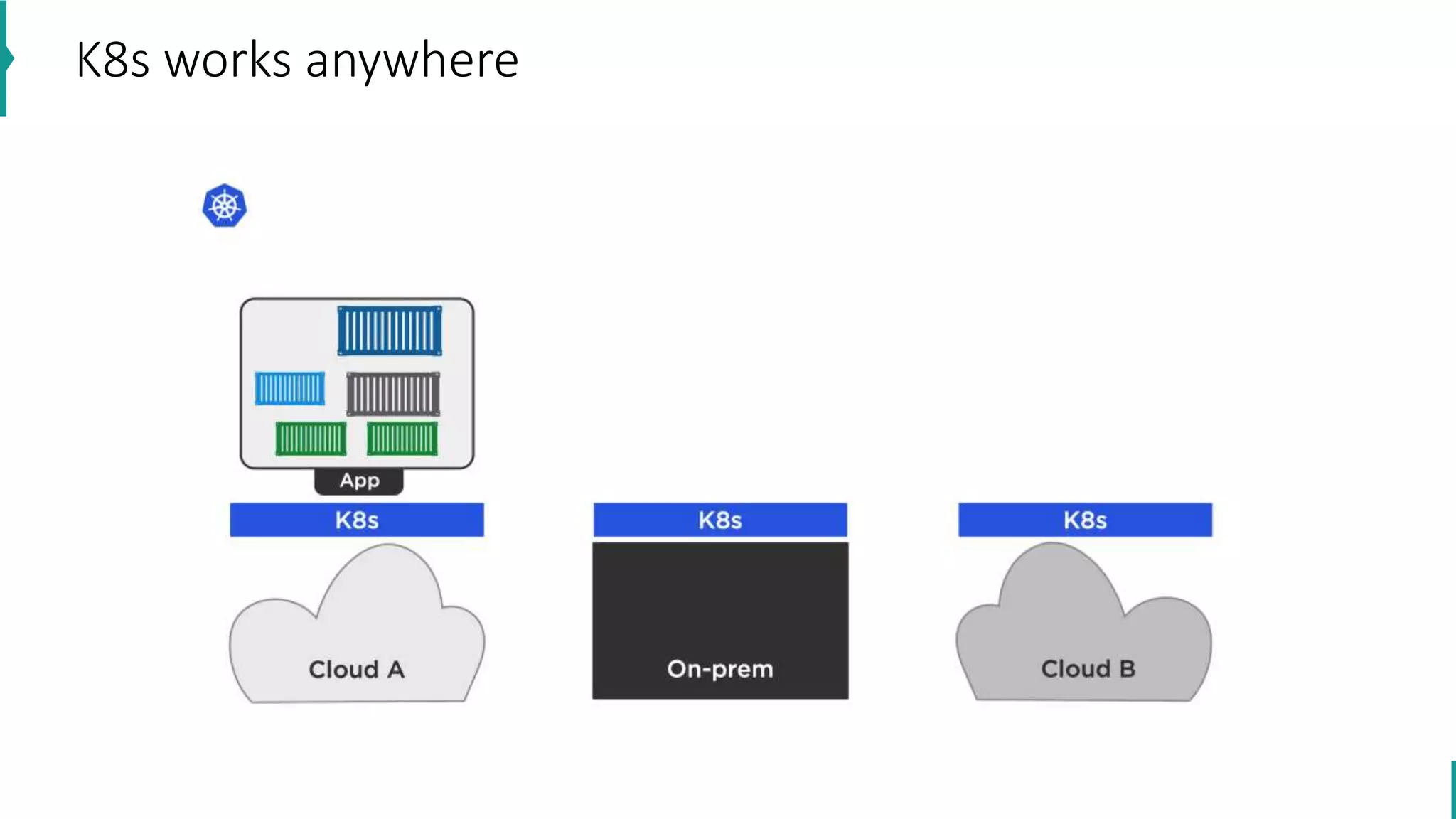
K8s works anywhere
K8s basic architecture
let us see diagrams
Power of Azure Devops

Power of Azure Devops

  • 1.
  • 2.
    Ahmad Ezzeir Business SolutionsDesign & Development Manager • Full stack developer linkedin.com/in/ahmad-Ezzeir
  • 3.
    1. DevOps coreprinciples 2. CI/CD basics 3. Demo: CI/CD with asp.net core webapi and Angular app 4. IaC Why and What? 5. Demo: IaC using Azure & Azure DevOps “ARM” 6. (Containers) Docker why and what ? 7. Demo: Docker deployment using Azure & Azure DevOps 8. Kubernetes why and what ? 9. Demo: Kubernetes deployment using Azure & Azure DevOps Agenda
  • 4.
    What is theproblem
  • 5.
    Fundamentally, DevOps isthe activity of optimizing the development-to-operations value stream by creating an increasingly smooth, fast flow of application changes from development into operations, with little waste. Definition of DevOps
  • 6.
    DevOps is asoftware development methodology that combines software development (Dev) with information technology operations (Ops). The goal of DevOps is to shorten the systems development life cycle while also delivering features, fixes, and updates frequently in close alignment with business objectives. Definition of DevOps
  • 7.
    DevOps DevOps coreprinciples Customer-Centric Action “feedback loop” Create with the end Mind “understanding customers needs” End to End responsibility “fully accountable for the products ” Cross-Functional Autonomous Teams Continuous Improvement “include minimizing waste and optimizing speed, costs, and ease of delivery. ” Automate Everything You Can “some joke  hacker-scripts”
  • 8.
    Continuous Integration Continuous Integrationelements Version Control System “Azure Repos, git, apache subversion, TFVC” Automated Build Process “Azure DevOps , Gradle ” Package Management System “Azure Artifacts, NuGet, NPM, Chocolatey ” Continuous Integration System “Azure DevOps, TeamCity, Jenkins,”
  • 9.
    • What isthe difference between Continuous Delivery and Continuous deployment ? CD vs CD code build test staging production Someone or some group need to approve before deploy
  • 10.
    Demo: CI/CD withasp.net core webapi and Angular app https://dev.azure.com/nashmetech/DemoApp Demo
  • 12.
  • 13.
    Why this isImportant ? Business value is what organizations expect from technology today and that value needs to Be devolved quickly and efficiently A new methodology is required that embraces modern development and operational practices
  • 14.
    Why Infrastructure asCode • Facilitates auditing by making it easier to trace what was deployed, when, and how (In other words, improves Traceability). • Provides consistent environments from release to release. • Greater consistency across development, test, and production environments. • Automates scale-up and scale-out processes. • Allows configurations to be version controlled. • Provides code review and unit-testing capabilities to help manage infrastructure changes. • Treats infrastructure as a flexible resource. • Its possible to perform blue/green deployments. This is a release methodology to minimize downtime, where two identical environments exist, one is live and the other is not. Updates are applied to the server that is not live, and when testing is verified and complete, it is switched to become the live environment and the previous live environment is no longer the live environment i.e. they are swapped. It can also be referred to as A/B deployment. • Immutable means that the service is not updated. If a change is needed to an environment, a new one is deployed and the old one taken down.
  • 15.
    Modularization Benefits of modularization Thefollowing list are benefits of modularization: • Easier to re-use components across different scenarios • Easier to manage and maintain you code • Easier for new team members to ramp up and understand how infrastructure and components relate and are used • Easier to sub-divide up the work and responsibilities across teams and area owners • Easier to troubleshoot • Easier to extend and add to your existing infrastructure definitions
  • 16.
    • Azure ResourceManager templates are written in JSON “class for developers”. A JSON document is essentially a collection of key-value pairs. Each key is a string, that's value can be: • string • number • Boolean expression • list of values • object (which is a collection of other key-value pairs) ARM
  • 17.
  • 18.
    ARM Template • Parameters: VM name, admin username, admin password domain name. • Variables: network configurations, storage configurations, • Functions: function to create unique name for each resource. • Resources: template components “network card, storage, location ” • Outputs: For example, you might want to receive your VM's IP address or fully qualified domain name (FQDN), information you do not know until the deployment runs.
  • 19.
    • https://dev.azure.com/nashmetech/IaC • https://github.com/Azure/azure-quickstart-templates/tree/master/101- vm-tags/ •Quick start templates: https://azure.microsoft.com/en- us/resources/templates/101-vm-tags/ • show demo using ARM Template Viewer VS code ext IaC Demos
  • 20.
    • Chef • Puppet •Ansible • Cloud-init with Azure • Terraform with Azure Third Party and Open Source Tool integration with Azure
  • 22.
    • Install softwareprocess in any computer • We can avoid this by using containers Containers why? What is the problem ? Download software Run installer Get some error during the installation Troubleshoot issue Run installer Get another error ! containers makes it really easy to install and run software without worrying about setup or dependencies
  • 23.
    Another problem fornon-containers env
  • 24.
    Linux OS P2 RAM HD CPU NT CPUHDNTRAM P1 RAM HDCPU NT Kernel When you start a container, you start the container process
  • 25.
    Containers products • Docker •Apache Mesos • Container Linux by CoreOS • LXC • Azure • AWS • IBM
  • 26.
    What is Dockertrying to Achieve ? Windows Liunx MAC It is following the build once, run anywhere approch Any cloud On-premises Software is written in any development language
  • 27.
    • docker version •docker run hello-world • let us see diagrams Hello Word from Docker
  • 28.
  • 29.
    Create a newcontainer process • check diagram ” Create container”
  • 30.
    • docker runhello-world • docker run --name some-nginx -d -p 8080:80 nginx • docker run -d --hostname my-rabbit --name some-rabbit -p 15672:15672 rabbitmq:3-management Create docker from images
  • 31.
    Container Registries • Dockerimages can be stored locally • Use container registries to share images • Docker Hub hosts public images • - https://hub.docker.com/ - Also supports private image hosting • Azure Container Registry (ACR) • - Store containers in Azure • - Can build images automatically
  • 32.
    • store imagein docker hub • docker login • docker push image .. • store image on Azure Container Registries (ACR) • az acr login • from Azure DevOps CI CD Demo
  • 33.
    Tip # 1:if you want really understand docker do not follow below courses to understand docker • Docker for nodejs developer • Docker for .net developer • Docker for java developer Tip # 2: Linux commands essential (for sure not all now) Tip # 3: you need to learn and do practices in real projects. Advice to get started with docker
  • 34.
  • 35.
  • 36.
    You can lookto this
  • 37.
  • 38.
    Your application ismusic and K8s (Kubernetes) is the orchestra maestro
  • 39.
    • High availability:NO downtime • scalability: high performance • Disaster recovery what feature do orchestration tools offer
  • 40.
  • 41.
  • 42.
    How is K8sis execute our order ?
  • 43.
    K8s observe somepart(s) of your application got low performance
  • 44.
    K8s automatically performthe auto-scaling
  • 45.
    K8s observe somepart(s) of your application down
  • 46.
    K8s automatically performactions to reach the desired state
  • 47.
  • 48.