Computer term : Glossary
CPU (Central processing unit)
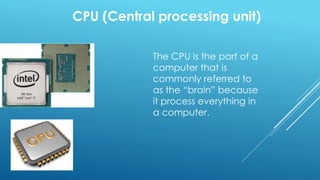
The CPU is the part of a
computer that is
commonly referred to
as the “brain” because
it process everything in
a computer.
RAM (Random access memory)
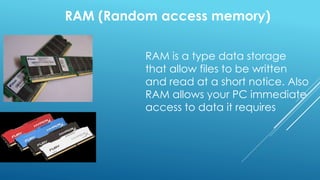
RAM is a type data storage
that allow files to be written
and read at a short notice. Also
RAM allows your PC immediate
access to data it requires
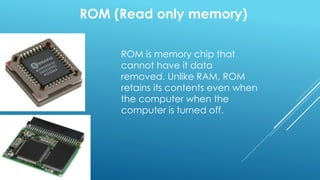
ROM (Read only memory)
ROM is memory chip that
cannot have it data
removed. Unlike RAM, ROM
retains its contents even when
the computer when the
computer is turned off.
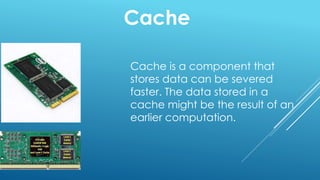
Cache
Cache is a component that
stores data can be severed
faster. The data stored in a
cache might be the result of an
earlier computation.
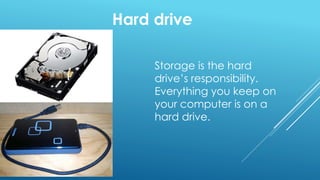
Hard drive
Storage is the hard
drive’s responsibility.
Everything you keep on
your computer is on a
hard drive.
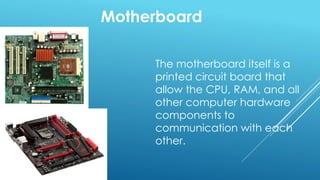
Motherboard
The motherboard itself is a
printed circuit board that
allow the CPU, RAM, and all
other computer hardware
components to
communication with each
other.
Powering unit
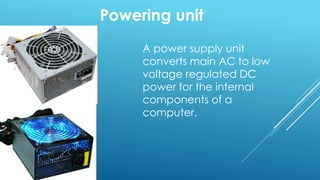
A power supply unit
converts main AC to low
voltage regulated DC
power for the internal
components of a
computer.
Video card
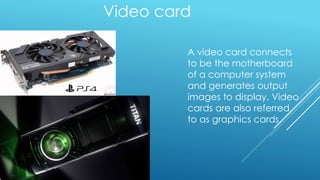
A video card connects
to be the motherboard
of a computer system
and generates output
images to display. Video
cards are also referred
to as graphics cards.
Sound card
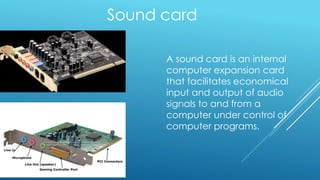
A sound card is an internal
computer expansion card
that facilitates economical
input and output of audio
signals to and from a
computer under control of
computer programs.
Speed measurement
Kilohertz
Megahertz
Gigahertz
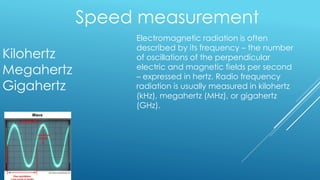
Electromagnetic radiation is often
described by its frequency – the number
of oscillations of the perpendicular
electric and magnetic fields per second
– expressed in hertz. Radio frequency
radiation is usually measured in kilohertz
(kHz), megahertz (MHz), or gigahertz
(GHz).
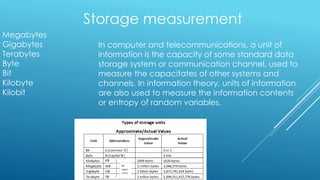
Storage measurement
Megabytes
Gigabytes
Terabytes
Byte
Bit
Kilobyte
Kilobit
In computer and telecommunications, a unit of
information is the capacity of some standard data
storage system or communication channel, used to
measure the capacitates of other systems and
channels. In information theory, units of information
are also used to measure the information contents
or entropy of random variables.
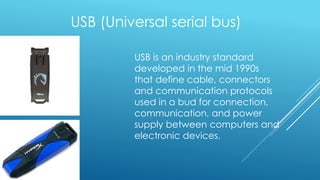
USB (Universal serial bus)
USB is an industry standard
developed in the mid 1990s
that define cable, connectors
and communication protocols
used in a bud for connection,
communication, and power
supply between computers and
electronic devices.
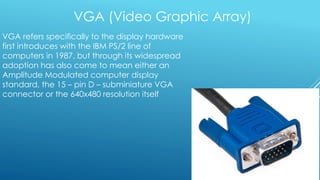
VGA (Video Graphic Array)
VGA refers specifically to the display hardware
first introduces with the IBM PS/2 line of
computers in 1987, but through its widespread
adoption has also come to mean either an
Amplitude Modulated computer display
standard, the 15 – pin D – subminiature VGA
connector or the 640x480 resolution itself
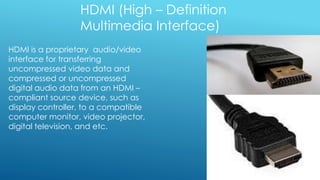
HDMI (High – Definition
Multimedia Interface)
HDMI is a proprietary audio/video
interface for transferring
uncompressed video data and
compressed or uncompressed
digital audio data from an HDMI –
compliant source device, such as
display controller, to a compatible
computer monitor, video projector,
digital television, and etc.
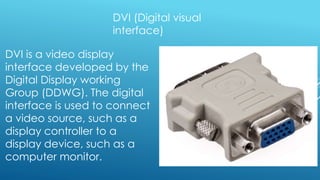
DVI (Digital visual
interface)
DVI is a video display
interface developed by the
Digital Display working
Group (DDWG). The digital
interface is used to connect
a video source, such as a
display controller to a
display device, such as a
computer monitor.
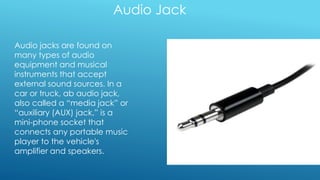
Audio Jack
Audio jacks are found on
many types of audio
equipment and musical
instruments that accept
external sound sources. In a
car or truck, ab audio jack,
also called a “media jack” or
“auxiliary (AUX) jack,” is a
mini-phone socket that
connects any portable music
player to the vehicle's
amplifier and speakers.
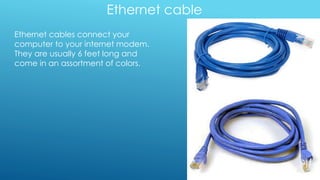
Ethernet cable
Ethernet cables connect your
computer to your internet modem.
They are usually 6 feet long and
come in an assortment of colors.
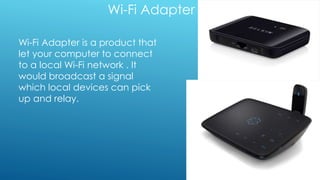
Wi-Fi Adapter
Wi-Fi Adapter is a product that
let your computer to connect
to a local Wi-Fi network . It
would broadcast a signal
which local devices can pick
up and relay.
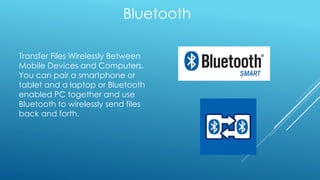
Bluetooth
Transfer Files Wirelessly Between
Mobile Devices and Computers.
You can pair a smartphone or
tablet and a laptop or Bluetooth
enabled PC together and use
Bluetooth to wirelessly send files
back and forth.
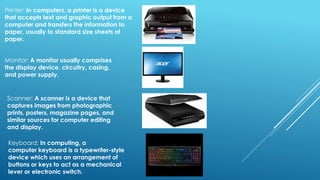
Printer: In computers, a printer is a device
that accepts text and graphic output from a
computer and transfers the information to
paper, usually to standard size sheets of
paper.
Monitor: A monitor usually comprises
the display device, circuitry, casing,
and power supply.
Scanner: A scanner is a device that
captures images from photographic
prints, posters, magazine pages, and
similar sources for computer editing
and display.
Keyboard: In computing, a
computer keyboard is a typewriter-style
device which uses an arrangement of
buttons or keys to act as a mechanical
lever or electronic switch.
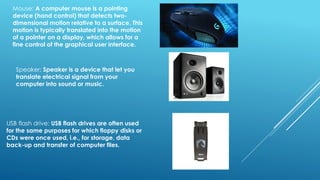
Mouse: A computer mouse is a pointing
device (hand control) that detects two-
dimensional motion relative to a surface. This
motion is typically translated into the motion
of a pointer on a display, which allows for a
fine control of the graphical user interface.
Speaker: Speaker is a device that let you
translate electrical signal from your
computer into sound or music.
USB flash drive: USB flash drives are often used
for the same purposes for which floppy disks or
CDs were once used, i.e., for storage, data
back-up and transfer of computer files.

Computer Term

  • 1.
  • 2.
    CPU (Central processingunit) The CPU is the part of a computer that is commonly referred to as the “brain” because it process everything in a computer.
  • 3.
    RAM (Random accessmemory) RAM is a type data storage that allow files to be written and read at a short notice. Also RAM allows your PC immediate access to data it requires
  • 4.
    ROM (Read onlymemory) ROM is memory chip that cannot have it data removed. Unlike RAM, ROM retains its contents even when the computer when the computer is turned off.
  • 5.
    Cache Cache is acomponent that stores data can be severed faster. The data stored in a cache might be the result of an earlier computation.
  • 6.
    Hard drive Storage isthe hard drive’s responsibility. Everything you keep on your computer is on a hard drive.
  • 7.
    Motherboard The motherboard itselfis a printed circuit board that allow the CPU, RAM, and all other computer hardware components to communication with each other.
  • 8.
    Powering unit A powersupply unit converts main AC to low voltage regulated DC power for the internal components of a computer.
  • 9.
    Video card A videocard connects to be the motherboard of a computer system and generates output images to display. Video cards are also referred to as graphics cards.
  • 10.
    Sound card A soundcard is an internal computer expansion card that facilitates economical input and output of audio signals to and from a computer under control of computer programs.
  • 11.
    Speed measurement Kilohertz Megahertz Gigahertz Electromagnetic radiationis often described by its frequency – the number of oscillations of the perpendicular electric and magnetic fields per second – expressed in hertz. Radio frequency radiation is usually measured in kilohertz (kHz), megahertz (MHz), or gigahertz (GHz).
  • 12.
    Storage measurement Megabytes Gigabytes Terabytes Byte Bit Kilobyte Kilobit In computerand telecommunications, a unit of information is the capacity of some standard data storage system or communication channel, used to measure the capacitates of other systems and channels. In information theory, units of information are also used to measure the information contents or entropy of random variables.
  • 13.
    USB (Universal serialbus) USB is an industry standard developed in the mid 1990s that define cable, connectors and communication protocols used in a bud for connection, communication, and power supply between computers and electronic devices.
  • 14.
    VGA (Video GraphicArray) VGA refers specifically to the display hardware first introduces with the IBM PS/2 line of computers in 1987, but through its widespread adoption has also come to mean either an Amplitude Modulated computer display standard, the 15 – pin D – subminiature VGA connector or the 640x480 resolution itself
  • 15.
    HDMI (High –Definition Multimedia Interface) HDMI is a proprietary audio/video interface for transferring uncompressed video data and compressed or uncompressed digital audio data from an HDMI – compliant source device, such as display controller, to a compatible computer monitor, video projector, digital television, and etc.
  • 16.
    DVI (Digital visual interface) DVIis a video display interface developed by the Digital Display working Group (DDWG). The digital interface is used to connect a video source, such as a display controller to a display device, such as a computer monitor.
  • 17.
    Audio Jack Audio jacksare found on many types of audio equipment and musical instruments that accept external sound sources. In a car or truck, ab audio jack, also called a “media jack” or “auxiliary (AUX) jack,” is a mini-phone socket that connects any portable music player to the vehicle's amplifier and speakers.
  • 18.
    Ethernet cable Ethernet cablesconnect your computer to your internet modem. They are usually 6 feet long and come in an assortment of colors.
  • 19.
    Wi-Fi Adapter Wi-Fi Adapteris a product that let your computer to connect to a local Wi-Fi network . It would broadcast a signal which local devices can pick up and relay.
  • 20.
    Bluetooth Transfer Files WirelesslyBetween Mobile Devices and Computers. You can pair a smartphone or tablet and a laptop or Bluetooth enabled PC together and use Bluetooth to wirelessly send files back and forth.
  • 21.
    Printer: In computers,a printer is a device that accepts text and graphic output from a computer and transfers the information to paper, usually to standard size sheets of paper. Monitor: A monitor usually comprises the display device, circuitry, casing, and power supply. Scanner: A scanner is a device that captures images from photographic prints, posters, magazine pages, and similar sources for computer editing and display. Keyboard: In computing, a computer keyboard is a typewriter-style device which uses an arrangement of buttons or keys to act as a mechanical lever or electronic switch.
  • 22.
    Mouse: A computermouse is a pointing device (hand control) that detects two- dimensional motion relative to a surface. This motion is typically translated into the motion of a pointer on a display, which allows for a fine control of the graphical user interface. Speaker: Speaker is a device that let you translate electrical signal from your computer into sound or music. USB flash drive: USB flash drives are often used for the same purposes for which floppy disks or CDs were once used, i.e., for storage, data back-up and transfer of computer files.