Parts of the ComputerPrepared by:    Frances Lou T. Gomez                           I – JusticeI hope You will enjoy my slide show.   “Thant in all things god may be glorified”
PrinterIt is use to transfer text, graphic, pictures etc. from the monitor to the paper..It is a output..
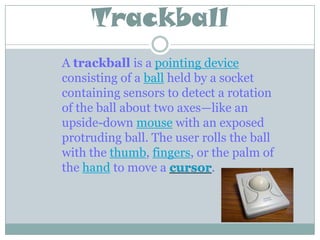
TrackballA trackball is a pointing device consisting of a ball held by a socket containing sensors to detect a rotation of the ball about two axes—like an upside-down mouse with an exposed protruding ball. The user rolls the ball with the thumb, fingers, or the palm of the hand to move a cursor.
Disk Drive -It is use to read CD’s. -A hard disk drive[2] (often shortened as "hard disk"[3], "hard drive"[4], or "HDD"), is a non-volatile storage device which stores digitally encoded data on rapidly rotating platters with magnetic surfaces. Strictly speaking, "drive" refers to a device distinct from its medium, such as a tape drive and its tape, or a floppy disk drive and its floppy disk. Early HDDs had removable media; however, an HDD today is typically a sealed unit (except for a filtered vent hole to equalize air pressure) with fixed media.
U.S.B. PortA USB hub is a device that allows many USB devices to be connected to a single USB port on a host computer or another hub.USB hubs are sometimes built into equipment, such as keyboards, monitors, printers, or computers. When a computer has several USB ports they all usually stem from one or two internal USB hubs rather than each port having independent USB hardware.Physically separate USB hubs come in a wide variety of form factors: from boxes (looking similar to a network hub as shown above) connectible with a long cable, to small designs that can be directly plugged into a USB port (see the 'compact design' picture). In the middle case, there are "short cable" hubs which typically use an integral 6 inch cable to slightly distance a small hub away from physical port congestion and of course increase the number of available ports.Laptop computers may come with many USB ports built in, but an external USB hub can consolidate several everyday devices (like a mouse and a printer) into a single port for quick attachment and removal.
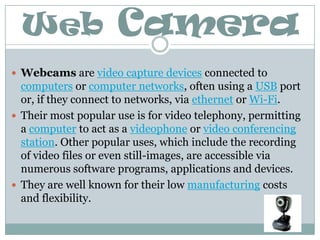
Web CameraWebcams are video capture devices connected to computers or computer networks, often using a USB port or, if they connect to networks, via ethernet or Wi-Fi.Their most popular use is for video telephony, permitting a computer to act as a videophone or video conferencing station. Other popular uses, which include the recording of video files or even still-images, are accessible via numerous software programs, applications and devices.They are well known for their low manufacturing costs and flexibility.

Computer Parts

  • 1.
    Parts of theComputerPrepared by: Frances Lou T. Gomez I – JusticeI hope You will enjoy my slide show.   “Thant in all things god may be glorified”
  • 2.
    PrinterIt is useto transfer text, graphic, pictures etc. from the monitor to the paper..It is a output..
  • 3.
    TrackballA trackball isa pointing device consisting of a ball held by a socket containing sensors to detect a rotation of the ball about two axes—like an upside-down mouse with an exposed protruding ball. The user rolls the ball with the thumb, fingers, or the palm of the hand to move a cursor.
  • 4.
    Disk Drive -Itis use to read CD’s. -A hard disk drive[2] (often shortened as "hard disk"[3], "hard drive"[4], or "HDD"), is a non-volatile storage device which stores digitally encoded data on rapidly rotating platters with magnetic surfaces. Strictly speaking, "drive" refers to a device distinct from its medium, such as a tape drive and its tape, or a floppy disk drive and its floppy disk. Early HDDs had removable media; however, an HDD today is typically a sealed unit (except for a filtered vent hole to equalize air pressure) with fixed media.
  • 5.
    U.S.B. PortA USBhub is a device that allows many USB devices to be connected to a single USB port on a host computer or another hub.USB hubs are sometimes built into equipment, such as keyboards, monitors, printers, or computers. When a computer has several USB ports they all usually stem from one or two internal USB hubs rather than each port having independent USB hardware.Physically separate USB hubs come in a wide variety of form factors: from boxes (looking similar to a network hub as shown above) connectible with a long cable, to small designs that can be directly plugged into a USB port (see the 'compact design' picture). In the middle case, there are "short cable" hubs which typically use an integral 6 inch cable to slightly distance a small hub away from physical port congestion and of course increase the number of available ports.Laptop computers may come with many USB ports built in, but an external USB hub can consolidate several everyday devices (like a mouse and a printer) into a single port for quick attachment and removal.
  • 6.
    Web CameraWebcams arevideo capture devices connected to computers or computer networks, often using a USB port or, if they connect to networks, via ethernet or Wi-Fi.Their most popular use is for video telephony, permitting a computer to act as a videophone or video conferencing station. Other popular uses, which include the recording of video files or even still-images, are accessible via numerous software programs, applications and devices.They are well known for their low manufacturing costs and flexibility.