Computer Issues
BY: LEONEL V. RIVAS
A. Preventing Computer Systems Failure
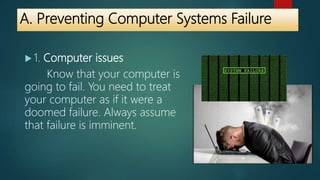
 1. Computer issues
Know that your computer is
going to fail. You need to treat
your computer as if it were a
doomed failure. Always assume
that failure is imminent.
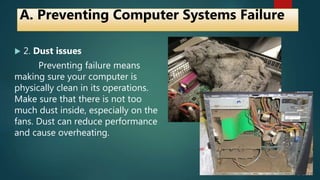
 2. Dust issues
Preventing failure means
making sure your computer is
physically clean in its operations.
Make sure that there is not too
much dust inside, especially on the
fans. Dust can reduce performance
and cause overheating.
A. Preventing Computer Systems Failure
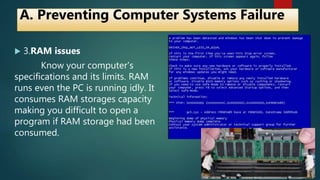
 3.RAM issues
Know your computer's
specifications and its limits. RAM
runs even the PC is running idly. It
consumes RAM storages capacity
making you difficult to open a
program if RAM storage had been
consumed.
A. Preventing Computer Systems Failure
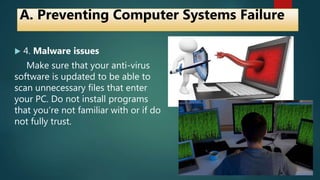
 4. Malware issues
Make sure that your anti-virus
software is updated to be able to
scan unnecessary files that enter
your PC. Do not install programs
that you’re not familiar with or if do
not fully trust.
A. Preventing Computer Systems Failure
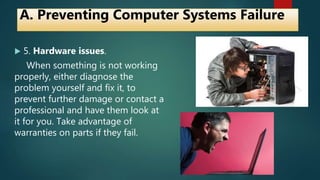
 5. Hardware issues.
When something is not working
properly, either diagnose the
problem yourself and fix it, to
prevent further damage or contact a
professional and have them look at
it for you. Take advantage of
warranties on parts if they fail.
A. Preventing Computer Systems Failure
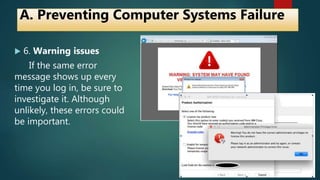
 6. Warning issues
If the same error
message shows up every
time you log in, be sure to
investigate it. Although
unlikely, these errors could
be important.
A. Preventing Computer Systems Failure
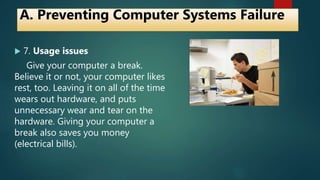
 7. Usage issues
Give your computer a break.
Believe it or not, your computer likes
rest, too. Leaving it on all of the time
wears out hardware, and puts
unnecessary wear and tear on the
hardware. Giving your computer a
break also saves you money
(electrical bills).
A. Preventing Computer Systems Failure
 8. Warranty issues
Always take advantage of
warranties. Get a warranty to protect
your hardware, so it can be replaced
in case of failure.
A. Preventing Computer Systems Failure
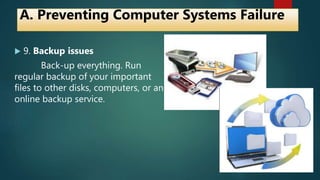
 9. Backup issues
Back-up everything. Run
regular backup of your important
files to other disks, computers, or an
online backup service.
A. Preventing Computer Systems Failure
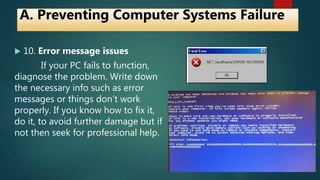
 10. Error message issues
If your PC fails to function,
diagnose the problem. Write down
the necessary info such as error
messages or things don’t work
properly. If you know how to fix it,
do it, to avoid further damage but if
not then seek for professional help.
A. Preventing Computer Systems Failure
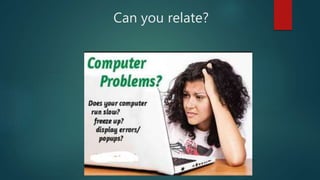
Can you relate?
Quiz
 Type A. Enumeration
Read the given details and Identify the issue being
described.
 Type B. Explaination
Select one issue that you personally experience. Write
down that experience briefly and explain also the solution
you made to the issue.
1. _______________
 Preventing failure means making sure your
computer is physically clean in its operations.
Make sure that there is not too much
unwanted particles inside, especially on the
fans. This unwanted particles reduce
performance and cause overheating.
Set A.
2. ______________
 When something is not working properly,
either diagnose the problem yourself and fix it,
to prevent further damage or contact a
professional and have them look at it for you.
Take advantage of warranties on parts if they
fail.
3._______________
Make sure that your anti-virus software is
updated to be able to scan unnecessary
files that enter your PC. Do not install
programs that you’re not familiar with or
if do not fully trust.
4. ________________
 Know your computer's specifications and its
limits. Memory device runs even the PC is
running idly. It consumes memory storages
capacity making you difficult to open a
program if memory storage had been
consumed.
5. _____________
 If your PC fails to function, diagnose the
problem. Write down the necessary info such
as error messages or things don’t work
properly. If you know how to fix it, do it, to
avoid further damage but if not then seek for
professional help.
6. ________________
 Save everything. Run regular saving on removable
drives of your important files or unto other disks,
computers, or an online service.
7. ______________
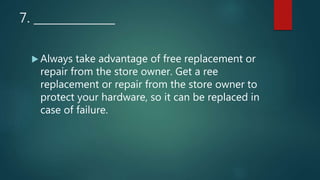
 Always take advantage of free replacement or
repair from the store owner. Get a ree
replacement or repair from the store owner to
protect your hardware, so it can be replaced in
case of failure.
8. ____________
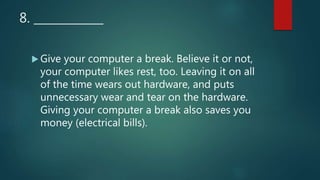
 Give your computer a break. Believe it or not,
your computer likes rest, too. Leaving it on all
of the time wears out hardware, and puts
unnecessary wear and tear on the hardware.
Giving your computer a break also saves you
money (electrical bills).
9. ______________
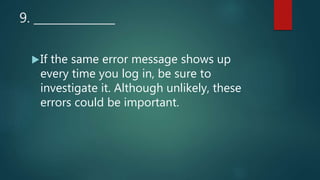
If the same error message shows up
every time you log in, be sure to
investigate it. Although unlikely, these
errors could be important.
10. _______________
Know that your computer is going to
fail. You need to treat your computer
as if it were a doomed failure. Always
assume that failure is imminent.
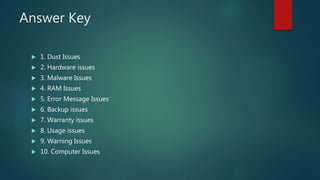
Answer Key
 1. Dust Issues
 2. Hardware issues
 3. Malware Issues
 4. RAM Issues
 5. Error Message Issues
 6. Backup issues
 7. Warranty issues
 8. Usage issues
 9. Warning Issues
 10. Computer Issues
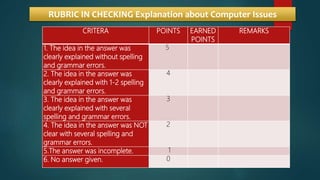
CRITERA POINTS EARNED
POINTS
REMARKS
1. The idea in the answer was
clearly explained without spelling
and grammar errors.
5
2. The idea in the answer was
clearly explained with 1-2 spelling
and grammar errors.
4
3. The idea in the answer was
clearly explained with several
spelling and grammar errors.
3
4. The idea in the answer was NOT
clear with several spelling and
grammar errors.
2
5.The answer was incomplete. 1
6. No answer given. 0
RUBRIC IN CHECKING Explanation about Computer Issues

Computer issues - TLE ICT 10

  • 1.
  • 2.
    A. Preventing ComputerSystems Failure  1. Computer issues Know that your computer is going to fail. You need to treat your computer as if it were a doomed failure. Always assume that failure is imminent.
  • 3.
     2. Dustissues Preventing failure means making sure your computer is physically clean in its operations. Make sure that there is not too much dust inside, especially on the fans. Dust can reduce performance and cause overheating. A. Preventing Computer Systems Failure
  • 4.
     3.RAM issues Knowyour computer's specifications and its limits. RAM runs even the PC is running idly. It consumes RAM storages capacity making you difficult to open a program if RAM storage had been consumed. A. Preventing Computer Systems Failure
  • 5.
     4. Malwareissues Make sure that your anti-virus software is updated to be able to scan unnecessary files that enter your PC. Do not install programs that you’re not familiar with or if do not fully trust. A. Preventing Computer Systems Failure
  • 6.
     5. Hardwareissues. When something is not working properly, either diagnose the problem yourself and fix it, to prevent further damage or contact a professional and have them look at it for you. Take advantage of warranties on parts if they fail. A. Preventing Computer Systems Failure
  • 7.
     6. Warningissues If the same error message shows up every time you log in, be sure to investigate it. Although unlikely, these errors could be important. A. Preventing Computer Systems Failure
  • 8.
     7. Usageissues Give your computer a break. Believe it or not, your computer likes rest, too. Leaving it on all of the time wears out hardware, and puts unnecessary wear and tear on the hardware. Giving your computer a break also saves you money (electrical bills). A. Preventing Computer Systems Failure
  • 9.
     8. Warrantyissues Always take advantage of warranties. Get a warranty to protect your hardware, so it can be replaced in case of failure. A. Preventing Computer Systems Failure
  • 10.
     9. Backupissues Back-up everything. Run regular backup of your important files to other disks, computers, or an online backup service. A. Preventing Computer Systems Failure
  • 11.
     10. Errormessage issues If your PC fails to function, diagnose the problem. Write down the necessary info such as error messages or things don’t work properly. If you know how to fix it, do it, to avoid further damage but if not then seek for professional help. A. Preventing Computer Systems Failure
  • 12.
  • 13.
    Quiz  Type A.Enumeration Read the given details and Identify the issue being described.  Type B. Explaination Select one issue that you personally experience. Write down that experience briefly and explain also the solution you made to the issue.
  • 14.
    1. _______________  Preventingfailure means making sure your computer is physically clean in its operations. Make sure that there is not too much unwanted particles inside, especially on the fans. This unwanted particles reduce performance and cause overheating. Set A.
  • 15.
    2. ______________  Whensomething is not working properly, either diagnose the problem yourself and fix it, to prevent further damage or contact a professional and have them look at it for you. Take advantage of warranties on parts if they fail.
  • 16.
    3._______________ Make sure thatyour anti-virus software is updated to be able to scan unnecessary files that enter your PC. Do not install programs that you’re not familiar with or if do not fully trust.
  • 17.
    4. ________________  Knowyour computer's specifications and its limits. Memory device runs even the PC is running idly. It consumes memory storages capacity making you difficult to open a program if memory storage had been consumed.
  • 18.
    5. _____________  Ifyour PC fails to function, diagnose the problem. Write down the necessary info such as error messages or things don’t work properly. If you know how to fix it, do it, to avoid further damage but if not then seek for professional help.
  • 19.
    6. ________________  Saveeverything. Run regular saving on removable drives of your important files or unto other disks, computers, or an online service.
  • 20.
    7. ______________  Alwaystake advantage of free replacement or repair from the store owner. Get a ree replacement or repair from the store owner to protect your hardware, so it can be replaced in case of failure.
  • 21.
    8. ____________  Giveyour computer a break. Believe it or not, your computer likes rest, too. Leaving it on all of the time wears out hardware, and puts unnecessary wear and tear on the hardware. Giving your computer a break also saves you money (electrical bills).
  • 22.
    9. ______________ If thesame error message shows up every time you log in, be sure to investigate it. Although unlikely, these errors could be important.
  • 23.
    10. _______________ Know thatyour computer is going to fail. You need to treat your computer as if it were a doomed failure. Always assume that failure is imminent.
  • 24.
    Answer Key  1.Dust Issues  2. Hardware issues  3. Malware Issues  4. RAM Issues  5. Error Message Issues  6. Backup issues  7. Warranty issues  8. Usage issues  9. Warning Issues  10. Computer Issues
  • 25.
    CRITERA POINTS EARNED POINTS REMARKS 1.The idea in the answer was clearly explained without spelling and grammar errors. 5 2. The idea in the answer was clearly explained with 1-2 spelling and grammar errors. 4 3. The idea in the answer was clearly explained with several spelling and grammar errors. 3 4. The idea in the answer was NOT clear with several spelling and grammar errors. 2 5.The answer was incomplete. 1 6. No answer given. 0 RUBRIC IN CHECKING Explanation about Computer Issues