COMPUTER GRAPHICS
An Introduction to Multimedia and Its
Uses
AGENDAS TODAY
 What is Multimedia?
 Elements of multimedia
 Types of multimedia devices
 Features of multimedia system
 Components of multimedia system
 Why use multimedia in the classroom?
 Pros and Cons of using multimedia.
 Types of Multimedia files extensions
 Conclusion
 Reference
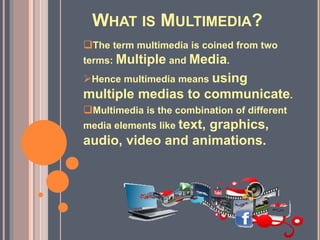
WHAT IS MULTIMEDIA?
The term multimedia is coined from two
terms: Multiple and Media.
Hence multimedia means using
multiple medias to communicate.
Multimedia is the combination of different
media elements like text, graphics,
audio, video and animations.
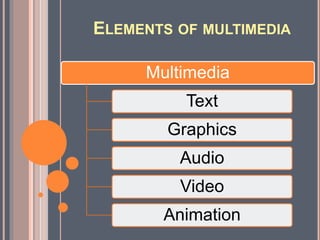
ELEMENTS OF MULTIMEDIA
Multimedia
Text
Graphics
Audio
Video
Animation
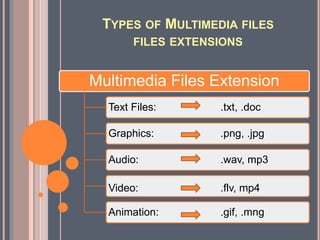
TYPES OF MULTIMEDIA FILES
FILES EXTENSIONS
Multimedia Files Extension
Text Files: .txt, .doc
Graphics: .png, .jpg
Audio: .wav, mp3
Video: .flv, mp4
Animation: .gif, .mng
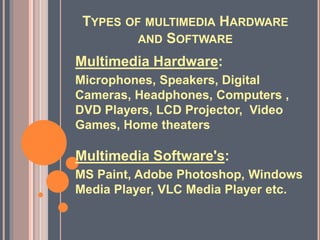
TYPES OF MULTIMEDIA HARDWARE
AND SOFTWARE
Multimedia Hardware:
Microphones, Speakers, Digital
Cameras, Headphones, Computers ,
DVD Players, LCD Projector, Video
Games, Home theaters
Multimedia Software's:
MS Paint, Adobe Photoshop, Windows
Media Player, VLC Media Player etc.
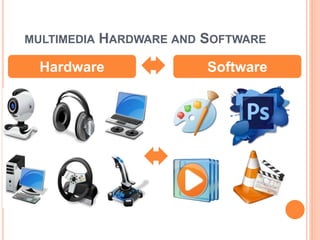
MULTIMEDIA HARDWARE AND SOFTWARE
Hardware Software
ADVANTAGES AND DISADVANTAGES OF
MULTIMEDIA
 Increases learning
effectiveness. Is more
appealing over
traditional. lecture-based
learning methods.
 Provides information to
the individual.
 Provides high-quality
video images & audio.
Gathers information
about the study results of
the student.
 It takes time to compile.
Technological resources,
both hardware and
software It is expensive
 Not always easy to
configure
Requires special
hardware
Time required to plan,
design, develop, and
evaluate multimedia
activities
Advantages Disadvantages
WHY USE MULTIMEDIA IN THE
CLASSROOM?
 Techniques for synthesizing and
analyzing complex content
 Expressing ideas and information
creatively
 Change in Student and Teacher Roles
 Increased Motivation and Self Esteem
 Technical Skills
Increased Use of Outside Resources
 Improved Design Skills/Attention to
Audience
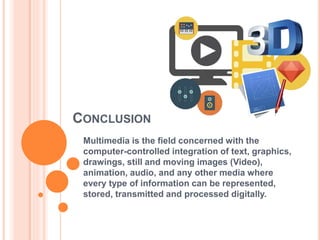
CONCLUSION
Multimedia is the field concerned with the
computer-controlled integration of text, graphics,
drawings, still and moving images (Video),
animation, audio, and any other media where
every type of information can be represented,
stored, transmitted and processed digitally.
REFERENCE
 N.Adhikari, 2017, Computer Graphics, Oasis
Radiant Computer Science Ch. 14, pg. 204-2018,
[Accessed date 3/16/2018].
Computer graphics

Computer graphics

  • 1.
    COMPUTER GRAPHICS An Introductionto Multimedia and Its Uses
  • 2.
    AGENDAS TODAY  Whatis Multimedia?  Elements of multimedia  Types of multimedia devices  Features of multimedia system  Components of multimedia system  Why use multimedia in the classroom?  Pros and Cons of using multimedia.  Types of Multimedia files extensions  Conclusion  Reference
  • 3.
    WHAT IS MULTIMEDIA? Theterm multimedia is coined from two terms: Multiple and Media. Hence multimedia means using multiple medias to communicate. Multimedia is the combination of different media elements like text, graphics, audio, video and animations.
  • 4.
  • 5.
    TYPES OF MULTIMEDIAFILES FILES EXTENSIONS Multimedia Files Extension Text Files: .txt, .doc Graphics: .png, .jpg Audio: .wav, mp3 Video: .flv, mp4 Animation: .gif, .mng
  • 6.
    TYPES OF MULTIMEDIAHARDWARE AND SOFTWARE Multimedia Hardware: Microphones, Speakers, Digital Cameras, Headphones, Computers , DVD Players, LCD Projector, Video Games, Home theaters Multimedia Software's: MS Paint, Adobe Photoshop, Windows Media Player, VLC Media Player etc.
  • 7.
    MULTIMEDIA HARDWARE ANDSOFTWARE Hardware Software
  • 8.
    ADVANTAGES AND DISADVANTAGESOF MULTIMEDIA  Increases learning effectiveness. Is more appealing over traditional. lecture-based learning methods.  Provides information to the individual.  Provides high-quality video images & audio. Gathers information about the study results of the student.  It takes time to compile. Technological resources, both hardware and software It is expensive  Not always easy to configure Requires special hardware Time required to plan, design, develop, and evaluate multimedia activities Advantages Disadvantages
  • 9.
    WHY USE MULTIMEDIAIN THE CLASSROOM?  Techniques for synthesizing and analyzing complex content  Expressing ideas and information creatively  Change in Student and Teacher Roles  Increased Motivation and Self Esteem  Technical Skills Increased Use of Outside Resources  Improved Design Skills/Attention to Audience
  • 10.
    CONCLUSION Multimedia is thefield concerned with the computer-controlled integration of text, graphics, drawings, still and moving images (Video), animation, audio, and any other media where every type of information can be represented, stored, transmitted and processed digitally.
  • 11.
    REFERENCE  N.Adhikari, 2017,Computer Graphics, Oasis Radiant Computer Science Ch. 14, pg. 204-2018, [Accessed date 3/16/2018].