COMPUTER 
FORENSICS 
A Need of Modern Crimes 
-Daksh 
Verma
INTRODUCTION
O Computer Forensics is the process of 
identifying, preserving, analyzing and 
presenting digital evidence in a manner 
that is legally acceptable. 
O Method used to investigate and analyze 
data maintained on or retrieved from 
electronic data storage media for the 
purposes of presentation in a court of law, 
civil or administrative proceeding.
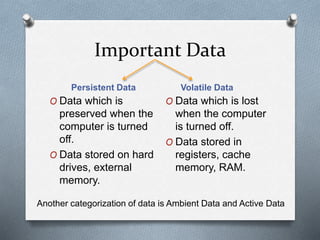
Important Data 
Persistent Data Volatile Data 
O Data which is 
preserved when the 
computer is turned 
off. 
O Data stored on hard 
drives, external 
memory. 
O Data which is lost 
when the computer 
is turned off. 
O Data stored in 
registers, cache 
memory, RAM. 
Another categorization of data is Ambient Data and Active Data
NEED 
O To produce evidence in the court that can 
lead to punishment of the actual. 
O To ensure the integrity of the computer 
system. 
O To focus on the response to the hi-tech 
offences, started to intertwine.
ADVANTAGES 
O Catch the culprit or the criminal who is 
involved in the crime related to the 
computers. 
O To Organizations: 
 Recovering lost data 
 Advice on how to safeguard data from theft
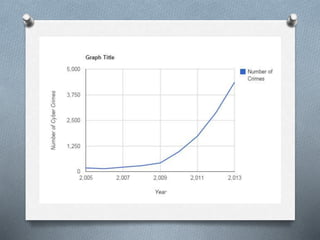
CYBER CRIMES
O Cyber crimes occur when information 
technology is used to commit or conceal 
an offence. 
O “Digital Evidence is any probative 
information stored or transmitted in digital 
form that a party to a court case may use 
at trial.” 
O 2 Types: 
 Persistent Data 
 Volatile Data
Types of Cyber Crimes 
O Hacking 
O Theft 
O Cyber Stalking 
O Identity Theft 
O Malicious Software 
O Child soliciting and Abuse 
O Email-Spoofing 
O Copyright Violations
Characteristics of Digital 
Evidence 
O Admissible 
Must be able to be used in court 
O Authenticate 
Evidence relates to incident in relevant way 
O Complete 
Exculpatory evidence for alternate suspects 
O Reliable 
No question about authenticity and veracity 
O Believable 
Clear, easy to understand & believable by 
jury
Top Spots for Evidence 
O Temporary Files 
O File Slack 
O Unallocated Space 
O Internet History Files 
O E-mails 
O File Storage Dates 
O Settings, Folder Structures, File Names 
O Storage Devices
Popular Cases 
O BTK Serial Killer 
Evidence: File’s metadata on floppy disk 
O U.S. Navy Football Star Rape Case 
Evidence: IM keywords and HTML 
coding 
O Industrial Espionage Case 
Evidence: Stolen engineering drawings
THE PROCESS
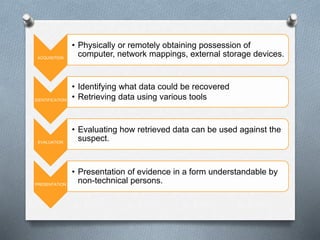
ACQUISITION 
• Physically or remotely obtaining possession of 
computer, network mappings, external storage devices. 
IDENTIFICATION 
• Identifying what data could be recovered 
• Retrieving data using various tools 
EVALUATION 
• Evaluating how retrieved data can be used against the 
suspect. 
PRESENTATION 
• Presentation of evidence in a form understandable by 
non-technical persons.
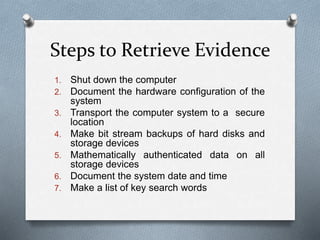
Steps to Retrieve Evidence 
1. Shut down the computer 
2. Document the hardware configuration of the 
system 
3. Transport the computer system to a secure 
location 
4. Make bit stream backups of hard disks and 
storage devices 
5. Mathematically authenticated data on all 
storage devices 
6. Document the system date and time 
7. Make a list of key search words
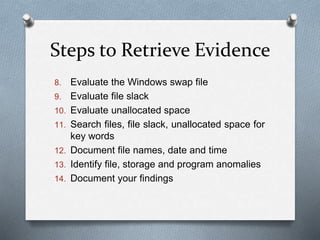
Steps to Retrieve Evidence 
8. Evaluate the Windows swap file 
9. Evaluate file slack 
10. Evaluate unallocated space 
11. Search files, file slack, unallocated space for 
key words 
12. Document file names, date and time 
13. Identify file, storage and program anomalies 
14. Document your findings
TOOLS USED
GETFREE 
O Used to analyze Unallocated Space 
O Unallocated space contains the deleted 
files and the associated file slack 
O Automatically calculates the size of and 
captures the Unallocated space 
O Captures the contents of Windows swap 
file for analysis with other tools 
O Dos-based for speed and ease-of-use
GETSLACK 
O Used to analyze File Slack 
O Network logons and passwords or 
passwords used in file encryption can be 
found in file slack. 
O Calculates the size of and captures the 
File Slack 
O Dos-based for speed and ease-of-use
Forensic Graphics File 
Extractor 
O Automatically extract exact copies of 
graphics file images 
O Searches Windows Swap File and 
Unallocated Space for patterns of BMP, 
GIF and JPG file images 
O Reconstructs partial or complete image 
files in one highly accurate operation. The 
accuracy of this process is dependent 
upon the degree of fragmentation involved
APPLICATIONS 
O Financial Fraud Detection 
O Criminal Prosecution 
O Civil Litigation 
O Corporate Security Policy and Acceptable 
Use Violations
CONCLUSION 
O With increase in technology, cyber crimes 
increasing. 
O Computer forensics is a vital part of the 
computer security process. 
O As more knowledge is obtained about how 
crimes are committed with the use of 
computers, more forensic tools can be 
fine tuned to gather evidence more 
efficiently and combat the crime wave on 
technology.

Computer Forensics

  • 1.
    COMPUTER FORENSICS ANeed of Modern Crimes -Daksh Verma
  • 2.
  • 3.
    O Computer Forensicsis the process of identifying, preserving, analyzing and presenting digital evidence in a manner that is legally acceptable. O Method used to investigate and analyze data maintained on or retrieved from electronic data storage media for the purposes of presentation in a court of law, civil or administrative proceeding.
  • 4.
    Important Data PersistentData Volatile Data O Data which is preserved when the computer is turned off. O Data stored on hard drives, external memory. O Data which is lost when the computer is turned off. O Data stored in registers, cache memory, RAM. Another categorization of data is Ambient Data and Active Data
  • 5.
    NEED O Toproduce evidence in the court that can lead to punishment of the actual. O To ensure the integrity of the computer system. O To focus on the response to the hi-tech offences, started to intertwine.
  • 6.
    ADVANTAGES O Catchthe culprit or the criminal who is involved in the crime related to the computers. O To Organizations:  Recovering lost data  Advice on how to safeguard data from theft
  • 7.
  • 8.
    O Cyber crimesoccur when information technology is used to commit or conceal an offence. O “Digital Evidence is any probative information stored or transmitted in digital form that a party to a court case may use at trial.” O 2 Types:  Persistent Data  Volatile Data
  • 9.
    Types of CyberCrimes O Hacking O Theft O Cyber Stalking O Identity Theft O Malicious Software O Child soliciting and Abuse O Email-Spoofing O Copyright Violations
  • 13.
    Characteristics of Digital Evidence O Admissible Must be able to be used in court O Authenticate Evidence relates to incident in relevant way O Complete Exculpatory evidence for alternate suspects O Reliable No question about authenticity and veracity O Believable Clear, easy to understand & believable by jury
  • 14.
    Top Spots forEvidence O Temporary Files O File Slack O Unallocated Space O Internet History Files O E-mails O File Storage Dates O Settings, Folder Structures, File Names O Storage Devices
  • 15.
    Popular Cases OBTK Serial Killer Evidence: File’s metadata on floppy disk O U.S. Navy Football Star Rape Case Evidence: IM keywords and HTML coding O Industrial Espionage Case Evidence: Stolen engineering drawings
  • 16.
  • 17.
    ACQUISITION • Physicallyor remotely obtaining possession of computer, network mappings, external storage devices. IDENTIFICATION • Identifying what data could be recovered • Retrieving data using various tools EVALUATION • Evaluating how retrieved data can be used against the suspect. PRESENTATION • Presentation of evidence in a form understandable by non-technical persons.
  • 18.
    Steps to RetrieveEvidence 1. Shut down the computer 2. Document the hardware configuration of the system 3. Transport the computer system to a secure location 4. Make bit stream backups of hard disks and storage devices 5. Mathematically authenticated data on all storage devices 6. Document the system date and time 7. Make a list of key search words
  • 19.
    Steps to RetrieveEvidence 8. Evaluate the Windows swap file 9. Evaluate file slack 10. Evaluate unallocated space 11. Search files, file slack, unallocated space for key words 12. Document file names, date and time 13. Identify file, storage and program anomalies 14. Document your findings
  • 20.
  • 21.
    GETFREE O Usedto analyze Unallocated Space O Unallocated space contains the deleted files and the associated file slack O Automatically calculates the size of and captures the Unallocated space O Captures the contents of Windows swap file for analysis with other tools O Dos-based for speed and ease-of-use
  • 22.
    GETSLACK O Usedto analyze File Slack O Network logons and passwords or passwords used in file encryption can be found in file slack. O Calculates the size of and captures the File Slack O Dos-based for speed and ease-of-use
  • 23.
    Forensic Graphics File Extractor O Automatically extract exact copies of graphics file images O Searches Windows Swap File and Unallocated Space for patterns of BMP, GIF and JPG file images O Reconstructs partial or complete image files in one highly accurate operation. The accuracy of this process is dependent upon the degree of fragmentation involved
  • 24.
    APPLICATIONS O FinancialFraud Detection O Criminal Prosecution O Civil Litigation O Corporate Security Policy and Acceptable Use Violations
  • 25.
    CONCLUSION O Withincrease in technology, cyber crimes increasing. O Computer forensics is a vital part of the computer security process. O As more knowledge is obtained about how crimes are committed with the use of computers, more forensic tools can be fine tuned to gather evidence more efficiently and combat the crime wave on technology.