Dheelan-Rai Sydamah


                      1
   The central processing unit (CPU), is considered as the brain of a computer.

   Its primary function is to process data at extremely fast rates, the maximum
    data that they can process is determined by the CPU speed.

   The CPU speed is referred to as GHz. The higher the CPU speed, the more
    data can be processed.

   The size of a CPU is referred to in bits. Bits are used to specify the size of a
    CPU, a bit refers to one significant place in the numbers that a CPU deals
    with. For example, an 8-bit CPU deals with number that can only be
    represented by eight binary digits.

   Processors range in compatibility with motherboards, it limits what
    processors can be used with certain motherboards. Certain CPU’s may
    require higher specifications that only certain motherboards can offer.


                                Dheelan-Rai Sydamah                                    2
   ROM - Read only memory, this type
    of memory allows users to view and
    access the data stored, however
    they cannot be modified. It is
    mainly used to share firmware, due
    to its limitations.
   EEPROM – Electronically Erasable
    Programmable ROM, this is a form
    of ROM that can be electronically
    erased on a computer, which can
    be be more useful and practical in
    most situations.
   Flash memory – This is a form of
    data storage that can work with
    the absence of a power supply. It is
    similar to EEPROM, due to the fact
    that data can be erased and
    modified electronically.


                              Dheelan-Rai Sydamah   3
   RAM – Random access memory, more than one piece of data saved or
    stored on RAM can be accessed from any part of the memory
    simultaneously. This improves flexibility and more usability when
    compared against ROM.
   There are several types of RAM, some more modern than others, there
    are two main types: SDRAM and DDR.
   SDRAM – (Synchronous DRAM) This type of RAM is relatively old, at
    officially scales at 133MHz, but as processors get faster, other, faster
    types of RAM are required.
   DDR – (Double Data Rate SDRAM) in simple terms, this type of RAM
    doubles the rate of data transfer than standard SDRAM.
   DRAM has two major form factors: DIMM and RIMM.
   DIMM – They are 64-bit components, they are commonly used, SDRAM
    DIMM and DDR DIMM are physically different, therefore incompatible
    together.
   SODIMM is a memory module designed primarily for laptops and
    printers , therefore they are smaller in size.


                          Dheelan-Rai Sydamah                         4
   Internal storage device – A hard disk drive is a form of an internal storage
    device.
   Types of HDD – There are four main types of hard disk drive: SATA, PATA,
    SCSI and Solid State.
   SATA – Serial ATA, is a bus interface used to connect host bus adapters to
    mass storage devices, such as hard disk drives and optical drives. SATA
    was designed to replace the older PATA.
   PATA – Parallel ATA, this is similar to SATA, and is used to connect mass
    storage devices to the motherboard. It is a relatively older form of storage
    device connection.
   SCSI – Small computer system interface, this is also similar to PATA and
    SATA, but allows several peripherals to be connected to one port. This is
    also a relatively older form of technology and is commonly replaced by
    USB.
   Solid State Drive – SSD, this is a recent form of hard drive that consists of
    fewer moving components, this reduces chance of failure and also
    improves weight. They offer fast write and read performance, and they
    are also quieter than conventional HDD’s.


                          Dheelan-Rai Sydamah                           5
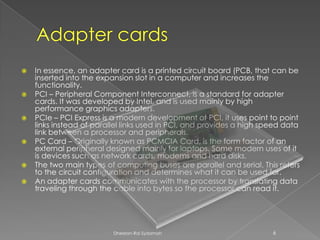
   In essence, an adapter card is a printed circuit board (PCB, that can be
    inserted into the expansion slot in a computer and increases the
    functionality.
   PCI – Peripheral Component Interconnect, is a standard for adapter
    cards. It was developed by Intel, and is used mainly by high
    performance graphics adapters.
   PCIe – PCI Express is a modern development of PCI, it uses point to point
    links instead of parallel links used in PCI, and provides a high speed data
    link between a processor and peripherals.
   PC Card – Originally known as PCMCIA Card, is the form factor of an
    external peripheral designed mainly for laptops. Some modern uses of it
    is devices such as network cards, modems and hard disks.
   The two main types of computing buses are parallel and serial. This refers
    to the circuit configuration and determines what it can be used for.
   An adapter cards communicates with the processor by translating data
    traveling through the cable into bytes so the processor can read it.


                          Dheelan-Rai Sydamah                          6
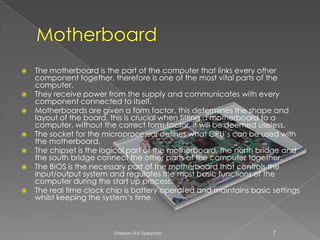
   The motherboard is the part of the computer that links every other
    component together, therefore is one of the most vital parts of the
    computer.
   They receive power from the supply and communicates with every
    component connected to itself.
   Motherboards are given a form factor, this determines the shape and
    layout of the board, this is crucial when fitting a motherboard to a
    computer, without the correct form factor, it will be deemed useless.
   The socket for the microprocessor defines what CPU’s can be used with
    the motherboard.
   The chipset is the logical part of the motherboard, the north bridge and
    the south bridge connect the other parts of the computer together.
   The BIOS is the necessary part of the motherboard that controls the
    input/output system and regulates the most basic functions of the
    computer during the start up process.
   The real time clock chip is battery operated and maintains basic settings
    whilst keeping the system’s time.


                         Dheelan-Rai Sydamah                         7

Computer Components

  • 1.
  • 2.
    The central processing unit (CPU), is considered as the brain of a computer.  Its primary function is to process data at extremely fast rates, the maximum data that they can process is determined by the CPU speed.  The CPU speed is referred to as GHz. The higher the CPU speed, the more data can be processed.  The size of a CPU is referred to in bits. Bits are used to specify the size of a CPU, a bit refers to one significant place in the numbers that a CPU deals with. For example, an 8-bit CPU deals with number that can only be represented by eight binary digits.  Processors range in compatibility with motherboards, it limits what processors can be used with certain motherboards. Certain CPU’s may require higher specifications that only certain motherboards can offer. Dheelan-Rai Sydamah 2
  • 3.
    ROM - Read only memory, this type of memory allows users to view and access the data stored, however they cannot be modified. It is mainly used to share firmware, due to its limitations.  EEPROM – Electronically Erasable Programmable ROM, this is a form of ROM that can be electronically erased on a computer, which can be be more useful and practical in most situations.  Flash memory – This is a form of data storage that can work with the absence of a power supply. It is similar to EEPROM, due to the fact that data can be erased and modified electronically. Dheelan-Rai Sydamah 3
  • 4.
    RAM – Random access memory, more than one piece of data saved or stored on RAM can be accessed from any part of the memory simultaneously. This improves flexibility and more usability when compared against ROM.  There are several types of RAM, some more modern than others, there are two main types: SDRAM and DDR.  SDRAM – (Synchronous DRAM) This type of RAM is relatively old, at officially scales at 133MHz, but as processors get faster, other, faster types of RAM are required.  DDR – (Double Data Rate SDRAM) in simple terms, this type of RAM doubles the rate of data transfer than standard SDRAM.  DRAM has two major form factors: DIMM and RIMM.  DIMM – They are 64-bit components, they are commonly used, SDRAM DIMM and DDR DIMM are physically different, therefore incompatible together.  SODIMM is a memory module designed primarily for laptops and printers , therefore they are smaller in size. Dheelan-Rai Sydamah 4
  • 5.
    Internal storage device – A hard disk drive is a form of an internal storage device.  Types of HDD – There are four main types of hard disk drive: SATA, PATA, SCSI and Solid State.  SATA – Serial ATA, is a bus interface used to connect host bus adapters to mass storage devices, such as hard disk drives and optical drives. SATA was designed to replace the older PATA.  PATA – Parallel ATA, this is similar to SATA, and is used to connect mass storage devices to the motherboard. It is a relatively older form of storage device connection.  SCSI – Small computer system interface, this is also similar to PATA and SATA, but allows several peripherals to be connected to one port. This is also a relatively older form of technology and is commonly replaced by USB.  Solid State Drive – SSD, this is a recent form of hard drive that consists of fewer moving components, this reduces chance of failure and also improves weight. They offer fast write and read performance, and they are also quieter than conventional HDD’s. Dheelan-Rai Sydamah 5
  • 6.
    In essence, an adapter card is a printed circuit board (PCB, that can be inserted into the expansion slot in a computer and increases the functionality.  PCI – Peripheral Component Interconnect, is a standard for adapter cards. It was developed by Intel, and is used mainly by high performance graphics adapters.  PCIe – PCI Express is a modern development of PCI, it uses point to point links instead of parallel links used in PCI, and provides a high speed data link between a processor and peripherals.  PC Card – Originally known as PCMCIA Card, is the form factor of an external peripheral designed mainly for laptops. Some modern uses of it is devices such as network cards, modems and hard disks.  The two main types of computing buses are parallel and serial. This refers to the circuit configuration and determines what it can be used for.  An adapter cards communicates with the processor by translating data traveling through the cable into bytes so the processor can read it. Dheelan-Rai Sydamah 6
  • 7.
    The motherboard is the part of the computer that links every other component together, therefore is one of the most vital parts of the computer.  They receive power from the supply and communicates with every component connected to itself.  Motherboards are given a form factor, this determines the shape and layout of the board, this is crucial when fitting a motherboard to a computer, without the correct form factor, it will be deemed useless.  The socket for the microprocessor defines what CPU’s can be used with the motherboard.  The chipset is the logical part of the motherboard, the north bridge and the south bridge connect the other parts of the computer together.  The BIOS is the necessary part of the motherboard that controls the input/output system and regulates the most basic functions of the computer during the start up process.  The real time clock chip is battery operated and maintains basic settings whilst keeping the system’s time. Dheelan-Rai Sydamah 7