Computer
Architecture
CNE-301
Lecturer: Irfan Ali
Instructor: Irfan Ali
•Lecturer, Computer Science Department, SMIU,
Karachi
•BS in Computer Science from Sindh University,
Jamshoro
•More than 4 years experience teaching plus
software development in different software
industries
Course Outline
• Course Introduction
• Fundamentals of Computer Design including performance
measurements & quantitative principles
• Principles of Instruction Set Design
• Operands, addressing modes and encoding
• Pipelining of Processors
• Issues and Hurdles, exception handling features
• Instruction-Level Parallelism and Dynamic handling of Exceptions
• Memory Hierarchy Design
Course Outline (Cont.)
• Cache Design
• Performance Issues and improvements
• Main Memory Performance Issues
• Storage Systems
• Multiprocessors and Thread Level Parallelism
• Revision
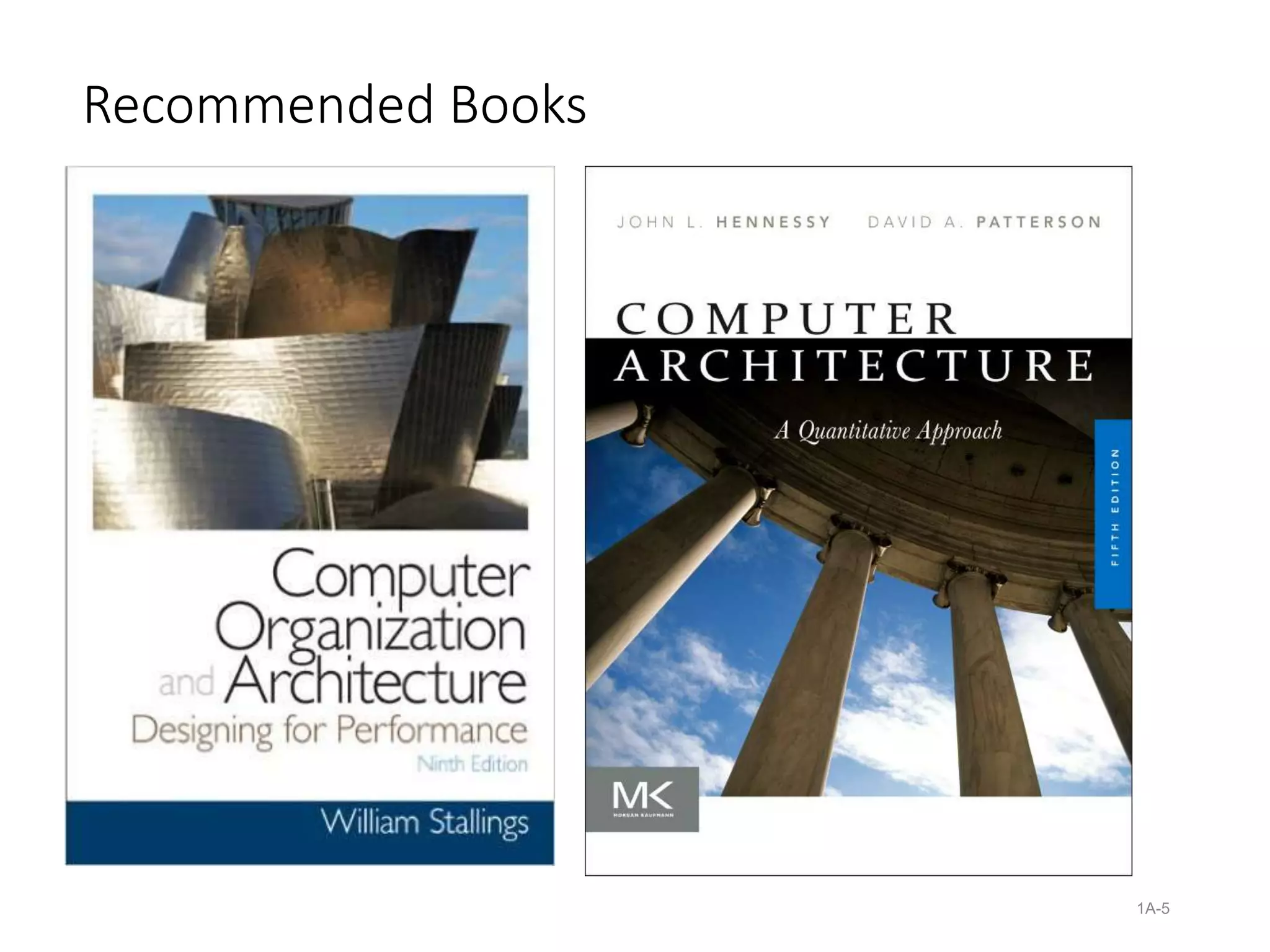
Recommended Books
1A-5
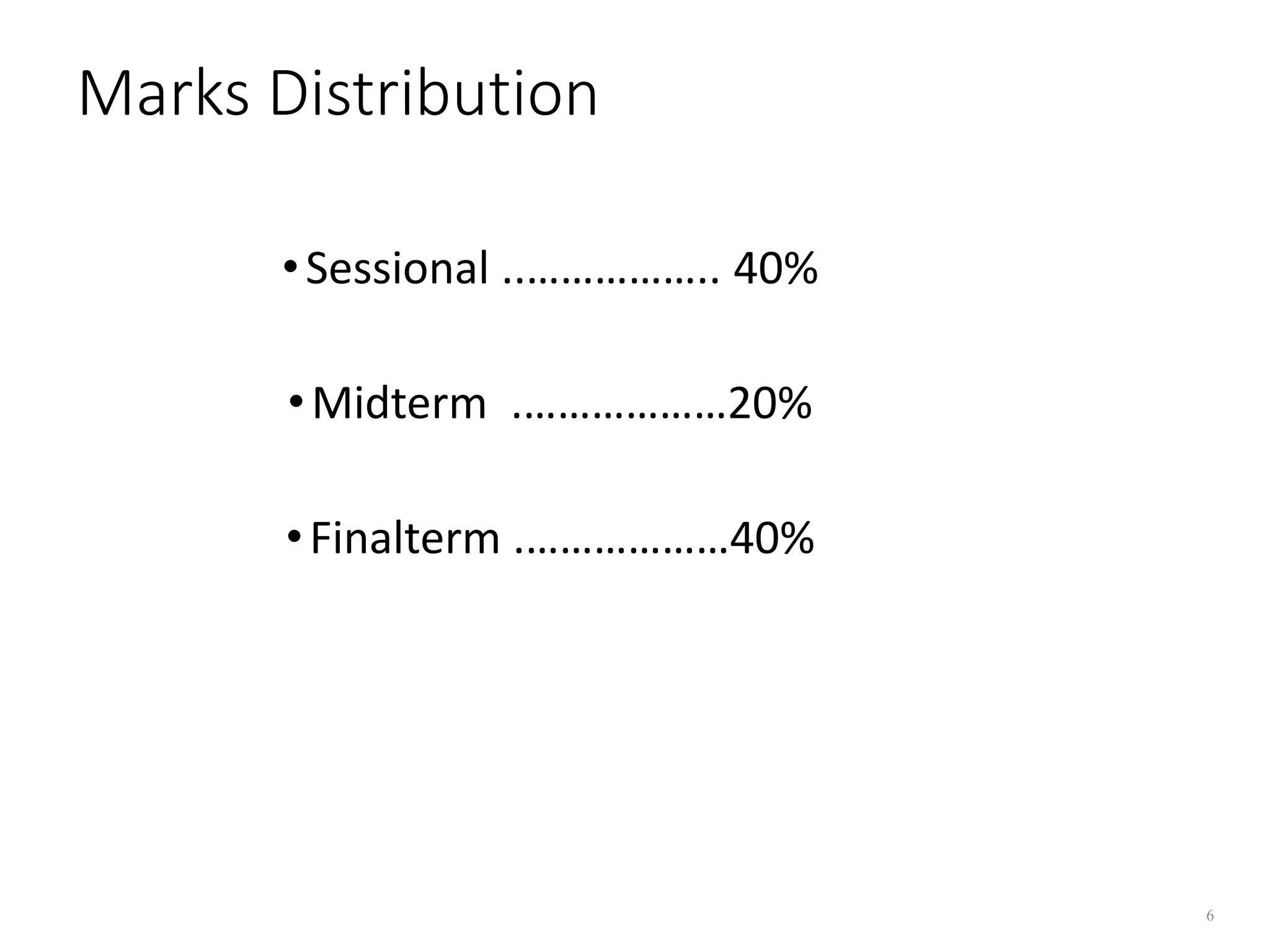
Marks Distribution
•Sessional ..…………….. 40%
•Midterm .………………20%
•Finalterm .………………40%
6
Fundamentals of Computer Design
including performance
measurements & quantitative
principles
Computer Architecture
“The architecture of a
computer is the interface
between the machine and the
software”
- Andris Padges
IBM 360/370 Architect
8
What is computer architecture?
• Functional operation of the individual HW units within a computer
system, and the flow of information and control among them.
• Architecture is those attributes visible to the programmer.
• Computer architecture deals with the functional behavior of a computer
system as viewed by an assembly language programmer.
• It includes instruction set, data format (number of bits used for data
representation), internal registers, numbers and their size, no. of
memory locations, I/O mechanisms, addressing techniques etc. ….
• Architecture is about structure & function.
9
What is computer organization?
• Computer Organization:
 Organization is how features are implemented
• Computer Organization deals with structural relationship that is not
visible to the programmer such as control signals, the clock frequency,
memory technology etc…
• The programs are executed by signals.
10
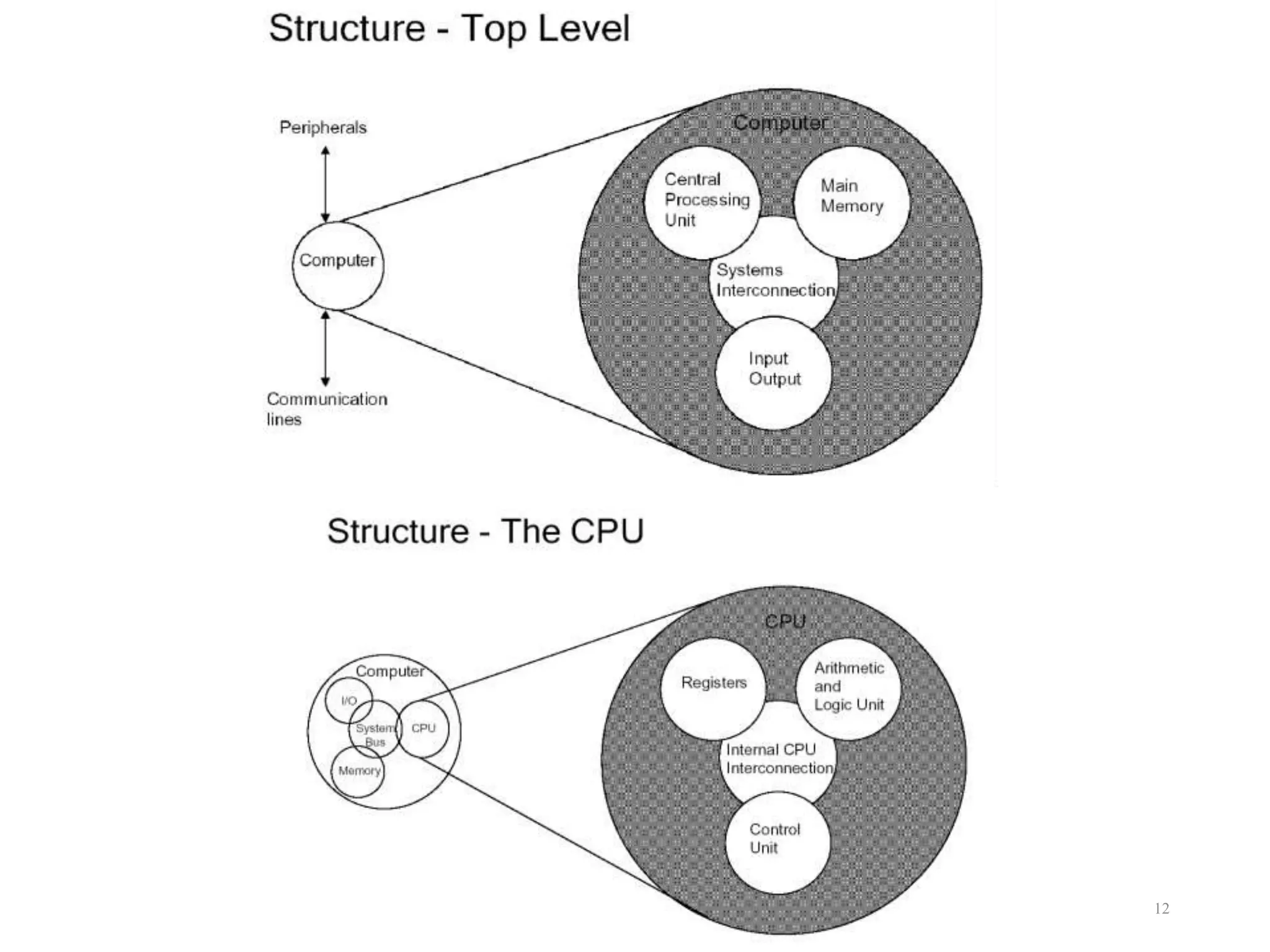
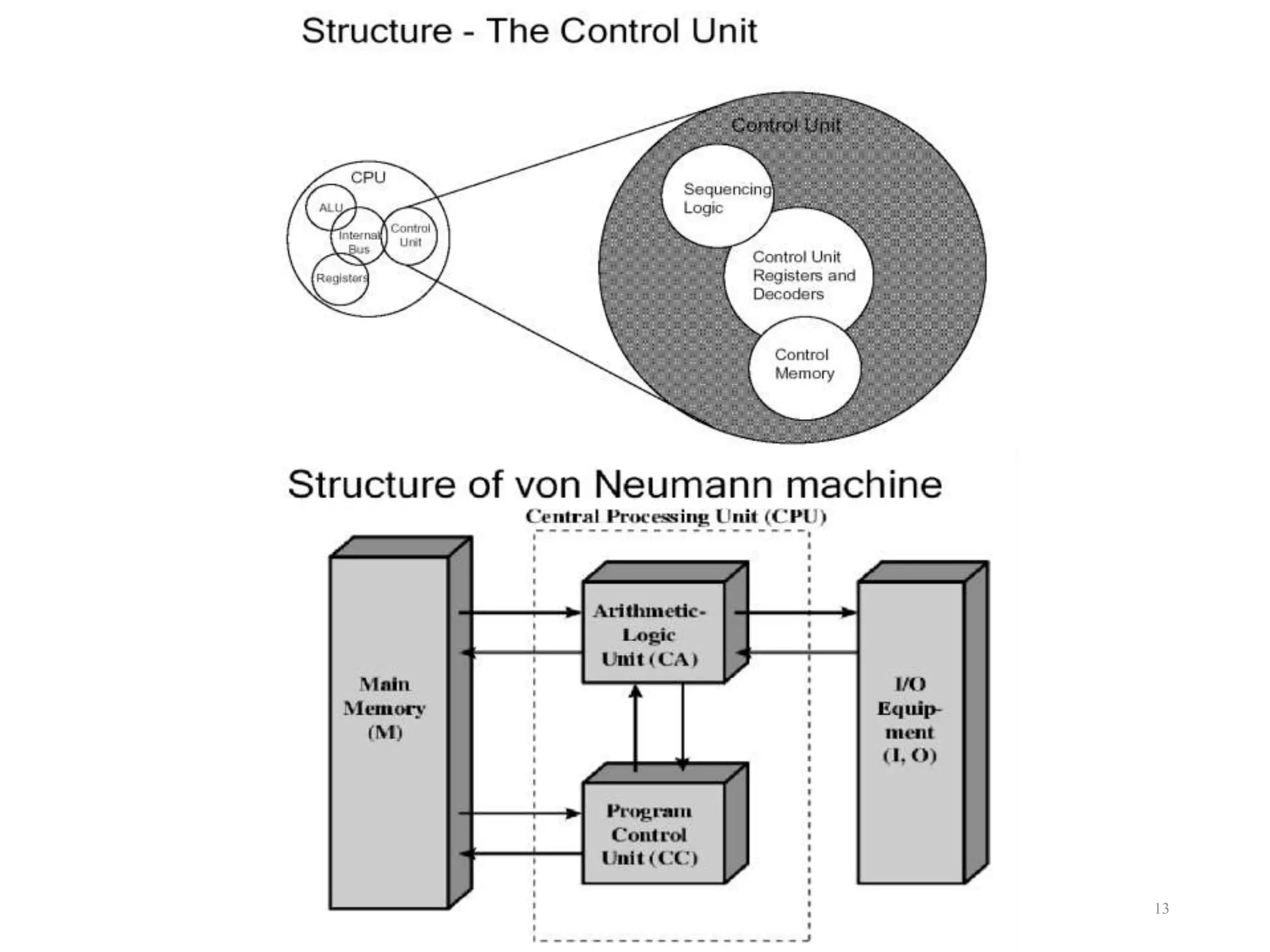
Structure and Function:
 The components of the computer system at any given level in
the hierarchy are described and designed in terms of its
structure and function.
 Structure is the way in which components relate to each other.
 Function is the operation of individual components as part of
the structure.
• Function:
 In essence, computers, and their components, simply perform
the following functions:
• Data processing
• Data storage
• Data movement
• Data Control
11
12
13
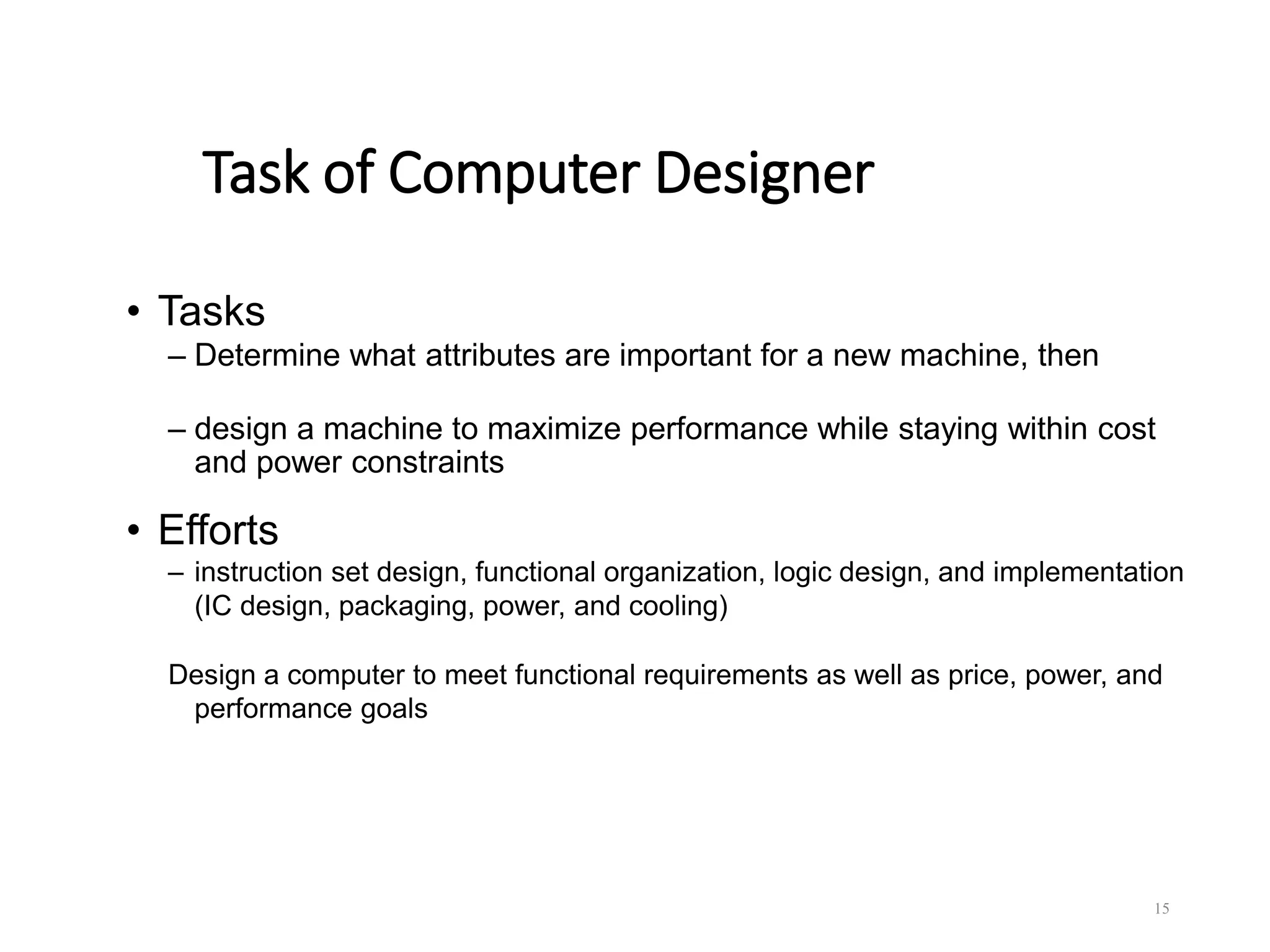
Changing Face of Computing
• 1960s: dominated by mainframes
– business data processing, large-scale scientific computing
• 1970s: the birth of minicomputers
– scientific laboratories, time-sharing multiple-user
environment
• 1980s: the rise of the desktop computer (personal
computer and workstation)
• 1990s: the emergence of the Internet and the World
Wide Web
– handheld computing devices
– emergence of high-performance digital consumer
electronics
14
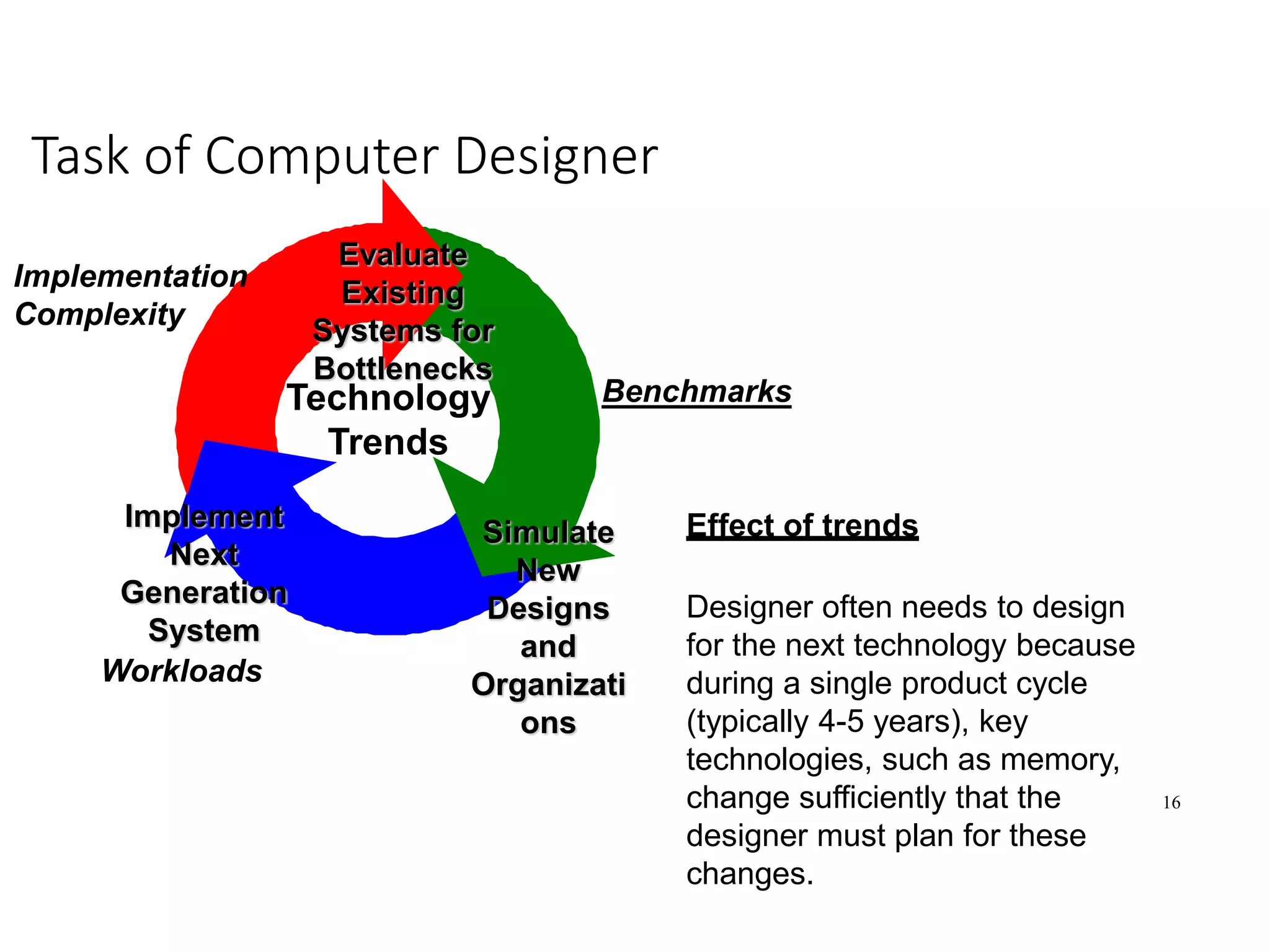
Task of Computer Designer
• Tasks
– Determine what attributes are important for a new machine, then
– design a machine to maximize performance while staying within cost
and power constraints
• Efforts
– instruction set design, functional organization, logic design, and implementation
(IC design, packaging, power, and cooling)
Design a computer to meet functional requirements as well as price, power, and
performance goals
15
16
Task of Computer Designer
Evaluate
Existing
Systems for
Bottlenecks
Simulate
New
Designs
and
Organizati
ons
Implement
Next
Generation
System
Technology
Trends
Benchmarks
Workloads
Implementation
Complexity
Effect of trends
Designer often needs to design
for the next technology because
during a single product cycle
(typically 4-5 years), key
technologies, such as memory,
change sufficiently that the
designer must plan for these
changes.
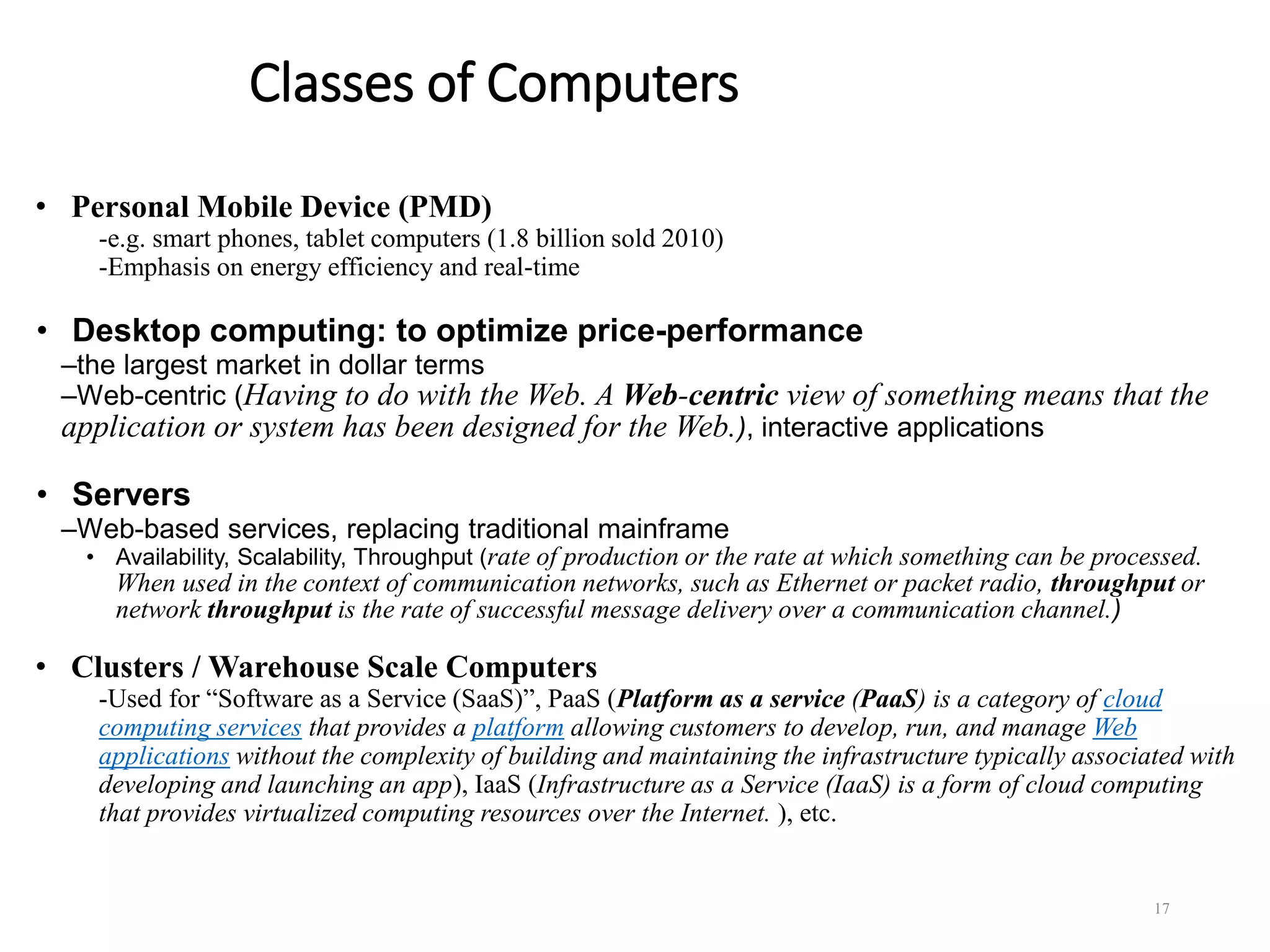
Classes of Computers
• Personal Mobile Device (PMD)
-e.g. smart phones, tablet computers (1.8 billion sold 2010)
-Emphasis on energy efficiency and real-time
• Desktop computing: to optimize price-performance
–the largest market in dollar terms
–Web-centric (Having to do with the Web. A Web-centric view of something means that the
application or system has been designed for the Web.), interactive applications
• Servers
–Web-based services, replacing traditional mainframe
• Availability, Scalability, Throughput (rate of production or the rate at which something can be processed.
When used in the context of communication networks, such as Ethernet or packet radio, throughput or
network throughput is the rate of successful message delivery over a communication channel.)
• Clusters / Warehouse Scale Computers
-Used for “Software as a Service (SaaS)”, PaaS (Platform as a service (PaaS) is a category of cloud
computing services that provides a platform allowing customers to develop, run, and manage Web
applications without the complexity of building and maintaining the infrastructure typically associated with
developing and launching an app), IaaS (Infrastructure as a Service (IaaS) is a form of cloud computing
that provides virtualized computing resources over the Internet. ), etc.
17
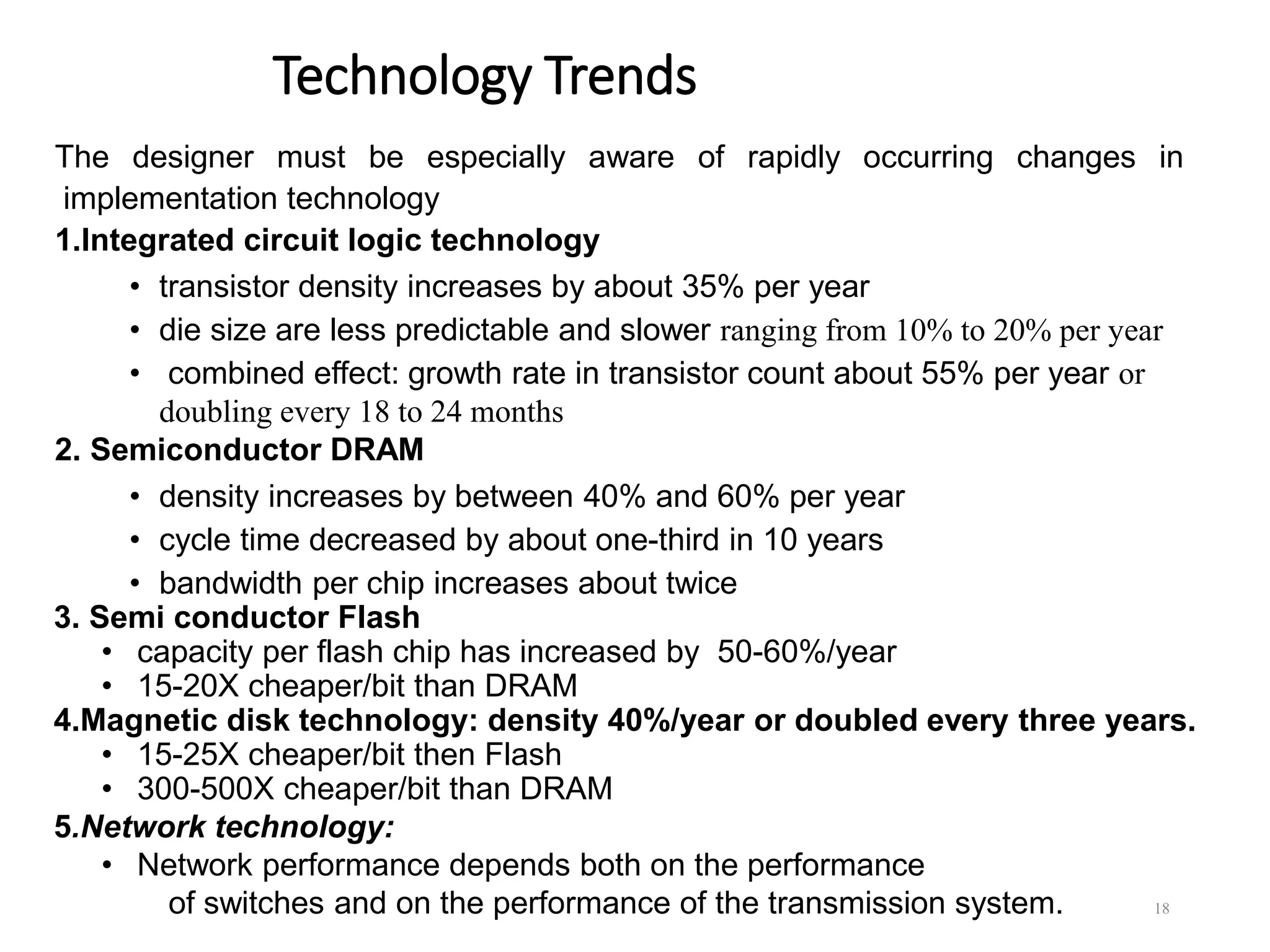
Technology Trends
The designer must be especially aware of rapidly occurring changes in
implementation technology
1.Integrated circuit logic technology
• transistor density increases by about 35% per year
• die size are less predictable and slower ranging from 10% to 20% per year
• combined effect: growth rate in transistor count about 55% per year or
doubling every 18 to 24 months
2. Semiconductor DRAM
• density increases by between 40% and 60% per year
• cycle time decreased by about one-third in 10 years
• bandwidth per chip increases about twice
3. Semi conductor Flash
• capacity per flash chip has increased by 50-60%/year
• 15-20X cheaper/bit than DRAM
4.Magnetic disk technology: density 40%/year or doubled every three years.
• 15-25X cheaper/bit then Flash
• 300-500X cheaper/bit than DRAM
5.Network technology:
• Network performance depends both on the performance
of switches and on the performance of the transmission system. 18
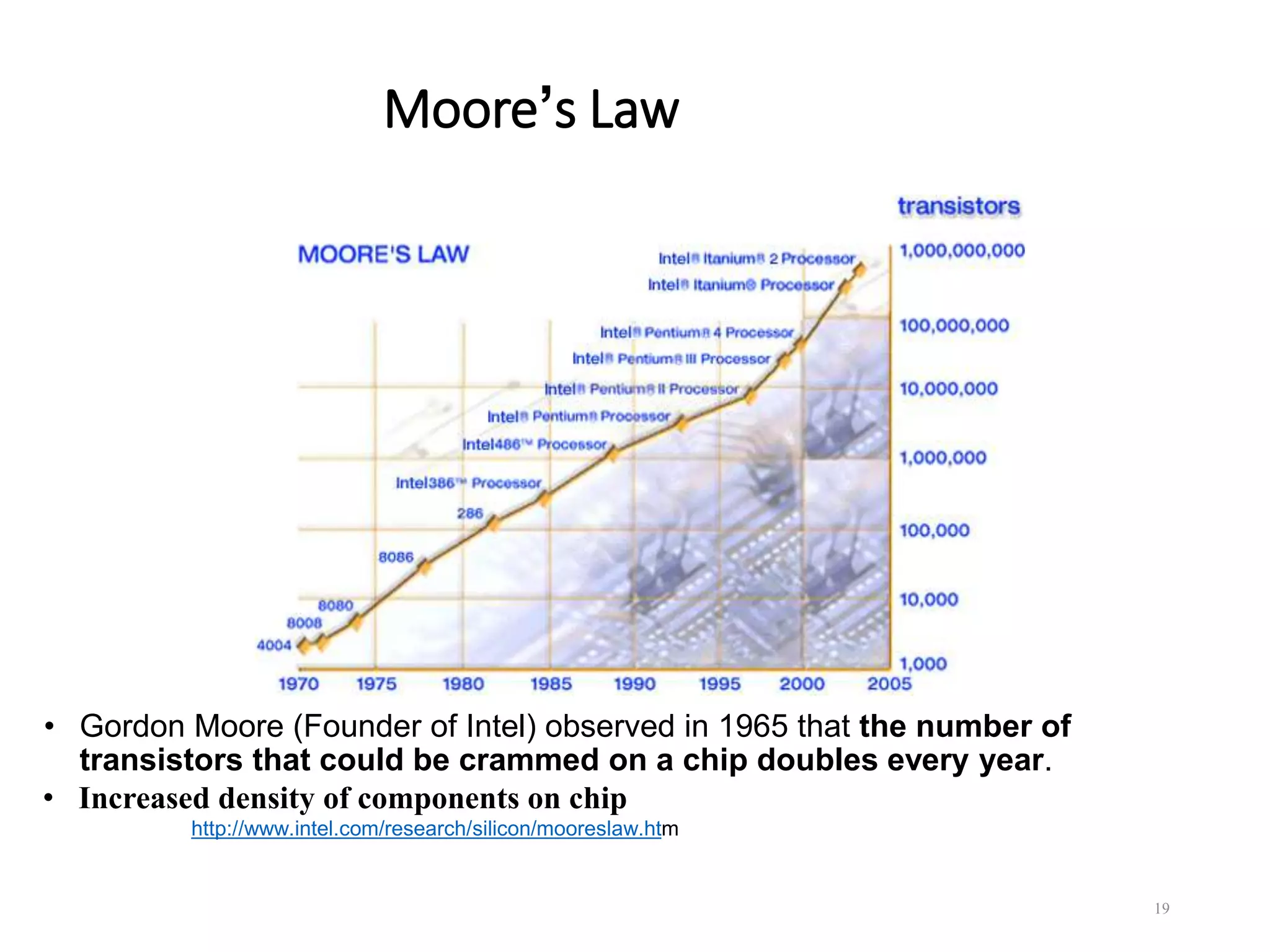
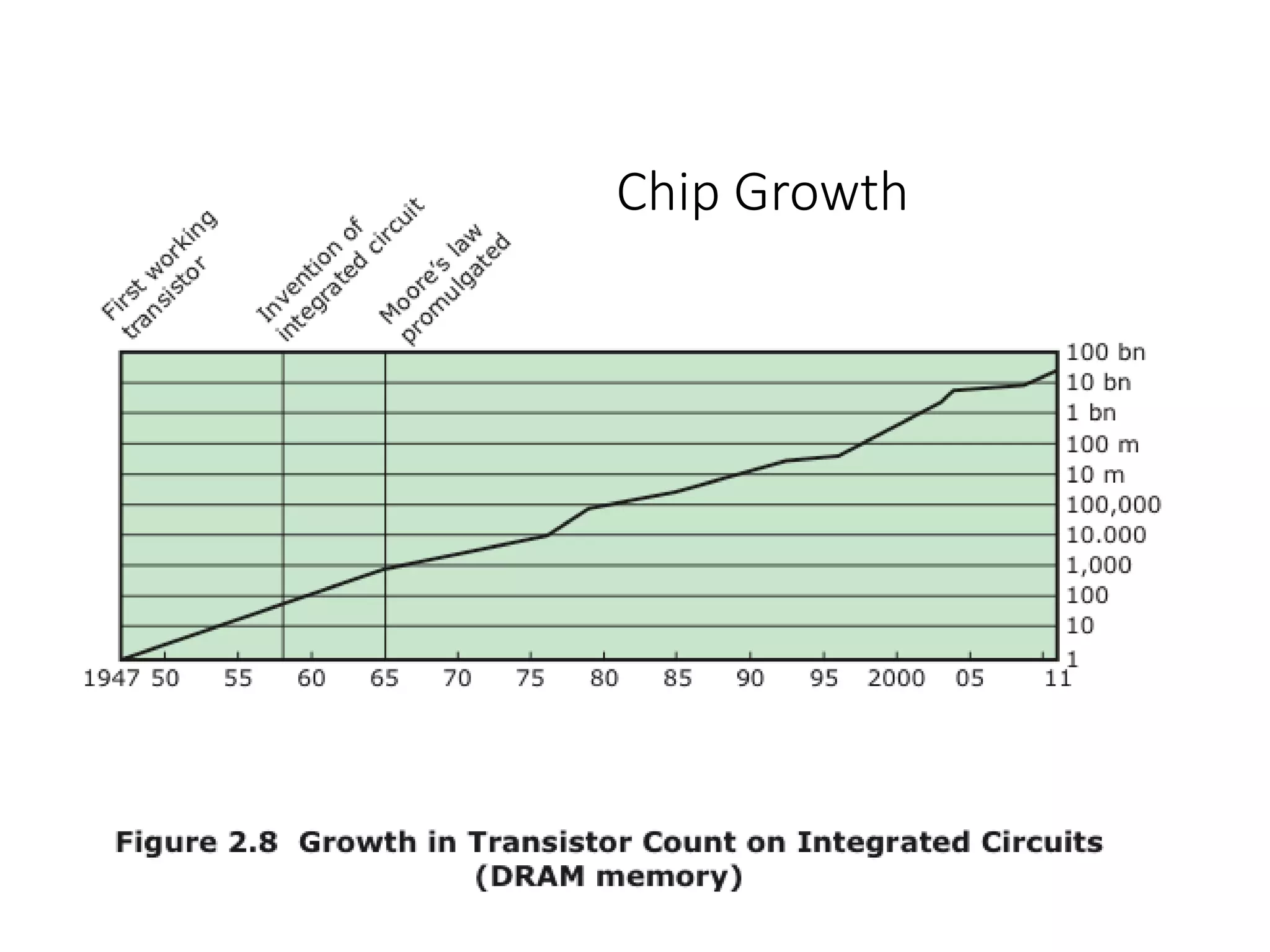
Moore’s Law
• Gordon Moore (Founder of Intel) observed in 1965 that the number of
transistors that could be crammed on a chip doubles every year.
• Increased density of components on chip
http://www.intel.com/research/silicon/mooreslaw.htm
19
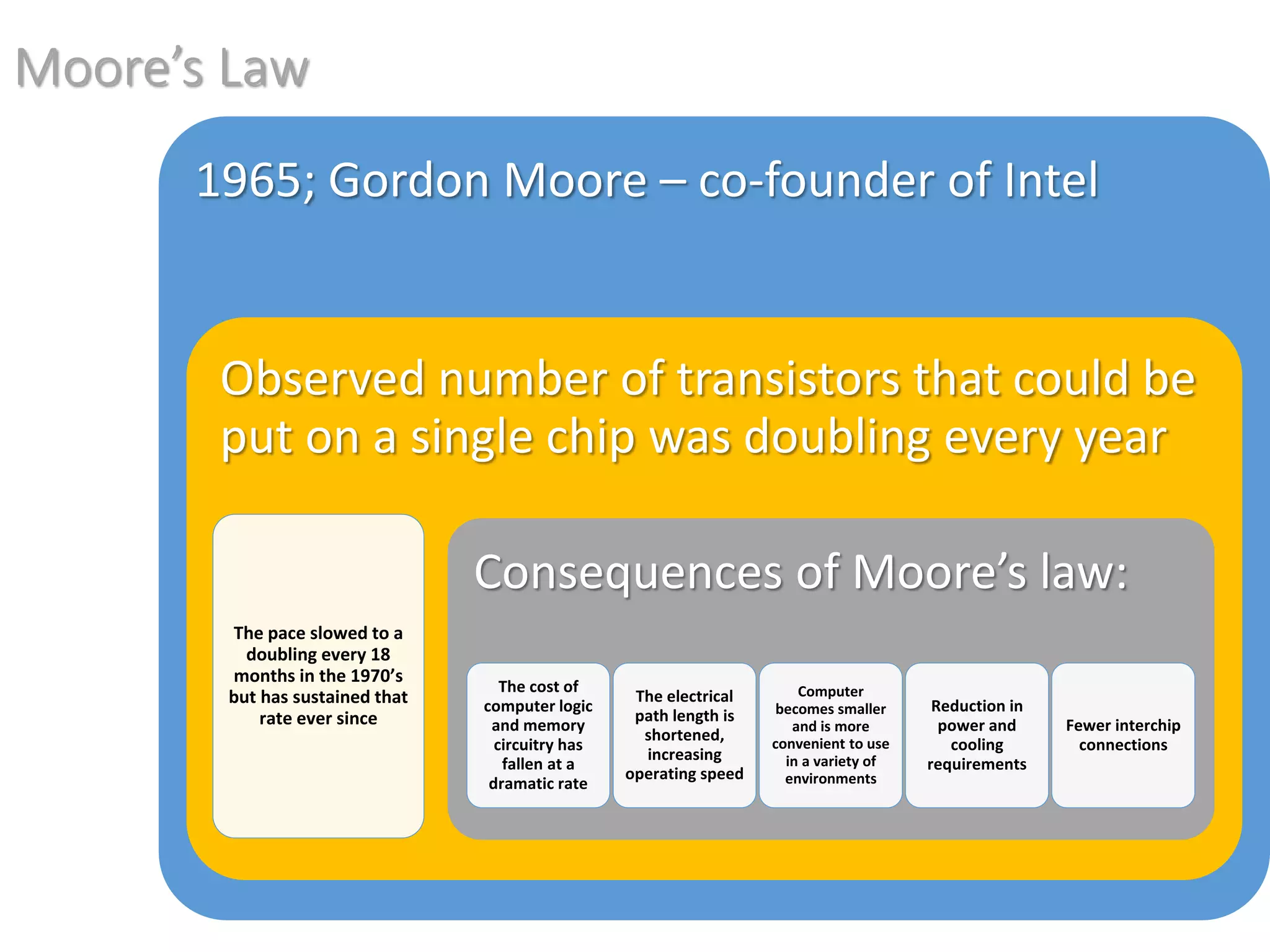
Moore’s Law
1965; Gordon Moore – co-founder of Intel
Observed number of transistors that could be
put on a single chip was doubling every year
The pace slowed to a
doubling every 18
months in the 1970’s
but has sustained that
rate ever since
Consequences of Moore’s law:
The cost of
computer logic
and memory
circuitry has
fallen at a
dramatic rate
The electrical
path length is
shortened,
increasing
operating speed
Computer
becomes smaller
and is more
convenient to use
in a variety of
environments
Reduction in
power and
cooling
requirements
Fewer interchip
connections
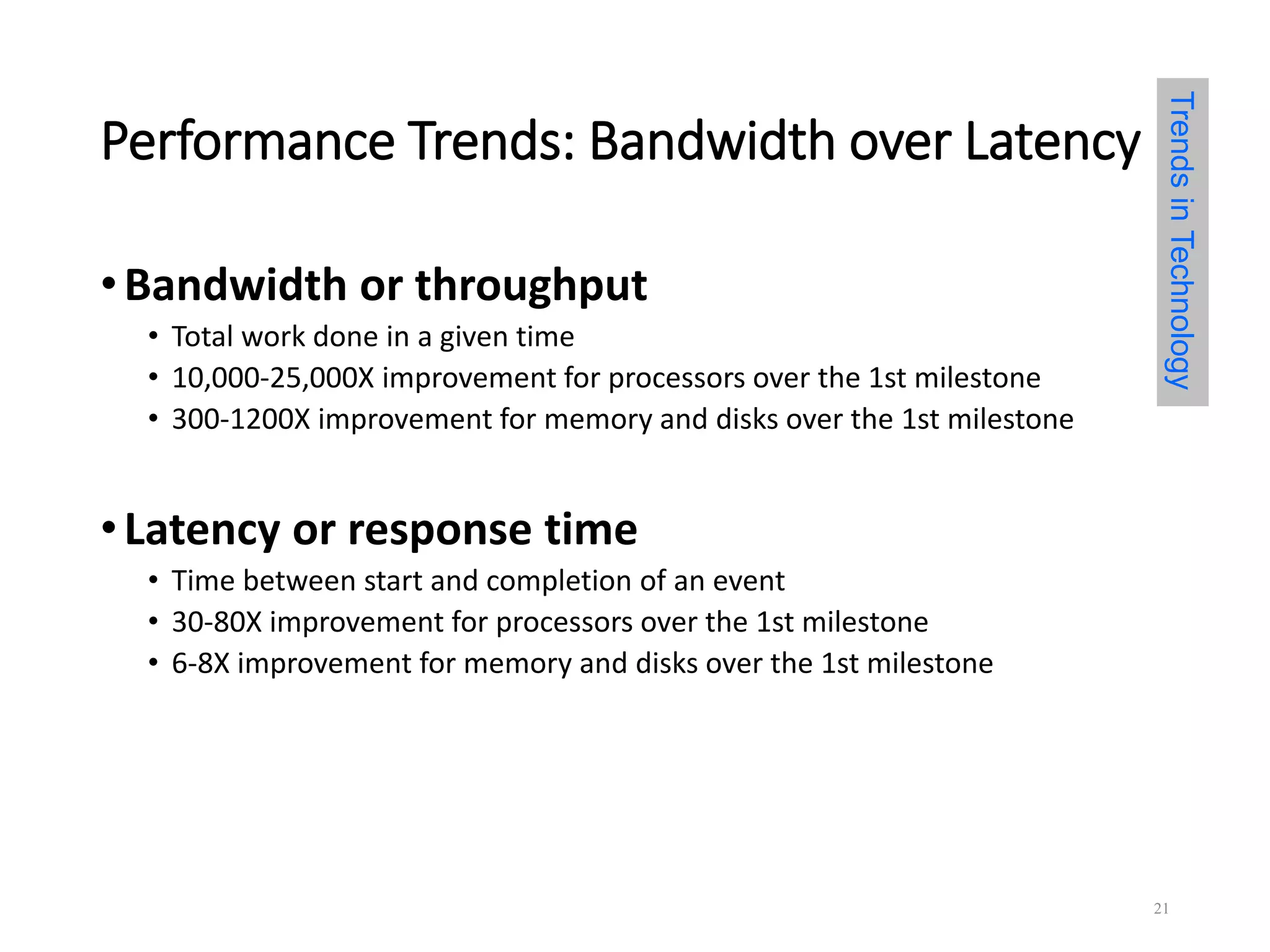
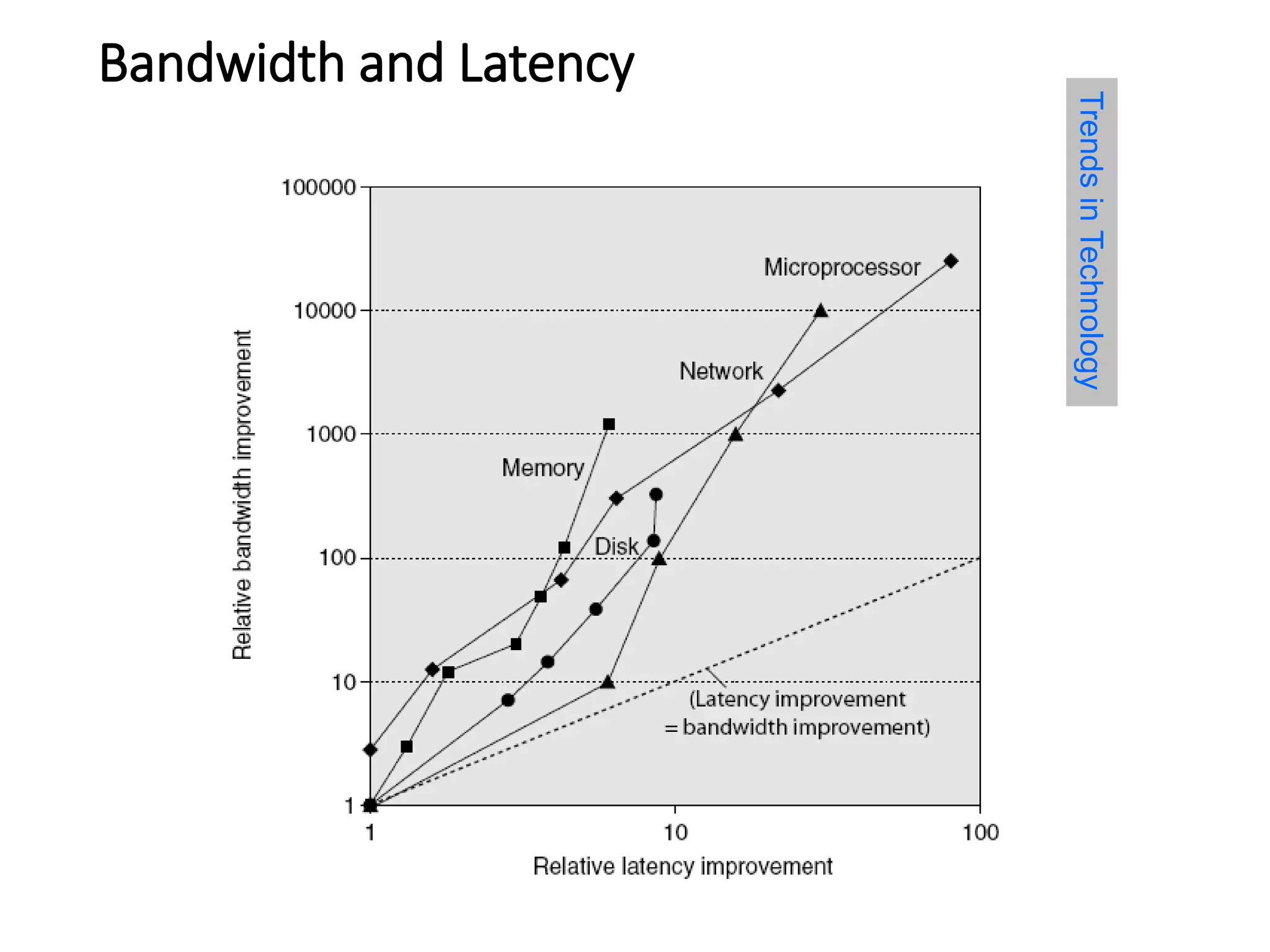
Performance Trends: Bandwidth over Latency
•Bandwidth or throughput
• Total work done in a given time
• 10,000-25,000X improvement for processors over the 1st milestone
• 300-1200X improvement for memory and disks over the 1st milestone
•Latency or response time
• Time between start and completion of an event
• 30-80X improvement for processors over the 1st milestone
• 6-8X improvement for memory and disks over the 1st milestone
TrendsinTechnology
21
Bandwidth and Latency
Log-log plot of bandwidth and latency milestones
TrendsinTechnology
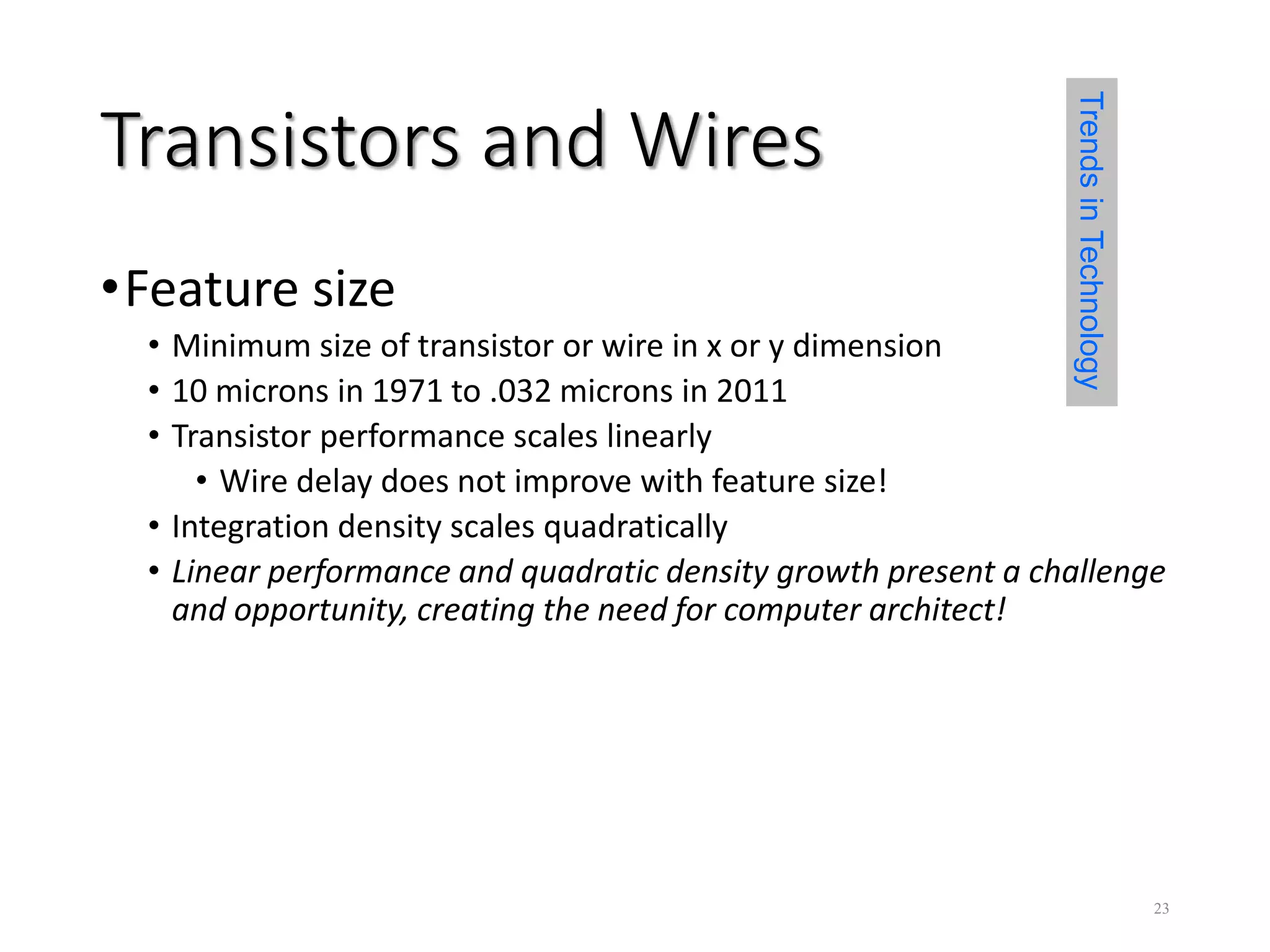
Transistors and Wires
•Feature size
• Minimum size of transistor or wire in x or y dimension
• 10 microns in 1971 to .032 microns in 2011
• Transistor performance scales linearly
• Wire delay does not improve with feature size!
• Integration density scales quadratically
• Linear performance and quadratic density growth present a challenge
and opportunity, creating the need for computer architect!
TrendsinTechnology
23
History of Computers
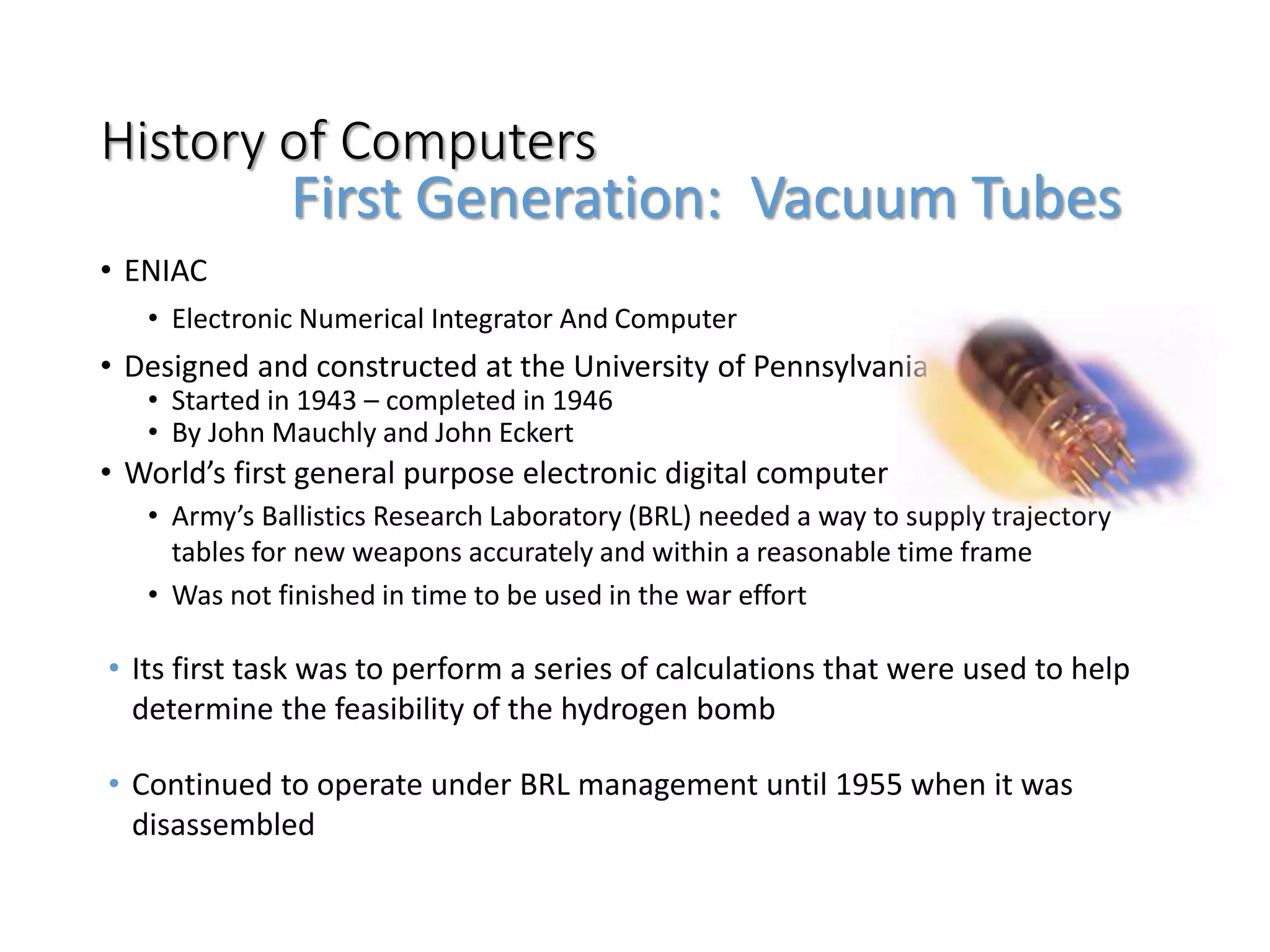
• ENIAC
• Electronic Numerical Integrator And Computer
• Designed and constructed at the University of Pennsylvania
• Started in 1943 – completed in 1946
• By John Mauchly and John Eckert
• World’s first general purpose electronic digital computer
• Army’s Ballistics Research Laboratory (BRL) needed a way to supply trajectory
tables for new weapons accurately and within a reasonable time frame
• Was not finished in time to be used in the war effort
• Its first task was to perform a series of calculations that were used to help
determine the feasibility of the hydrogen bomb
• Continued to operate under BRL management until 1955 when it was
disassembled
First Generation: Vacuum Tubes
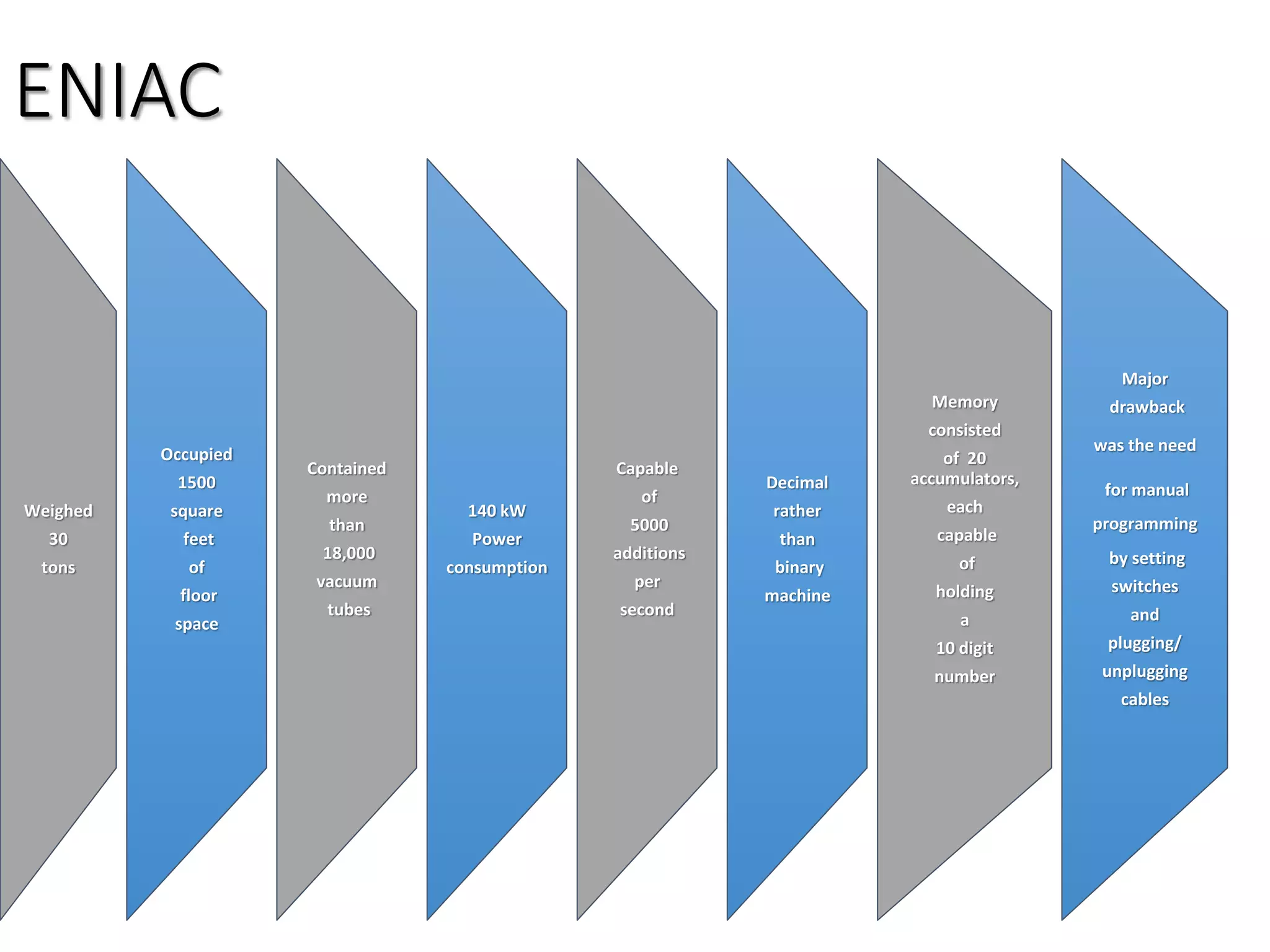
ENIAC
Weighed
30
tons
Occupied
1500
square
feet
of
floor
space
Contained
more
than
18,000
vacuum
tubes
140 kW
Power
consumption
Capable
of
5000
additions
per
second
Decimal
rather
than
binary
machine
Memory
consisted
of 20
accumulators,
each
capable
of
holding
a
10 digit
number
Major
drawback
was the need
for manual
programming
by setting
switches
and
plugging/
unplugging
cables
John von Neumann
• First publication of the idea was in 1945
• Stored program concept
• Attributed to ENIAC designers, most notably the mathematician John von
Neumann
• Program represented in a form suitable for storing in memory alongside the
data
• IAS computer
• Princeton Institute for Advanced Studies
• Prototype of all subsequent general-purpose computers
• Completed in 1952
EDVAC (Electronic Discrete Variable Computer)
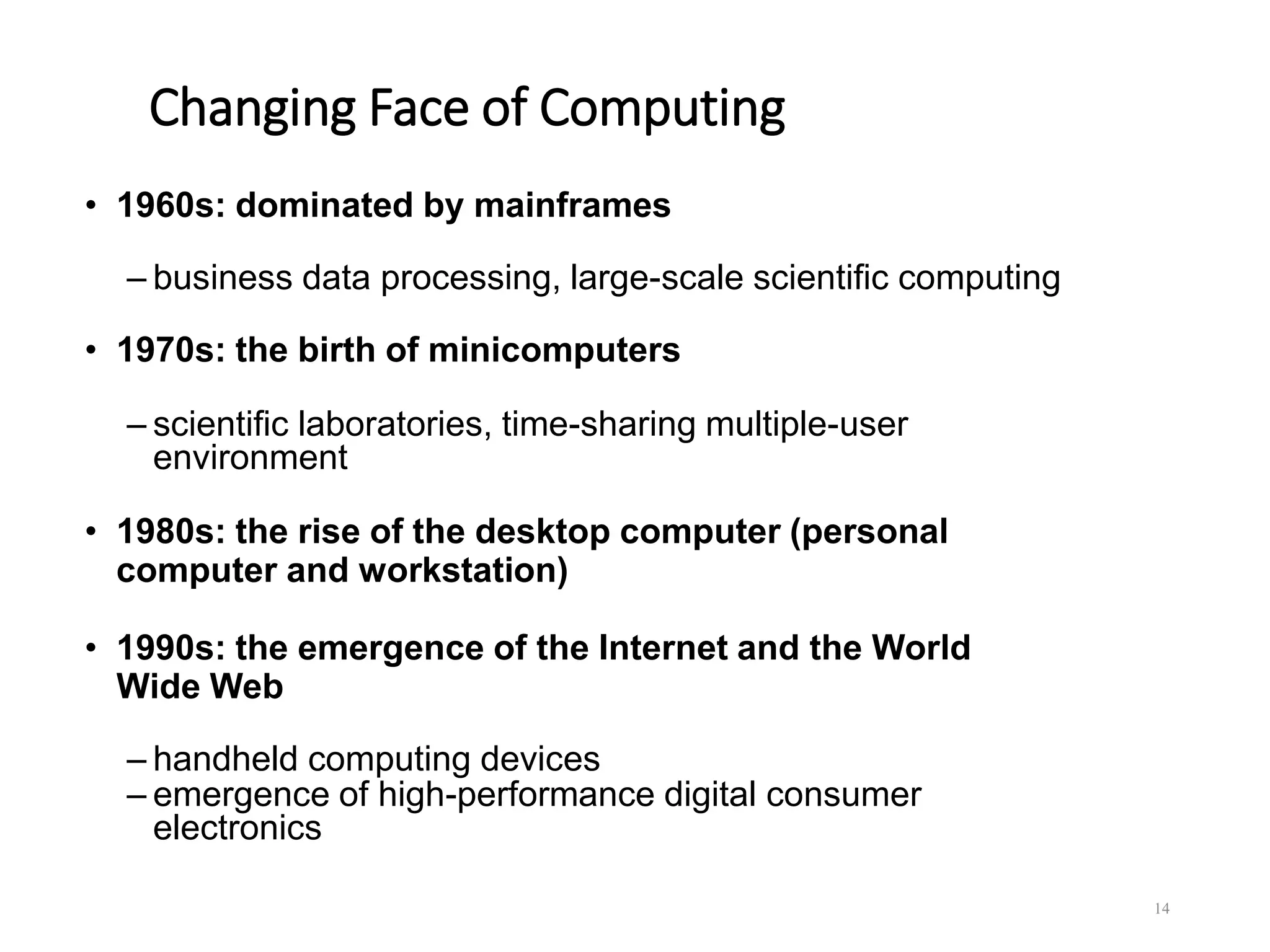
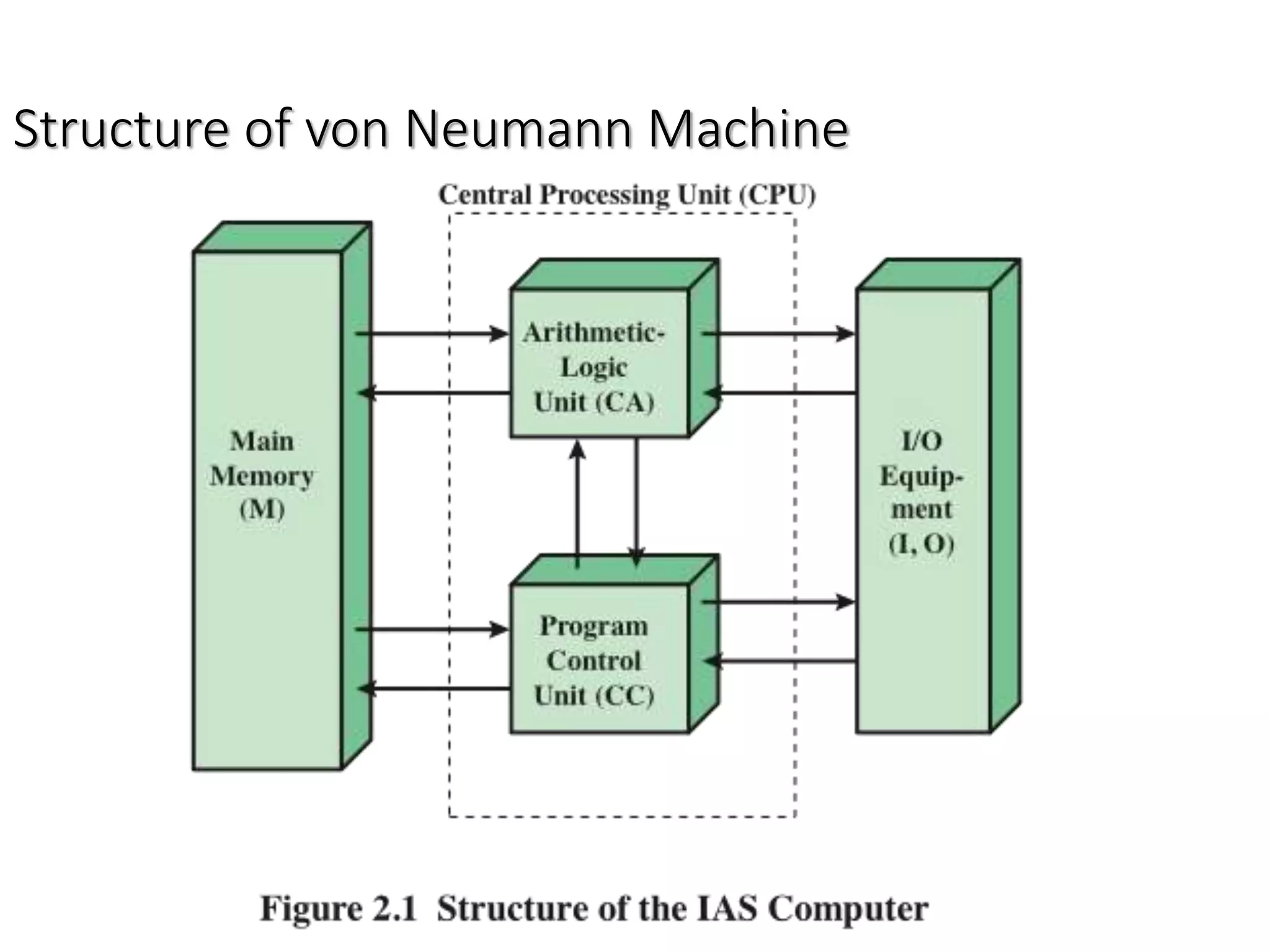
Von Neumann/Turing
 Stored Program concept.
 Main memory storing programs and data.
 ALU operating on binary data.
 Control unit interpreting instructions from memory and
executing.
 Input and output equipment operated by control unit.
• Basic Elements
 Processor
 Main Memory
 I/O modules
 System bus
27
Structure of von Neumann Machine
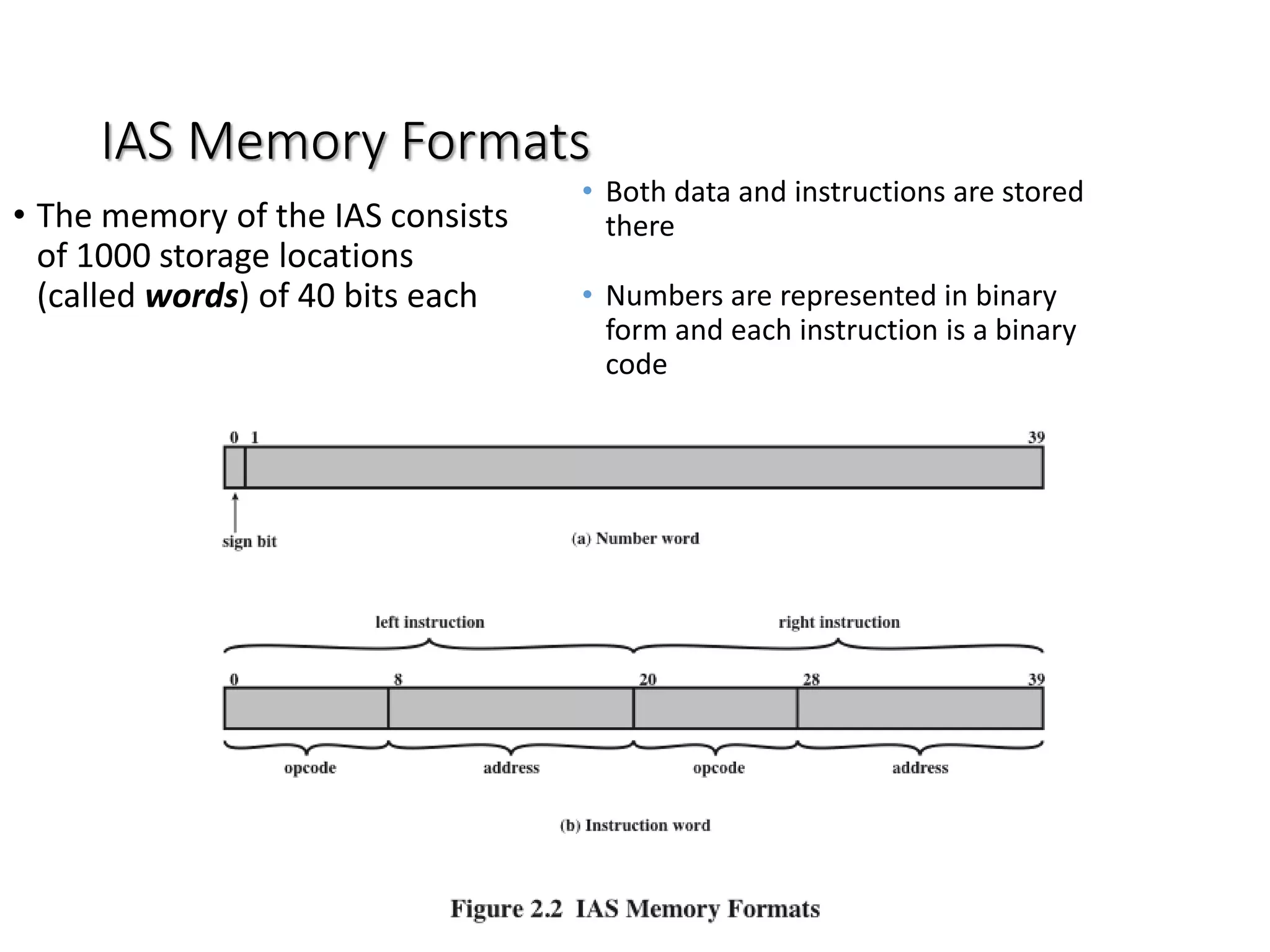
IAS Memory Formats
• Both data and instructions are stored
there
• Numbers are represented in binary
form and each instruction is a binary
code
• The memory of the IAS consists
of 1000 storage locations
(called words) of 40 bits each
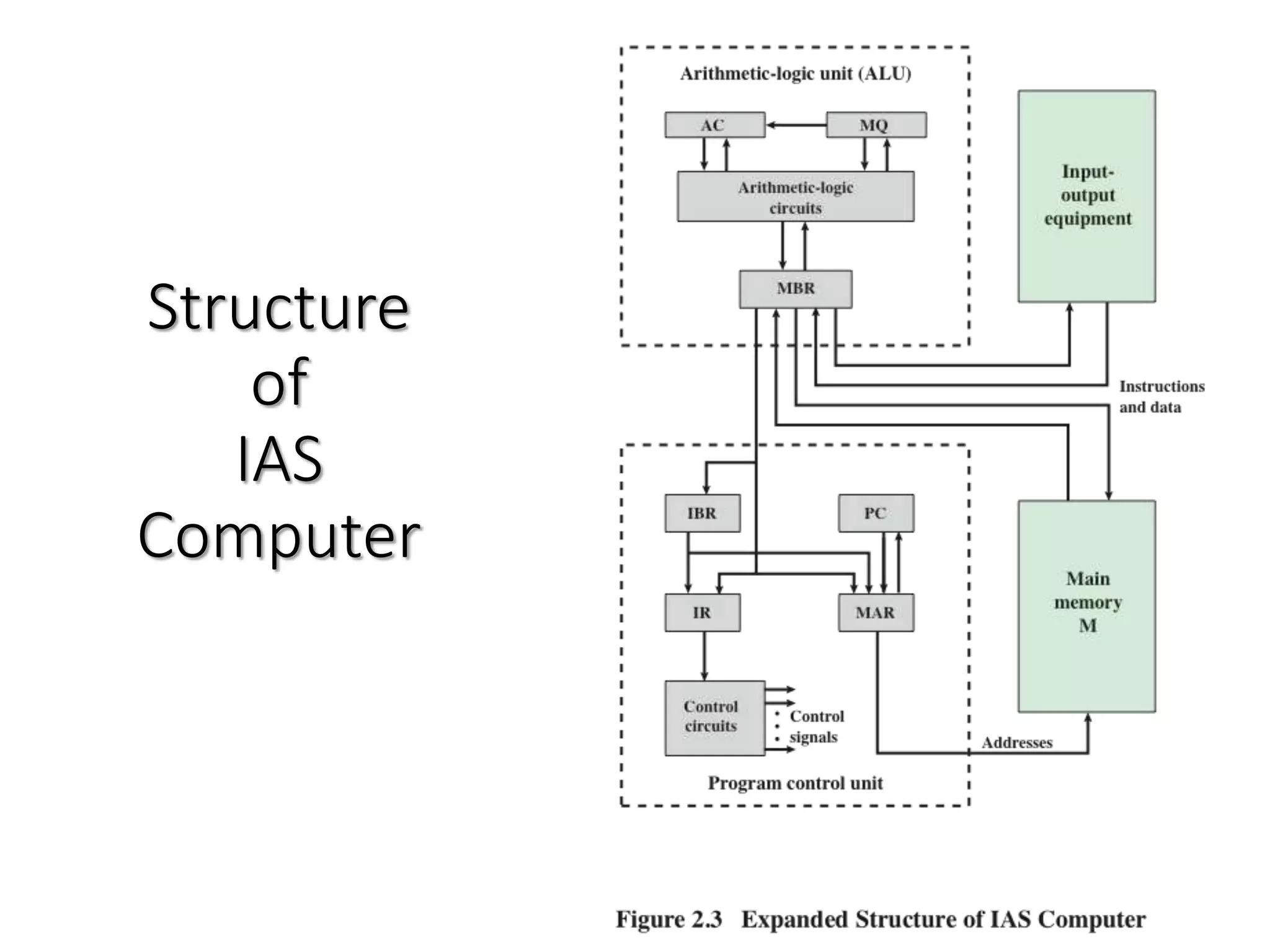
Structure
of
IAS
Computer
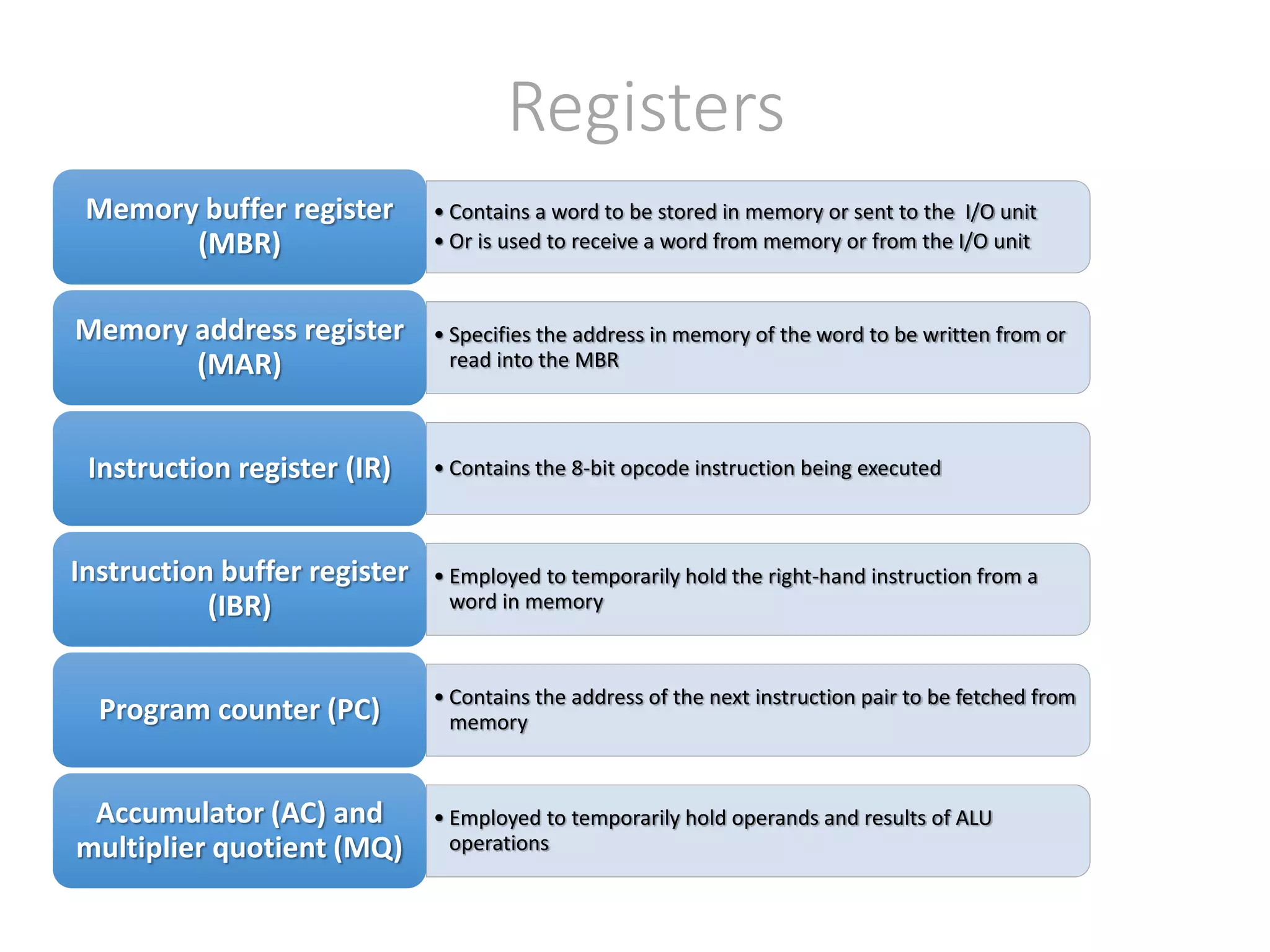
Registers
• Contains a word to be stored in memory or sent to the I/O unit
• Or is used to receive a word from memory or from the I/O unit
Memory buffer register
(MBR)
• Specifies the address in memory of the word to be written from or
read into the MBR
Memory address register
(MAR)
• Contains the 8-bit opcode instruction being executedInstruction register (IR)
• Employed to temporarily hold the right-hand instruction from a
word in memory
Instruction buffer register
(IBR)
• Contains the address of the next instruction pair to be fetched from
memoryProgram counter (PC)
• Employed to temporarily hold operands and results of ALU
operations
Accumulator (AC) and
multiplier quotient (MQ)
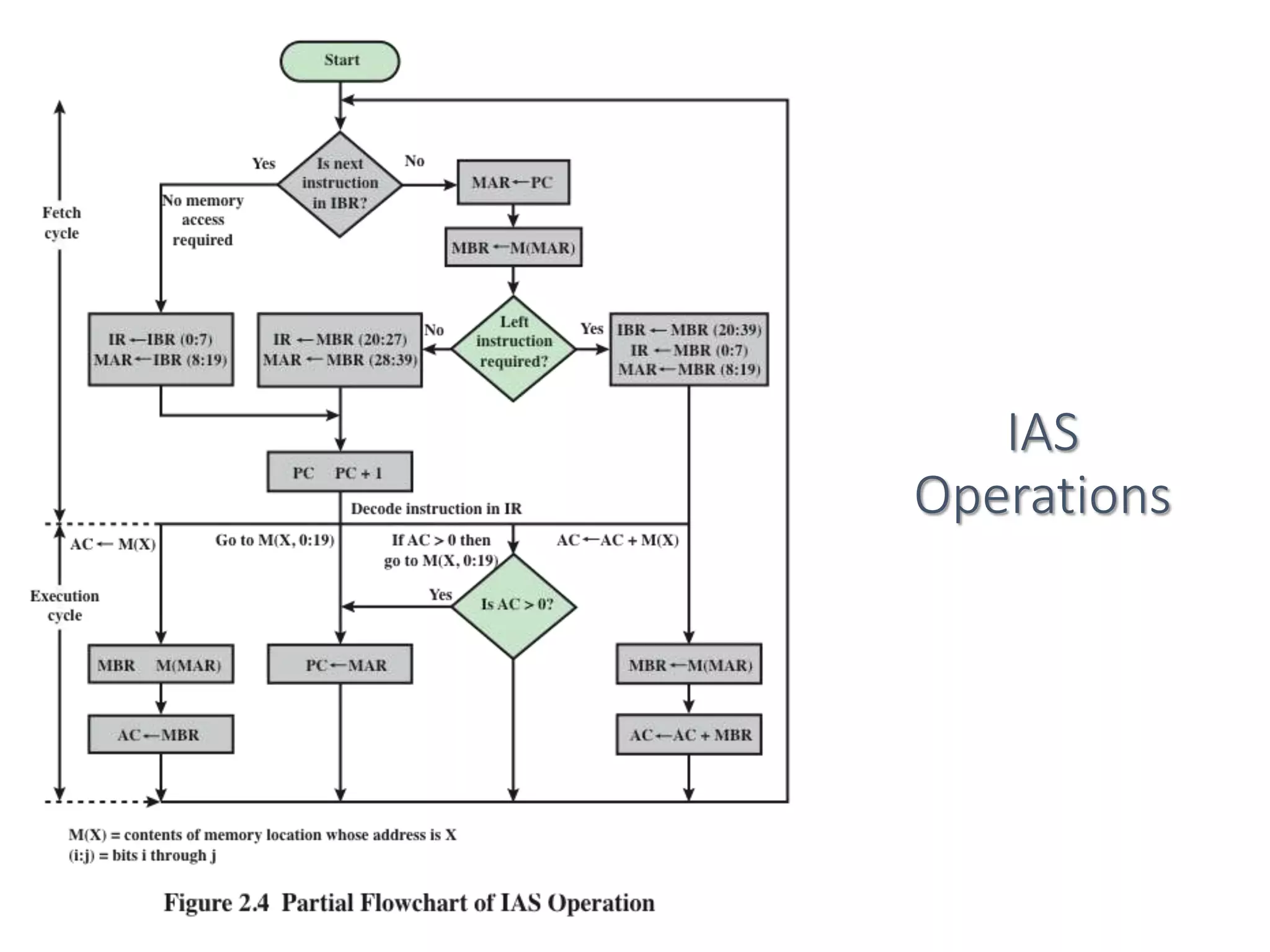
IAS
Operations
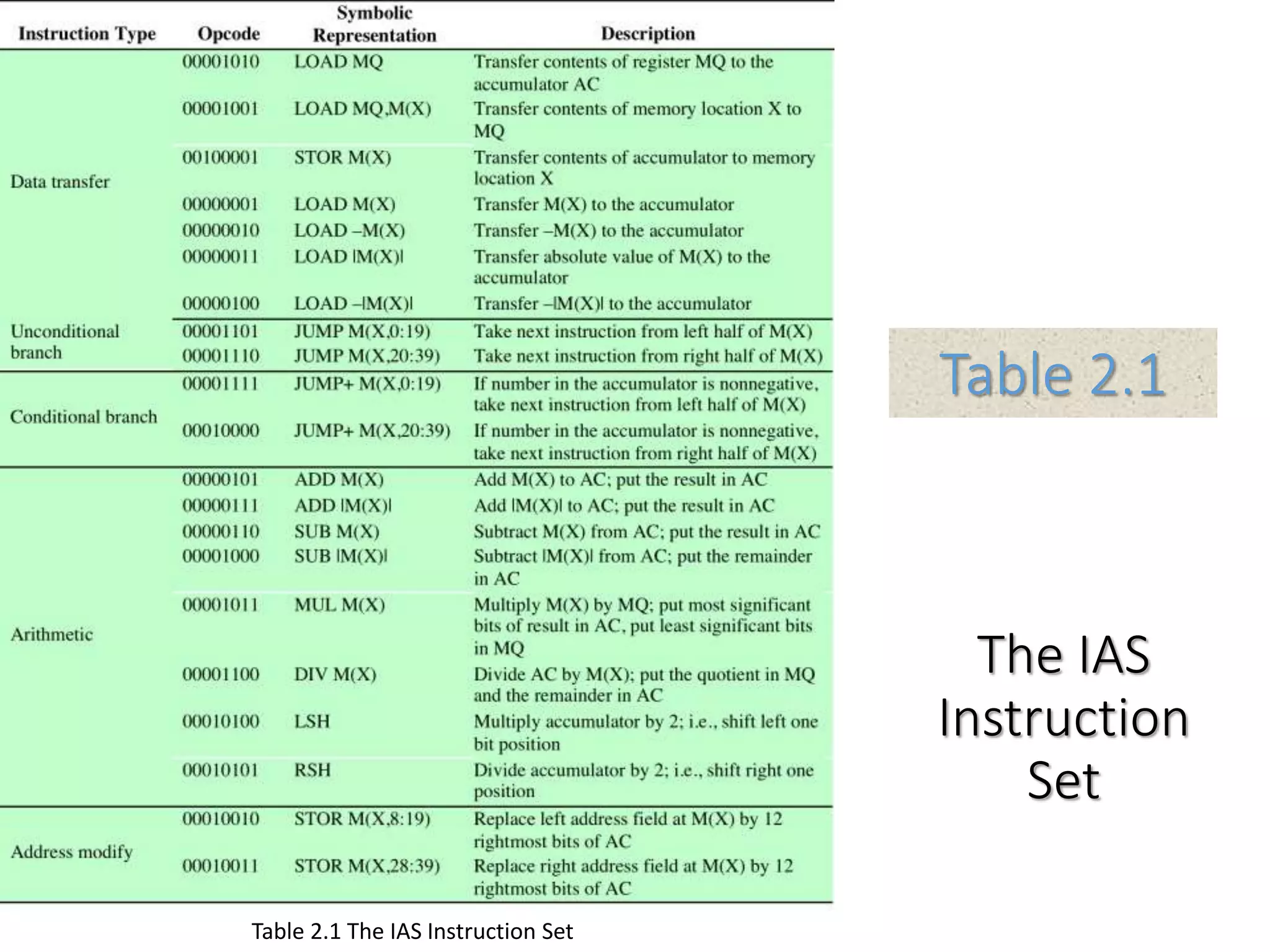
The IAS
Instruction
Set
Table 2.1
Table 2.1 The IAS Instruction Set
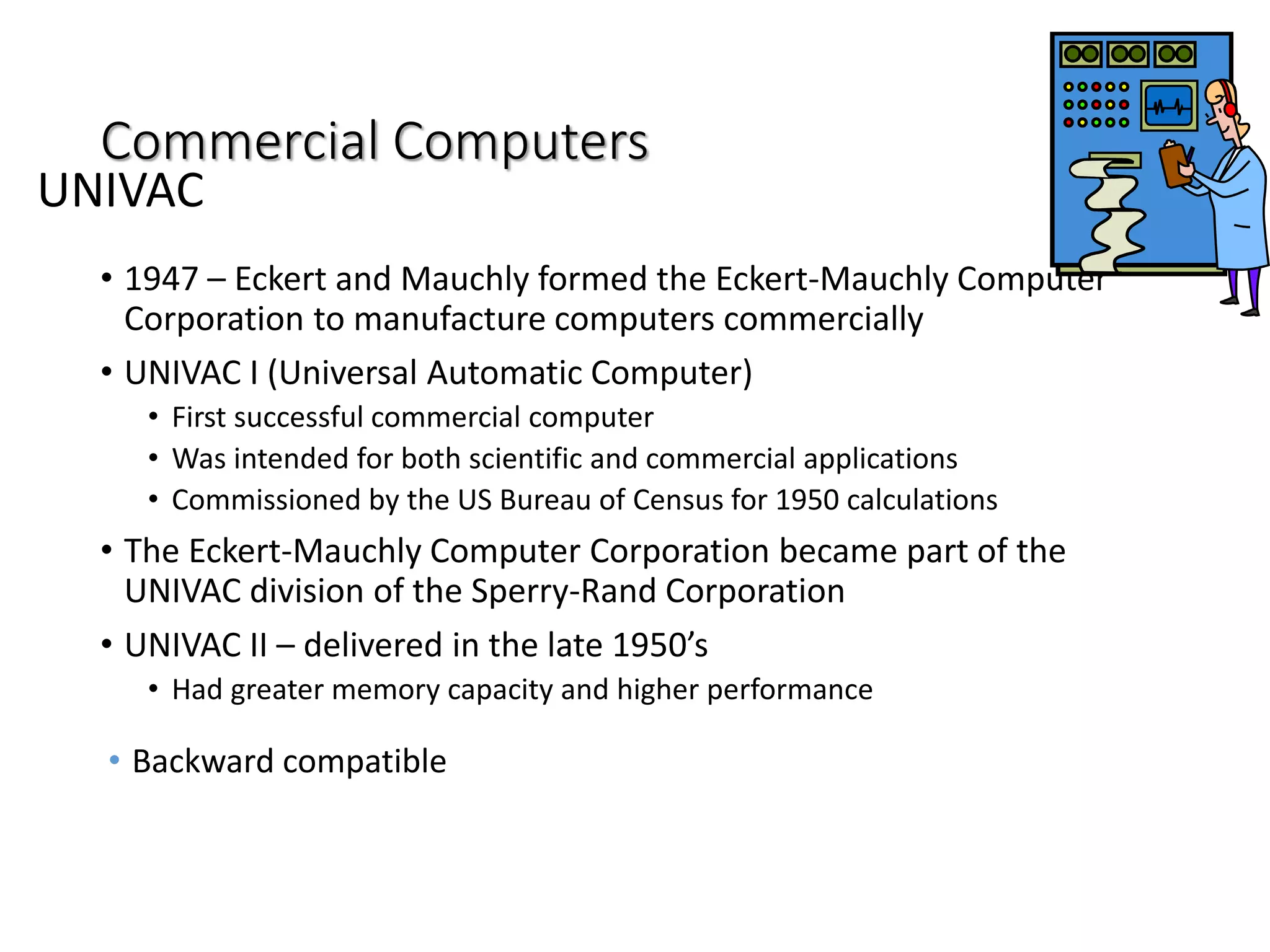
Commercial Computers
• 1947 – Eckert and Mauchly formed the Eckert-Mauchly Computer
Corporation to manufacture computers commercially
• UNIVAC I (Universal Automatic Computer)
• First successful commercial computer
• Was intended for both scientific and commercial applications
• Commissioned by the US Bureau of Census for 1950 calculations
• The Eckert-Mauchly Computer Corporation became part of the
UNIVAC division of the Sperry-Rand Corporation
• UNIVAC II – delivered in the late 1950’s
• Had greater memory capacity and higher performance
• Backward compatible
UNIVAC
IBM
Was the major manufacturer of
punched-card processing equipment
Delivered its first electronic stored-
program computer (701) in 1953
Intended primarily for scientific
applications
Introduced 702 product in 1955
Hardware features made it
suitable to business applications
Series of 700/7000 computers
established IBM as the
overwhelmingly dominant computer
manufacturer
History of Computers
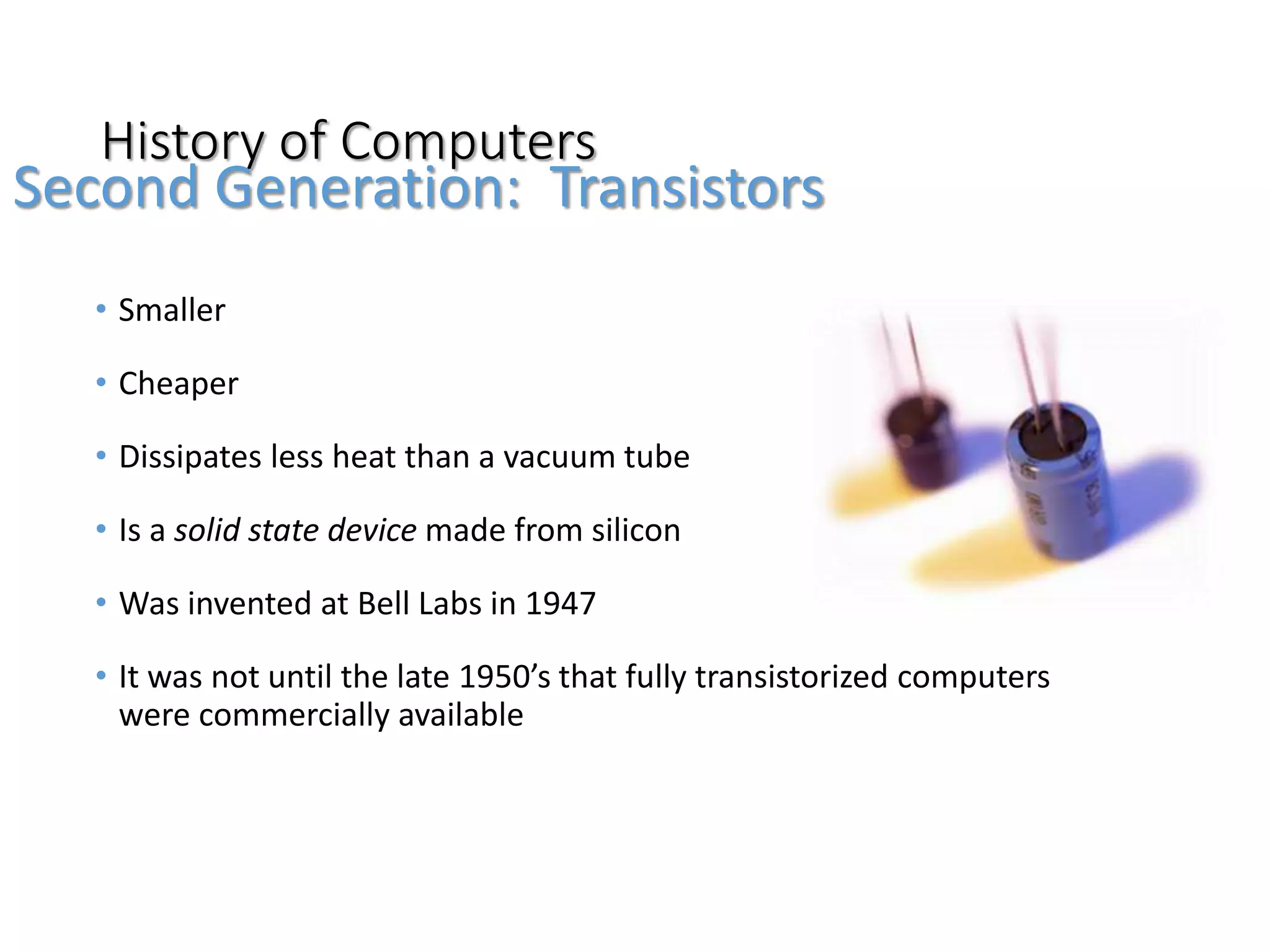
• Smaller
• Cheaper
• Dissipates less heat than a vacuum tube
• Is a solid state device made from silicon
• Was invented at Bell Labs in 1947
• It was not until the late 1950’s that fully transistorized computers
were commercially available
Second Generation: Transistors
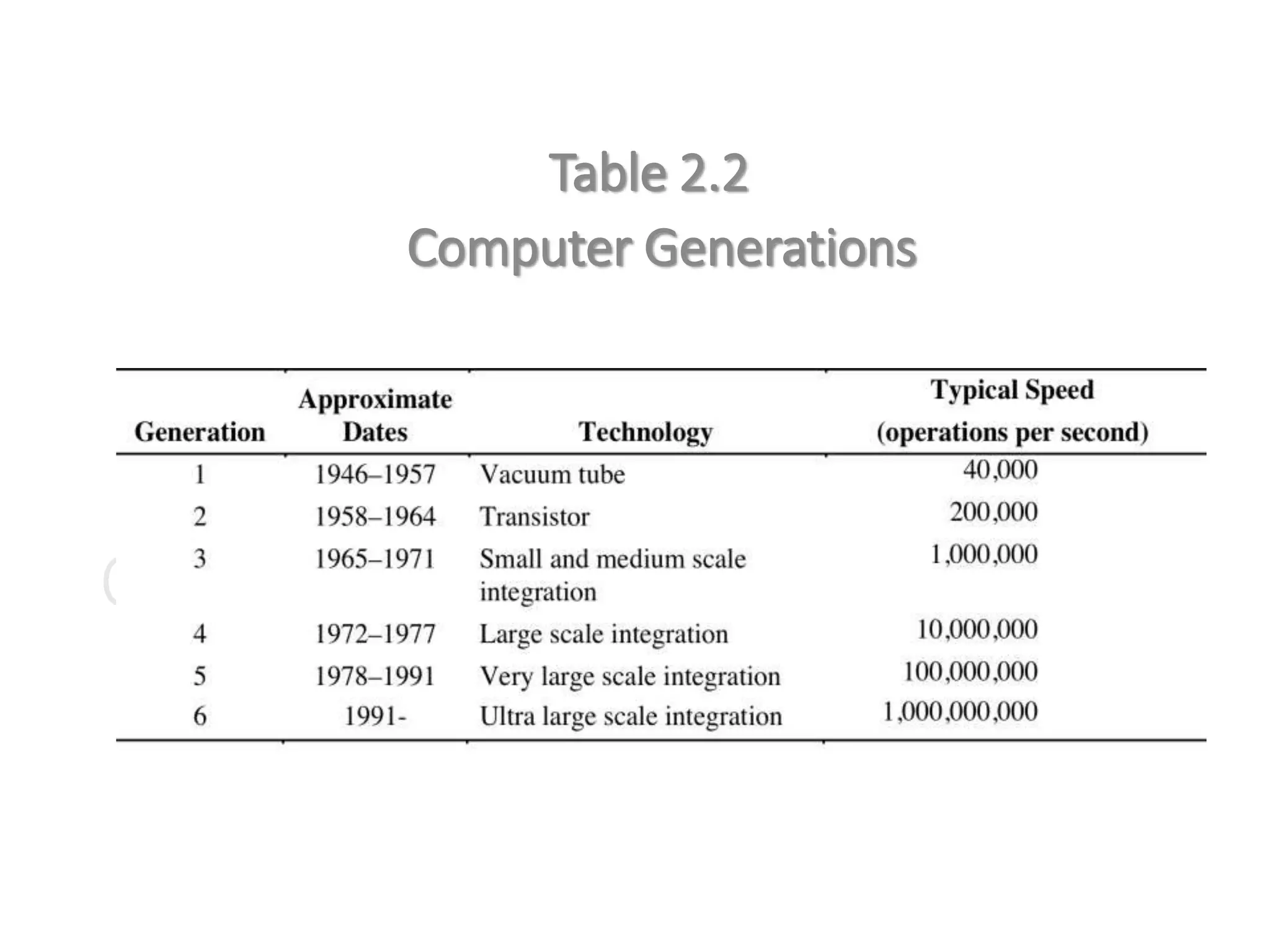
Computer Generations
Table 2.2
Computer Generations
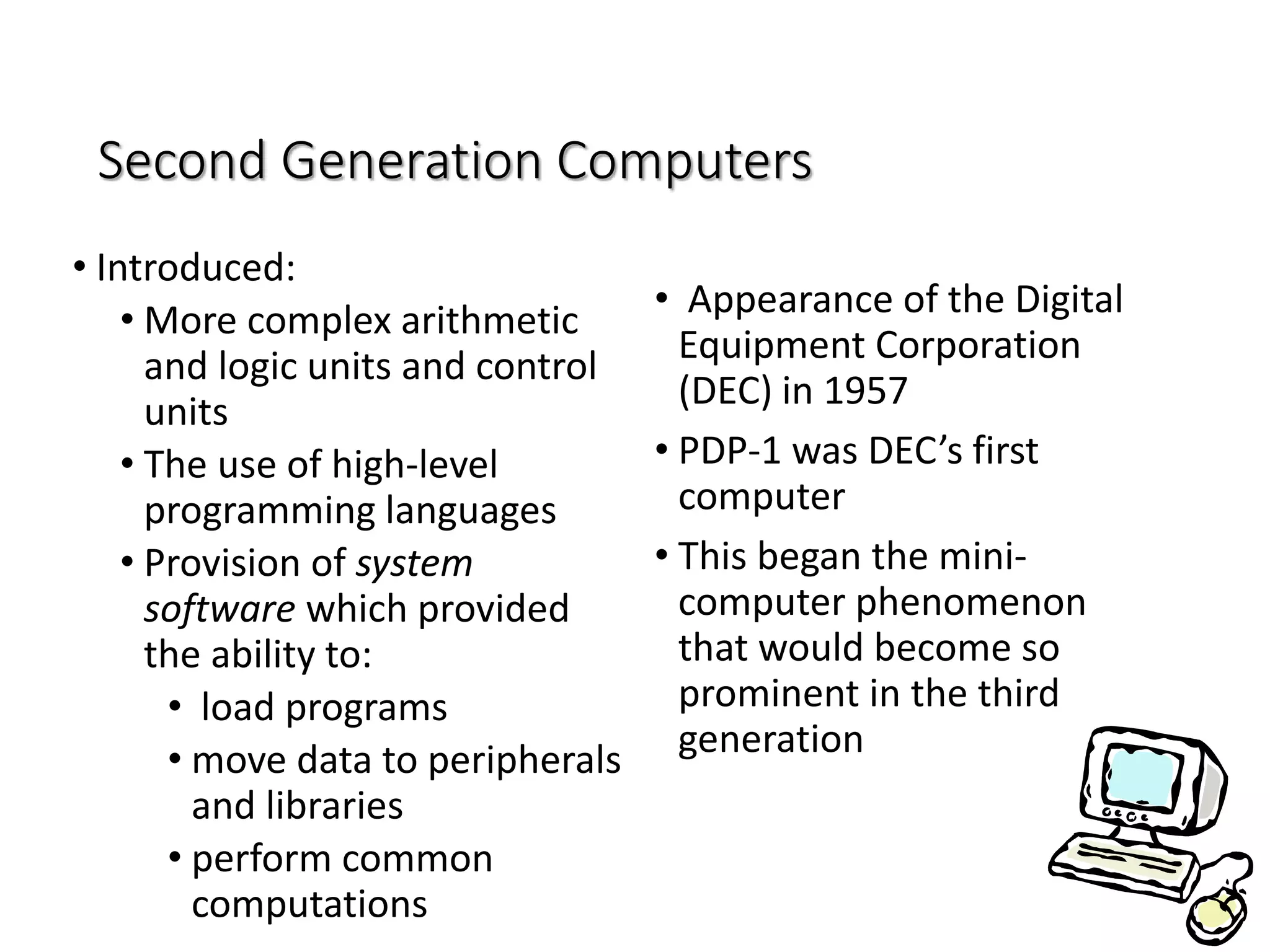
Second Generation Computers
• Introduced:
• More complex arithmetic
and logic units and control
units
• The use of high-level
programming languages
• Provision of system
software which provided
the ability to:
• load programs
• move data to peripherals
and libraries
• perform common
computations
• Appearance of the Digital
Equipment Corporation
(DEC) in 1957
• PDP-1 was DEC’s first
computer
• This began the mini-
computer phenomenon
that would become so
prominent in the third
generation
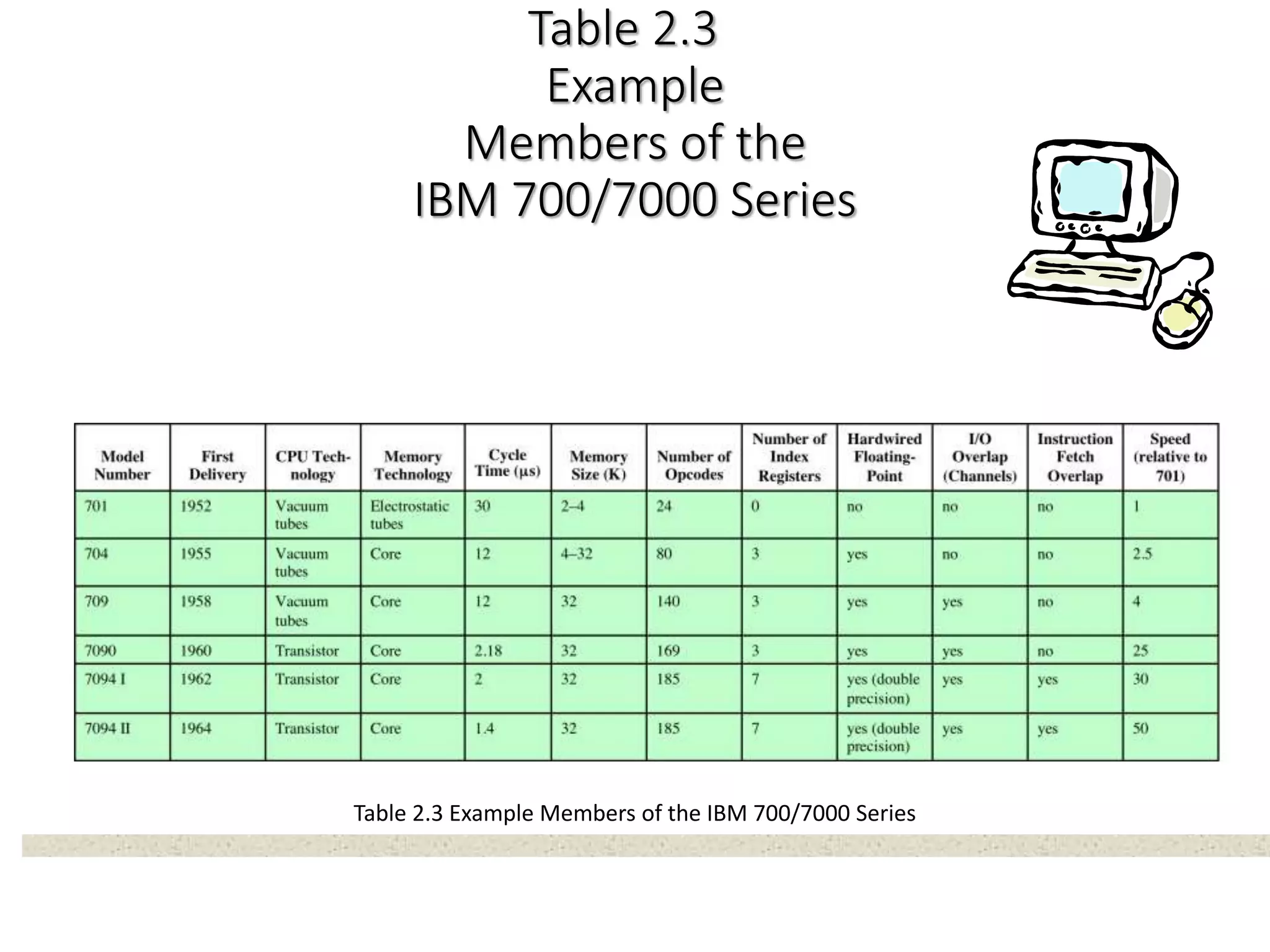
Table 2.3
Example
Members of the
IBM 700/7000 Series
Table 2.3 Example Members of the IBM 700/7000 Series
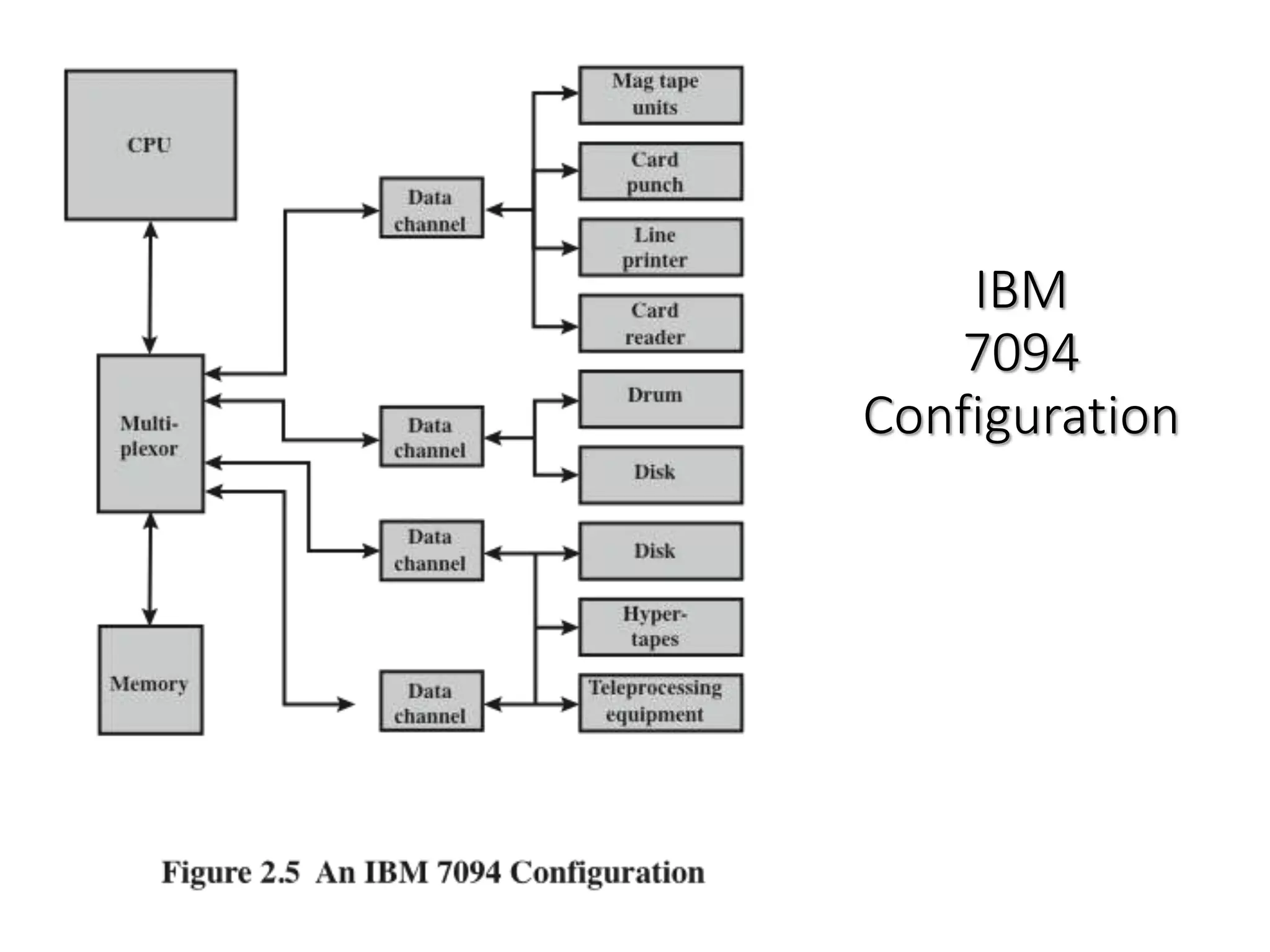
IBM
7094
Configuration
Third Generation: Integrated Circuits
History of Computers
• 1958 – the invention of the integrated circuit
• Discrete component
• Single, self-contained transistor
• Manufactured separately, packaged in their own containers, and soldered
or wired together onto masonite-like circuit boards
• Manufacturing process was expensive and cumbersome
• The two most important members of the third generation were the
IBM System/360 and the DEC PDP-8
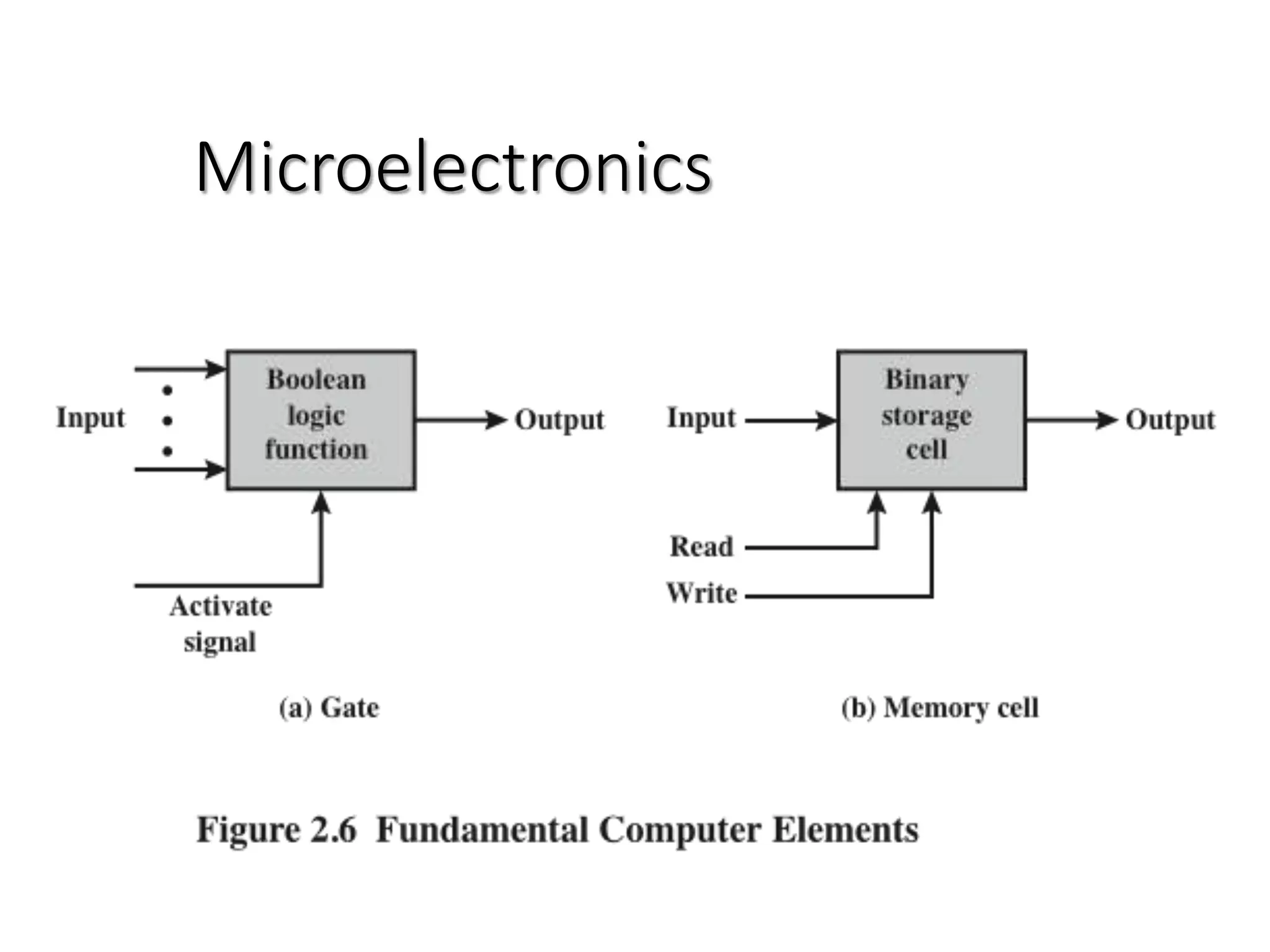
Microelectronics
Integrated
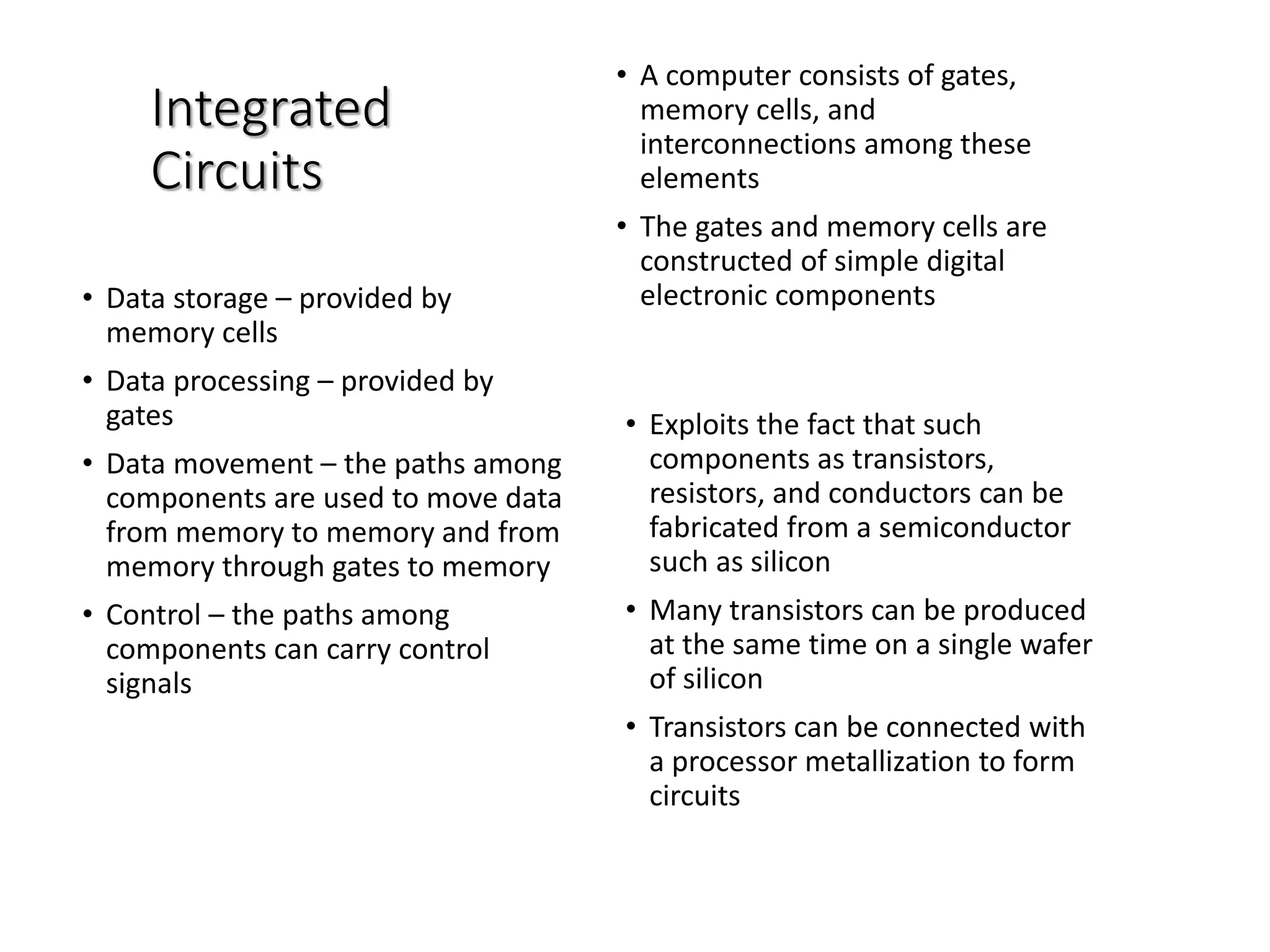
Circuits
• A computer consists of gates,
memory cells, and
interconnections among these
elements
• The gates and memory cells are
constructed of simple digital
electronic components• Data storage – provided by
memory cells
• Data processing – provided by
gates
• Data movement – the paths among
components are used to move data
from memory to memory and from
memory through gates to memory
• Control – the paths among
components can carry control
signals
• Exploits the fact that such
components as transistors,
resistors, and conductors can be
fabricated from a semiconductor
such as silicon
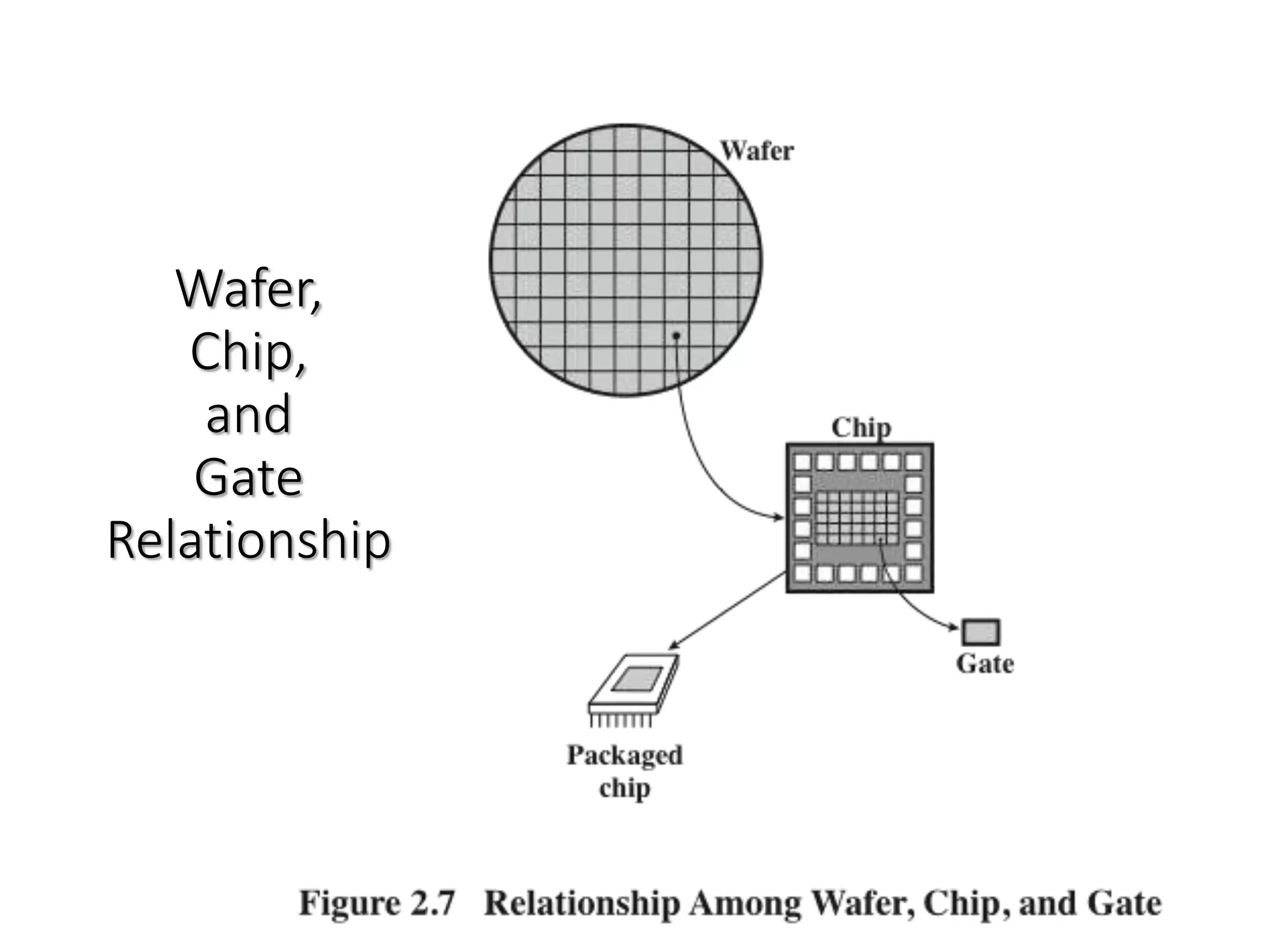
• Many transistors can be produced
at the same time on a single wafer
of silicon
• Transistors can be connected with
a processor metallization to form
circuits
Wafer,
Chip,
and
Gate
Relationship
Chip Growth
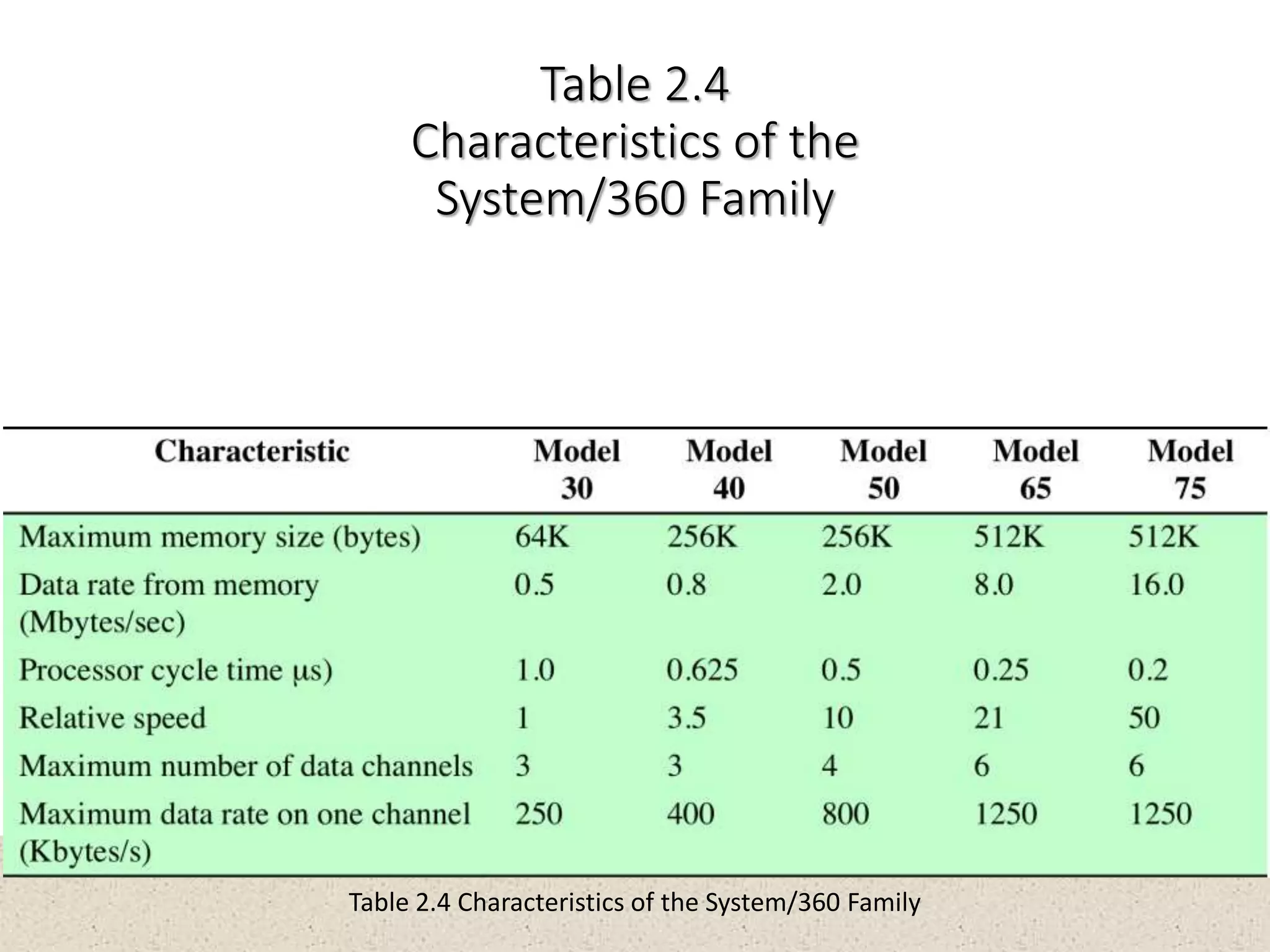
Table 2.4
Characteristics of the
System/360 Family
Table 2.4 Characteristics of the System/360 Family
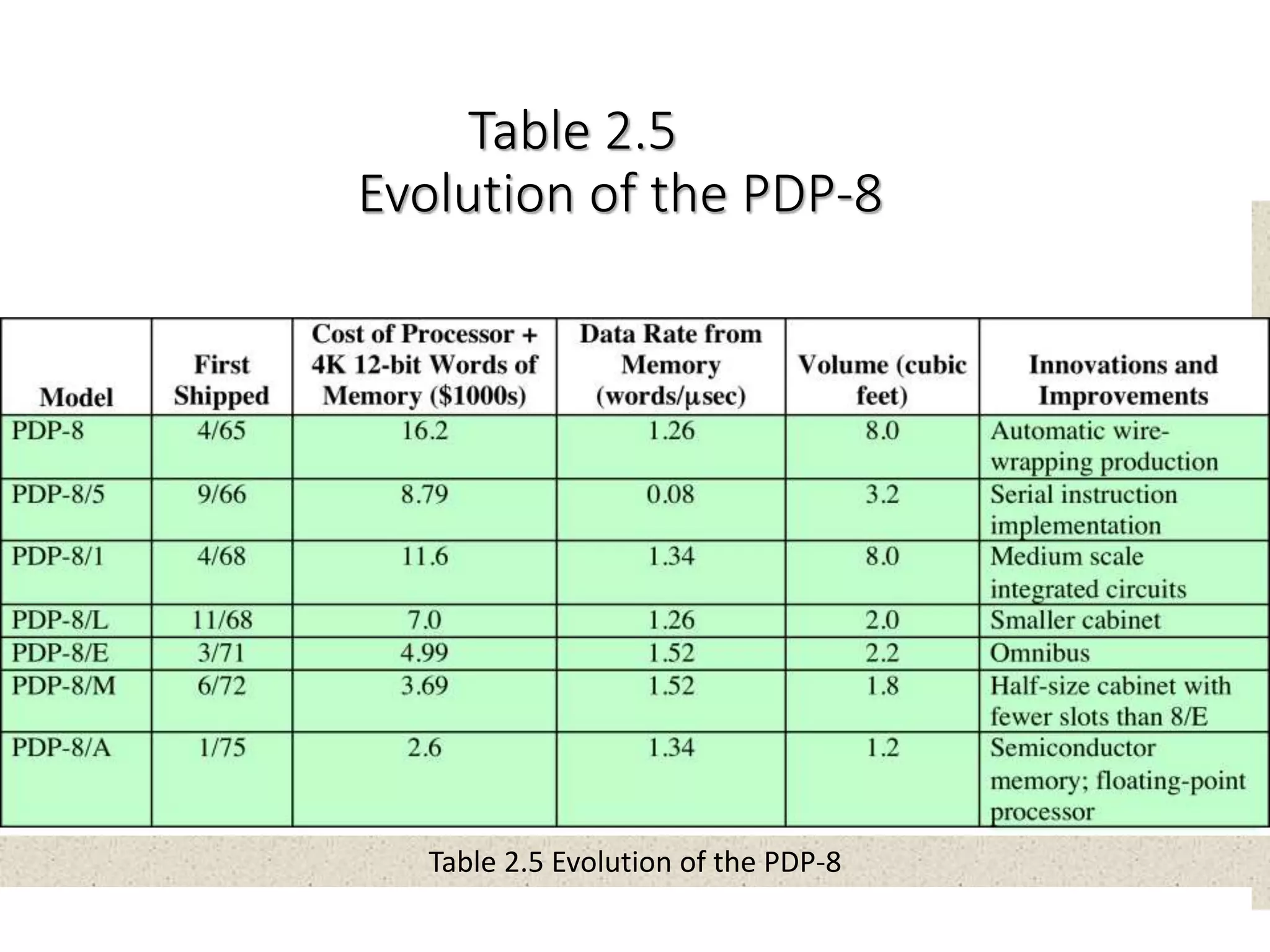
Table 2.5
Evolution of the PDP-8
Table 2.5 Evolution of the PDP-8
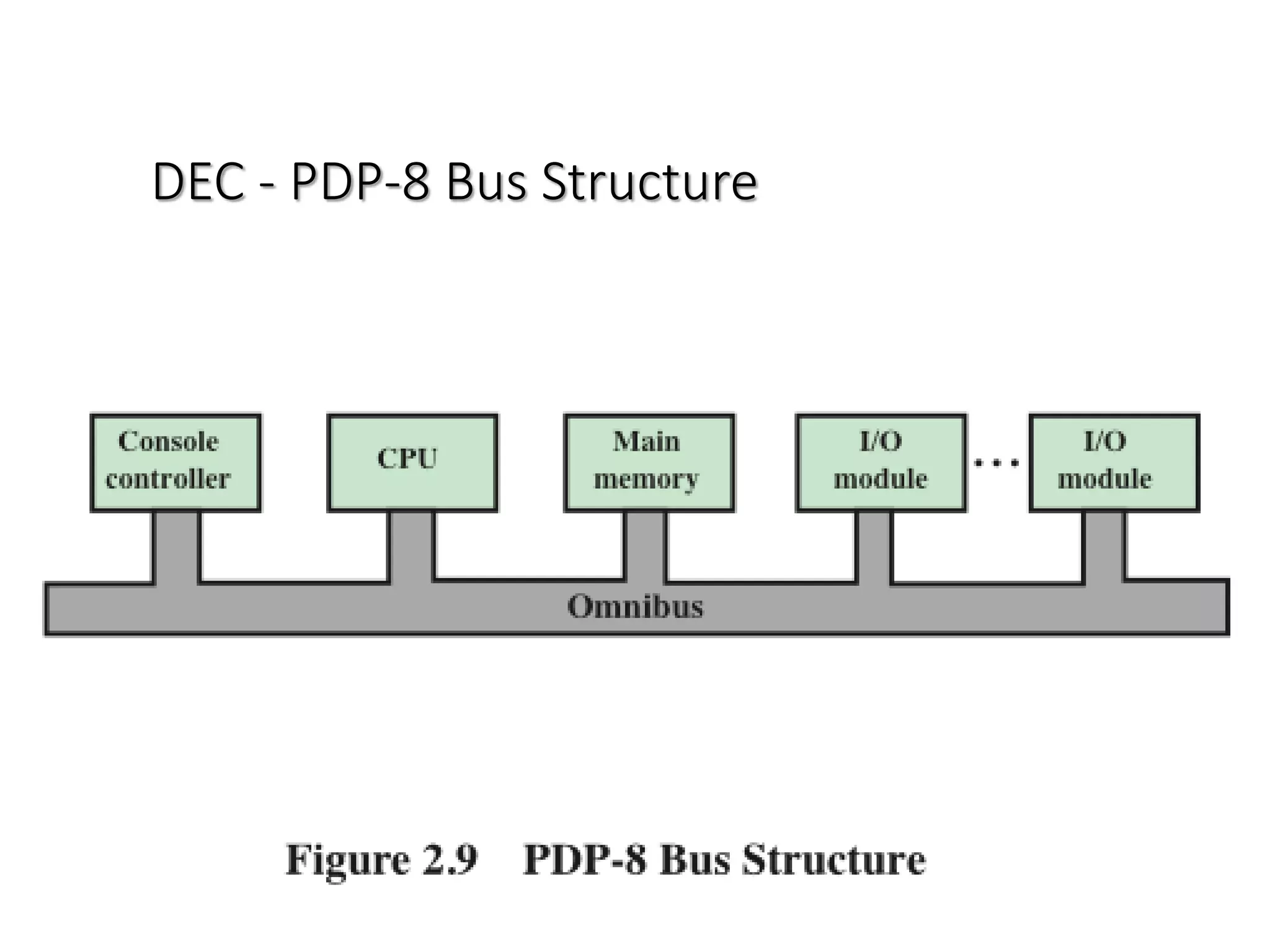
DEC - PDP-8 Bus Structure

Computer Architecture

  • 1.
  • 2.
    Instructor: Irfan Ali •Lecturer,Computer Science Department, SMIU, Karachi •BS in Computer Science from Sindh University, Jamshoro •More than 4 years experience teaching plus software development in different software industries
  • 3.
    Course Outline • CourseIntroduction • Fundamentals of Computer Design including performance measurements & quantitative principles • Principles of Instruction Set Design • Operands, addressing modes and encoding • Pipelining of Processors • Issues and Hurdles, exception handling features • Instruction-Level Parallelism and Dynamic handling of Exceptions • Memory Hierarchy Design
  • 4.
    Course Outline (Cont.) •Cache Design • Performance Issues and improvements • Main Memory Performance Issues • Storage Systems • Multiprocessors and Thread Level Parallelism • Revision
  • 5.
  • 6.
    Marks Distribution •Sessional ..……………..40% •Midterm .………………20% •Finalterm .………………40% 6
  • 7.
    Fundamentals of ComputerDesign including performance measurements & quantitative principles
  • 8.
    Computer Architecture “The architectureof a computer is the interface between the machine and the software” - Andris Padges IBM 360/370 Architect 8
  • 9.
    What is computerarchitecture? • Functional operation of the individual HW units within a computer system, and the flow of information and control among them. • Architecture is those attributes visible to the programmer. • Computer architecture deals with the functional behavior of a computer system as viewed by an assembly language programmer. • It includes instruction set, data format (number of bits used for data representation), internal registers, numbers and their size, no. of memory locations, I/O mechanisms, addressing techniques etc. …. • Architecture is about structure & function. 9
  • 10.
    What is computerorganization? • Computer Organization:  Organization is how features are implemented • Computer Organization deals with structural relationship that is not visible to the programmer such as control signals, the clock frequency, memory technology etc… • The programs are executed by signals. 10
  • 11.
    Structure and Function: The components of the computer system at any given level in the hierarchy are described and designed in terms of its structure and function.  Structure is the way in which components relate to each other.  Function is the operation of individual components as part of the structure. • Function:  In essence, computers, and their components, simply perform the following functions: • Data processing • Data storage • Data movement • Data Control 11
  • 12.
  • 13.
  • 14.
    Changing Face ofComputing • 1960s: dominated by mainframes – business data processing, large-scale scientific computing • 1970s: the birth of minicomputers – scientific laboratories, time-sharing multiple-user environment • 1980s: the rise of the desktop computer (personal computer and workstation) • 1990s: the emergence of the Internet and the World Wide Web – handheld computing devices – emergence of high-performance digital consumer electronics 14
  • 15.
    Task of ComputerDesigner • Tasks – Determine what attributes are important for a new machine, then – design a machine to maximize performance while staying within cost and power constraints • Efforts – instruction set design, functional organization, logic design, and implementation (IC design, packaging, power, and cooling) Design a computer to meet functional requirements as well as price, power, and performance goals 15
  • 16.
    16 Task of ComputerDesigner Evaluate Existing Systems for Bottlenecks Simulate New Designs and Organizati ons Implement Next Generation System Technology Trends Benchmarks Workloads Implementation Complexity Effect of trends Designer often needs to design for the next technology because during a single product cycle (typically 4-5 years), key technologies, such as memory, change sufficiently that the designer must plan for these changes.
  • 17.
    Classes of Computers •Personal Mobile Device (PMD) -e.g. smart phones, tablet computers (1.8 billion sold 2010) -Emphasis on energy efficiency and real-time • Desktop computing: to optimize price-performance –the largest market in dollar terms –Web-centric (Having to do with the Web. A Web-centric view of something means that the application or system has been designed for the Web.), interactive applications • Servers –Web-based services, replacing traditional mainframe • Availability, Scalability, Throughput (rate of production or the rate at which something can be processed. When used in the context of communication networks, such as Ethernet or packet radio, throughput or network throughput is the rate of successful message delivery over a communication channel.) • Clusters / Warehouse Scale Computers -Used for “Software as a Service (SaaS)”, PaaS (Platform as a service (PaaS) is a category of cloud computing services that provides a platform allowing customers to develop, run, and manage Web applications without the complexity of building and maintaining the infrastructure typically associated with developing and launching an app), IaaS (Infrastructure as a Service (IaaS) is a form of cloud computing that provides virtualized computing resources over the Internet. ), etc. 17
  • 18.
    Technology Trends The designermust be especially aware of rapidly occurring changes in implementation technology 1.Integrated circuit logic technology • transistor density increases by about 35% per year • die size are less predictable and slower ranging from 10% to 20% per year • combined effect: growth rate in transistor count about 55% per year or doubling every 18 to 24 months 2. Semiconductor DRAM • density increases by between 40% and 60% per year • cycle time decreased by about one-third in 10 years • bandwidth per chip increases about twice 3. Semi conductor Flash • capacity per flash chip has increased by 50-60%/year • 15-20X cheaper/bit than DRAM 4.Magnetic disk technology: density 40%/year or doubled every three years. • 15-25X cheaper/bit then Flash • 300-500X cheaper/bit than DRAM 5.Network technology: • Network performance depends both on the performance of switches and on the performance of the transmission system. 18
  • 19.
    Moore’s Law • GordonMoore (Founder of Intel) observed in 1965 that the number of transistors that could be crammed on a chip doubles every year. • Increased density of components on chip http://www.intel.com/research/silicon/mooreslaw.htm 19
  • 20.
    Moore’s Law 1965; GordonMoore – co-founder of Intel Observed number of transistors that could be put on a single chip was doubling every year The pace slowed to a doubling every 18 months in the 1970’s but has sustained that rate ever since Consequences of Moore’s law: The cost of computer logic and memory circuitry has fallen at a dramatic rate The electrical path length is shortened, increasing operating speed Computer becomes smaller and is more convenient to use in a variety of environments Reduction in power and cooling requirements Fewer interchip connections
  • 21.
    Performance Trends: Bandwidthover Latency •Bandwidth or throughput • Total work done in a given time • 10,000-25,000X improvement for processors over the 1st milestone • 300-1200X improvement for memory and disks over the 1st milestone •Latency or response time • Time between start and completion of an event • 30-80X improvement for processors over the 1st milestone • 6-8X improvement for memory and disks over the 1st milestone TrendsinTechnology 21
  • 22.
    Bandwidth and Latency Log-logplot of bandwidth and latency milestones TrendsinTechnology
  • 23.
    Transistors and Wires •Featuresize • Minimum size of transistor or wire in x or y dimension • 10 microns in 1971 to .032 microns in 2011 • Transistor performance scales linearly • Wire delay does not improve with feature size! • Integration density scales quadratically • Linear performance and quadratic density growth present a challenge and opportunity, creating the need for computer architect! TrendsinTechnology 23
  • 24.
    History of Computers •ENIAC • Electronic Numerical Integrator And Computer • Designed and constructed at the University of Pennsylvania • Started in 1943 – completed in 1946 • By John Mauchly and John Eckert • World’s first general purpose electronic digital computer • Army’s Ballistics Research Laboratory (BRL) needed a way to supply trajectory tables for new weapons accurately and within a reasonable time frame • Was not finished in time to be used in the war effort • Its first task was to perform a series of calculations that were used to help determine the feasibility of the hydrogen bomb • Continued to operate under BRL management until 1955 when it was disassembled First Generation: Vacuum Tubes
  • 25.
  • 26.
    John von Neumann •First publication of the idea was in 1945 • Stored program concept • Attributed to ENIAC designers, most notably the mathematician John von Neumann • Program represented in a form suitable for storing in memory alongside the data • IAS computer • Princeton Institute for Advanced Studies • Prototype of all subsequent general-purpose computers • Completed in 1952 EDVAC (Electronic Discrete Variable Computer)
  • 27.
    Von Neumann/Turing  StoredProgram concept.  Main memory storing programs and data.  ALU operating on binary data.  Control unit interpreting instructions from memory and executing.  Input and output equipment operated by control unit. • Basic Elements  Processor  Main Memory  I/O modules  System bus 27
  • 28.
    Structure of vonNeumann Machine
  • 29.
    IAS Memory Formats •Both data and instructions are stored there • Numbers are represented in binary form and each instruction is a binary code • The memory of the IAS consists of 1000 storage locations (called words) of 40 bits each
  • 30.
  • 31.
    Registers • Contains aword to be stored in memory or sent to the I/O unit • Or is used to receive a word from memory or from the I/O unit Memory buffer register (MBR) • Specifies the address in memory of the word to be written from or read into the MBR Memory address register (MAR) • Contains the 8-bit opcode instruction being executedInstruction register (IR) • Employed to temporarily hold the right-hand instruction from a word in memory Instruction buffer register (IBR) • Contains the address of the next instruction pair to be fetched from memoryProgram counter (PC) • Employed to temporarily hold operands and results of ALU operations Accumulator (AC) and multiplier quotient (MQ)
  • 32.
  • 33.
    The IAS Instruction Set Table 2.1 Table2.1 The IAS Instruction Set
  • 34.
    Commercial Computers • 1947– Eckert and Mauchly formed the Eckert-Mauchly Computer Corporation to manufacture computers commercially • UNIVAC I (Universal Automatic Computer) • First successful commercial computer • Was intended for both scientific and commercial applications • Commissioned by the US Bureau of Census for 1950 calculations • The Eckert-Mauchly Computer Corporation became part of the UNIVAC division of the Sperry-Rand Corporation • UNIVAC II – delivered in the late 1950’s • Had greater memory capacity and higher performance • Backward compatible UNIVAC
  • 35.
    IBM Was the majormanufacturer of punched-card processing equipment Delivered its first electronic stored- program computer (701) in 1953 Intended primarily for scientific applications Introduced 702 product in 1955 Hardware features made it suitable to business applications Series of 700/7000 computers established IBM as the overwhelmingly dominant computer manufacturer
  • 36.
    History of Computers •Smaller • Cheaper • Dissipates less heat than a vacuum tube • Is a solid state device made from silicon • Was invented at Bell Labs in 1947 • It was not until the late 1950’s that fully transistorized computers were commercially available Second Generation: Transistors
  • 37.
  • 38.
    Second Generation Computers •Introduced: • More complex arithmetic and logic units and control units • The use of high-level programming languages • Provision of system software which provided the ability to: • load programs • move data to peripherals and libraries • perform common computations • Appearance of the Digital Equipment Corporation (DEC) in 1957 • PDP-1 was DEC’s first computer • This began the mini- computer phenomenon that would become so prominent in the third generation
  • 39.
    Table 2.3 Example Members ofthe IBM 700/7000 Series Table 2.3 Example Members of the IBM 700/7000 Series
  • 40.
  • 41.
    Third Generation: IntegratedCircuits History of Computers • 1958 – the invention of the integrated circuit • Discrete component • Single, self-contained transistor • Manufactured separately, packaged in their own containers, and soldered or wired together onto masonite-like circuit boards • Manufacturing process was expensive and cumbersome • The two most important members of the third generation were the IBM System/360 and the DEC PDP-8
  • 42.
  • 43.
    Integrated Circuits • A computerconsists of gates, memory cells, and interconnections among these elements • The gates and memory cells are constructed of simple digital electronic components• Data storage – provided by memory cells • Data processing – provided by gates • Data movement – the paths among components are used to move data from memory to memory and from memory through gates to memory • Control – the paths among components can carry control signals • Exploits the fact that such components as transistors, resistors, and conductors can be fabricated from a semiconductor such as silicon • Many transistors can be produced at the same time on a single wafer of silicon • Transistors can be connected with a processor metallization to form circuits
  • 44.
  • 45.
  • 46.
    Table 2.4 Characteristics ofthe System/360 Family Table 2.4 Characteristics of the System/360 Family
  • 47.
    Table 2.5 Evolution ofthe PDP-8 Table 2.5 Evolution of the PDP-8
  • 48.
    DEC - PDP-8Bus Structure