Component Presentation
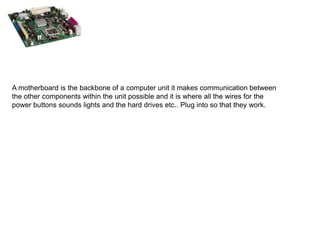
A motherboard is the backbone of a computer unit it makes communication between the other components within the unit possible and it is where all the wires for the power buttons sounds lights and the hard drives etc.. Plug into so that they work.
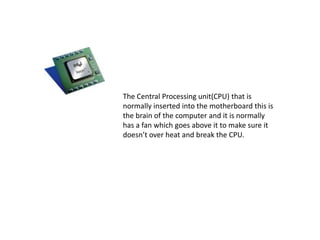
The Central Processing unit(CPU) that is normally inserted into the motherboard this is the brain of the computer and it is normally has a fan which goes above it to make sure it doesn’t over heat and break the CPU.
Ram is inserted this determines the performance of the machine and these are plugged directly into the motherboard. These also temporary holds data which is needed by the processor for example games, videos etc.
The Hard drive which holds the data that is stored on the computer and the hard drive plugs straight into the motherboard and the memory can be accessed through the options on the computer. Read Only Memory is normally on the hard drive already. It stores data onto metal discs within the device and it can store terabytes of information most computers now have a c drive already on.
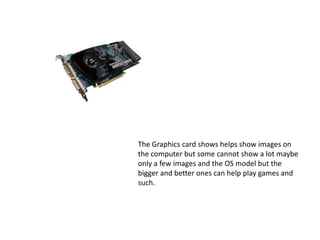
The Graphics card shows helps show images on the computer but some cannot show a lot maybe only a few images and the OS model but the bigger and better ones can help play games and such.
Computers have to have a power supply which takes power from the wall and outputs power at specific voltages on specific cable formats within the computer. Network Cards but these now are normally built into the motherboard and don’t need to be inserted because they are normally now built in.

Component presentation

  • 1.
  • 2.
    A motherboard isthe backbone of a computer unit it makes communication between the other components within the unit possible and it is where all the wires for the power buttons sounds lights and the hard drives etc.. Plug into so that they work.
  • 3.
    The Central Processingunit(CPU) that is normally inserted into the motherboard this is the brain of the computer and it is normally has a fan which goes above it to make sure it doesn’t over heat and break the CPU.
  • 4.
    Ram is insertedthis determines the performance of the machine and these are plugged directly into the motherboard. These also temporary holds data which is needed by the processor for example games, videos etc.
  • 5.
    The Hard drivewhich holds the data that is stored on the computer and the hard drive plugs straight into the motherboard and the memory can be accessed through the options on the computer. Read Only Memory is normally on the hard drive already. It stores data onto metal discs within the device and it can store terabytes of information most computers now have a c drive already on.
  • 6.
    The Graphics cardshows helps show images on the computer but some cannot show a lot maybe only a few images and the OS model but the bigger and better ones can help play games and such.
  • 7.
    Computers have to havea power supply which takes power from the wall and outputs power at specific voltages on specific cable formats within the computer. Network Cards but these now are normally built into the motherboard and don’t need to be inserted because they are normally now built in.