Community IT Innovators Webinar Series
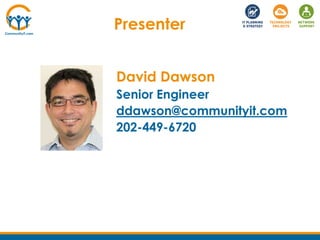
David Dawson
Senior Engineer
Community IT Innovators
September 26, 2013
Dive into Windows 8.1
Webinar Tips
• Ask questions
Post questions via chat
• Interact
Respond to polls during webinar
• Focus
Avoid multitasking. You may just miss the best part of
the presentation
• Webinar Powerpoint & Recording
Powerpoint and recording links will be shared after the
webinar
About Community IT
Community IT Innovators partners with nonprofits to help them solve
their strategic & day-to-day IT challenges.
Strategic
Proactive approach so you can make IT decisions that support your
mission and grow with you
Collaborative
Team of over 40 staff who empower you to make informed IT choices
Invested
We are committed to supporting your mission, and take care of your IT
network as if it were our own
Nonprofit focus
Worked with over 900 nonprofits since 1993
Presenter
David Dawson
Senior Engineer
ddawson@communityit.com
202-449-6720
Poll
How many staff are in your organization?
- 1-20
- 20-50
- 50-100
- More than 100
Big changes in Windows or not?
Demo
Is Windows 8.1 right for my organization?
or not?
Poll
Which version of Windows is most widely
used in your organization?
- Windows XP
- Windows 7
- Windows 8
- Don’t Know
- Other including Mac, Linux
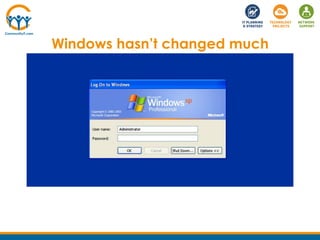
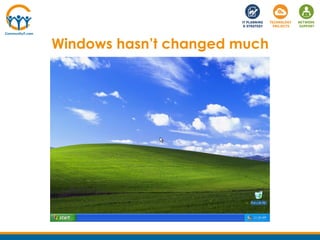
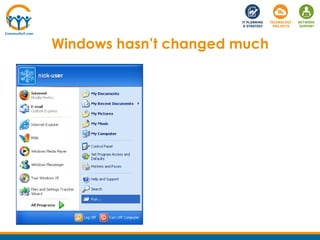
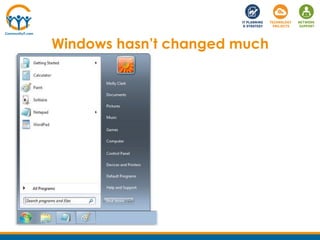
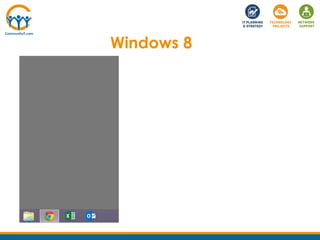
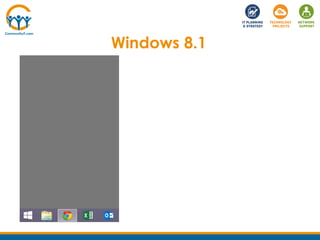
Windows hasn’t changed much
Windows 8
Windows 8.1
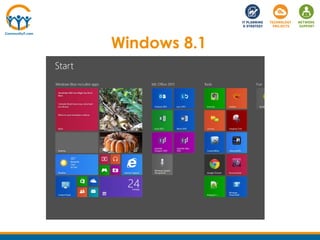
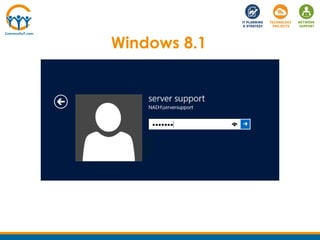
Windows 8.1
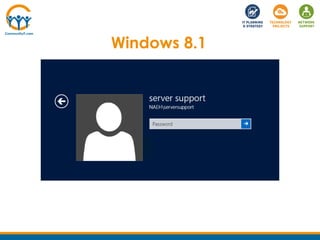
Windows 8.1
Windows 8.1
Beyond the user interface
• Apps, cloud, touch
• Boot times
• New uses – Miracast, 3D printing, cameras
• Connecting to Twitter, Facebook
Beyond the user interface
• Drivers & applications – low concern
• Interface
• More customizable than before
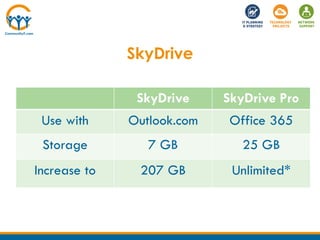
• Storing items in SkyDrive
SkyDrive
• Integration in Windows
• Collaborative editing
• Sharing options
• Edit and preview many formats
• Photo slideshow
SkyDrive
SkyDrive SkyDrive Pro
Use with Outlook.com Office 365
Storage 7 GB 25 GB
Increase to 207 GB Unlimited*
Demo
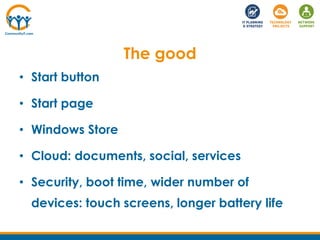
The good
• Start button
• Start page
• Windows Store
• Cloud: documents, social, services
• Security, boot time, wider number of
devices: touch screens, longer battery life
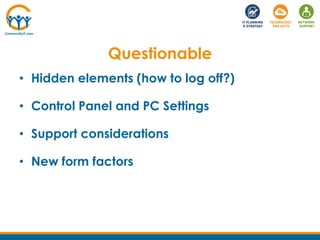
Questionable
• Hidden elements (how to log off?)
• Control Panel and PC Settings
• Support considerations
• New form factors
Is Windows 8.1 right for my org?
• Evaluating new operating system
– Drivers & applications – low concern
– Effort for deployment, on-going support
– User experience
– Training for helpdesk and for staff
• Effectiveness
Resource Links
• Lynda.com training on Windows 8.1
http://www.lynda.com/Windows-tutorials/Windows-81-Preview-First-Look/140199-
2.htm
• Windows 8.1 Preview at Microsoft
http://windows.microsoft.com/en-us/windows-8/preview
• TechSoup Windows donations
http://www.techsoup.org/get-product-donations/product-
catalog/products/partner-Microsoft/platform-Windows/solution-
Manage%20Workstations/sort-name-desc/
• Windows 8.1 Preview FAQ
http://windows.microsoft.com/en-us/windows-8/preview-faq
Questions?
David Dawson
Senior Engineer
ddawson@communityit.com
Upcoming Webinar
October 24
IT Planning & Budgeting
Presenters
Johan Hammerstrom, COO
Norwin Herrera, La Clinica del Pueblo
Next Steps
• Connect with us
• Provide feedback
Short survey after you exit the webinar. Be sure to
include any questions that were not answered.
• Missed anything?
Link to slides & recording will be emailed to you.
Schedule Free Consultation
We can help your organization decide if your
organization is ready to move to Windows 8.1.
Email rkothari@communityit.com to schedule
a free 30 minute phone consultation.

Community IT Innovators - Windows 8.1

  • 1.
    Community IT InnovatorsWebinar Series David Dawson Senior Engineer Community IT Innovators September 26, 2013 Dive into Windows 8.1
  • 2.
    Webinar Tips • Askquestions Post questions via chat • Interact Respond to polls during webinar • Focus Avoid multitasking. You may just miss the best part of the presentation • Webinar Powerpoint & Recording Powerpoint and recording links will be shared after the webinar
  • 3.
    About Community IT CommunityIT Innovators partners with nonprofits to help them solve their strategic & day-to-day IT challenges. Strategic Proactive approach so you can make IT decisions that support your mission and grow with you Collaborative Team of over 40 staff who empower you to make informed IT choices Invested We are committed to supporting your mission, and take care of your IT network as if it were our own Nonprofit focus Worked with over 900 nonprofits since 1993
  • 4.
  • 5.
    Poll How many staffare in your organization? - 1-20 - 20-50 - 50-100 - More than 100
  • 6.
    Big changes inWindows or not? Demo Is Windows 8.1 right for my organization? or not?
  • 7.
    Poll Which version ofWindows is most widely used in your organization? - Windows XP - Windows 7 - Windows 8 - Don’t Know - Other including Mac, Linux
  • 8.
  • 9.
  • 10.
  • 11.
  • 12.
  • 13.
  • 14.
  • 15.
  • 16.
  • 17.
    Beyond the userinterface • Apps, cloud, touch • Boot times • New uses – Miracast, 3D printing, cameras • Connecting to Twitter, Facebook
  • 18.
    Beyond the userinterface • Drivers & applications – low concern • Interface • More customizable than before • Storing items in SkyDrive
  • 19.
    SkyDrive • Integration inWindows • Collaborative editing • Sharing options • Edit and preview many formats • Photo slideshow
  • 20.
    SkyDrive SkyDrive SkyDrive Pro Usewith Outlook.com Office 365 Storage 7 GB 25 GB Increase to 207 GB Unlimited*
  • 21.
  • 22.
    The good • Startbutton • Start page • Windows Store • Cloud: documents, social, services • Security, boot time, wider number of devices: touch screens, longer battery life
  • 23.
    Questionable • Hidden elements(how to log off?) • Control Panel and PC Settings • Support considerations • New form factors
  • 24.
    Is Windows 8.1right for my org? • Evaluating new operating system – Drivers & applications – low concern – Effort for deployment, on-going support – User experience – Training for helpdesk and for staff • Effectiveness
  • 25.
    Resource Links • Lynda.comtraining on Windows 8.1 http://www.lynda.com/Windows-tutorials/Windows-81-Preview-First-Look/140199- 2.htm • Windows 8.1 Preview at Microsoft http://windows.microsoft.com/en-us/windows-8/preview • TechSoup Windows donations http://www.techsoup.org/get-product-donations/product- catalog/products/partner-Microsoft/platform-Windows/solution- Manage%20Workstations/sort-name-desc/ • Windows 8.1 Preview FAQ http://windows.microsoft.com/en-us/windows-8/preview-faq
  • 26.
  • 27.
    Upcoming Webinar October 24 ITPlanning & Budgeting Presenters Johan Hammerstrom, COO Norwin Herrera, La Clinica del Pueblo
  • 28.
    Next Steps • Connectwith us • Provide feedback Short survey after you exit the webinar. Be sure to include any questions that were not answered. • Missed anything? Link to slides & recording will be emailed to you.
  • 29.
    Schedule Free Consultation Wecan help your organization decide if your organization is ready to move to Windows 8.1. Email rkothari@communityit.com to schedule a free 30 minute phone consultation.