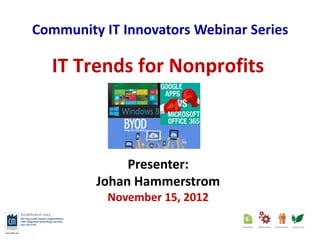
Community IT Innovators Webinar Series

  IT Trends for Nonprofits


              Presenter:
         Johan Hammerstrom
           November 15, 2012
Webinar Tips

• Ask questions
  Post questions via chat
  f


• Interact
  Respond to polls during webinar
  ff


• Focus
  Avoid multitasking. You may just miss the
  best part of the presentation : )
About Community IT Innovators
Community IT Innovators partners with nonprofits to help them solve their
strategic & day-to-day IT challenges.

• Strategic – Proactive approach so you can make IT decisions that support
  your mission and grow with you

• Collaborative – Team of over 40 staff who empower you to make
  informed IT choices

• Invested – We are committed to supporting your mission, and take care
  of your IT network as if it were our own

• Nonprofit focus - Worked with over 900 nonprofits since 1993
About the Presenter
g


       Johan Hammerstrom
       Vice President of Client Services
       Community IT Innovators
       johan@citidc.com
       202-449-6710
       @johanCITI
Agenda

• Dramatic Changes
• Office 365
• Google Apps
• Windows 8
• BYOD
• Looking ahead
Dramatic Changes

How data is
  stored…


                            …how data is
                            accessed
Microsoft Paradigm
Dramatic Changes

How data is
  stored…


                            …how data is
                            accessed
Evolution of Internet
            •   Dial-up
            •   DSL
            •   Cable
            •   Ethernet over Cu
            •   Fiber
            •   Broadband – 4G
Cloud Diagram
Office 365 Lessons Learned

The Good                         The not so good
• Non-profit pricing is          • Single Sign on is excessively
  available                        complex
• Real support included in “E”   • Requires migration from
  series packages                  Public Folders
• Resource mailboxes not         • Need to apply for non-profit
  charged                          discount
• Provides familiar Outlook /
  OWA experience
• Good Offline Access
Google Apps Lessons Learned

The Good                     Not so great
• Embrace the browser        • Approval can seem like a
• Appealing to staff           black hole
• Easy single sign-on        • Calendaring is much weaker
• Great training resources     than Outlook
• 2 Factor Authentication    • Folders to Labels migration
                               is a mess
• Low cost
                             • Basic Offline access
Cloud Showdown:
    Office 365 vs. Google Apps
Oct. 18 webinar
Presenter: Matthew Eshleman,
Director of Professional Services

Webinar slides: http://t.co/PO71NI6T
Webinar recording: http://t.co/GXujeQnq
Dramatic Changes

How data is
  stored…


                            …how data is
                            accessed
Evolution of Devices
            •   Workstation
            •   Laptop
            •   Smartphone
            •   Tablet
            •   …Phablet?
            •   …Tabtop?
Windows 8
BYOD

•   Consumerization
•   Everyone is behind
•   Risks vs Benefits
•   Develop a policy


                         http://www.trackur.com/know-your-acronyms-mdm-byod-orm
Looking Ahead

   • Windows 8 adoption
   • File Server in the Cloud
   • Whither the domain
   • Broadband Internet
Johan Hammerstrom
       Vice President of Client Services
          Community IT Innovators
               www.citidc.com
                 @johanCITI


Q&A?
Upcoming Webinar

                   Dec. 6
Windows 8 Tour: Dive into New Apps, Features
                      f


                      d

                  Presenter:
                David Dawson
           Senior Systems Engineer
           Community IT Innovators
                      d
Next Steps
• Connect with us - Twitter, Google+, Linkedin
  and Facebook. http://www.citidc.com

• Provide feedback – Short survey after you exit
  the webinar. Be sure to include any questions
  that were not answered.

• Missed anything? – Link to slides & recording
  will be emailed to you.

Community IT Innovators - IT Trends for Nonprofits

  • 1.
    Community IT InnovatorsWebinar Series IT Trends for Nonprofits Presenter: Johan Hammerstrom November 15, 2012
  • 2.
    Webinar Tips • Askquestions Post questions via chat f • Interact Respond to polls during webinar ff • Focus Avoid multitasking. You may just miss the best part of the presentation : )
  • 3.
    About Community ITInnovators Community IT Innovators partners with nonprofits to help them solve their strategic & day-to-day IT challenges. • Strategic – Proactive approach so you can make IT decisions that support your mission and grow with you • Collaborative – Team of over 40 staff who empower you to make informed IT choices • Invested – We are committed to supporting your mission, and take care of your IT network as if it were our own • Nonprofit focus - Worked with over 900 nonprofits since 1993
  • 4.
    About the Presenter g Johan Hammerstrom Vice President of Client Services Community IT Innovators johan@citidc.com 202-449-6710 @johanCITI
  • 5.
    Agenda • Dramatic Changes •Office 365 • Google Apps • Windows 8 • BYOD • Looking ahead
  • 6.
    Dramatic Changes How datais stored… …how data is accessed
  • 7.
  • 8.
    Dramatic Changes How datais stored… …how data is accessed
  • 9.
    Evolution of Internet • Dial-up • DSL • Cable • Ethernet over Cu • Fiber • Broadband – 4G
  • 10.
  • 13.
    Office 365 LessonsLearned The Good The not so good • Non-profit pricing is • Single Sign on is excessively available complex • Real support included in “E” • Requires migration from series packages Public Folders • Resource mailboxes not • Need to apply for non-profit charged discount • Provides familiar Outlook / OWA experience • Good Offline Access
  • 16.
    Google Apps LessonsLearned The Good Not so great • Embrace the browser • Approval can seem like a • Appealing to staff black hole • Easy single sign-on • Calendaring is much weaker • Great training resources than Outlook • 2 Factor Authentication • Folders to Labels migration is a mess • Low cost • Basic Offline access
  • 17.
    Cloud Showdown: Office 365 vs. Google Apps Oct. 18 webinar Presenter: Matthew Eshleman, Director of Professional Services Webinar slides: http://t.co/PO71NI6T Webinar recording: http://t.co/GXujeQnq
  • 18.
    Dramatic Changes How datais stored… …how data is accessed
  • 19.
    Evolution of Devices • Workstation • Laptop • Smartphone • Tablet • …Phablet? • …Tabtop?
  • 20.
  • 21.
    BYOD • Consumerization • Everyone is behind • Risks vs Benefits • Develop a policy http://www.trackur.com/know-your-acronyms-mdm-byod-orm
  • 22.
    Looking Ahead • Windows 8 adoption • File Server in the Cloud • Whither the domain • Broadband Internet
  • 23.
    Johan Hammerstrom Vice President of Client Services Community IT Innovators www.citidc.com @johanCITI Q&A?
  • 24.
    Upcoming Webinar Dec. 6 Windows 8 Tour: Dive into New Apps, Features f d Presenter: David Dawson Senior Systems Engineer Community IT Innovators d
  • 25.
    Next Steps • Connectwith us - Twitter, Google+, Linkedin and Facebook. http://www.citidc.com • Provide feedback – Short survey after you exit the webinar. Be sure to include any questions that were not answered. • Missed anything? – Link to slides & recording will be emailed to you.