By
Sandhya Mariam Chacko
Shoby Cherian
Thomas Joseph
S1 MBA(XAVIONZ)
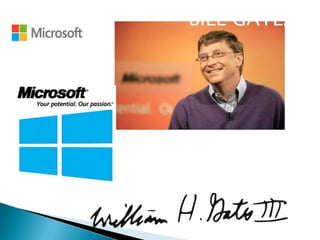
BILL GATES
 William Henry Gates III - BILL GATES (born October 28,
1955) is an American programmer, inventor, And
Business Magnate.
 Gates is the former chief executive and current
chairman of Microsoft , the world’s largest personalcomputer software company. ( Co – Founded with Paul
Allen)
 He is consistently ranked among the world's wealthiest
people and was the wealthiest overall from 1995 to
2009.
 During his career at Microsoft, Gates held the positions
of CEO and chief software architect, and remains the
largest individual shareholder.
 Microsoft Corporation is an
American multinational software corporation
headquartered in Redmond, Washington.

 That develops, manufactures, licenses, and
supports a wide range of products and services
related to computing.
 The company was founded on April 4, 1975.
 Microsoft is the world's largest software
maker measured by revenues.
 It is also one of the world's most valuable
companies.












is a consumer-oriented graphical user interfacebased operating system.
It was released on August 24, 1995 by Microsoft,
and was a significant progression from the
company's previous Windows products.
During development it was referred to as Windows
4.0 or by the internal codename Chicago.
Windows 95 was intended to integrate Microsoft's
formerly separate MS-DOS and Windows products
It features significant improvements over its
predecessor, Windows 3.1, most visibly in the
graphical user interface (GUI).
There were also major changes made at lower levels
of the operating system.








In the marketplace, Windows 95 was a major
success, and within a year or two of its release
had become the most successful operating
system ever produced.
It also had the effect of driving other major
players in the DOS-compatible operating
system out of business.
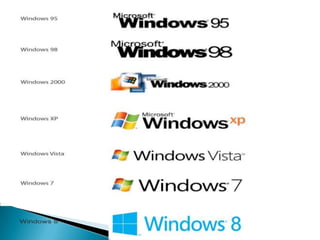
Some three years after introduction, Windows
95 was succeeded by Windows 98
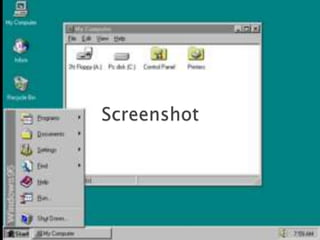
The basic elements of the interface introduced
in Windows 95 -- including the taskbar, Start
button and menu, and the Windows Explorer
file manager -- remain fundamentally
unchanged in later versions of Windows
FEATURES

is a graphical operating system
25 June 1998 by Microsoft
successor to Windows 95
improved USB support

the replacement of Internet Explorer 4.0 with
Internet Explorer 5.0.
included Internet Connection Sharing
include Microsoft NetMeeting 3.0

integrated support for DVD-ROM drives.




Another first appearance is the Quick Launch
bar, which lets you run programs without
having to browse the Start menu or look for
them on the desktop.
Windows 98 is the last version based on
MS-DOS
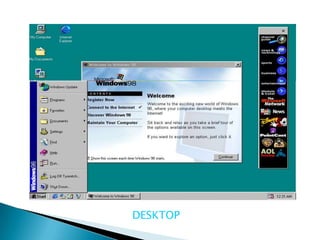
DESKTOP
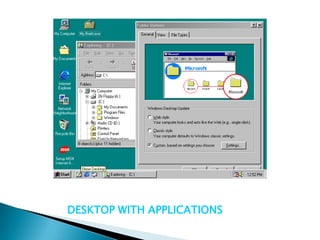
DESKTOP WITH APPLICATIONS
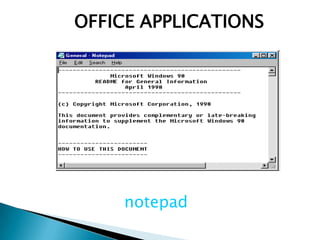
OFFICE APPLICATIONS

notepad
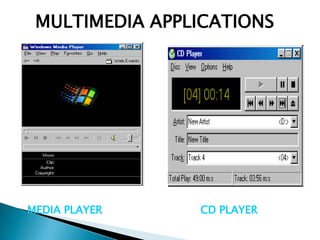
MULTIMEDIA APPLICATIONS

MEDIA PLAYER

CD PLAYER
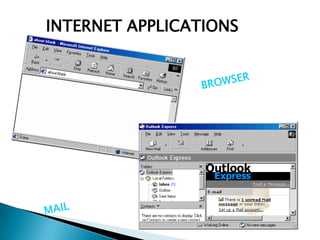
INTERNET APPLICATIONS
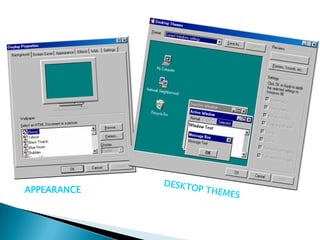
APPEARANCE
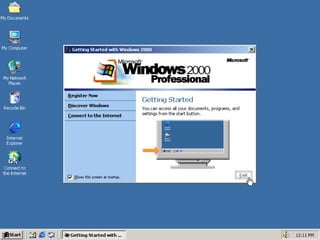
More than just the upgrade to Windows NT
Workstation 4.0, Windows 2000 Professional is
designed to replace Windows 95, Windows 98, and
Windows NT Workstation 4.0 on all business
desktops and laptops.
Major improvements in reliability, ease of use,
Internet compatibility, and support for mobile
computing.
Simplifies hardware installation by adding support
for a wide variety of new Plug and Play hardware,
including advanced networking and wireless
products, USB devices, IEEE 1394 devices, and
infrared devices.
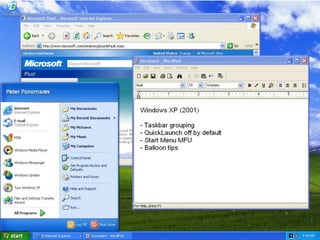
On October 25, 2001,Windows XP is released with a
redesigned look and feel that's centered on usability and
a unified Help and Support services center.
It’s available in 25 languages.From the mid-1970s until
the release of Windows XP, about 1 billion PCs have been
shipped worldwide.
It’s both fast and stable.
Navigating the Start menu, taskbar, and Control Panel
are more intuitive.
Awareness of computer viruses and hackers increases,
but fears are to a certain extent calmed by the online
delivery of security updates.
Consumers begin to understand warnings about
suspicious attachments and viruses. There’s more
emphasis on Help and Support

Brings the solid foundation of Windows 2000 to
the PC desktop, enhancing reliability, security, and
performance.
With a fresh visual design

includes features for business and advanced
home computing, including remote desktop
support, an encrypting file system, and system
restore and advanced networking features.
 Key enhancements for mobile users include wireless
802.1x networking support, Windows Messenger, and
Remote Assistance.
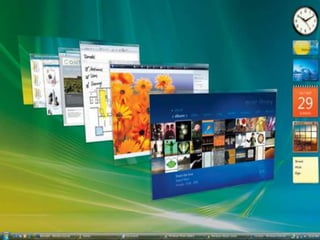
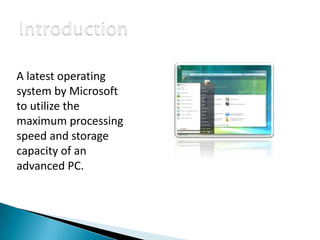
A latest operating
system by Microsoft
to utilize the
maximum processing
speed and storage
capacity of an
advanced PC.












Vista released in Jan 2007
XP release in Oct 2001
Vista released after 5 years of XP
Vista development started before release of XP
Longhorn: before July 2005 Vista was Longhorn
Increase security
Improve the state of security in the Windows
operating system
Increase level of communication
Maximum utilization of a system resources








Windows
Windows
Windows
Windows
Windows
Windows

Vista
Vista
Vista
Vista
Vista
Vista

Starter
Home Basic
Home Premium
Business
Ultimate
Enterprise














Updated GUI & Visual Styles
Windows Aero
Improved Searching Features
New Way of Digital Entertainment (DVD Creator,
Media Center, Media Player 11 etc)
Redesigned printing, audio, networking and display
Parental Control
Windows Meeting Space
Windows Mail
IE 7
Speech Recognition (Accessibility)






Backup and Restore Center
(Ghost)
Shadow Copy automatically
BitLocker Drive Encryption
.Net framework Version 3
for developers
Windows Vista had cost 6 billion dollars to
develop
• High system requirements
• More restrictive licensing terms
• New DRM (Digital Rights Management)
technologies
• Lack of compatibility with certain pre-Vista
hardware and software




Microsoft Windows runs on roughly 90% of all
personal computers.
Windows 7, the most recent version of
Windows, provides a high-quality graphical
user experience that supports all types of
computer activities from business
applications to video games and media
production




Windows 7 provides high quality graphical
user experience that supports all types of
computer activities
Available in different computing needs
◦ Windows 7 Home Premium
◦ Windows 7 Professional
◦ Windows 7 Ultimate




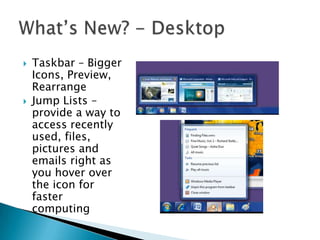
Taskbar – Bigger
Icons, Preview,
Rearrange
Jump Lists –
provide a way to
access recently
used, files,
pictures and
emails right as
you hover over
the icon for
faster
computing






Snap – Way to
resize open
windows by
dragging them to
the edge of the
screen
Peek – like x-ray
vision to see
through all open
windows to the
desktop
Shake – clear view
by shaking front
window


Desktop Search
◦ Now you wont have to go looking through your start menu to
find what you need. Simply type it in the search bar and it
shows up.



External Hard Drive
◦ With Windows XP you needed a third party to help you back up
your data. Now you just plug in your external hard drive and
an option to “Use this drive for backup” shows up in auto play.



Bringing together information from different
access points
◦ External Hard Drive
◦ Home Computer
◦ Work Laptop



Files will remain in original places but can be
put together so they can be worked on


Windows categorizes everything into libraries
such as Documents, Mixed Media, Images,
Music, and Videos.
◦ Before everything you worked on got added to my
documents, whether it was music, pictures, or essays.
◦ Now, Windows 7 automatically files everything where
it needs to be, making it easier to search for things in
the future.



Marketing Campaign –
◦ “Windows 7 was My Idea”






Improved the ability of having the computer
come out of sleep and resume quickly
Modified Shut Down Action
Word Pad’s Facelift







Sticky Notes Everywhere
Windows Vault to store your credentials
Calculators for everyone (Standard, Scientific,
Statistics, Programmer)
Action Center – Maintenance and Security
◦ All in one for updates
◦ No more pop ups from different programs



Parental Controls
◦ Set time limits
◦ Control what games they can play
◦ Windows Live Family Safety












Best operating system by Microsoft up to
date
Taskbar & Jump List
Better security and interface
Speed
Better integration with hardware
Upgrading won’t screw you over
XP Mode
Automatically Installed Device Drivers
It just looks better 




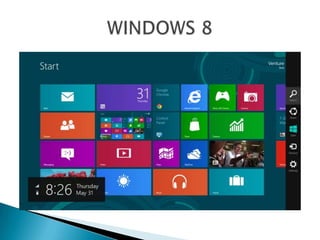
Windows 8 is a personal computer operating
system developed by Microsoft as part
of Windows NT family of operating systems.
Development of Windows 8 started before the
release of its predecessor, Windows 7, in 2009.
these changes included a touchoptimized Windows shell based on
Microsoft's "Metro" design language, the Start
screen (which displays programs and dynamically
updated content on a grid of tiles), a new
platform for developing apps with an emphasis
on touchscreen input, integration with online
services (including the ability to sync apps and
settings between devices),


and Windows Store, an online store for
downloading and purchasing new software.
Windows 8 added support for USB
3.0, Advanced Format hard drives, near field
communications, and cloud computing.
Additional security features were introduced,
such as built-in antivirus software, integration
with Microsoft SmartScreen phishing
filtering service and support for UEFI Secure
Boot on supported devices with UEFI firmware,
to prevent malware from infecting the boot
process.


Several notable features have been removed in
Windows 8, beginning with the traditional Start
menu. Support for playing DVD-Video has been
removed from Windows Media Player due to the
cost of licensing the necessary decoders and the
prevalence of streaming services such as Netflix.
For the same reasons,Windows Media Center is
not included by default on Windows 8.
Safari windows

Safari windows

  • 1.
    By Sandhya Mariam Chacko ShobyCherian Thomas Joseph S1 MBA(XAVIONZ)
  • 3.
  • 4.
     William HenryGates III - BILL GATES (born October 28, 1955) is an American programmer, inventor, And Business Magnate.  Gates is the former chief executive and current chairman of Microsoft , the world’s largest personalcomputer software company. ( Co – Founded with Paul Allen)  He is consistently ranked among the world's wealthiest people and was the wealthiest overall from 1995 to 2009.  During his career at Microsoft, Gates held the positions of CEO and chief software architect, and remains the largest individual shareholder.
  • 5.
     Microsoft Corporationis an American multinational software corporation headquartered in Redmond, Washington.  That develops, manufactures, licenses, and supports a wide range of products and services related to computing.  The company was founded on April 4, 1975.  Microsoft is the world's largest software maker measured by revenues.  It is also one of the world's most valuable companies.
  • 8.
          is a consumer-orientedgraphical user interfacebased operating system. It was released on August 24, 1995 by Microsoft, and was a significant progression from the company's previous Windows products. During development it was referred to as Windows 4.0 or by the internal codename Chicago. Windows 95 was intended to integrate Microsoft's formerly separate MS-DOS and Windows products It features significant improvements over its predecessor, Windows 3.1, most visibly in the graphical user interface (GUI). There were also major changes made at lower levels of the operating system.
  • 9.
        In the marketplace,Windows 95 was a major success, and within a year or two of its release had become the most successful operating system ever produced. It also had the effect of driving other major players in the DOS-compatible operating system out of business. Some three years after introduction, Windows 95 was succeeded by Windows 98 The basic elements of the interface introduced in Windows 95 -- including the taskbar, Start button and menu, and the Windows Explorer file manager -- remain fundamentally unchanged in later versions of Windows
  • 11.
    FEATURES is a graphicaloperating system 25 June 1998 by Microsoft successor to Windows 95 improved USB support the replacement of Internet Explorer 4.0 with Internet Explorer 5.0. included Internet Connection Sharing include Microsoft NetMeeting 3.0 integrated support for DVD-ROM drives.
  • 12.
      Another first appearanceis the Quick Launch bar, which lets you run programs without having to browse the Start menu or look for them on the desktop. Windows 98 is the last version based on MS-DOS
  • 13.
  • 14.
  • 15.
  • 16.
  • 17.
  • 18.
  • 21.
    More than justthe upgrade to Windows NT Workstation 4.0, Windows 2000 Professional is designed to replace Windows 95, Windows 98, and Windows NT Workstation 4.0 on all business desktops and laptops. Major improvements in reliability, ease of use, Internet compatibility, and support for mobile computing. Simplifies hardware installation by adding support for a wide variety of new Plug and Play hardware, including advanced networking and wireless products, USB devices, IEEE 1394 devices, and infrared devices.
  • 24.
    On October 25,2001,Windows XP is released with a redesigned look and feel that's centered on usability and a unified Help and Support services center. It’s available in 25 languages.From the mid-1970s until the release of Windows XP, about 1 billion PCs have been shipped worldwide. It’s both fast and stable. Navigating the Start menu, taskbar, and Control Panel are more intuitive. Awareness of computer viruses and hackers increases, but fears are to a certain extent calmed by the online delivery of security updates.
  • 25.
    Consumers begin tounderstand warnings about suspicious attachments and viruses. There’s more emphasis on Help and Support Brings the solid foundation of Windows 2000 to the PC desktop, enhancing reliability, security, and performance. With a fresh visual design includes features for business and advanced home computing, including remote desktop support, an encrypting file system, and system restore and advanced networking features.
  • 26.
     Key enhancementsfor mobile users include wireless 802.1x networking support, Windows Messenger, and Remote Assistance.
  • 28.
    A latest operating systemby Microsoft to utilize the maximum processing speed and storage capacity of an advanced PC.
  • 29.
             Vista released inJan 2007 XP release in Oct 2001 Vista released after 5 years of XP Vista development started before release of XP Longhorn: before July 2005 Vista was Longhorn Increase security Improve the state of security in the Windows operating system Increase level of communication Maximum utilization of a system resources
  • 30.
  • 31.
              Updated GUI &Visual Styles Windows Aero Improved Searching Features New Way of Digital Entertainment (DVD Creator, Media Center, Media Player 11 etc) Redesigned printing, audio, networking and display Parental Control Windows Meeting Space Windows Mail IE 7 Speech Recognition (Accessibility)
  • 32.
        Backup and RestoreCenter (Ghost) Shadow Copy automatically BitLocker Drive Encryption .Net framework Version 3 for developers
  • 33.
    Windows Vista hadcost 6 billion dollars to develop • High system requirements • More restrictive licensing terms • New DRM (Digital Rights Management) technologies • Lack of compatibility with certain pre-Vista hardware and software
  • 35.
      Microsoft Windows runson roughly 90% of all personal computers. Windows 7, the most recent version of Windows, provides a high-quality graphical user experience that supports all types of computer activities from business applications to video games and media production
  • 36.
      Windows 7 provideshigh quality graphical user experience that supports all types of computer activities Available in different computing needs ◦ Windows 7 Home Premium ◦ Windows 7 Professional ◦ Windows 7 Ultimate
  • 37.
      Taskbar – Bigger Icons,Preview, Rearrange Jump Lists – provide a way to access recently used, files, pictures and emails right as you hover over the icon for faster computing
  • 38.
       Snap – Wayto resize open windows by dragging them to the edge of the screen Peek – like x-ray vision to see through all open windows to the desktop Shake – clear view by shaking front window
  • 39.
     Desktop Search ◦ Nowyou wont have to go looking through your start menu to find what you need. Simply type it in the search bar and it shows up.  External Hard Drive ◦ With Windows XP you needed a third party to help you back up your data. Now you just plug in your external hard drive and an option to “Use this drive for backup” shows up in auto play.  Bringing together information from different access points ◦ External Hard Drive ◦ Home Computer ◦ Work Laptop  Files will remain in original places but can be put together so they can be worked on
  • 40.
     Windows categorizes everythinginto libraries such as Documents, Mixed Media, Images, Music, and Videos. ◦ Before everything you worked on got added to my documents, whether it was music, pictures, or essays. ◦ Now, Windows 7 automatically files everything where it needs to be, making it easier to search for things in the future.  Marketing Campaign – ◦ “Windows 7 was My Idea”    Improved the ability of having the computer come out of sleep and resume quickly Modified Shut Down Action Word Pad’s Facelift
  • 41.
        Sticky Notes Everywhere WindowsVault to store your credentials Calculators for everyone (Standard, Scientific, Statistics, Programmer) Action Center – Maintenance and Security ◦ All in one for updates ◦ No more pop ups from different programs  Parental Controls ◦ Set time limits ◦ Control what games they can play ◦ Windows Live Family Safety
  • 42.
             Best operating systemby Microsoft up to date Taskbar & Jump List Better security and interface Speed Better integration with hardware Upgrading won’t screw you over XP Mode Automatically Installed Device Drivers It just looks better 
  • 44.
      Windows 8 isa personal computer operating system developed by Microsoft as part of Windows NT family of operating systems. Development of Windows 8 started before the release of its predecessor, Windows 7, in 2009. these changes included a touchoptimized Windows shell based on Microsoft's "Metro" design language, the Start screen (which displays programs and dynamically updated content on a grid of tiles), a new platform for developing apps with an emphasis on touchscreen input, integration with online services (including the ability to sync apps and settings between devices),
  • 45.
     and Windows Store,an online store for downloading and purchasing new software. Windows 8 added support for USB 3.0, Advanced Format hard drives, near field communications, and cloud computing. Additional security features were introduced, such as built-in antivirus software, integration with Microsoft SmartScreen phishing filtering service and support for UEFI Secure Boot on supported devices with UEFI firmware, to prevent malware from infecting the boot process.
  • 46.
     Several notable featureshave been removed in Windows 8, beginning with the traditional Start menu. Support for playing DVD-Video has been removed from Windows Media Player due to the cost of licensing the necessary decoders and the prevalence of streaming services such as Netflix. For the same reasons,Windows Media Center is not included by default on Windows 8.