Microsoft Cloud
Subscriptions
for Your Nonprofit
February 2022
Shruti Ramaswami
Vice President, Strategy & Strategic Relationship
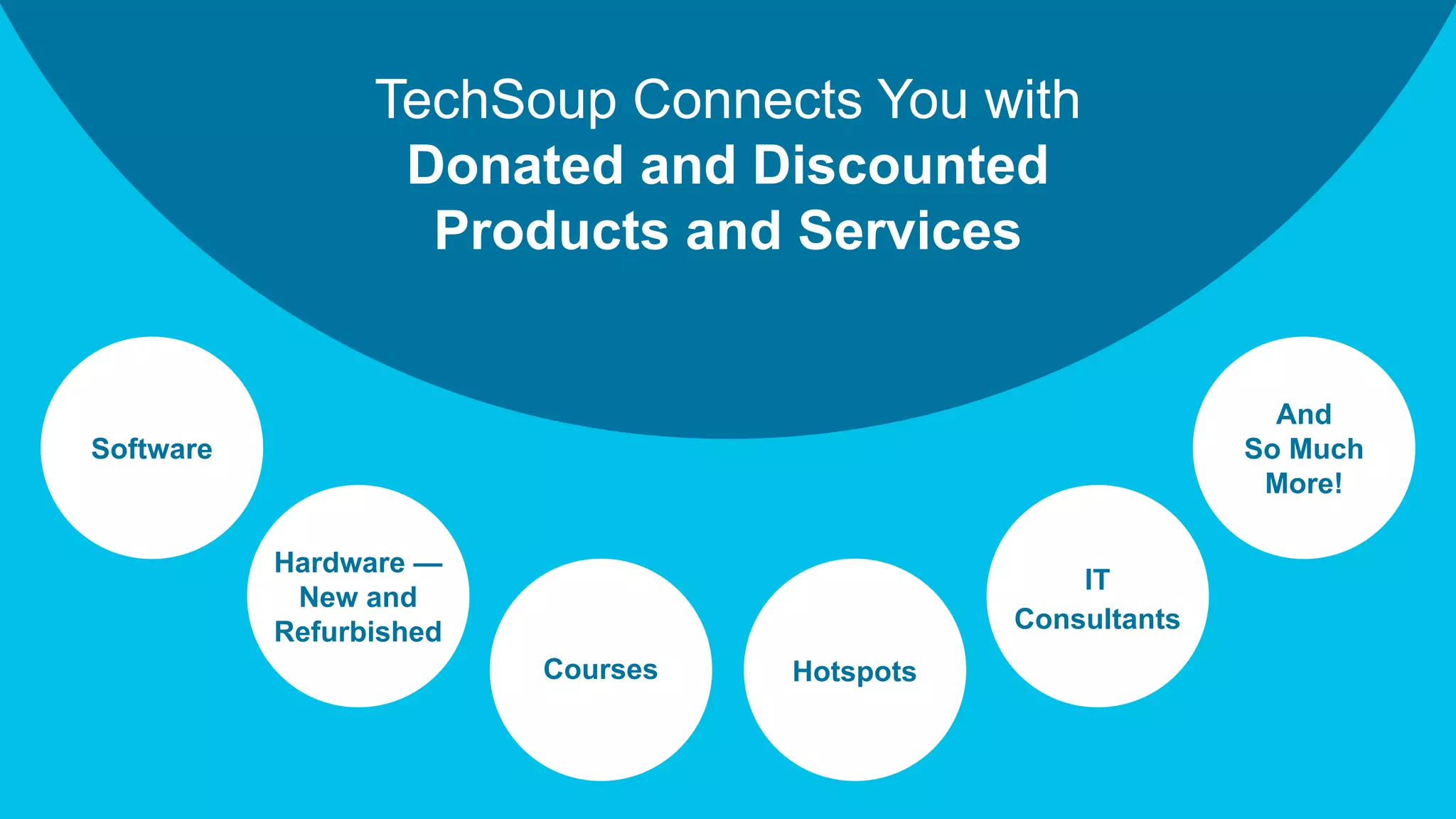
TechSoup Connects You with
Donated and Discounted
Products and Services
IT
Consultants
Software
Hardware —
New and
Refurbished
Courses
And
So Much
More!
Hotspots
4 © TechSoup Global. All Rights Reserved.
The Technology You Need
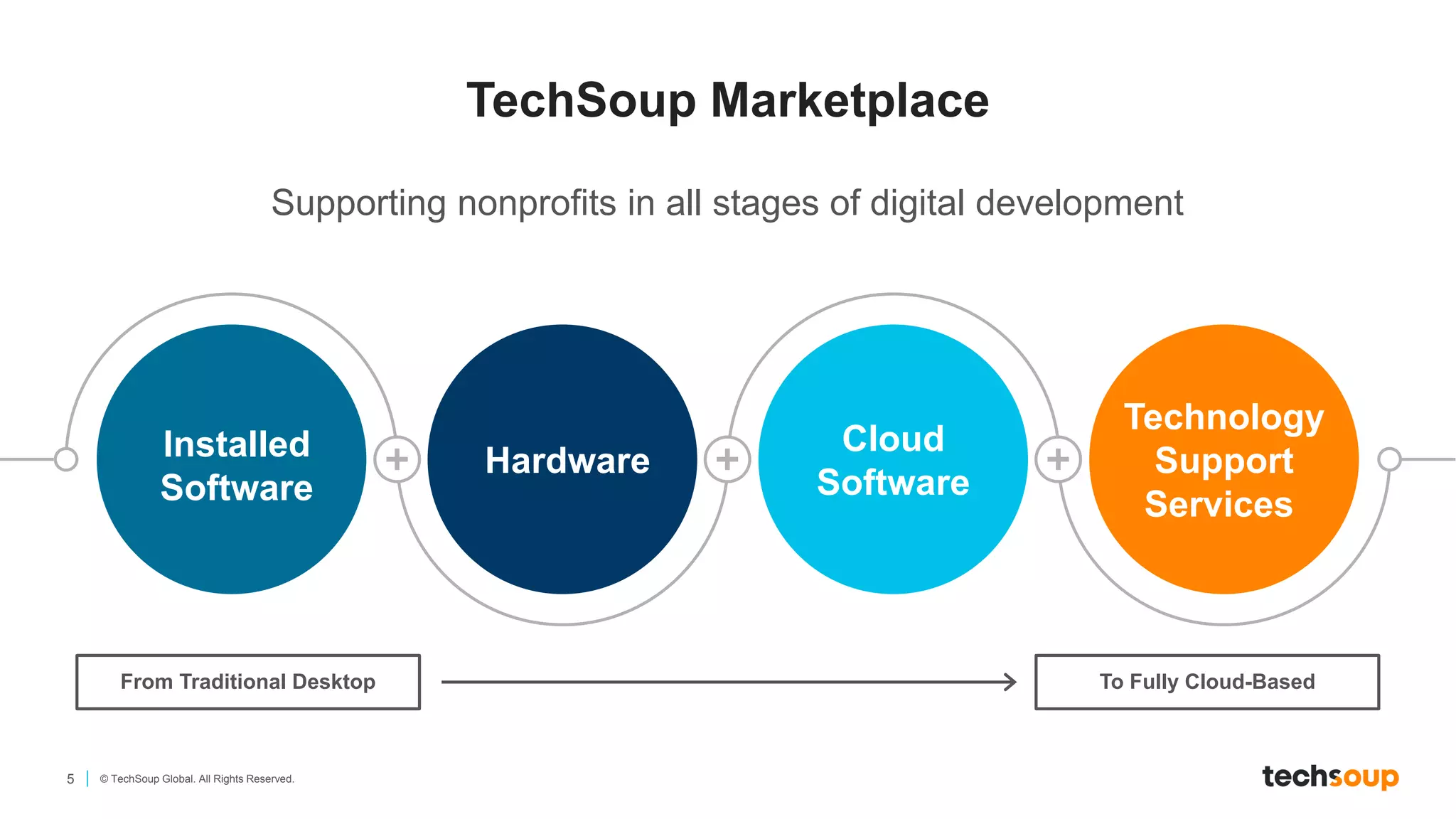
5 © TechSoup Global. All Rights Reserved.
Supporting nonprofits in all stages of digital development
Installed
Software
Hardware
Cloud
Software
Technology
Support
Services
TechSoup Marketplace
From Traditional Desktop To Fully Cloud-Based
What is the Cloud?
7 © TechSoup Global. All Rights Reserved.
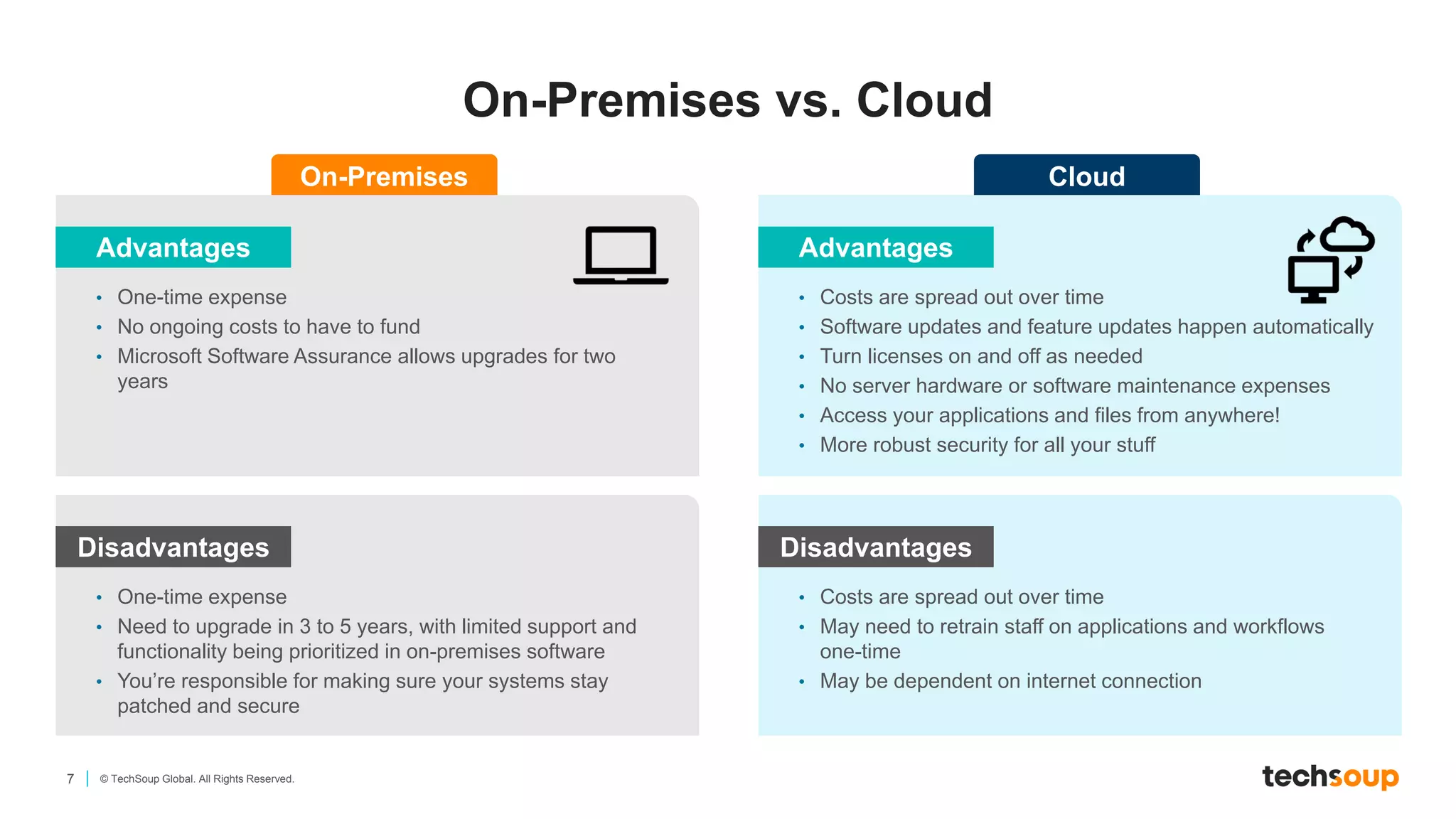
On-Premises vs. Cloud
Advantages
• One-time expense
• No ongoing costs to have to fund
• Microsoft Software Assurance allows upgrades for two
years
On-Premises
Disadvantages
• One-time expense
• Need to upgrade in 3 to 5 years, with limited support and
functionality being prioritized in on-premises software
• You’re responsible for making sure your systems stay
patched and secure
Advantages
• Costs are spread out over time
• Software updates and feature updates happen automatically
• Turn licenses on and off as needed
• No server hardware or software maintenance expenses
• Access your applications and files from anywhere!
• More robust security for all your stuff
Cloud
Disadvantages
• Costs are spread out over time
• May need to retrain staff on applications and workflows
one-time
• May be dependent on internet connection
8 © TechSoup Global. All Rights Reserved.
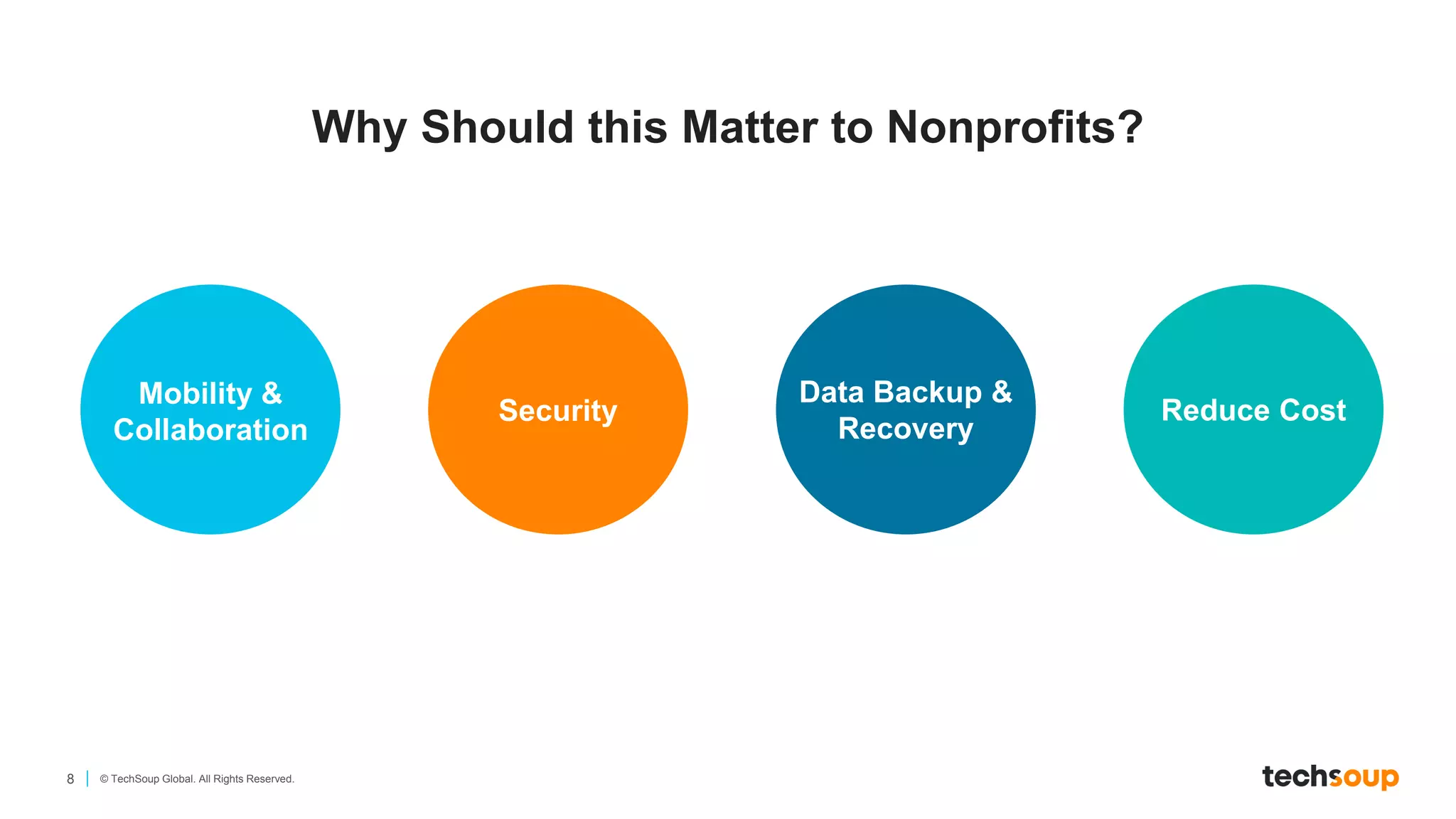
Why Should this Matter to Nonprofits?
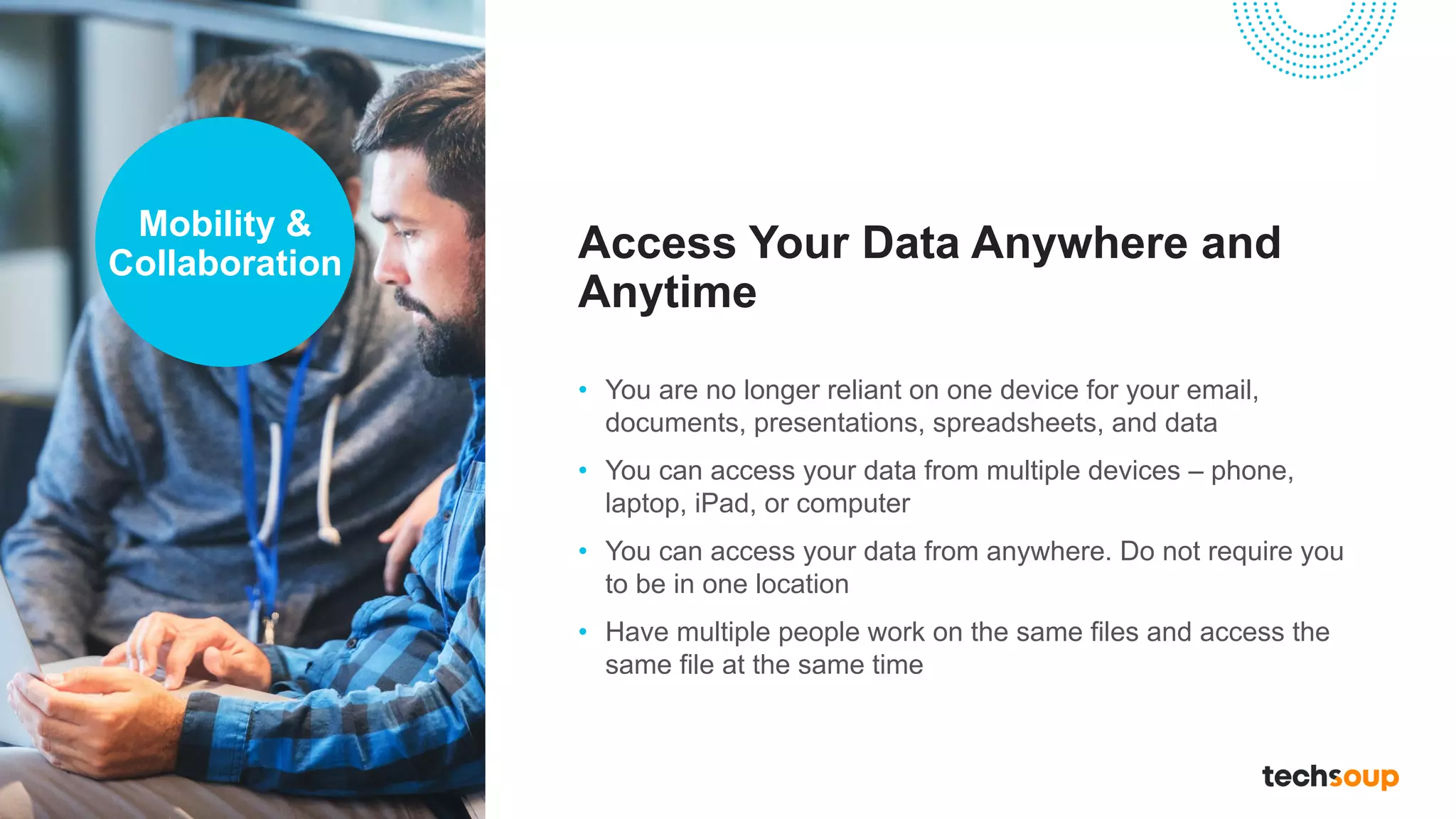
Mobility &
Collaboration
Security
Data Backup &
Recovery
Reduce Cost
Access Your Data Anywhere and
Anytime
• You are no longer reliant on one device for your email,
documents, presentations, spreadsheets, and data
• You can access your data from multiple devices – phone,
laptop, iPad, or computer
• You can access your data from anywhere. Do not require you
to be in one location
• Have multiple people work on the same files and access the
same file at the same time
Mobility &
Collaboration
Security Features are Built into
Most Cloud Solutions
• Security upgrades are automatically updated into your
solution – you do not need to “patch” these anymore
• Most cloud solutions have robust security components that
allow you to control access, data, and user roles
• Large cloud providers have robust security tools always
running
Security
Cloud Solutions Automate Your
Data Backups and Recovery
• Do not lose your files – you will always have your data and
files backed up
• Cloud solutions are essentials for disaster resiliency, recovery,
and continuity of operations
Data Backup
& Recovery
The Overall Value of Cloud
Solutions Can Reduce Your
Technology Costs
• You don’t have to own your servers & databases
• Deploy licenses more rapidly
• Costs spread out over time – monthly and subscription based
• Flexible mix-and-match licensing based on your needs at the
time
• Reduce software maintenance costs
• Improve security
Reduce
Costs
Microsoft Cloud Offers
14 © TechSoup Global. All Rights Reserved.
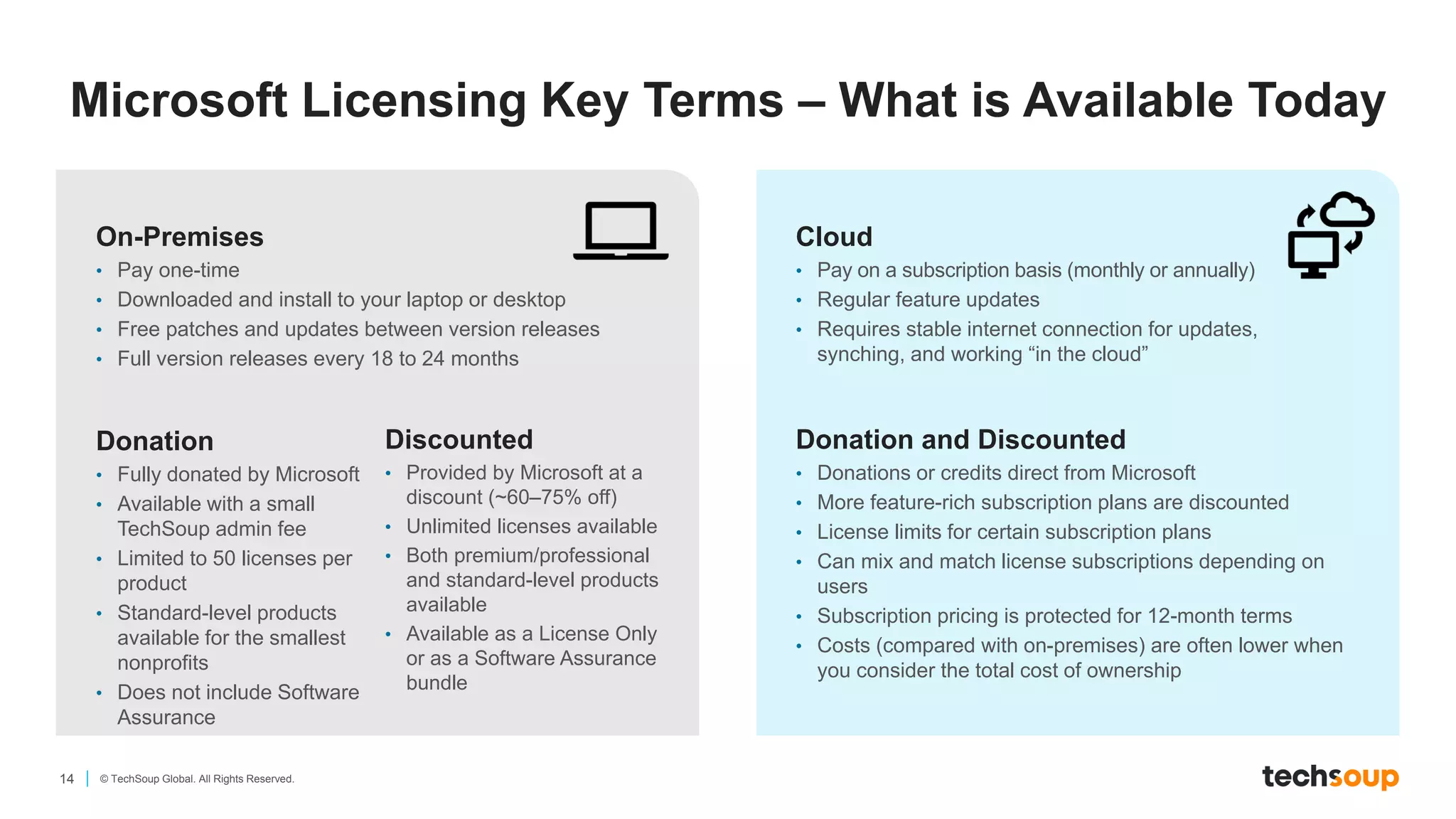
On-Premises
• Pay one-time
• Downloaded and install to your laptop or desktop
• Free patches and updates between version releases
• Full version releases every 18 to 24 months
Cloud
• Pay on a subscription basis (monthly or annually)
• Regular feature updates
• Requires stable internet connection for updates,
synching, and working “in the cloud”
Donation
• Fully donated by Microsoft
• Available with a small
TechSoup admin fee
• Limited to 50 licenses per
product
• Standard-level products
available for the smallest
nonprofits
• Does not include Software
Assurance
Discounted
• Provided by Microsoft at a
discount (~60–75% off)
• Unlimited licenses available
• Both premium/professional
and standard-level products
available
• Available as a License Only
or as a Software Assurance
bundle
Donation and Discounted
• Donations or credits direct from Microsoft
• More feature-rich subscription plans are discounted
• License limits for certain subscription plans
• Can mix and match license subscriptions depending on
users
• Subscription pricing is protected for 12-month terms
• Costs (compared with on-premises) are often lower when
you consider the total cost of ownership
Microsoft Licensing Key Terms – What is Available Today
15 © TechSoup Global. All Rights Reserved.
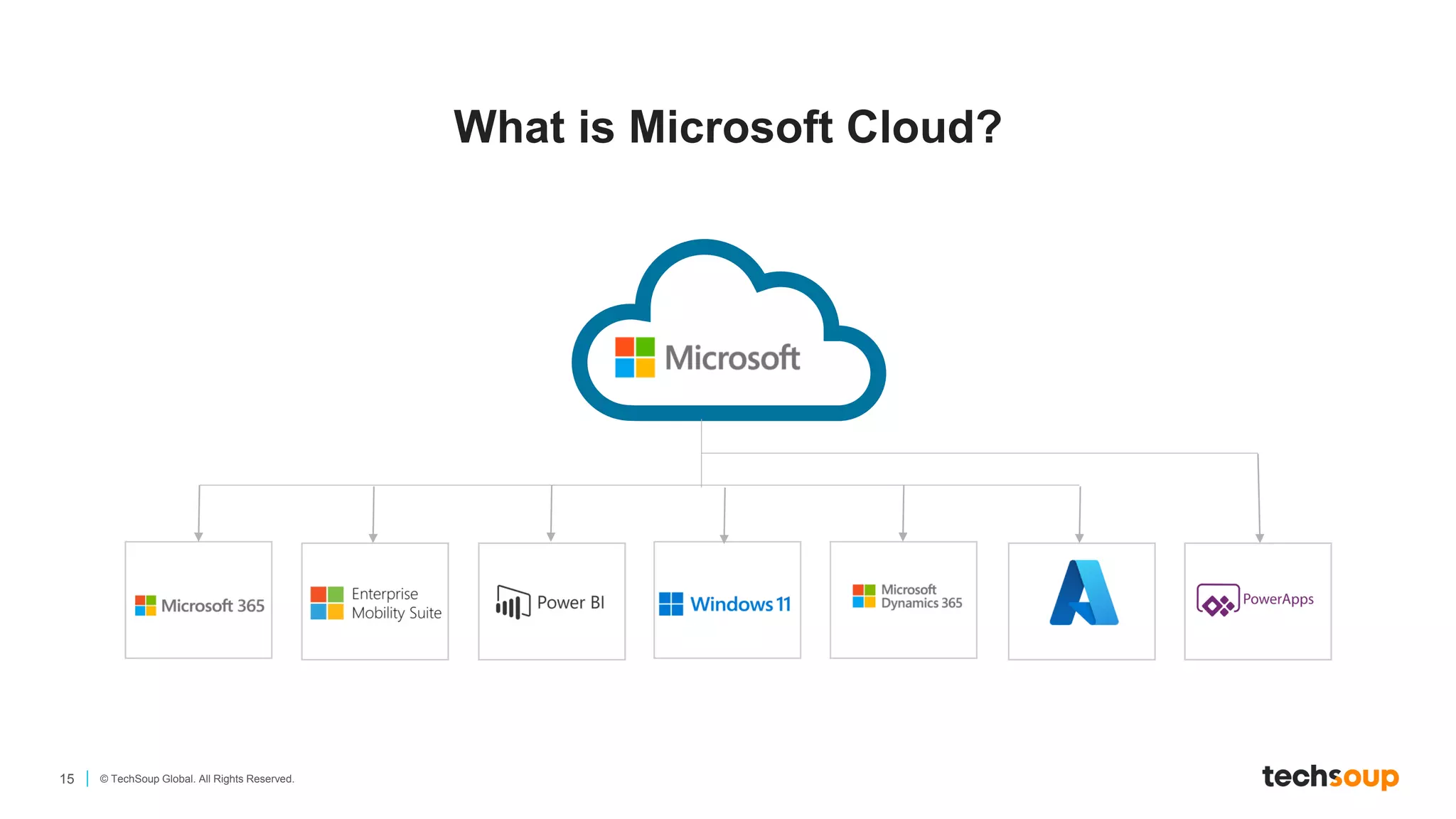
What is Microsoft Cloud?
16 © TechSoup Global. All Rights Reserved.
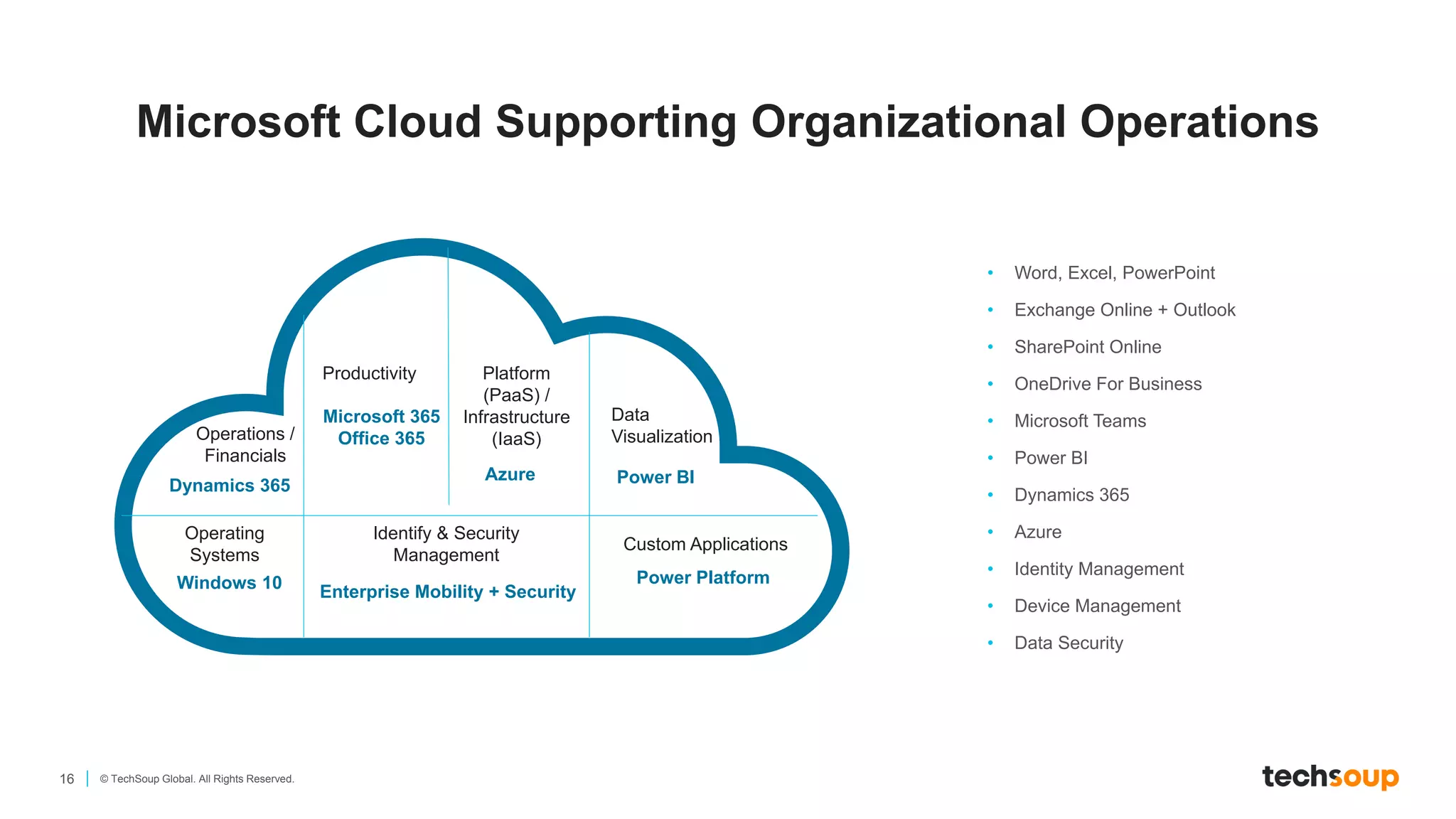
Microsoft Cloud Supporting Organizational Operations
• Word, Excel, PowerPoint
• Exchange Online + Outlook
• SharePoint Online
• OneDrive For Business
• Microsoft Teams
• Power BI
• Dynamics 365
• Azure
• Identity Management
• Device Management
• Data Security
Productivity
Operations /
Financials
Platform
(PaaS) /
Infrastructure
(IaaS)
Data
Visualization
Operating
Systems
Custom Applications
Identify & Security
Management
Windows 10 Enterprise Mobility + Security
Power Platform
Power BI
Azure
Microsoft 365
Office 365
Dynamics 365
17 © TechSoup Global. All Rights Reserved.
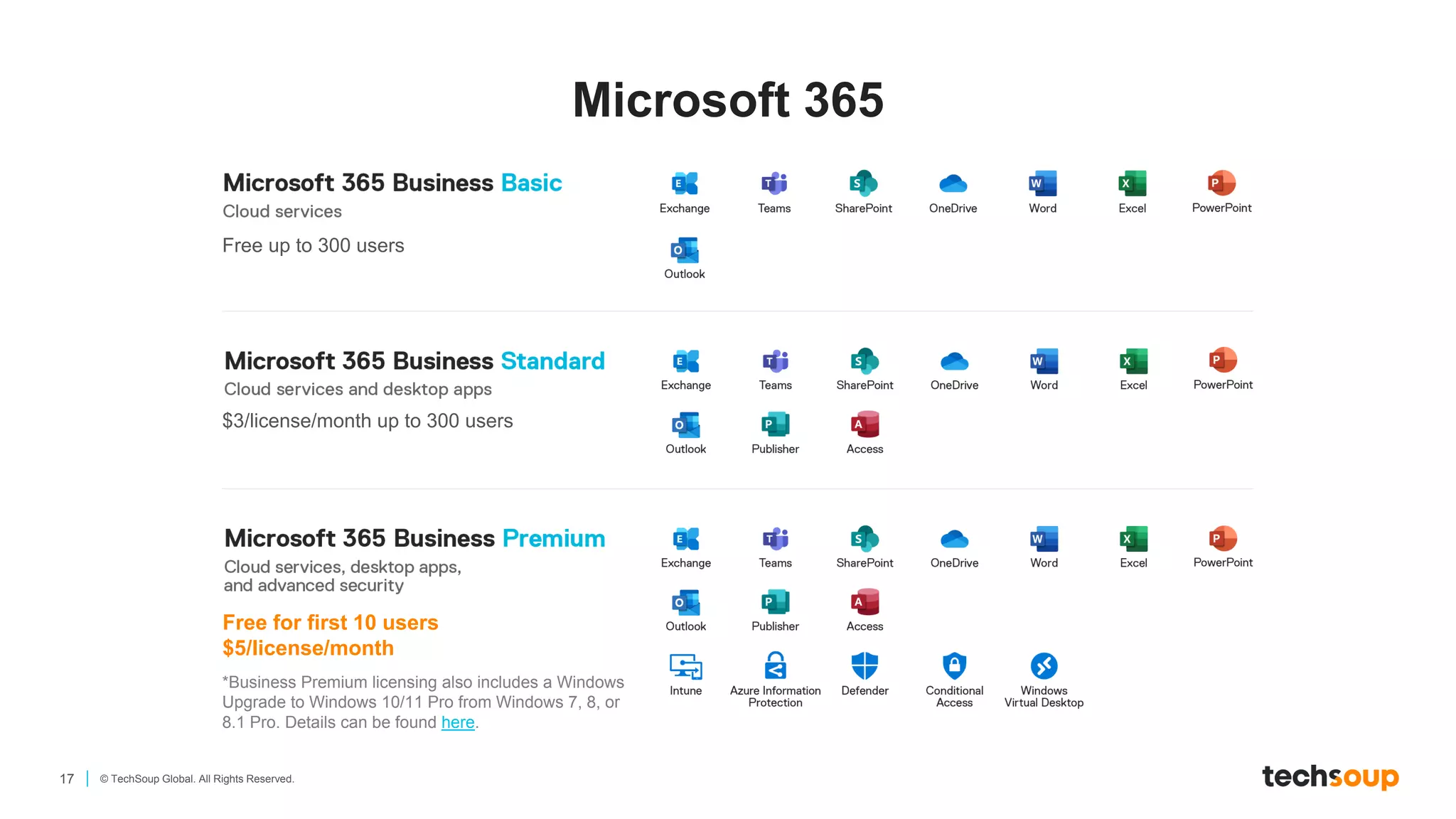
Microsoft 365
Free up to 300 users
$3/license/month up to 300 users
Free for first 10 users
$5/license/month
*Business Premium licensing also includes a Windows
Upgrade to Windows 10/11 Pro from Windows 7, 8, or
8.1 Pro. Details can be found here.
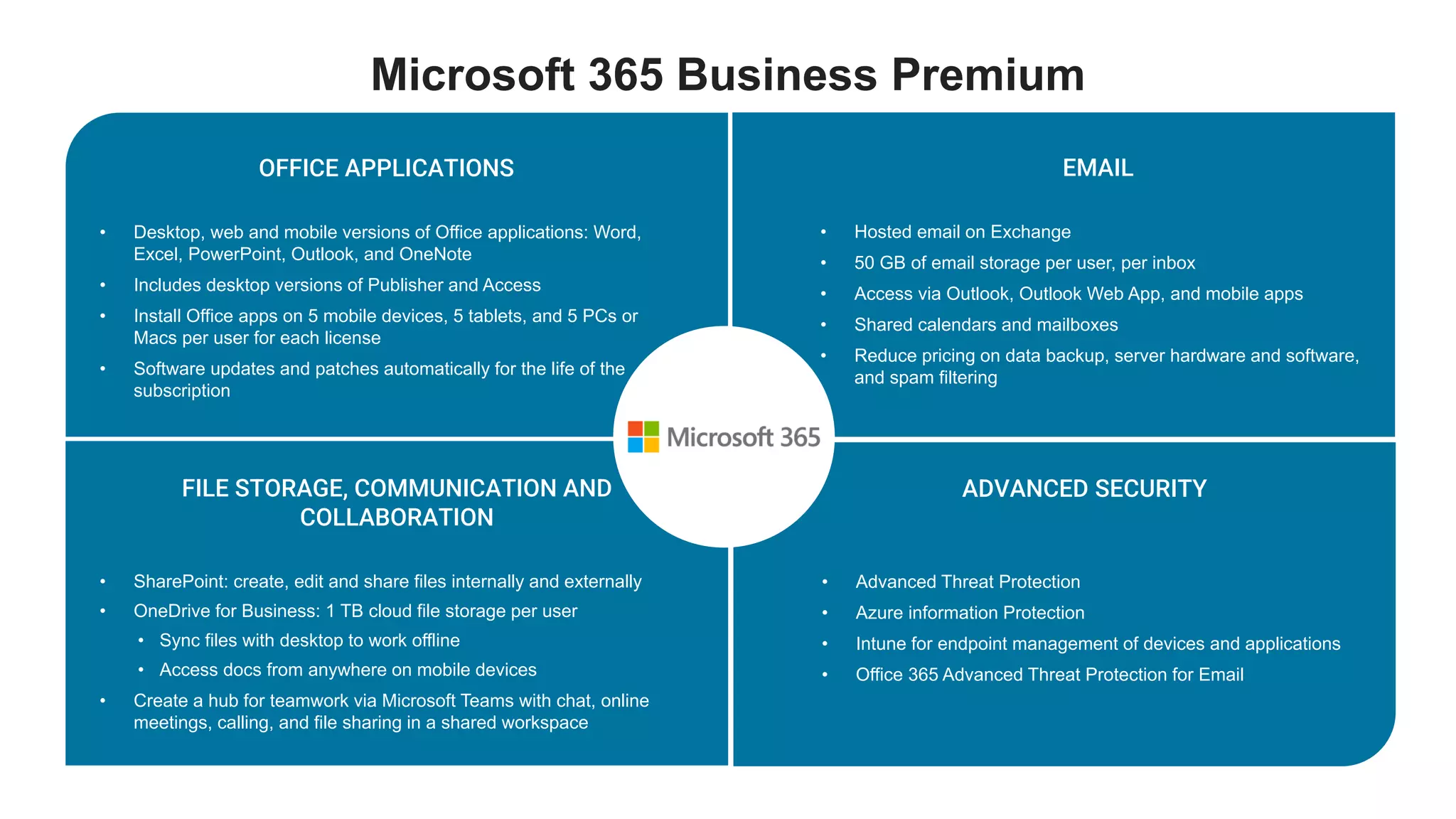
OFFICE APPLICATIONS
• Desktop, web and mobile versions of Office applications: Word,
Excel, PowerPoint, Outlook, and OneNote
• Includes desktop versions of Publisher and Access
• Install Office apps on 5 mobile devices, 5 tablets, and 5 PCs or
Macs per user for each license
• Software updates and patches automatically for the life of the
subscription
ADVANCED SECURITY
• Advanced Threat Protection
• Azure information Protection
• Intune for endpoint management of devices and applications
• Office 365 Advanced Threat Protection for Email
Microsoft 365 Business Premium
EMAIL
• Hosted email on Exchange
• 50 GB of email storage per user, per inbox
• Access via Outlook, Outlook Web App, and mobile apps
• Shared calendars and mailboxes
• Reduce pricing on data backup, server hardware and software,
and spam filtering
FILE STORAGE, COMMUNICATION AND
COLLABORATION
• SharePoint: create, edit and share files internally and externally
• OneDrive for Business: 1 TB cloud file storage per user
• Sync files with desktop to work offline
• Access docs from anywhere on mobile devices
• Create a hub for teamwork via Microsoft Teams with chat, online
meetings, calling, and file sharing in a shared workspace
19 © TechSoup Global. All Rights Reserved.
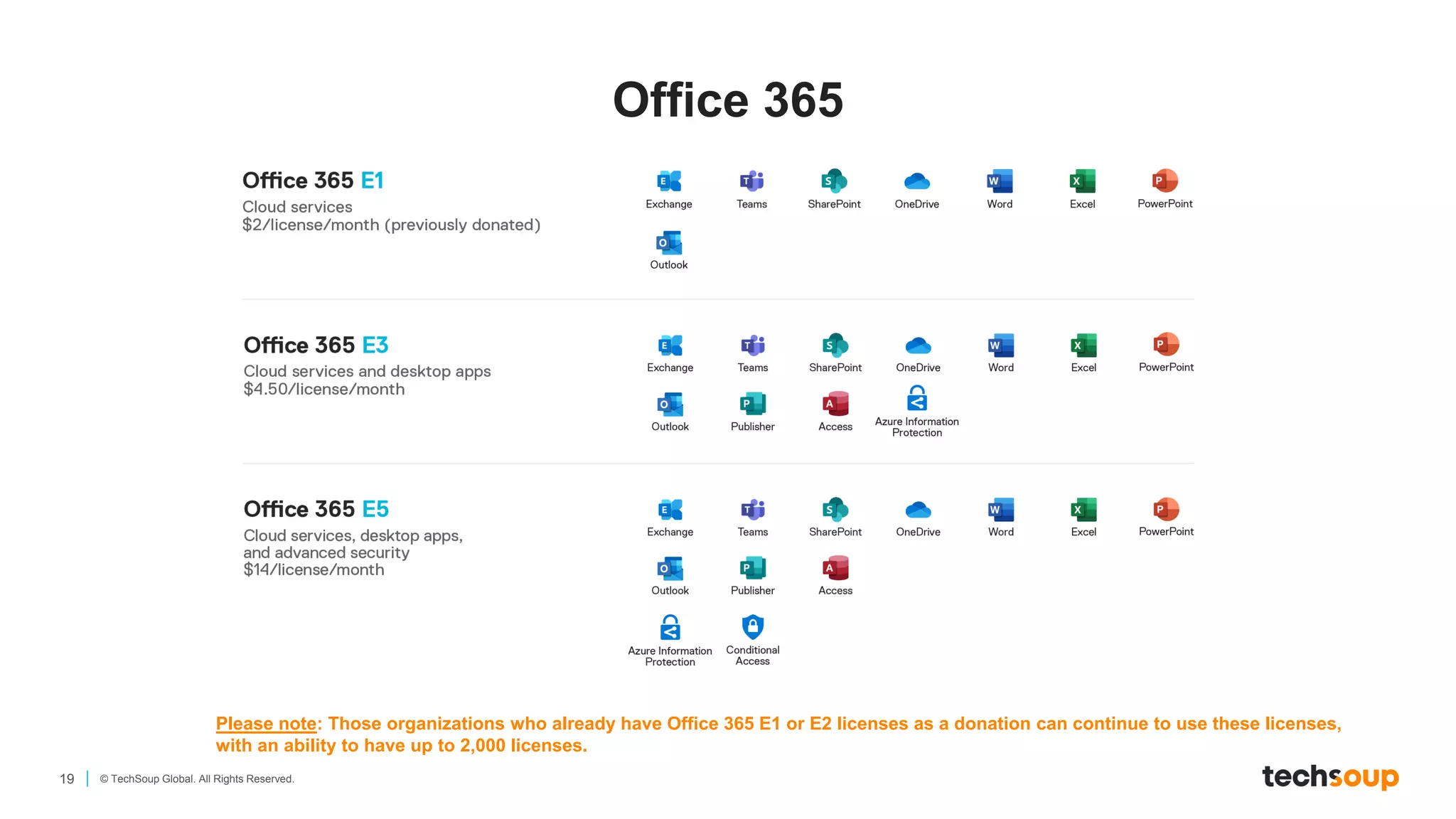
Office 365
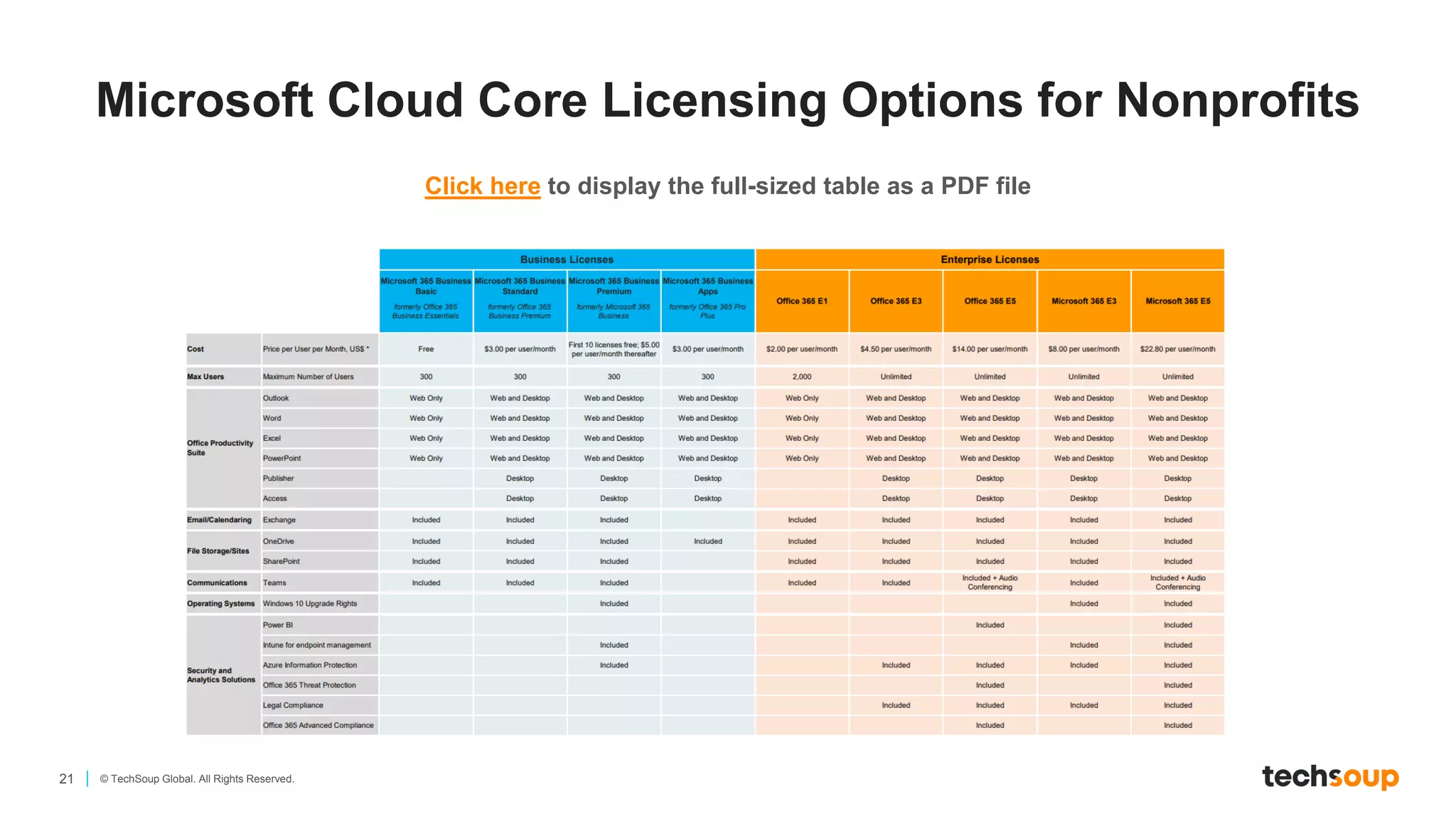
Please note: Those organizations who already have Office 365 E1 or E2 licenses as a donation can continue to use these licenses,
with an ability to have up to 2,000 licenses.
20 © TechSoup Global. All Rights Reserved.
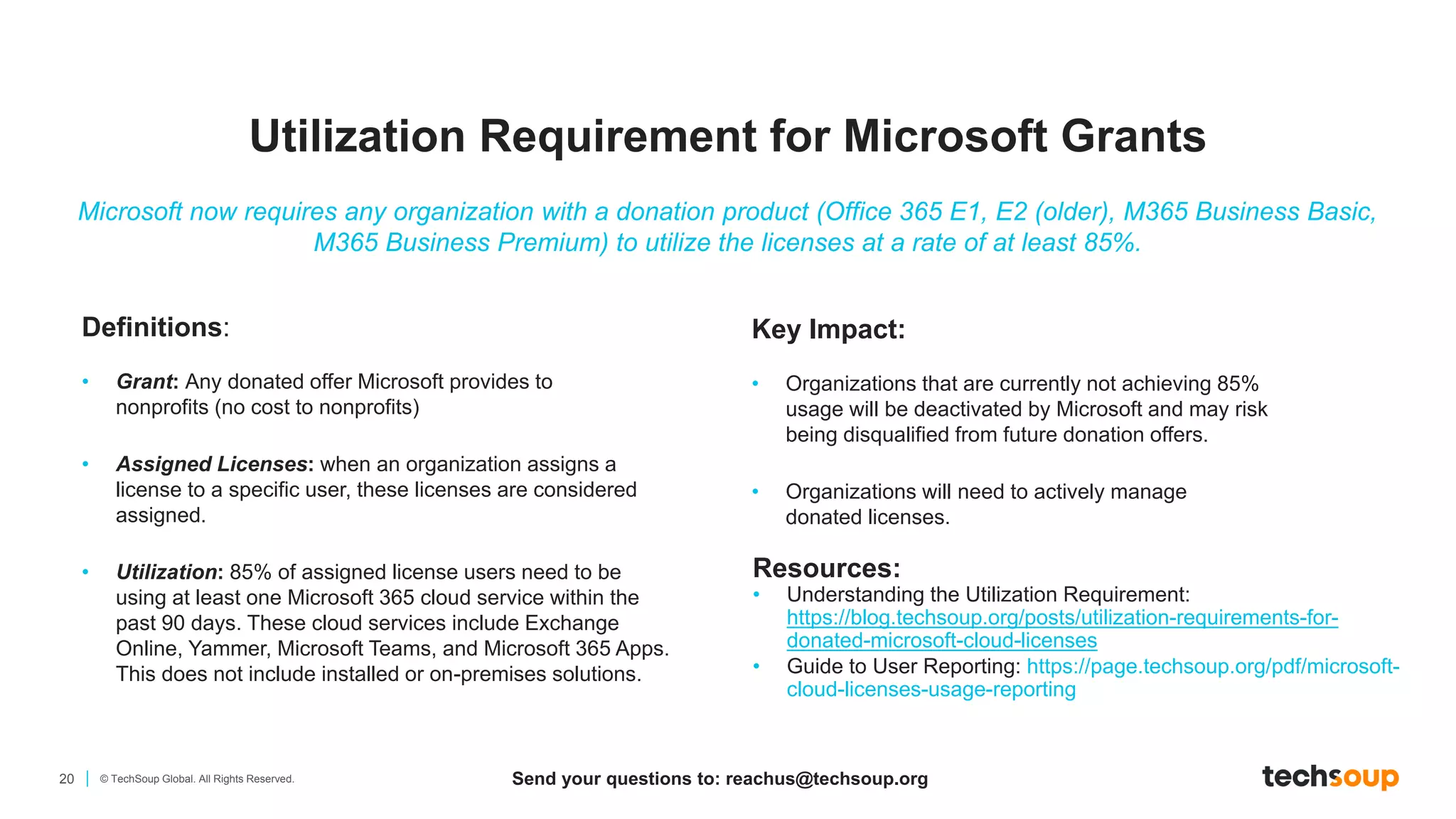
Definitions:
• Grant: Any donated offer Microsoft provides to
nonprofits (no cost to nonprofits)
• Assigned Licenses: when an organization assigns a
license to a specific user, these licenses are considered
assigned.
• Utilization: 85% of assigned license users need to be
using at least one Microsoft 365 cloud service within the
past 90 days. These cloud services include Exchange
Online, Yammer, Microsoft Teams, and Microsoft 365 Apps.
This does not include installed or on-premises solutions.
Resources:
• Understanding the Utilization Requirement:
https://blog.techsoup.org/posts/utilization-requirements-for-
donated-microsoft-cloud-licenses
• Guide to User Reporting: https://page.techsoup.org/pdf/microsoft-
cloud-licenses-usage-reporting
Microsoft now requires any organization with a donation product (Office 365 E1, E2 (older), M365 Business Basic,
M365 Business Premium) to utilize the licenses at a rate of at least 85%.
Key Impact:​
• Organizations that are currently not achieving 85%
usage will be deactivated by Microsoft and may risk
being disqualified from future donation offers​.
• Organizations will need to actively manage
donated licenses.
Utilization Requirement for Microsoft Grants
Send your questions to: reachus@techsoup.org
21 © TechSoup Global. All Rights Reserved.
Microsoft Cloud Core Licensing Options for Nonprofits
Click here to display the full-sized table as a PDF file
22 Copyright © TechSoup Global. All Rights Reserved.
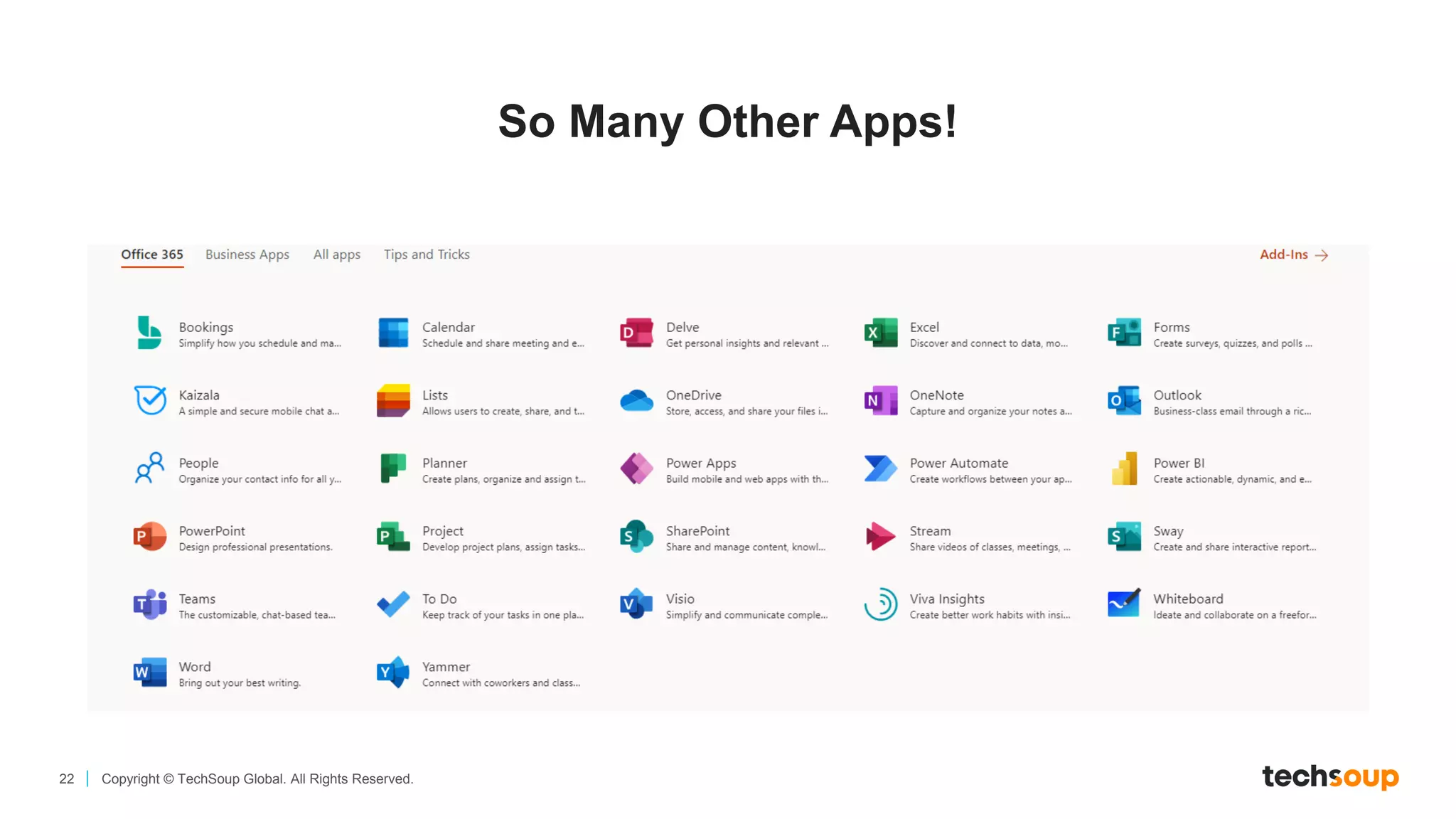
So Many Other Apps!
23 © TechSoup Global. All Rights Reserved.
Power BI — Data Analytics
and Visualization
*License required only for the person hosting the meeting. Audio conferencing add-on is not available for Office 365 F1
license.
**Exchange Online Archiving for Exchange Online is included in the Office 365 E3 license
and is not available for Microsoft 365 Apps for Enterprise (formerly Office 365 ProPlus license).
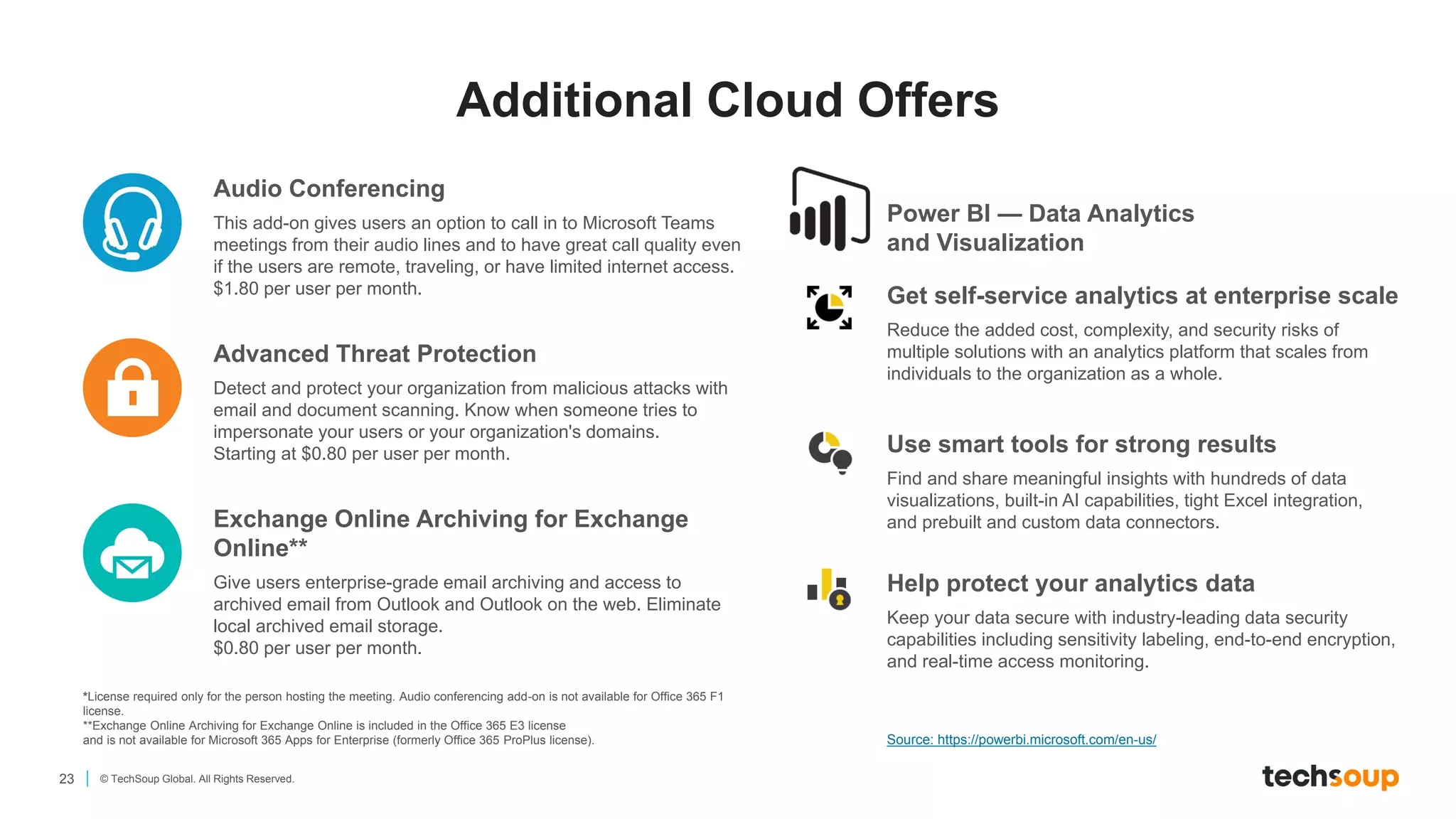
Audio Conferencing
This add-on gives users an option to call in to Microsoft Teams
meetings from their audio lines and to have great call quality even
if the users are remote, traveling, or have limited internet access.
$1.80 per user per month.
Advanced Threat Protection
Detect and protect your organization from malicious attacks with
email and document scanning. Know when someone tries to
impersonate your users or your organization's domains.
Starting at $0.80 per user per month.
Exchange Online Archiving for Exchange
Online**
Give users enterprise-grade email archiving and access to
archived email from Outlook and Outlook on the web. Eliminate
local archived email storage.
$0.80 per user per month.
Get self-service analytics at enterprise scale
Reduce the added cost, complexity, and security risks of
multiple solutions with an analytics platform that scales from
individuals to the organization as a whole.
Use smart tools for strong results
Find and share meaningful insights with hundreds of data
visualizations, built-in AI capabilities, tight Excel integration,
and prebuilt and custom data connectors.
Help protect your analytics data
Keep your data secure with industry-leading data security
capabilities including sensitivity labeling, end-to-end encryption,
and real-time access monitoring.
Source: https://powerbi.microsoft.com/en-us/
Additional Cloud Offers
How to Get Started
25 © TechSoup Global. All Rights Reserved.
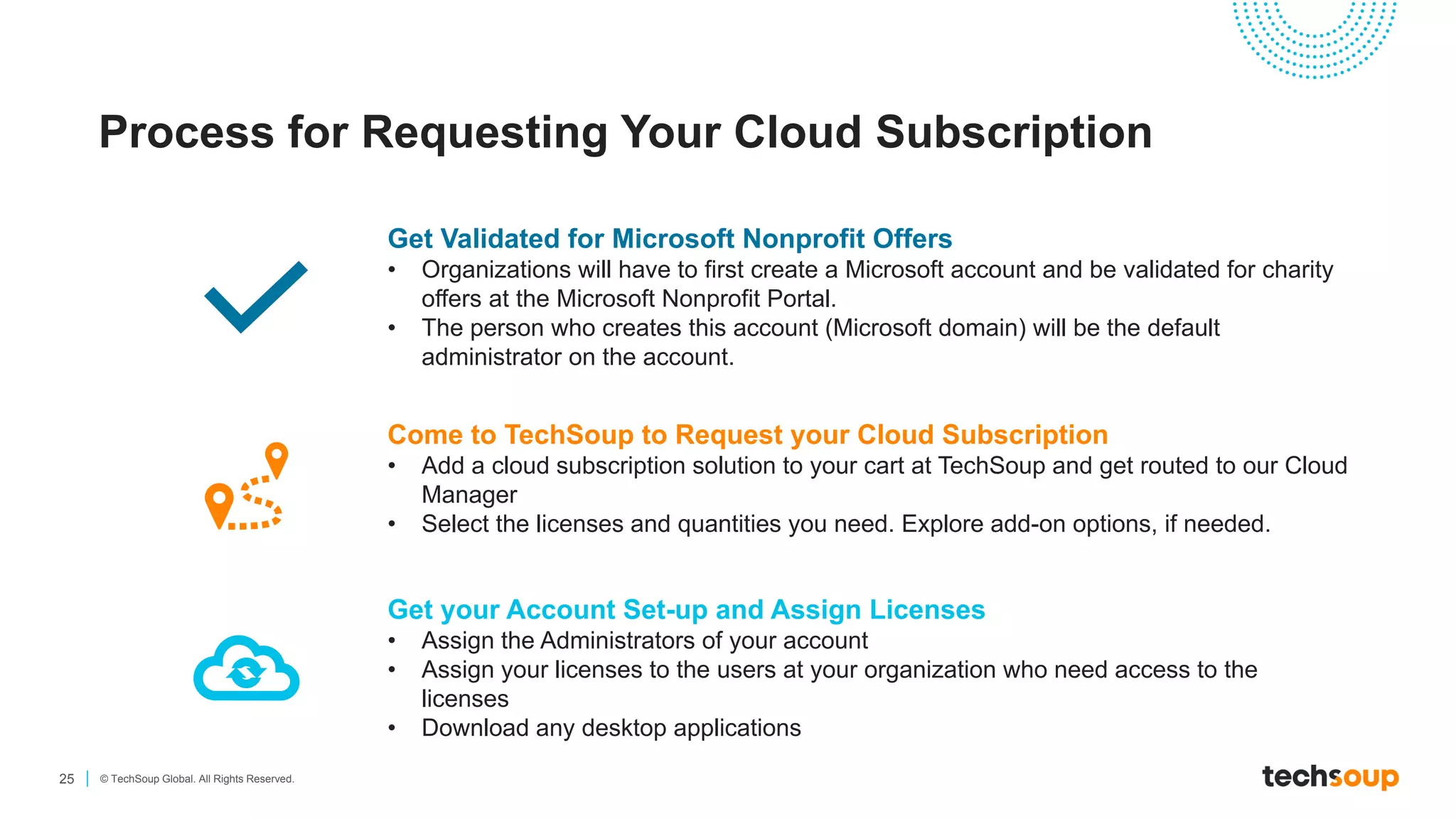
Process for Requesting Your Cloud Subscription
Get Validated for Microsoft Nonprofit Offers
• Organizations will have to first create a Microsoft account and be validated for charity
offers at the Microsoft Nonprofit Portal.
• The person who creates this account (Microsoft domain) will be the default
administrator on the account.
Come to TechSoup to Request your Cloud Subscription
• Add a cloud subscription solution to your cart at TechSoup and get routed to our Cloud
Manager
• Select the licenses and quantities you need. Explore add-on options, if needed.
Get your Account Set-up and Assign Licenses
• Assign the Administrators of your account
• Assign your licenses to the users at your organization who need access to the
licenses
• Download any desktop applications
26 © TechSoup Global. All Rights Reserved.
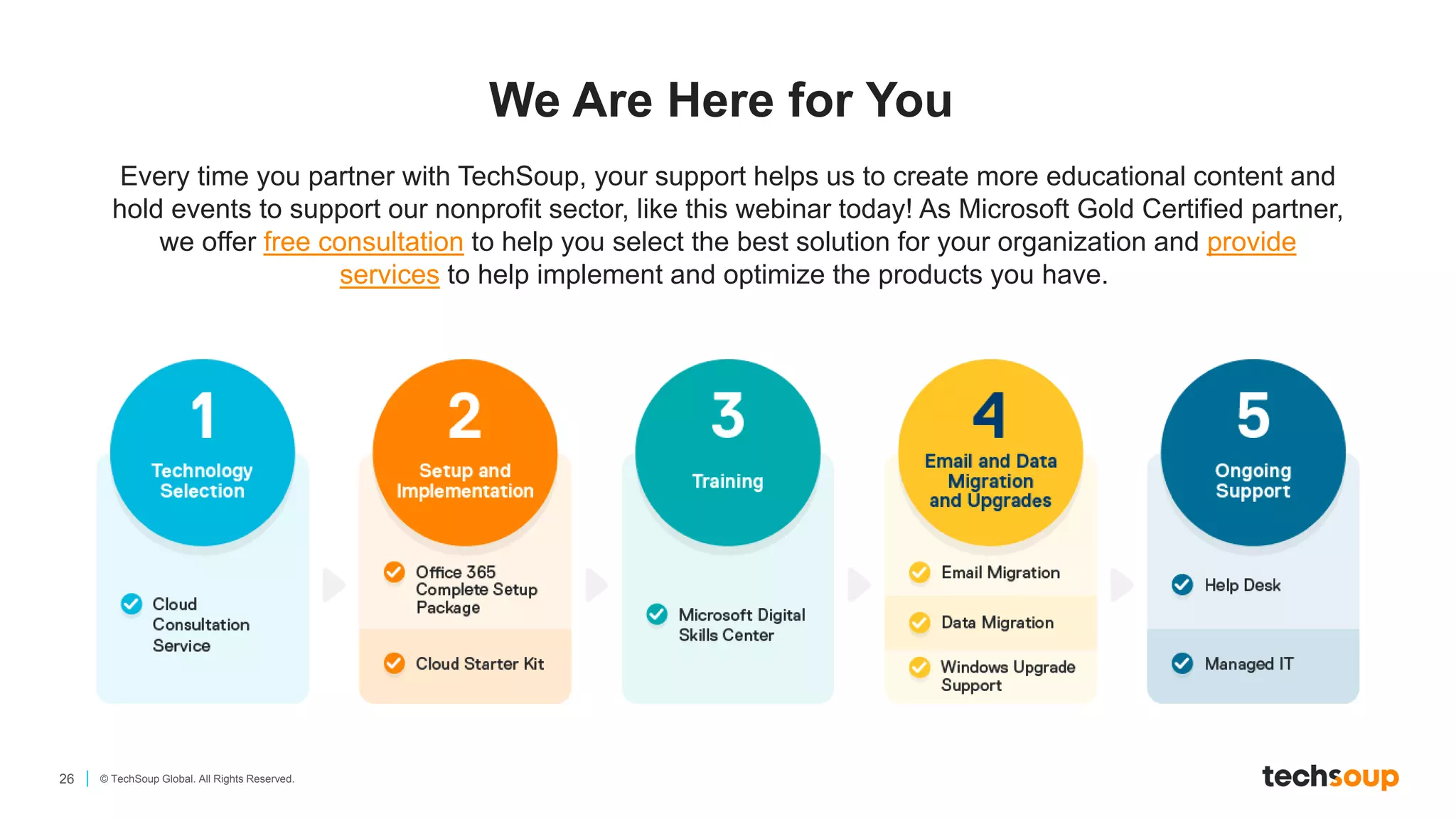
We Are Here for You
Every time you partner with TechSoup, your support helps us to create more educational content and
hold events to support our nonprofit sector, like this webinar today! As Microsoft Gold Certified partner,
we offer free consultation to help you select the best solution for your organization and provide
services to help implement and optimize the products you have.
27 © TechSoup Global. All Rights Reserved.
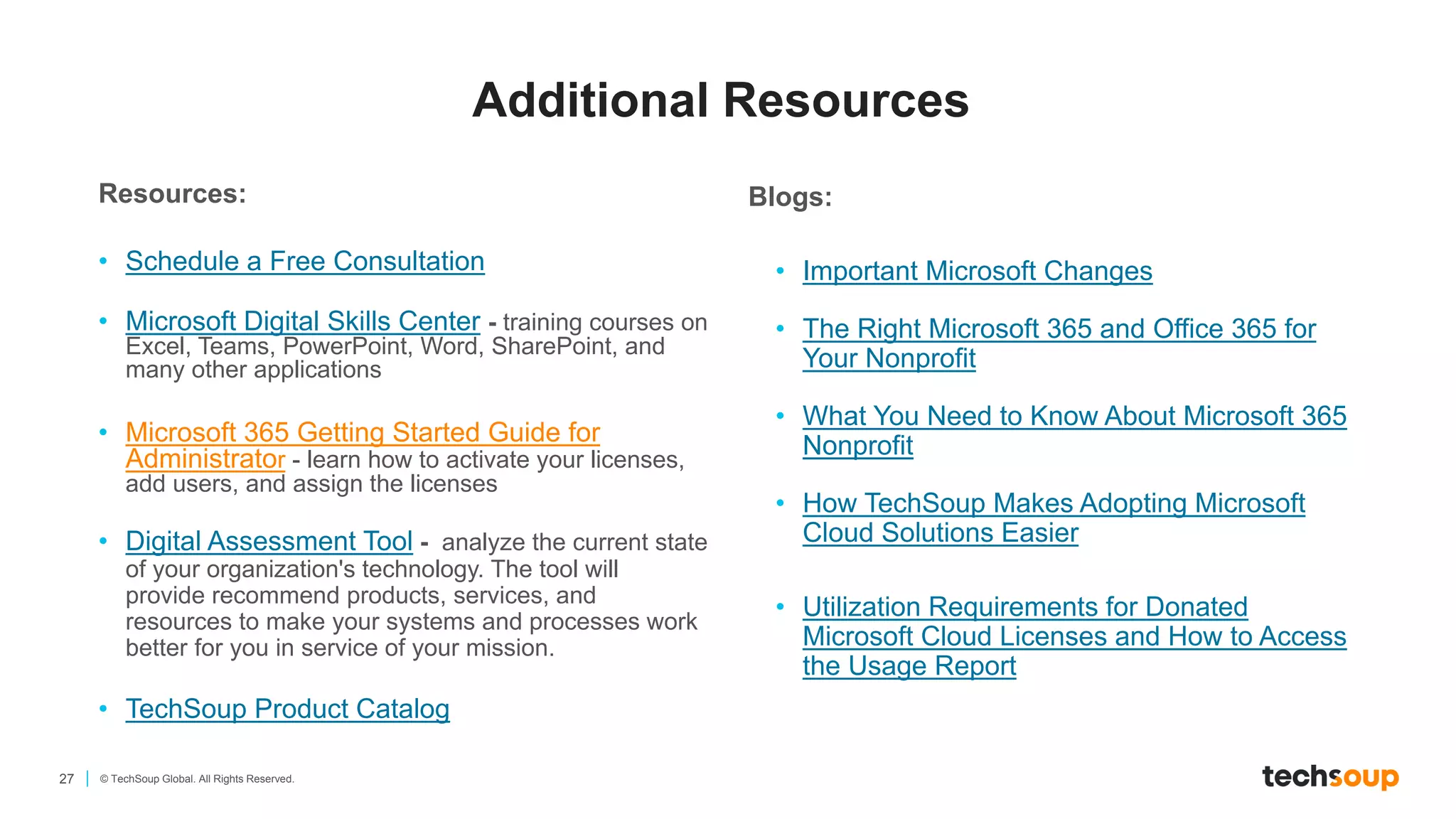
Resources:
• Schedule a Free Consultation
• Microsoft Digital Skills Center - training courses on
Excel, Teams, PowerPoint, Word, SharePoint, and
many other applications
• Microsoft 365 Getting Started Guide for
Administrator - learn how to activate your licenses,
add users, and assign the licenses
• Digital Assessment Tool - analyze the current state
of your organization's technology. The tool will
provide recommend products, services, and
resources to make your systems and processes work
better for you in service of your mission.
• TechSoup Product Catalog
Blogs:
• Important Microsoft Changes
• The Right Microsoft 365 and Office 365 for
Your Nonprofit
• What You Need to Know About Microsoft 365
Nonprofit
• How TechSoup Makes Adopting Microsoft
Cloud Solutions Easier
• Utilization Requirements for Donated
Microsoft Cloud Licenses and How to Access
the Usage Report
Additional Resources
Your Questions
29 © TechSoup Global. All Rights Reserved.
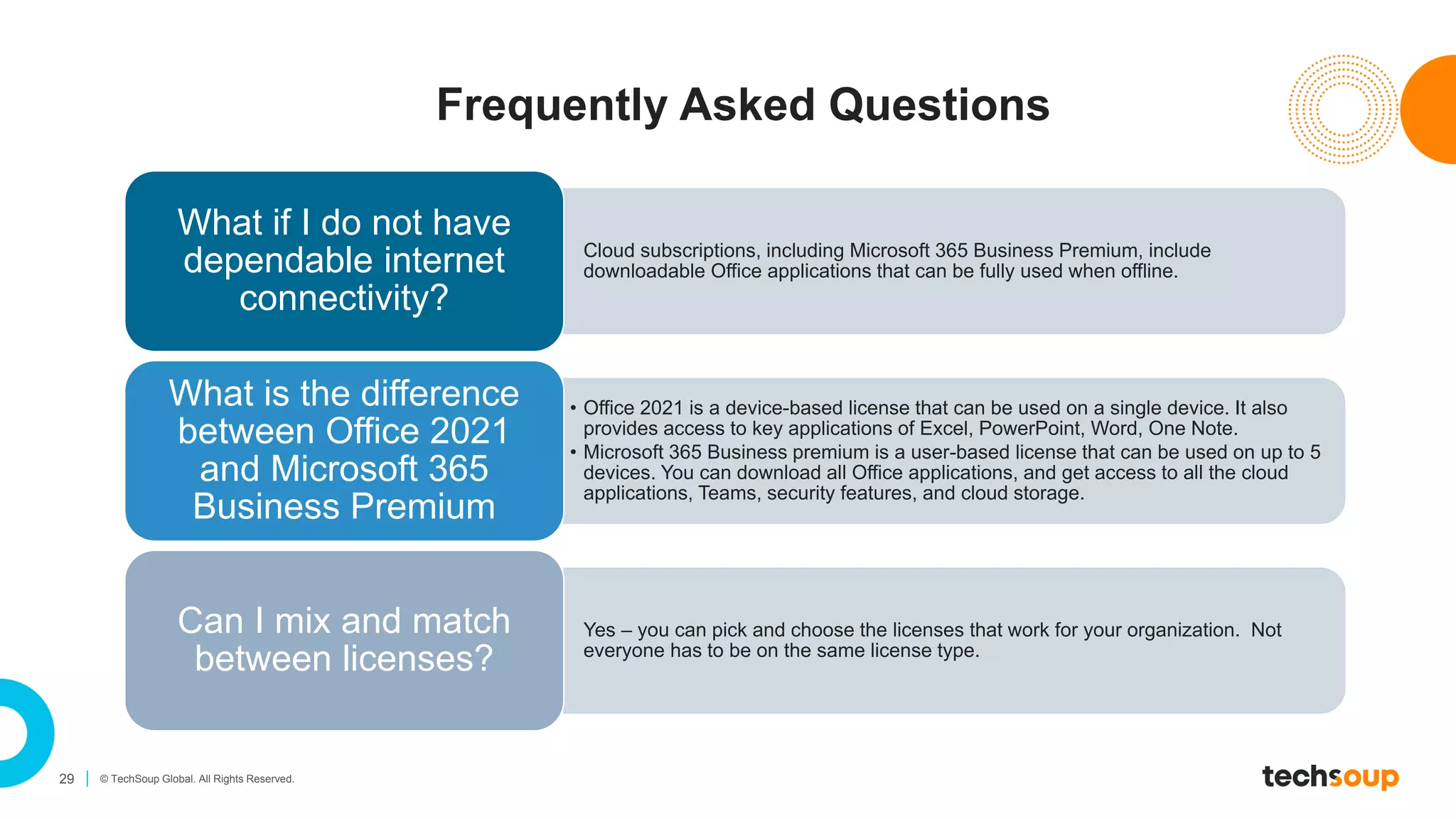
Frequently Asked Questions
Cloud subscriptions, including Microsoft 365 Business Premium, include
downloadable Office applications that can be fully used when offline.
What if I do not have
dependable internet
connectivity?
• Office 2021 is a device-based license that can be used on a single device. It also
provides access to key applications of Excel, PowerPoint, Word, One Note.
• Microsoft 365 Business premium is a user-based license that can be used on up to 5
devices. You can download all Office applications, and get access to all the cloud
applications, Teams, security features, and cloud storage.
What is the difference
between Office 2021
and Microsoft 365
Business Premium
Yes – you can pick and choose the licenses that work for your organization. Not
everyone has to be on the same license type.
Can I mix and match
between licenses?
Additional Information
31 © TechSoup Global. All Rights Reserved.
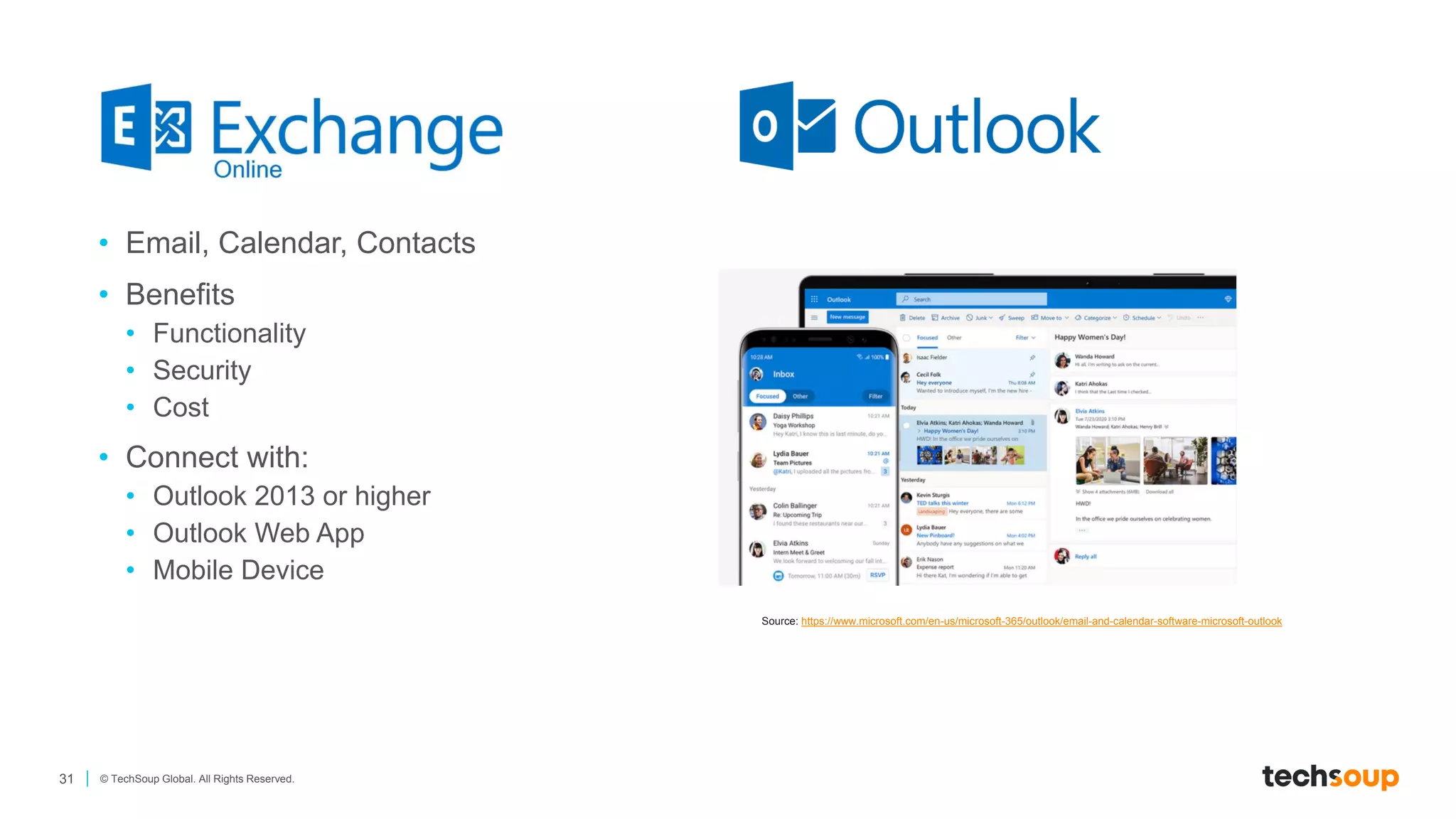
• Email, Calendar, Contacts
• Benefits
• Functionality
• Security
• Cost
• Connect with:
• Outlook 2013 or higher
• Outlook Web App
• Mobile Device
Source: https://www.microsoft.com/en-us/microsoft-365/outlook/email-and-calendar-software-microsoft-outlook
32 © TechSoup Global. All Rights Reserved.
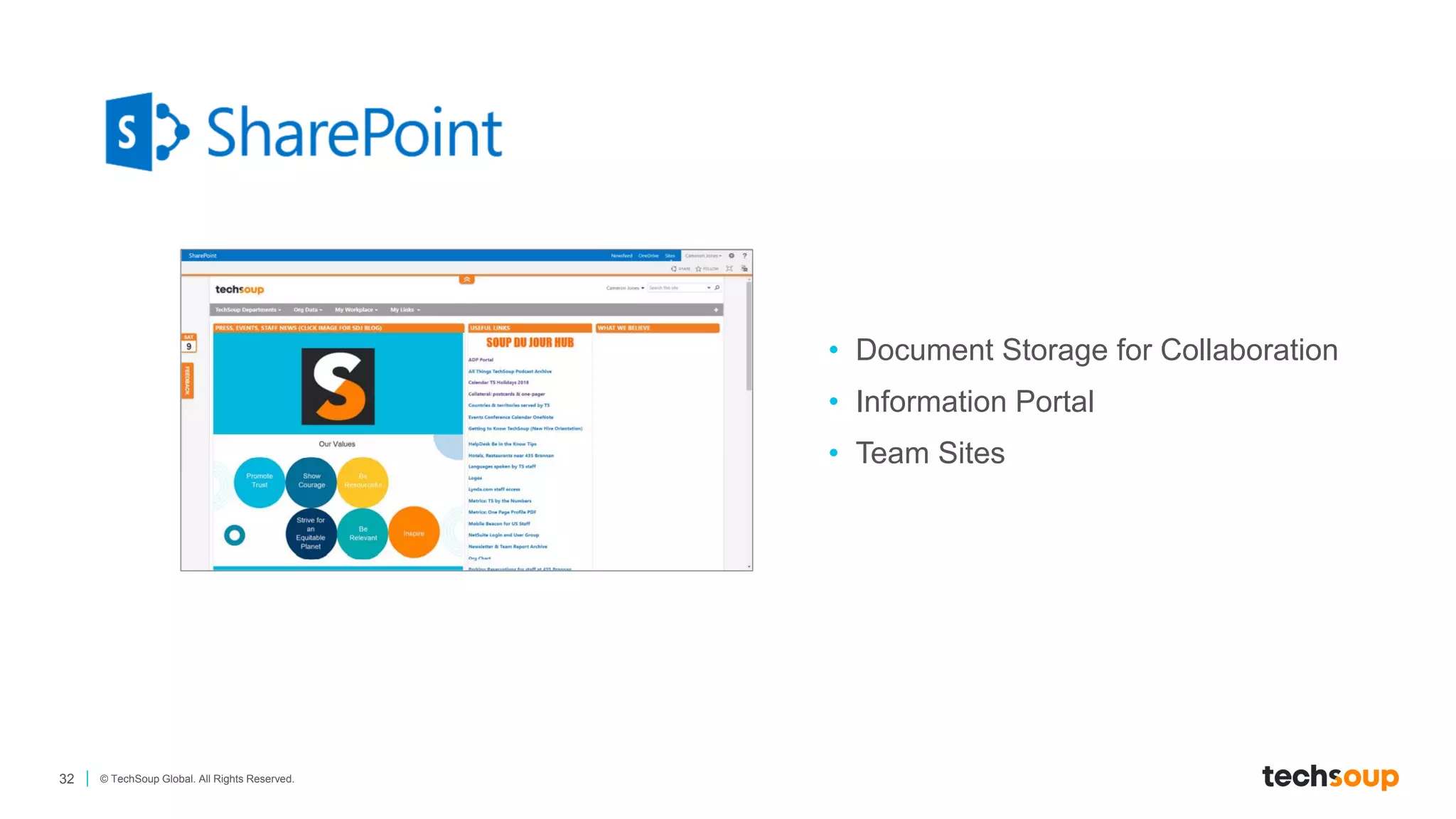
• Document Storage for Collaboration
• Information Portal
• Team Sites
33 © TechSoup Global. All Rights Reserved.
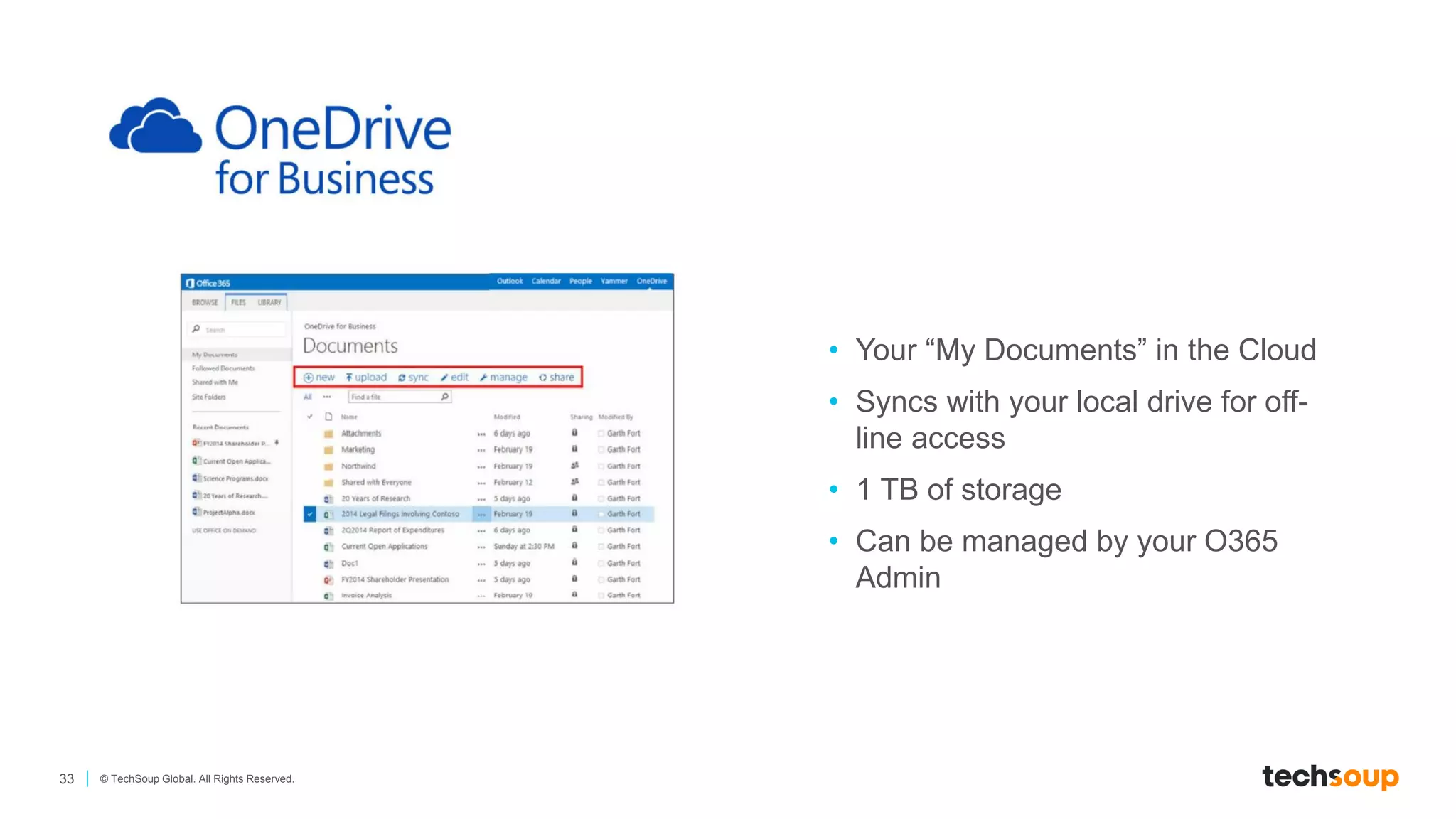
• Your “My Documents” in the Cloud
• Syncs with your local drive for off-
line access
• 1 TB of storage
• Can be managed by your O365
Admin
34 © TechSoup Global. All Rights Reserved.
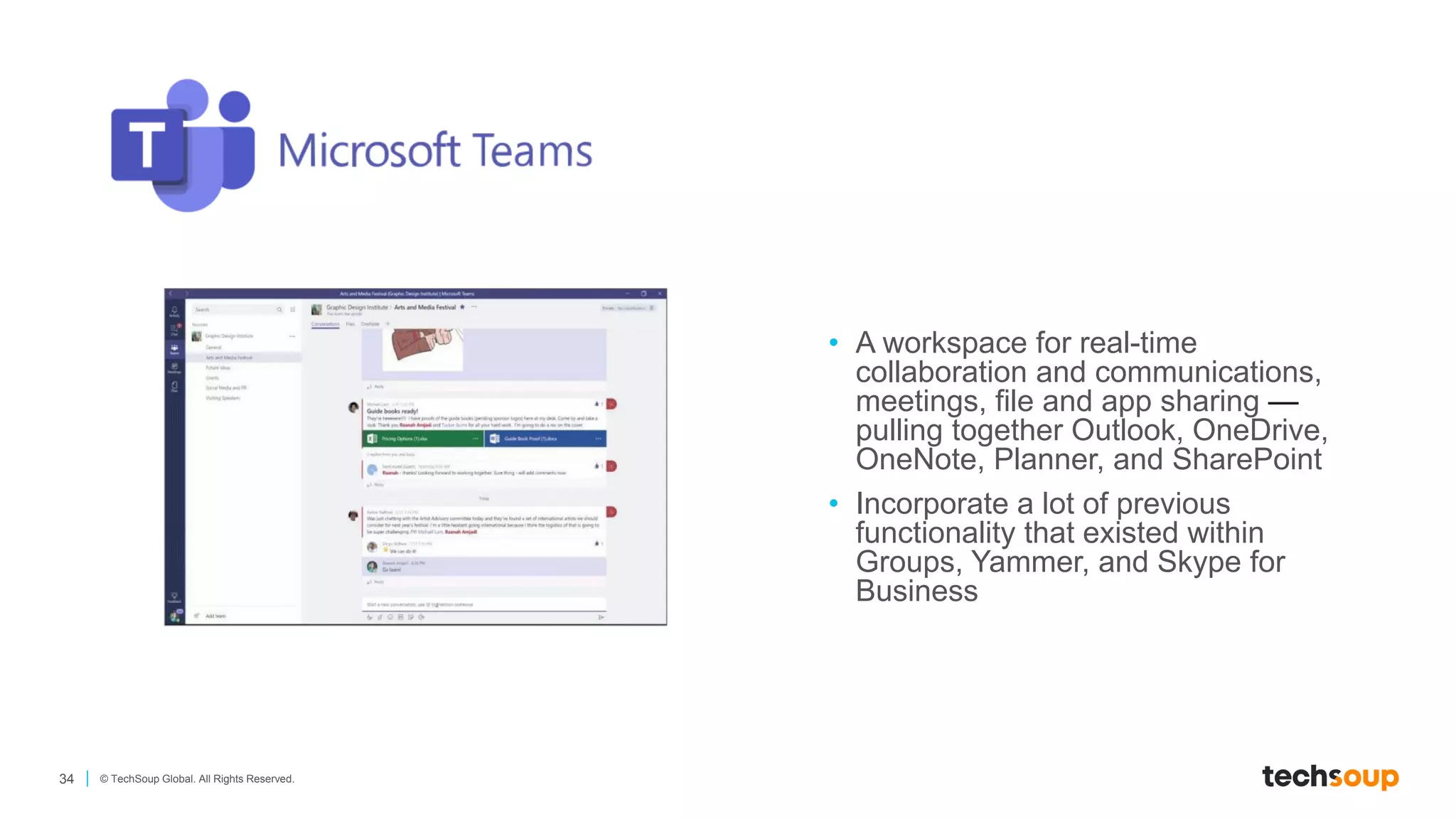
• A workspace for real-time
collaboration and communications,
meetings, file and app sharing —
pulling together Outlook, OneDrive,
OneNote, Planner, and SharePoint
• Incorporate a lot of previous
functionality that existed within
Groups, Yammer, and Skype for
Business
Tools That Support or
Integrate Well with Microsoft
Integration
Opportunities
Thank You!

Microsoft Cloud Solutions for Nonprofits

  • 1.
  • 2.
    Shruti Ramaswami Vice President,Strategy & Strategic Relationship
  • 3.
    TechSoup Connects Youwith Donated and Discounted Products and Services IT Consultants Software Hardware — New and Refurbished Courses And So Much More! Hotspots
  • 4.
    4 © TechSoupGlobal. All Rights Reserved. The Technology You Need
  • 5.
    5 © TechSoupGlobal. All Rights Reserved. Supporting nonprofits in all stages of digital development Installed Software Hardware Cloud Software Technology Support Services TechSoup Marketplace From Traditional Desktop To Fully Cloud-Based
  • 6.
  • 7.
    7 © TechSoupGlobal. All Rights Reserved. On-Premises vs. Cloud Advantages • One-time expense • No ongoing costs to have to fund • Microsoft Software Assurance allows upgrades for two years On-Premises Disadvantages • One-time expense • Need to upgrade in 3 to 5 years, with limited support and functionality being prioritized in on-premises software • You’re responsible for making sure your systems stay patched and secure Advantages • Costs are spread out over time • Software updates and feature updates happen automatically • Turn licenses on and off as needed • No server hardware or software maintenance expenses • Access your applications and files from anywhere! • More robust security for all your stuff Cloud Disadvantages • Costs are spread out over time • May need to retrain staff on applications and workflows one-time • May be dependent on internet connection
  • 8.
    8 © TechSoupGlobal. All Rights Reserved. Why Should this Matter to Nonprofits? Mobility & Collaboration Security Data Backup & Recovery Reduce Cost
  • 9.
    Access Your DataAnywhere and Anytime • You are no longer reliant on one device for your email, documents, presentations, spreadsheets, and data • You can access your data from multiple devices – phone, laptop, iPad, or computer • You can access your data from anywhere. Do not require you to be in one location • Have multiple people work on the same files and access the same file at the same time Mobility & Collaboration
  • 10.
    Security Features areBuilt into Most Cloud Solutions • Security upgrades are automatically updated into your solution – you do not need to “patch” these anymore • Most cloud solutions have robust security components that allow you to control access, data, and user roles • Large cloud providers have robust security tools always running Security
  • 11.
    Cloud Solutions AutomateYour Data Backups and Recovery • Do not lose your files – you will always have your data and files backed up • Cloud solutions are essentials for disaster resiliency, recovery, and continuity of operations Data Backup & Recovery
  • 12.
    The Overall Valueof Cloud Solutions Can Reduce Your Technology Costs • You don’t have to own your servers & databases • Deploy licenses more rapidly • Costs spread out over time – monthly and subscription based • Flexible mix-and-match licensing based on your needs at the time • Reduce software maintenance costs • Improve security Reduce Costs
  • 13.
  • 14.
    14 © TechSoupGlobal. All Rights Reserved. On-Premises • Pay one-time • Downloaded and install to your laptop or desktop • Free patches and updates between version releases • Full version releases every 18 to 24 months Cloud • Pay on a subscription basis (monthly or annually) • Regular feature updates • Requires stable internet connection for updates, synching, and working “in the cloud” Donation • Fully donated by Microsoft • Available with a small TechSoup admin fee • Limited to 50 licenses per product • Standard-level products available for the smallest nonprofits • Does not include Software Assurance Discounted • Provided by Microsoft at a discount (~60–75% off) • Unlimited licenses available • Both premium/professional and standard-level products available • Available as a License Only or as a Software Assurance bundle Donation and Discounted • Donations or credits direct from Microsoft • More feature-rich subscription plans are discounted • License limits for certain subscription plans • Can mix and match license subscriptions depending on users • Subscription pricing is protected for 12-month terms • Costs (compared with on-premises) are often lower when you consider the total cost of ownership Microsoft Licensing Key Terms – What is Available Today
  • 15.
    15 © TechSoupGlobal. All Rights Reserved. What is Microsoft Cloud?
  • 16.
    16 © TechSoupGlobal. All Rights Reserved. Microsoft Cloud Supporting Organizational Operations • Word, Excel, PowerPoint • Exchange Online + Outlook • SharePoint Online • OneDrive For Business • Microsoft Teams • Power BI • Dynamics 365 • Azure • Identity Management • Device Management • Data Security Productivity Operations / Financials Platform (PaaS) / Infrastructure (IaaS) Data Visualization Operating Systems Custom Applications Identify & Security Management Windows 10 Enterprise Mobility + Security Power Platform Power BI Azure Microsoft 365 Office 365 Dynamics 365
  • 17.
    17 © TechSoupGlobal. All Rights Reserved. Microsoft 365 Free up to 300 users $3/license/month up to 300 users Free for first 10 users $5/license/month *Business Premium licensing also includes a Windows Upgrade to Windows 10/11 Pro from Windows 7, 8, or 8.1 Pro. Details can be found here.
  • 18.
    OFFICE APPLICATIONS • Desktop,web and mobile versions of Office applications: Word, Excel, PowerPoint, Outlook, and OneNote • Includes desktop versions of Publisher and Access • Install Office apps on 5 mobile devices, 5 tablets, and 5 PCs or Macs per user for each license • Software updates and patches automatically for the life of the subscription ADVANCED SECURITY • Advanced Threat Protection • Azure information Protection • Intune for endpoint management of devices and applications • Office 365 Advanced Threat Protection for Email Microsoft 365 Business Premium EMAIL • Hosted email on Exchange • 50 GB of email storage per user, per inbox • Access via Outlook, Outlook Web App, and mobile apps • Shared calendars and mailboxes • Reduce pricing on data backup, server hardware and software, and spam filtering FILE STORAGE, COMMUNICATION AND COLLABORATION • SharePoint: create, edit and share files internally and externally • OneDrive for Business: 1 TB cloud file storage per user • Sync files with desktop to work offline • Access docs from anywhere on mobile devices • Create a hub for teamwork via Microsoft Teams with chat, online meetings, calling, and file sharing in a shared workspace
  • 19.
    19 © TechSoupGlobal. All Rights Reserved. Office 365 Please note: Those organizations who already have Office 365 E1 or E2 licenses as a donation can continue to use these licenses, with an ability to have up to 2,000 licenses.
  • 20.
    20 © TechSoupGlobal. All Rights Reserved. Definitions: • Grant: Any donated offer Microsoft provides to nonprofits (no cost to nonprofits) • Assigned Licenses: when an organization assigns a license to a specific user, these licenses are considered assigned. • Utilization: 85% of assigned license users need to be using at least one Microsoft 365 cloud service within the past 90 days. These cloud services include Exchange Online, Yammer, Microsoft Teams, and Microsoft 365 Apps. This does not include installed or on-premises solutions. Resources: • Understanding the Utilization Requirement: https://blog.techsoup.org/posts/utilization-requirements-for- donated-microsoft-cloud-licenses • Guide to User Reporting: https://page.techsoup.org/pdf/microsoft- cloud-licenses-usage-reporting Microsoft now requires any organization with a donation product (Office 365 E1, E2 (older), M365 Business Basic, M365 Business Premium) to utilize the licenses at a rate of at least 85%. Key Impact:​ • Organizations that are currently not achieving 85% usage will be deactivated by Microsoft and may risk being disqualified from future donation offers​. • Organizations will need to actively manage donated licenses. Utilization Requirement for Microsoft Grants Send your questions to: reachus@techsoup.org
  • 21.
    21 © TechSoupGlobal. All Rights Reserved. Microsoft Cloud Core Licensing Options for Nonprofits Click here to display the full-sized table as a PDF file
  • 22.
    22 Copyright ©TechSoup Global. All Rights Reserved. So Many Other Apps!
  • 23.
    23 © TechSoupGlobal. All Rights Reserved. Power BI — Data Analytics and Visualization *License required only for the person hosting the meeting. Audio conferencing add-on is not available for Office 365 F1 license. **Exchange Online Archiving for Exchange Online is included in the Office 365 E3 license and is not available for Microsoft 365 Apps for Enterprise (formerly Office 365 ProPlus license). Audio Conferencing This add-on gives users an option to call in to Microsoft Teams meetings from their audio lines and to have great call quality even if the users are remote, traveling, or have limited internet access. $1.80 per user per month. Advanced Threat Protection Detect and protect your organization from malicious attacks with email and document scanning. Know when someone tries to impersonate your users or your organization's domains. Starting at $0.80 per user per month. Exchange Online Archiving for Exchange Online** Give users enterprise-grade email archiving and access to archived email from Outlook and Outlook on the web. Eliminate local archived email storage. $0.80 per user per month. Get self-service analytics at enterprise scale Reduce the added cost, complexity, and security risks of multiple solutions with an analytics platform that scales from individuals to the organization as a whole. Use smart tools for strong results Find and share meaningful insights with hundreds of data visualizations, built-in AI capabilities, tight Excel integration, and prebuilt and custom data connectors. Help protect your analytics data Keep your data secure with industry-leading data security capabilities including sensitivity labeling, end-to-end encryption, and real-time access monitoring. Source: https://powerbi.microsoft.com/en-us/ Additional Cloud Offers
  • 24.
    How to GetStarted
  • 25.
    25 © TechSoupGlobal. All Rights Reserved. Process for Requesting Your Cloud Subscription Get Validated for Microsoft Nonprofit Offers • Organizations will have to first create a Microsoft account and be validated for charity offers at the Microsoft Nonprofit Portal. • The person who creates this account (Microsoft domain) will be the default administrator on the account. Come to TechSoup to Request your Cloud Subscription • Add a cloud subscription solution to your cart at TechSoup and get routed to our Cloud Manager • Select the licenses and quantities you need. Explore add-on options, if needed. Get your Account Set-up and Assign Licenses • Assign the Administrators of your account • Assign your licenses to the users at your organization who need access to the licenses • Download any desktop applications
  • 26.
    26 © TechSoupGlobal. All Rights Reserved. We Are Here for You Every time you partner with TechSoup, your support helps us to create more educational content and hold events to support our nonprofit sector, like this webinar today! As Microsoft Gold Certified partner, we offer free consultation to help you select the best solution for your organization and provide services to help implement and optimize the products you have.
  • 27.
    27 © TechSoupGlobal. All Rights Reserved. Resources: • Schedule a Free Consultation • Microsoft Digital Skills Center - training courses on Excel, Teams, PowerPoint, Word, SharePoint, and many other applications • Microsoft 365 Getting Started Guide for Administrator - learn how to activate your licenses, add users, and assign the licenses • Digital Assessment Tool - analyze the current state of your organization's technology. The tool will provide recommend products, services, and resources to make your systems and processes work better for you in service of your mission. • TechSoup Product Catalog Blogs: • Important Microsoft Changes • The Right Microsoft 365 and Office 365 for Your Nonprofit • What You Need to Know About Microsoft 365 Nonprofit • How TechSoup Makes Adopting Microsoft Cloud Solutions Easier • Utilization Requirements for Donated Microsoft Cloud Licenses and How to Access the Usage Report Additional Resources
  • 28.
  • 29.
    29 © TechSoupGlobal. All Rights Reserved. Frequently Asked Questions Cloud subscriptions, including Microsoft 365 Business Premium, include downloadable Office applications that can be fully used when offline. What if I do not have dependable internet connectivity? • Office 2021 is a device-based license that can be used on a single device. It also provides access to key applications of Excel, PowerPoint, Word, One Note. • Microsoft 365 Business premium is a user-based license that can be used on up to 5 devices. You can download all Office applications, and get access to all the cloud applications, Teams, security features, and cloud storage. What is the difference between Office 2021 and Microsoft 365 Business Premium Yes – you can pick and choose the licenses that work for your organization. Not everyone has to be on the same license type. Can I mix and match between licenses?
  • 30.
  • 31.
    31 © TechSoupGlobal. All Rights Reserved. • Email, Calendar, Contacts • Benefits • Functionality • Security • Cost • Connect with: • Outlook 2013 or higher • Outlook Web App • Mobile Device Source: https://www.microsoft.com/en-us/microsoft-365/outlook/email-and-calendar-software-microsoft-outlook
  • 32.
    32 © TechSoupGlobal. All Rights Reserved. • Document Storage for Collaboration • Information Portal • Team Sites
  • 33.
    33 © TechSoupGlobal. All Rights Reserved. • Your “My Documents” in the Cloud • Syncs with your local drive for off- line access • 1 TB of storage • Can be managed by your O365 Admin
  • 34.
    34 © TechSoupGlobal. All Rights Reserved. • A workspace for real-time collaboration and communications, meetings, file and app sharing — pulling together Outlook, OneDrive, OneNote, Planner, and SharePoint • Incorporate a lot of previous functionality that existed within Groups, Yammer, and Skype for Business
  • 35.
    Tools That Supportor Integrate Well with Microsoft Integration Opportunities
  • 36.