Friends, Fans & Followers:
using social media in the
voluntary sector
Workshop Aims
•  to gain a better understanding of basic social
media tools and their uses
•  to consider their benefits and limitations
•  to reflect on the most appropriate tools for us
What is Social Media?
•  A group of Internet-based applications [ ] that allow
the creation and exchange of user-generated
content (Andreas Kaplan and Michael Haenlein)
•  Online platforms that allow people to communicate
and share
•  Creating online communities, united by a common
interest (e.g. photography – Flickr) or by a common
means of communicating (e.g. short updates – Twitter)
•  Used by individuals and organisations
The Key Questions
•  WHY are we undertaking this activity?
•  WHO do we want to communicate with?
•  WHAT are we going to share or show?
•  HOW should we do this? (e.g. what’s the most
appropriate tool?)
WHY might we use social media?
To interact with our audiences
To gather feedback and comments
To meet users ‘where they are’ – an
online platform that’s familiar to them
We might seem more approachable
To build a loyal following
e.g. Facebook ‘fans’, Twitter ‘followers’
To drive traffic to our websites /
create feeds for our websites
To encourage fan recommendation
and sharing of our information
WHO could we interact with?
‘Half of the population of the UK are
Facebook members’
Daily Mail report, May 2013
24.5% of Facebook users are aged 18-24
25.5% are 25-34
Fanalyzer website, June 2013
‘The 25-34, 35-44 and 45-54 age groups
each make up around 20% of the
Twitter population’
‘Twitter’s user base is getting
younger, while Facebook’s is getting
older’
80% of the 10 million UK ‘tweeters’
access Twitter on their mobiles
2013 study by Twitter & Compete
WHAT could we share with them?
News and updates
Photos and film clips
Invitations to events or groups
Requests for help, feedback
or promotion
Success stories
Competitions and polls
Links to websites or other info
HOW do we go about it?!
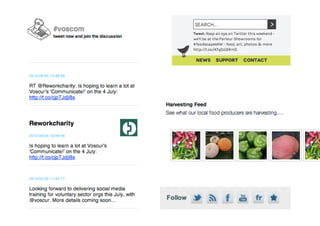
FACEBOOK
‘a social utility that connects people with friends and others who work,
study and live around them’
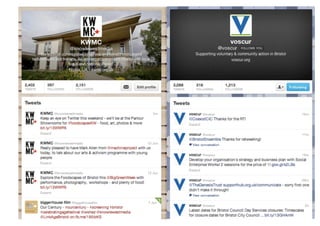
TWITTER
‘find out what’s happening, right now, with the people and organizations
you care about’
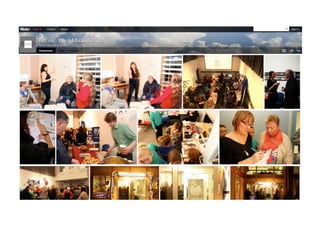
FLICKR
‘an online photo management and sharing application’
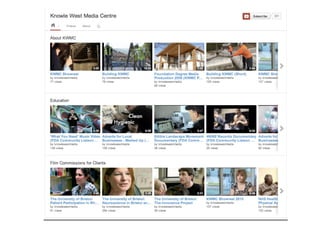
YOUTUBE
‘share your videos with friends, family, and the world’
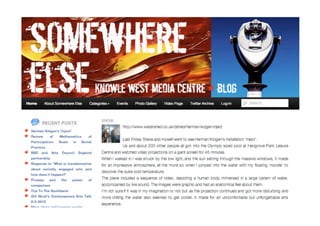
BLOGGING
‘a discussion or informational site published on the web’
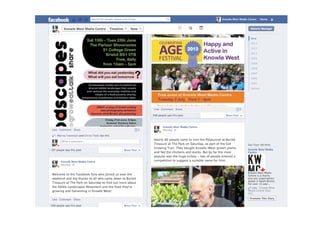
Facebook
Exercise: Successful or not?
•  WHO – who do you think the sites are intended for?
•  WHAT – do they give you a sense of what the
organization does?
•  WHY - do they communicate why you might be
interested?
•  Do they encourage you to ACT or do something?
•  What do you like and dislike about them?
Exercise: Benefits &
Limitations
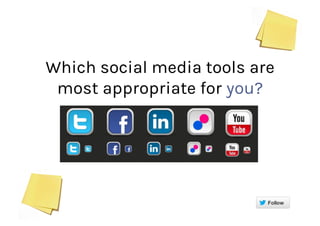
Which social media tools are
most appropriate for you?
Key Questions Revisited!
•  WHY are you using social media?
•  WHO do you want to reach?
•  WHAT do you want to use it for?
•  WHICH social media tool (or tools) are the most
appropriate?
What are you going
to do next?
Rachel Clarke, Communications & Press Coordinator
rachel.clarke@kwmc.org.uk

Communicate 13 social media workshop

  • 1.
    Friends, Fans &Followers: using social media in the voluntary sector
  • 2.
    Workshop Aims •  togain a better understanding of basic social media tools and their uses •  to consider their benefits and limitations •  to reflect on the most appropriate tools for us
  • 3.
    What is SocialMedia? •  A group of Internet-based applications [ ] that allow the creation and exchange of user-generated content (Andreas Kaplan and Michael Haenlein) •  Online platforms that allow people to communicate and share •  Creating online communities, united by a common interest (e.g. photography – Flickr) or by a common means of communicating (e.g. short updates – Twitter) •  Used by individuals and organisations
  • 4.
    The Key Questions • WHY are we undertaking this activity? •  WHO do we want to communicate with? •  WHAT are we going to share or show? •  HOW should we do this? (e.g. what’s the most appropriate tool?)
  • 5.
    WHY might weuse social media? To interact with our audiences To gather feedback and comments To meet users ‘where they are’ – an online platform that’s familiar to them We might seem more approachable To build a loyal following e.g. Facebook ‘fans’, Twitter ‘followers’ To drive traffic to our websites / create feeds for our websites To encourage fan recommendation and sharing of our information
  • 6.
    WHO could weinteract with? ‘Half of the population of the UK are Facebook members’ Daily Mail report, May 2013 24.5% of Facebook users are aged 18-24 25.5% are 25-34 Fanalyzer website, June 2013 ‘The 25-34, 35-44 and 45-54 age groups each make up around 20% of the Twitter population’ ‘Twitter’s user base is getting younger, while Facebook’s is getting older’ 80% of the 10 million UK ‘tweeters’ access Twitter on their mobiles 2013 study by Twitter & Compete
  • 7.
    WHAT could weshare with them? News and updates Photos and film clips Invitations to events or groups Requests for help, feedback or promotion Success stories Competitions and polls Links to websites or other info
  • 8.
    HOW do wego about it?! FACEBOOK ‘a social utility that connects people with friends and others who work, study and live around them’ TWITTER ‘find out what’s happening, right now, with the people and organizations you care about’ FLICKR ‘an online photo management and sharing application’ YOUTUBE ‘share your videos with friends, family, and the world’ BLOGGING ‘a discussion or informational site published on the web’
  • 9.
  • 15.
    Exercise: Successful ornot? •  WHO – who do you think the sites are intended for? •  WHAT – do they give you a sense of what the organization does? •  WHY - do they communicate why you might be interested? •  Do they encourage you to ACT or do something? •  What do you like and dislike about them?
  • 16.
  • 17.
    Which social mediatools are most appropriate for you?
  • 18.
    Key Questions Revisited! • WHY are you using social media? •  WHO do you want to reach? •  WHAT do you want to use it for? •  WHICH social media tool (or tools) are the most appropriate?
  • 19.
    What are yougoing to do next? Rachel Clarke, Communications & Press Coordinator rachel.clarke@kwmc.org.uk