INTRO TO SOCIAL MEDIA
FOR NON-PROFITS


                Workshop for Volunteer Connect
                March 14, 2012
                Colleen Miller
 Overview
                       Definition, Types
                       Demographics
            D A    Major Players

   E NUP
  G -
                       Twitter
                       Facebook
A HE LINE              Google+
  T                    LinkedIn
                   Tools, Tips, Techniques
                   Resources
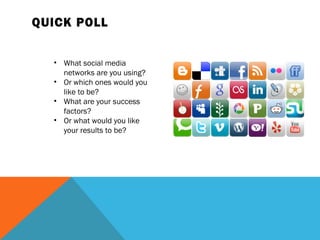
QUICK POLL


  • What social media
    networks are you using?
  • Or which ones would you
    like to be?
  • What are your success
    factors?
  • Or what would you like
    your results to be?
SOCIAL MEDIA

Definition:
   Using communications technologies (Web &
    mobile) to engage in interactive conversations
    and share information.
   Social media is not a fad or trend.
   With increased access to the Web and use of
    mobile phones and tablets – social media
    continues to grow.
   It’s now an ingrained part of how people relate,
    socialize, volunteer and work together.
KINDS OF SOCIAL MEDIA
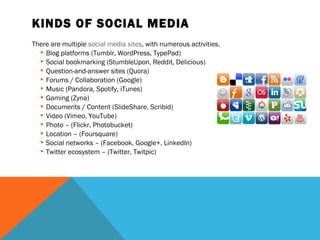
There are multiple social media sites, with numerous activities.
   Blog platforms (Tumblr, WordPress, TypePad)
   Social bookmarking (StumbleUpon, Reddit, Delicious)
   Question-and-answer sites (Quora)
   Forums / Collaboration (Google)
   Music (Pandora, Spotify, iTunes)
   Gaming (Zyna)
   Documents / Content (SlideShare, Scribid)
   Video (Vimeo, YouTube)
   Photo – (Flickr, Photobucket)
   Location – (Foursquare)
   Social networks – (Facebook, Google+, LinkedIn)
   Twitter ecosystem – (Twitter, Twitpic)
A SNAPSHOT

             One Minute on Web:
             Every 60 seconds in social media, two million videos are
                viewed on YouTube, 700,000 messages are
                delivered by way of Facebook, 175,000 tweets
                are generated, and 2,000 Foursquare check-ins
                tell the world where we are.*


             Venture Beat
WHY SOCIAL MEDIA?
Changing Society
 Pew Internet & American Life Project* finds:

    Fully 65% of adult Internet users now say they use a
     social networking site like MySpace, Facebook or
     LinkedIn, up from 61% one year ago. This marks the
     first time in Pew Internet surveys that 50% of all
     adults use social networking sites. (Aug. 2011)

    14% of users say that connecting around a shared
     hobby or interest is a major reason they use social
     media. (Nov. 2011)

    Internet users over age 50 (especially women)
     flocking to social media (Aug 2010)


*PewInternet.org
WHY SOCIAL MEDIA?
Changing Demographics
 Millenials*
  Born between 1978-1992.

  Grown up with MTV, blogs, Facebook &
   MySpace, texting.

  Volunteerism required in middle and high
   school – teen volunteerism doubled
   between 1989 -2005; college volunteerism
   increased 20% between 2002 -2005.

  But different in approaching volunteerism
   and activism – inconsistent or
   intermediated.


*Source: The Networked Nonprofit, Beth Kanter & Allison H. Fine.
L   D
                                                       OR
                                                      W
                                                  E
                                             TH
                                     G   E

               E R AT CH          AN


      I   TT    T   E   RS
                             TH


T W C HA   R AC

  40
  1
TWITTER
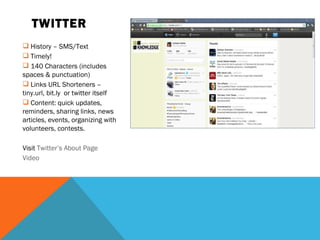
 History – SMS/Text
 Timely!
 140 Characters (includes
spaces & punctuation)
 Links URL Shorteners –
tiny.url, bit.ly or twitter itself
 Content: quick updates,
reminders, sharing links, news
articles, events, organizing with
volunteers, contests.

Visit Twitter’s About Page
Video
TWITTER TERMS
 Tweets – Messages You Sent.
 Following – People You Follow (Subscribe to).
 Followers – People Who Follow You (Get Your Tweets).
 Lists – Groups of People on Twitter that You Follow – Could Arrange by
  Topic.
 Hashtag – “#” followed by a keyword, such as #nonprofit or #mercercounty.
 Mentions – someone used your twitter name, eg. @cmiller237 wrote a great
  article.
 Retweets or RT – to republish someone’s tweet, uses their twitter name.
 Reply – uses someone’s twitter name (public).
 Follow Friday #FF – suggest folks to follow in a topic or good content .
 DM – Direct Message between people who follow each other.
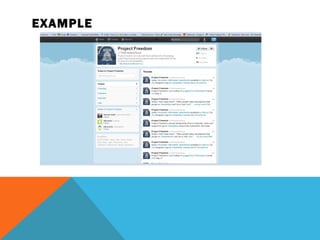
EXAMPLE
TWITTER TIPS
 Profile blurb – use authoritative keywords.
 Expert approach – tweet more than your own organization.
 Build audience using #hashtags, RTs, #FF, Lists, @Mentions.
 Integrate into your website and off-line promotions, communications.
 Conferences/Events – set up a hashtag, have someone tweet during
  event or keynote.
 Photos: Twitpics/Instagram.
 Paper.li – pulls together a Twitter list into a readable daily blast.
 Twitter chats
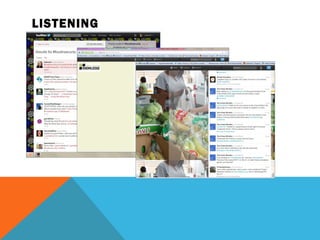
LISTENING
QUICK POLL

 How could you use Twitter to
  organize volunteers?
 How could you use Twitter to
  recruit volunteers?
O K
            B OA
      C E     G   OR
                     ILL


F AE 800
   H
        -LB

  T
FACEBOOK
 History
 Currently has > 800 million users worldwide
 Individual use (Listening first)
 Groups, Events
 Organizational “Fan” page? (Create a page)
    Use it to communicate with existing volunteers, donors
    Use it to find new volunteers
    Use it to support events
    Build “likes” - Integrate into website, offline materials
    Use Facebook “Insights” for stats
FACEBOOK
 Content on FB is about engagement.
 Update regularly. Not as frequent as Twitter.
 Ask questions, respond.
 Share links but add opinions, thoughts.
 Not just your newsletter re-hashed!
 Photos, videos add interest.
 Think brand building – use your logo, colors. Could use FB to offer
  graphics, banners, quotes.
 Customize your landing page. (Advanced)
 Ads – if you have budget, very effective at targeting.
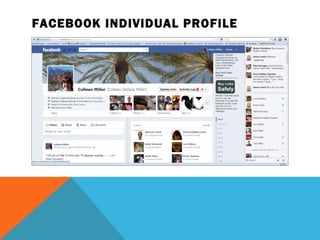
FACEBOOK INDIVIDUAL PROFILE
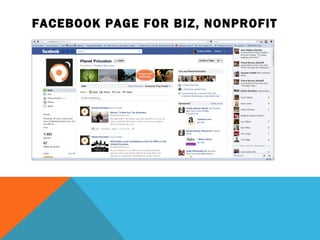
FACEBOOK PAGE FOR BIZ, NONPROFIT
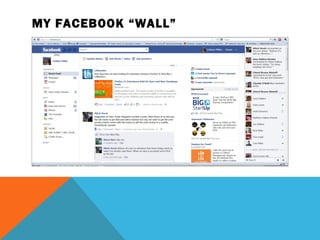
MY FACEBOOK “WALL”
RESOURCES
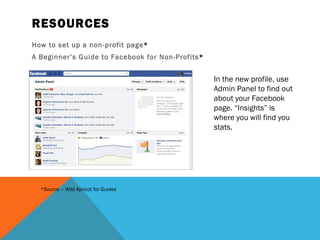
How to set up a non-profit page*
A Beginner’s Guide to Facebook for Non-Profits*


                                                  In the new profile, use
                                                  Admin Panel to find out
                                                  about your Facebook
                                                  page. “Insights” is
                                                  where you will find you
                                                  stats.


  *Source – Wild Apricot for Guides
QUICK POLL


 Do you have a Facebook
  page?
 How do you or would you use
  it?
 Name 3 things that might be
  added to a Facebook page.
GOOGLE+
 Opened its business, org pages in November ’11.
 Similar to Facebook, with better control of sharing.
 Use to share content, converse with your followers.
 Why is Google+ important? Google adding to search
  (SEO).
 Circles – Used to manage followers by circles, getting
  included in influential circles gets you followers.
 Hangouts – Quick way to do webinars, meetings.
  http://www.wikihow.com/Use-Google%2B-Hangouts
 Caveat – Tied into a lot of Google products, tread
  carefully.
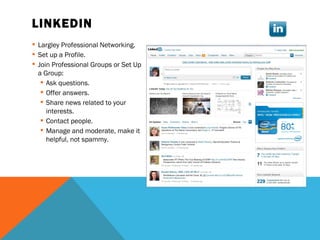
LINKEDIN
 Largley Professional Networking.
 Set up a Profile.
 Join Professional Groups or Set Up
  a Group:
    Ask questions.
    Offer answers.
    Share news related to your
     interests.
    Contact people.
    Manage and moderate, make it
     helpful, not spammy.
MANAGING SOCIAL MEDIA

Narrow focus – Think ROI.
Audience Research.
52 Small Changes: One Year to a Happier,
    Healthier You - 1 small change per week.
Habits - Examples – Healthy Eating, Exercise,
    even Brushing Your Teeth.
Changing workflow, then it’s established as a
    habit.
TIMING TWEETS, POSTS
HubSpot* Marketing – Research Data
 Twitter
    Population on Twitter – 50 % East Coast.
    Retweets – 2 pm – 5 pm. Late in day & week most Retweets.
    Click through rates increase with volume – Tweet more!
    Click through rates better with spacing - But don’t crowd your
     content.
 Facebook
    Sharing increases on the weekend.
 Blogging
    Publish on weekend for comments.

*Source: http://www.hubspot.com/
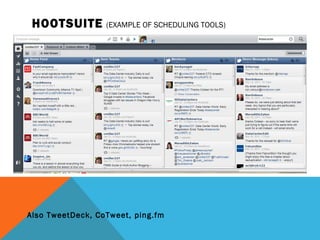
HOOTSUITE        (EXAMPLE OF SCHEDULING TOOLS)


Also TweetDeck, CoTweet, ping.fm
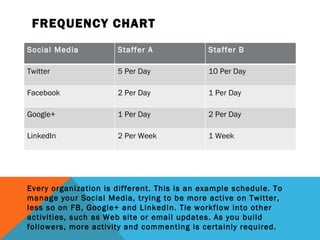
FREQUENCY CHART

Social Media          Staffer A              Staffer B

Twitter               5 Per Day              10 Per Day

Facebook              2 Per Day              1 Per Day

Google+               1 Per Day              2 Per Day

LinkedIn              2 Per Week             1 Week


Every organization is different. This is an example schedule. To
manage your Social Media, trying to be more active on Twitter,
less so on FB, Google+ and LinkedIn. Tie workflow into other
activities, such as Web site or email updates. As you build
followers, more activity and commenting is certainly required.
BUILDING AUDIENCES
   Be timely.
   Use Social Media tools appropriately.
   Be human, responsive and have a voice.
   Use offline/online tools to promote, promote (and sharing tools to your
    Website, e.g. AddThis).
   Be judicious about donation requests (donors don’t want to be thought of as
    ATMs).
   Connect to other news channels Websites, email blasts, email newsletters.
   Use your analytics to measure progress.
   Experiment - it’s OK to be incremental.
   Start for social/personal and move to professional use.
QUICK POLL
                What does your
                 management/leadership think of
                 Social Media?
                How many of you have a
                 President/CEO who blogs, Tweets,
                 Facebooks?
                How many personally visit social
                 networks daily? Multiple times per
                 day?
YOUTUBE
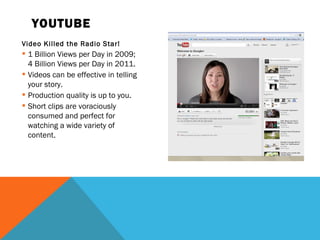
Video Killed the Radio Star!
 1 Billion Views per Day in 2009;
  4 Billion Views per Day in 2011.
 Videos can be effective in telling
  your story.
 Production quality is up to you.
 Short clips are voraciously
  consumed and perfect for
  watching a wide variety of
  content.
PINTEREST


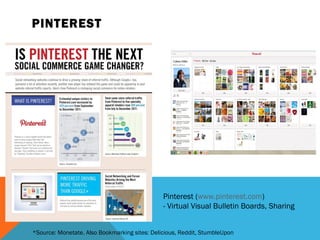
                                               Pinterest (www.pinterest.com)
                                               - Virtual Visual Bulletin Boards, Sharing


*Source: Monetate. Also Bookmarking sites: Delicious, Reddit, StumbleUpon
QUESTIONS/WRAP UP
Colleen Miller
cmiller237.wordpress.com
col237@gmail.com
@cmiller237 - Twitter


Sources identified in slides
Photo Images in this presentation are from Microsoft Free Clip Art.
Logos, screen shots are property of social media sites, used for illustration only